.jpeg)

Modèles d’inventaire multi-sites pour restaurants : comptage en parallèle et écart de coût matière instantané
Un groupe multi-sites peut prendre l’inventaire dans chaque établissement plus rapidement et obtenir des chiffres fiables, dès lors que la fiche de comptage correspond au rayon devant la personne qui compte et que plusieurs personnes comptent simultanément. C’est la véritable promesse des modèles de prise d’inventaire pour restaurants multi-sites conçus pour le comptage en parallèle : non pas un tableau plus joli, mais un inventaire achevé en une fraction du temps, qui génère un écart net dès sa soumission.
La plupart des groupes n’y parviennent pas parce qu’ils gèrent chaque établissement avec une seule liste principale et un seul compteur. Des directeurs de groupes de restauration multi-sites rapportent passer 5 à 10 heures par semaine sur des inventaires qui reviennent quand même inexacts, et une chaîne QSR multi-sites a attribué 4 à 6 % de son coût matière mensuel à des erreurs de comptage et à la réconciliation tableur qui s’ensuit. La solution est structurelle. Lorsque le modèle est filtré par poste, que plusieurs collaborateurs comptent en parallèle et que les résultats fusionnent automatiquement en un écart en temps réel, l’inventaire cesse d’être la tâche la plus lente de la semaine. Ce guide explique comment cela fonctionne et ce qu’il faut rechercher.
Ce que les modèles d’inventaire réutilisables apportent à un groupe multi-sites
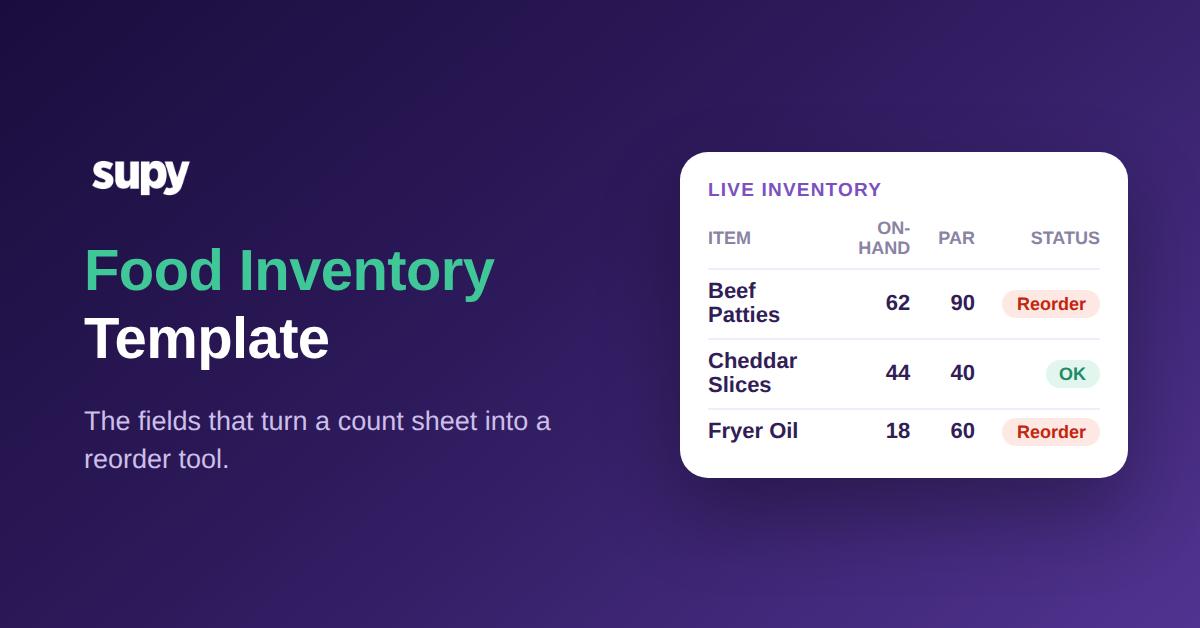
Un modèle de prise d’inventaire est la liste ordonnée sur laquelle le compteur s’appuie : quels articles compter, dans l’ordre où ils se trouvent physiquement sur le rayon. Réutilisable signifie que vous le créez une fois et que chaque futur inventaire en part, plutôt que quelqu’un ne reconstruise un tableau de mémoire avant chaque prise d’inventaire.
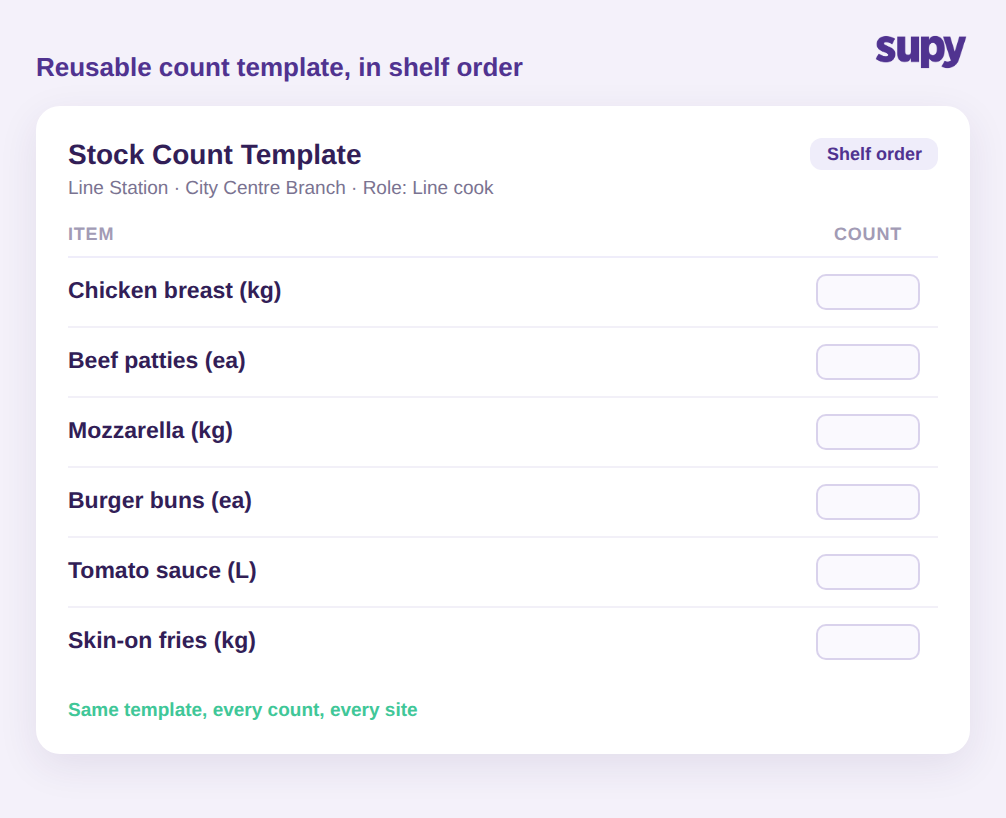
Pour un restaurant unique, c’est une commodité. Pour un groupe de 12 sites, c’est la différence entre des inventaires qui s’équilibrent et des inventaires qui ne s’équilibrent pas. Un modèle réutilisable en ordre de rayon permet à un nouveau membre de l’équipe de compter un poste avec précision dès son premier service, parce que la fiche reproduit le chemin qu’il parcourt déjà. Elle supprime les deux sources d’échec qui faussent silencieusement les données de groupe : des articles omis parce qu’ils sont enfouis en bas d’une liste non ordonnée, et des articles comptés en double parce que le compteur a perdu le fil.
La prise d’inventaire Supy repose exactement sur ce principe : des modèles de prise d’inventaire personnalisés et réutilisables en ordre de rayon, utilisés de la même façon dans chaque établissement pour que le groupe compare du comparable. Standardiser le modèle donne du sens aux chiffres inter-sites. Quand deux sites comptent les mêmes articles dans le même ordre, une différence dans leur écart est un signal opérationnel réel et non l’artefact de deux personnes qui comptent de deux façons différentes. Cette comparabilité est la raison même pour laquelle un groupe prend l’inventaire, et elle est impossible quand chaque établissement improvise sa propre fiche. Si vous savez déjà à quelle fréquence chaque site devrait compter, un modèle réutilisable est ce qui rend ce rythme viable plutôt qu’aspirationnel. (Pour un aperçu du rythme lui-même, consultez notre guide sur les benchmarks de fréquence d’inventaire pour restaurants.)
Pourquoi une liste d’articles unique pour chaque établissement ralentit le comptage
L’erreur de comptage la plus courante dans un groupe est d’imprimer la liste complète d’articles pour chaque établissement. Un directeur des opérations d’un opérateur multi-sites a décrit le résultat clairement : imprimer tout pour chaque établissement perturbe les collaborateurs, et ce dont ils avaient besoin, c’était de modèles filtrés par établissement et par rôle que le système ne facilitait pas la mise en place.
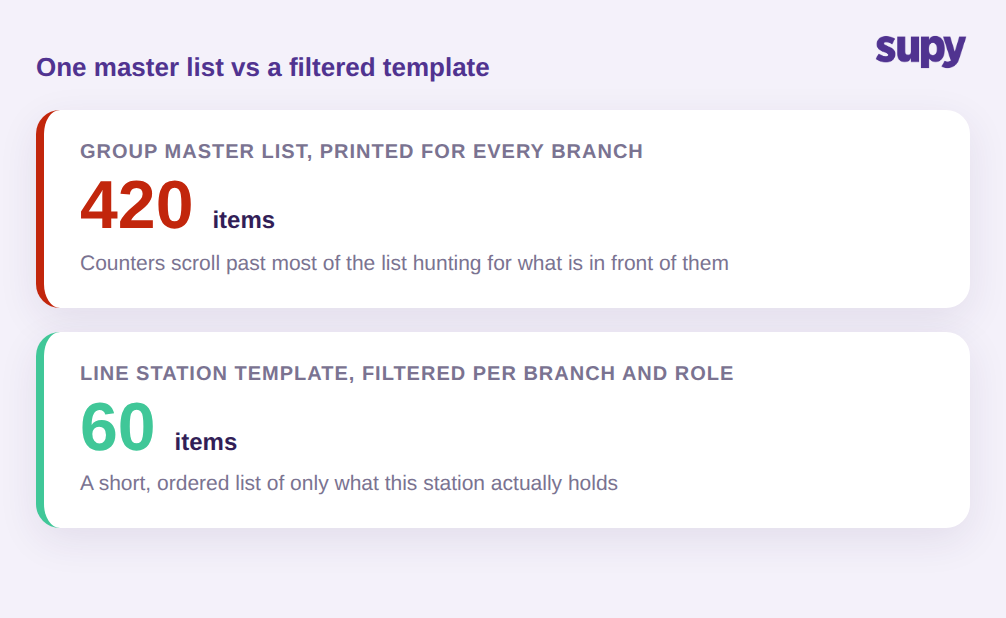
Le calcul est simple. Une liste principale de groupe peut comporter 420 articles suivis. Un seul poste dans un établissement n’en contient peut-être que 60. Remettre à ce poste un tableau de 420 lignes signifie que le compteur passe la majeure partie de son temps à faire défiler des articles qui ne sont pas devant lui, à la recherche des 60 qui y sont. Chaque ligne supplémentaire est une occasion de saisir une mauvaise valeur, de sauter un article ou de compter quelque chose entreposé ailleurs.
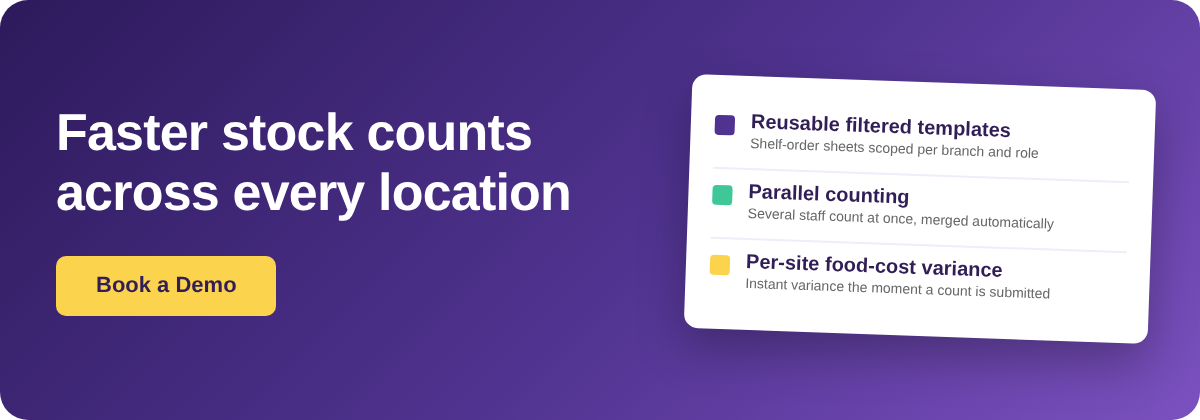
Les modèles filtrés règlent ce problème en limitant la liste à ce dont un établissement donné, et un rôle donné au sein de celui-ci, est responsable. Le cuisinier de ligne reçoit les articles de la ligne. Le responsable bar reçoit le bar. Personne ne compte le même article deux fois, et personne ne compte un article qu’il ne peut pas voir. C’est là que réutilisable et filtré fonctionnent ensemble : vous créez les modèles d’établissement et de poste une fois, et chaque inventaire ultérieur est déjà ciblé. Le compteur voit une liste courte, ordonnée et pertinente, et le comptage avance à la vitesse du rayon plutôt qu’à la vitesse de la fiche. Les groupes qui adoptent cette approche réduisent couramment le temps de comptage de plus de 50 %.
Comptage en parallèle : plusieurs collaborateurs, un résultat fusionné
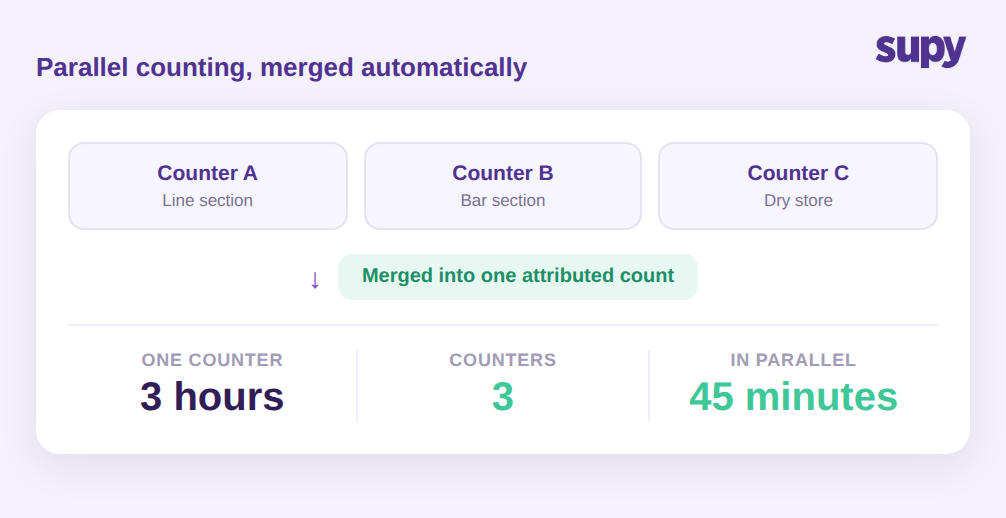
Le levier de temps le plus important dans un inventaire multi-sites est de permettre à plus d’une personne de compter simultanément. Un site qui demande 3 heures à une personne à partir d’une liste non filtrée peut être achevé en environ 45 minutes quand 3 personnes prennent chacune une section filtrée et comptent en parallèle.
La raison pour laquelle les groupes évitent le comptage en parallèle sur papier ou dans des tableurs est que fusionner les résultats est source d’erreurs. Trois feuilles séparées doivent être saisies, rapprochées et vérifiées pour détecter les doublons. C’est lors de cette réconciliation que les heures et la précision disparaissent.
La prise d’inventaire Supy gère le comptage en parallèle directement : plusieurs compteurs peuvent travailler sur le même inventaire simultanément, et le système fusionne automatiquement leurs saisies, chaque saisie étant attribuée à la personne qui l’a effectuée. L’attribution compte plus qu’il n’y paraît. Quand un chiffre semble erroné, vous pouvez voir qui l’a compté et aller directement à la source plutôt que de recompter l’intégralité du site. Elle gère également le cas délicat où un article se trouve à plus d’un endroit dans un établissement. Si le même produit est stocké dans 3 zones, la ligne chaude, la préparation et la réserve sèche, chaque compteur le saisit là où il le trouve, et l’inventaire fusionné additionne ces chiffres en une valeur unique pour le site plutôt que de laisser quelqu’un additionner manuellement des sous-emplacements. Compter sur tablettes et smartphones signifie que tous les compteurs en parallèle saisissent en temps réel, sans écrire sur papier pour une nouvelle saisie ultérieure.
Transformer un inventaire terminé en écart de coût matière par site
Un inventaire n’est utile que s’il indique ce qui a changé et ce que cela a coûté. L’objectif du comptage est l’écart : l’écart entre ce que le système prévoyait d’avoir et ce qui se trouve réellement sur le rayon.
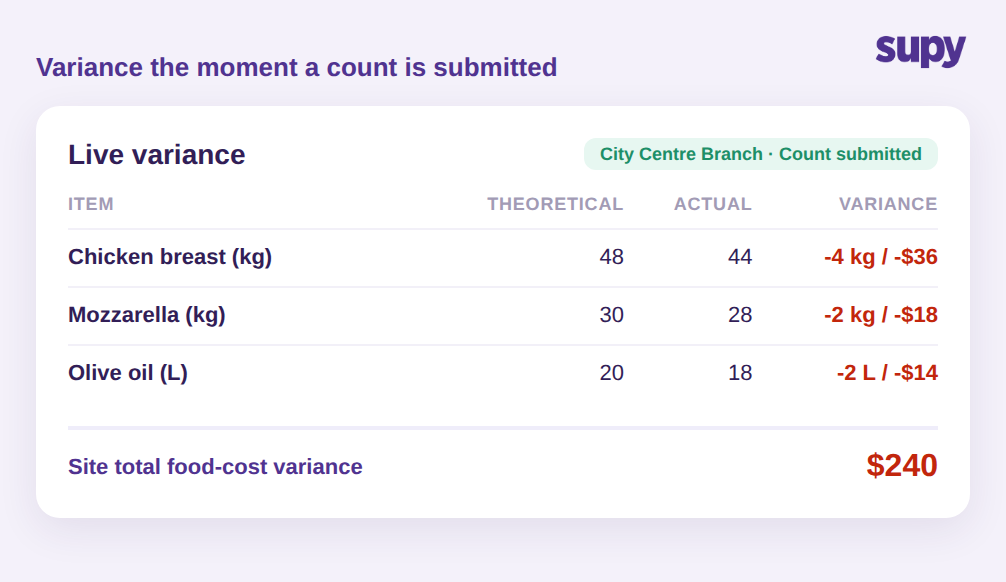
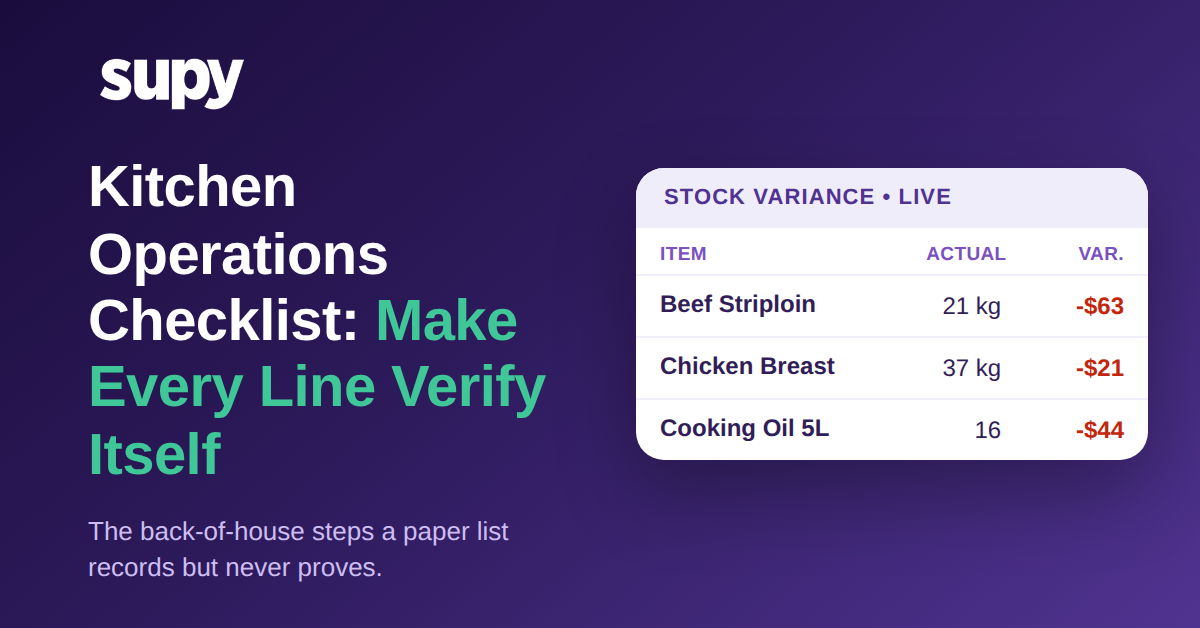
C’est là que les inventaires numériques structurés surpassent les tableurs. Supy maintient un stock théorique en permanence à jour à partir de chaque réception de marchandises et de chaque événement de consommation de recette, de sorte que l’écart au moment de l’inventaire est mesuré par rapport à la consommation réelle attendue, et non par rapport à un stock d’ouverture obsolète que quelqu’un n’a pas mis à jour depuis des semaines. Au moment où un inventaire est soumis, vous obtenez un écart instantané par rapport au système, avec la possibilité d’explorer les articles qui en sont à l’origine.
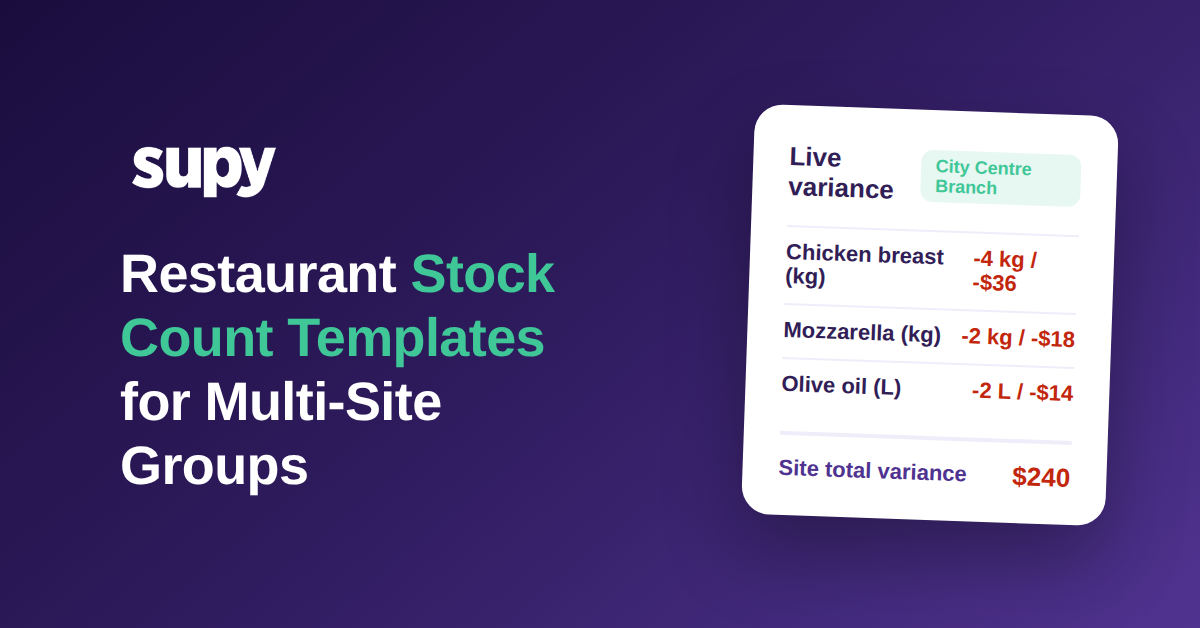
Cela va un pas plus loin sur les coûts. Lorsqu’un inventaire est terminé, le dernier coût recette pour chaque site et chaque date d’inventaire est enregistré, de sorte que le rapport d’écart montre non seulement un écart en quantité, mais aussi son impact sur le coût matière par site. Un site peut afficher un écart de coût matière de 240 USD sur un seul inventaire, et sur un groupe de 12 sites une période d’inventaire peut révéler environ 2 100 USD d’écart total qui était auparavant invisible jusqu’à la réconciliation mensuelle. Voir cela par site, le jour même, est ce qui permet à un directeur régional d’agir pendant que la piste est encore fraîche. Si vous souhaitez connaître la méthode complète pour lire ces chiffres, notre guide d’analyse des écarts d’inventaire pour restaurants va plus loin, et suivi manuel vs automatisé des écarts d’inventaire explique pourquoi le stock théorique compte.
Les modèles et le comptage en parallèle ne se cumulent que si les inventaires ont lieu à un rythme régulier. Comme les fiches sont déjà créées et ciblées par établissement et par rôle, un inventaire récurrent ne demande aucune préparation au directeur régional : il ouvre le modèle et commence. Et puisque chaque inventaire arrive comme un écart propre et attribué, le groupe construit un historique fiable, rendant visibles les schémas, comme un site qui dérive chaque mois, au lieu de les noyer dans des tableurs ressaisis. Des inventaires structurés et cohérents entre sites sont également ce qui permet aux travaux multi-sites plus complexes, comme le suivi des transferts de stocks de la cuisine centrale, de se réconcilier proprement.
Comment savoir si votre processus d’inventaire en a besoin
Si vous souhaitez savoir si des modèles filtrés et le comptage en parallèle feraient une différence pour votre groupe, vérifiez trois choses lors de votre prochain inventaire. Premièrement, chronométrez-le : si un seul site demande à une seule personne plus de quelques heures, une liste non filtrée et un processus à un seul compteur vous coûtent de l’argent, et les modèles filtrés avec comptage en parallèle sont le remède direct. Deuxièmement, regardez votre fiche : si chaque établissement compte à partir de la même liste principale plutôt que d’un modèle ciblé sur ses postes et rôles, vous payez la taxe de confusion à chaque inventaire. Troisièmement, vérifiez combien de temps il faut pour que l’écart apparaisse : si vous ne voyez pas d’écart de coût matière par site avant une réconciliation mensuelle, l’inventaire ne remplit pas sa mission principale.
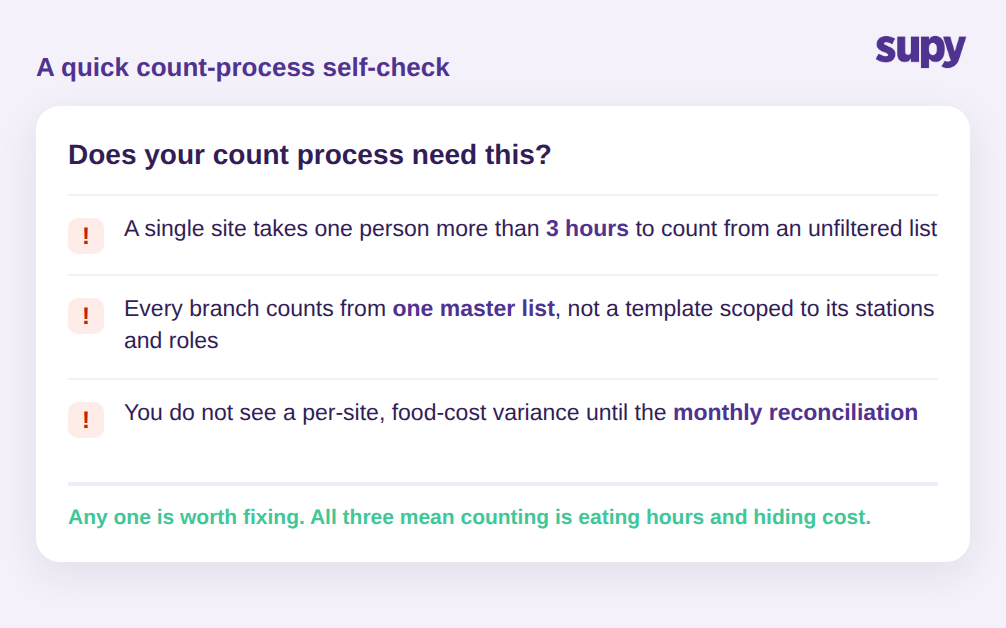
Chacun de ces points mérite d’être corrigé individuellement. Les trois réunis signifient que l’inventaire mange silencieusement des heures et cache des coûts dans chaque établissement. Une prochaine étape utile est de tester un site des deux façons le même jour : un compteur avec l’ancienne liste principale et un modèle filtré avec des compteurs en parallèle lors du prochain inventaire planifié. Comparez le temps passé et l’écart produit par chacun. L’écart est la taille du problème que vous portez dans chaque établissement, multiplié par la fréquence à laquelle vous comptez.
La prise d’inventaire Supy est conçue pour les groupes multi-sites précisément sur ces points : modèles filtrés réutilisables en ordre de rayon, comptage en parallèle avec fusion automatique et attribution, et écart de coût matière par site instantané au moment de la soumission de l’inventaire. Si l’inventaire est la tâche que vos directeurs redoutent le plus, c’est aussi celle où il y a le plus de temps et d’argent à récupérer.