.jpg)


Restaurant Stock Count Templates for Multi-Site Groups: Faster, Accurate Counts with Parallel Counting
A multi-site group can stock count at every location faster and get numbers it can actually trust, once the count sheet matches the shelf in front of the person holding it and whenmore than one person counts at the same time. That is the real promise of restaurant stock count templates built for multi-site parallel counting: not a prettier spreadsheet, but a count that finishes in a fraction of the time and lands as a clean variance figure the moment it is submitted.
Most groups do not get there because they run every branch off one master list and one counter. Managers across multi-site F&B groups report spending 5 to 10 hours a week on counts that still come back wrong, and one multi-location QSR chain traced 4 to 6% of its monthly food cost to counting errors and the spreadsheet reconciliation that followed. The fix is structural. When the template is filtered to the station, several staff count in parallel, and the results merge automatically into a live variance, counting stops being the slowest job of the week. This guide walks through how that works and what to look for.
What Reusable Stock Count Templates Do for a Multi-Site Group
A stock count template is the ordered list a counter works through: which items to count, in the sequence they physically sit on the shelf. Reusable means you build it once and every future count starts from it, rather than someone rebuilding a sheet from memory before each count.
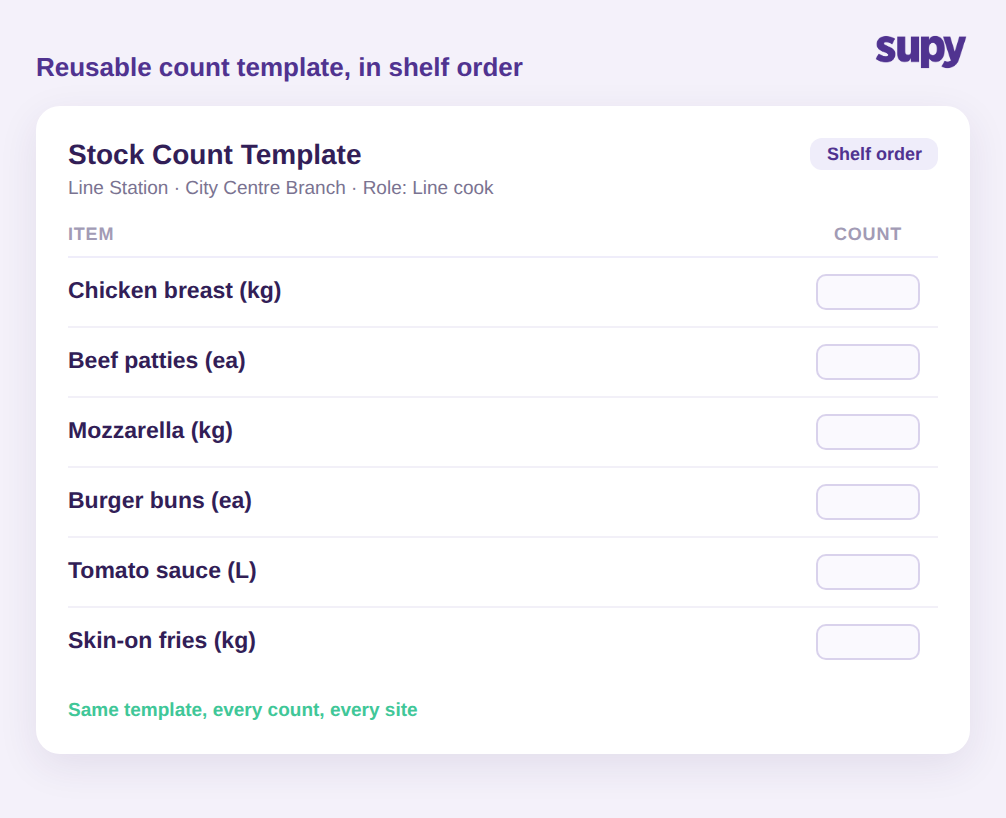
For a single restaurant that is a convenience. For a group of 12 locations it is the difference between counts that reconcile and counts that do not. A reusable template in shelf order lets a new team member count a station accurately on their first shift, because the sheet mirrors the walk they are already doing. It removes the two failure modes that quietly wreck group data: items missed because they were buried at the bottom of an unordered list, and items double-counted because the counter lost their place.
Supy's Stock Counting is built on exactly this: reusable custom count templates arranged in shelf order, used the same way at every location so the group is comparing like with like. Standardising the template is what makes cross-site numbers meaningful. When two sites count the same items in the same order, a difference in their variance is a real operational signal rather than an artefact of two people counting two different ways. That comparability is the whole reason a group counts at all, and it is impossible when every branch improvises its own sheet. If you already know how often each site should be counting, a reusable template is what makes that cadence realistic to sustain rather than aspirational. (For a view on cadence itself, see our guide to restaurant stock count frequency benchmarks.)
Why One Item List for Every Branch Slows Counting Down
The most common counting mistake in a group is printing the full item list for every branch. One multi-site operator's operations manager described the result plainly: printing everything for every location confuses staff, and what they actually needed were per-branch and per-role filtered templates that the system did not make easy to set up.
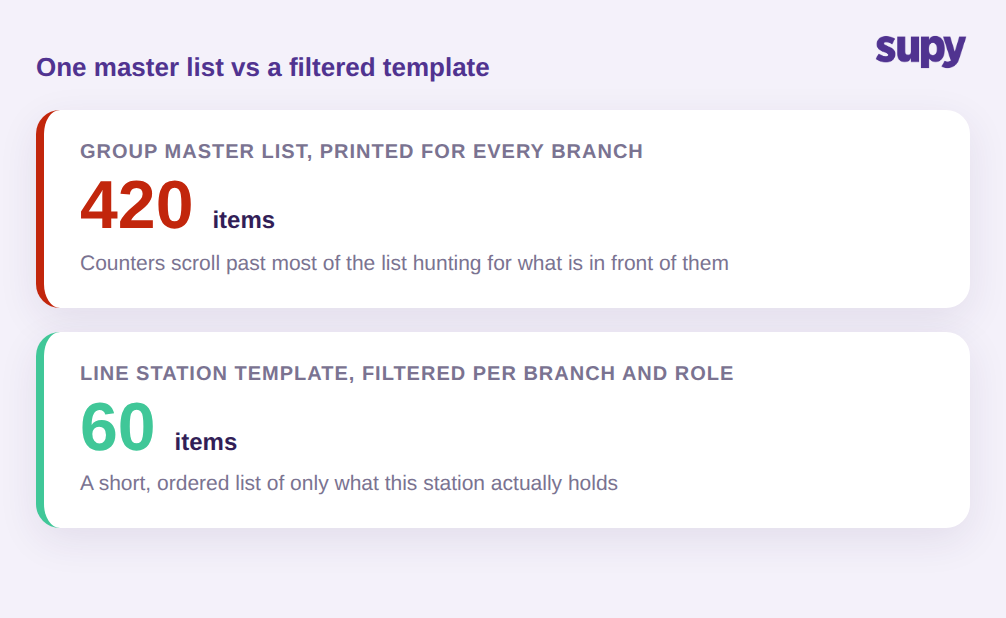
The maths is simple. A group-wide master list might carry 420 tracked items. A single station inside one branch might hold 60 of them. Handing that station a 420-line sheet means the counter spends most of their time scrolling past items that are not in front of them, hunting for the 60 that are. Every extra line is a chance to mis-key, skip, or count something stored somewhere else.
Filtered templates fix this by scoping the sheet to what a given branch, and a given role within it, is responsible for. The line cook counting the line gets the line items. The bar lead gets the bar. Nobody counts the same item twice, and nobody counts an item they cannot see. This is where reusable and filtered work together: you build the branch and station templates once, and every count from then on is already scoped. The counter sees a short, ordered, relevant list, and the count moves at the speed of the shelf instead of the speed of the sheet. Groups that make this switch routinely cut counting time by over 50%.
Parallel Counting: Several Staff, One Merged Result
The single biggest time lever in a multi-site count is letting more than one person count at once. A site that takes one person 3 hours to count from an unfiltered list can be done in around 45 minutes when 3 people each take a filtered section and count in parallel.
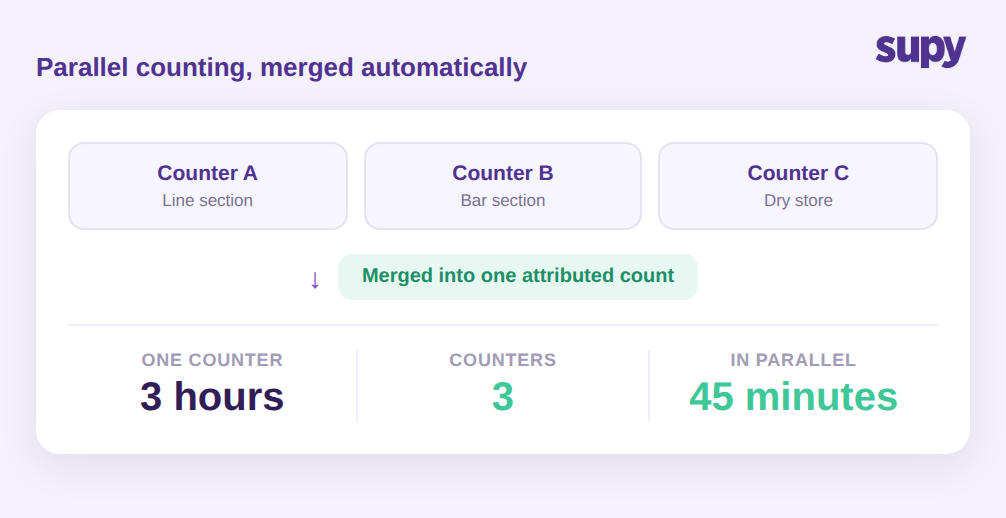
The reason groups avoid parallel counting on paper or in spreadsheets is that merging the results is error-prone. Three separate sheets have to be typed up, reconciled, and checked for the same item appearing on two of them. That reconciliation is where hours and accuracy both disappear.
Supy's Stock Counting handles parallel counting directly: multiple counters can work the same count at the same time, and the system merges their entries automatically, with each entry attributed to the person who made it. Attribution matters more than it sounds. When a number looks wrong, you can see who counted it and go straight to the source instead of re-counting the whole site. It also handles the awkward case where one item sits in more than one place at a single location. If the same product is held in 3 areas, the line, prep, and dry store, each counter records it where they find it, and the merged count adds those up into one figure for the site rather than leaving someone to sum sub-locations by hand. Counting on tablets and phones means those parallel counters are all entering live, not writing on paper to be re-keyed later.
Turning a Completed Count into Per-Site Food-Cost Variance
A count is only useful if it tells you what changed and what it cost. The point of counting is variance: the gap between what the system expected you to have and what you actually have on the shelf.
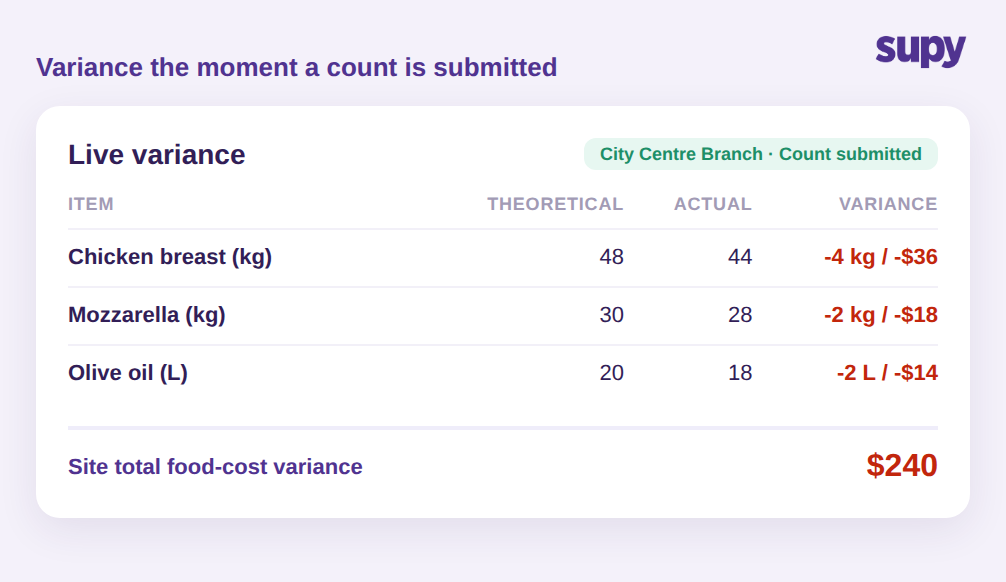
This is where structured digital counts pull ahead of spreadsheets. Supy keeps a theoretical stock figure continuously up to date from every goods receipt and every recipe consumption event, so the variance at count time is measured against real expected usage, not a stale opening balance someone last touched weeks ago. The moment a count is submitted, you get instant variance against system, with drill-down into the items driving it.
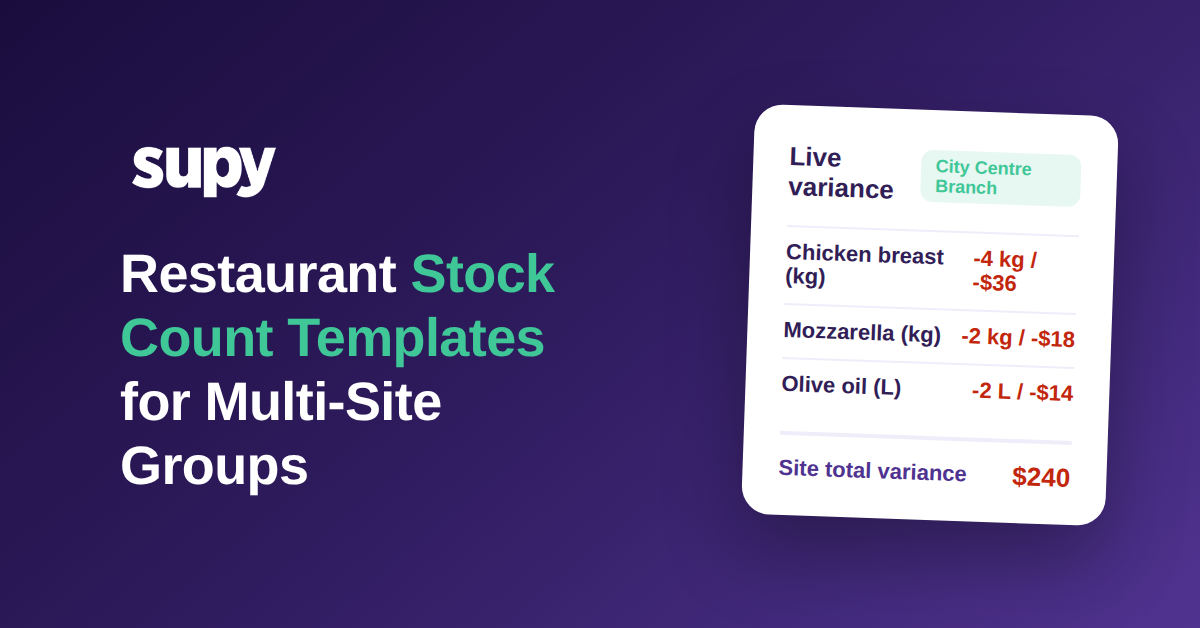
It goes one step further on cost. When a count is completed, the latest recipe cost for each location and count date is captured, so the variance report shows not just a quantity gap but its food-cost impact per site. A site might show a $240 food-cost variance on a single count, and across a 12-location group a count period might surface around $2,100 in total variance that was previously invisible until the monthly reconciliation. Seeing that per site, on the day, is what lets an area manager act while the trail is still warm. If you want the full method behind reading these numbers, our restaurant inventory variance analysis guide goes deeper, and manual vs automated inventory variance tracking covers why the theoretical figure matters.
Templates and parallel counting only compound if counts actually happen on a regular cadence. Because the sheets are already built and scoped per branch and role, a recurring count does not need a manager to prepare anything, they open the template and go. And because every count lands as a clean, attributed variance, the group builds a history it can trust, so patterns, such as one site drifting every month, become visible instead of drowning in re-keyed spreadsheets. Structured, consistent counts across sites are also what make the harder multi-location work, like central kitchen stock transfer tracking, reconcile cleanly.
How to Tell If Your Count Process Needs This
If you want to know whether filtered templates and parallel counting would move the needle for your group, check three things in your next count. First, time it: if a single site takes one person more than a couple of hours, an unfiltered list and single-counter process is costing you, and filtered templates with parallel counting is the direct fix. Second, look at your sheet: if every branch counts from the same master list rather than a template scoped to its stations and roles, you are paying the confusion tax on every count. Third, check how long variance takes to appear: if you do not see a per-site, food-cost variance figure until a monthly reconciliation, the count is not doing its main job.
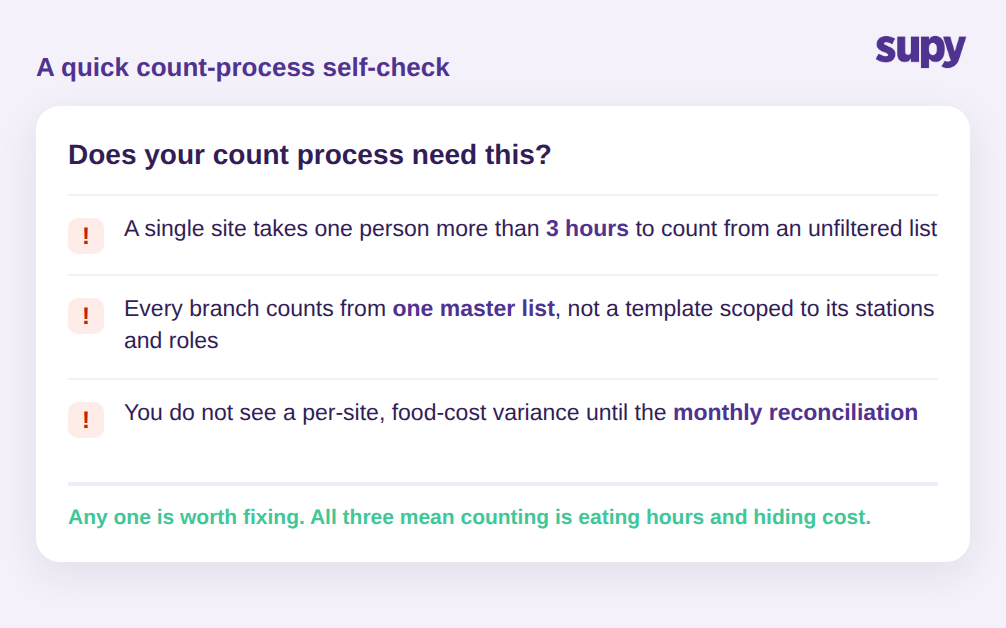
Any one of those on its own is worth fixing. All three together mean counting is quietly eating hours and hiding cost across every location. A useful next step is to run one site both ways on the same day: one counter working the old master list, and a filtered template with parallel counters on the next scheduled count. Compare the clock time and the variance each produced. The gap is the size of the problem you are carrying at every location, multiplied by how often you count.
Supy's Stock Counting is built for multi-site groups on exactly these points: reusable filtered templates in shelf order, parallel counting with automatic merging and attribution, and instant per-site food-cost variance the moment a count is submitted. If counting is the job your managers dread most, it is also the one with the most time and money to win back.