





Start with the big picture, drill down to one item
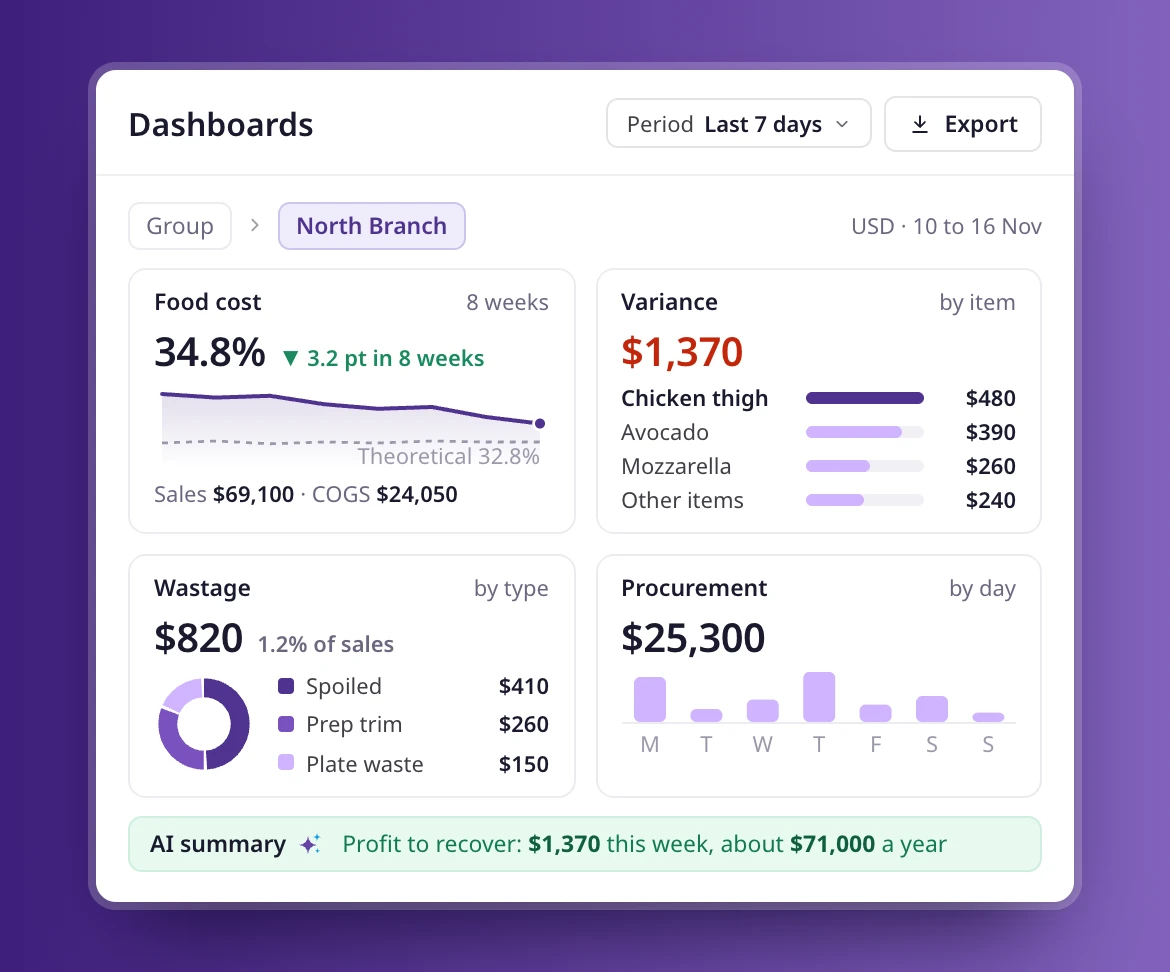
Procurement, food cost, variance, wastage and sales dashboards. Start with the group, then drill down to a branch, a category or one item on the same screen.
Real-time performance
Track costs, margins, and wastage without waiting for month-end.
Location comparisons
Identify your best and worst performers instantly.
Root cause analysis
Drill into categories, dishes, and ingredients to see what’s driving results.
Portfolio
One master dashboard for every branch
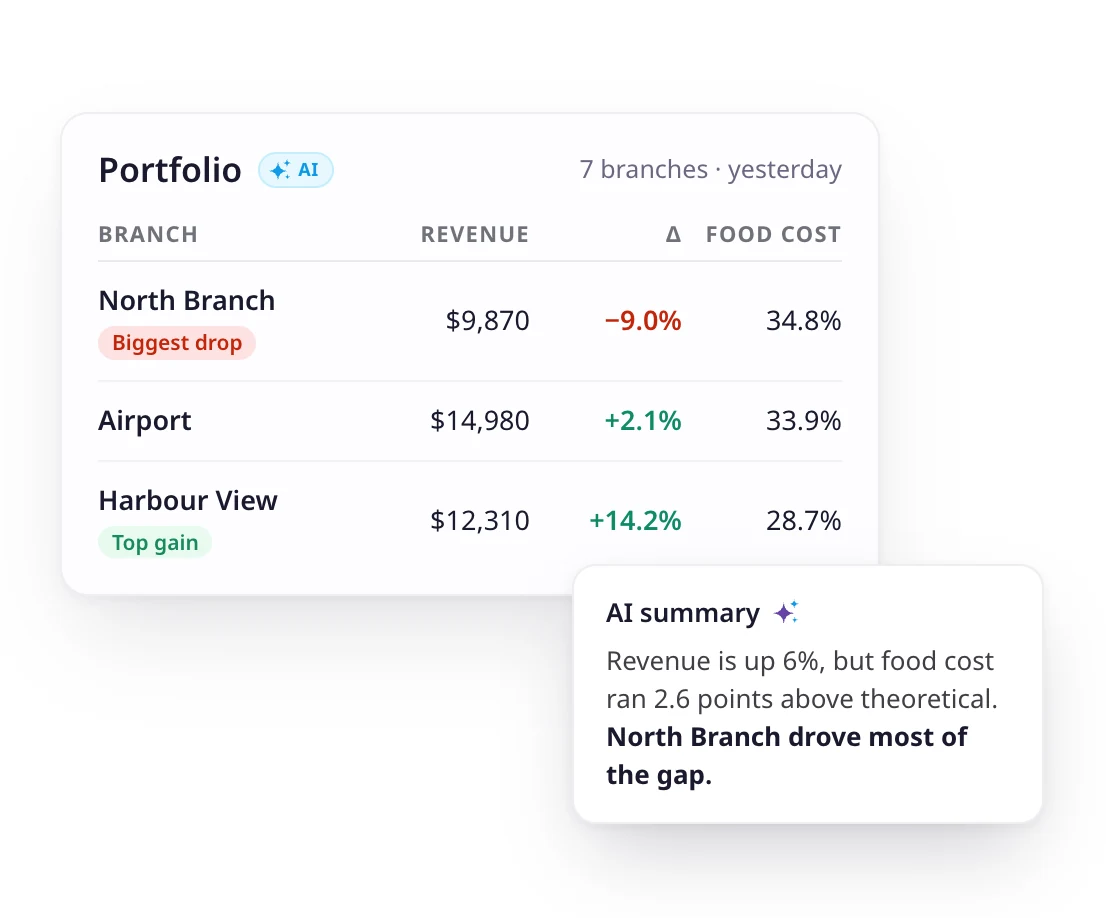
Portfolio sits above every dashboard. It puts revenue, food cost and wastage for all your branches on one screen, and an AI summary tells you what stood out and what to watch. Click any point to open the dashboard or record behind it.
- Every branch side by side, with the biggest drop flagged
- AI summary of what changed since the last period
- One click from a number to the dashboard behind it
COGS & food cost dashboards
- Live visibility of cost of goods sold (COGS) and food cost percentage.
- Track in real time at group, site, or menu category level.
- Identify sudden cost spikes and act before they impact margins.
Variance & wastage insights
- See variances between theoretical and actual stock usage.
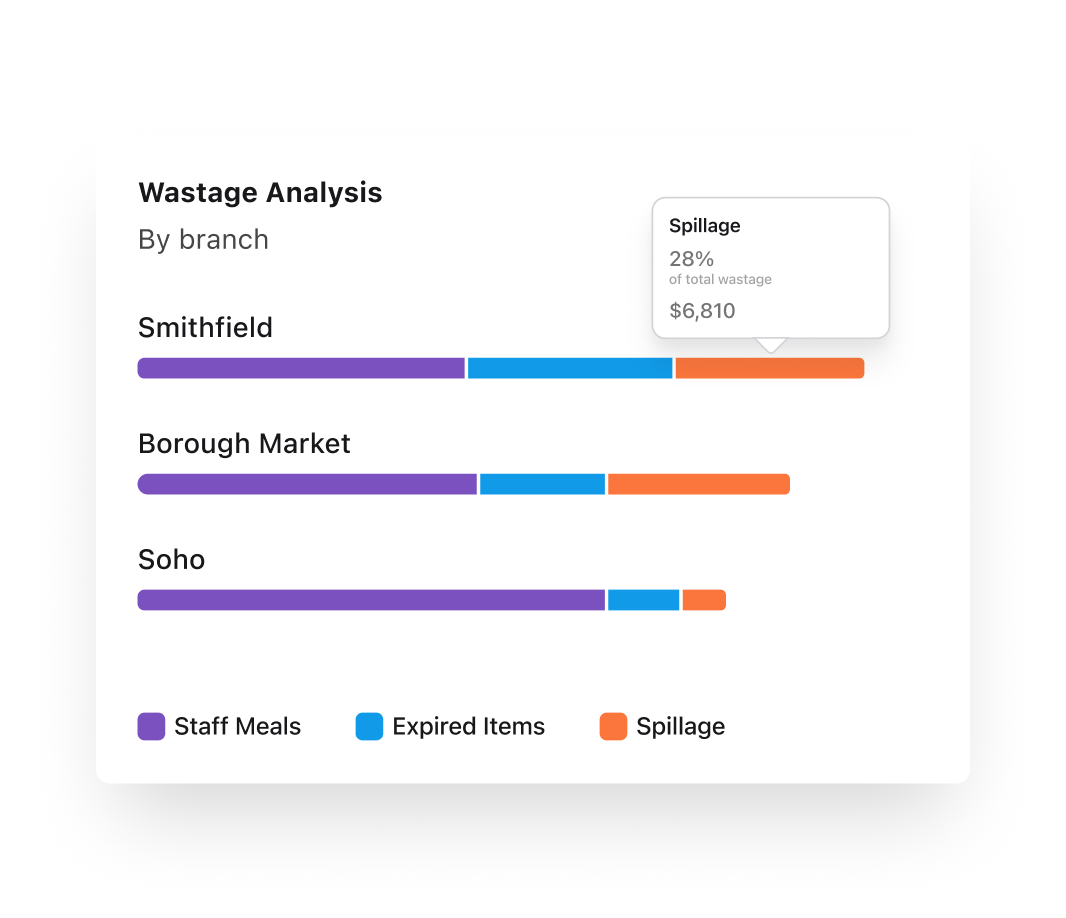
- Breakdown of wastage by type, site, and item, all visualised for quick understanding.
- Pinpoint high-cost waste and target operational fixes.
Usage & stock movement analytics
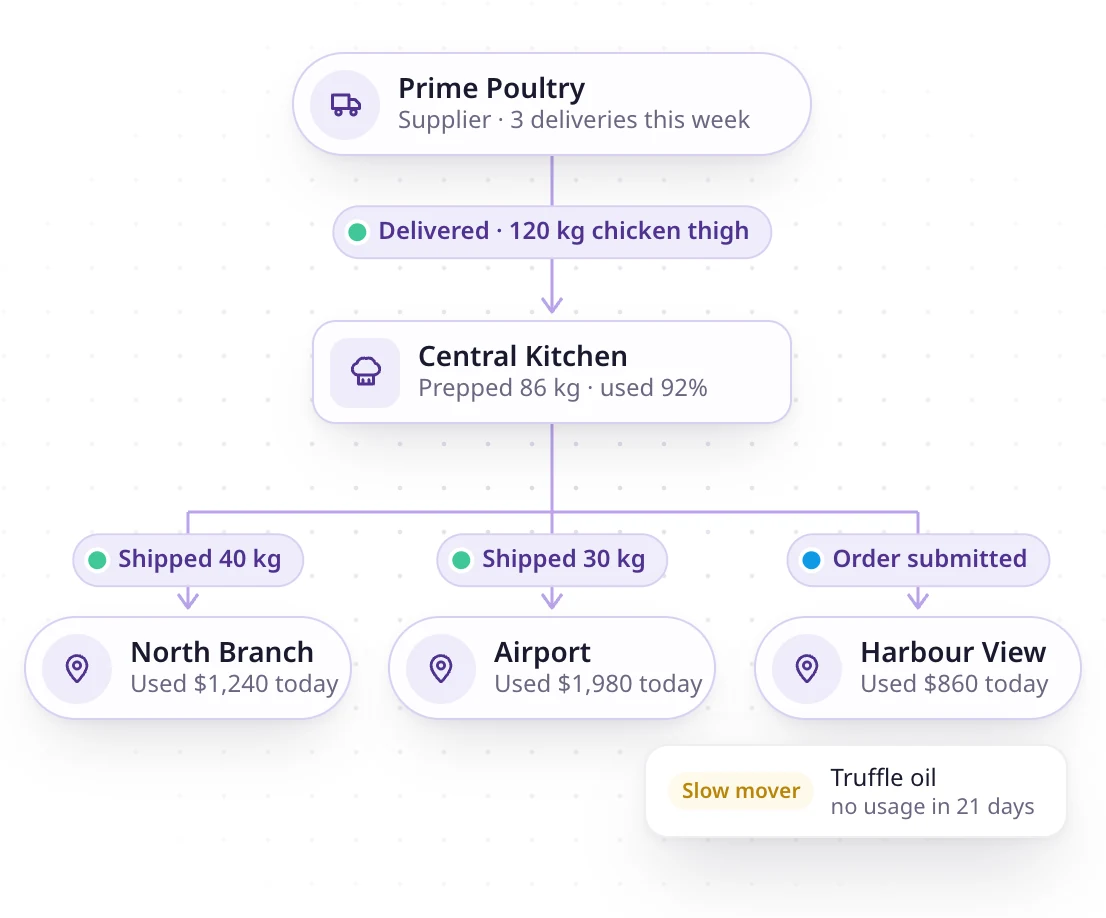
- Get a clear view of stock movement and usage across all locations.
- Identify slow-moving items by site or menu category.
- Spot trends over time to improve forecasting and menu planning.
Profitability by site & category
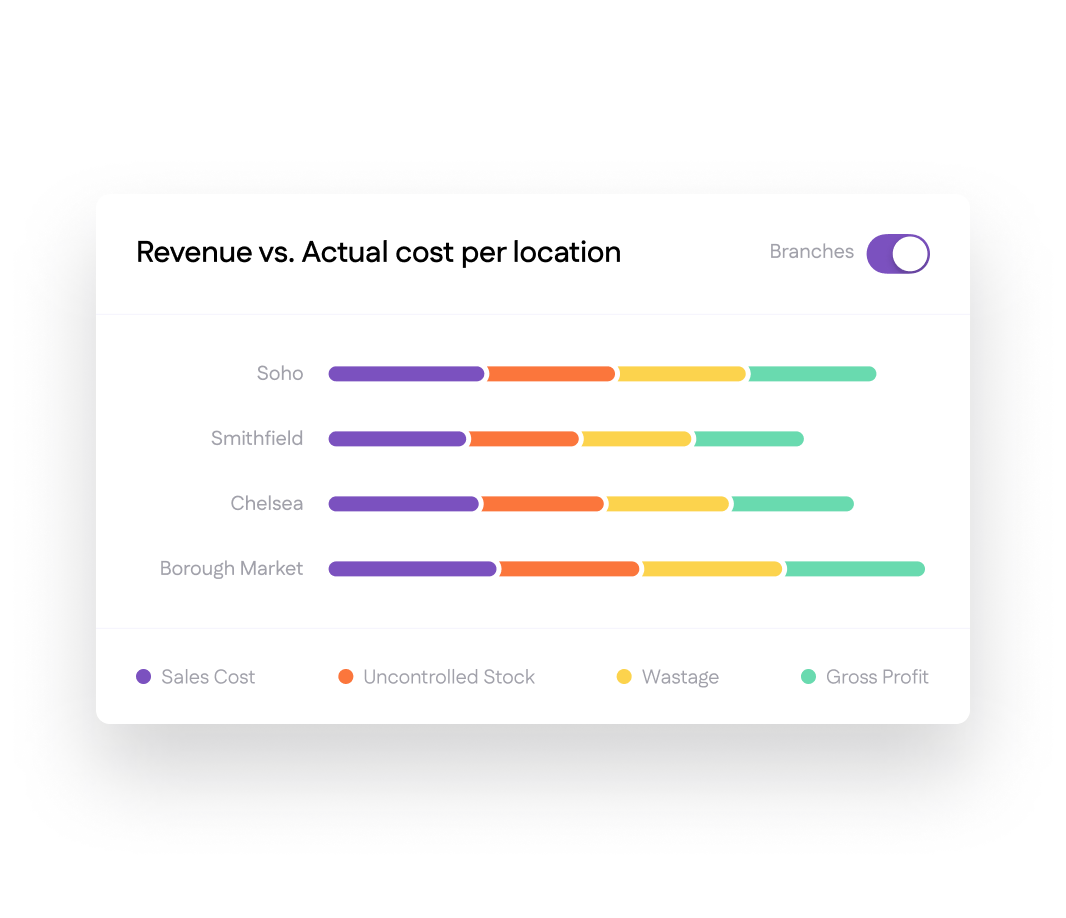
- Compare site-by-site profitability at a glance.
- Drill down into menu category and dish-level margins.
- Use filters to see performance for specific time periods, brands, or regions.
Drill-down navigation & data export
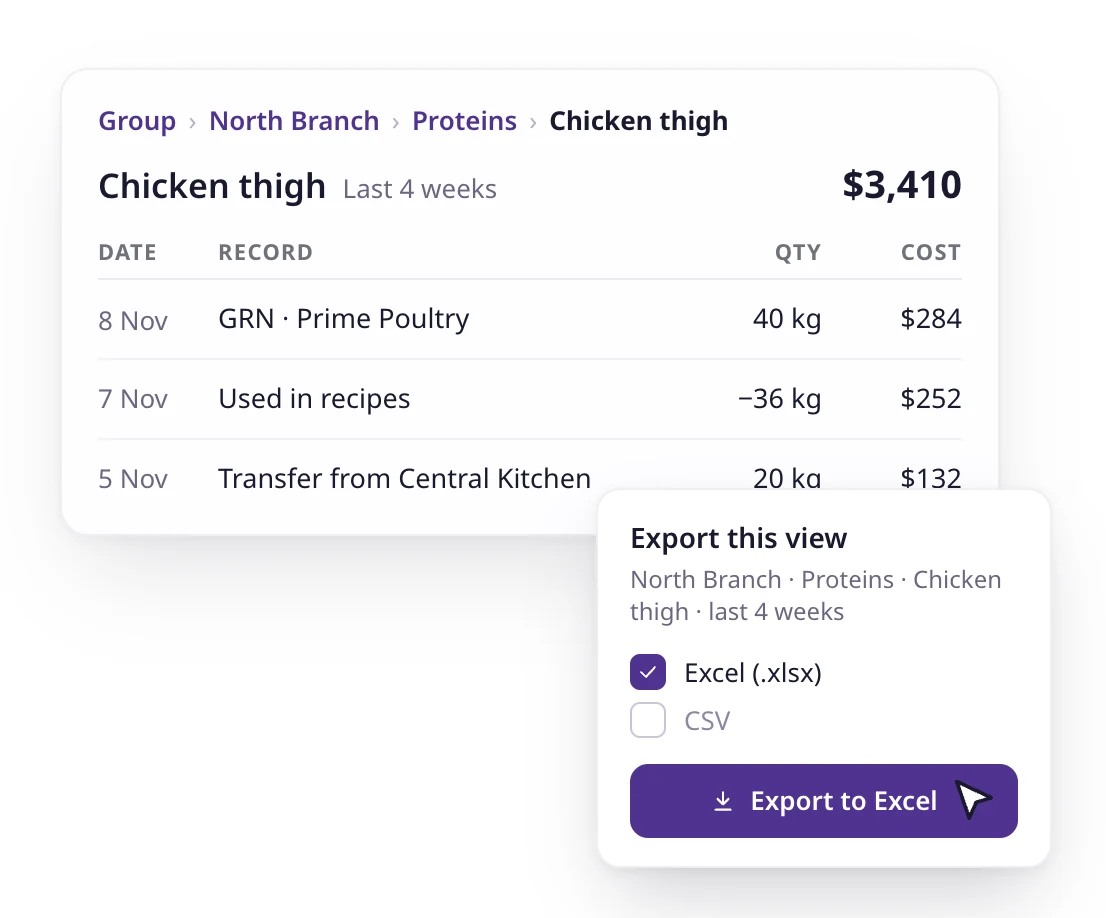
- Start from a high-level KPI view, then click down to branch, category, or dish details.
- Export filtered views directly to spreadsheets for further analysis or sharing.
- Perfect for management meetings or quick decision-making.
Portfolio
One master dashboard for every branch
Portfolio sits above every dashboard. It puts revenue, food cost and wastage for all your branches on one screen, and an AI summary tells you what stood out and what to watch. Click any point to open the dashboard or record behind it.
- Every branch side by side, with the biggest drop flagged
- AI summary of what changed since the last period
- One click from a number to the dashboard behind it
COGS & food cost dashboards
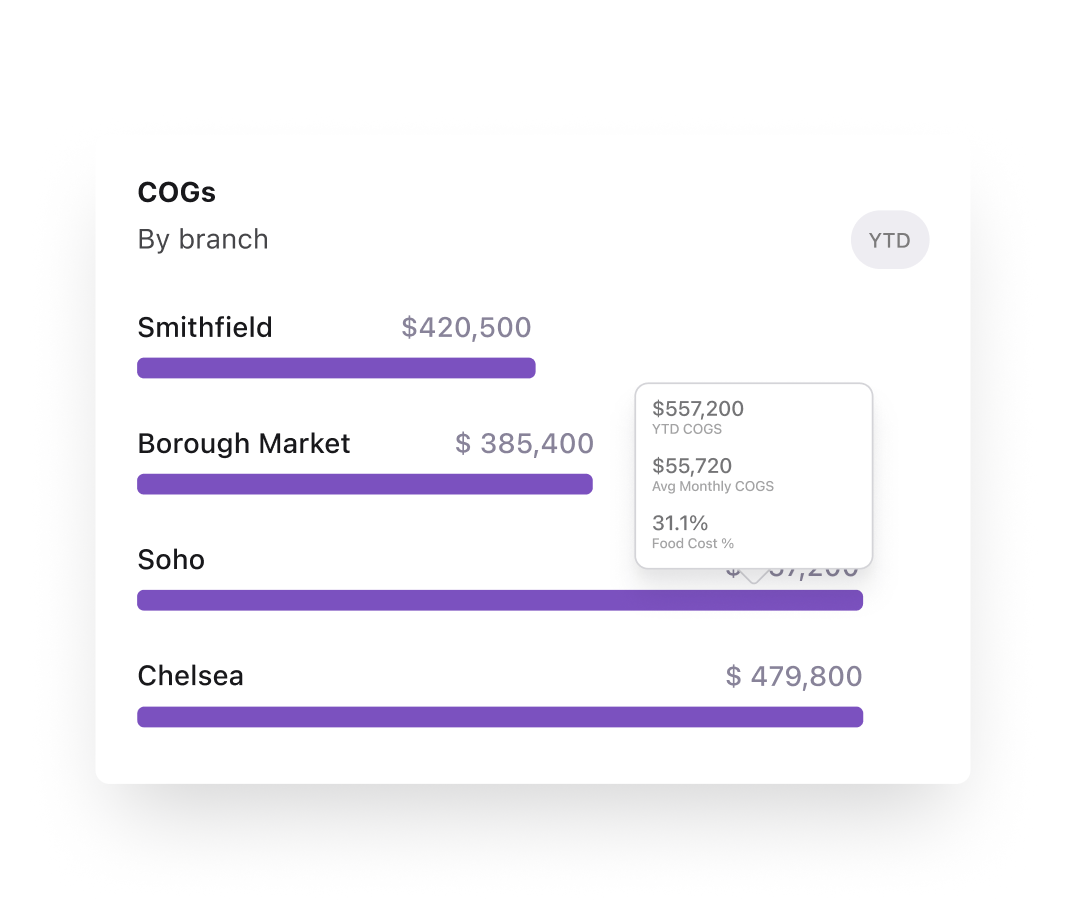
- Live visibility of cost of goods sold (COGS) and food cost percentage.
- Track in real time at group, site, or menu category level.
- Identify sudden cost spikes and act before they impact margins.
Variance & wastage insights
- See variances between theoretical and actual stock usage.
- Breakdown of wastage by type, site, and item, all visualised for quick understanding.
- Pinpoint high-cost waste and target operational fixes.
Usage & stock movement analytics
- Get a clear view of stock movement and usage across all locations.
- Identify slow-moving items by site or menu category.
- Spot trends over time to improve forecasting and menu planning.
Profitability by site & category
- Compare site-by-site profitability at a glance.
- Drill down into menu category and dish-level margins.
- Use filters to see performance for specific time periods, brands, or regions.
Drill-down navigation & data export
- Start from a high-level KPI view, then click down to branch, category, or dish details.
- Export filtered views directly to spreadsheets for further analysis or sharing.
- Perfect for management meetings or quick decision-making.
75+ integrations and counting
Connect Supy with all your favourite tools

Why our customers love us












Why our customers love us












Our operational insights


Our operational insights

Ready to transform your operations?
Join 5,000+ restaurant operators cutting costs, streamlining operations and making smarter decisions with Supy.
Your questions answered
Everything you need to know about Supy — from setup to integrations, pricing, and daily use. If it’s not covered here, just ask.
Portfolio is the top-level view: every branch on one screen with an AI summary. The dashboards go deep on one area each, such as procurement or wastage. Every point in the Portfolio view links to the dashboard behind it.
Yes. Supy tracks the cost of every ingredient and records food waste by type, branch and item. It also shows how each ingredient’s price changes over time and by supplier, so you can spot the price rises behind a jump in food cost.
Yes. Supy has a mobile app for both iPhone and Android, so your team can count stock from their phones at every branch.
Intelligence is just the start
Supy also runs procurement, inventory and Supy Ops for multi-branch restaurant groups, on the same login.
Supy Ops is checklist software for restaurant groups. Build each checklist once and it runs on schedule at every branch: staff complete it on their phones, a failed step triggers a fix, and nothing is finished until a manager signs off.
Supy connects to the tools you already use, and opens your data to whatever you build next.
Make every stock count quicker, every variance easier to explain with AI, and every site more accountable. All your inventory tools in one place.
AI-enabled requisitions, purchase orders and approval workflows, on mobile or portal. Built for complex operations and large estates.