.jpeg)


Inventurvorlagen für Multi-Standort-Restaurants: Schnellere Inventur durch paralleles Zählen
Eine Multi-Standort-Gruppe kann die Inventur an jedem Standort schneller durchführen und verlässliche Zahlen erhalten, sobald die Inventurliste dem Regal vor der zählenden Person entspricht und mehrere Personen gleichzeitig zählen. Das ist das eigentliche Versprechen von Inventurvorlagen für Multi-Standort-Restaurants, die für paralleles Zählen entwickelt wurden: keine schönere Tabelle, sondern eine Inventur, die in einem Bruchteil der Zeit abgeschlossen ist und beim Einreichen sofort als saubere Abweichungszahl erscheint.
Die meisten Gruppen erreichen das nicht, weil sie jede Filiale mit einer einzigen Hauptliste und einem einzigen Zähler betreiben. Manager in F&B-Gruppen mit mehreren Standorten berichten, dass sie 5 bis 10 Stunden pro Woche für Inventuren aufwenden, die dennoch fehlerhafte Ergebnisse liefern. Eine QSR-Kette mit mehreren Standorten führte 4 bis 6 % ihrer monatlichen Lebensmittelkosten auf Zählfehler und die anschließende Tabellenabstimmung zurück. Die Lösung liegt in der Struktur. Wenn die Vorlage nach Station gefiltert ist, mehrere Mitarbeiter parallel zählen und die Ergebnisse automatisch zu einer Live-Abweichung zusammengeführt werden, ist die Inventur nicht mehr die langsamste Aufgabe der Woche. In diesem Leitfaden wird erklärt, wie das funktioniert und worauf zu achten ist.
Was wiederverwendbare Inventurvorlagen für eine Multi-Standort-Gruppe leisten
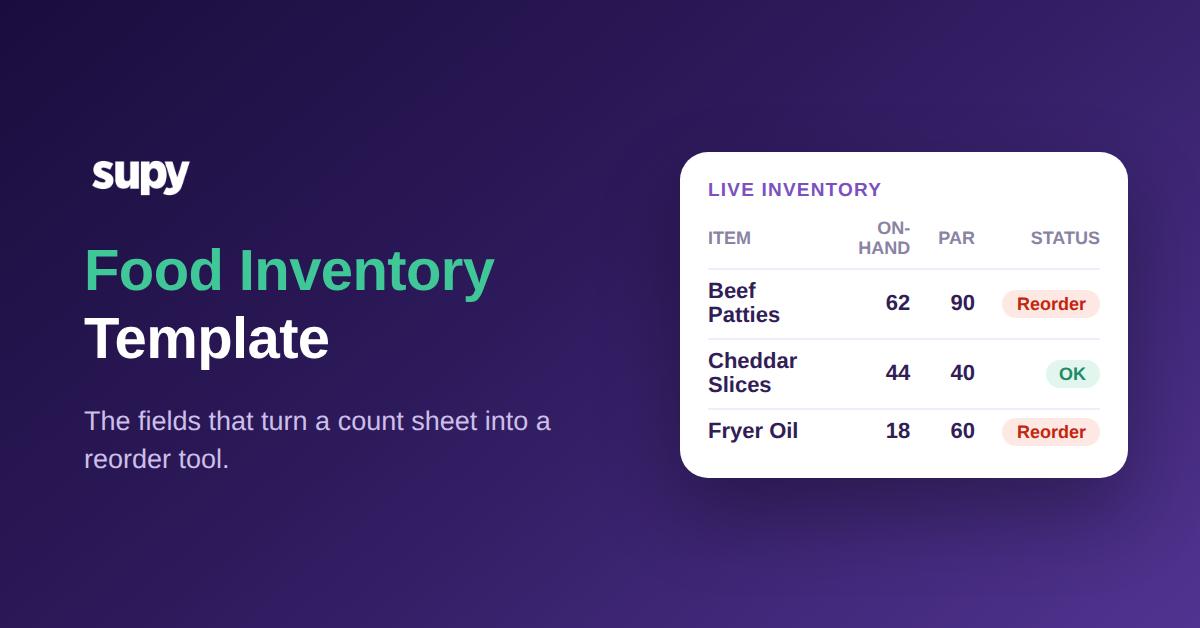
Eine Inventurvorlage ist die geordnete Liste, nach der ein Zähler vorgeht: welche Artikel zu zählen sind, in der Reihenfolge, in der sie physisch im Regal stehen. Wiederverwendbar bedeutet: Sie wird einmal erstellt, und jede künftige Inventur beginnt damit, anstatt dass jemand vor jeder Inventur eine Tabelle aus dem Gedächtnis neu aufbaut.
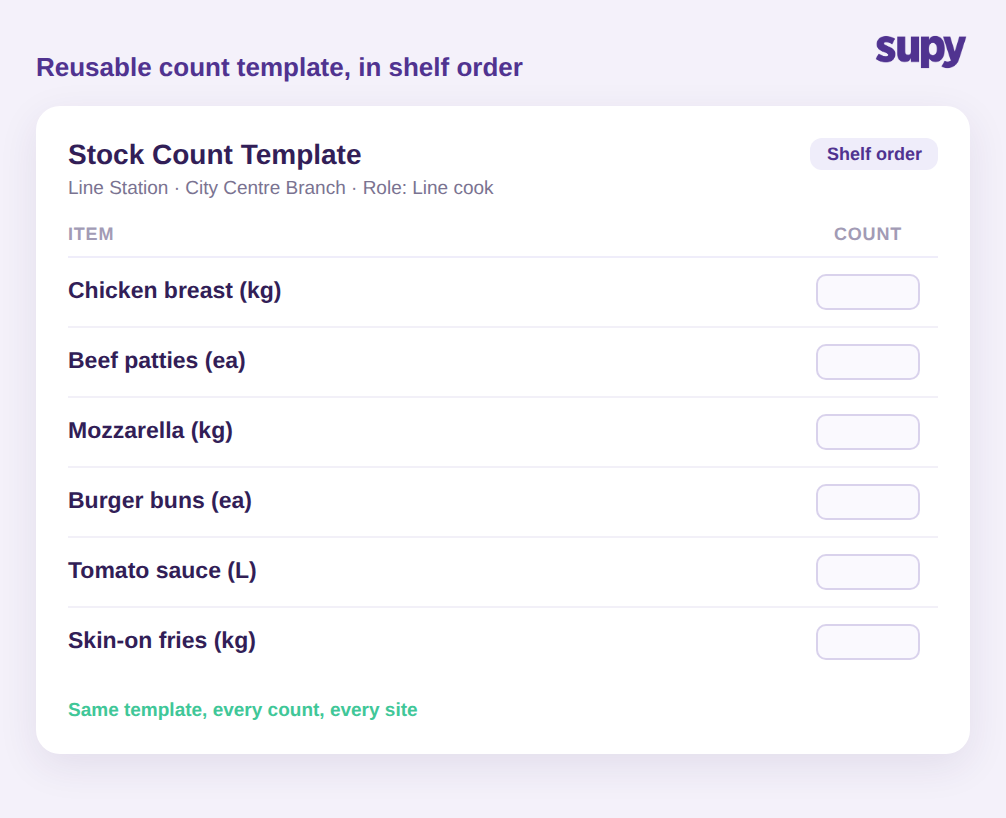
Für ein einzelnes Restaurant ist das eine Erleichterung. Für eine Gruppe mit 12 Standorten ist es der Unterschied zwischen einer Inventur, die aufgeht, und einer, die es nicht tut. Eine wiederverwendbare Vorlage in Regalreihenfolge ermöglicht es einem neuen Teammitglied, eine Station schon in seiner ersten Schicht korrekt zu inventarisieren, weil die Liste den Weg widerspiegelt, den es ohnehin geht. Sie beseitigt die beiden Fehlerquellen, die Gruppendaten unbemerkt ruinieren: Artikel, die übersehen werden, weil sie am Ende einer ungeordneten Liste stehen, und Artikel, die doppelt gezählt werden, weil der Zähler den Überblick verloren hat.
Supys Inventur basiert genau darauf: wiederverwendbare, individuelle Inventurvorlagen in Regalreihenfolge, die an jedem Standort auf die gleiche Weise verwendet werden, sodass die Gruppe Gleiches mit Gleichem vergleicht. Die Standardisierung der Vorlage macht standortübergreifende Zahlen aussagekräftig. Wenn zwei Standorte dieselben Artikel in derselben Reihenfolge inventarisieren, ist ein Unterschied in ihrer Abweichung ein echtes betriebliches Signal und kein Artefakt zweier Menschen, die auf zwei verschiedene Arten zählen. Diese Vergleichbarkeit ist der eigentliche Grund, warum eine Gruppe überhaupt zählt, und sie ist unmöglich, wenn jede Filiale ihre eigene Tabelle improvisiert. Falls Sie bereits wissen, wie oft jeder Standort zählen sollte, ist eine wiederverwendbare Vorlage das, was diesen Rhythmus nachhaltig und nicht nur theoretisch umsetzbar macht. (Für einen Überblick über den Rhythmus selbst lesen Sie unseren Leitfaden zu Inventurhäufigkeits-Benchmarks für Restaurants.)
Warum eine einzige Artikelliste für jede Filiale das Zählen verlangsamt
Der häufigste Fehler beim Zählen in einer Gruppe ist das Drucken der vollständigen Artikelliste für jede Filiale. Ein Operations Manager eines Multi-Standort-Betreibers beschrieb das Ergebnis klar: Wenn alles für jeden Standort ausgedruckt wird, sind die Mitarbeiter verwirrt, und was tatsächlich gebraucht wurde, waren pro Filiale und pro Rolle gefilterte Vorlagen, die das System nicht einfach einzurichten machte.
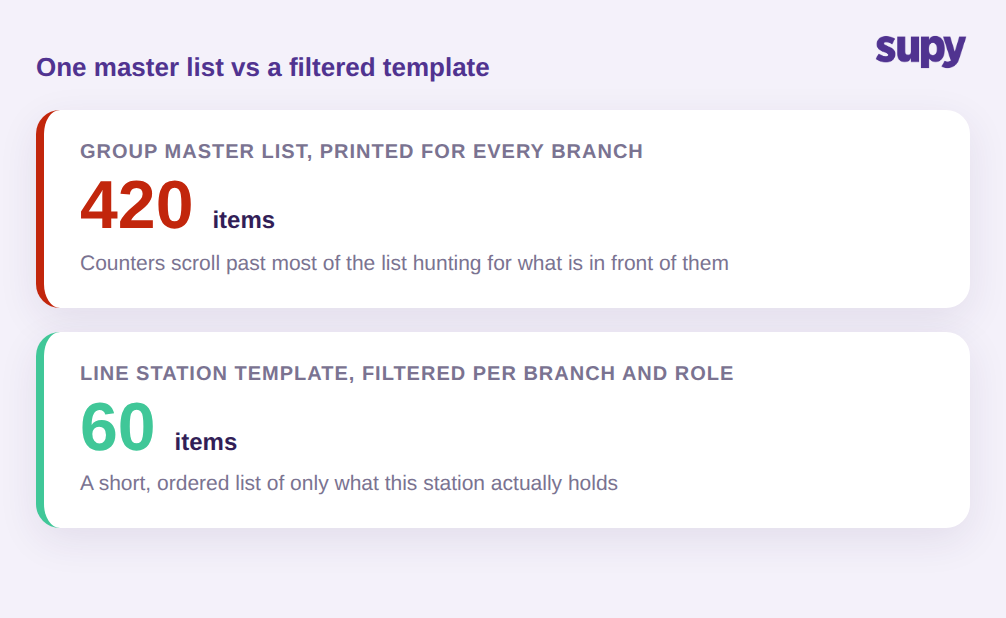
Die Mathematik ist einfach. Eine gruppenweite Hauptliste kann 420 erfasste Artikel umfassen. Eine einzelne Station innerhalb einer Filiale enthält möglicherweise 60 davon. Dieser Station eine 420-zeilige Tabelle zu geben bedeutet, dass der Zähler den Großteil der Zeit damit verbringt, an Artikeln vorbeizuscrollen, die nicht vor ihm liegen, und nach den 60 zu suchen, die es sind. Jede zusätzliche Zeile ist eine Gelegenheit für einen Fehleintrag, ein Überspringen oder das Zählen von etwas, das woanders gelagert ist.
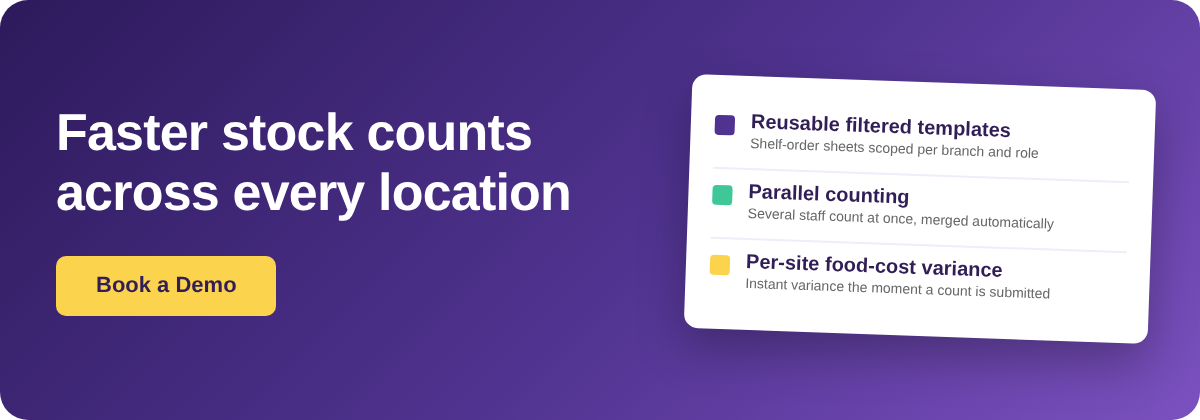
Gefilterte Vorlagen lösen dieses Problem, indem sie die Liste auf das beschränken, wofür eine bestimmte Filiale und eine bestimmte Rolle darin verantwortlich sind. Der Koch an der Ausgabe erhält die Ausgabe-Artikel. Der Bar-Verantwortliche bekommt die Bar. Niemand zählt denselben Artikel zweimal, und niemand zählt einen Artikel, den er nicht sehen kann. Hier greifen wiederverwendbar und gefiltert ineinander: Die Filial- und Stationsvorlagen werden einmal erstellt, und jede künftige Inventur ist bereits eingegrenzt. Der Zähler sieht eine kurze, geordnete, relevante Liste, und die Inventur läuft in der Geschwindigkeit des Regals und nicht in der Geschwindigkeit der Tabelle. Gruppen, die diese Umstellung vornehmen, reduzieren den Inventuraufwand routinemäßig um über 50 %.
Paralleles Zählen: Mehrere Mitarbeiter, ein zusammengeführtes Ergebnis
Der wichtigste Zeithebel bei einer Multi-Standort-Inventur ist es, mehr als einer Person das gleichzeitige Zählen zu ermöglichen. Ein Standort, für dessen Inventur eine Person aus einer ungefilterten Liste 3 Stunden benötigt, kann in etwa 45 Minuten abgeschlossen werden, wenn 3 Personen jeweils einen gefilterten Abschnitt parallel zählen.
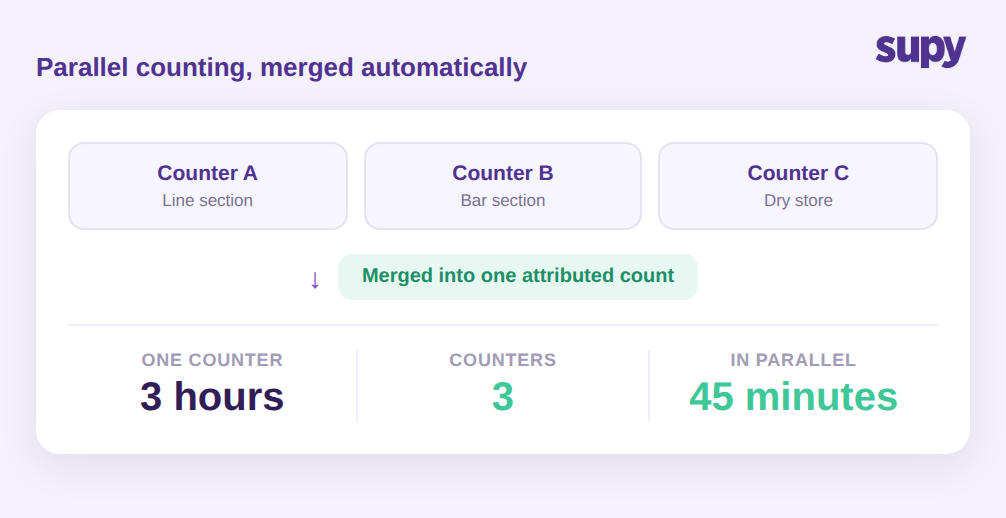
Der Grund, warum Gruppen das parallele Zählen auf Papier oder in Tabellen vermeiden, ist, dass das Zusammenführen der Ergebnisse fehleranfällig ist. Drei separate Tabellen müssen abgetippt, abgeglichen und auf doppelt vorhandene Artikel überprüft werden. Bei diesem Abgleich gehen sowohl Stunden als auch Genauigkeit verloren.
Supys Inventur unterstützt das parallele Zählen direkt: Mehrere Zähler können gleichzeitig an derselben Inventur arbeiten, und das System führt ihre Einträge automatisch zusammen, wobei jeder Eintrag der Person zugeordnet wird, die ihn vorgenommen hat. Die Zuordnung ist wichtiger, als sie klingt. Wenn eine Zahl falsch aussieht, können Sie sehen, wer sie gezählt hat, und direkt zur Quelle gehen, anstatt den gesamten Standort neu zu zählen. Es handhabt auch den heiklen Fall, bei dem ein Artikel an mehr als einer Stelle an einem einzelnen Standort lagert. Wenn dasselbe Produkt in 3 Bereichen vorhanden ist, an der Ausgabe, im Zubereitungsbereich und im Trockenlager, erfasst jeder Zähler es, wo er es findet, und die zusammengeführte Inventur addiert diese zu einer Gesamtzahl für den Standort, anstatt dass jemand Teilbereiche manuell summieren muss. Das Zählen auf Tablets und Smartphones bedeutet, dass alle parallelen Zähler live eingeben und nicht auf Papier schreiben, das später abgetippt werden muss.
Wie aus einer abgeschlossenen Inventur eine standortbezogene Wareneinsatz-Abweichung wird
Eine Inventur ist nur dann nützlich, wenn sie zeigt, was sich verändert hat und was es gekostet hat. Der Zweck des Zählens ist die Abweichung: die Lücke zwischen dem, was das System erwartete, und dem, was tatsächlich im Regal steht.
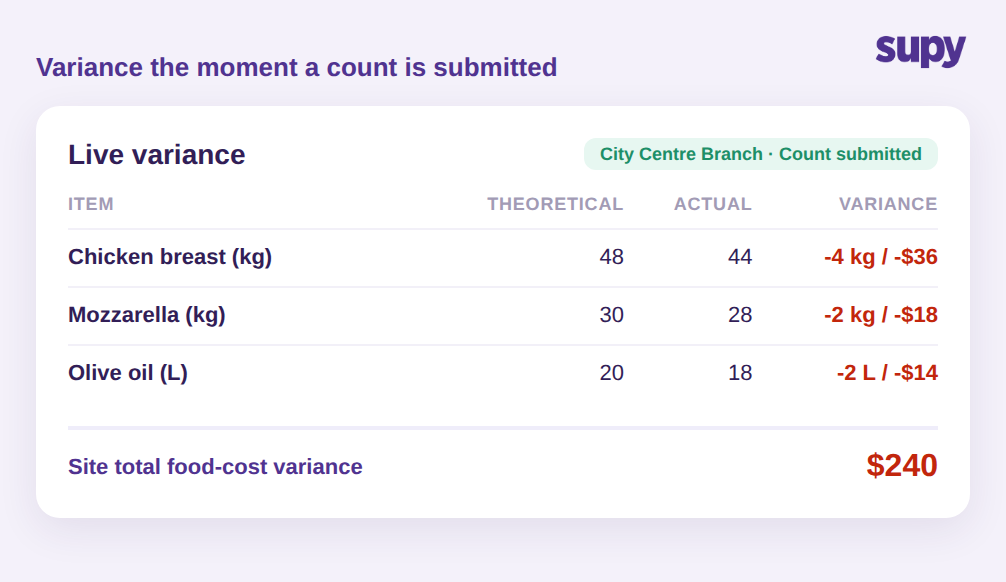
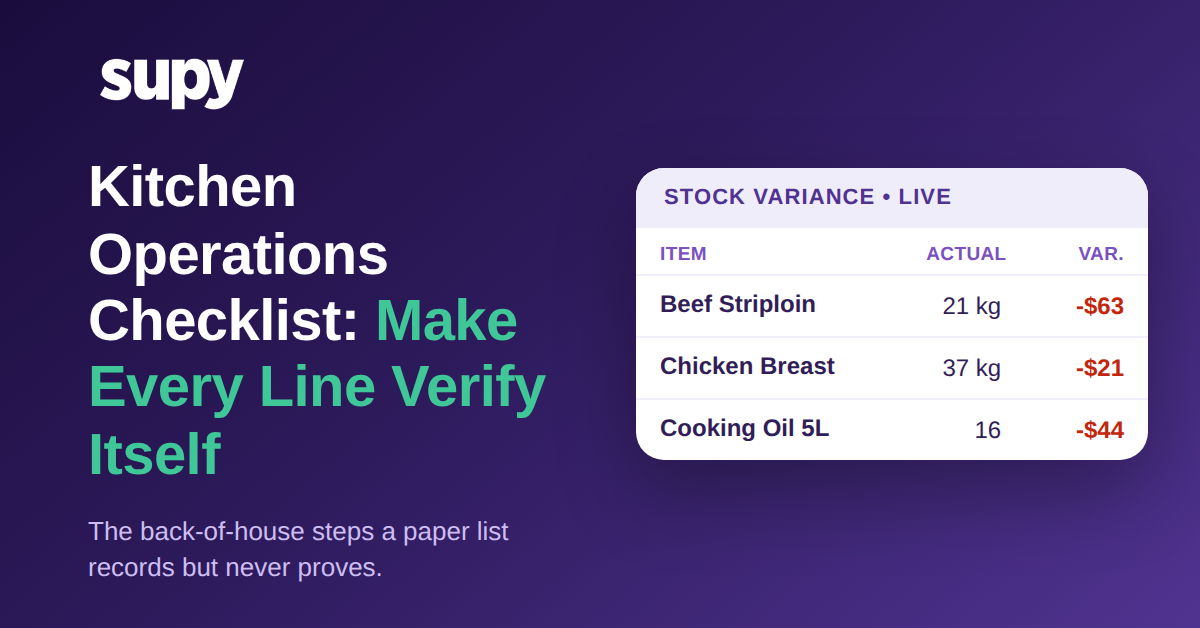
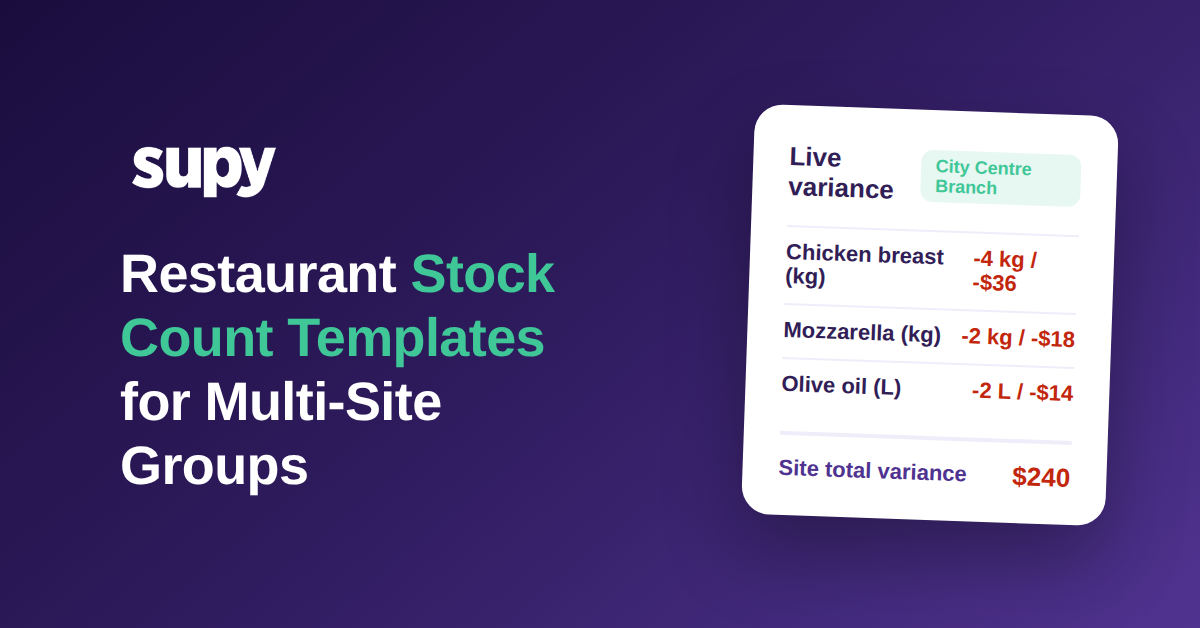
Hier übertreffen strukturierte digitale Inventuren Tabellen. Supy hält einen theoretischen Bestandswert kontinuierlich auf dem neuesten Stand, basierend auf jedem Wareneingang und jedem Rezeptverbrauchsereignis, sodass die Abweichung bei der Inventur gegen den tatsächlichen erwarteten Verbrauch gemessen wird, nicht gegen einen veralteten Eröffnungsbestand, den jemand zuletzt vor Wochen aktualisiert hat. In dem Moment, in dem eine Inventur eingereicht wird, erhalten Sie eine sofortige Abweichung gegenüber dem System, mit der Möglichkeit, in die treibenden Artikel einzutauchen.
Es geht noch einen Schritt weiter bei den Kosten. Wenn eine Inventur abgeschlossen ist, werden die aktuellen Rezeptkosten für jeden Standort und jedes Inventurdatum erfasst, sodass der Abweichungsbericht nicht nur eine Mengenlücke zeigt, sondern deren Wareneinsatz-Auswirkung pro Standort. Ein Standort kann bei einer einzigen Inventur eine Wareneinsatz-Abweichung von 240 USD aufweisen, und über eine Gruppe mit 12 Standorten kann eine Inventurperiode rund 2.100 USD an Gesamtabweichung aufdecken, die bisher bis zur monatlichen Abstimmung unsichtbar war. Das pro Standort und am selben Tag zu sehen, ermöglicht es einem Gebietsleiter, zu handeln, solange die Spur noch frisch ist. Wenn Sie die vollständige Methode zum Lesen dieser Zahlen kennen möchten, geht unser Leitfaden zur Inventurabweichungsanalyse für Restaurants tiefer, und manuelle vs. automatisierte Inventurabweichungsverfolgung erklärt, warum die theoretische Zahl wichtig ist.
Vorlagen und paralleles Zählen summieren sich nur, wenn Inventuren tatsächlich in einem regelmäßigen Rhythmus stattfinden. Da die Tabellen bereits erstellt und pro Filiale und Rolle eingegrenzt sind, muss ein Gebietsleiter für eine wiederkehrende Inventur nichts vorbereiten, sondern öffnet die Vorlage und beginnt. Und da jede Inventur als saubere, zugeordnete Abweichung eintrifft, baut die Gruppe eine Geschichte auf, der sie vertrauen kann, sodass Muster, wie z. B. eine Filiale, die jeden Monat abweicht, sichtbar werden, anstatt in neu abgetippten Tabellen unterzugehen. Strukturierte, konsistente Inventuren über Standorte hinweg sind auch das, was die schwierigere Multi-Standort-Arbeit, wie das Tracking von Lagerumbuchungen der Zentralküche, sauber abstimmt.
Wie Sie feststellen, ob Ihr Inventurprozess dies benötigt
Wenn Sie wissen möchten, ob gefilterte Vorlagen und paralleles Zählen für Ihre Gruppe einen Unterschied machen würden, überprüfen Sie bei Ihrer nächsten Inventur drei Dinge. Erstens, stoppen Sie die Zeit: Wenn ein einzelner Standort mehr als ein paar Stunden für eine einzelne Person benötigt, kosten Sie eine ungefilterte Liste und ein Einzelzähler-Prozess bares Geld, und gefilterte Vorlagen mit parallelem Zählen sind die direkte Lösung. Zweitens, schauen Sie auf Ihre Liste: Wenn jede Filiale aus derselben Hauptliste zählt und nicht aus einer nach Stationen und Rollen eingegrenzten Vorlage, zahlen Sie bei jeder Inventur die Verwirrungssteuer. Drittens, prüfen Sie, wie lange es dauert, bis die Abweichung erscheint: Wenn Sie keine standortbezogene Wareneinsatz-Abweichung bis zur monatlichen Abstimmung sehen, erfüllt die Inventur ihre Hauptaufgabe nicht.
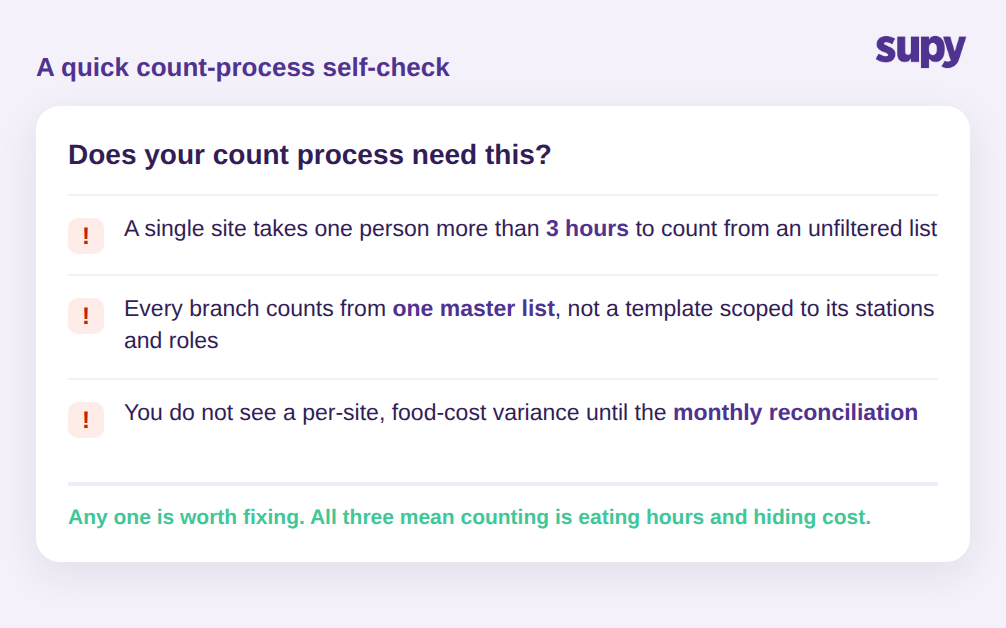
Jeder dieser Punkte allein ist es wert, behoben zu werden. Alle drei zusammen bedeuten, dass die Inventur unbemerkt Stunden frisst und Kosten an jedem Standort verbirgt. Ein nützlicher nächster Schritt ist, einen Standort an demselben Tag auf beide Arten zu testen: ein Zähler mit der alten Hauptliste und eine gefilterte Vorlage mit parallelen Zählern bei der nächsten geplanten Inventur. Vergleichen Sie die benötigte Zeit und die jeweilige Abweichung. Die Differenz ist das Ausmaß des Problems, das Sie an jedem Standort tragen, multipliziert mit der Häufigkeit, mit der Sie zählen.
Supys Inventur ist für Multi-Standort-Gruppen genau auf diese Punkte ausgelegt: wiederverwendbare gefilterte Vorlagen in Regalreihenfolge, paralleles Zählen mit automatischer Zusammenführung und Zuordnung sowie sofortige standortbezogene Wareneinsatz-Abweichung in dem Moment, in dem eine Inventur eingereicht wird. Wenn die Inventur die Aufgabe ist, die Ihre Manager am meisten fürchten, ist sie auch diejenige mit dem größten Zeit- und Geldgewinn.