






See what’s stuck in every workflow
Draft orders, unposted deliveries, late stock counts and unmapped sales, counted for every branch and marked red, amber or green.
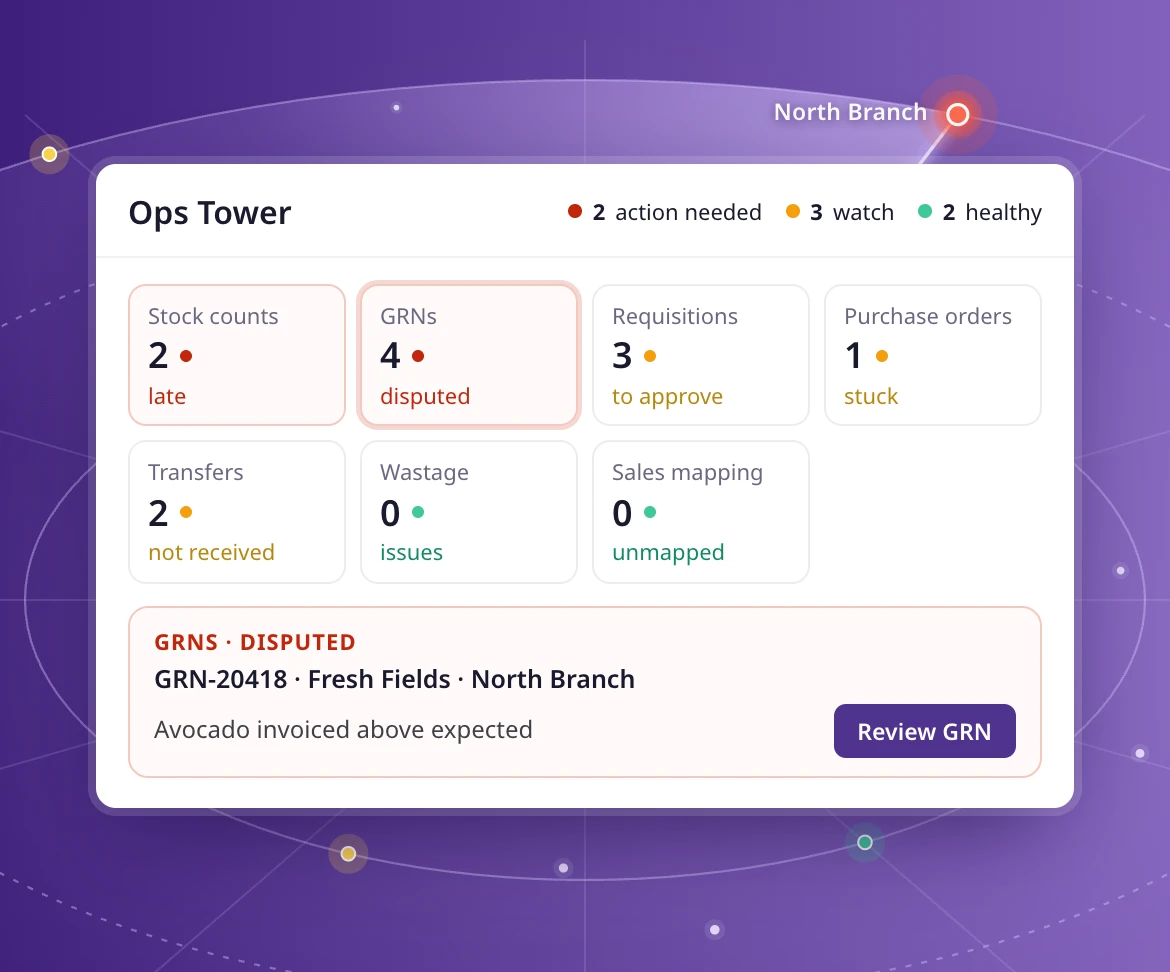
Every module, one view
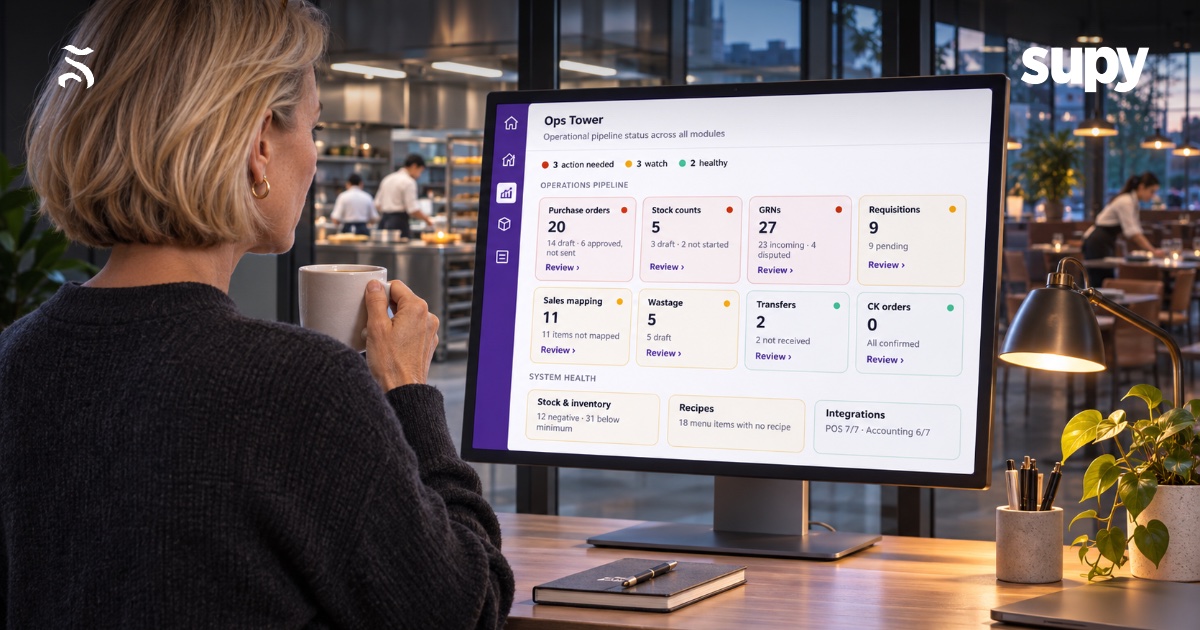
Requisitions, purchase orders, GRNs, wastage, transfers, stock counts, sales mapping and central kitchen orders.
Red, amber, green
Each tile shows what needs action, what to watch and what’s healthy, with a trend since last week.
Fix it by branch
Open any tile to see the records behind it, branch by branch, with a link to each one.
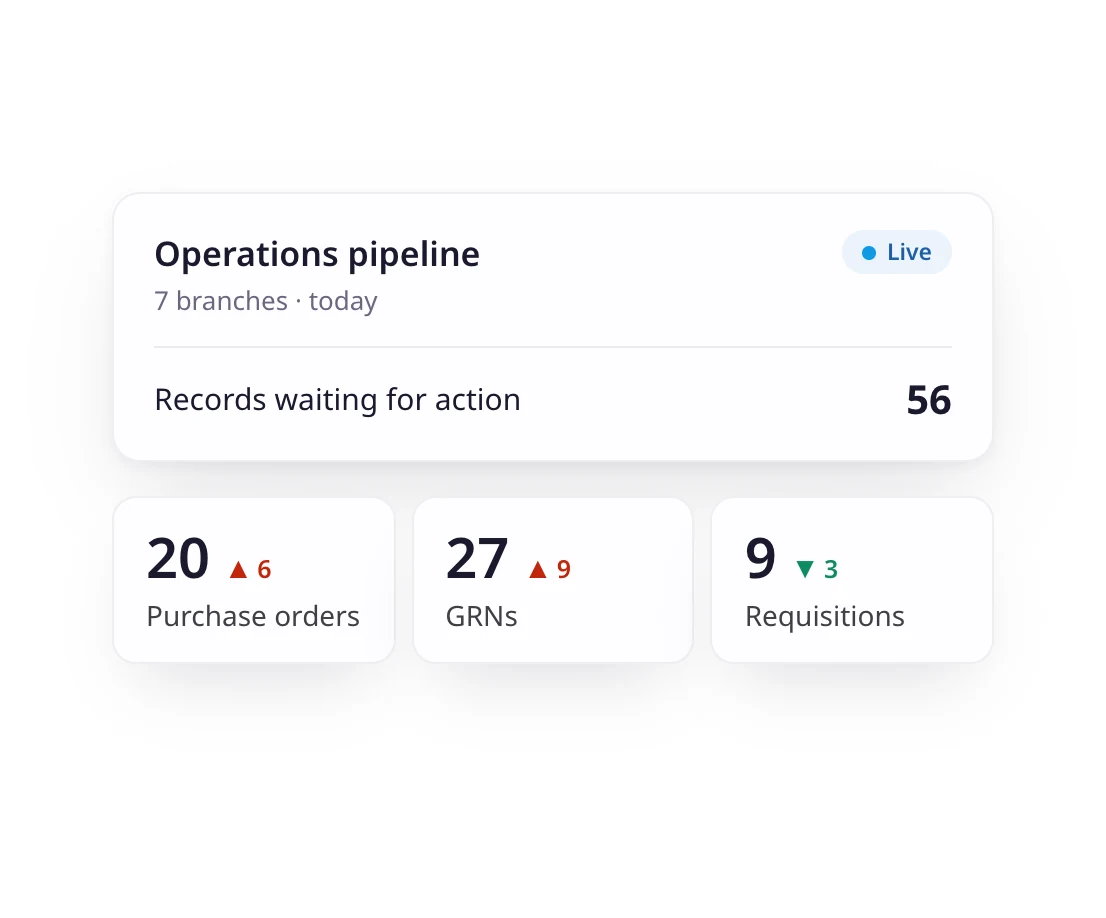
Operations pipeline
Every unfinished task, counted
Ops Tower counts the records waiting in each state: draft orders, incoming and disputed GRNs, pending requisitions, draft stock counts. A trend shows whether each backlog is growing or shrinking.
- Requisitions, purchase orders and GRNs
- Wastage, transfers and stock counts
- Sales mapping and central kitchen orders
- A trend on every tile
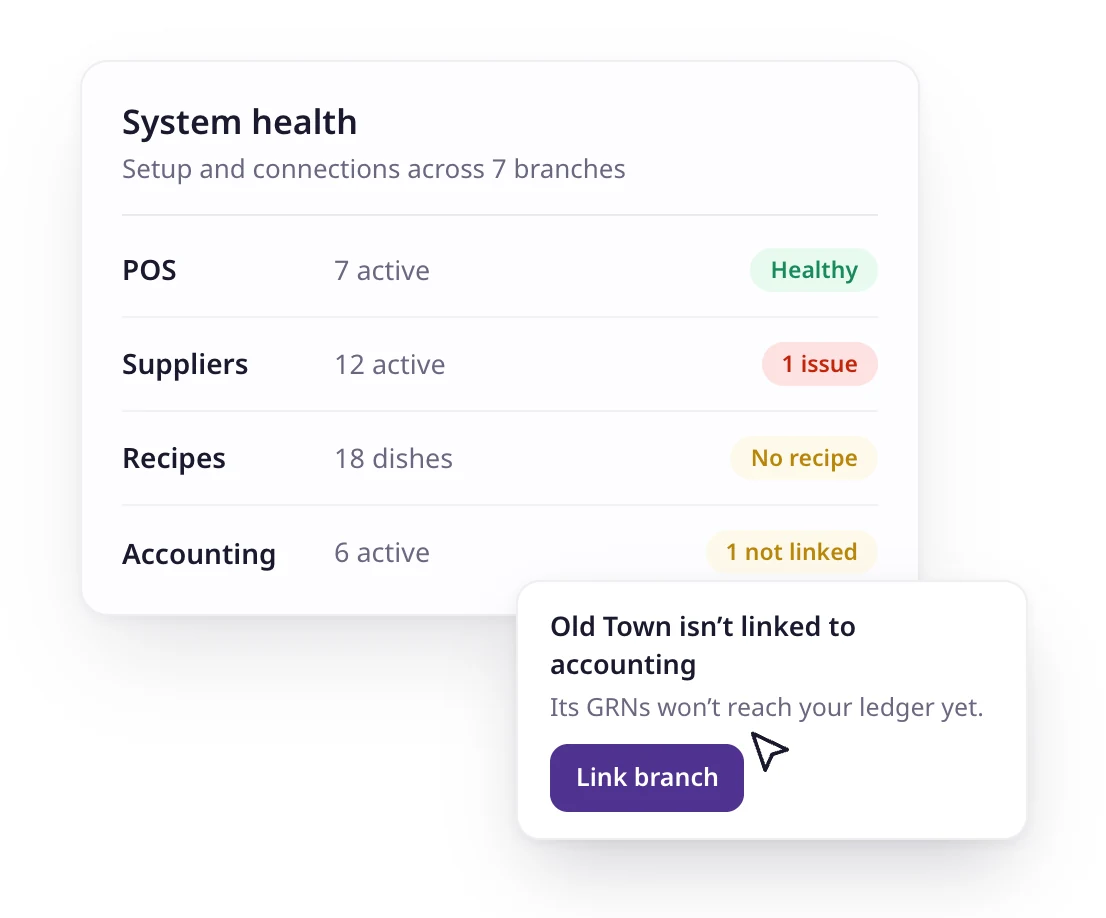
System health
Know your data is ready to trust
Clean numbers start with clean setup. System health checks stock, recipes and integrations, and shows which POS, accounting and supplier connections are active, have issues or aren’t set up yet.
- Negative stock, and items below minimum or above par
- Menu items with no recipe, and ingredients with no cost
- POS, accounting and supplier integrations
- Which branches aren’t linked to accounting
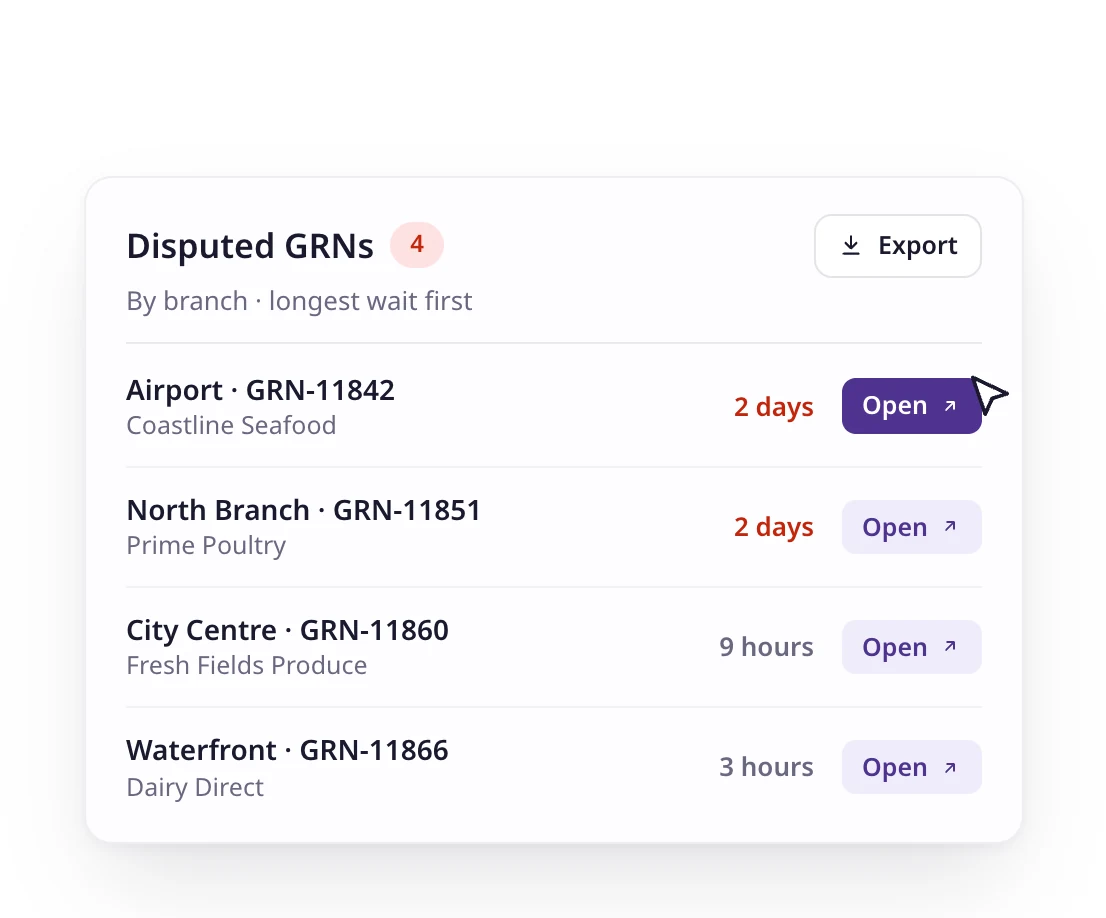
Review
From a number to the record in one click
Open a tile to see every pending record behind it, grouped by branch and sorted by how long it has waited. Open the record to fix it, or export the list for the team.
- By-branch view of every pending record
- A link straight to each order, GRN or count
- Export the list
Your definitions
Customise the setup to your operation
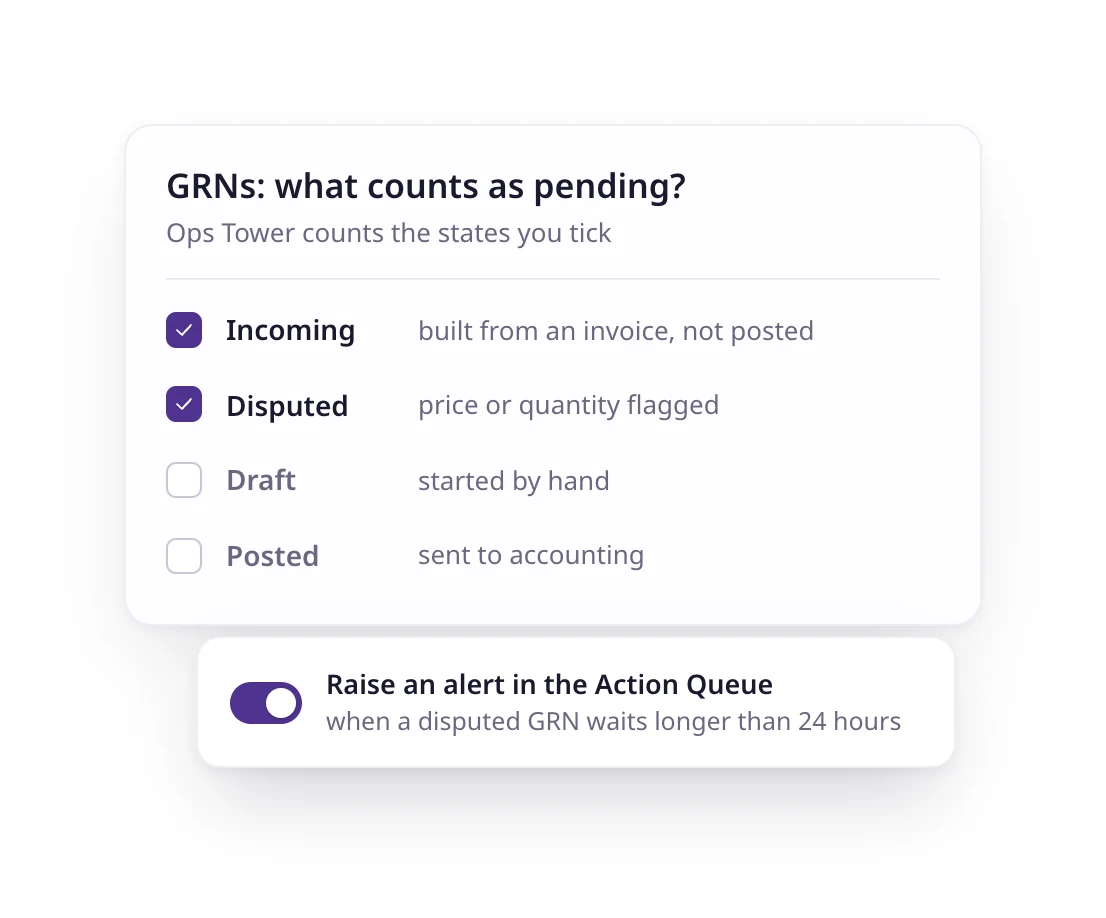
Every group works differently. Choose which states count as needing action on each tile, and Ops Tower follows your rules. Anything that waits too long can also raise an alert in the Action Queue.
- Choose the states that count on every tile
- Starts from sensible defaults, such as draft orders and disputed GRNs
- Linked to Triggers and the Action Queue
Operations pipeline
Every unfinished task, counted
Ops Tower counts the records waiting in each state: draft orders, incoming and disputed GRNs, pending requisitions, draft stock counts. A trend shows whether each backlog is growing or shrinking.
- Requisitions, purchase orders and GRNs
- Wastage, transfers and stock counts
- Sales mapping and central kitchen orders
- A trend on every tile
System health
Know your data is ready to trust
Clean numbers start with clean setup. System health checks stock, recipes and integrations, and shows which POS, accounting and supplier connections are active, have issues or aren’t set up yet.
- Negative stock, and items below minimum or above par
- Menu items with no recipe, and ingredients with no cost
- POS, accounting and supplier integrations
- Which branches aren’t linked to accounting
Review
From a number to the record in one click
Open a tile to see every pending record behind it, grouped by branch and sorted by how long it has waited. Open the record to fix it, or export the list for the team.
- By-branch view of every pending record
- A link straight to each order, GRN or count
- Export the list
Your definitions
Customise the setup to your operation
Every group works differently. Choose which states count as needing action on each tile, and Ops Tower follows your rules. Anything that waits too long can also raise an alert in the Action Queue.
- Choose the states that count on every tile
- Starts from sensible defaults, such as draft orders and disputed GRNs
- Linked to Triggers and the Action Queue

75+ integrations and counting
Connect Supy with all your favourite tools

Why our customers love us













Why our customers love us














Our operational insights
Our operational insights



Ready to transform your operations?
Join 5,000+ restaurant operators cutting costs, streamlining operations and making smarter decisions with Supy.
Your questions answered
Everything you need to know about Supy — from setup to integrations, pricing, and daily use. If it’s not covered here, just ask.
Ops Tower is one screen that shows the status of every operation across your branches: orders, deliveries, stock counts, transfers, wastage and sales mapping. It tells you where work is stuck before it turns into a wrong food cost or a late payment.
No. Every figure in Ops Tower is counted straight from your records, so it is exact. AI comes in when you want an explanation: open Ask Bruce from any tile.
Ops Tower shows the whole backlog at a glance. When something waits longer than your trigger allows, it raises an alert in the Action Queue with a severity, so the right person acts on it.
Yes. Each tile has settings for which states count as needing action, and Ops Tower follows them across every branch.
Ops Tower is part of Supy Intelligence. If you use Supy, it’s already in the web app: open Intelligence in the side menu. New to Supy? Book a demo to see it on sample data.
Intelligence is just the start
Supy also runs procurement, inventory and Supy Ops for multi-branch restaurant groups, on the same login.
Supy Ops is checklist software for restaurant groups. Build each checklist once and it runs on schedule at every branch: staff complete it on their phones, a failed step triggers a fix, and nothing is finished until a manager signs off.
Supy connects to the tools you already use, and opens your data to whatever you build next.
Make every stock count quicker, every variance easier to explain with AI, and every site more accountable. All your inventory tools in one place.
AI-enabled requisitions, purchase orders and approval workflows, on mobile or portal. Built for complex operations and large estates.