





Use your Supy data in any LLM
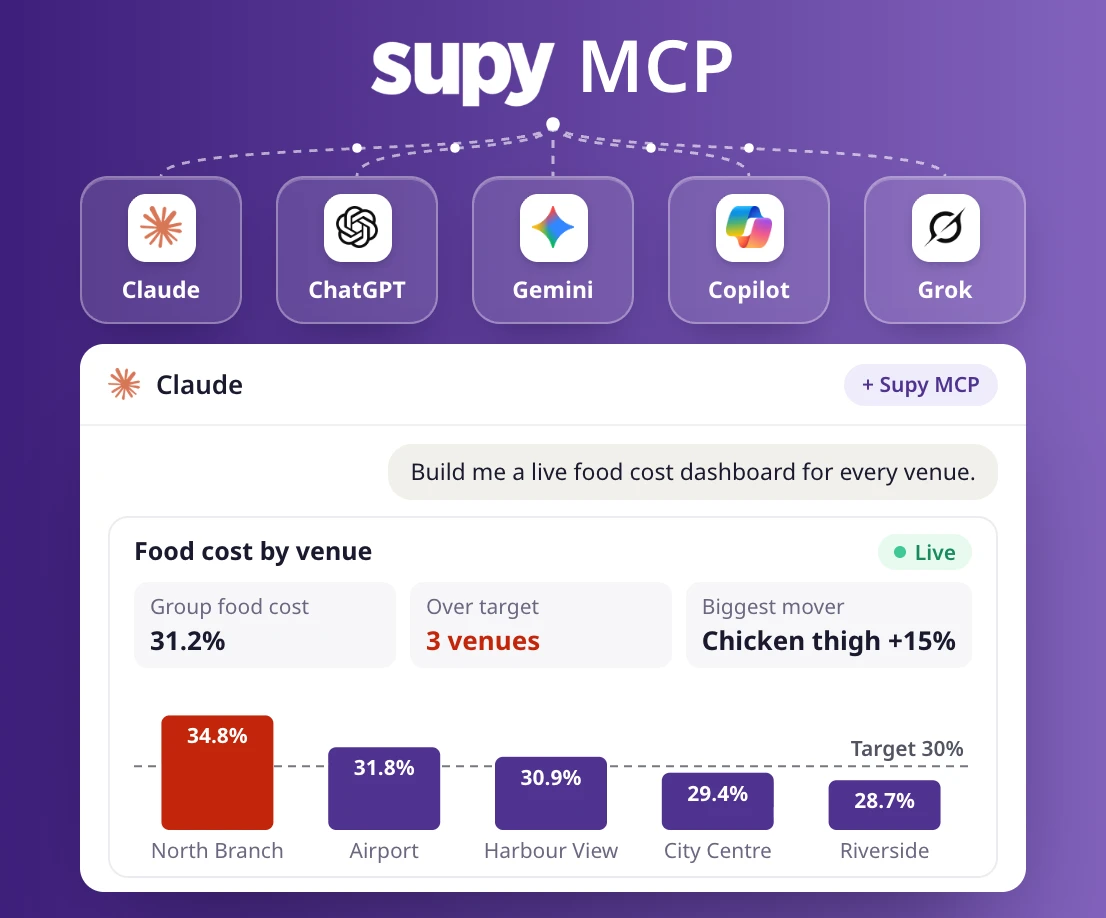
Connect Supy to Claude, ChatGPT, Gemini or Microsoft Copilot and ask about food cost, supplier prices and open orders. You can build automations on top of it too.
Works with your AI
Claude, ChatGPT, Gemini, Microsoft Copilot, Cursor, Perplexity and more.
Read-only, with your own login
It reads your data and never changes it. Each person signs in with their own Supy login. Disconnect at any time.
Your files plus your Supy data
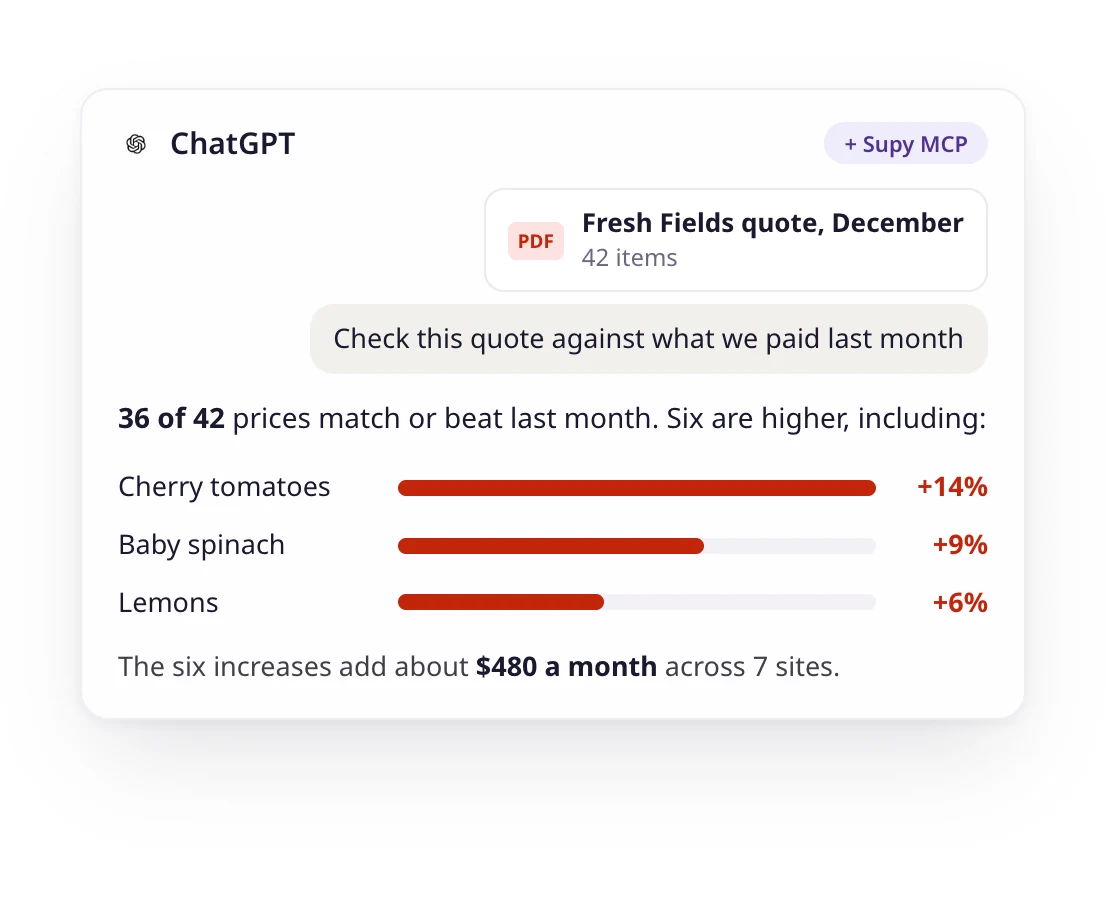
Check a supplier quote against what you paid last month, in one conversation.
How it works
Connect in three steps
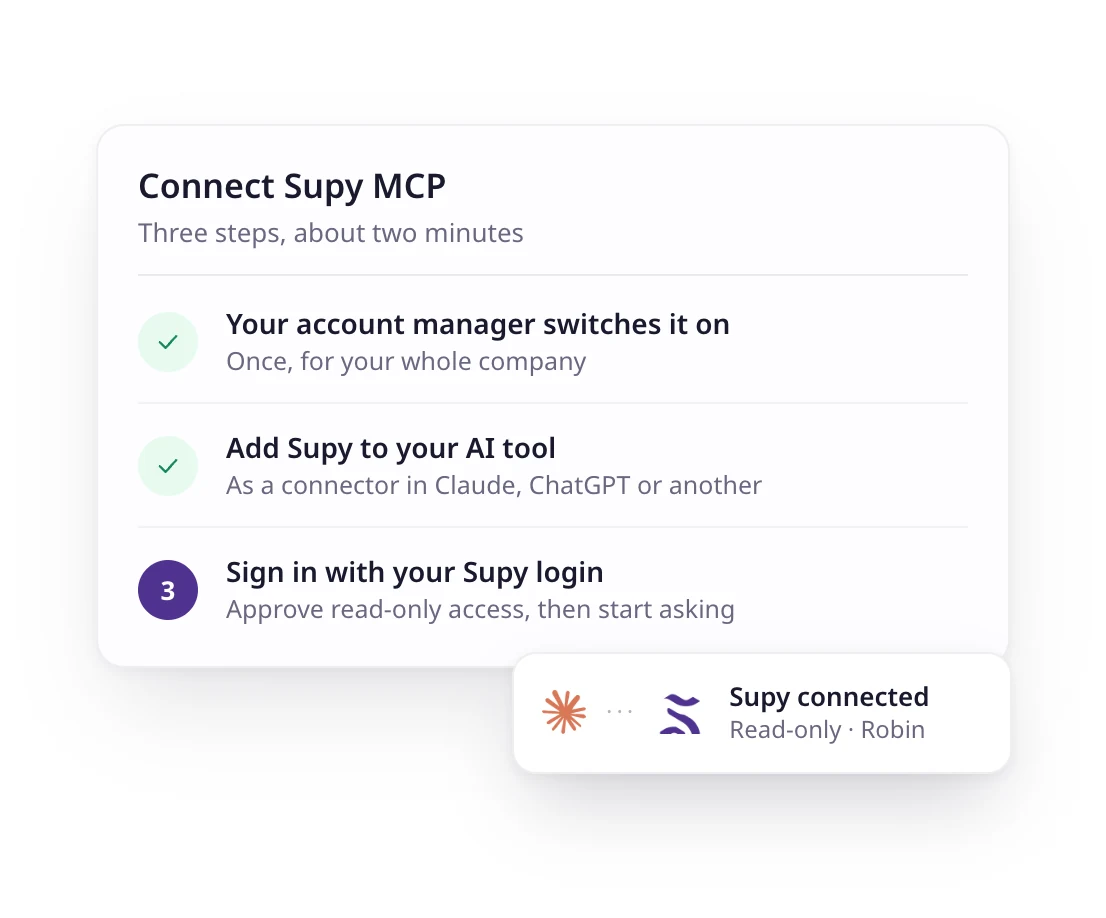
Your account manager switches the Supy MCP on for your company. Then each person adds Supy to their own AI tool, signs in with their Supy login, and starts asking.
- Ask your account manager to switch it on
- Add Supy to Claude, ChatGPT or another AI tool
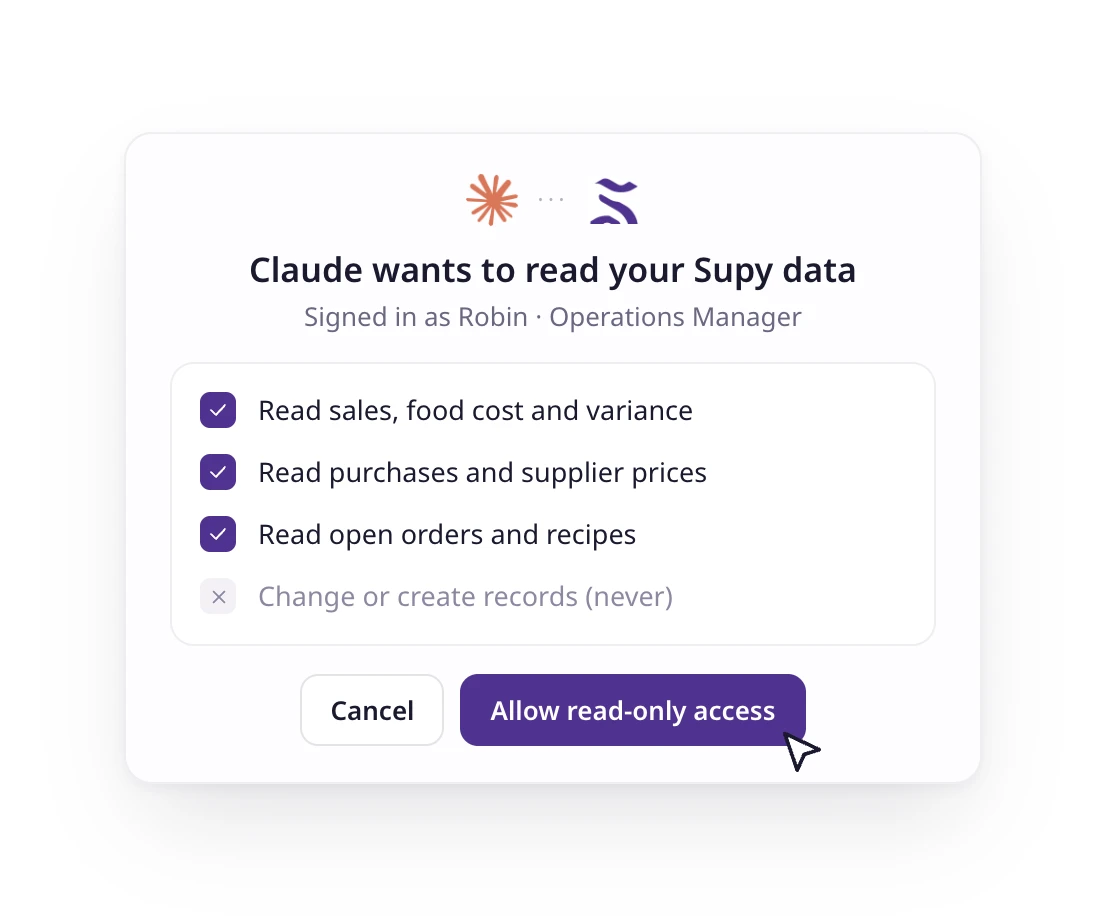
- Sign in with your Supy login and approve read-only access
What you can do
Ask questions, build reports and run workflows
Ask about food cost, cost of goods sold, variance, supplier prices, open purchase orders and recipes, and get the answer as text, a table or a chart. Build the reports your team puts together every week, and save the prompts you repeat as a workflow, such as a Monday food cost summary for every branch.
- Ask questions in plain English
- Build reports, tables and charts
- Repeat workflows, like a weekly food cost summary
Your files
Your Supy data next to your own documents
Attach a supplier quote, a budget or a menu draft and ask your assistant to check it against your Supy data. One conversation replaces an afternoon of exports and lookups.
- Check a quote against what you paid
- Compare a budget with actual spend
- Cost a new menu against current prices
Security
Read-only, and each person approves access
The Supy MCP reads data and never changes it. Your account manager switches it on for your company, then each person signs in with their own Supy login and approves access on a consent screen.
- Read-only: no records created or changed
- Supy login and consent screen
- Switched on for your company by your account manager
- Disconnect whenever you like
Supported AI tools
Works with the AI tool your team already uses, and you can request others
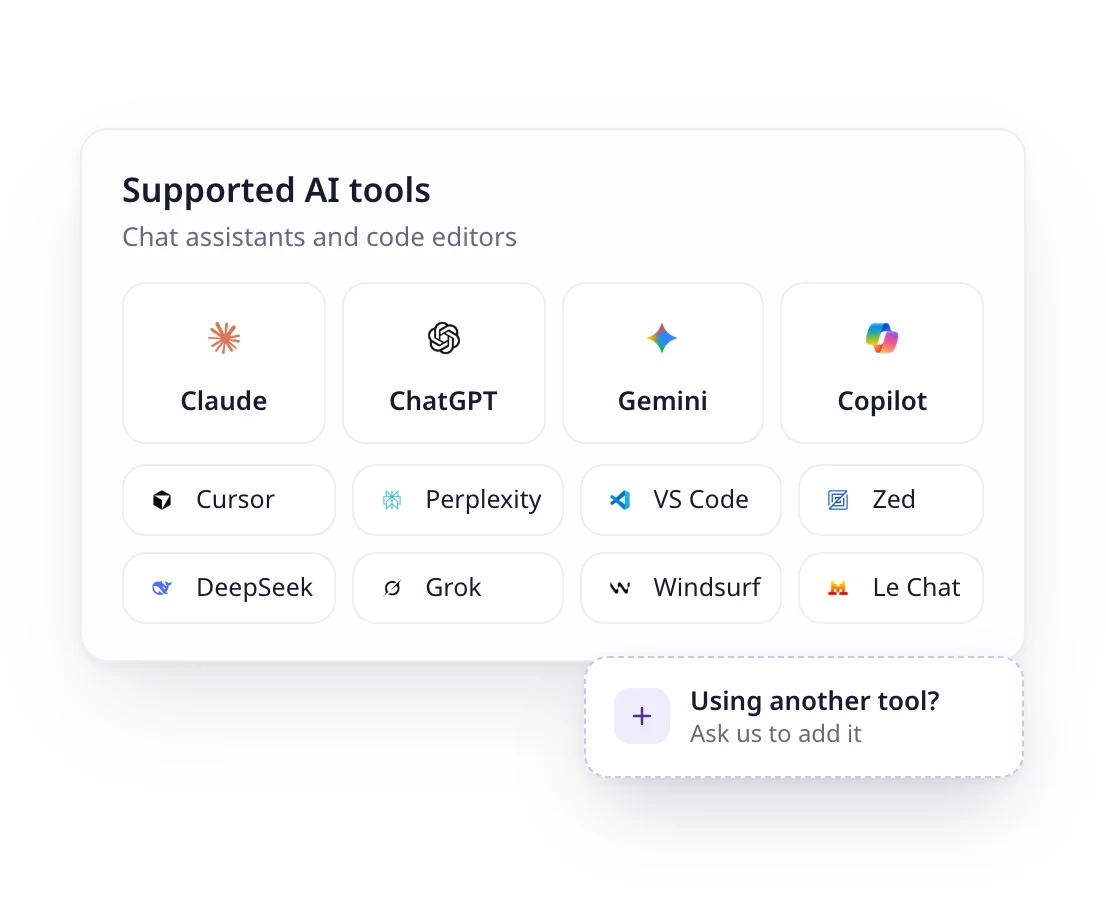
Claude, ChatGPT, Gemini and Microsoft Copilot, plus Cursor, DeepSeek, GitHub Copilot, Grok, Mistral Le Chat, Perplexity, VS Code, Windsurf and Zed.
- Chat assistants for finance and operations teams
- Code editors for data and analytics teams
- Using another tool? Ask us to add it
- See every AI tool on the integrations page
How it works
Connect in three steps
Your account manager switches the Supy MCP on for your company. Then each person adds Supy to their own AI tool, signs in with their Supy login, and starts asking.
- Ask your account manager to switch it on
- Add Supy to Claude, ChatGPT or another AI tool
- Sign in with your Supy login and approve read-only access
What you can do
Ask questions, build reports and run workflows
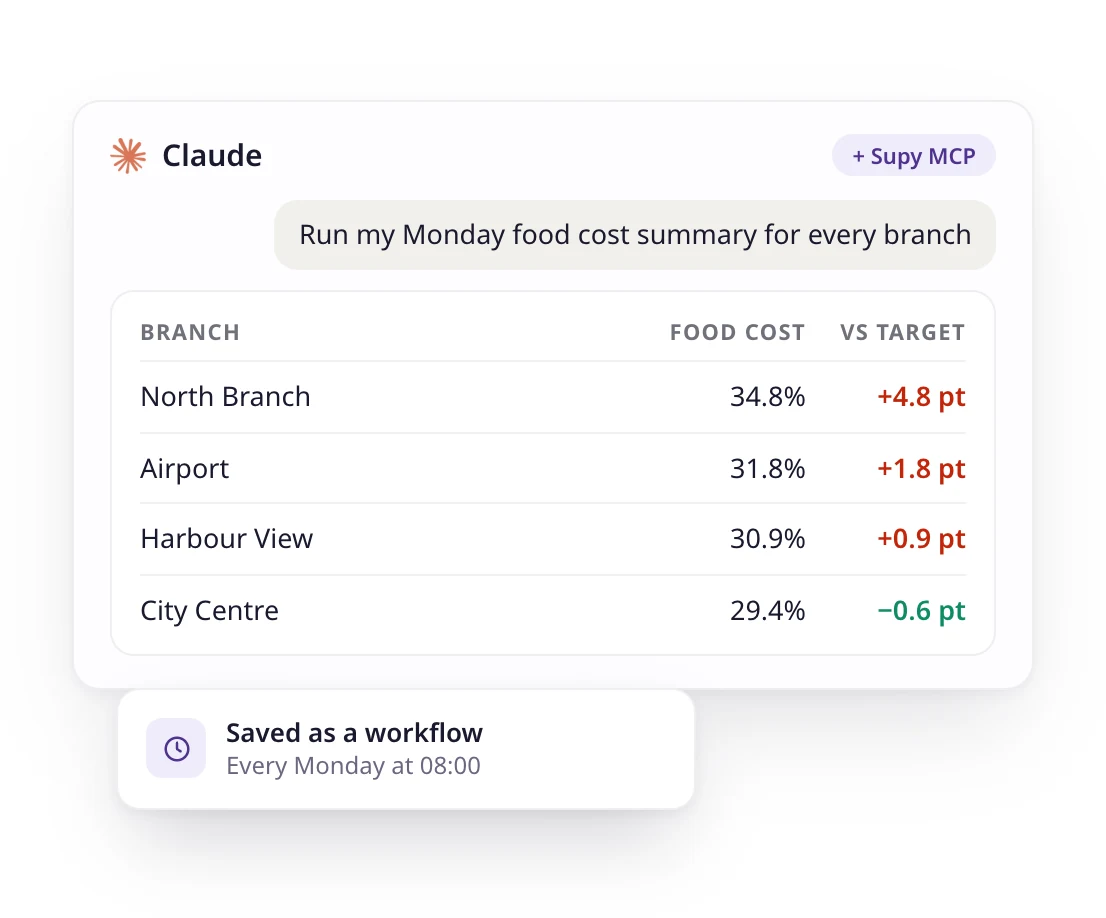
Ask about food cost, cost of goods sold, variance, supplier prices, open purchase orders and recipes, and get the answer as text, a table or a chart. Build the reports your team puts together every week, and save the prompts you repeat as a workflow, such as a Monday food cost summary for every branch.
- Ask questions in plain English
- Build reports, tables and charts
- Repeat workflows, like a weekly food cost summary
Your files
Your Supy data next to your own documents
Attach a supplier quote, a budget or a menu draft and ask your assistant to check it against your Supy data. One conversation replaces an afternoon of exports and lookups.
- Check a quote against what you paid
- Compare a budget with actual spend
- Cost a new menu against current prices
Security
Read-only, and each person approves access
The Supy MCP reads data and never changes it. Your account manager switches it on for your company, then each person signs in with their own Supy login and approves access on a consent screen.
- Read-only: no records created or changed
- Supy login and consent screen
- Switched on for your company by your account manager
- Disconnect whenever you like
Supported AI tools
Works with the AI tool your team already uses, and you can request others
Claude, ChatGPT, Gemini and Microsoft Copilot, plus Cursor, DeepSeek, GitHub Copilot, Grok, Mistral Le Chat, Perplexity, VS Code, Windsurf and Zed.
- Chat assistants for finance and operations teams
- Code editors for data and analytics teams
- Using another tool? Ask us to add it
- See every AI tool on the integrations page

75+ integrations and counting
Connect Supy with all your favourite tools

Why our customers love us















Why our customers love us














Our operational insights
Our operational insights



Ready to transform your operations?
Join 5,000+ restaurant operators cutting costs, streamlining operations and making smarter decisions with Supy.
Your questions answered
Everything you need to know about Supy — from setup to integrations, pricing, and daily use. If it’s not covered here, just ask.
MCP stands for Model Context Protocol, an open standard that lets AI assistants such as Claude and ChatGPT connect to other software. With the Supy MCP, your assistant can answer questions using your live Supy data.
Claude, ChatGPT, Gemini and Microsoft Copilot, plus Cursor, DeepSeek, GitHub Copilot, Grok, Mistral Le Chat, Perplexity, VS Code, Windsurf and Zed.
No. The Supy MCP is read-only. Your assistant can read and analyse your data, but it cannot create or change orders, recipes or any other record.
Your company’s Supy data, such as food cost, supplier prices, stock and open orders. Each person connects with their own Supy login and approves access on a consent screen, and the Supy MCP only reads the data, never changes it.
Ask your account manager to switch the Supy MCP on for your company. Each person then connects their own AI tool with their Supy login.
Intelligence is just the start
Supy also runs procurement, inventory and Supy Ops for multi-branch restaurant groups, on the same login.
Supy Ops is checklist software for restaurant groups. Build each checklist once and it runs on schedule at every branch: staff complete it on their phones, a failed step triggers a fix, and nothing is finished until a manager signs off.
Supy connects to the tools you already use, and opens your data to whatever you build next.
Make every stock count quicker, every variance easier to explain with AI, and every site more accountable. All your inventory tools in one place.
AI-enabled requisitions, purchase orders and approval workflows, on mobile or portal. Built for complex operations and large estates.