




How MCP Security Works When an AI Assistant Reads Your Restaurant Data

What MCP security means for a restaurant group
Before you connect an AI assistant to your systems, ask one thing about each MCP server: can it only read your data, or can it also change it? That answer decides most of the security risk, and it differs by server, as does who can connect and what the assistant sees. One operator who tested the same supplier invoice on several assistants got a different reading from each, so a safe setup matters. This article shows which servers only read, which can write, who connects, who pays, and five checks to run first.
- A connector. An MCP server is a connector. It lets an AI assistant such as Claude or ChatGPT read, and sometimes change, data in another system. MCP stands for model context protocol.
- The decision. The systems on the other end hold your food cost, supplier prices, invoices and stock. So the decision to connect one sits with the owner, the finance lead or the IT lead, not with whoever installs the assistant.
Most security guidance on MCP is written for engineers. In terms a restaurant group cares about, watch for four risks:
- A poisoned instruction. Text hidden in the data an assistant reads can trick it into doing something you did not ask for. This matters more the more a server can change.
- Too much access. A connection that reaches every system and every site is worth more to an attacker than one scoped to what the assistant needs.
- Optional sign-in. Some servers can be set up with weak sign-in or none. Confirm how a person authenticates before you connect one to real data.
- Where it runs. A server running on a laptop exposes that laptop. A hosted server you sign in to keeps the connection off your own machines.
None of these is a reason to avoid an AI assistant. They are the questions to answer for each server before you connect it.
Read-only or write: the first question to ask of any server
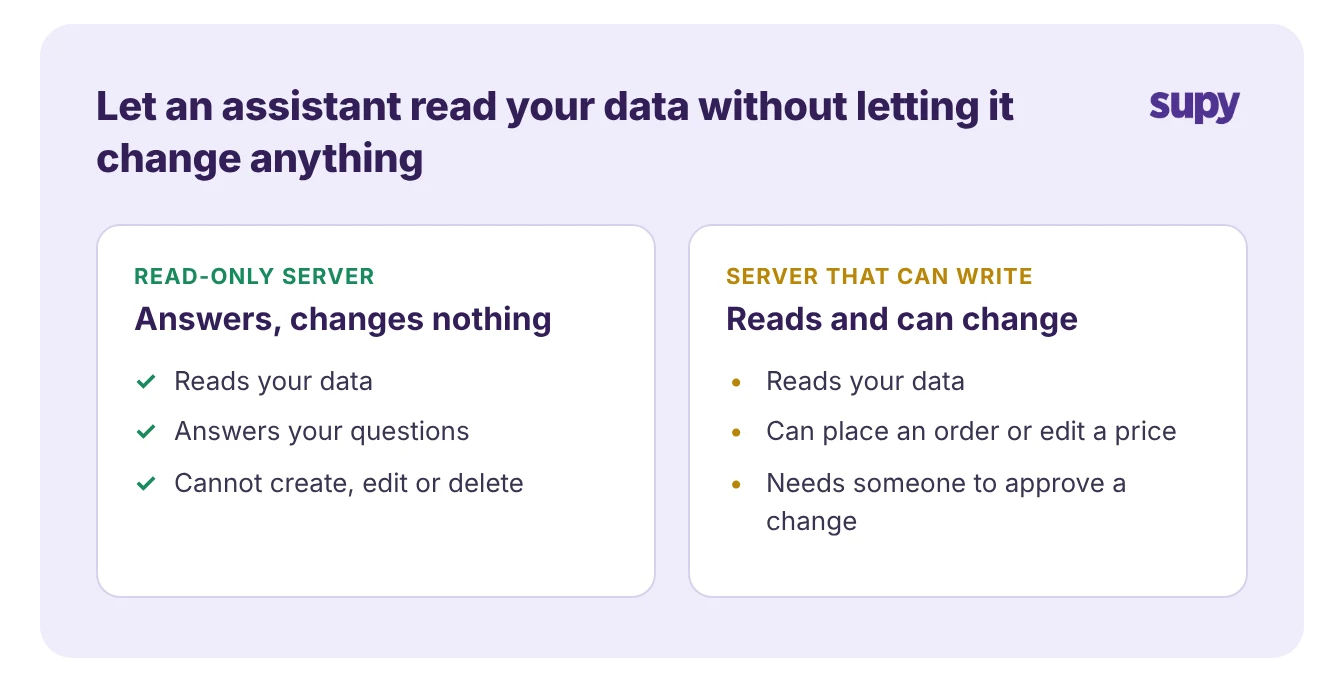
The most useful thing to know about a server is simple. Can an assistant connected through it only read your data, or can it also change it?
- Read-only server. A read-only server answers questions. It never creates, edits or deletes a record.
- Can write. A server that can write is more powerful and carries more risk, because it can place an order, edit a price or change a record.
The table below compares the servers a restaurant group is most likely to meet, with Supy MCP first.
| Server (who makes it) | What an assistant can read | Can it change data | Status |
|---|---|---|---|
| Supy MCP (Supy) | Food cost and cost of goods sold, wastage, dish margin, supplier prices, procurement and open purchase orders, recipes (examples, not a full list) | No, read-only | Released, switched on per company |
| Square MCP server (Square, a Supy POS partner) | Catalogue, inventory, orders, labour, locations, payments, customers, vendors | Yes; a local copy can be set to read-only | Beta |
| Xero connector in Claude (Xero, a Supy accounting partner) | Profit, cash, invoices, customers | No, read-only; follows your Xero permissions | Available |
| Xero developer server (Xero, a Supy accounting partner) | Xero data (check the server's own tools table) | Yes; it does not ask for confirmation first | Available; needs a Xero developer app |
| QuickBooks Online connector for Claude (Intuit, a Supy accounting partner) | Reports such as profit and loss and cash flow, transactions, invoices, estimates, customers, products | Yes; deleting asks for confirmation | Available, US customers only |
| NetSuite AI Connector Service (NetSuite, a Supy ERP partner) | Records, reports, saved searches, read-only queries | Yes; Administrator roles cannot connect | Available |
| Business Central MCP server (Microsoft, not a Supy integration) | API pages, read-only by default | Read-only until an admin enables writes | Query tools in preview |
| Tenzo MCP (Tenzo, a Supy analytics partner) | Sales, labour cost, covers and transactions by location, reviews, manager logs | No, read-only | Available |
Read the table by column. If a server is read-only, the worst an assistant can do is give a wrong answer, which you can check. If a server can write, decide who approves a change before you connect it, and prefer one that asks for confirmation.
Business Central is listed because operators meet it, but it is not a Supy integration; Supy connects to Microsoft Dynamics Navision instead.
What an assistant can see in each system
Supy MCP is read-only today.
That is Supy's statement of how it behaves now.
- An assistant reads
- Answers
- Cannot create or change anything
It answers from Supy's analytics data.
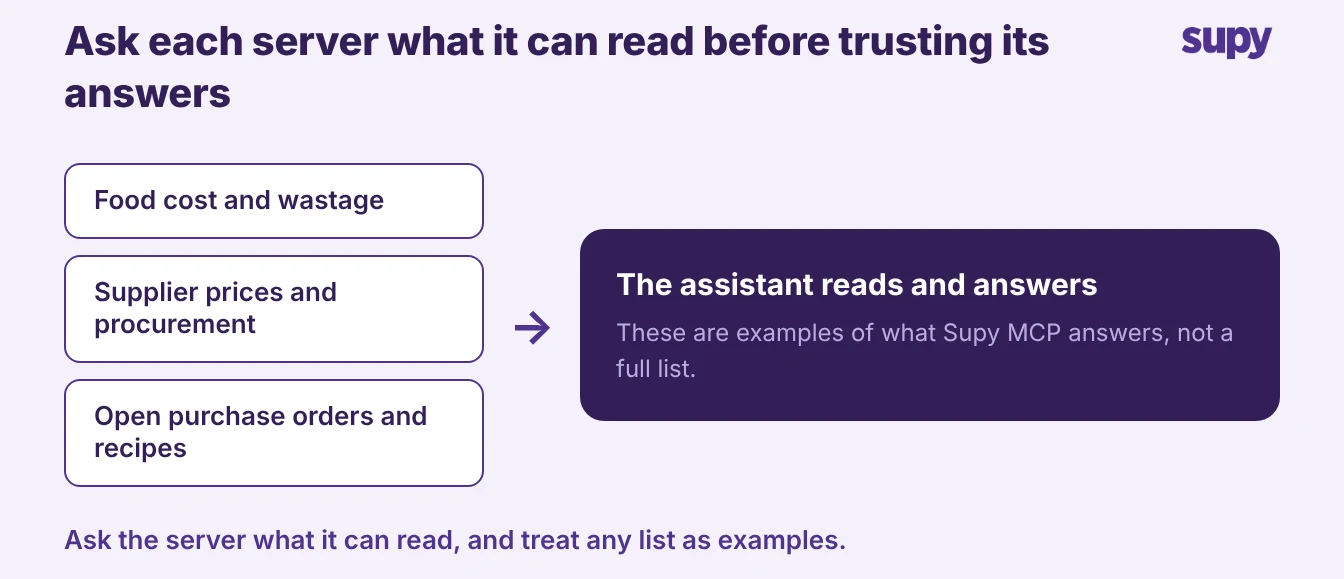
Supy's own suggested questions cover food cost and cost of goods sold, wastage, dish margin and supplier prices. Supy also names procurement data, such as order details and procurement reports, among what it reads. Operators have used it to check open purchase orders and to see how recipes are set up.
- Ask the server. Those are examples, not a full list. Some things operators ask about, such as cost variance or how much stock is on hand, are questions people put to it rather than answers it is confirmed to give. Because the list is not fixed, the reliable way to know what a server exposes is to ask it. Supy's engineering lead says to ask Supy MCP what it can read rather than trust any list, and the same holds for every server in the table.
- Clean records. The answers are only as good as the records behind them. An assistant reading your inventory system repeats whatever is in it, so a stale recipe or an unlogged delivery produces a confident wrong answer. One operator tested the same handwritten supplier invoice on several AI assistants and got a different reading from each, so the team still checked every line by hand. Clean records are what make an assistant's answers worth trusting.
Sign-in, consent and who can connect
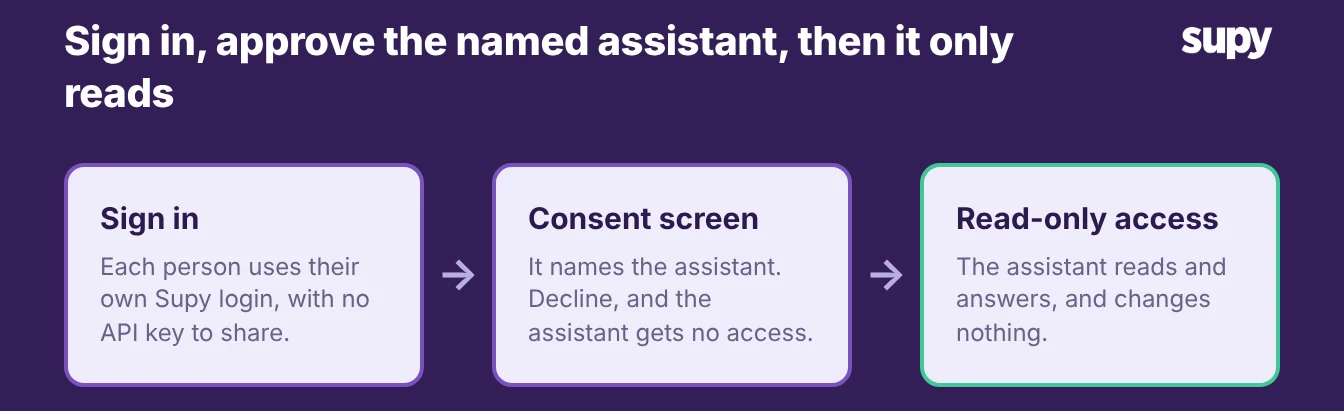
How a person connects matters as much as what the server exposes. With Supy MCP, a user signs in with their own Supy login, with no API key to share. They then approve a consent screen that names the assistant, and declining it gives the assistant no access.
- Per company. Supy switches Supy MCP on per company. So anyone with an active Supy login at a company where it is switched on can connect. To find out whether it is on for your group, ask your account manager.
- Check any server. Check the same points for any server. Supy lists the AI tools it connects to, including Claude, ChatGPT and other AI tools, and each tool has its own sign-in. A consent screen that names the assistant and can be declined is a good sign. A setup that shares a static key or skips sign-in is one to question.
Who pays for the AI usage
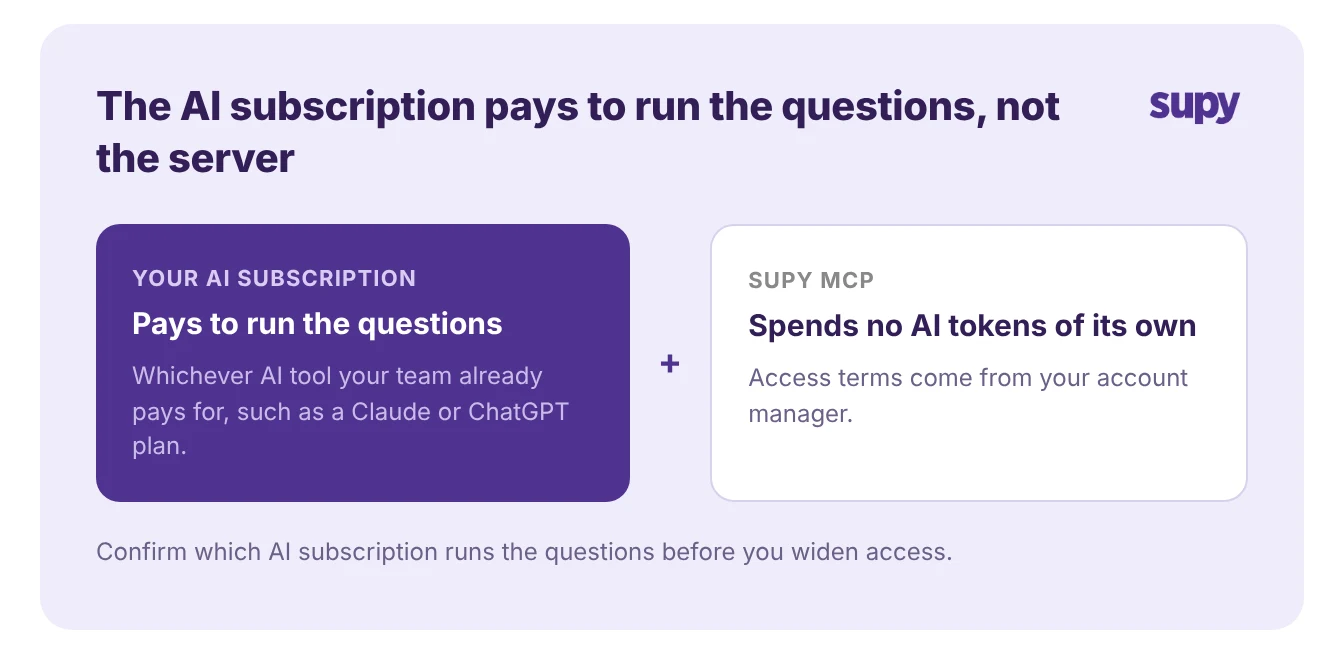
A common worry is a surprise bill. With Supy MCP, the assistant's own subscription runs the questions. The server spends no AI tokens of its own, so the cost sits with whichever AI tool your team already pays for, such as a Claude or ChatGPT plan.
Access terms for Supy MCP come from your account manager, so confirm those before you plan a wider rollout. The same split applies to most servers in the table: the AI subscription pays to run the questions, and the data service sets its own access terms.
Five checks before you connect your first server
Run these five checks on any server before you connect it to real restaurant data:
- Read or write. Confirm whether an assistant can only read or can also change records, and whether a change asks for confirmation first.
- Who can connect. Confirm how a person signs in and who on your team is allowed to, and prefer a server that uses each person's own login over a shared key.
- What can it see. Ask the server what data it can read, and treat any list as examples rather than the whole of it.
- Who approves a change. For any server that can write, decide who signs off before it edits a record, and connect it read-only until you have.
- Who pays. Confirm which AI subscription runs the questions, and settle the access terms with the data service.
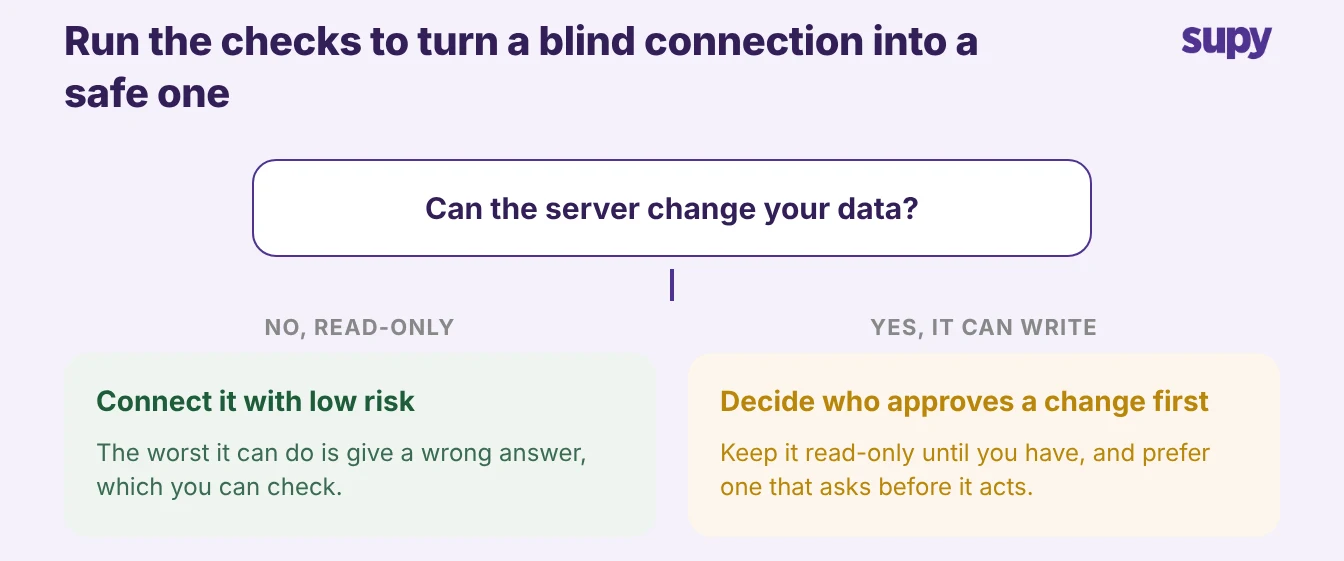
Start with a read-only server when you want answers without risk. Connect a server that can write only once you have decided who approves each change and confirmed it asks before it acts.
Supy MCP is read-only today, so the first move with it is to switch it on for your group through your account manager and point your existing assistant at it. The questions about writes and approvals apply to the servers that can change your data, not to a read-only one.