.jpg)


Restaurant Inventory Software: A Buyer's Guide
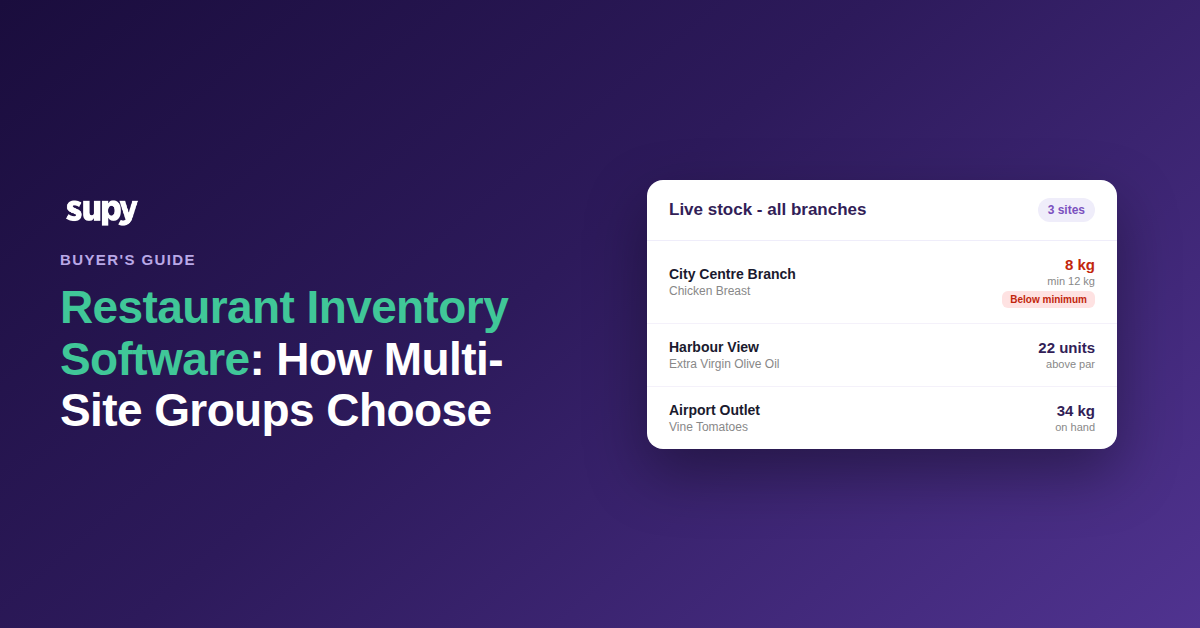
First, decide which category of inventory software you need
Choosing restaurant inventory software is not first a choice between vendors. It is a choice between four categories, each with a different ceiling and a different event that ends it: the inventory module bundled with your point-of-sale (POS) system, a general-purpose enterprise resource planning (ERP) module, an all-in-one back-office suite, and purpose-built hospitality software. Pick the category that fits where your group is heading, then shortlist vendors inside it.
Get this order wrong and the cost is rarely a refund request. A rollout that loses the team's trust does not get switched off, it gets run in parallel: the operations team quietly keeps the spreadsheet because they no longer believe the system's numbers, while finance still pulls its reports from the system that operations has abandoned. Now you are paying for two inventory systems and reconciling between them by hand. That is the real failure mode this decision is trying to avoid, and it starts with buying the wrong category, not the wrong brand.
The table below is the fastest way to place yourself. Read across to the trigger that ends each option, and buy for the group you are becoming, not the one you are today.
| Category | Where it holds up | Where it stops | The trigger that ends it |
|---|---|---|---|
| POS-bundled inventory | A single site or a small, single-concept group; often free with the till | No central-kitchen construct; weak cost and profit data | Your first central kitchen, or a second brand |
| General-purpose ERP module | Finance consolidation and procurement across a large group | No recipe-level food costing or shelf-order counting | When food cost, not the ledger, becomes the problem |
| All-in-one back-office suite | Broad coverage of scheduling, payroll and ordering in one login | Ingredient-level inventory detail is usually thin | When variance has to be explained item by item |
| Purpose-built hospitality | Recipe costing, stock and procurement as one connected model | You still run finance consolidation in a separate ledger | Rarely; it is built for the multi-site food operation |
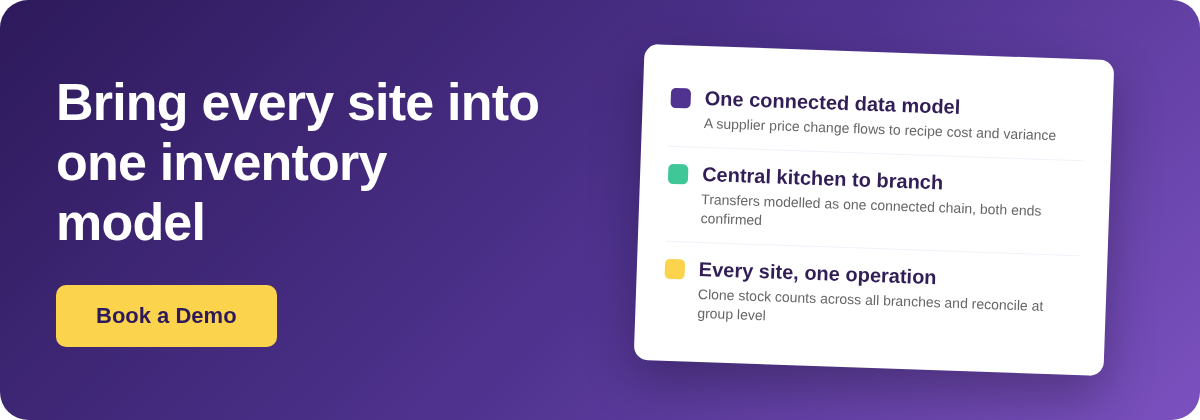
The line that separates purpose-built hospitality software from everything else is not a feature count. It is that recipe costing and inventory are treated as the same problem rather than two modules bolted together. A platform that keeps them separate carries a data dependency that fails silently: a supplier price moves, the ingredient cost updates in one place, and the recipe cost that feeds your variance report does not. You do not get an error. You get a number that is quietly wrong, and you find out at month end. Supy is built the other way around, so a price change flows from the ingredient to every recipe that uses it and into reporting with no manual correction. You can see how that connected stock and cost model works before you shortlist anyone.
Does your point-of-sale system already handle this?
The most common objection to buying anything is that the POS already does inventory. Sometimes that is true. The test is not the length of the feature list, it is one question: do you produce anything internally and move it between sites? If you do not, POS-bundled inventory is genuinely adequate for now. If you do, the module has no way to represent it, and no configuration fixes that.
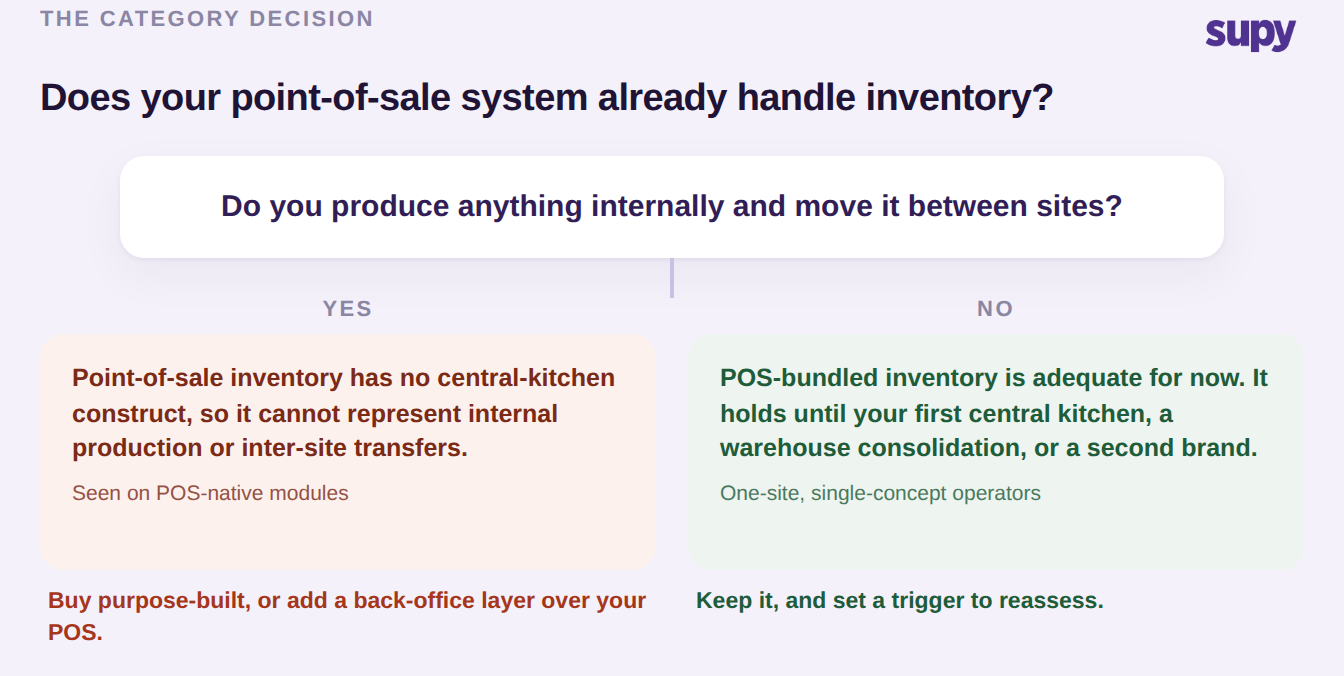
Two groups we worked with proved the wall exists, one on each of two well-known POS platforms. Both had otherwise-satisfactory tills, and both hit the same boundary the moment they opened a central kitchen: the POS inventory module has no concept of a kitchen that produces stock and ships it to branches, so internal production and inter-site transfers simply cannot be recorded. In one case, building the central kitchen was the only reason the group replaced a tool it was otherwise happy with. There is a related, rarer version of the same problem for conveyor-belt and high-modifier service models, where consumption cannot be derived from POS sales at all and only production-based tracking gets you accurate numbers. If you are already living the central-kitchen version of this, our teardown of where an ERP inventory module breaks at the central kitchen covers the same boundary from the finance side. Purpose-built platforms model the central kitchen as a connected chain: branches order from the kitchen, demand consolidates per item, and a transfer only updates stock once the receiving site confirms it, so both ends of the movement always agree.
What actually drives your rollout timeline
Buyers reliably ask how long a restaurant inventory software rollout takes and reliably get the wrong mental model in return. The lead time is not a function of how many sites you have. It is a function of how many recipes you carry and how clean your item list is. Adding a location is close to free; adding recipes and untangling a decade of duplicated, mislabelled items is where the months go.
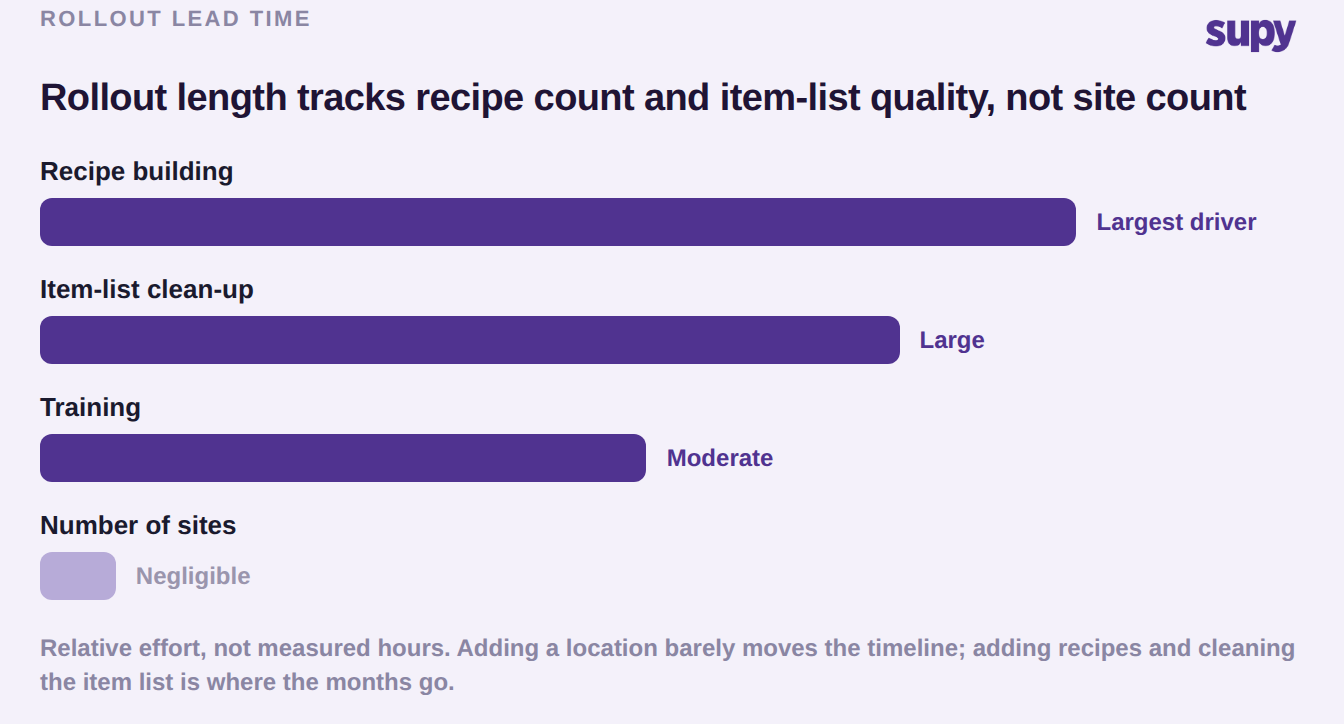
One group's two-country rollout ran to roughly three months, and when they looked back at where the time went it was three things and only three: building recipes, cleaning the item list, and training. None of it was the software waiting on more locations. This matters for the buying decision because it tells you what to negotiate. Ask a vendor who does the recipe build and the item-list clean-up, because if the answer is you, the timeline is yours to own. It also tells you what to prepare before you ever sign: a food cost that you trust starts with recipes that are right, and you can pressure-test your current numbers with a free food cost calculator before you commit to a platform.
The order that decides whether you go live clean
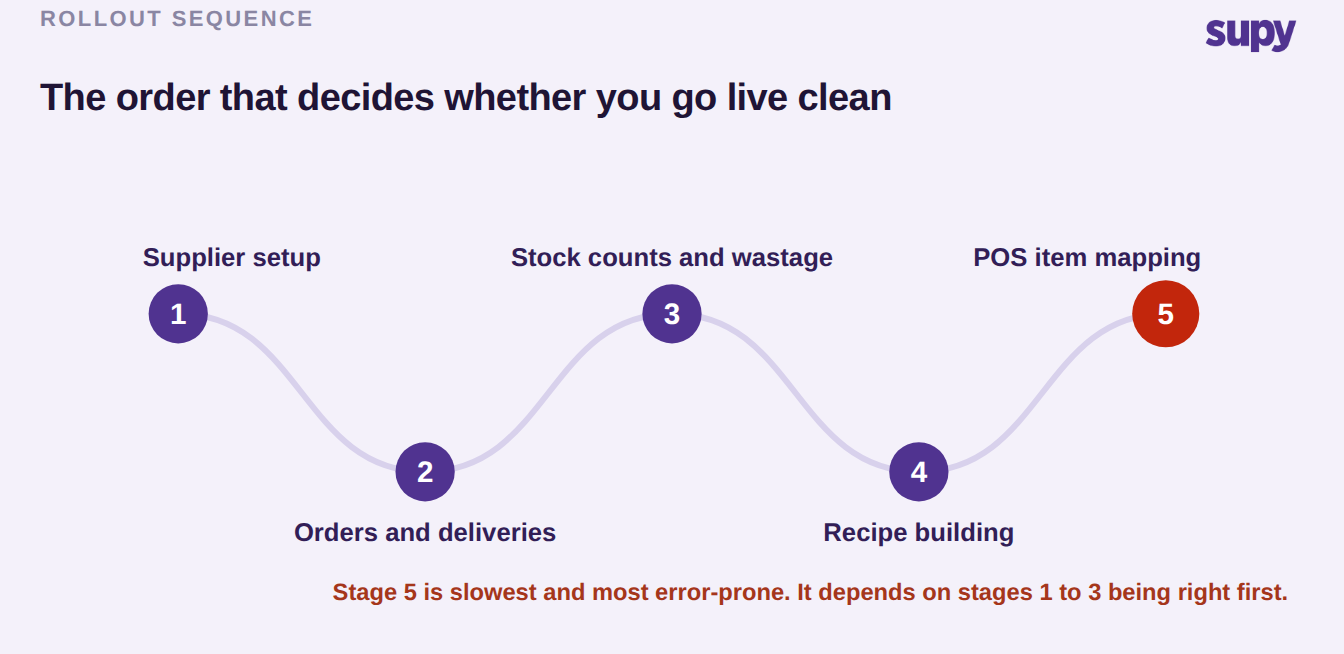
Every restaurant inventory software rollout has a defensible sequence for turning the system on, and doing it out of order is how a rollout stalls. Configure suppliers first, then orders and deliveries, then wastage and stock counts, and leave recipe building and POS item mapping until last. Item mapping is the slowest, most error-prone stage, and it depends on suppliers and item costs already being correct, so front-loading it guarantees rework.
The same logic applies across your estate: phase the central kitchen before the branches that order from it, because the kitchen defines the price lists and production rules the branches inherit. A workable first stage for a multi-brand group is one central kitchen plus one branch per brand, proven end to end, before the rest follow. If a vendor proposes going live everywhere at once, treat it as a warning, not confidence. And if you run more than one market, prove the POS integration works in the first country before you start the second, because an integration that mapped cleanly in one region does not always map the same way in the next.
Why these programmes fail on people, not software
When a restaurant inventory software rollout collapses, the software is rarely the cause. The cause is almost always headcount and training design, and it is worth stating plainly during evaluation because it is the part you, not the vendor, control. One multi-site group had a single person per site covering both stock counts and receiving, and nobody at all covering the central kitchen. The result was a full month of unsubmitted counts, no receiving entries, and stock that was wrong across the whole group. The diagnosis on review was a manpower shortage, not a usability problem.
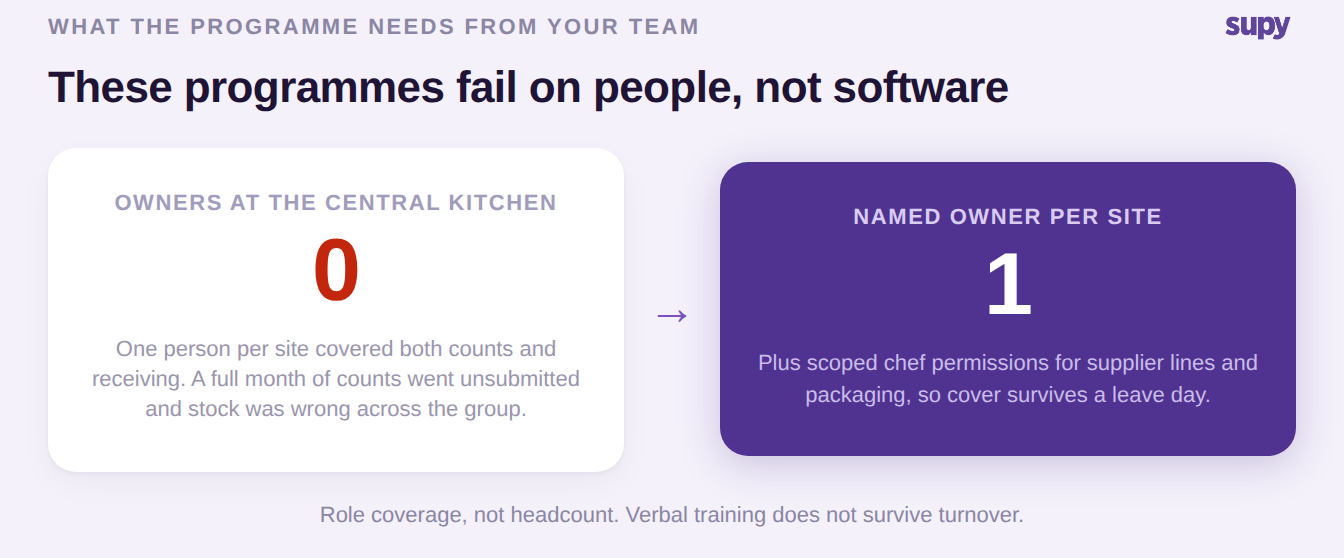
Two patterns repeat often enough to be worth designing against. Verbal training does not survive turnover, so the person who was shown how to do it in month one is frequently gone by month six, and nothing was written down. And single-person dependency breaks at the first leave day: one trained key user going on holiday was enough to stop an entire multi-venue group from starting its end-of-period count. The fix is not more headcount, it is role coverage, a named owner per site plus scoped permissions so a chef can manage supplier lines and packaging without waiting on head office. The platform helps here only if counting is genuinely easy: shelf-order count templates cloned to every branch, parallel counting that merges automatically with each counter attributed, and a workflow that holds up on a phone in a walk-in with poor signal. We wrote up the full set of stocktake failure modes across multi-site groups if you want the detail.
What has to be true before you go live
Whatever restaurant inventory software you choose, go-live readiness comes down to eight areas, and three of them are the ones groups almost always miss. The three that get skipped are the timing of the opening count, the automatic production rules for the central kitchen, and the central-kitchen price lists that the branches inherit. Miss any of those and the numbers are wrong from day one, which is exactly how a team stops trusting the system.
| Area | What must be true before go-live | Commonly missed |
|---|---|---|
| Master data | Items deduplicated, named consistently, mapped to units | |
| Procurement setup | Suppliers, price lists and order guides loaded | |
| Recipes | Plated and prep recipes built and costed | |
| POS integration | Sales map to the right items in every location | |
| Users and permissions | A named owner per site with the right access scope | |
| Opening stock count | Counted and entered at the right moment | Yes, timing is routinely wrong |
| Central kitchen | Production rules and branch price lists configured | Yes, rules and price lists both |
| Training | Written and role-based, not a one-off verbal walkthrough |
How many inventory databases should a group run?
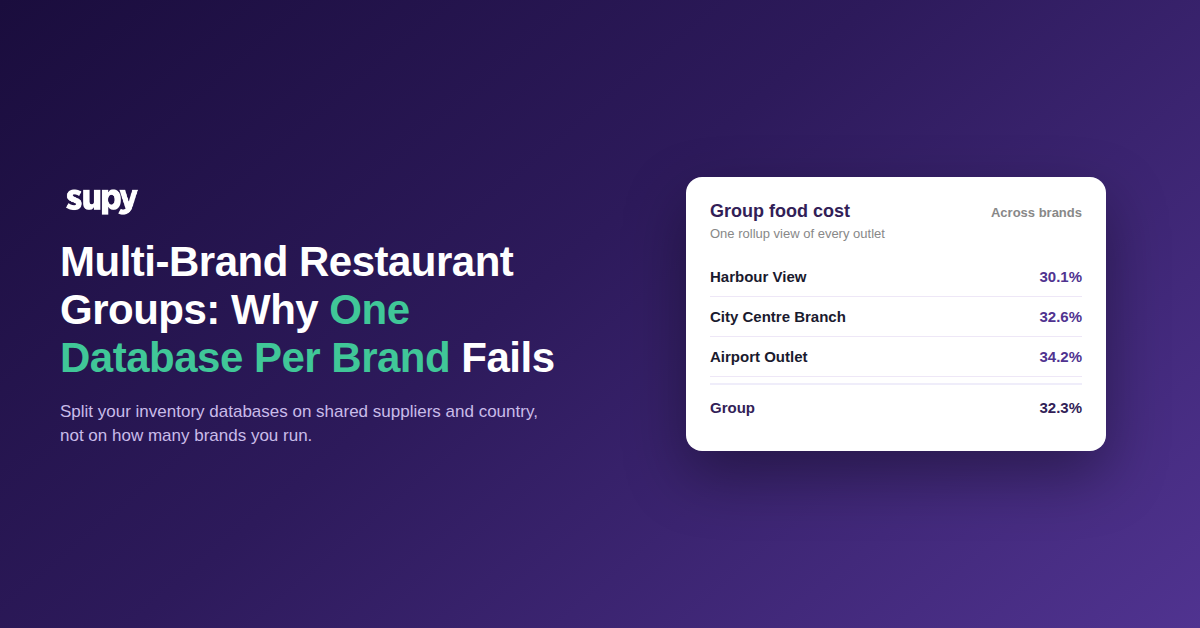
Multi-brand groups almost always ask the wrong version of this question, and the naive answer is wrong in a way that hurts later. The instinct is one database per brand. The rule that actually holds is to split on supplier and product overlap and on country, never on brand count. One large group across several countries with a double-digit brand portfolio wanted a database per brand until they raised the objection themselves: maintaining that many becomes unworkable every time a primary supplier or a shared product changes across brands, because you make the same edit in a dozen places.
| Group shape | Split or consolidate | Why |
|---|---|---|
| Brands sharing suppliers and products in one country | Consolidate into one database | A supplier or product change is made once, not per brand |
| Same brand across two countries | Split by country | Different suppliers, currencies and tax treatment |
| Brands with genuinely no supplier or product overlap | Split by concept | Nothing shared, so consolidation buys nothing |
The structure that group settled on was one database per country per concept, consolidating brands that share suppliers and products and splitting only where they genuinely do not. Whatever a vendor recommends, the platform should be able to keep each entity's stock ledger fully isolated where you split, while still letting you report across the whole group, and let each entity connect its own accounting. If a platform forces the one-per-brand model on you, that is a constraint you will be maintaining by hand for years.
The questions to bring to every demo
A demo is designed to show you the software working. Your job is to find where it stops. These are the questions that separate a real answer from a rehearsed one, including the two that decide most enterprise rollouts and that buyers almost never ask up front: who actually builds and maintains the integration, and whose data the migration runs on.
| Question | What a good answer sounds like | What a vague answer hides |
|---|---|---|
| How do you handle a central kitchen shipping to branches? | A demonstrated transfer, confirmed at both ends | There is no central-kitchen model at all |
| What happens to a recipe cost when a supplier price changes? | It recalculates everywhere automatically | Recipe costs are updated by hand |
| Who builds and maintains the POS and accounting integration? | The vendor owns it, with a named process | It is left to your own developers |
| Whose data does the migration and item build run on? | Yours, cleaned with you, before go-live | A generic template you reconcile later |
| How does counting work on a phone with poor signal? | Offline-tolerant, shelf-order templates, per counter | A desktop workflow retrofitted to mobile |
Two more things are worth confirming rather than assuming, because they are genuinely live and they are where a connected platform pulls ahead. Ask to see the fourteen-day sales forecast per branch down to the menu item, and the predictive ordering that turns that forecast into a ready-to-submit purchase order without ever sending it on its own. And ask about the integration list in numbers, not adjectives: a mature platform connects to seventy-five or more systems across tills, accounting and ordering, and can name the POS brands it maps revenue centres to rather than waving at "all major systems".
So, to make the call: if you have no internal production and a single concept, keep your POS inventory and set a reassessment trigger. If you are opening a central kitchen, adding a brand, or consolidating a warehouse, you have outgrown the bundled module and it is time for purpose-built hospitality software. Score every shortlisted platform on one connected data model, a real central-kitchen chain, counting that survives a bad phone signal, and a vendor who owns the integration, and treat headcount and written training as your side of the bargain. Get those right and the second parallel system never gets built.