.jpg)


Restaurant Operations Dashboard: One Live View for Multi-Site Groups
What a Multi-Site Operations Dashboard Shows You
A multi-site restaurant operations dashboard shows every site's food cost and cost of goods sold in one live view, by branch and menu category. A group running 12 sites sees which outlet drags margin down without opening a report for each location. A 64% blended group margin can hide one site sitting at 55%, and the dashboard makes that difference visible straight away.
- Article roadmap. This article covers what the dashboard shows you, where you lose margin before month-end, and what to fix first.
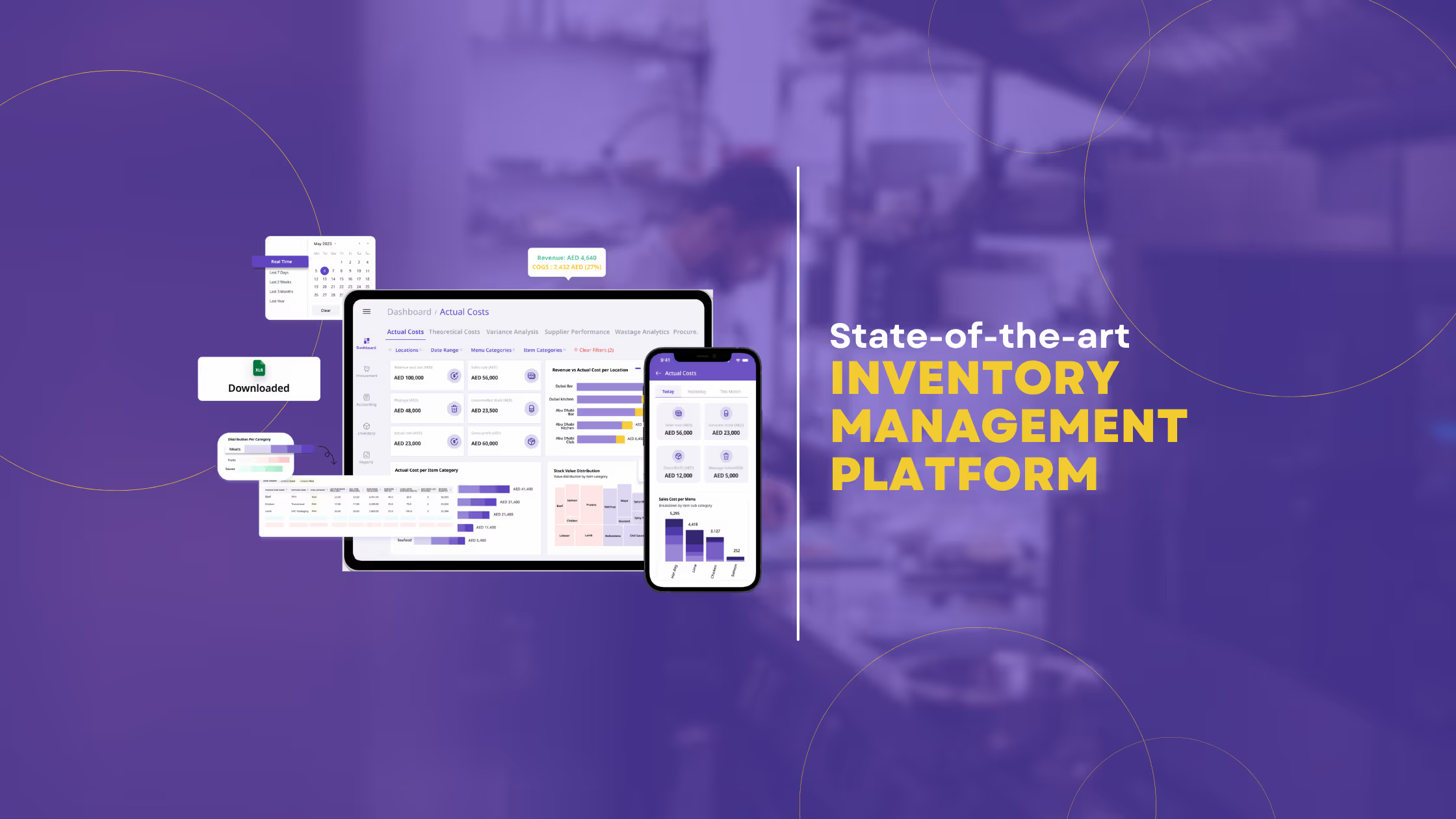
- Connected systems. The view pulls from the systems you already run. Supy connects to 75+ POS and accounting tools, so sales and purchases flow in without anyone rekeying them. From there the dashboard builds the group picture in one place:
- Food cost and cost of goods sold by site and category. You see the group number, then drill into one branch or one menu category to find where the margin actually moves.
- Theoretical versus actual variance. The dashboard shows what a site should have used against what it did use, so you can see a gap that a weekly total would otherwise hide.
- Wastage by type, site and item. Logged wastage sits next to variance, so you can tell whether a shortfall is theft, over-portioning or stock going off.
- Profitability by site, category and dish, plus slow movers. A menu engineering matrix sorts dishes into stars, plough horses, puzzles and dogs, so you act on the menu rather than a hunch.
A single-site operator gets less from this, because one location's numbers already fit on one screen. The payoff grows with each site you add. For the full reporting picture behind these numbers, see Supy's restaurant analytics software.
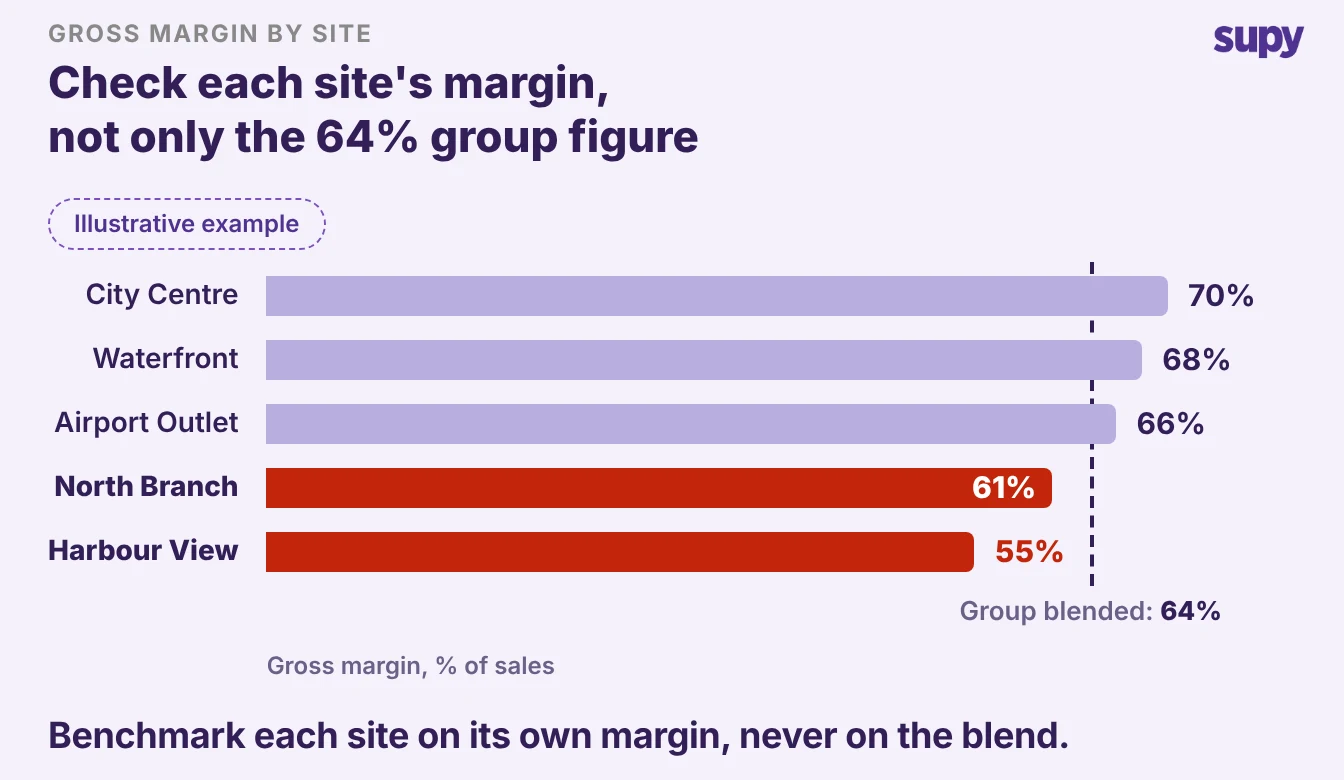
Where You Lose Group Margin Before Month-End
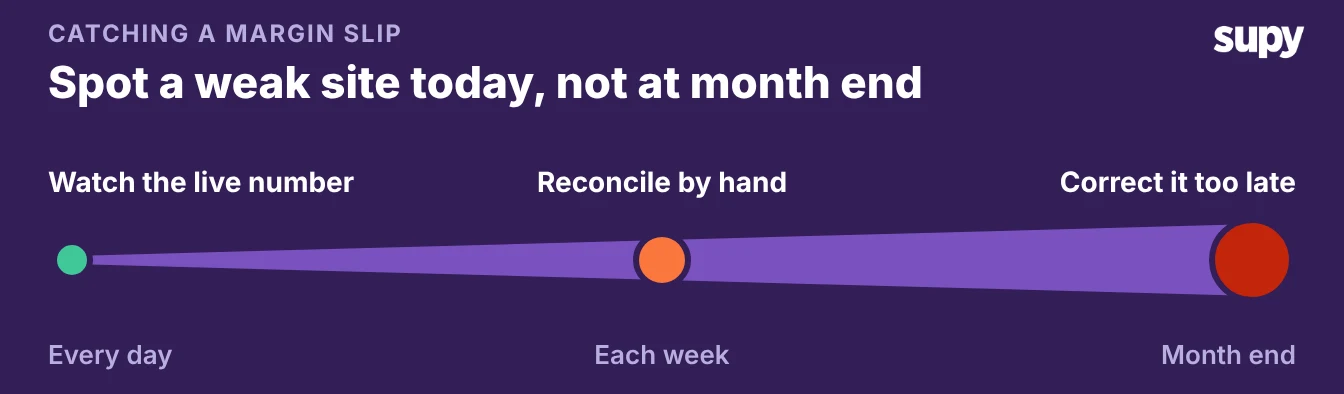
- Seen too late. You only see group margin after someone stitches each site's numbers together by hand. Most groups learn their true margin only at month-end, because that is when someone finishes the manual rollup. By then the month is spent and the fix is too late.
- Siloed reporting. The pattern repeats across multi-site groups. Each site reports on its own, often on whatever came out of the box with its POS. That POS tracks net sales and order counts, but it cannot work out cost of goods sold across the group. Someone then exports each site's figures and aggregates them in a spreadsheet every week. One group ran its recipe costing on a homegrown database tool that no longer held up as it grew.
That manual rollup costs you three things:
- Time. A person spends hours every week pulling and merging per-site reports that a live view would show on its own.
- Drift between sites. When each location runs its own menus and supplier orders, pricing and food quality drift apart and the group loses buying power.
- Reports you cannot trust. A rollup that combines food and beverage with no category drill-down cannot point to the line pulling margin down.
If you only see your margin once you close the month, you are reading history, not running the business. A live dashboard moves that number to today. If stock accuracy is part of the same problem, Supy's guide to restaurant stock management software covers the counting side.
Separate Site Reports vs One Group Dashboard
The difference between per-site reporting and one group view is not cosmetic. It changes when you learn a number and whether you can act on it.
| Criterion | Separate site reports | One group dashboard |
|---|---|---|
| When you see group margin | At month-end, after a manual rollup | Live, every day |
| Category drill-down | Food and beverage combined | By menu category and dish |
| Buying power | Each site orders on its own | Group spend in one view |
| Numbers you can trust | Depend on who aggregated them | One source across every site |
Read the right column as the target. If any row describes your group today, that row is where you are losing margin and hours.
Rank Sites by Variance, Then Fix the Costliest First
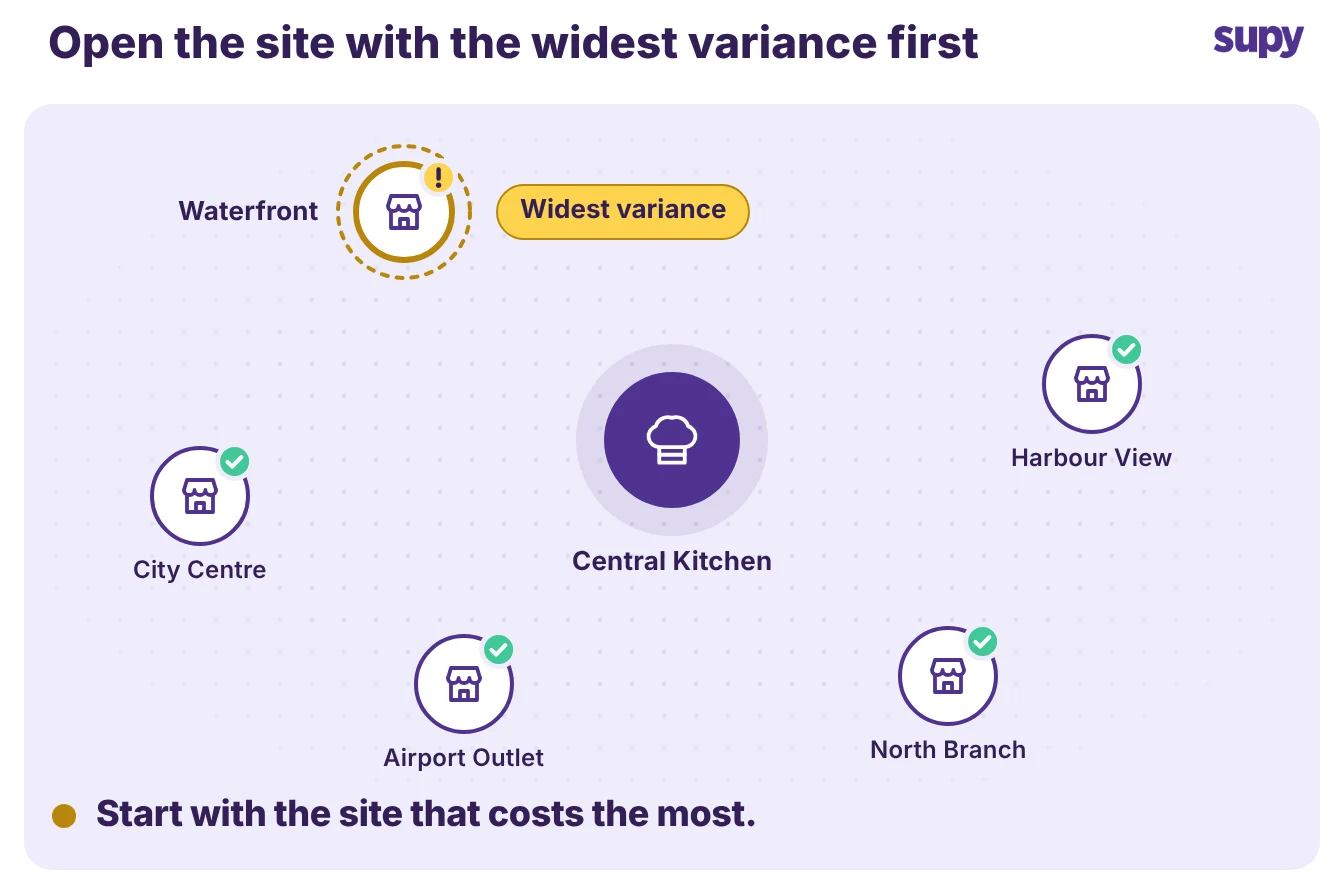
The dashboard ranks your sites by the size of their variance, so you fix the costliest one first. It puts theoretical versus actual variance and wastage side by side across branches. You see which outlet has the widest gap, open it, and send the kitchen manager straight to the discrepancy that is costing the most.
- Short action list. This turns a group view into a short list of actions. Instead of asking every site to explain its numbers, you spend the week on the two outlets that actually move the group total. When you can rank a variance, you can assign it to a named owner, and that owner closes a gap that a combined report leaves open.
- Pre-submission reports. Pre-submission variance reports help here too. A site reviews its own gap before it submits the count, so the branch catches an obvious error before anyone rolls it into the group number a week later.
Your Numbers Are Only as Good as Your Recipe Mapping
- Unmapped items. A dashboard is only as trustworthy as the recipe and POS mapping behind it, so map every item before you rely on the numbers. When a POS item is not linked to a recipe, its sale still brings in revenue, but the dashboard cannot attach a cost to it. The item understates cost of goods sold, and in some views it does not appear at all until mapping is done.
- New sites. This is the step most groups skip when they open a new site. Say a new site opens with 24 POS items still unmapped. Every one of those sales flatters the food cost number, and the problem only shows up at month-end. Map all 24 and the unmapped count drops to 0, so every sale carries its true cost.
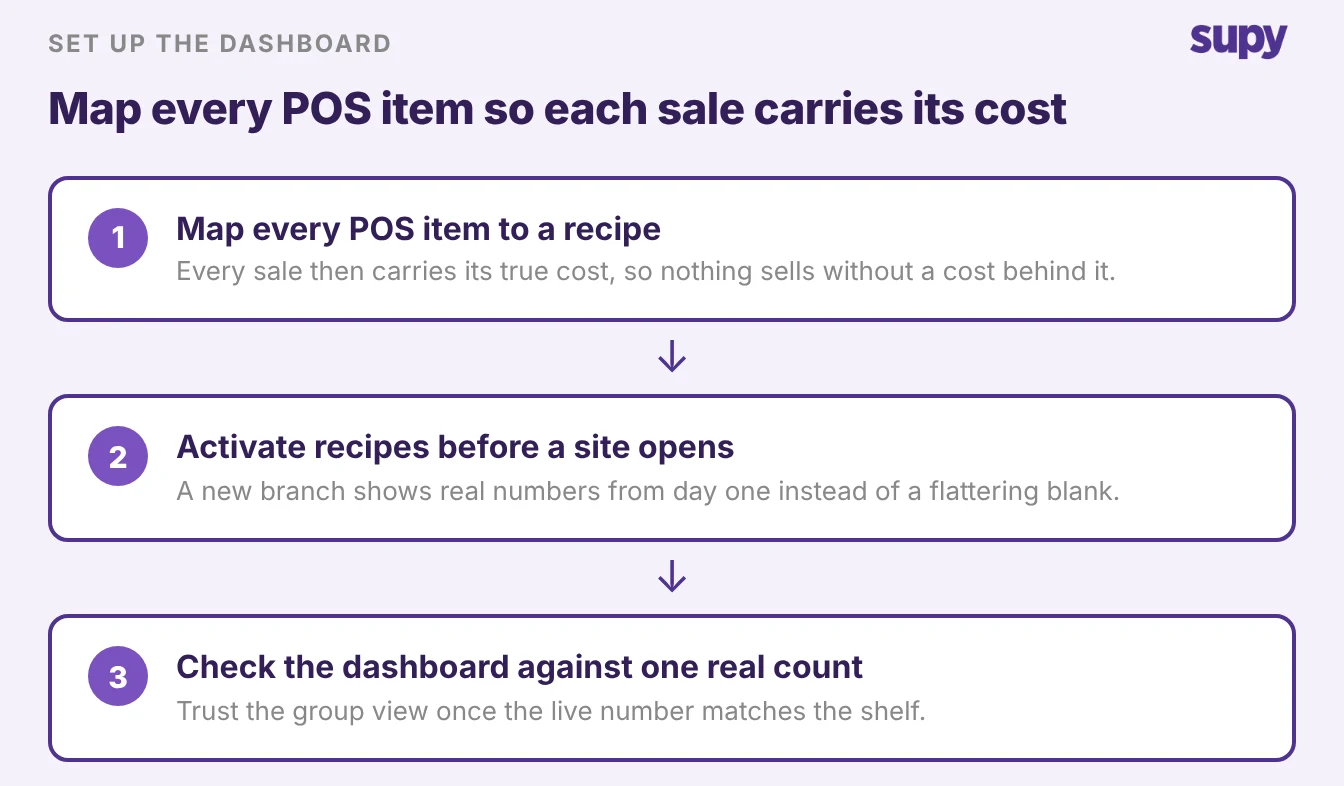
Set it up in this order:
- Map every POS item to a recipe. Nothing sells without a recipe behind it, so every sale carries its true cost.
- Activate recipes at each new site before it opens. A new branch shows real numbers from day one instead of a flattering blank.
- Check the dashboard against one site's actual count. When the live number matches the shelf, you can trust the group view built on top of it.
Start with mapping, then watch the variance ranking for a week. Once the numbers you read are the numbers on the shelf, the dashboard stops being a report you check at month-end and becomes the view you run the group from.
In a demo, ask to see food cost by category for a single site, and the variance ranking across branches. Those two screens are where a multi-site group gets its time back.