.jpeg)

Meilleur logiciel de comptabilité pour restaurants : comment choisir un système auquel votre coût matière peut faire confiance
Ce que le meilleur logiciel de comptabilité pour restaurants doit réellement faire
Recherchez le meilleur logiciel de comptabilité pour restaurants et vous tombez à chaque fois sur la même liste : QuickBooks, Xero, Zoho Books, Wafeq. Ce sont tous des grands livres performants, et chacun d'eux peut tenir la comptabilité d'un restaurant. La vraie décision est donc rarement de savoir quelle plateforme passe des écritures comptables de façon plus élégante. Il s'agit plutôt de savoir quel système vous fournit des chiffres sur lesquels vous pouvez agir avant la clôture mensuelle. Le compte de résultat d'un restaurant n'est aussi précis que les factures fournisseurs, le coût matière et les mouvements de stocks qui l'alimentent – et ces données proviennent presque jamais de la plateforme comptable elle-même. Ce guide compare les principales options, mais il consacre l'essentiel de ses développements à la partie qui fait vraiment bouger votre marge : la couche de données qui alimente la plateforme que vous choisissez.
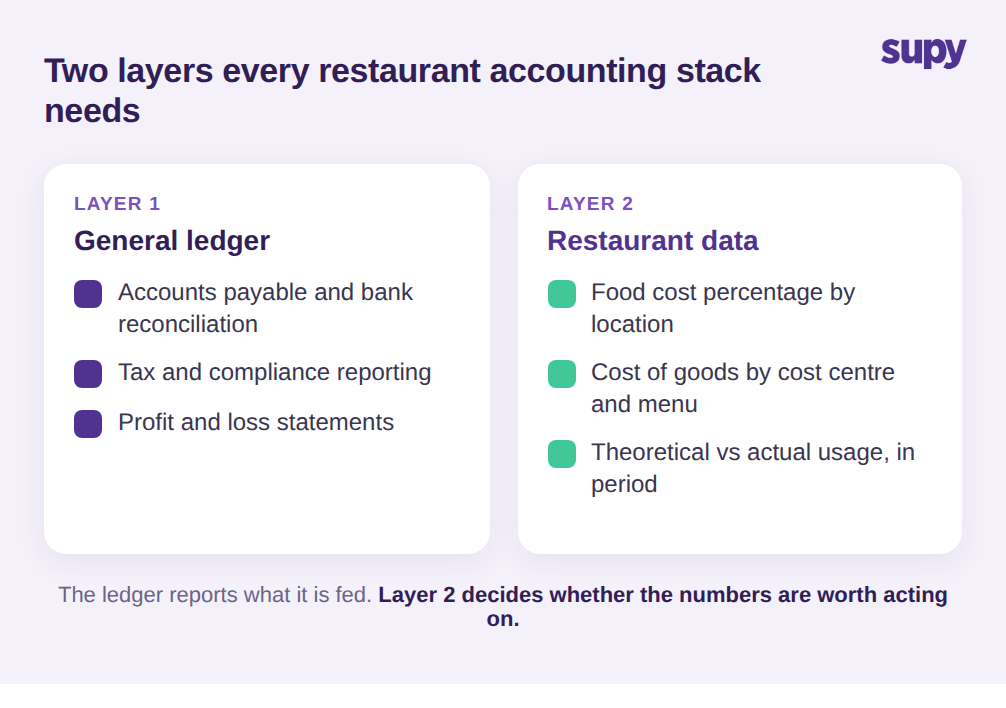
Chaque plateforme comptable gère le grand livre, les comptes fournisseurs, le rapprochement bancaire et les taxes. C'est la base, et sur cette base les principaux outils sont si proches que le choix se résume au prix et à la familiarité. Ce qui sépare une simple comptabilité d'un logiciel qui fait vraiment tourner un restaurant, c'est le deuxième niveau : le coût matière, reporté au niveau qui intéresse à la fois le chef et la direction financière. Un restaurateur a besoin du coût matière en pourcentage du chiffre d'affaires, ventilé par site, centre de coûts et idéalement par catégorie de menu – car un groupe avec 9 établissements ne peut pas redresser sa marge en regardant une seule ligne consolidée.
Et ils ont besoin de ce chiffre pendant que la période est encore ouverte, pas comme une analyse rétrospective. Un logiciel de comptabilité générale n'a pas été conçu pour calculer le coût d'une assiette ou rapprocher la consommation théorique de ce qui a été réellement compté en rayon. Il reporte ce que vous lui donnez, selon le calendrier que vous lui imposez. La première chose à établir n'est donc pas quelle plateforme, mais d'où proviennent les chiffres spécifiques au restaurant avant d'atteindre le grand livre, et à quel point ils sont à jour quand ils y arrivent. Ratez cette couche et la plateforme comptable la plus réputée du marché vous remettra quand même un compte de résultat sur lequel vous ne pourrez pas agir.
Le problème de données derrière chaque compte de résultat de restaurant
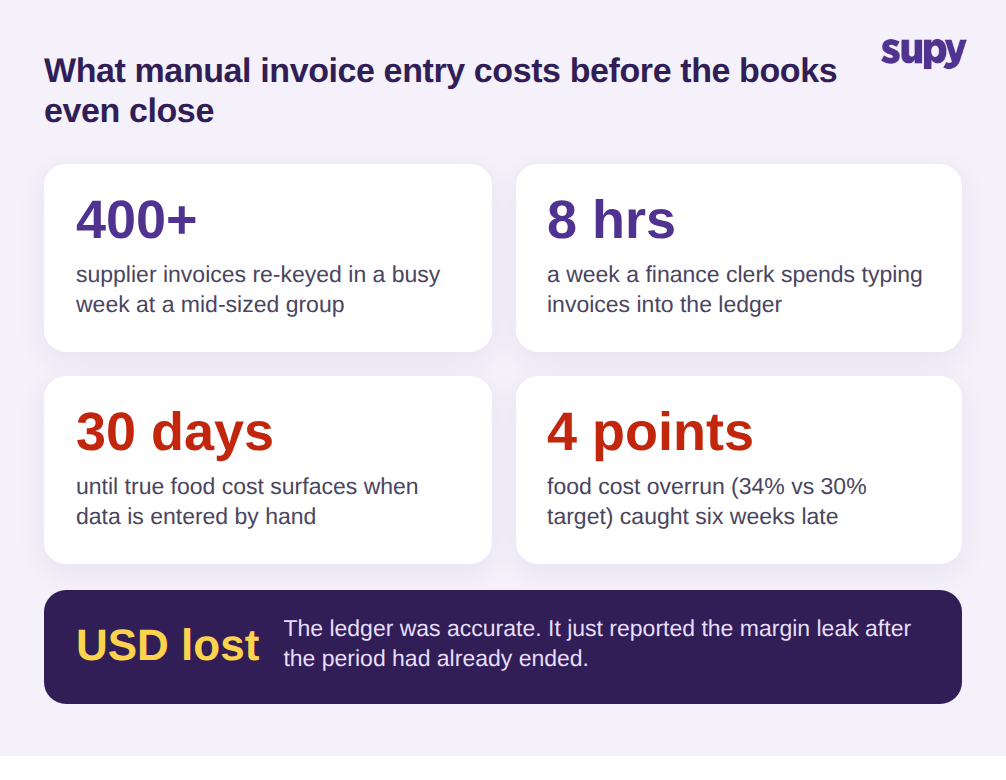
Voici le schéma qui sape discrètement même la plateforme comptable la mieux choisie. Les factures fournisseurs arrivent sous forme de PDF, d'e-mails et de papier – parfois 400 ou plus en une semaine chargée pour un groupe de taille moyenne. Un comptable les ressaisit manuellement, y perdant souvent 8 heures par semaine, et chaque saisie manuelle est une occasion de laisser passer une modification de prix inaperçue. Un responsable des achats d'un groupe hôtelier multi-sites a décrit exactement cela : des centaines de factures par semaine, des approbations en plusieurs étapes sujettes aux erreurs, et un souhait permanent d'automatiser la capture pour en finir avec la ressaisie.
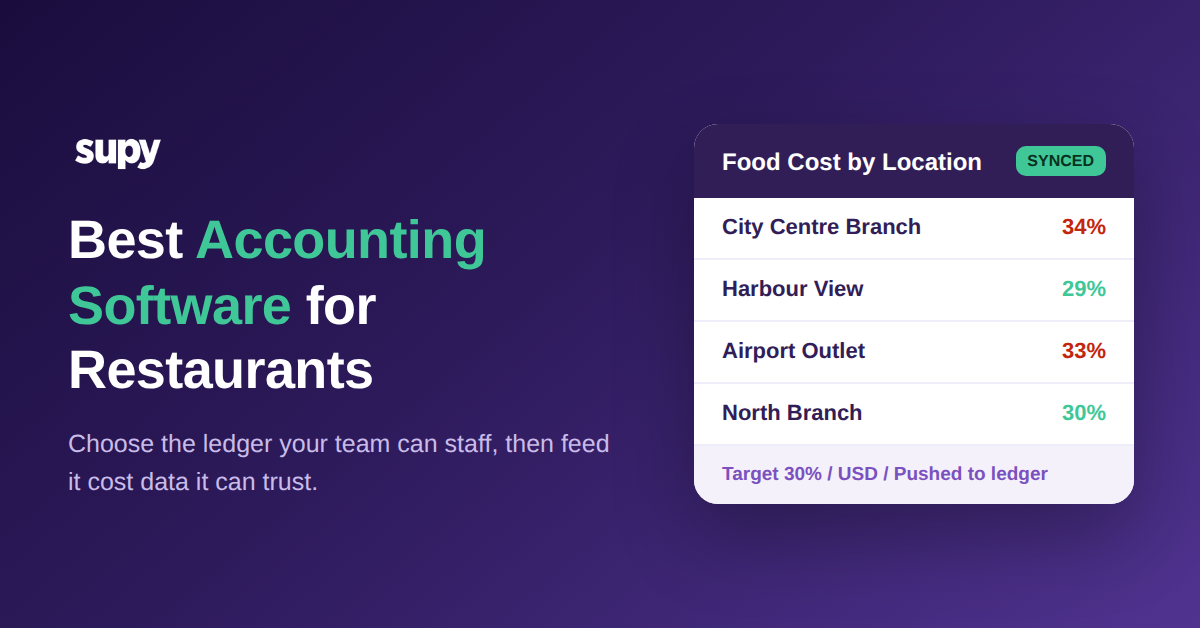
Le résultat est un décalage, et ce décalage est coûteux. Le coût matière réel n'apparaît que lors de la clôture des livres, jusqu'à 30 jours après la dépense réelle. Un groupe de taille moyenne a réalisé qu'il fonctionnait à 34% de coût matière contre un objectif de 30% – un écart de 4 points – pendant six semaines avant qu'un processus manuel le détecte. À ce moment-là, la période était terminée et l'argent aussi. La plateforme comptable avait parfaitement fait son travail et avait quand même signalé le problème trop tard pour agir. Pour détecter la dérive des prix fournisseurs et les fuites de marge en cours de période, il faut remonter en amont du logiciel comptable, dans la manière dont les données de factures et de coûts sont capturées à la source. Notre guide sur le logiciel de numérisation de factures pour restaurant traite en détail cette couche de capture.
Comparaison des principales plateformes : QuickBooks, Xero, Zoho Books et Wafeq
Pour la plupart des groupes de restauration, la comparaison honnête des quatre principales plateformes ressemble à ceci. QuickBooks est la plus largement adoptée, avec le plus grand vivier de comptables qui la connaissent déjà et le plus vaste marché de modules complémentaires, ce qui en fait un choix sûr par défaut si votre équipe financière ou votre comptable externe y travaille. Xero est fort sur les structures multi-entités et les flux bancaires, et les opérateurs gérant plusieurs entités juridiques dans un groupe trouvent souvent sa consolidation plus propre. Zoho Books convient aux groupes déjà standardisés sur d'autres outils Zoho et tend à bien se positionner en termes de prix pour les enseignes de taille modeste. Wafeq est conçu autour de la conformité fiscale régionale et s'adapte naturellement là où la facturation électronique locale et les formats fiscaux sont une exigence impérative plutôt qu'un plus.
Notez qu'aucune de ces différences ne concerne vraiment les restaurants. C'est là le point, et il est facile de le manquer quand la page d'un fournisseur mentionne la restauration. Choisissez la plateforme que votre équipe financière peut utiliser et qui respecte vos obligations fiscales, puis traitez la question spécifique au restaurant – la propreté et l'actualité des données de coûts – comme une décision distincte avec ses propres critères. Les quatre plateformes s'intègrent avec les systèmes opérationnels qui produisent ces données, donc le gagnant pratique est généralement celui qui s'adapte à vos comptables et à votre cadre de conformité, pas celui qui affiche le plus de logos hôteliers sur sa page d'accueil.
Comparaison des principales plateformes comptables pour restaurants
| Plateforme | Idéale pour | Adéquation restauration |
|---|---|---|
| QuickBooks | Plus grand vivier de comptables et marché de modules complémentaires | Choix sûr par défaut ; le coût matière vient toujours d'ailleurs |
| Xero | Groupes multi-entités et flux bancaires propres | Solide pour les groupes avec plusieurs entités juridiques |
| Zoho Books | Enseignes standardisées sur Zoho | Bien positionné en prix pour les petits groupes multi-sites |
| Wafeq | Conformité fiscale régionale et facturation électronique | Choix naturel où les formats fiscaux locaux sont requis |
Comment le meilleur logiciel comptable pour restaurants dépend de ses intégrations
C'est là que les projets déraillent. Un directeur financier d'un groupe de restauration casual a décrit la mise en place des intégrations comptables – le mapping des fournisseurs, le nettoyage des anciens locataires et les incompatibilités de préférences de grand livre –, retardant le démarrage de jusqu'à 3 semaines. Un directeur financier d'un autre groupe a posé une limite plus ferme : les chiffres de rentabilité et les sorties automatisées de compte de résultat doivent être autonomes, sans appeler le prestataire à chaque fois qu'un rapport est nécessaire. Si un rapport courant nécessite l'aide du prestataire pour être exécuté, c'est un signal d'alarme, pas une fonctionnalité.
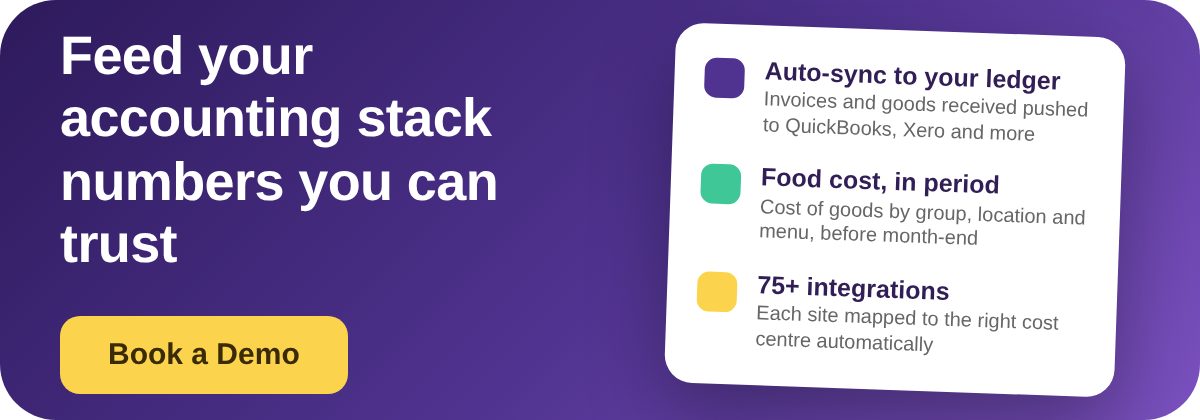
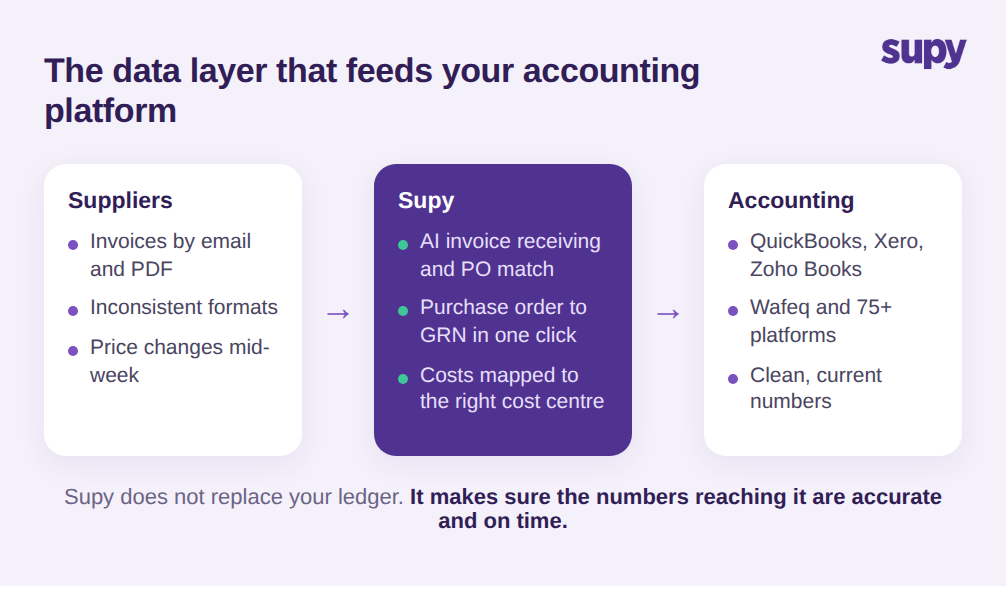
Ces deux problèmes reviennent à la même chose. La plateforme comptable est une destination, et la qualité de ce qui y arrive dépend de la couche qui l'alimente. C'est le rôle que joue une plateforme opérationnelle comme Supy. Supy se connecte à QuickBooks, Xero, Zoho Books, Wafeq et plus de 75 plateformes au total via des intégrations, et pousse automatiquement les factures d'achat et les données de réception des marchandises dans le système comptable – les opérateurs arrêtent ainsi de ressaisir manuellement les factures fournisseurs sur chaque site. Chaque établissement est mappé à sa succursale correspondante dans le système comptable, de sorte que les coûts atterrissent dans le bon centre de coûts sans routage manuel. La réception de factures par IA de Supy lit les factures envoyées par e-mail à une boîte de réception par restaurant, les rapproche des bons de commande, extrait les lignes et les prix depuis des formats hétérogènes, et signale les conflits de prix et de quantités avant qu'ils n'atteignent vos comptes. Transformez un bon de commande en bon de réception en un clic, et les données de coûts sont capturées avec précision à la source plutôt que ressaisies plus tard. Notre guide sur le logiciel de gestion du coût matière explique en détail le fonctionnement de cette couche de coûts.
L'idée n'est pas que Supy remplace le logiciel de votre comptable. Il l'alimente. Vous choisissez toujours QuickBooks, Xero ou Wafeq pour la comptabilité ; la couche opérationnelle garantit que les chiffres qui y parviennent sont précis et à jour, et que votre équipe peut extraire des rapports de ventes et de coût matière au niveau du groupe, du site et de la catégorie de menu sans attendre personne. C'est la différence entre une intégration qui fait gagner du temps et une qui déplace simplement le travail manuel ailleurs.
Comment choisir le meilleur logiciel de comptabilité pour votre groupe de restauration
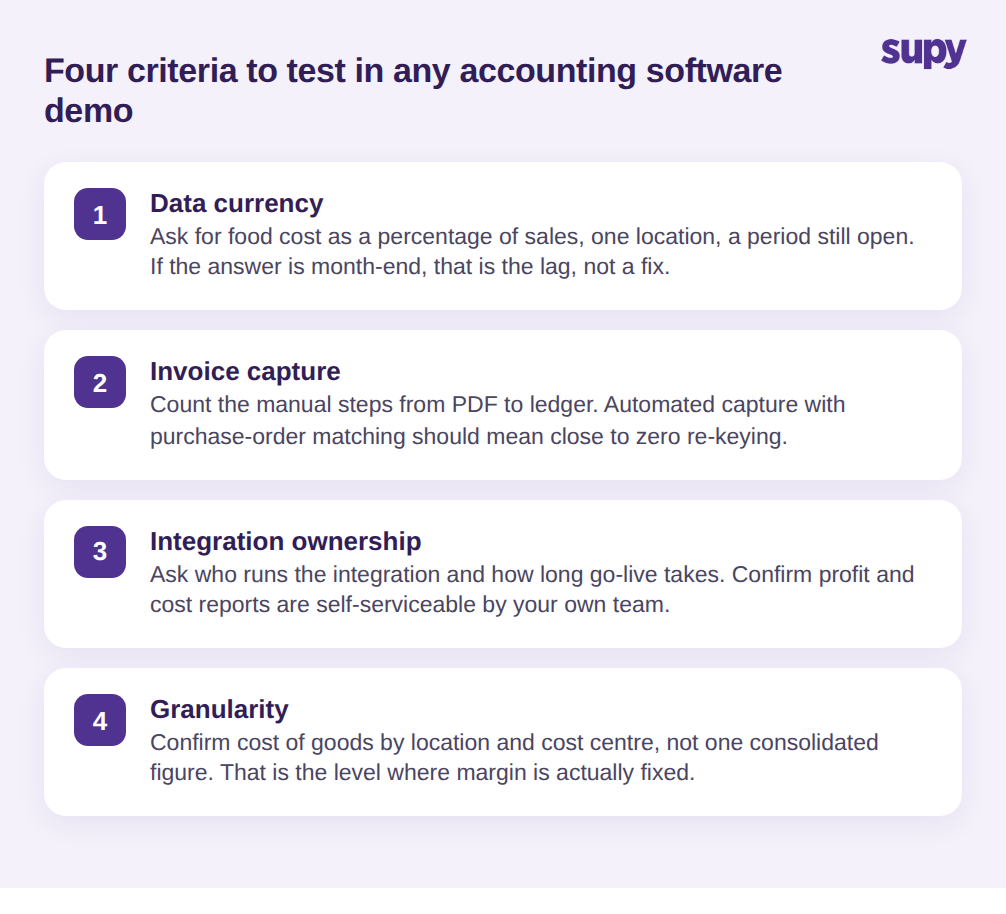
La comparaison des plateformes importe moins que la plupart des guides d'achat ne le suggèrent, car les grands livres se ressemblent et les données qui les alimentent sont là où se joue la précision. Testez ces quatre critères lors de chaque démonstration et évaluez chacun honnêtement plutôt que de prendre la réponse commerciale pour argent comptant.
Premièrement, l'actualité des données : demandez à voir le coût matière en pourcentage du chiffre d'affaires pour un seul établissement, pour une période encore ouverte. Si la réponse est « à la clôture mensuelle », c'est le problème de délai reformulé, pas une solution. Deuxièmement, la capture des factures : demandez comment une facture fournisseur passe d'un PDF au grand livre, et comptez les étapes manuelles à voix haute. La capture automatisée avec rapprochement du bon de commande devrait signifier une ressaisie quasi nulle. Troisièmement, la maîtrise des intégrations : demandez qui gère l'intégration comptable, combien de temps le démarrage prend réalistement, et confirmez que les rapports de compte de résultat et de coûts sont ensuite autonomes pour votre propre équipe. Une dépendance permanente à un tiers pour des rapports courants est un coût récurrent qui n'apparaît jamais dans le devis. Quatrièmement, la granularité : confirmez que vous pouvez voir le coût matière par établissement et par centre de coûts, pas seulement un chiffre de groupe consolidé, car c'est au niveau où un opérateur multi-sites corrige réellement sa marge.
Posez ces quatre questions et la décision se fait généralement d'elle-même. Choisissez la plateforme comptable que votre équipe financière peut utiliser et qui respecte vos règles fiscales. Puis choisissez la couche opérationnelle qui maintient ses chiffres honnêtes et à jour. C'est la décision derrière la décision, et c'est elle qui détermine si vos livres vous disent quelque chose à temps pour agir – ou se contentent de confirmer que l'argent est déjà parti.