.jpeg)


أفضل برامج المحاسبة للمطاعم: كيف تختار نظامًا تثق به تكلفة الغذاء لديك
ما يجب أن يفعله برنامج المحاسبة الأفضل للمطاعم فعلًا
ابحث عن أفضل برامج المحاسبة للمطاعم وستجد في كل مرة القائمة ذاتها: QuickBooks وXero وZoho Books وWafeq. هذه جميعها دفاتر أستاذ قوية، وكل منها يستطيع تشغيل محاسبة مطعم. لذا فالقرار الحقيقي نادرًا ما يكون عن أي المنصات تُسجّل القيود المحاسبية بشكل أكثر أناقة. بل هو عن أي نظام يزودك بأرقام قابلة للتنفيذ قبل إغلاق الشهر. لا تكون قائمة الدخل للمطعم دقيقة إلا بقدر دقة فواتير كل مورّد وتكلفة الغذاء وحركات المخزون التي تُغذّيها - وهذه البيانات لا تأتي في الغالب من منصة المحاسبة نفسها. يقارن هذا الدليل الخيارات الرئيسية، لكنه يُكرّس معظم مساحته للجزء الذي يُحرّك هامشك فعلًا: طبقة البيانات التي تُغذّي المنصة التي تختارها.
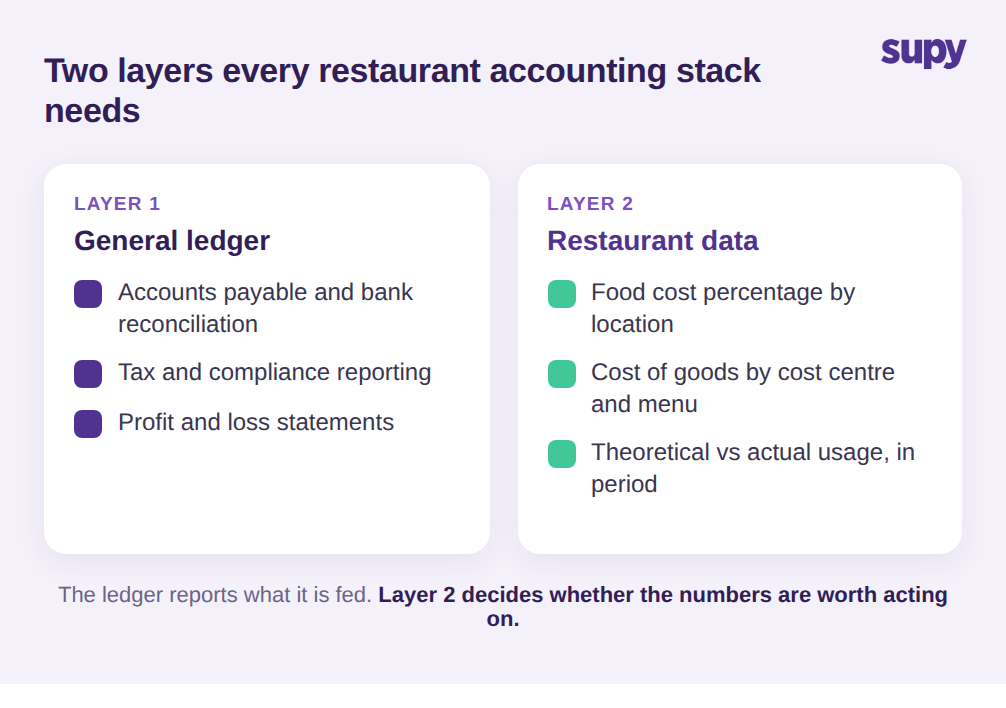
كل منصة محاسبة تُدير دفتر الأستاذ والحسابات الدائنة والتسوية البنكية والضرائب. هذه هي الأساسيات، وعلى هذا المستوى تتقارب الأدوات الرئيسية كثيرًا لدرجة أن الاختيار يتلخص في السعر والألفة. ما يُفرّق بين مجرد برنامج محاسبة وبرنامج يُدير مطعمًا فعلًا هو المستوى الثاني: تكلفة الغذاء، مُبلَّغ عنها بالمستوى الذي يهم رئيس الطهاة والمدير المالي معًا. يحتاج صاحب المطعم إلى تكلفة الغذاء كنسبة مئوية من الإيرادات، مُقسَّمة حسب الموقع ومركز التكلفة وبشكل مثالي حسب فئة القائمة - لأن مجموعة بها 9 مطاعم لا تستطيع تصحيح هامشها بالنظر إلى سطر موحّد واحد.
ويحتاجون إلى هذا الرقم بينما الفترة لا تزال مفتوحة، وليس كتحليل بأثر رجعي. لم يُصمَّم برنامج المحاسبة العام لحساب تكلفة الطبق أو مقارنة الاستهلاك النظري بما تمّ عدّه فعلًا. إنه يُسجّل ما تُعطيه وفق الجدول الزمني الذي تفرضه. لذا فالسؤال الأول ليس أي منصة، بل من أين تأتي الأرقام الخاصة بالمطعم قبل أن تصل إلى دفتر الأستاذ، ومدى حداثتها عند وصولها. أخطئ في هذه الطبقة وستُسلّمك أشهر منصات المحاسبة قائمة دخل لا يمكنك التصرف بناءً عليها.
مشكلة البيانات خلف كل قائمة دخل لمطعم
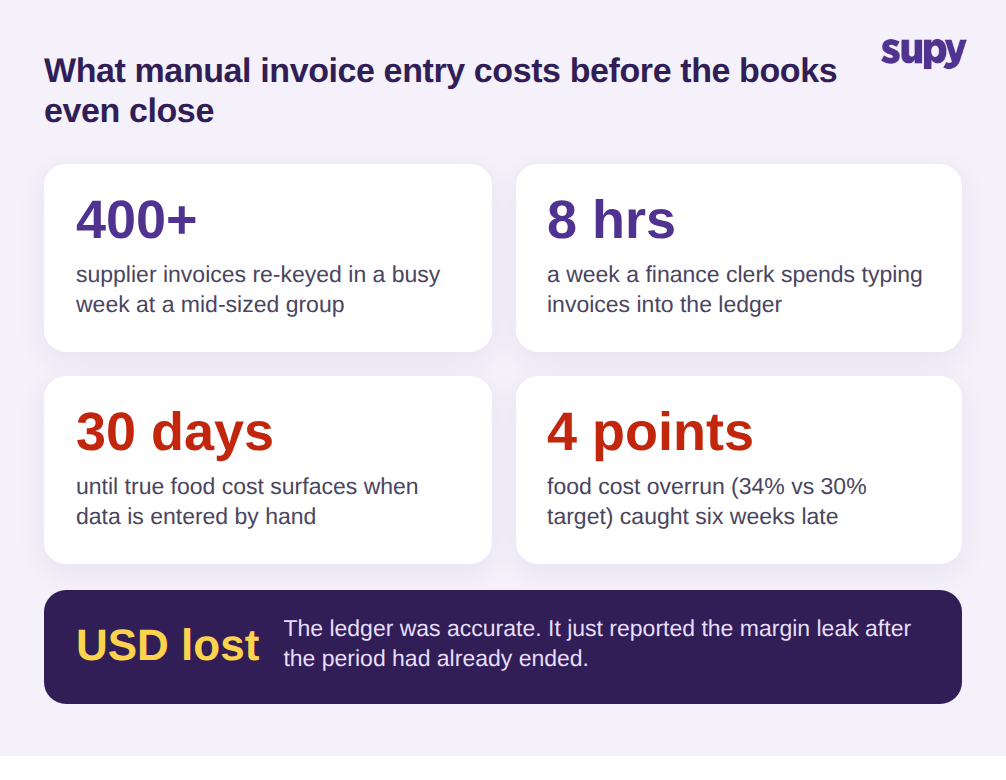
إليك النمط الذي يُقوّض حتى أفضل منصة محاسبة تختارها. تصل فواتير المُوردين كملفات PDF ورسائل بريد إلكتروني وأوراق ورقية - أحيانًا 400 فاتورة أو أكثر في أسبوع مزدحم لمجموعة متوسطة الحجم. يُعيد محاسب إدخالها يدويًا، غالبًا ما يستغرق 8 ساعات أسبوعيًا، وكل إدخال يدوي هو فرصة لتفويت تغيير سعر دون أن تُلاحظه. وصف مدير مشتريات في مجموعة فنادق متعددة المواقع هذا بالضبط: مئات الفواتير أسبوعيًا، وموافقات متعددة المراحل عرضة للأخطاء، ورغبة دائمة في أتمتة الالتقاط للتخلص من إعادة الإدخال.
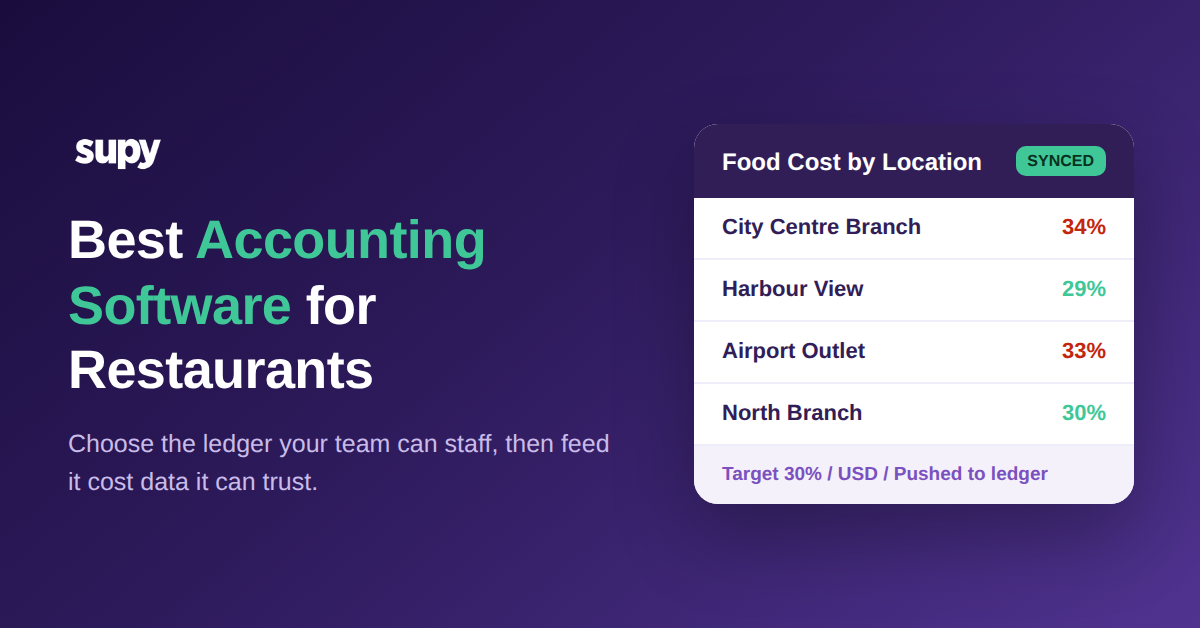
النتيجة هي تأخر، وهذا التأخر مكلف. لا تظهر تكلفة الغذاء الفعلية إلا عند إغلاق الدفاتر، بعد 30 يومًا من الصرف الفعلي. اكتشفت مجموعة متوسطة الحجم أنها كانت تعمل بتكلفة غذاء 34% مقابل هدف 30% - فجوة 4 نقاط - لمدة ست أسابيع قبل أن تكشفها عملية يدوية. عندها كانت الفترة قد انتهت والمال أيضًا. أدّت منصة المحاسبة عملها بشكل مثالي وأعلنت عن المشكلة لكن متأخرة جدًا للتصرف. لاكتشاف انجراف أسعار المُوردين وتسرب الهامش في منتصف الفترة، يجب العودة إلى ما قبل برنامج المحاسبة، إلى كيفية التقاط بيانات الفواتير والتكاليف من المصدر. يتناول دليلنا حول برنامج مسح فواتير المطاعم هذه طبقة الالتقاط بالتفصيل.
مقارنة المنصات الرئيسية: QuickBooks وXero وZoho Books وWafeq
بالنسبة لمعظم مجموعات المطاعم، تبدو المقارنة الصريحة بين المنصات الأربع الرئيسية هكذا. QuickBooks هو الأكثر انتشارًا، مع أكبر مجموعة محاسبين يعرفونه بالفعل وأوسع سوق للإضافات، مما يجعله الاختيار الآمن الافتراضي إذا كان فريقك المالي أو محاسبك الخارجي يعمل به. Xero قوي في الهياكل متعددة الكيانات وتدفقات البنك، وكثيرًا ما يجد المشغلون الذين يديرون كيانات قانونية متعددة في مجموعة أن توحيده أكثر نظافة. Zoho Books مناسب للمجموعات الموحّدة بالفعل على أدوات Zoho الأخرى، ويميل إلى تحديد موقع جيد في السعر للعلامات التجارية الصغيرة. Wafeq مبني حول الامتثال الضريبي الإقليمي ويُلائم بشكل طبيعي حيث الفوترة الإلكترونية المحلية والتنسيقات الضريبية متطلب ضروري لا إضافة اختيارية.
لاحظ أن أيًا من هذه الاختلافات لا يتعلق حقًا بالمطاعم. هذه هي النقطة، ومن السهل تفويتها عندما تُذكر الضيافة في صفحة البائع. اختر المنصة التي يمكن لفريقك المالي استخدامها وتُلبّي التزاماتك الضريبية، ثم عالج السؤال الخاص بالمطعم - نظافة بيانات التكاليف وحداثتها - كقرار منفصل بمعاييره الخاصة. تتكامل المنصات الأربع مع الأنظمة التشغيلية التي تُنتج هذه البيانات، لذا فالفائز العملي عادةً هو من يتناسب مع محاسبيك وإطار امتثالك، وليس من يعرض أكثر شعارات الفنادق على صفحته الرئيسية.
مقارنة منصات المحاسبة الرئيسية للمطاعم
| المنصة | الأفضل لـ | الملاءمة للمطاعم |
|---|---|---|
| QuickBooks | أكبر مجموعة محاسبين وسوق الإضافات | الاختيار الآمن الافتراضي؛ تكلفة الغذاء تأتي دائمًا من مكان آخر |
| Xero | المجموعات متعددة الكيانات وتدفقات البنك النظيفة | قوي للمجموعات ذات الكيانات القانونية المتعددة |
| Zoho Books | العلامات الموحّدة على Zoho | سعر تنافسي للمجموعات الصغيرة متعددة المواقع |
| Wafeq | الامتثال الضريبي الإقليمي والفوترة الإلكترونية | الاختيار الطبيعي حيث تُشترط التنسيقات الضريبية المحلية |
كيف يعتمد أفضل برنامج محاسبة للمطاعم على التكاملات
هنا تتعثر المشاريع. وصف مدير مالي في مجموعة مطاعم عادية إعداد التكاملات المحاسبية - تعيين المُوردين وتنظيف المستأجرين القدامى وتعارضات تفضيلات دفتر الأستاذ - مما أخّر الانطلاق بما يصل إلى 3 أسابيع. وضع مدير مالي آخر حدًا أكثر صرامة: يجب أن تكون أرقام الربحية والنواتج الآلية لقائمة الدخل قادرة على العمل ذاتيًا، دون الاتصال بمزود الخدمة في كل مرة يحتاج فيها تقرير. إذا كان التقرير الاعتيادي يتطلب مساعدة المزود ليُشغَّل، فهذا إشارة تحذير وليس ميزة.
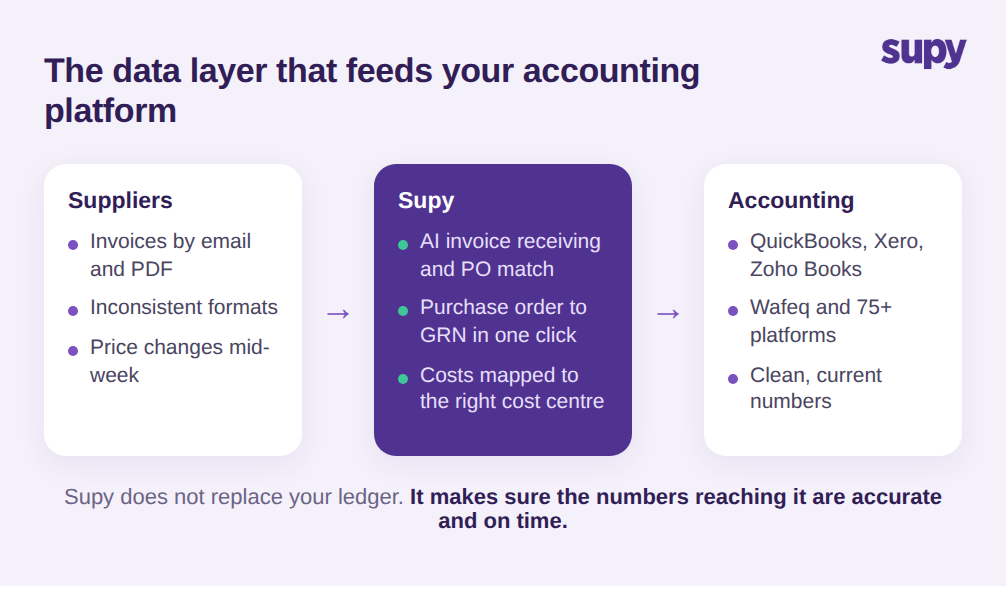
كلا المشكلتين يعودان إلى الشيء ذاته. منصة المحاسبة وجهة، وجودة ما يصلها تعتمد على الطبقة التي تُغذّيها. هذا هو الدور الذي تلعبه منصة تشغيلية مثل Supy. تتصل Supy بـ QuickBooks وXero وZoho Books وWafeq وأكثر من 75 منصة إجمالًا عبر التكاملات، وتدفع تلقائيًا فواتير الشراء وبيانات استلام البضائع إلى نظام المحاسبة - فيتوقف المشغلون عن إعادة إدخال فواتير المُوردين يدويًا في كل موقع. يُعيَّن كل مطعم لفرعه المقابل في نظام المحاسبة، بحيث تنتهي التكاليف في مركز التكلفة الصحيح دون توجيه يدوي. يقرأ استلام الفواتير بالذكاء الاصطناعي من Supy الفواتير المرسلة بالبريد الإلكتروني إلى صندوق بريد خاص بكل مطعم، ويُطابقها مع طلبات الشراء، ويستخرج البنود والأسعار من تنسيقات متباينة، ويُشير إلى تعارضات الأسعار والكميات قبل أن تصل إلى حساباتك. حوّل طلب الشراء إلى إيصال استلام بنقرة واحدة، وتُلتقط بيانات التكلفة بدقة من المصدر بدلًا من إعادة إدخالها لاحقًا. يشرح دليلنا حول برنامج إدارة تكلفة الغذاء كيفية عمل هذه الطبقة من التكاليف بالتفصيل.
الفكرة ليست أن Supy تستبدل برنامج محاسبك. إنها تُغذّيه. ما تزال تختار QuickBooks أو Xero أو Wafeq للمحاسبة؛ الطبقة التشغيلية تضمن أن الأرقام التي تصلها دقيقة وحديثة، وأن فريقك يستطيع استخراج التقارير والمبيعات وتكلفة الغذاء على مستوى المجموعة والموقع وفئة القائمة دون انتظار أي أحد. هذا هو الفرق بين تكامل يوفر الوقت وآخر يُزيح العمل اليدوي إلى مكان آخر فحسب.
كيف تختار أفضل برنامج محاسبة لمجموعة مطاعمك
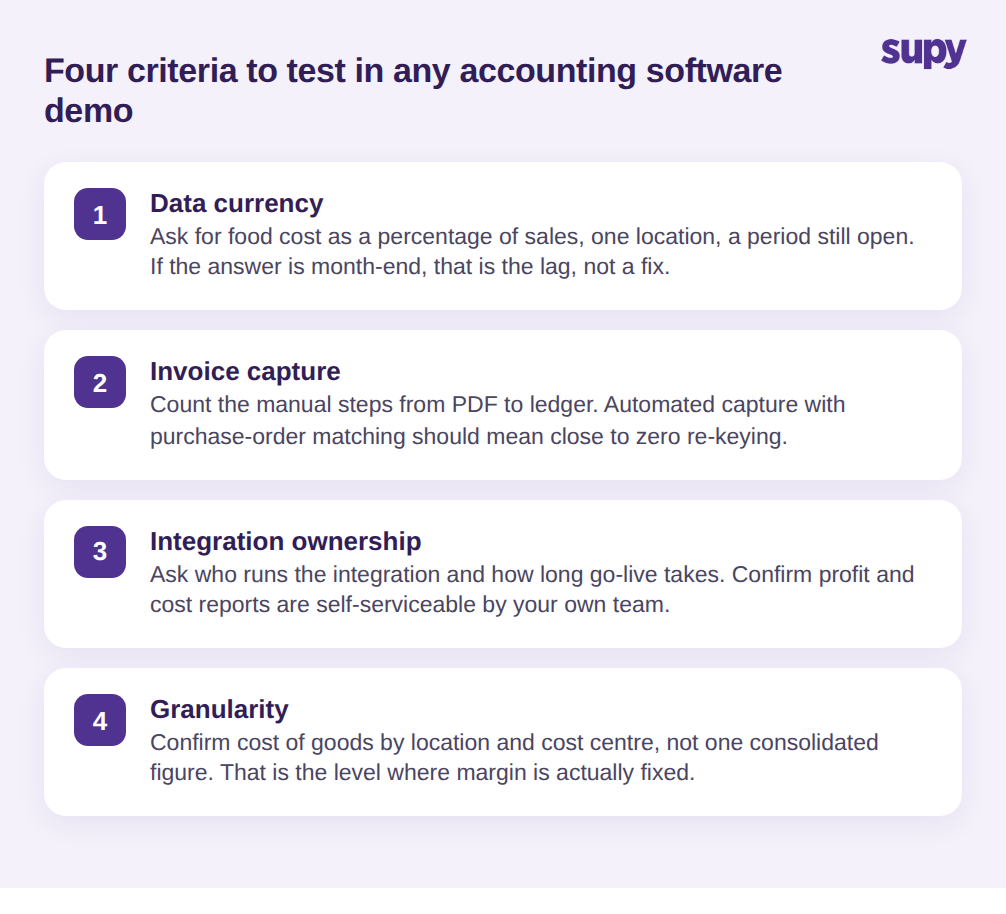
مقارنة المنصات أقل أهمية مما توحي به معظم أدلة المشتريات، لأن دفاتر الأستاذ متشابهة والبيانات التي تُغذّيها هي حيث تقع الدقة. اختبر هذه المعايير الأربعة في كل عرض تجريبي وقيّم كل منها بصدق بدلًا من الأخذ بالإجابة التجارية بقيمتها الظاهرية.
أولًا، حداثة البيانات: اطلب رؤية تكلفة الغذاء كنسبة مئوية من الإيرادات لموقع واحد خلال فترة لا تزال مفتوحة. إذا كانت الإجابة "عند إغلاق الشهر" فهذه هي مشكلة التأخير بصياغة مختلفة وليس حلًا. ثانيًا، التقاط الفواتير: اسأل كيف تنتقل فاتورة المُوردين من ملف PDF إلى دفتر الأستاذ، وعدّ الخطوات اليدوية بصوت عالٍ. الالتقاط الآلي مع مطابقة طلب الشراء يجب أن يعني إعادة إدخال تكاد تكون صفرًا. ثالثًا، التحكم في التكامل: اسأل من يُدير التكامل المحاسبي، وكم يستغرق الانطلاق واقعيًا، وتأكد أن تقارير قائمة الدخل والتكاليف تعمل ذاتيًا لفريقك بعد ذلك. الاعتماد المستمر على طرف ثالث للتقارير الاعتيادية هو تكلفة متكررة لا تظهر أبدًا في العرض. رابعًا، التفصيل: تأكد من إمكانية رؤية تكلفة الغذاء لكل موقع ومركز تكلفة، لا مجرد رقم مجموعة موحّد، لأن هذا هو المستوى الذي يُصحّح فيه مشغل متعدد المواقع هامشه فعلًا.
اطرح هذه الأسئلة الأربعة وعادةً ما يتضح القرار من تلقاء نفسه. اختر منصة المحاسبة التي يستطيع فريقك المالي استخدامها وتُلبّي قواعدك الضريبية. ثم اختر الطبقة التشغيلية التي تُبقي أرقامها صادقة وحديثة. هذا هو القرار خلف القرار، وهو ما يحدد إذا كانت دفاترك تُخبرك بشيء في الوقت الكافي للتصرف - أو تكتفي بتأكيد أن المال قد ذهب.