.jpg)


Restaurant Invoice Scanning Software for Multi-Location Groups: Catch Supplier Price Drift Before Month-End
Why Manual Invoice Entry Breaks Down Across Locations
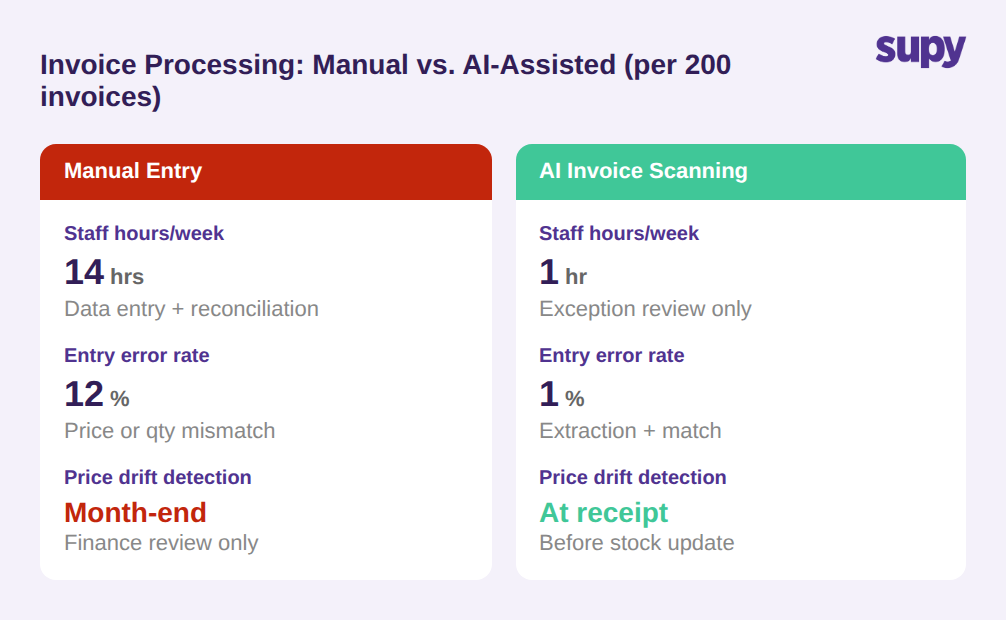
A 3-location hospitality group's procurement team processing 200 invoices a week on manual entry faces a compounding problem. Each invoice goes through multiple hands - delivery driver, receiving manager, finance team - before a number is entered into a system. At every handoff, a price change can be accepted without a cross-check against the original purchase order.
The result is predictable: food cost versus budget diverges by 8-12% before finance flags the issue at month-end. By that point, the variance has already hit actual cost of goods sold across every location.
The problem scales with location count. At 30 locations, a distributor adjusting unit prices by 4% across a dozen high-volume SKUs creates a monthly budget variance that no manual process catches in real time. That variance does not show up in the books as a line item - it shows up as an unexplained gap in gross margin at period close.
Manual goods received note entry is also where approval workflows fail quietly. A receiving manager at a branch records a delivery against a purchase order, accepts a quantity short-shipment, and moves on. The invoice arrives later with the full PO quantity billed. Without automated matching, that discrepancy does not raise a flag - it becomes a cost absorbed by the operation.
Before evaluating any software, ask: does your current process catch a 4% price increase on a weekly delivery within 24 hours of receipt, or at month-end?
How AI Invoice Scanning Works in a Multi-Site Setup
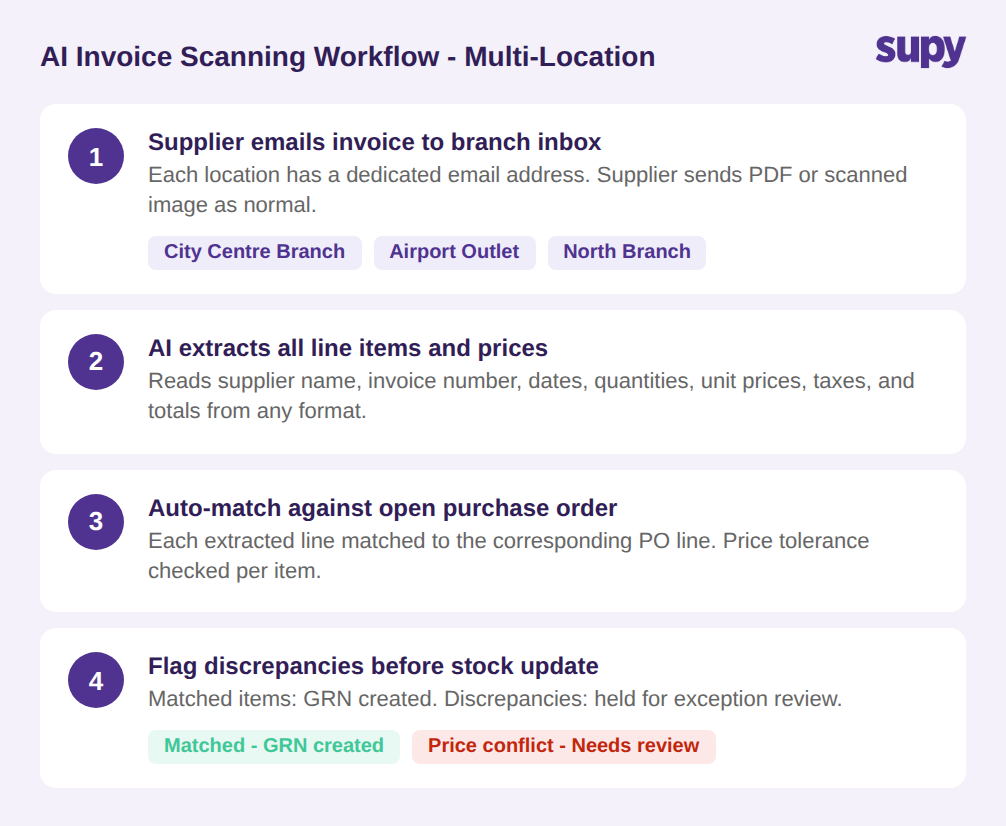
Supy's AI Invoice Receiving module starts at the email inbox. Each restaurant location gets a dedicated email address. Suppliers send invoices there directly - the same way they would email any buyer. The AI reads the attachment regardless of format: PDF, scanned image, or structured file.
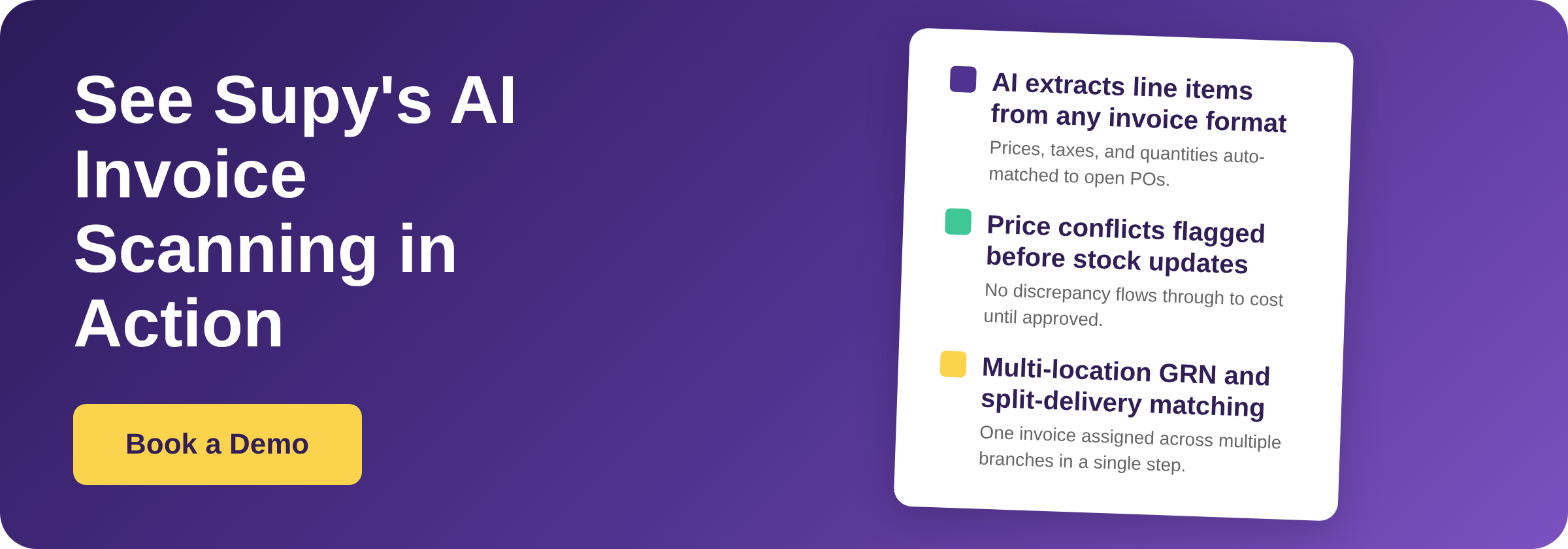
The extraction layer pulls supplier name, invoice number, issue and due dates, line items, unit prices, taxes, and totals. It is trained on food and beverage invoice formats and handles the inconsistencies that make manual entry error-prone: different column orders per supplier, tax calculated differently, line items split across pages.
Once extracted, the system matches every invoice line to an open purchase order. Where prices match within tolerance, the goods received note is created automatically. Where they do not match - a unit price above threshold, a quantity billed but not delivered - the line is flagged and held for exception review. No stock or accounts update happens until an authorized user acts on the discrepancy.
Mobile scanning covers deliveries where no email invoice arrives in advance. A receiving manager photographs the paper invoice on a tablet; the same extraction and matching process runs immediately.
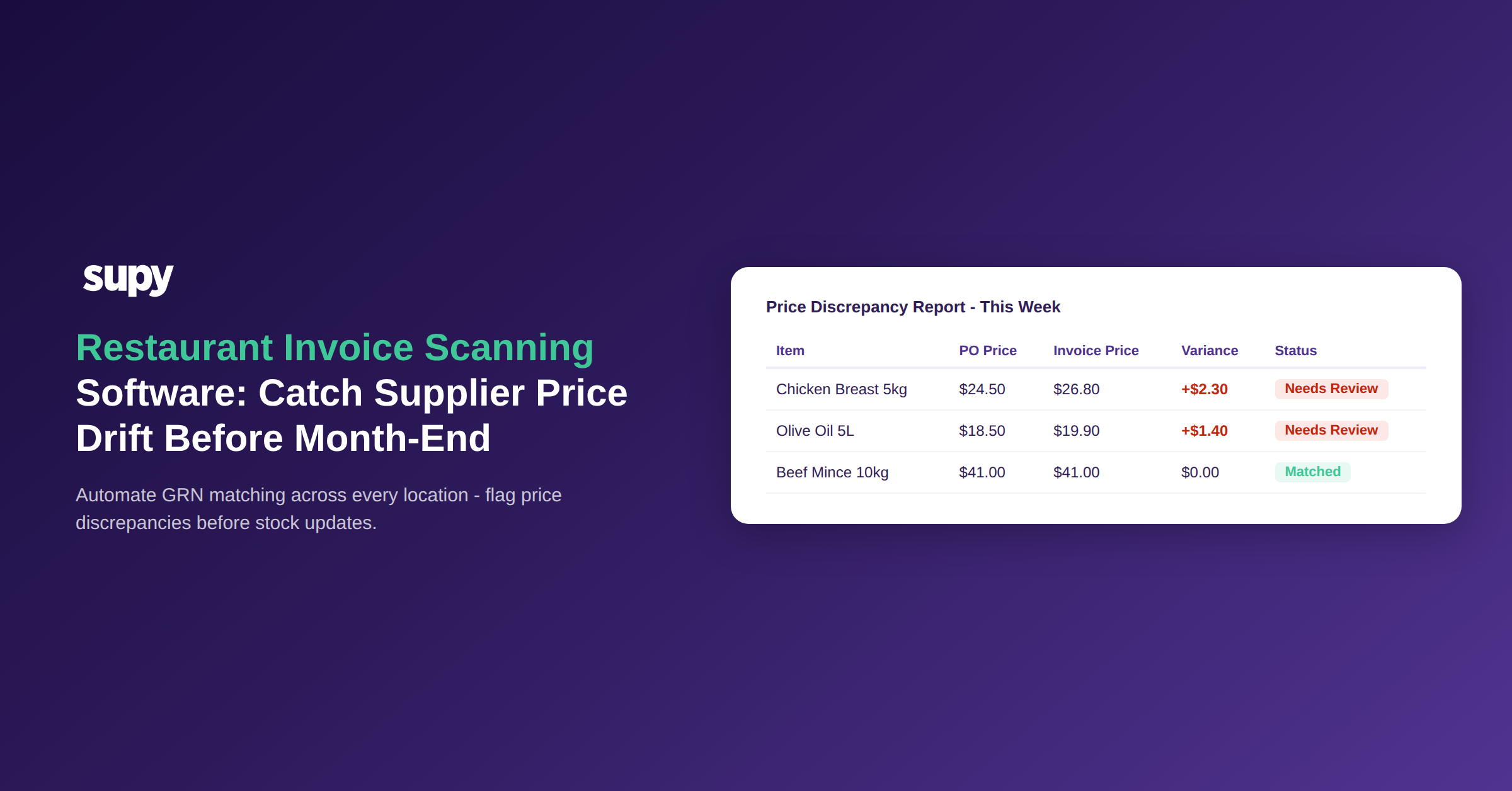
The practical effect: a supplier increasing the price of Chicken Breast 5kg from the agreed $24.50 to $26.80 on an invoice is caught before the delivery is accepted into stock, not discovered six weeks later in a COGS report.
Ask in a demo: show a supplier invoice with three different price formats across the same document - can the system read it without manual correction?
Multi-Location GRN Matching and Split Deliveries
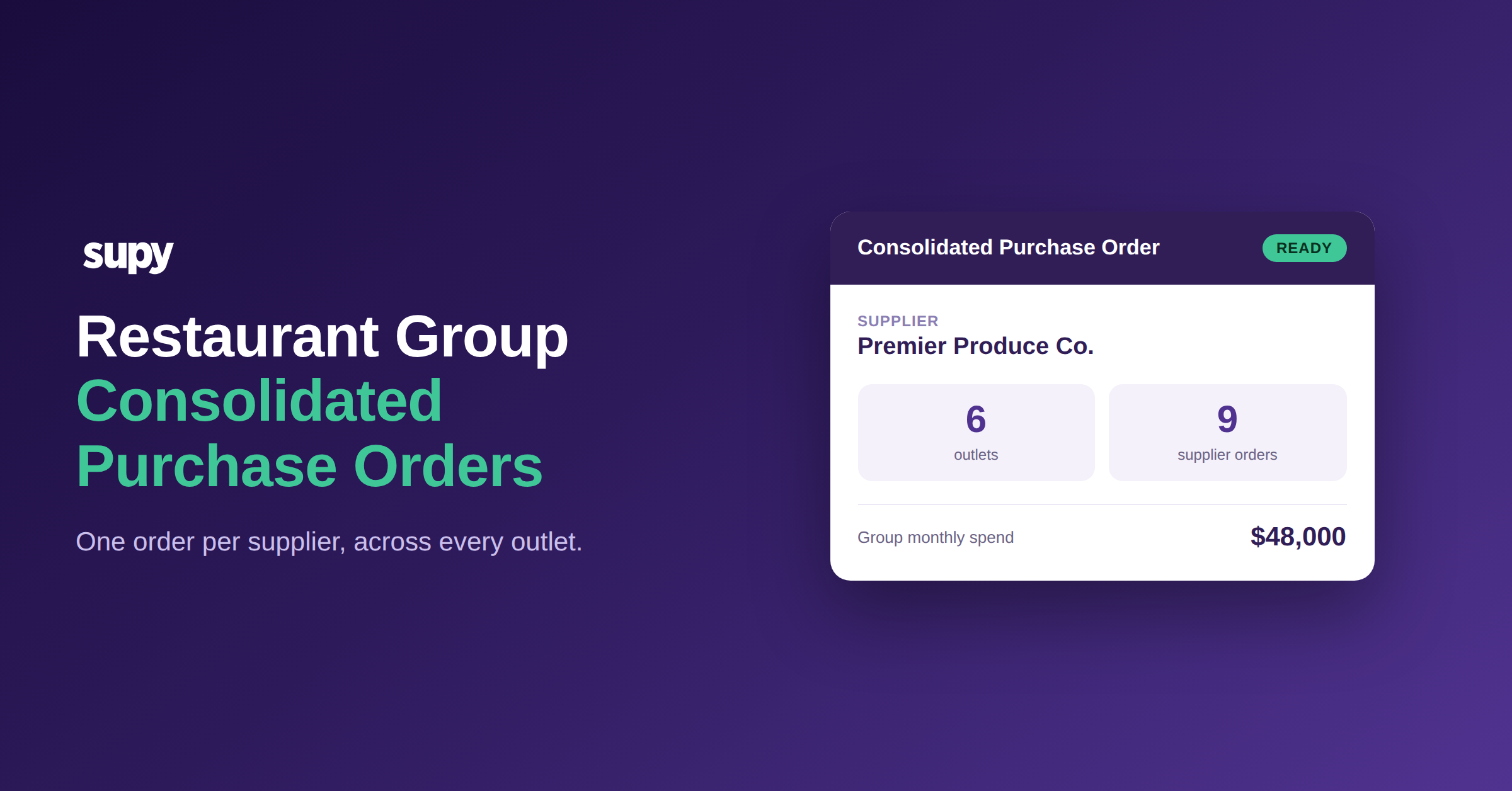
Multi-location groups face a structural complexity that single-site software does not address: one purchase order fulfilled across multiple deliveries, or one invoice covering multiple branches.
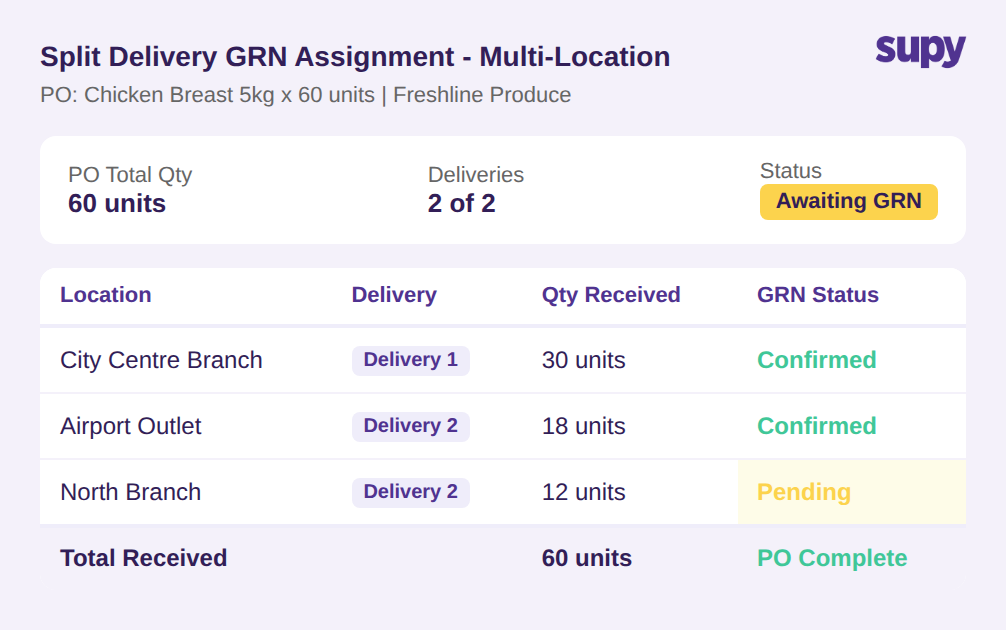
Split deliveries are common for central kitchen operations and group-level supplier contracts. A purchase order for 60 units is delivered in two consignments - 30 units on Tuesday, 18 units on Thursday. The invoice arrives with the full 60 units billed. Without split-delivery matching, the operator either creates duplicate goods received notes or waits until the second delivery to reconcile, leaving an open invoice status for days.
Supy's multi-location GRN assignment allows a single goods received note to be matched across multiple locations. A group ordering from a shared distributor for three branches receives one invoice. The receiving workflow assigns the relevant quantities to each location in a single step, updating stock correctly at each site.
Permissions control who can receive against a multi-location GRN. A branch manager can accept delivery for their own location only; a group procurement manager can assign quantities across all three from the central view.
The question to ask in a demo: can the platform handle a single invoice that covers five locations, with different quantities received at each site on different days?
The Price Discrepancy Workflow: What Gets Flagged and What Happens Next
Once AI invoice scanning flags a discrepancy, what the operator does next determines whether the exception is resolved cleanly or creates downstream cost problems.
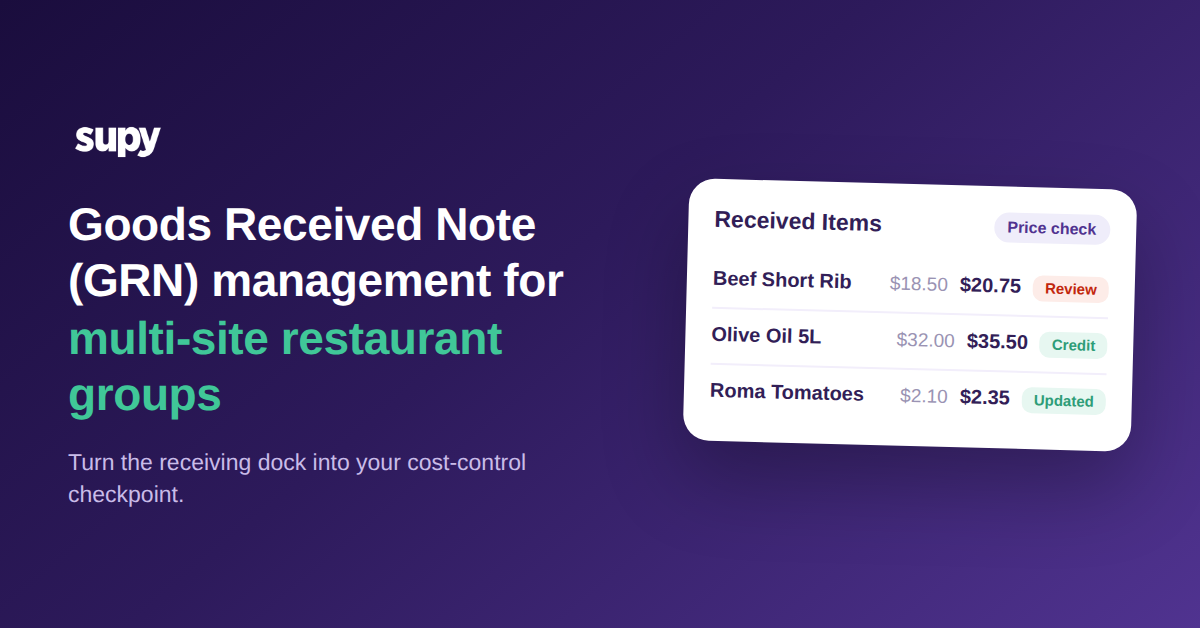
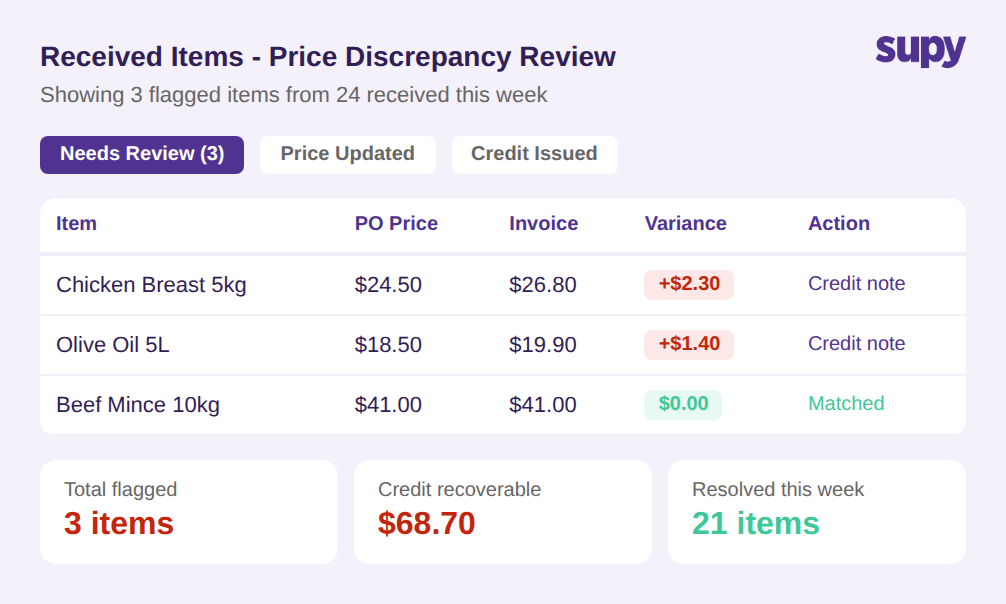
Supy's Received Items page shows every item across all goods received notes that has a price or quantity variance. The default filter shows items in "Needs Review" status - those are the active exceptions. For each one, the operator can see the PO price, the invoiced price, the variance in dollars and percentage, and the supplier.
From that view, the authorized user has three actions: update the expected price (if the supplier price change is legitimate and should be accepted going forward), ignore the variance (for items where the cost is within acceptable tolerance), or issue a credit note (where the supplier has overbilled and needs to correct).
Credit notes work in both directions. If a supplier delivers short - 48 units received against 60 on the PO - the credit note captures the difference and creates a corrected invoice record. The GRN auto-dispute threshold setting lets operators configure an acceptable variance percentage below which no flag is raised, reducing noise for high-volume low-value items.
The closed loop matters: a flagged discrepancy on Chicken Breast 5kg at $26.80 against a $24.50 PO price results in either an accepted price update or a supplier credit for the $2.30 difference per unit across all 24 invoice lines - a $55.20 recovery on that single line item. At scale, across a group receiving 200 invoices a week, the workflow makes the difference between absorbing supplier margin increases and catching them.
Before approving any discrepancy workflow, ask: does the system block the stock and accounts update until the exception is resolved, or does it post first and flag after?
What to Evaluate in Restaurant Invoice Scanning Software
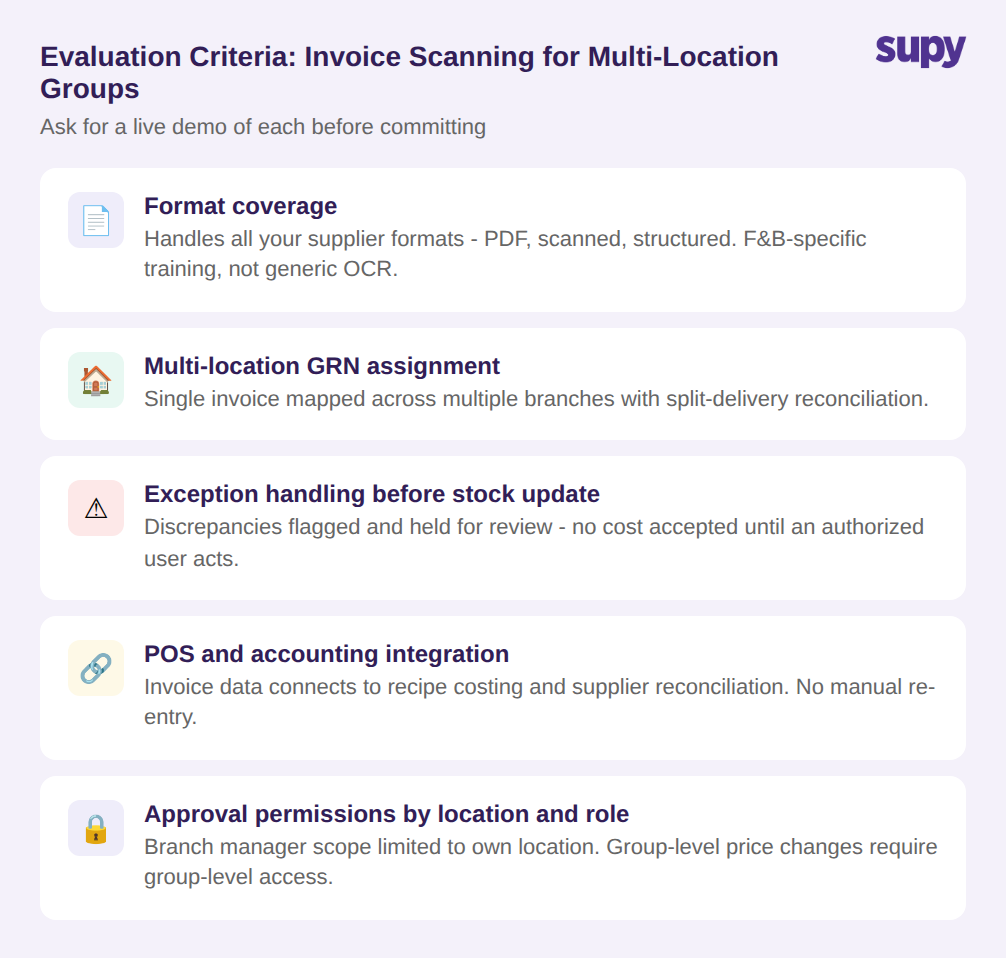
For a multi-location group, five criteria separate software that handles the complexity from software that handles the easy case.
Format coverage. Your distributors and local suppliers do not all use the same invoice format. Ask whether the AI has been trained specifically on food and beverage invoices, and whether it handles supplier-specific formats where column layout and tax treatment differ. A platform that handles PDFs from your largest distributor but requires manual entry for the rest has not solved the problem.
Multi-location GRN assignment. If one invoice covers multiple sites, the platform must allow split assignment without creating a workaround workflow. Ask for a live demonstration with a single invoice mapped across three locations.
Exception handling before stock update. The exception review step must sit between invoice processing and stock or accounts update. Any platform that updates stock on receipt and flags discrepancies afterward has the order wrong - you are accepting a cost before you have agreed to it.
Integration with your POS and accounting system. Invoice data that does not connect to your POS for recipe-level cost tracking or to your accounting system for supplier reconciliation creates a second manual step. Supy connects to 75+ systems across POS, accounting, and ERP.
Permission control by location and role. A branch manager should not be able to accept a group-level price change. Ask how the platform scopes invoice approval permissions by location, role, and order value.
Run through these five criteria in a structured demo before committing to any platform. A system that clears all five for your specific supplier mix, location count, and existing integrations is materially different from one that clears two.
Supy's AI Invoice Receiving module covers the full workflow from email receipt to GRN creation, with price discrepancy flagging, multi-location GRN assignment, and credit note processing built in. The Received Items page gives group procurement managers a single view of every outstanding exception across all locations, with actions available directly from the exception queue. For groups connecting invoice data to accounting and POS, Supy's 75+ pre-built integrations cover QuickBooks, Xero, Oracle Micros, Foodics, and others.
If you are running three or more sites and manually reconciling supplier invoices, the audit is straightforward: pull last month's COGS variance report and count how many line items could not be traced to a specific delivery discrepancy. That number is the cost of the current process.