.jpeg)


Beste Buchhaltungssoftware für Restaurants: So wählen Sie ein System, dem Ihr Wareneinsatz vertrauen kann
Was die beste Buchhaltungssoftware für Restaurants wirklich leisten muss
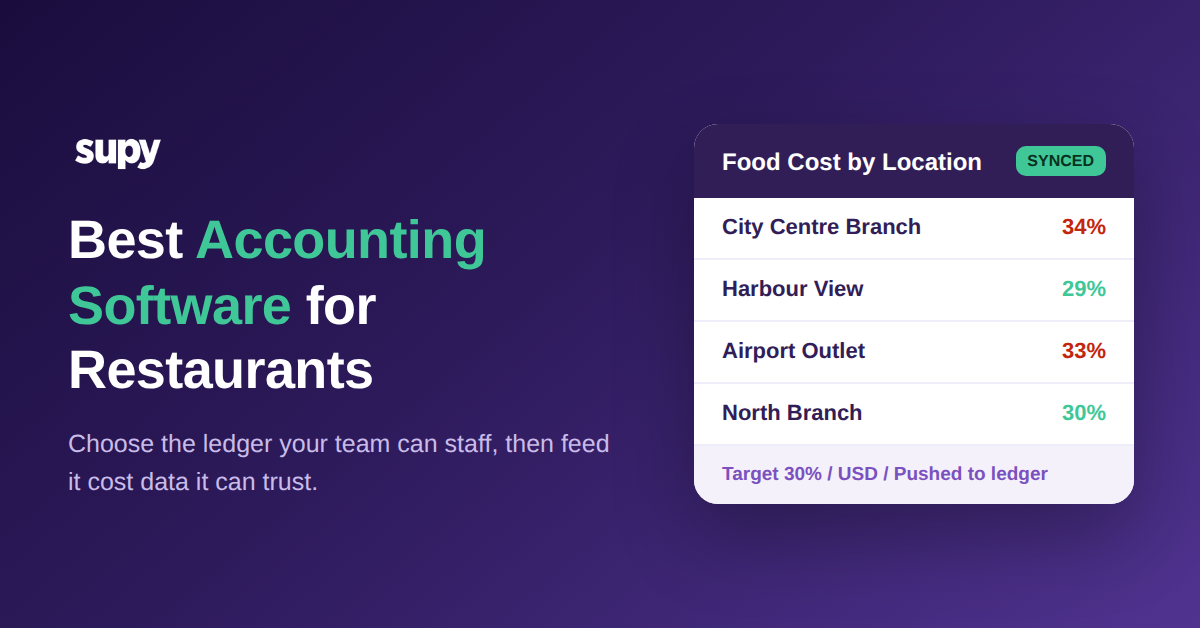
Suchen Sie nach der besten Buchhaltungssoftware für Restaurants, landen Sie jedes Mal auf derselben Auswahlliste: QuickBooks, Xero, Zoho Books, Wafeq. Alles sind leistungsfähige Hauptbücher, und jedes davon kann die Bücher eines Restaurants führen. Die eigentliche Entscheidung dreht sich daher selten darum, welche Plattform Buchungseinträge eleganter erstellt. Es geht vielmehr darum, welches System Ihnen Zahlen liefert, auf die Sie noch vor dem Monatsabschluss reagieren können. Die Gewinn- und Verlustrechnung eines Restaurants ist nur so genau wie die Lieferantenrechnungen, der Wareneinsatz und die Lagerbewegungen, die sie speisen – und diese Daten stammen fast nie aus der Buchhaltungsplattform selbst. Dieser Leitfaden vergleicht die führenden Optionen, widmet aber den Großteil seiner Ausführungen dem Teil, der Ihre Marge tatsächlich bewegt: der Datenschicht, die die von Ihnen gewählte Plattform speist.
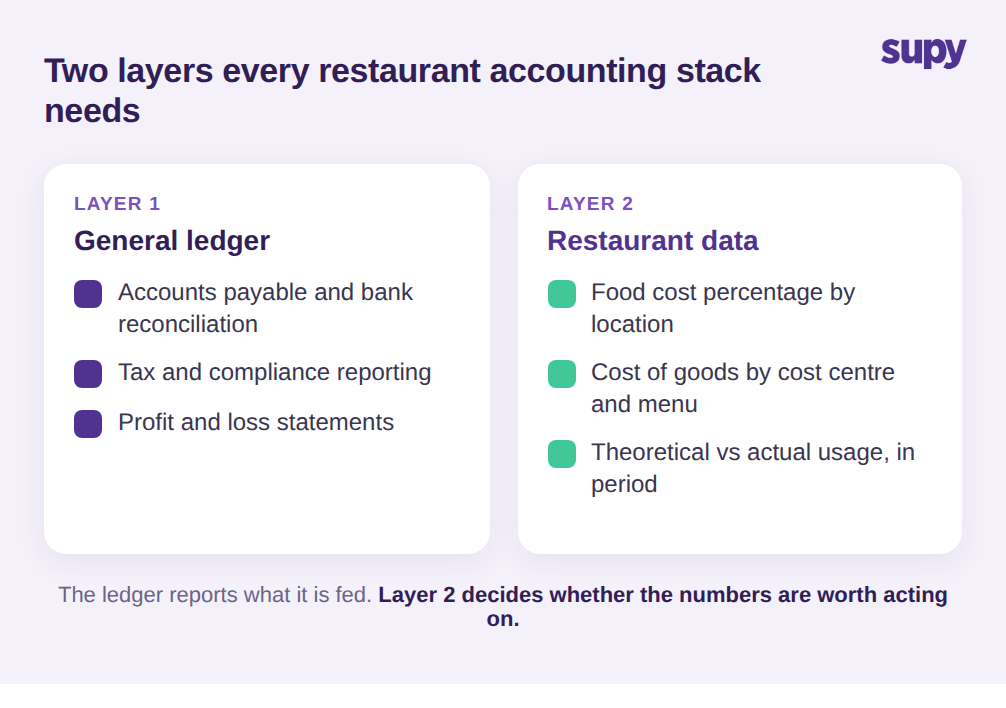
Jede Buchhaltungsplattform übernimmt das Hauptbuch, Kreditorenbuchhaltung, Bankabstimmung und Steuern. Das ist die Grundlage, und auf dieser Grundlage liegen die wichtigsten Tools so nah beieinander, dass die Wahl auf Preis und Vertrautheit hinausläuft. Was einfache Buchhaltung von Software trennt, die ein Restaurant wirklich führt, ist die zweite Ebene: Wareneinsatz, auf dem Niveau reportet, das sowohl Koch als auch Finanzleitung interessiert. Ein Restaurantbetreiber braucht den Wareneinsatz als Prozentsatz des Umsatzes, aufgeschlüsselt nach Standort, Kostenstelle und idealerweise Menükategorie – denn eine Gruppe mit 9 Standorten kann die Marge nicht beheben, indem sie sich eine konsolidierte Zeile ansieht.
Und sie brauchen diese Zahl, während die Periode noch offen ist – nicht als nachträgliche Analyse. Allgemeine Buchhaltungssoftware wurde nicht dafür entwickelt, eine Tellerkalkulation durchzuführen oder den theoretischen Verbrauch mit dem tatsächlich auf dem Regal gezählten Bestand abzugleichen. Sie reportet, was Sie ihr liefern, in dem Rhythmus, den Sie vorgeben. Als Erstes ist daher nicht festzustellen, welche Plattform geeignet ist, sondern woher die restaurantspezifischen Zahlen kommen, bevor sie das Hauptbuch erreichen – und wie aktuell sie sind, wenn sie dort ankommen. Wenn diese Schicht nicht stimmt, liefert die angesehenste Buchhaltungsplattform auf dem Markt trotzdem eine Gewinn- und Verlustrechnung, auf die Sie nicht reagieren können.
Das Datenproblem hinter jeder Restaurantguv
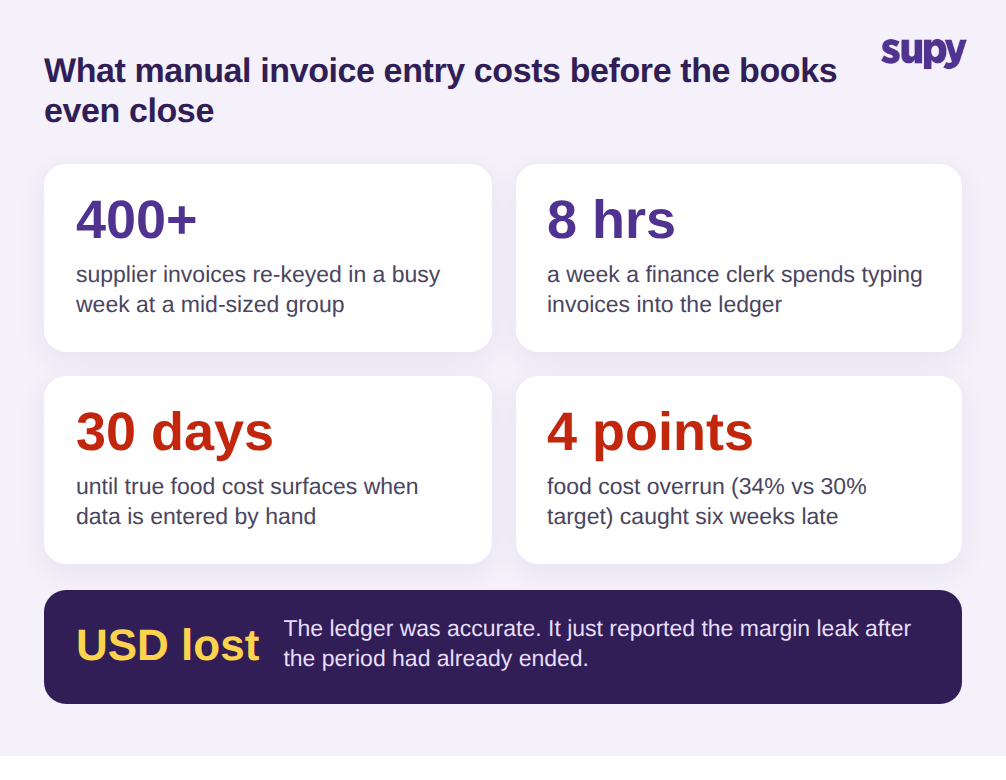
Hier ist das Muster, das selbst die am besten gewählte Buchhaltungsplattform stillschweigend untergräbt. Lieferantenrechnungen kommen als PDFs, E-Mails und auf Papier – in einer arbeitsreichen Woche bei einer mittelgroßen Gruppe manchmal 400 oder mehr. Ein Buchhalter tippt sie manuell ein, verliert dabei oft 8 Stunden pro Woche, und jede manuelle Eingabe ist eine Gelegenheit, dass eine Preisänderung unbemerkt durchrutscht. Ein Beschaffungsleiter einer Multi-Standort-Gastronomiegruppe beschrieb genau das: Hunderte von Rechnungen pro Woche, mehrstufige Genehmigungen mit Fehleranfälligkeit und der Dauerwunsch nach automatischer Erfassung, um das manuelle Eintippen endlich zu beenden.
Das Ergebnis ist eine Verzögerung, und die Verzögerung ist teuer. Der tatsächliche Wareneinsatz taucht erst auf, wenn die Bücher geschlossen werden – bis zu 30 Tage nach dem tatsächlichen Aufwand. Eine mittelgroße Gruppe stellte fest, dass sie sechs Wochen lang bei 34% Wareneinsatz gegen ein 30%-Ziel lief – eine Lücke von 4 Punkten – bevor ein manueller Prozess sie entdeckte. Zu diesem Zeitpunkt war die Periode vorbei und das Geld auch. Die Buchhaltungsplattform hatte ihre Arbeit einwandfrei gemacht und meldete das Problem trotzdem zu spät, um etwas dagegen zu unternehmen. Wer Preisdrift bei Lieferanten und Margeneinbrüche innerhalb der Periode erkennen will, muss das Problem vorgelagert zur Buchhaltungssoftware lösen – bei der Art und Weise, wie Rechnungs- und Kostendaten an der Quelle erfasst werden. Unser Leitfaden zu Restaurant-Rechnungsscansoftware behandelt diese Erfassungsschicht im Detail.
Vergleich der wichtigsten Plattformen: QuickBooks, Xero, Zoho Books und Wafeq
Für die meisten Restaurantgruppen sieht der ehrliche Vergleich der vier führenden Plattformen so aus. QuickBooks ist am weitesten verbreitet, mit dem tiefsten Pool an Buchhaltern, die es bereits kennen, und dem breitesten Add-on-Marktplatz – was es zu einer sicheren Standardwahl macht, wenn Ihr Finanzteam oder externer Buchhalter darin arbeitet. Xero glänzt bei Multi-Entity-Strukturen und Bankfeeds, und Betreiber mit mehreren juristischen Einheiten in einer Gruppe finden oft, dass die Konsolidierung sauberer ist. Zoho Books passt zu Gruppen, die bereits auf anderen Zoho-Tools standardisiert sind, und punktet in der Regel beim Preis für kleinere Betriebe. Wafeq wurde rund um regionale Steuerkonformität aufgebaut und ist die natürliche Wahl dort, wo lokales E-Invoicing und Steuerformate eine harte Anforderung sind, keine optionale.
Beachten Sie, dass keiner dieser Unterschiede wirklich Restaurants betrifft. Das ist der Punkt, den man leicht übersieht, wenn eine Anbieterseite die Gastronomie erwähnt. Wählen Sie die Plattform, mit der Ihr Finanzteam umgehen kann und die Ihre Steuerpflichten erfüllt, und behandeln Sie die restaurantspezifische Frage – wie sauber und wie aktuell die Kostendaten sind – als separate Entscheidung mit eigenen Kriterien. Alle vier Plattformen lassen sich mit den Betriebssystemen integrieren, die diese Daten erzeugen; der praktische Gewinner ist daher in der Regel derjenige, der zu Ihren Buchhaltern und Ihrem Compliance-Rahmen passt – nicht derjenige mit den meisten Gastronomie-Logos auf seiner Startseite.
Vergleich der führenden Buchhaltungsplattformen für Restaurants
| Plattform | Am besten für | Gastronomietauglichkeit |
|---|---|---|
| QuickBooks | Größter Pool an Buchhaltern und Add-on-Marktplatz | Sichere Standardwahl; Wareneinsatz kommt weiterhin von woanders |
| Xero | Multi-Entity-Gruppen und saubere Bankfeeds | Stark für Gruppen mit mehreren juristischen Einheiten |
| Zoho Books | Auf Zoho standardisierte Betriebe | Gutes Preis-Leistungs-Verhältnis für kleinere Multi-Standort-Gruppen |
| Wafeq | Regionale Steuer- und E-Invoicing-Konformität | Natürliche Wahl, wo lokale Steuerformate erforderlich sind |
Wie die beste Buchhaltungssoftware für Restaurants von ihren Integrationen abhängt
Hier gehen Deals schief. Ein Finanzmanager einer Casual-Dining-Gruppe beschrieb das Einrichten von Buchhaltungsintegrationen – Lieferantenzuordnung, Legacy-Tenant-Bereinigung und Hauptbuch-Präferenzkonflikte –, was den Go-Live um bis zu 3 Wochen verzögerte. Ein Finanzdirektor einer anderen Gruppe zog eine härtere Grenze: Gewinnzahlen und automatisierte GuV-Ausgaben müssen selbstbedienbar sein – ohne den Anbieter anzurufen, jedes Mal wenn ein Report benötigt wird. Wenn ein Standardreport Anbieterhilfe zum Ausführen braucht, ist das ein Warnsignal, kein Feature.
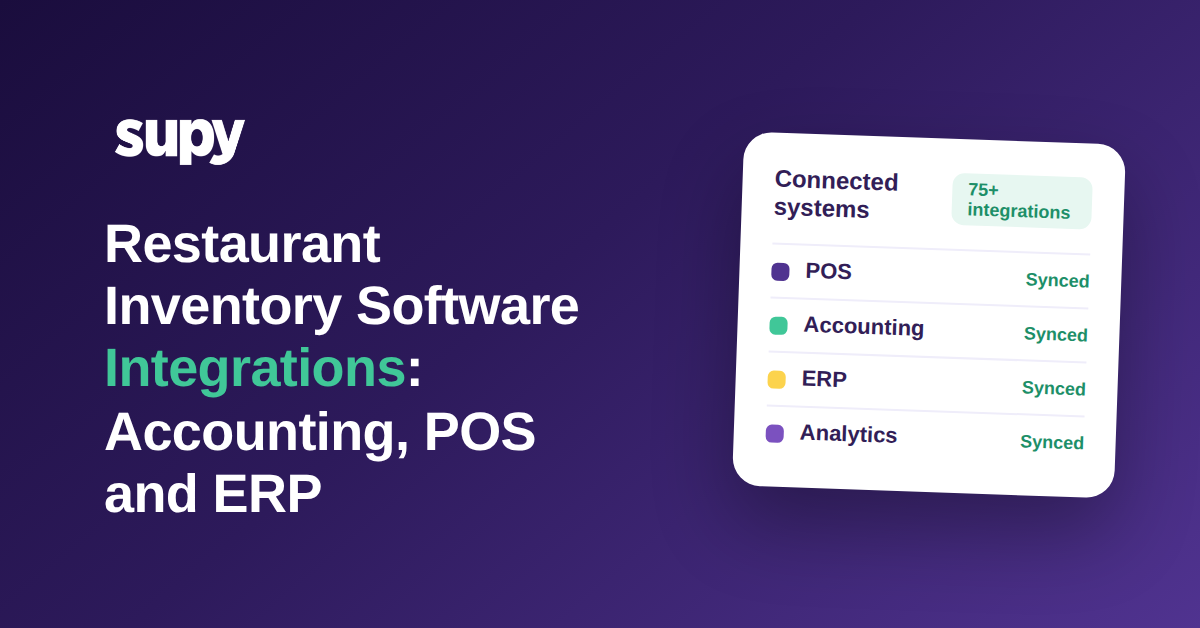
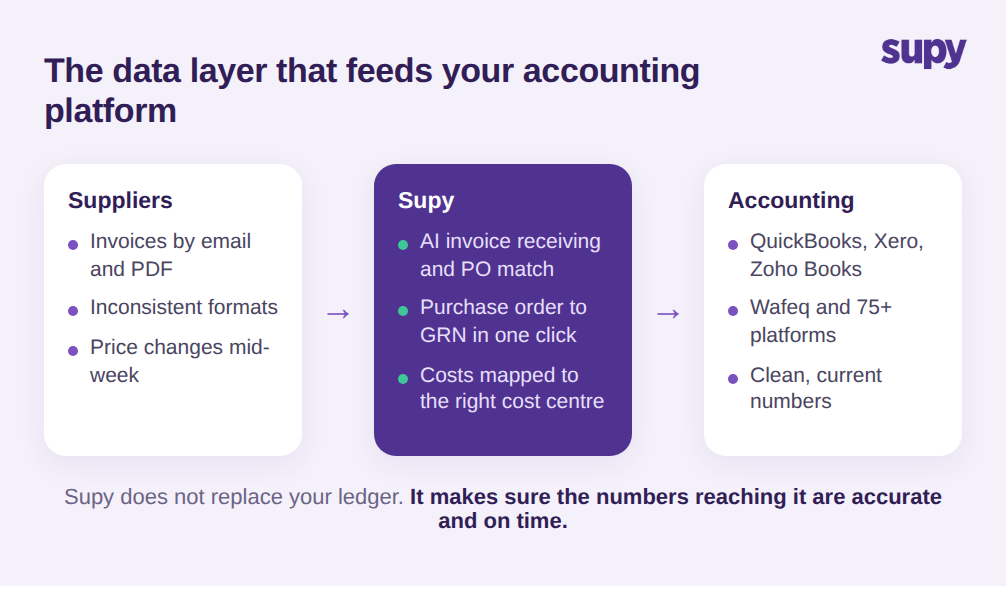
Beide Probleme laufen auf dasselbe hinaus. Die Buchhaltungsplattform ist ein Ziel, und die Qualität des Eingehenden hängt von der Schicht ab, die sie speist. Das ist die Rolle, die eine Betriebsplattform wie Supy spielt. Supy verbindet sich mit QuickBooks, Xero, Zoho Books, Wafeq und mehr als 75 Plattformen insgesamt über Integrationen und überträgt automatisch Bestellungen und Wareneingang-Daten in das Buchhaltungssystem – so hören Betreiber auf, Lieferantenrechnungen auf jeder Filiale manuell einzutippen. Jeder Standort wird seiner entsprechenden Filiale im Buchhaltungssystem zugeordnet, so dass Kosten ohne manuelle Weiterleitung in der richtigen Kostenstelle landen. Die KI-Rechnungsannahme von Supy liest Rechnungen, die an einen restaurantspezifischen Posteingang gemailt werden, ordnet sie Bestellungen zu, extrahiert Positionen und Preise aus inkonsistenten Formaten und markiert Preis- und Mengenkonflikte, bevor sie Ihre Konten erreichen. Wandeln Sie eine Bestellung in einen Wareneingang mit einem Klick um, und die Kostendaten werden korrekt an der Quelle erfasst – nicht später manuell eingetippt. Unser Leitfaden zu Wareneinsatz-Managementsoftware erklärt detailliert, wie diese Kostenebene funktioniert.
Es geht nicht darum, dass Supy die Software Ihres Buchhalters ersetzt. Es speist sie. Sie wählen weiterhin QuickBooks, Xero oder Wafeq für die Bücher; die Betriebsschicht stellt sicher, dass die ihr zufließenden Zahlen korrekt und aktuell sind, und dass Ihr Team Verkaufs- und Wareneinsatz-Reports auf Gruppen-, Standort- und Menükategorieebene abrufen kann, ohne auf jemanden zu warten. Das ist der Unterschied zwischen einer Integration, die Arbeit spart, und einer, die den manuellen Aufwand nur verlagert.
So wählen Sie die beste Buchhaltungssoftware für Ihre Restaurantgruppe
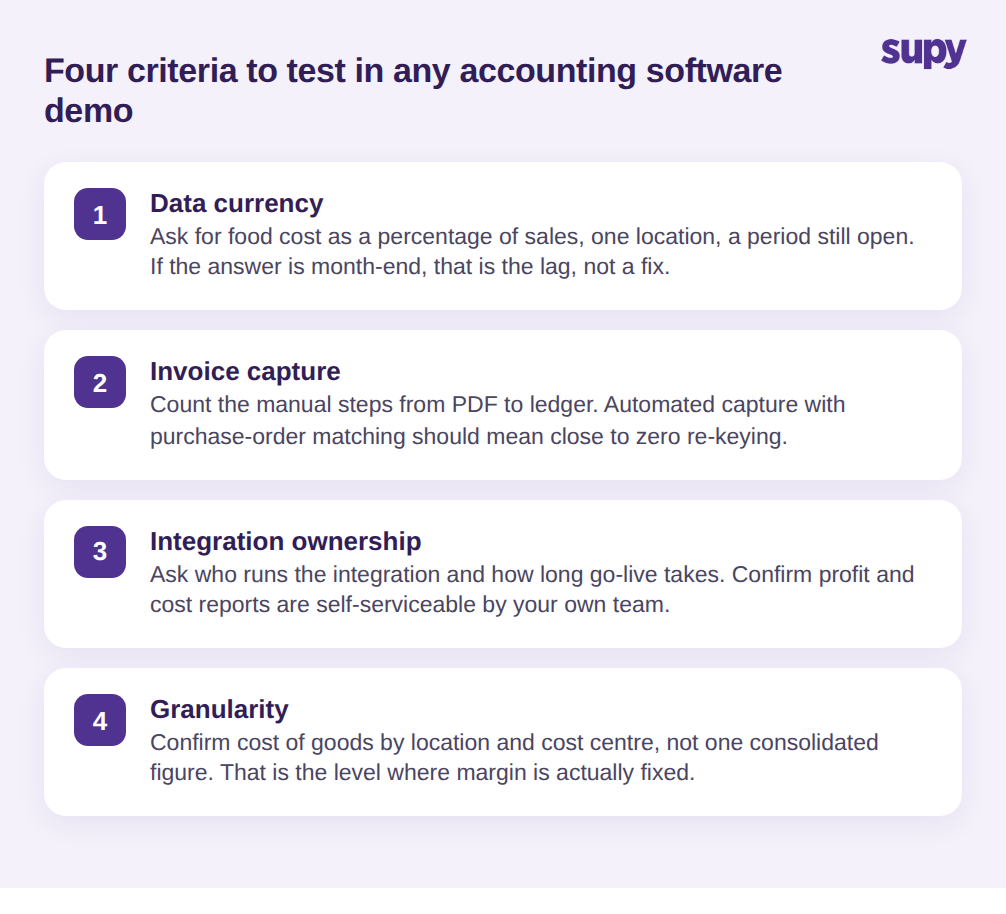
Der Plattformvergleich ist weniger wichtig, als die meisten Käuferleitfäden nahelegen, weil die Hauptbücher sich ähneln und die sie speisenden Daten der entscheidende Faktor für Genauigkeit sind. Testen Sie diese vier Kriterien in jeder Demo und bewerten Sie jedes ehrlich, anstatt die Verkaufsantwort für bare Münze zu nehmen.
Erstens, Datenaktualität: Bitten Sie darum, den Wareneinsatz als Prozentsatz des Umsatzes für einen einzelnen Standort, für eine noch offene Periode, anzuzeigen. Lautet die Antwort «zum Monatsende», ist das das neu verpackte Verzögerungsproblem, keine Lösung dafür. Zweitens, Rechnungserfassung: Fragen Sie, wie eine Lieferantenrechnung von einer PDF in das Hauptbuch gelangt, und zählen Sie die manuellen Schritte laut. Automatische Erfassung mit Bestellungsabgleich sollte nahezu null Neueintippen bedeuten. Drittens, Integrationsverantwortung: Fragen Sie, wer die Buchhaltungsintegration betreibt, wie lange der Go-Live realistisch dauert, und bestätigen Sie, dass GuV- und Kostenreports danach von Ihrem eigenen Team selbst erstellt werden können. Eine dauerhafte Drittanbieterabhängigkeit für Standardreports ist ein wiederkehrender Aufwand, der im Angebot nie auftaucht. Viertens, Granularität: Bestätigen Sie, dass Sie den Wareneinsatz nach Standort und Kostenstelle einsehen können – nicht nur eine konsolidierte Gruppenzahl – weil das das Niveau ist, auf dem ein Multi-Standort-Betreiber die Marge tatsächlich korrigiert.
Stellen Sie diese vier Fragen und die Entscheidung trifft sich meist von selbst. Wählen Sie die Buchhaltungsplattform, mit der Ihr Finanzteam umgehen kann und die Ihre Steuerregeln erfüllt. Wählen Sie dann die Betriebsschicht, die ihre Zahlen ehrlich und aktuell hält. Das ist die Entscheidung hinter der Entscheidung, und sie bestimmt, ob Ihre Bücher Ihnen etwas rechtzeitig zum Handeln sagen – oder lediglich bestätigen, dass das Geld bereits weg ist.