How to Use MCPs to Automate Restaurant Workflows: 7 Jobs to Hand Over
What MCP lets a restaurant team hand to an AI assistant
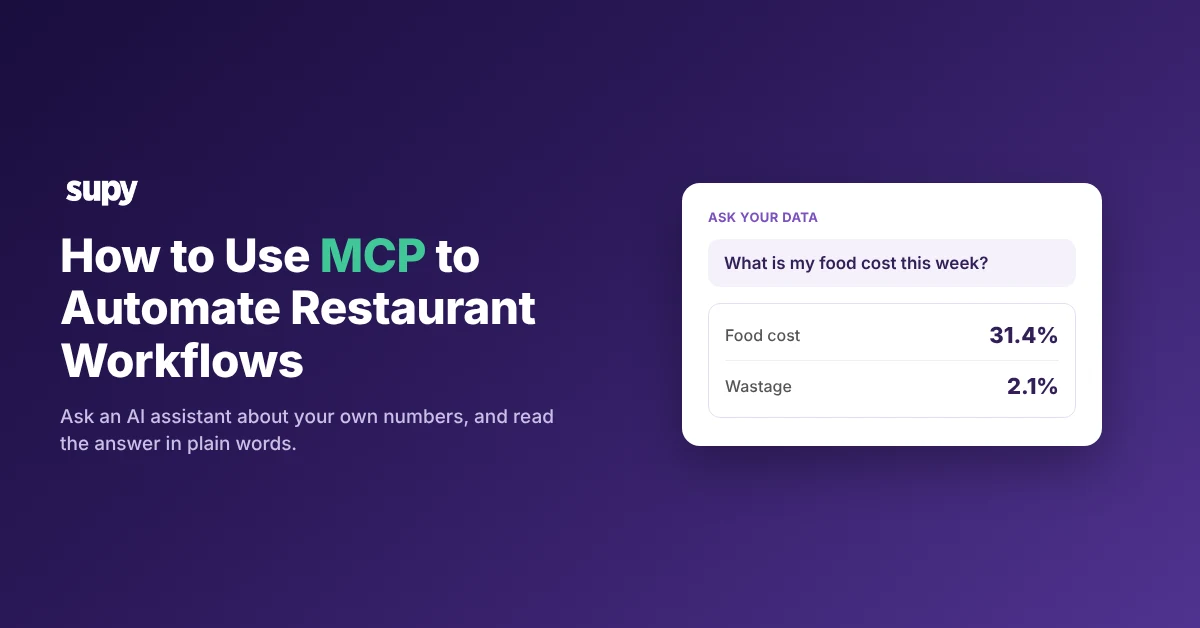
With Supy MCP switched on, your team can ask an AI assistant about your own restaurant numbers and read the answer in plain words. MCP (Model Context Protocol) is the technical link between an AI assistant and the software that holds your data. So a manager asks about food cost this week, reads the answer, and decides what to do; the assistant never changes anything on its own. This article shows how to use MCP with Supy and the seven jobs you can hand over.
Supy MCP is read-only today. It reads your data through a server, the piece each software company builds to open up its own system. It answers your question, but it cannot create or change orders, counts or recipes.
You can connect other companies' servers to the same assistant, such as Claude, ChatGPT and other AI tools. Some of those only read; a few can also write changes back.
Seven restaurant jobs to hand over
Each job below is a question an operator already asks, now put to the assistant instead of dug out of a screen or an export. Supy MCP reads the answer; a person reads it and acts. The assistant does not alert you, send a report, or run a workflow on its own.
- Check this week's food cost and cost of goods sold. Ask Supy MCP for the figures, then read them against the profit and loss before acting.
- Find where wastage is highest. Ask which sites or items show the most waste, then decide the fix.
- Spot the dishes with the thinnest margin. Ask Supy MCP to rank dish margin, then review the recipe or the price.
- Catch a supplier price that moved. Ask which supplier prices changed this week, then confirm the new price and raise a credit note or renegotiate. This one is worth asking often: among supplier list prices that change, half change again within 19 days, on 66 million supplier list-price records in Supy's own data. List prices are not always what a contracted buyer pays, and this covers the items that move, not every item.
- See which purchase orders are still open. Ask Supy MCP to list open purchase orders from your procurement data, then chase the supplier.
- Pull the Monday numbers pack. Operators ask for opening stock, purchases, closing stock, sales, gross profit percentage, wastage and staff food in one place each Monday. Ask Supy MCP what it can put together, then read it. Treat it as a question you ask, not a report that arrives on its own.
- Make an approved change in another system. Supy MCP cannot change your data, so a change happens in a partner system whose server allows writes, such as Square (in beta) or Xero's developer server. A person approves the change before it is made, because those write tools do not always ask first.
You can also connect read-only partner servers to the same assistant. The Xero connector answers questions on profit, cash and overdue invoices, and Tenzo covers sales and labour by site.
MCP vs API: what changes for your ops team
Supy already offers two ways to get at your data. MCP is the one an ops person uses without help; the Open API is a build for your tech team. The difference is who does the work and what you get back.
| Question | Supy MCP | Supy Open API |
|---|---|---|
| Who uses it | An ops person, in plain language | Your engineering or data team |
| What you do | Ask a question, read the answer | Wire your systems to your Supy numbers |
| What you get | Answers today, read-only | A live or scheduled feed into a data warehouse or BI tool |
| Setup | Sign in with your Supy login, no code | A development project |
Supy's Open API is a documented interface across procurement, inventory, production, recipes, wastage, sales and cost of goods sold. It is the route for something that runs on its own.
Your team can point a scheduled job at the Open API to pull the overnight numbers and refresh a dashboard it builds. The figures update each morning on their own. MCP does not do that: it waits for a question and answers read-only.
- Pick the Open API when you want the numbers flowing into a dashboard your team maintains.
- Pick Supy MCP when a manager just wants to ask a question and get an answer.
How to use MCP with Supy, step by step
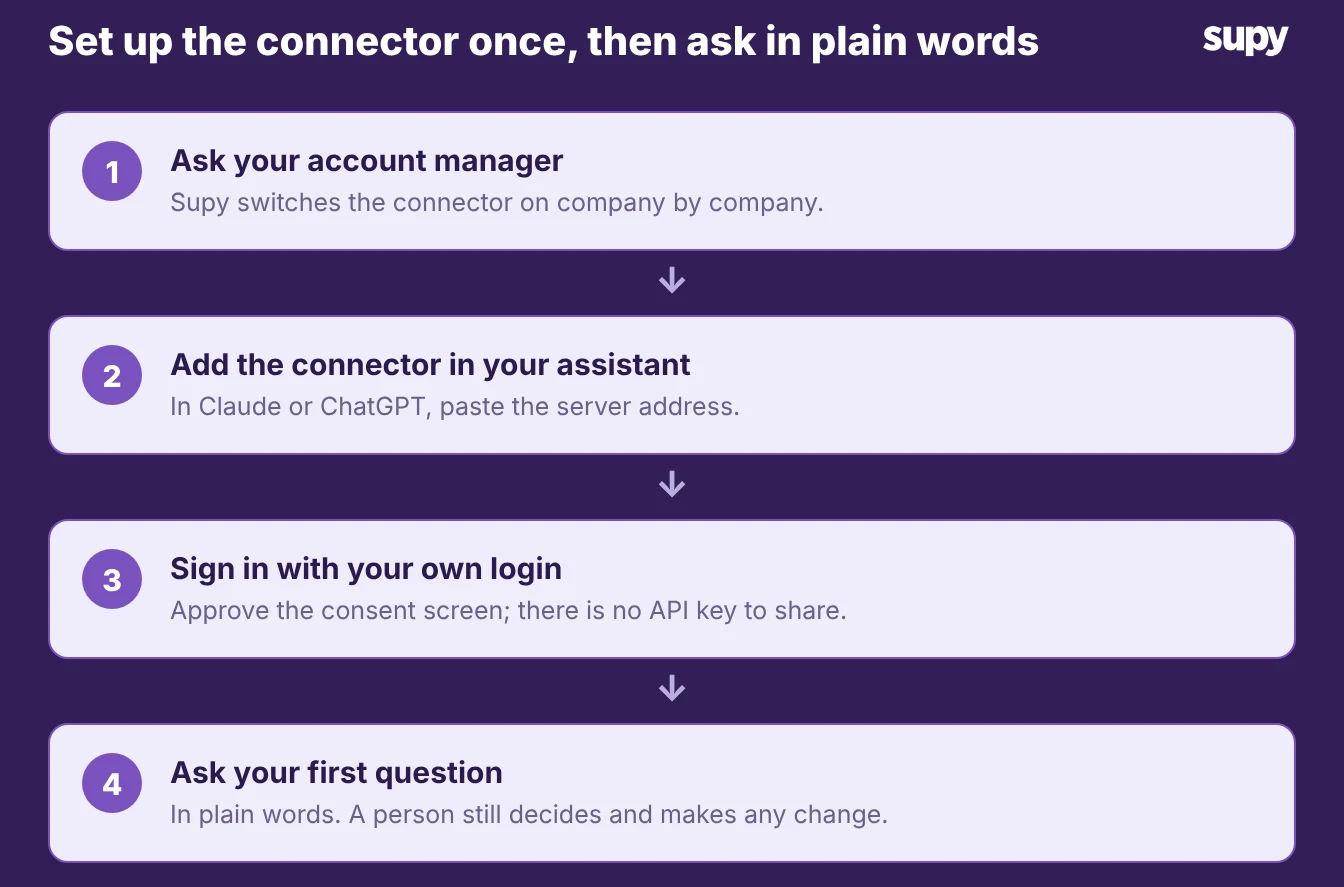
Start by asking your Supy account manager to switch Supy MCP on for your company. Supy turns it on per company, so anyone with an active Supy login at a company where it is on can then connect. There is no API key to copy and no developer work.
The rest happens inside your assistant. The steps below cover Claude, which has the most evidence of real use with Supy MCP, and ChatGPT. Check each vendor's own help page as you go, because the menus move.
- Claude connector. In Claude, open Customize, then Connectors, and choose Add custom connector. Give it a name, paste the Supy MCP server address, and continue. When Claude asks about signing in, choose to sign in, then approve the connection with your own Supy login. A consent screen names the assistant and the access it wants, and you can decline it. To use it in a chat, open the plus menu, choose Connectors, and turn Supy on.
- ChatGPT connector. In ChatGPT, custom connectors sit behind developer mode, which an administrator turns on for your plan. Once it is on, open Settings, then Connectors, and add a custom connector by pasting the Supy MCP server address. Sign in with your own Supy login and approve the same consent screen. ChatGPT now labels some connectors as apps, so the wording may differ from the help article.
Signing in with your own Supy login is the whole point. You share no password with the assistant, and you approve a consent screen that you can decline. Supy's engineering lead suggests a good first move once you are connected: ask Supy MCP what it can read, because the list keeps growing.
Where a manager still approves the change
Handing a job to an assistant does not hand over the decision. Supy MCP reads and answers, so nothing in your Supy account moves because the assistant said so. A person still places the reorder, approves the count, or updates the recipe inside Supy.
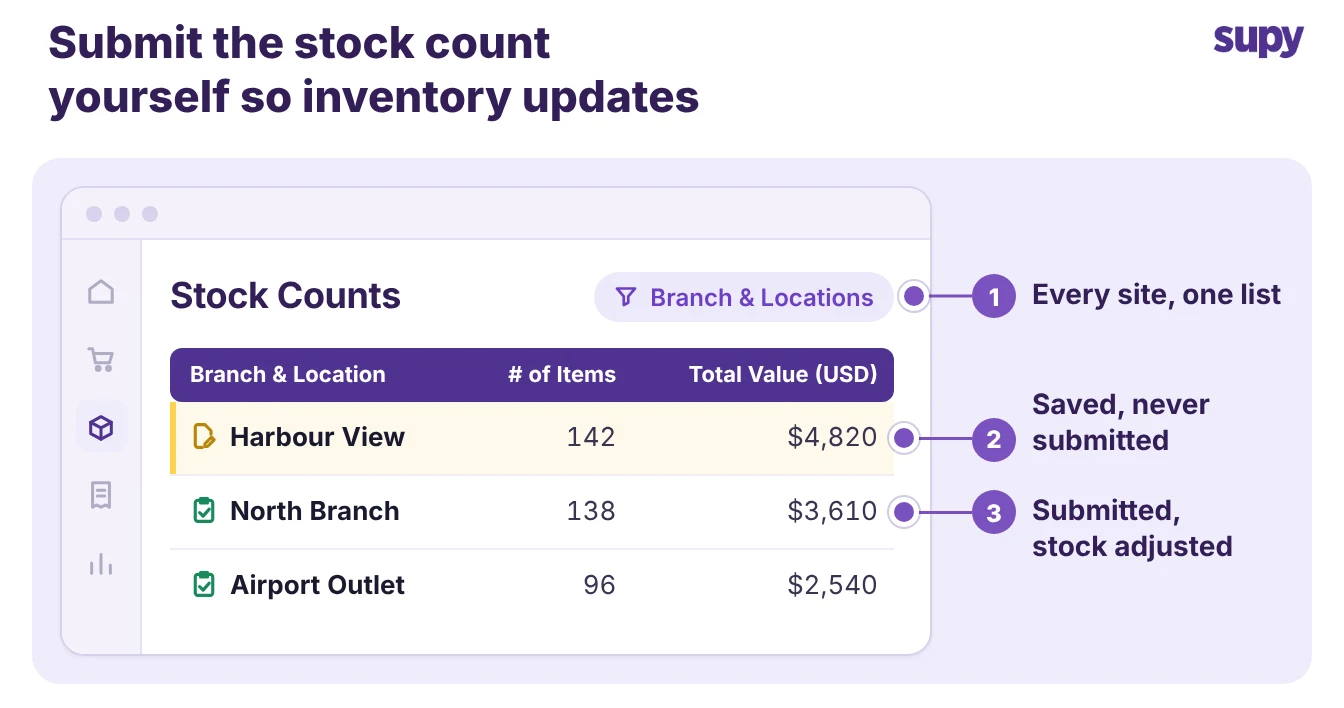
The Stock Counts list shows the count for every branch and location, filterable by branch. A stock count stays a draft until a person submits it, and submitting it is what adjusts your inventory and produces the variance report. The submit is the human checkpoint the image below shows.
- Servers that write. The same holds for the partner servers that can write. Square's server, in beta, and Xero's developer server can change data, but Xero warns that its current write tools do not ask for confirmation first. So treat a write job the way you treat a large purchase order: a person reads what the assistant proposes and approves it before it goes through.
- Behind a person. Start small: ask the assistant about numbers you already check by hand, such as stock counts in your restaurant stock management software. Keep every change behind a person.
Pick one job to hand over this week. The Monday numbers pack and the supplier-price question both pay off fast, and both leave the deciding with your team. Ask your account manager to switch Supy MCP on, connect it to Supy's analytics, and read the first answer against the source before anyone acts on it.