Claude for Business: Ask Your Restaurant Data Questions With Supy MCP
What Claude for Business reads from your data in Supy
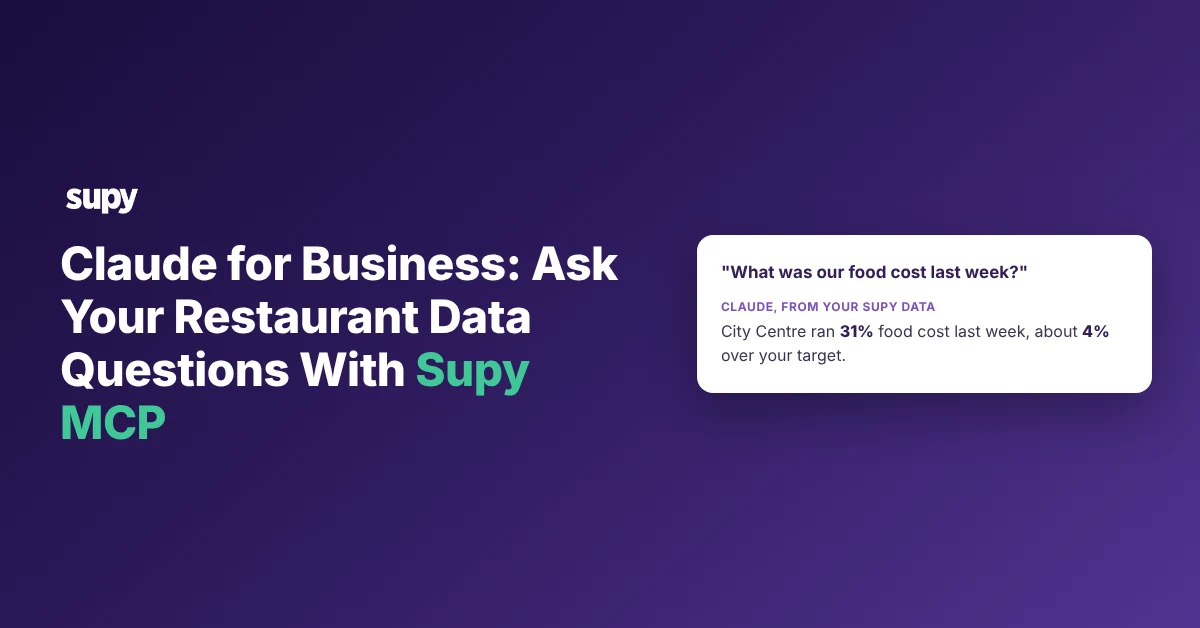
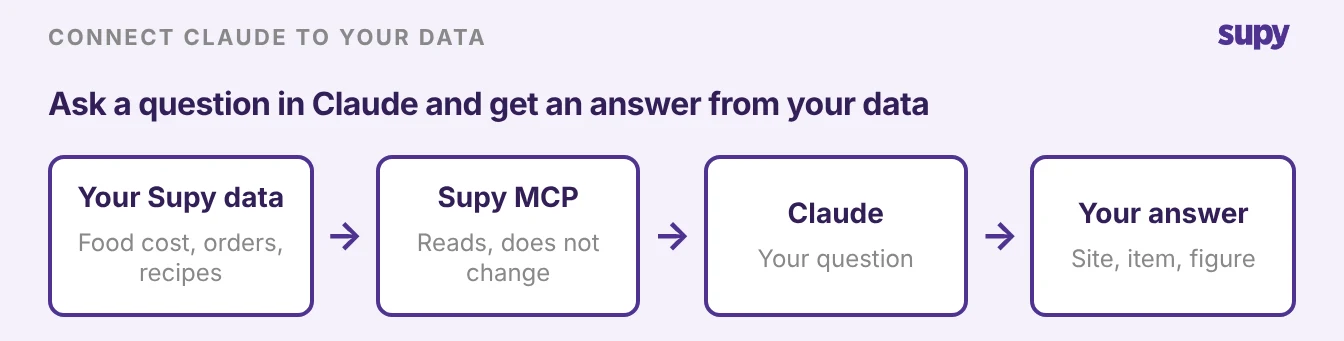
Claude for Business can answer questions about your restaurant group's own operating data in plain English. Ask what food cost ran last week by site, and read the answer back without opening a report. The connection is called Supy MCP. You sign in with your own Supy login, approve a consent screen, then ask from the Claude app. This article shows how to connect it, what to ask, and what it cannot do yet.
Supy MCP answers from Supy's analytics data. Supy's own suggested questions cover food cost and cost of goods sold (COGS), wastage, dish margin and supplier prices. Supy also names procurement data, such as order details and procurement reports. Customers have used it to check open purchase orders and to see how recipes are set up. A good answer tells you four things: which site, which item, the figure, and the gap against what you expected.
| What Claude can read | A question you can ask |
|---|---|
| Food cost and cost of goods sold | "What was our food cost last week, by site?" |
| Wastage | "How much did we record as wastage last week?" |
| Dish margin | "Which dishes have the lowest margin this month?" |
| Supplier prices | "Which supplier prices changed this month?" |
| Procurement and open purchase orders | "What is still open on our purchase orders with supplier X?" |
| Recipes | "How is our margherita pizza recipe set up?" |
These are examples, not the full list, so the honest way to find its limits is to ask Supy MCP what it can read. Two questions operators often try are not confirmed answers yet: "what do we have on hand right now?" and "which items are below par?".
Ask them to see what comes back, and treat the result as a question answered, not a guarantee. It is the same operating data your team already reviews in Supy's restaurant analytics, reached a different way.
How to connect Claude to Supy with Supy MCP
You connect Supy MCP as a connector inside Claude, and the whole setup takes a few minutes. Supy switches Supy MCP on for each company, so your first move is to ask your account manager whether it is on for yours. Once it is, anyone at your company with an active Supy login can connect.
- Open the connectors settings. Go to Settings, then Connectors, and choose to add a connector.
- Add Supy MCP. Select Supy MCP from the list of connectors.
- Sign in with your Supy login. You sign in with your own Supy username and password, not with an API key, so there is no secret to copy or share.
- Approve the consent screen. Claude shows a consent screen that names the assistant and what it is asking to connect to. You can approve it or decline it.
- Ask a question. Once it is connected, ask in plain English from the Claude desktop app or the phone app.
ChatGPT follows the same shape.
- Add Supy MCP as a connector
- Sign in with your Supy login
- Approve the consent screen
- Ask
Supy MCP works with Claude, ChatGPT and other AI tools that support MCP connectors. Claude has the most evidence of real use with Supy so far, so its steps are the most tested. Write the exact connector steps for your assistant from Claude's or ChatGPT's own help pages, because each vendor controls its own menus.
One question comes up often.
- Personal email. Can a personal assistant account connect if it is set up under a personal email rather than a company one?
- Supy login. The connection runs on your Supy login during the consent step, so your Supy access is separate from the email on your assistant account.
Ask your account manager to confirm your company is switched on, then sign in with your Supy credentials.
Upload a spreadsheet or connect Supy live: which to use
You can paste a spreadsheet into Claude, or connect Supy live through Supy MCP. The difference is freshness and reach.
A spreadsheet is a snapshot you export and attach, so the assistant answers from the moment you exported it. A live connection reads your current data in Supy each time you ask, across the sites your login covers.
| What you are comparing | Upload a spreadsheet | Connect Supy live with Supy MCP |
|---|---|---|
| How fresh | The moment you exported it | Current, read each time you ask |
| Which sites | Only what is in the file | The sites your Supy login covers |
| Setup | Export, then attach the file | Connect once, then ask |
| Risk | A stale or wrong file gives a wrong answer | Read-only; the assistant answers, it does not change anything |
Upload a spreadsheet for a one-off question about data you already have in hand. Connect live when you want to ask again next week without re-exporting, or when the answer needs more than one site.
Other back-office servers you can connect to Claude
Supy MCP covers your inventory, cost and procurement data. An assistant can read other parts of the back office too, through servers the other software companies build.
Each server states what an assistant can read and whether it can change anything, so check that before you connect one. Supy MCP comes first here because it holds your operating data.
| Server (maker) | What an assistant can read | Can it change data | Status |
|---|---|---|---|
| Supy MCP (Supy) | Food cost and COGS, wastage, dish margin, supplier prices, procurement and open purchase orders, recipes (examples, not a full list) | No, read-only | Released, switched on per company |
| Tenzo MCP (Tenzo) | Sales, labour cost, covers and transactions by location, reviews, manager logs | No, read-only | No status stated |
| Xero connector for Claude (Xero) | Profit, cash flow, overdue invoices and top customers | No, read-only | Read-only at launch |
| QuickBooks connector for Claude (Intuit) | P&L and cash flow reports, plus transactions, invoices, customers and products | Yes, reads and writes; deleting asks you to confirm | US customers only |
For the fuller list of servers a restaurant group can connect, read the MCP servers for restaurants. The point to carry over: pick servers from companies you already trust with that data, and read the "can it change data" column before you turn one on.
If you want an assistant to run recurring jobs rather than answer one-off questions, handing work to an assistant is a separate topic.
What Claude can and cannot do through Supy MCP
Supy MCP is read-only today.
This is Supy's statement of how it behaves now.
- The assistant reads your data
- Answers your question
- It does not create, edit or delete anything
So Claude can tell you what food cost ran or what is open on a purchase order. It cannot raise that purchase order, approve a count or change a recipe through Supy MCP.
| What you want to do | Through Supy MCP today |
|---|---|
| Read food cost, wastage, margins and supplier prices | Yes |
| Ask a question across your sites | Yes |
| See what is open on purchase orders, or how a recipe is set up | Yes |
| Raise or change a purchase order | No, read-only today |
| Approve a stock count or edit a recipe | No, read-only today |
Some operators have asked for write access so an assistant could act on their data, and that is a request Supy has heard, not something it does yet.
- Cost question. Cost is the other common question. The assistant's own subscription runs the questions you ask, because Supy MCP spends no AI tokens of its own. Access terms for Supy MCP itself come from your account manager, so confirm what applies to your company before you plan around it.
- Assistants apart. It also helps to keep the Supy assistants apart. Supy MCP is not Bruce, the assistant built into the Supy app. It is not Nexus, and it is not Supy Connect. Supy MCP is the one connection that lets an outside assistant read your data in Supy and answer your questions.
The first step is small. Ask your account manager whether Supy MCP is switched on for your company.
Then add it as a connector in Claude and start with one question you ask every week, such as last week's food cost by site. One good answer tells you whether this belongs in your routine.