What to Look for in Foodservice Inventory Software
What Foodservice Inventory Software Has to Get Right
The best foodservice inventory software is the one that keeps your stock numbers true after the first month, not the one with the slickest count screen. Most buyer guides skip the cleanup that decides it: merging two duplicate items means removing one from every recipe by hand. This article shows five checks to run before you sign, and what each one looks like in a demo.
Foodservice is harder to track than a shop stockroom. Ingredients arrive by the case and leave by the gram, recipes turn raw stock into dishes, and a group runs the same item across several sites.
- Kitchen software. Good inventory management software for a kitchen handles all of that, where a tool built for a generic stockroom does not.
- Built their own. One multi-site operator built their own system after off-the-shelf software kept falling short on the last ten percent they needed, and another ran monthly inventory on spreadsheets that ate half a day to two days every month.
The five checks below separate software that survives a real kitchen from software that only looks good in a sales deck.
| Check | What a weak tool does | What to look for |
|---|---|---|
| Item data | Lets duplicates pile up, so removing one means editing every recipe by hand | Merge and bulk-edit tools, with items linked cleanly to recipes |
| Stock counts | One person, one device, variance you only see later | Shelf-order templates, parallel counting, instant variance |
| Sales to stock | Sales and stock live apart | Sales deplete the right ingredients through each recipe |
| Invoices | Scanning that chokes on catch-weight lines | Per-supplier units and a check against the agreed price |
| Multiple sites | Each branch is its own island | Transfers, central-kitchen production, one group view |
Can It Clean Up Duplicate and Messy Items?
The item list, the item master, is the foundation. If it is messy, every count and every report built on it is wrong, so check this before anything shinier.
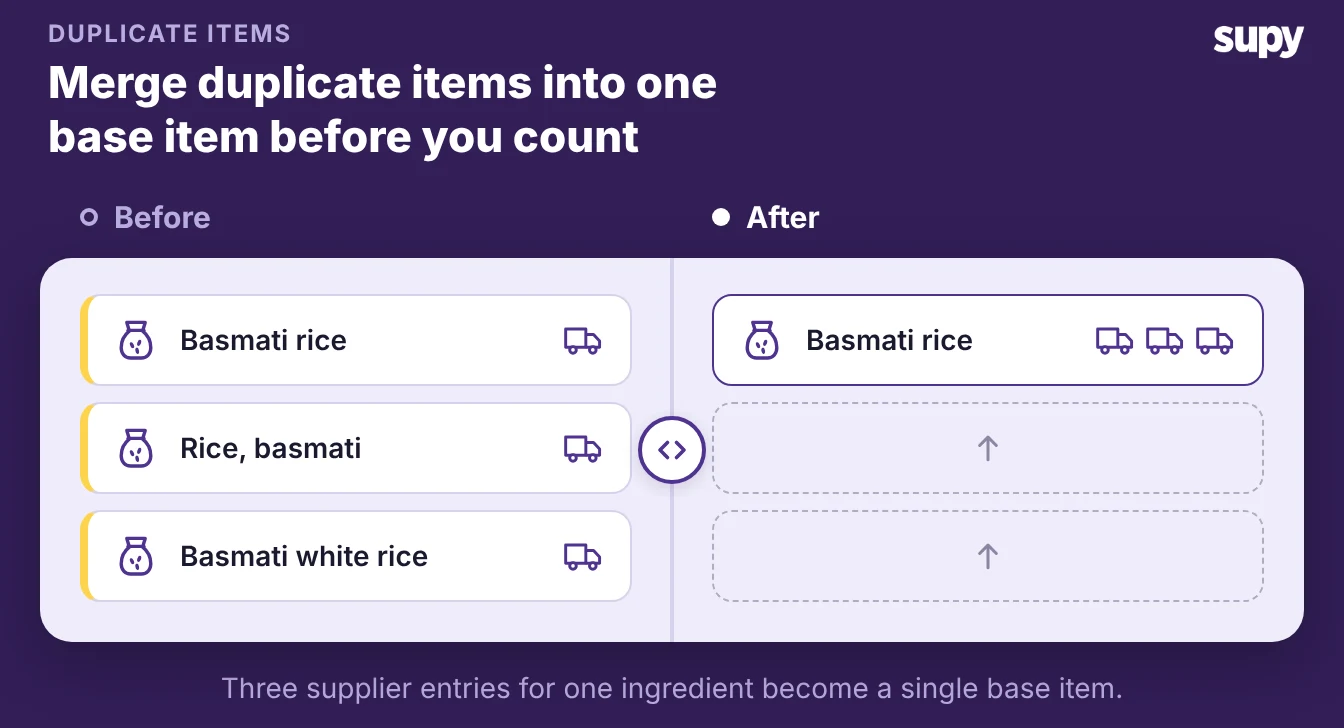
- A quiet tax. Operators describe duplicate items as a quiet tax on inventory. One operations manager found that merging two duplicates meant first removing the item from every recipe by hand, a slow job.
- Sales history. A hotel group could not delete a duplicate at all, because sales history was attached to it, until a backdated workaround cleared the way. The ranking buyer guides that sell easy stock tracking never mention this work, and it is exactly what decides whether your numbers hold.
- Merge and bulk-edit. What to look for is a tool that merges duplicates and bulk-edits items, and that links each item cleanly to the recipes that use it, so one change flows through. Ask the vendor how it handles an item that already carries sales history.
- Base item. Supy keeps one base item per ingredient, with every supplier's product codes and pack sizes linked to it. So the same tomato bought from three suppliers is one item rather than three, and an allergen tag set once carries into every recipe.
Is Counting Fast, and Can the Team Count Together?
Counting decides whether your team keeps using inventory software or gives up on it. Operators call the stock count one of their biggest operational hurdles, and a slow count on a clipboard is the first job a busy team skips.
- Count templates. What to look for is count templates in shelf order, so a counter walks the room once. You also want counting several people can run at the same time, and variance you see the moment you submit rather than days later.
- Counters in parallel. Supy builds reusable count templates in shelf order and lets several counters work the same count in parallel, auto-merged, with each line attributed to whoever recorded it. During a live count the web app updates in real time, so when one counter resolves a discrepancy everyone on that count sees it at once, which cuts duplicated effort.
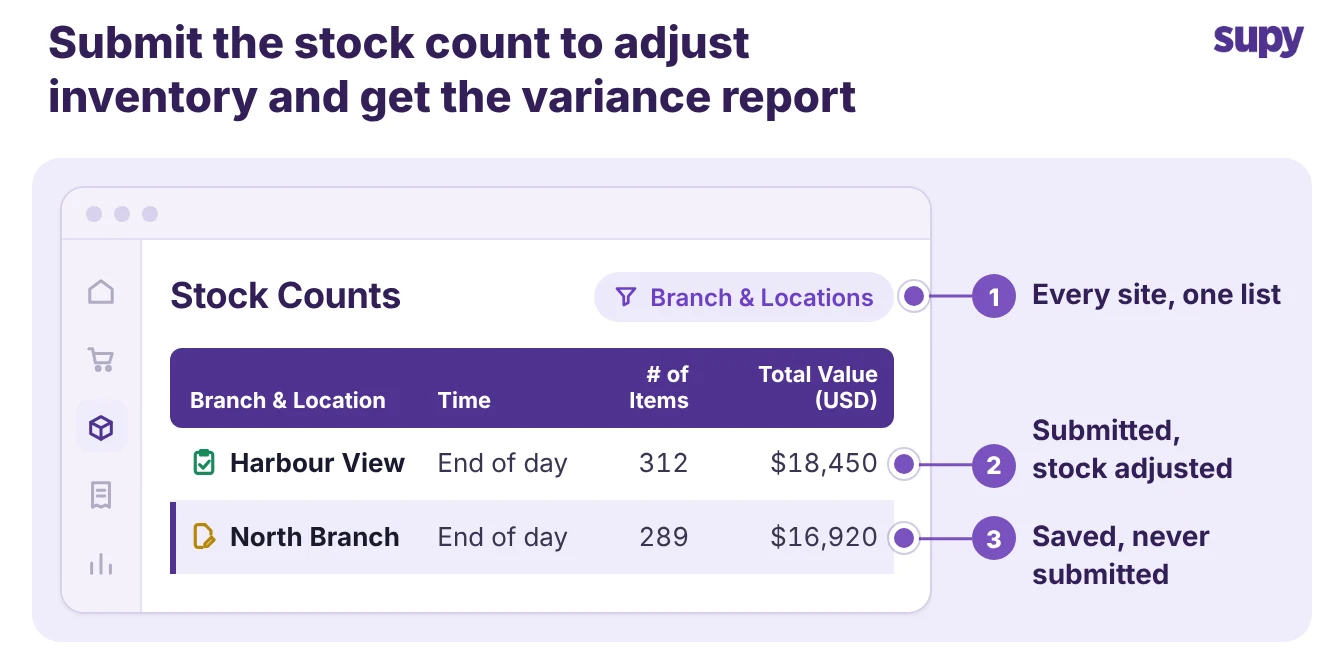
- Draft until submitted. The Stock Counts list shows the counts for every branch and location in one place, and a count stays a draft until someone submits it. Submitting it adjusts your inventory quantity and value and produces the variance report.
- Cuts counting time. Supy reports this parallel approach cuts counting time by more than half.
- Reopen and correct. Check too that you can reopen and correct a submitted count. One operations manager entered a bottle count with the decimal in the wrong place, created a large variance, and needed to fix the historical count without starting the whole count again.
Do Sales, Recipes and Stock Stay in Step?
A count tells you where stock sits today. The link between sales and stock tells you where it is going, so treat this as a core check, not a nice-to-have.
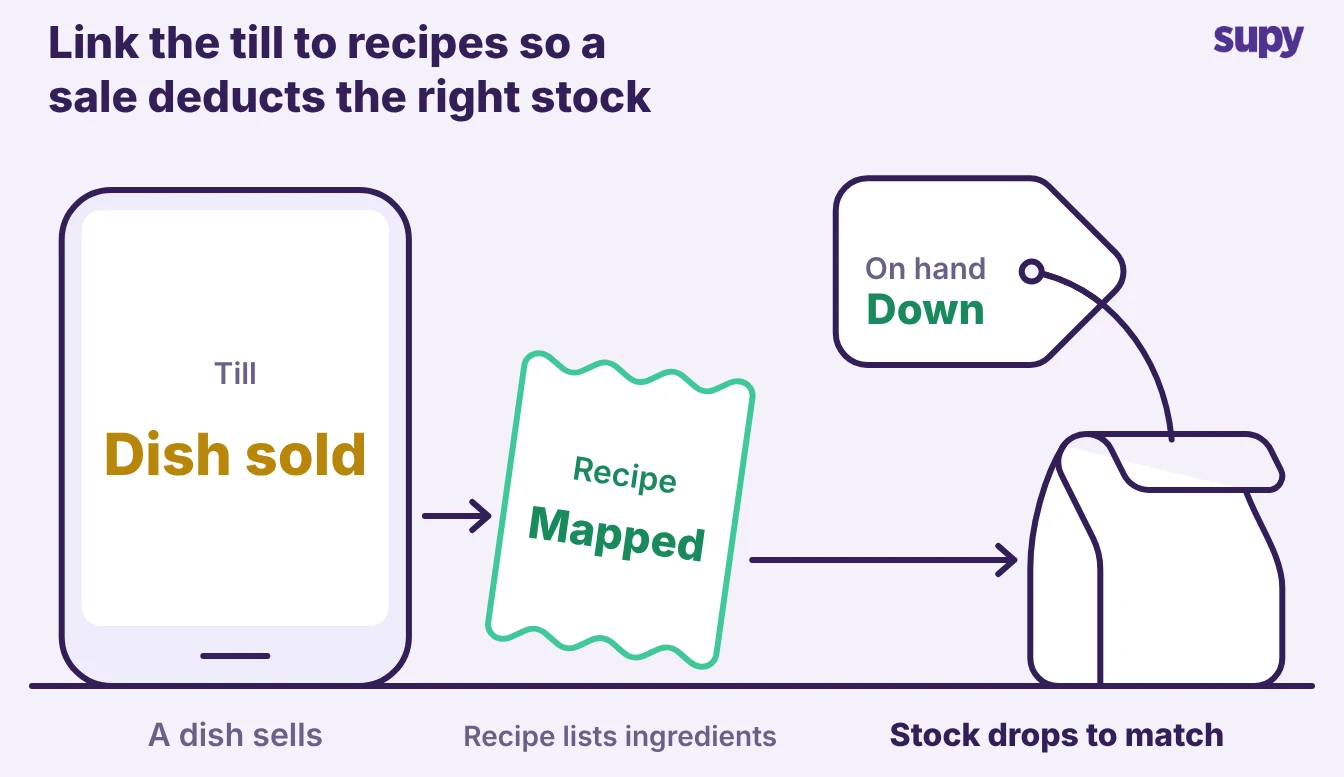
- POS to recipes. What to look for is a point-of-sale (POS) integration that maps menu items to recipes, so each sale deducts the exact ingredients. You also want recipe and prep tracking that handles yields and batch production, and units that hold up between how you buy and how you cook.
- How Supy links it. Supy links POS menu items to recipes, including modifiers, so a sale depletes the correct ingredients, and it tracks prep recipes, yields and batch production.
- Kept apart. One operator ran a till with inventory kept separately by hand, so nothing caught a price or margin change until month end. Connecting the two is the whole point.
Par and reorder levels belong in this check as well. Look for live stock that flags each item below its minimum and above its par level, per item and per site.
If you would rather not work par out by hand, the free par level calculator does it for every item on your sheet from your usage, delivery days and supplier lead times.
Will Invoices and Suppliers Trip It Up?
Invoices are where inventory software quietly breaks. Operators ask one blunt question of any scanning feature: how often does it get a line wrong.
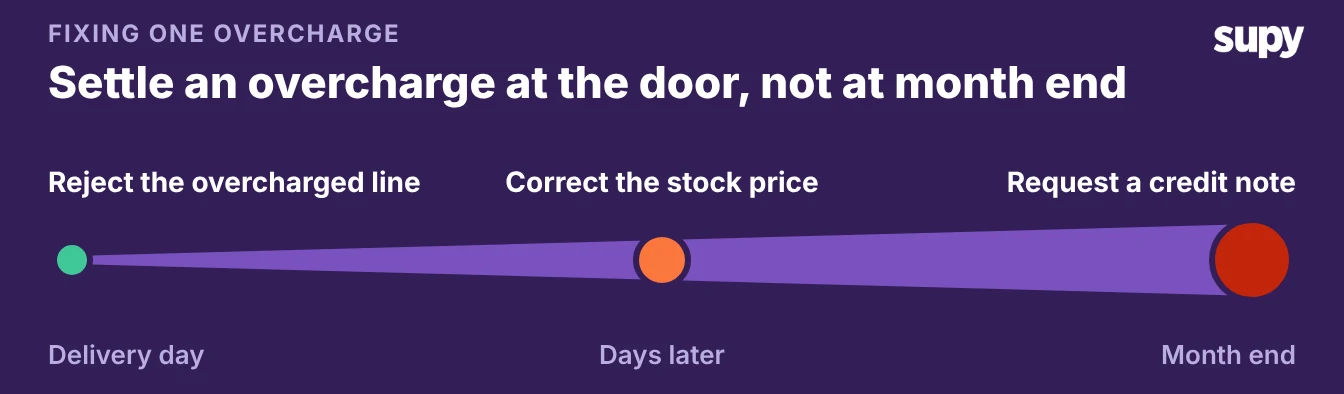
- When you catch. When you catch a price discrepancy decides what it costs. Reject an overcharged line on delivery day and the fix is a quick rejection at the door; find the same line at month end and you are chasing a credit note after the stock has moved.
- Catch-weight scanning. What to look for is scanning that reads catch-weight and box-buy lines by their real unit of measure, not by forcing the pack size to match the invoice total. Delivery fees should sit as one charge, not smear across the lines. The tool should also flag any line billed away from the price you agreed.
- Rounded invoice totals. Ask what happens with a supplier who rounds every invoice total, because one back-of-house team chased false discrepancy flags until they learned to absorb the rounding instead of disputing each delivery.
- Supplier links. Supplier links matter as much as scanning. A file-based catalogue feed cannot carry live stock or price, so you can order an item that is already out of stock, and only suppliers with an established electronic connection show up in supplier mapping at all.
- Orders and pricing. Expect orders sent by email or electronic data interchange (EDI) and pricing drawn from past invoices, and ask any vendor to be plain about which suppliers they actually connect to.
How to Judge These Checks Across Sites and in a Demo
A single site forgives a lot that a group does not. Across sites you need stock to move between branches with a record, a central kitchen that turns raw stock into prep and finished items, and one view of every site against its par position.
- Transfers and audit. Supy moves stock between branches as transfers the receiving site must accept, with a full audit trail.
- Central-kitchen and group. It records central-kitchen production runs that post to the stock ledger. It shows par and minimum levels across the whole group rather than one site at a time, and logs every action against a named user with before-and-after values.
- Operator's backbone. One central-kitchen operator called this coverage the backbone of their whole operation.
- Back to basics. Negative stock across branches almost always traces back to the basics: a missing opening count, an invoice nobody entered, a transfer nobody recorded.
- Demo script. Turn the five checks into a short demo script, and make the vendor show you each one on live data rather than a slide.
| Check | Ask the vendor to show you | A good answer looks like |
|---|---|---|
| Item data | Merge two duplicate items that both have sales history | It merges in place and keeps the history |
| Counting | Two people count one area at the same time | Both counts merge live, with names against each line |
| Sales to stock | Sell a dish, then show the stock move | The recipe's ingredients drop by the right amount |
| Invoices | Scan an invoice with a catch-weight line | It reads the weight, not the pack, and flags an off price |
| Multiple sites | Move stock between two branches | A transfer the other branch has to accept |
Start with the check that hurts most today. If your stock counts stop matching what is on the shelf through the month, test item data and the sales-to-stock link first.
If month-end is the painful part, test invoices and the audit trail before anything else. The groundwork is the same for any restaurant inventory software you shortlist: a clean item master, and counts you can trust.