.jpeg)

Intégration Comptabilité Restauration : Comment Factures et Bons de Réception s’Enregistrent avec les Bons Comptes GL et Codes Fiscaux
Ce que l'Intégration comptable d'un restaurant enregistre réellement dans vos livres
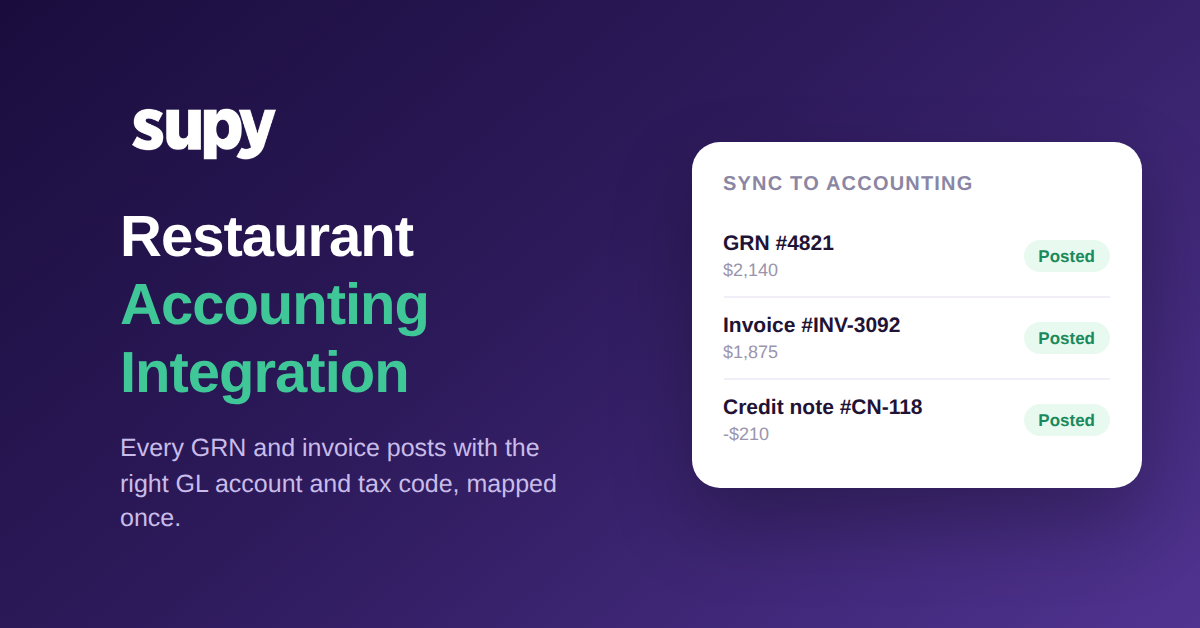
Connectez correctement votre système de Stocks et d'Approvisionnement à votre logiciel de Comptabilité, et chaque bon de réception et chaque Facture Fournisseur s'enregistre automatiquement dans le grand livre comme une écriture de journal entièrement codifiée, sans ressaisie en fin de période. Voilà ce que l'Intégration comptable d'un restaurant apporte : vous associez chaque catégorie d'article, chaque Fournisseur et chaque type de transaction à un compte du grand livre et un code fiscal une seule fois lors de la configuration, et chaque document ultérieur reçoit automatiquement la bonne classification.
C'est tout l'intérêt de connecter les deux systèmes, et c'est précisément la partie que la plupart des comparatifs des « meilleurs logiciels de Comptabilité » omettent. Choisir l'outil est la décision facile. Le travail qui épargne réellement à une équipe financière sa clôture mensuelle réside dans le mécanisme de saisie : quand une succursale reçoit une livraison et que le bon de réception est confirmé, ou qu'une Facture Fournisseur arrive, ce document devrait déjà savoir à quel compte GL il appartient et quel code fiscal s'applique, et devrait rejoindre les comptes sans qu'une personne le reclassifie manuellement.
Avec Supy connecté à votre système de Comptabilité, les données de revenus et de coûts circulent vers le grand livre avec les bons codes de compte, et la ressaisie manuelle en fin de période est éliminée. La configuration unique associe les objets financiers qu'un restaurant gère réellement – comptes GL, taux de TVA, types de ventes et unités de mesure – à leurs équivalents dans le système connecté. Après cela, le bon de réception et la Facture font le codage à votre place.
Comment la correspondance unique par catégorie met fin à la reclassification manuelle
Le mécanisme qui rend cela possible est une correspondance enregistrée. Plutôt qu'une personne décide, document par document, que cette livraison de viande est un Coût matière au taux normal et que cette Commande de produits d'entretien est un poste de frais généraux, vous configurez ces règles une seule fois. Chaque catégorie d'article, chaque Fournisseur et chaque type de transaction pointe vers le bon compte GL, le bon code fiscal et la bonne méthode de paiement. Dès lors, un bon de réception ou une Facture hérite de sa classification à partir de la correspondance au moment où il est créé.
C'est la différence entre une Intégration qui déplace des chiffres et une qui les enregistre correctement. Un flux de données brutes laisse encore quelqu'un décider où chaque chiffre appartient. Une correspondance enregistrée supprime entièrement cette décision : la ligne de produits frais touche le compte de Coût matière des produits frais au code à taux zéro, la Commande de Conditionnement touche le poste de frais généraux de Conditionnement au taux normal, et aucun des deux n'a besoin d'une personne pour le redire. Lorsqu'un nouveau Fournisseur ou une nouvelle catégorie est ajouté, vous l'associez une seule fois et la règle s'applique à tous les documents futurs.
Comme la correspondance se situe au niveau de la catégorie et du Fournisseur plutôt que sur des lignes individuelles, elle évolue à la mesure des besoins d'un Groupe de restauration en croissance. Ajoutez un Point de vente et il utilise le même plan comptable et la même logique fiscale que chaque autre succursale. Cette cohérence est ce qui permet à une équipe financière multi-sites de faire confiance à un rapport regroupé entre Points de vente comparant du comparable, plutôt que des estimations codées manuellement d'une succursale contre celles d'une autre. Si vous pesez encore quel système standardiser, notre guide pour choisir un logiciel de Comptabilité pour un Groupe de restauration couvre cette décision ; cet article porte sur ce qui se passe après la connexion.
Comment chaque catégorie d'article correspond à un compte GL et un code fiscal
| Catégorie d'article | Compte GL | Code fiscal |
|---|---|---|
| Viande et volaille | 5010 · Alimentation - Viande | Taux normal |
| Produits frais | 5020 · Alimentation - Produits frais | Taux zéro |
| Nettoyage et produits chimiques | 6300 · Fournitures d'entretien | Taux normal |
| Conditionnement | 6100 · Conditionnement | Taux normal |
Comment une faible capture de Factures divise silencieusement le Coût matière entre Points de vente
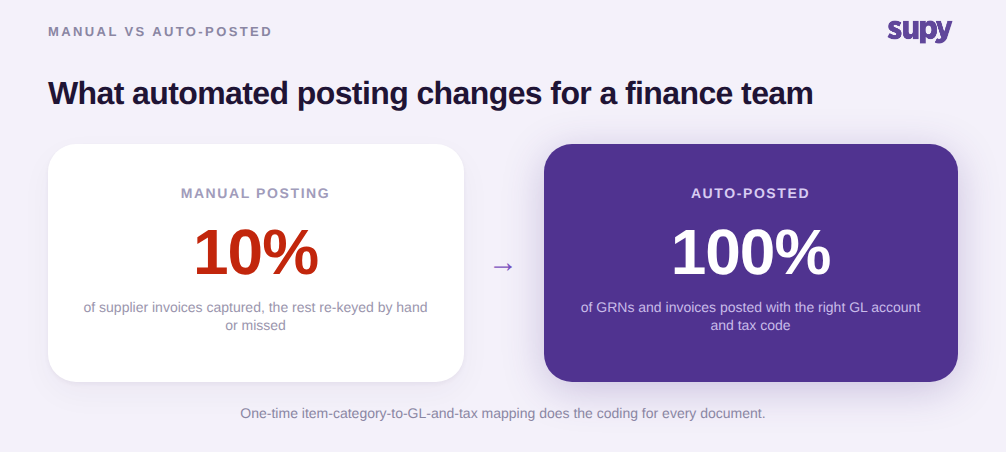
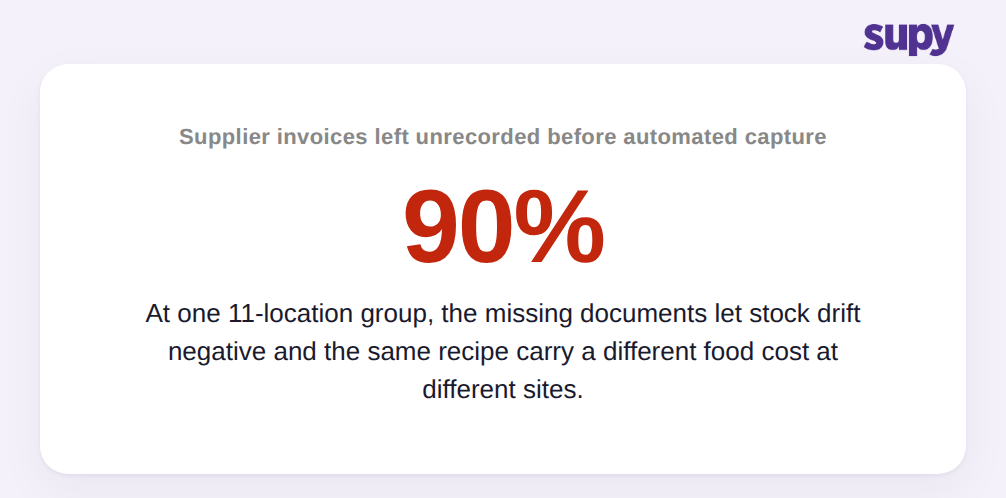
Le coût d'une absence de ce système est facile à sous-estimer, car il ne se manifeste pas comme une erreur. Il se manifeste comme une dérive. Un Groupe de restauration décontractée de 11 Points de vente, avant de passer à la capture automatisée de Factures, n'avait qu'environ 10 % de ses Factures Fournisseurs réellement saisies dans son système. Les 90 % restants n'étaient pas enregistrés. Les Stocks disponibles dérivaient en négatif, et la même Recette portait un Coût matière différent selon les Points de vente, car toute succursale qui n'avait pas acheté un Ingrédient via le système était encore calculée sur la base d'un prix périmé.
C'est le véritable préjudice d'une Comptabilité manuelle à faible capture : non pas un chiffre erroné que l'on peut trouver et corriger, mais une lente divergence que l'on ne peut pas voir. Lorsque la plupart des documents ne sont jamais enregistrés, le grand livre et le fichier de Stocks décrivent tous deux un restaurant qui n'existe pas. Les pourcentages de Coût matière semblent corrects sur un Point de vente et erronés sur un autre pour des raisons qu'aucun rapport ne peut expliquer, parce que les Factures sous-jacentes n'ont jamais été capturées en premier lieu.
Les exploitants le ressentent avant de pouvoir le nommer. Dans plusieurs marchés, la charge administrative immédiate la plus fréquemment citée par les exploitants est le traitement manuel de volumes élevés quotidiens de Factures Fournisseurs et fiscales. Dans une session de travail, un exploitant a priorisé la capture automatisée de Factures par rapport à des fonctionnalités prédictives plus avancées, précisément parce que le traitement manuel des Factures était la douleur quotidienne. Capturer et enregistrer correctement les Factures n'est pas un luxe administratif. C'est le fondement dont dépend chaque chiffre en aval. La capture commence généralement à l'entrée, avec une boîte de réception partagée pour les Factures Fournisseurs qui extrait les documents avant qu'ils ne se perdent.
Enregistrer dans votre système de Comptabilité sans le faire document par document
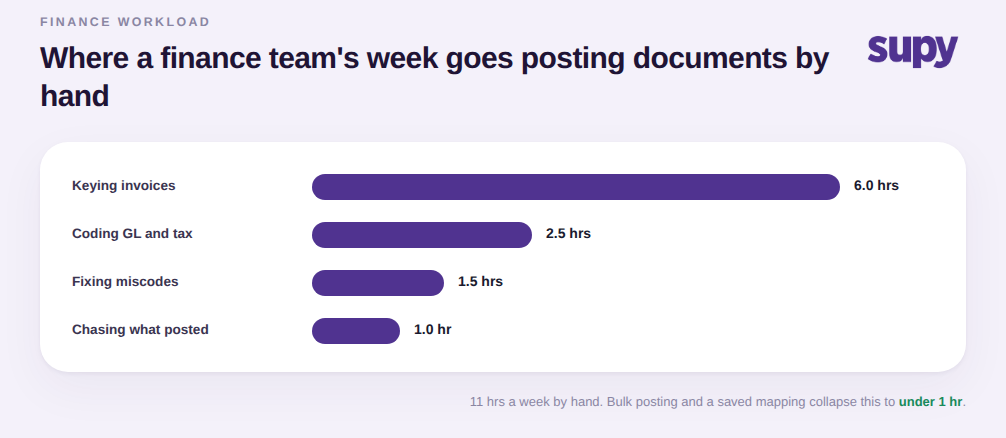
À volume multi-sites, le codage correct n'est que la moitié du problème. L'autre moitié est le débit. Une équipe financière enregistrant un mois de documents un par un sera toujours en retard, quelle que soit la qualité de la correspondance. Supy permet aux exploitants d'enregistrer plusieurs bons de réception en une seule action groupée, qui regroupe les Factures liées, clôture les Demandes d'avoir liées, génère les PDFs et synchronise chaque document sélectionné vers le système de Comptabilité connecté en une fois. Vous n'enregistrez pas dans les comptes document par document ; vous videz une file d'attente en un seul geste.
Le second besoin d'une équipe financière est la preuve que ça a fonctionné. Supy affiche l'état de synchronisation en direct des systèmes de Comptabilité connectés directement sur les enregistrements de bon de réception, retour Fournisseur, Demande d'avoir et Commande, afin qu'un exploitant puisse voir d'un coup d'œil si chaque document a été enregistré dans les comptes. Cela répond à la question que pose réellement chaque équipe financière, qui n'est pas « est-ce que ça peut s'intégrer » mais « est-ce que cette Facture spécifique a été enregistrée, oui ou non ». Les systèmes reconnus auxquels cela se connecte incluent QuickBooks, Xero, Zoho Books, MYOB, Oracle NetSuite, Odoo, MS Dynamics et Wafeq, dans le cadre des 75+ Intégrations de Comptabilité, POS et ERP de Supy. Si vous avez également besoin des données brutes dans un entrepôt ou un ERP en parallèle de l'enregistrement comptable, le chemin Open API et ERP d'Approvisionnement couvre cette route.
Si vous voulez ce résultat, ne commencez pas par le changement d'Intégration. Commencez par la correspondance. Avant de connecter quoi que ce soit, listez vos catégories d'articles et le compte GL et le code fiscal vers lequel chacun devrait s'enregistrer, et notez quels Fournisseurs ou types de transactions sont des exceptions à ces valeurs par défaut. Cette liste est la configuration. Une Intégration connectée sans elle déplacera des chiffres vers un compte de suspension non classifié et remettra à votre équipe le même travail de reclassification dans un nouvel endroit.
Lors de l'évaluation d'un système, demandez à voir trois choses en direct : un bon de réception s'enregistrant sur le bon compte GL et le bon code fiscal à partir d'une correspondance enregistrée, une saisie groupée vidant plusieurs documents à la fois, et l'indicateur d'état de synchronisation confirmant qu'un document spécifique a atterri dans les comptes. Si un fournisseur peut montrer les trois sur de vrais enregistrements plutôt que sur une diapositive, la ressaisie de fin de mois que la finance redoute est vraiment disparue, pas seulement déplacée.