





How to Run a Restaurant Food Receiving Procedure at the Door
What a Restaurant Food Receiving Procedure Actually Covers
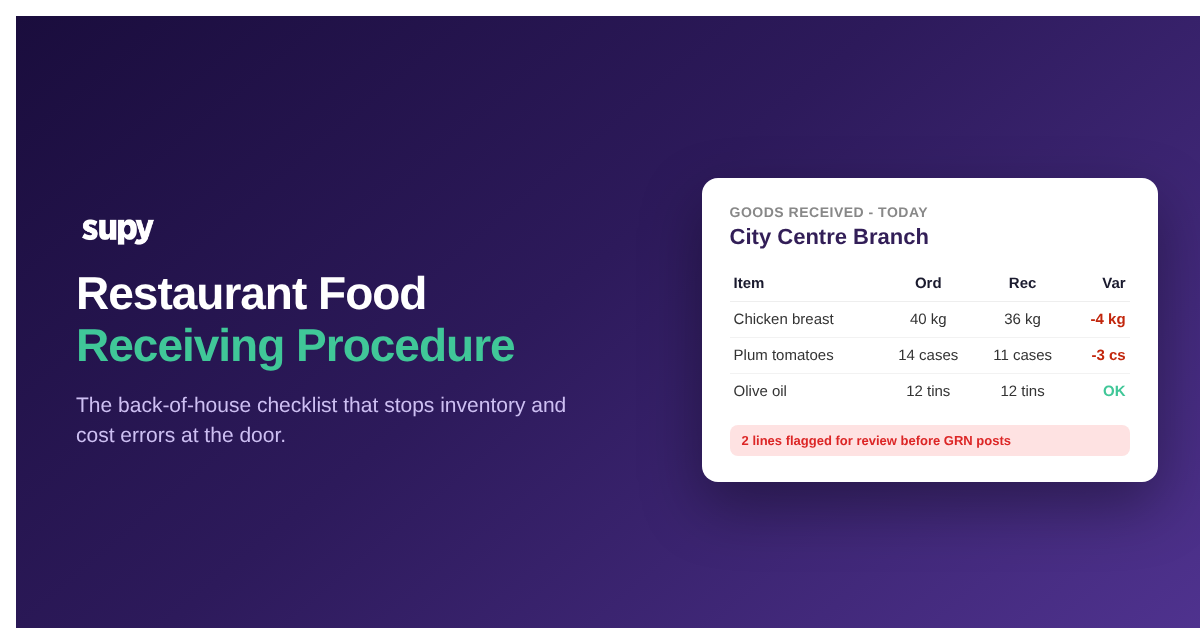
A restaurant food receiving procedure is the fixed set of checks a team runs at the delivery door before a shipment is accepted: match the delivery against the purchase order, inspect quality and temperature, confirm quantities and weights, record any shortfall or damage, and complete a goods received note. Done consistently, it is the first control on both inventory accuracy and food cost.
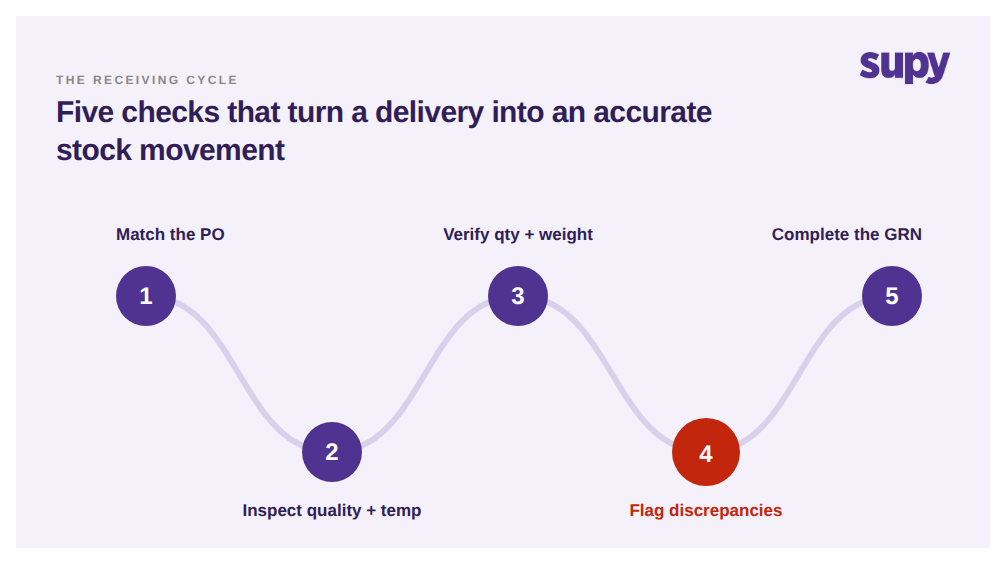
Most operators treat receiving as a signature on a delivery slip. It is actually the single point where the quantities you paid for, the quantities that enter your stock, and the quantities your recipes assume all have to agree. When the door step is skipped, every number downstream inherits the gap. The procedure below runs as a short, repeatable cycle a receiver can complete in the time a driver waits: check the order, inspect the goods, verify counts and weights, flag anything that does not match, and post the goods received note that turns the delivery into a stock movement.
The rest of this guide walks each step, then shows where a digital goods receipt closes the gaps a paper checklist leaves open, and how the same procedure holds up across branches and a central kitchen.
Why an Unchecked Delivery Quietly Rewrites Your Stock on Hand
The moment a delivery is accepted without a count, your system believes you received exactly what you ordered. A shipment that arrives three cases short, or with a case of produce too damaged to use, still lands in stock at full quantity if nobody records the difference. One multi-brand group found the risk was structural rather than careless: receiving staff could edit delivered quantities after a shipment had already been saved, with no dispute flag raised, so short and over deliveries went unreconciled for weeks.
The cost is not the one delivery. It is that your on-hand figure is now wrong, and stays wrong until a stock count catches it. A worked example: a group running a 3% unchecked receiving gap on $1.4M of annual food spend loses about $42,000 a year to deliveries that were short, damaged, or overpriced and never flagged. That is money already spent, sitting invisible in a stock number nobody doubts.
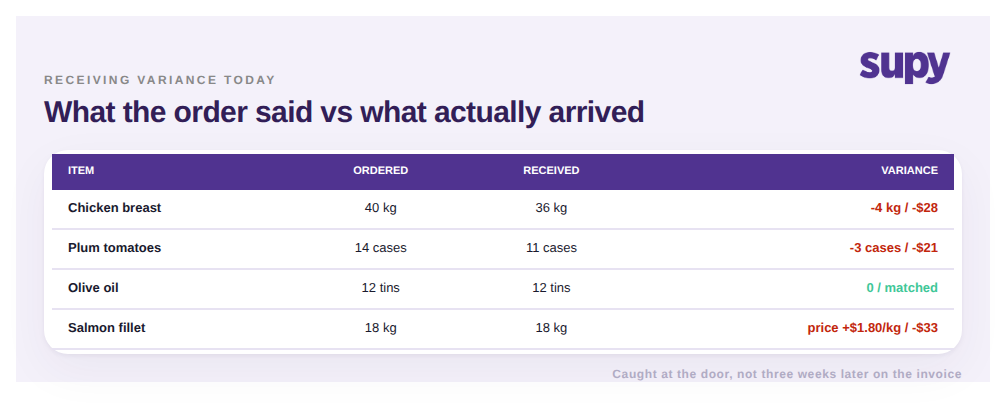
A receiving variance table makes the gap concrete: for each line, what was ordered, what actually arrived, and the difference in both units and value. That difference is the whole reason the procedure exists.
Confirm Quantities, Weights, and Temperatures Before You Sign
The core of the procedure is the inspection itself, and it takes about 90 seconds per delivery. Work the purchase order line by line and confirm three things on every item: the count or weight matches what was ordered, the quality is acceptable, and anything temperature-sensitive arrived inside its safe range. Weigh anything billed by weight rather than trusting the case label, because a case marked 40 kg that reads 36 kg on the scale is a 4 kg shortage you are about to pay for in full.
Set a tolerance band before the first delivery, so the receiver knows which differences to accept and which to flag. Keep it tight for counted goods and wider for fresh goods sold by actual weight, because a case either arrives or it does not, while a box of fish never weighs exactly what was ordered.
| Item type | Tolerance band | What the receiver does |
|---|---|---|
| Counted dry and packaged goods | 1% | Count every line and flag any over or short delivery for a credit or approval. |
| High-value counted items (spirits, premium cuts) | 1% | Count in full, because a single missing unit is worth chasing. |
| Actual-weight fresh goods (produce, meat, fish) | 5% | Weigh and receive at actual weight, and raise a credit note when the shortfall is over the band. |
- Over-deliveries. If 102 cases arrive on a 100-case order, keep the extra only with the buyer's approval of the extra cost. Otherwise return it on the spot and have the driver sign for it.
- Actual-weight goods. Receive produce, meat and fish at the weight on the scale, not the weight on the order. 19.6 kg on a 20 kg order is normal variance, but 14 kg is a short delivery that needs a credit note.
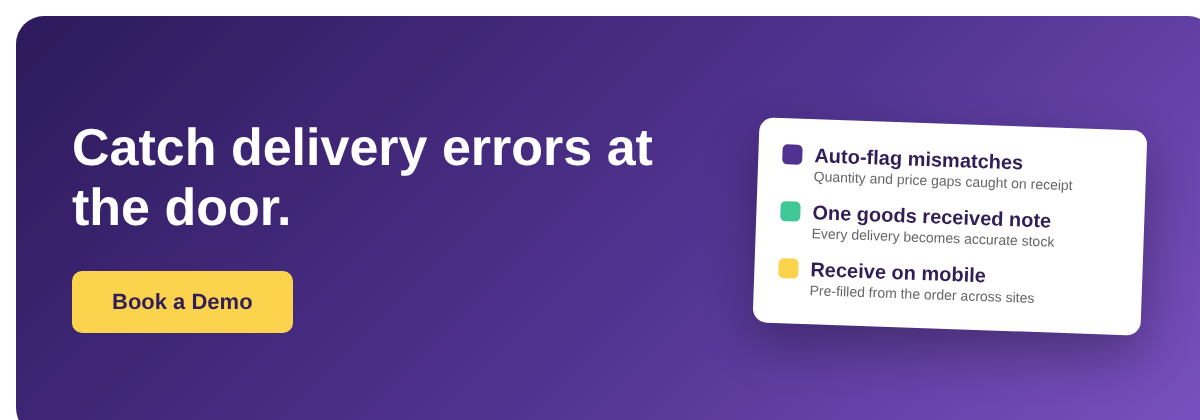
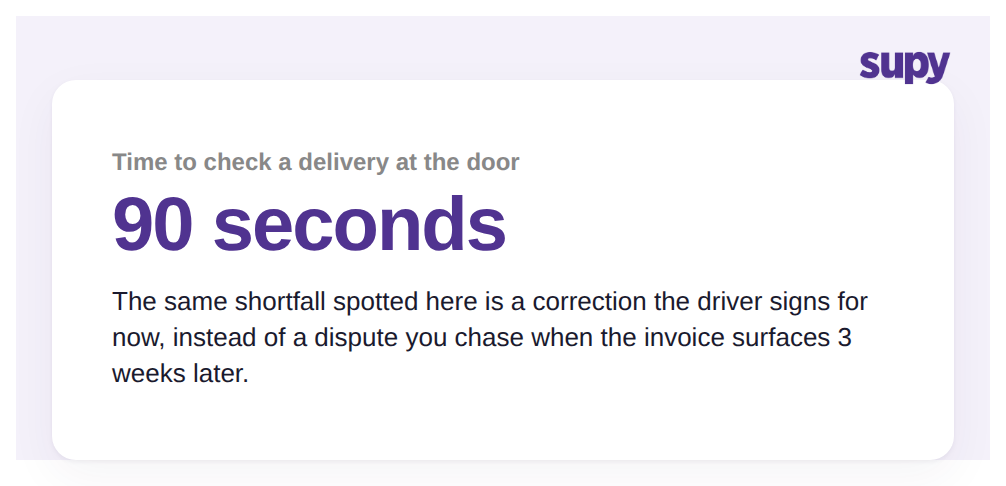
Do the check before you sign, not after the driver leaves. The value of receiving is entirely in the timing: a discrepancy caught at the door is a correction the driver acknowledges on the spot; the same discrepancy found when the invoice surfaces about 3 weeks later is a dispute you have to chase, often with the goods already used. When Supy records a goods receipt, it automatically flags two kinds of mismatch at this exact moment: a delivered quantity that differs from the order document, and an invoice price that differs from the expected price, so the receiver does not have to hold the agreed prices in their head. This is the same control described in more depth in our guide to goods received note management for multi-site groups.
Record the outcome as you go. A shortfall, a substitution, or a damaged case is noted against the line it belongs to, not remembered for later, so the goods received note you post next is already accurate.
Flag Discrepancies at the Door, Not on the Invoice Three Weeks Later
A receiving procedure is only as good as what happens when something does not match. The common failure is that there is nowhere structured to put a discrepancy, so it gets handled off-platform: a photo in a chat, a note to whoever orders, a verbal heads-up that evaporates by month end. One operator described exactly this, with no in-platform way to flag wrong or missing quantities, so every resolution happened in scattered supplier messages. Handling these cleanly is a topic in its own right, covered in our guide to supplier credit notes and receiving discrepancies.
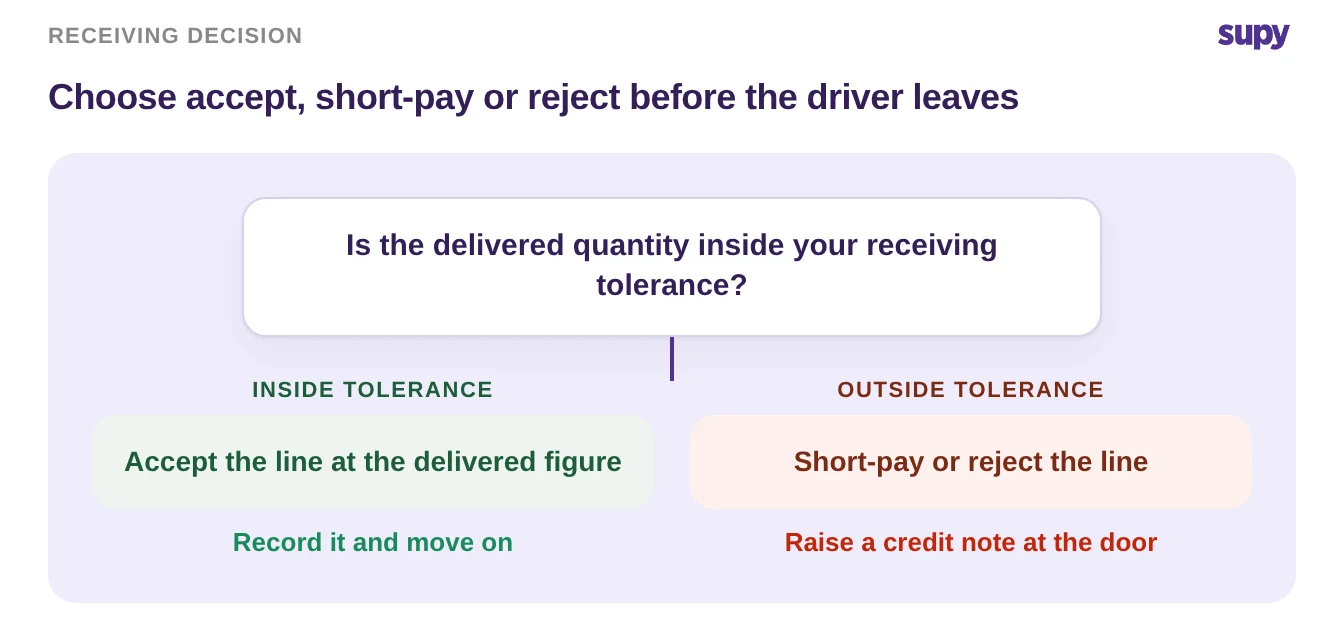
Every delivery line ends in one of three decisions, and the receiver should know which one applies before the driver leaves:
- Accept. The line is inside tolerance, so record the quantity or weight delivered and move on.
- Short-pay. Less arrived than ordered, so receive the real quantity and raise a credit note for the shortfall while the driver is there to sign.
- Reject. The goods fail on quality, so send them back and raise a credit note for them at the door, where it gets paid.
A delivery that arrives with no matching order at all needs its own steps, covered in the guide to receiving goods without a purchase order.
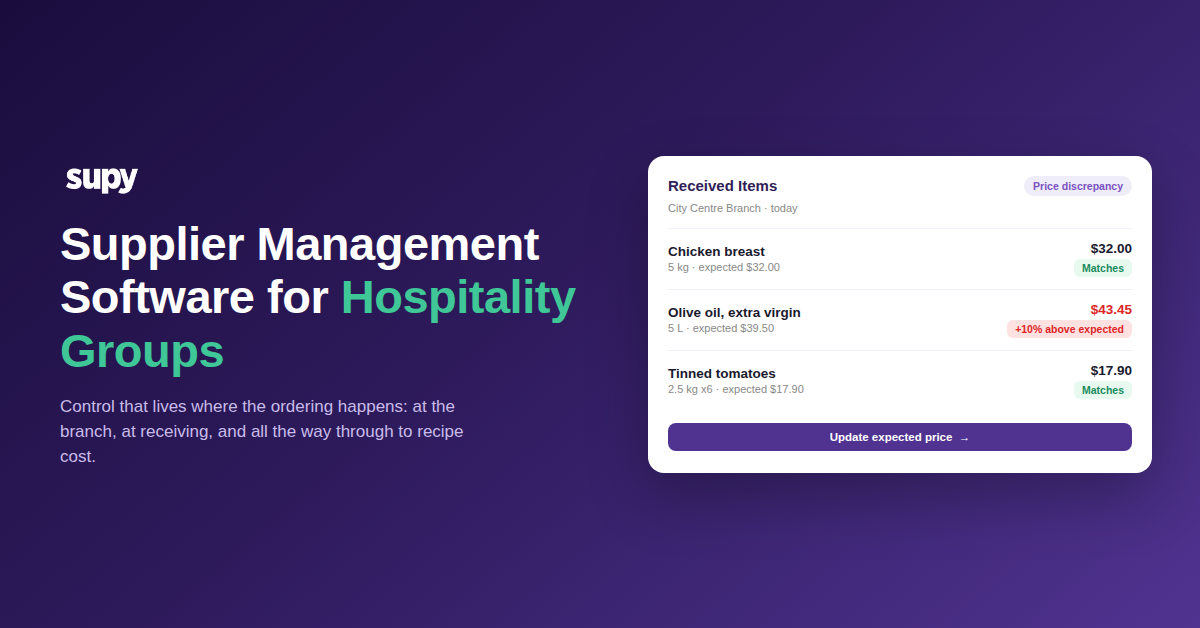
Give each discrepancy a status the moment it is found, and it stops falling through. Supy's Received Items page lists every received item as a row and defaults to the price-discrepancy view, with each line carrying a clear state: needs review, price updated, credit issued, ignored, or disputed. Small, expected variances do not need to become disputes every time, so a configurable auto-dispute threshold lets you set an acceptable variance, by value or percentage, below which the system does not raise a flag, keeping attention on the differences that matter.
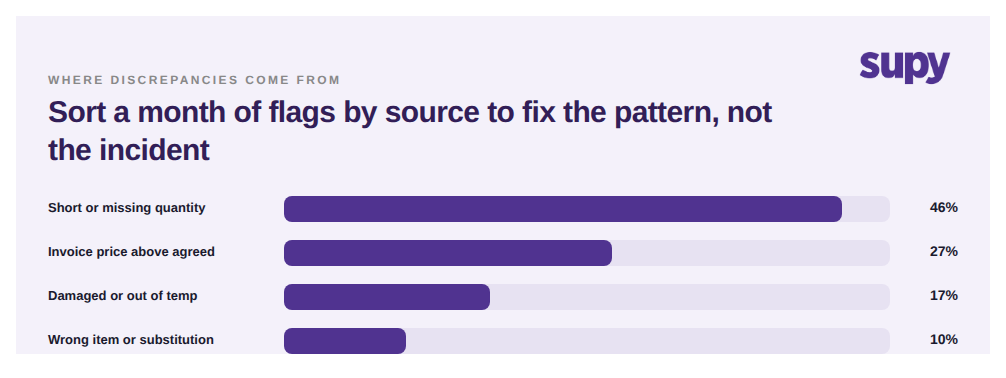
Knowing where discrepancies come from is what lets you fix the pattern rather than the incident. Across a typical month they cluster into a few sources: short or missing quantities, invoice prices above the agreed price, damaged or out-of-temperature goods, and outright wrong items. Sorting them by frequency tells you whether your next conversation should be with a supplier about fill rates or about pricing.
Receiving Across Branches and a Central Kitchen Without Losing Track
The procedure that works at one site has to survive being run by different people across many. Two things break first at scale: goods getting received against the wrong location, and the receiving step slowing the line because every delivery is re-keyed by hand. Both are avoidable with the same standard procedure and a shared record.
Validation at the point of receipt stops misrouted stock. Supy checks that every item on a goods received note is actually set up to be carried at the receiving location before the note can be saved, so a delivery cannot silently land against a branch that does not stock it. For groups running a central kitchen, branch staff can create a goods receipt directly from a shipped order on the mobile app, with the items and supplier context pre-filled from the order, which removes the manual entry that slows receiving and introduces typos. A single goods received note can also be assigned across multiple locations when one delivery serves more than one site.
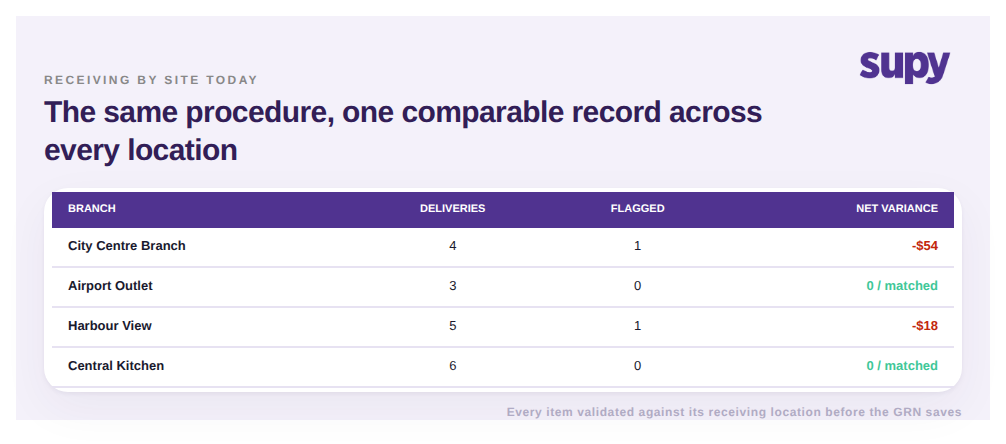
Run the same steps everywhere and the record is comparable everywhere. A daily view of receiving variance by branch turns a vague sense that receiving is fine into a number you can see, per site, and act on.
You do not need a new system to run this procedure tomorrow: a printed purchase order, a scale, and a rule that nobody signs before the count is enough to start catching what is currently invisible. The move that pays back fastest is measuring your own receiving gap. Take last month's flagged shortfalls, damaged goods, and price mismatches, divide by your food purchases, and read the percentage.
If it is above 1%, receiving is leaking margin, and the first fix is the door check, not a stock count. A healthy target once the procedure is in place is under 1% unresolved receiving variance. The 90 seconds a receiver spends confirming a delivery is the cheapest control you own, because it is the only one that catches the error before you have already paid for it.