.jpg)


Purchase Order Management System for Restaurants
What a purchase order management system actually manages
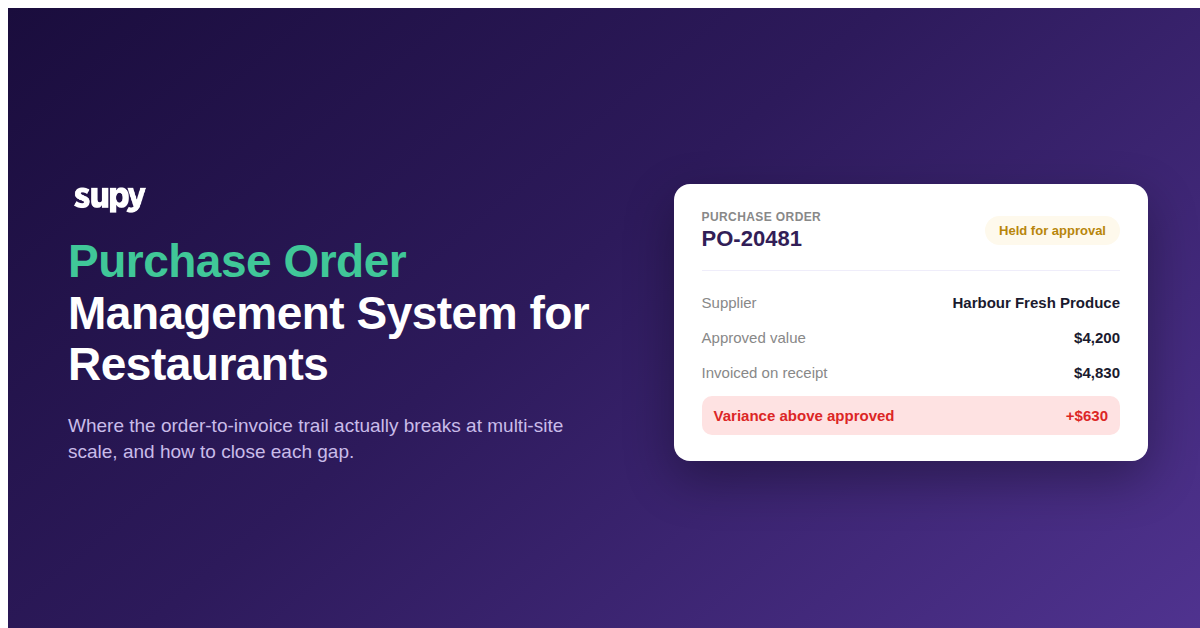
A branch runs low, someone raises a purchase order for less than the real need to keep it under the approval line, phones the supplier to add the rest, and the invoice lands higher than the number that was approved. Nothing flags it. That gap between the approved order and the real spend is the problem a purchase order management system exists to close.
A purchase order management system is the software a restaurant group uses to turn a request for supplies into an approved order, match it to what actually arrives, and reconcile it against the supplier invoice before it reaches the accounts. For one site a spreadsheet copes. For a multi-site group the order, the goods-received note and the invoice are three documents that all have to agree, and the money leaks in the gaps between them.
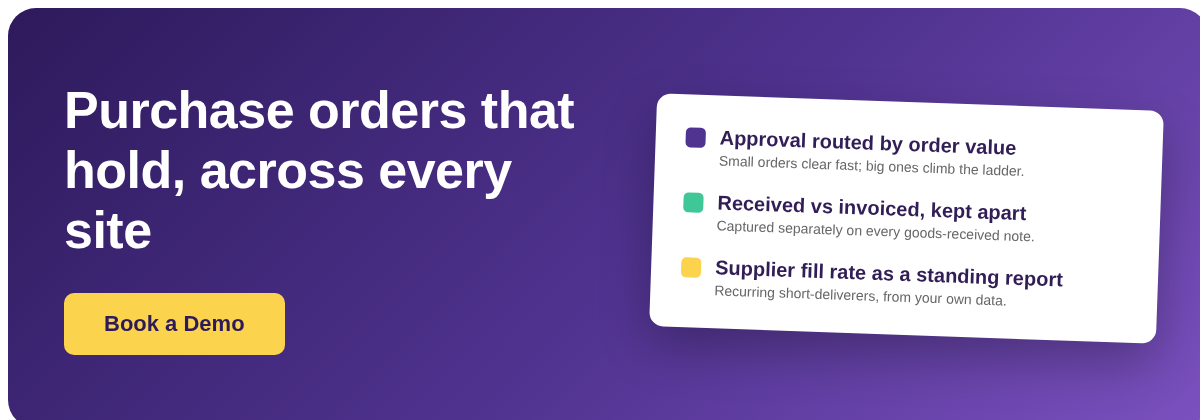
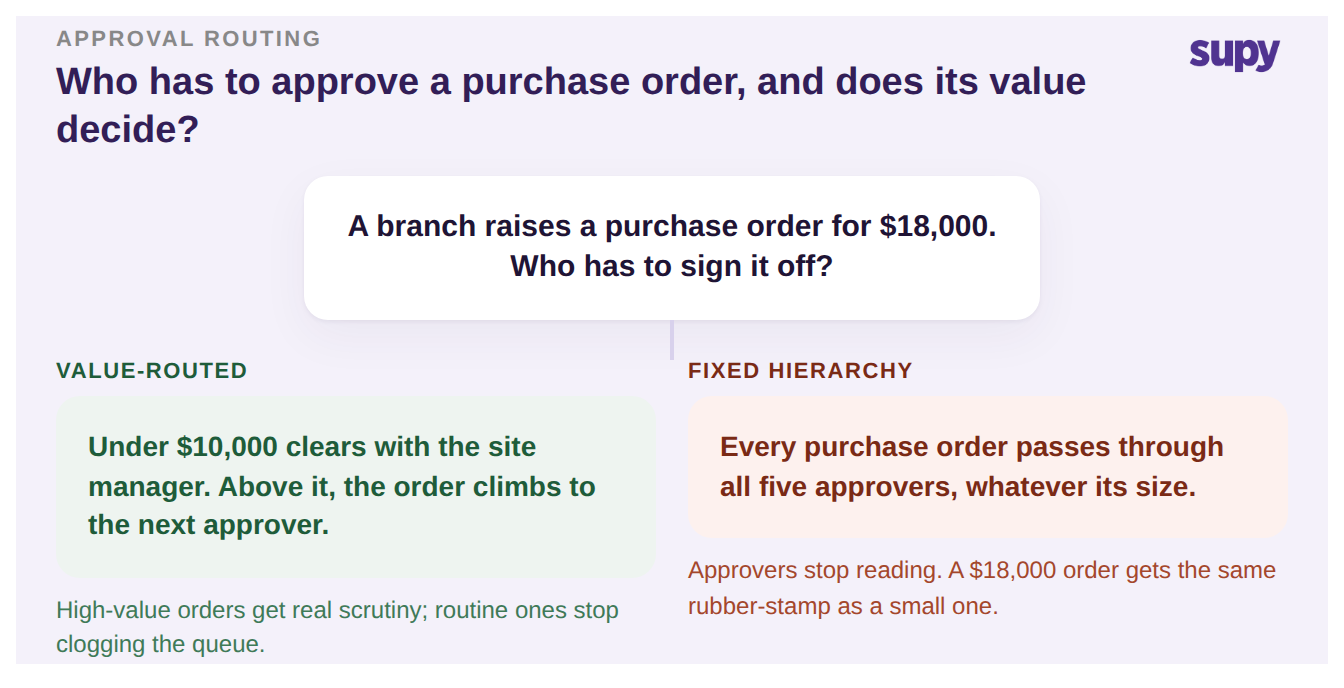
The first gap is approval. When every order runs through the same fixed chain, a large one gets the same rubber-stamp as a small one, so the fix is to let the order value decide who signs. Supy supports up to five sequential approvers per order, triggered by the branch and the order value, with separate rules for requisitions and for purchase orders, so a routine order clears with the site manager while a large one has to climb.
Where the approval matrix quietly leaks
Getting value-based routing switched on is the easy part. Keeping it enforced is where most groups lose control, and the leaks are almost always configuration and governance rather than a missing feature. Before you judge whether the software can do the job, run through the five places an approval matrix stops meaning anything, because three of them are things you decide, not things the vendor builds. This is the same territory covered in more depth in our guide to spending controls and procurement approval across multiple sites.
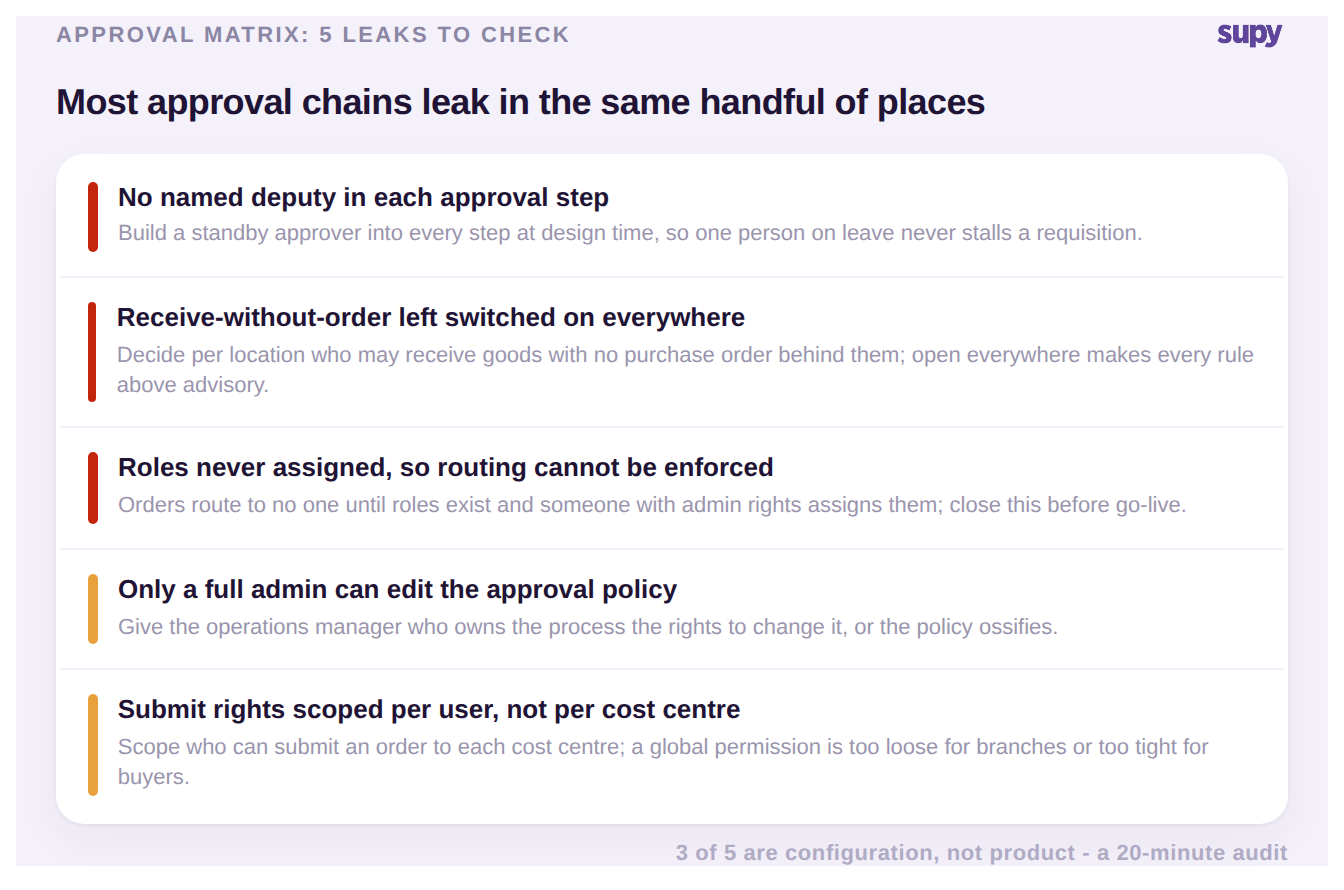
The one that catches the most groups is the third: routing cannot be enforced until user roles exist and someone with admin rights has assigned them. Orders keep going straight to suppliers, the team assumes the software is broken, and the real blocker is a decision on the operator's side that never got closed before go-live. Sort role ownership first, and the matrix you designed starts doing its job.
One purchase order, two deliveries, two invoices
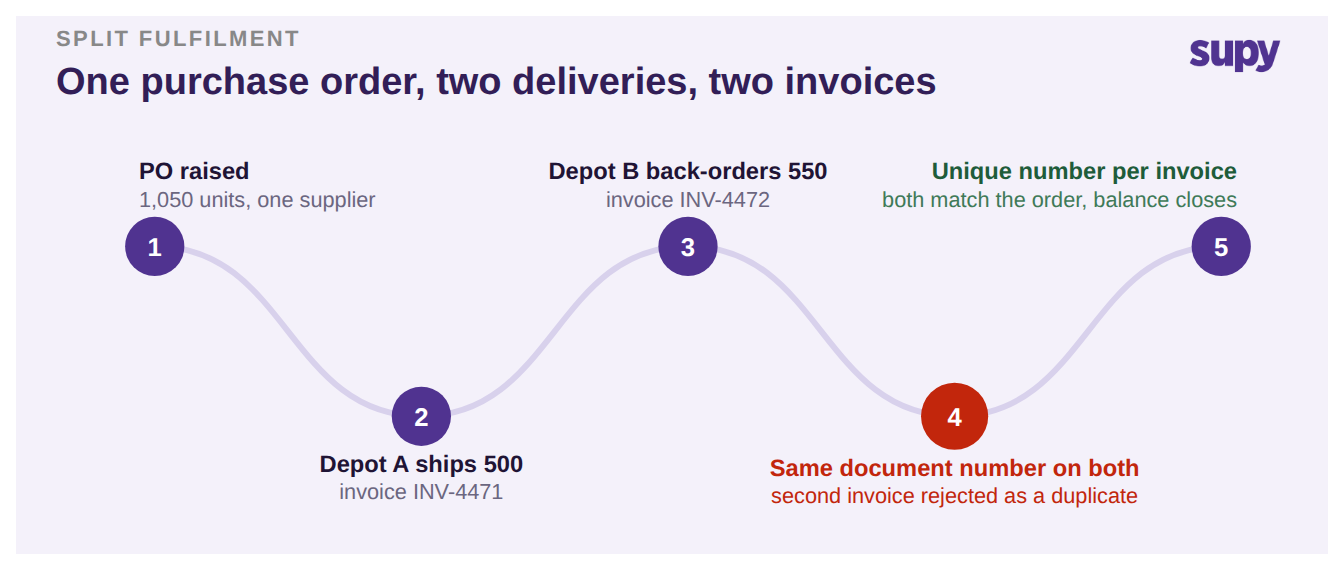
Split fulfilment is normal for a multi-site group, and it is where a clean order quietly turns into a receiving problem. A supplier fills one purchase order from two warehouses and issues two invoices against it, an initial delivery and a back-order. The method works, but only on one condition: each invoice has to carry a unique document number. Give both invoices the same number and the second is rejected as a duplicate, received quantities conflict, and the order will not close.
There is a cost side to the same behaviour. When a supplier consistently splits one order into several invoices, a per-delivery surcharge lands on each one, so you pay the fee several times for a single order, often across several sites without anyone noticing. The check is simple and you can run it this week: reconcile delivery surcharges against orders, not against invoices, and the multiplication shows up immediately.
The five receiving errors that break the order-to-invoice trail
An unmatched invoice is almost never an invoice problem. It is a receiving gap upstream, and it reads to the operator as something else entirely. A purchase order management system only pays off when the goods-received note is captured correctly, because that note is what links the order to the invoice and drives both stock and cost. These are the five errors support sees most, what each one looks like from the floor, and the rule that prevents it. Our guide to goods-received note management across sites covers the receiving side in full.
| What the operator sees | Actual cause | Diagnostic to run | Preventive rule |
|---|---|---|---|
| Invoice will not attach, prices look wrong | Order closed before any goods-received note was created | Reopen the order, create the note, reconcile | Never close an order you have not received against |
| Positive variance on a fast-moving item | Several document numbers on one note recorded the delivery twice | Reconcile the stock movement report by document number and date | One document number per goods-received note |
| Item stays partially received, quantities keep needing rewrites | Invoice unit differs from the order unit (packs versus cartons) | Compare buying unit, packaging unit and conversion factor per item | Define units per supplier before switching on automated matching |
| Stock never moved for a delivery that arrived | Goods-received note left in draft | Check for notes stuck in draft status | A note only moves stock once it is posted |
| Same item carried at two very different costs | One piece received when the pack held twenty | Review the last few purchases at receipt level | Receive in the unit the supplier actually ships |
Received quantity and invoiced quantity are two deliberately separate fields for exactly this reason. Received quantity drives the stock movement, invoiced quantity drives the payable, and an operator who updates only the first reports it as a price complaint. Received quantities and prices captured on a note flow straight back to update the order's fulfilment data, so the trail stays intact from order to invoice without anyone rekeying it.
Turn supplier short delivery into a standing report
Once receiving is captured properly, a metric almost nobody runs is already sitting in your data: how often each supplier short-delivers against the order. Left unmeasured, the symptom shows up as weekly stock shortfalls covered by staff buying replacements at a supermarket on petty cash, usually blamed on keying errors rather than the supplier. Filter an items-by-supplier report by supplier, date range, order and item and the recurring offenders name themselves on the first run.
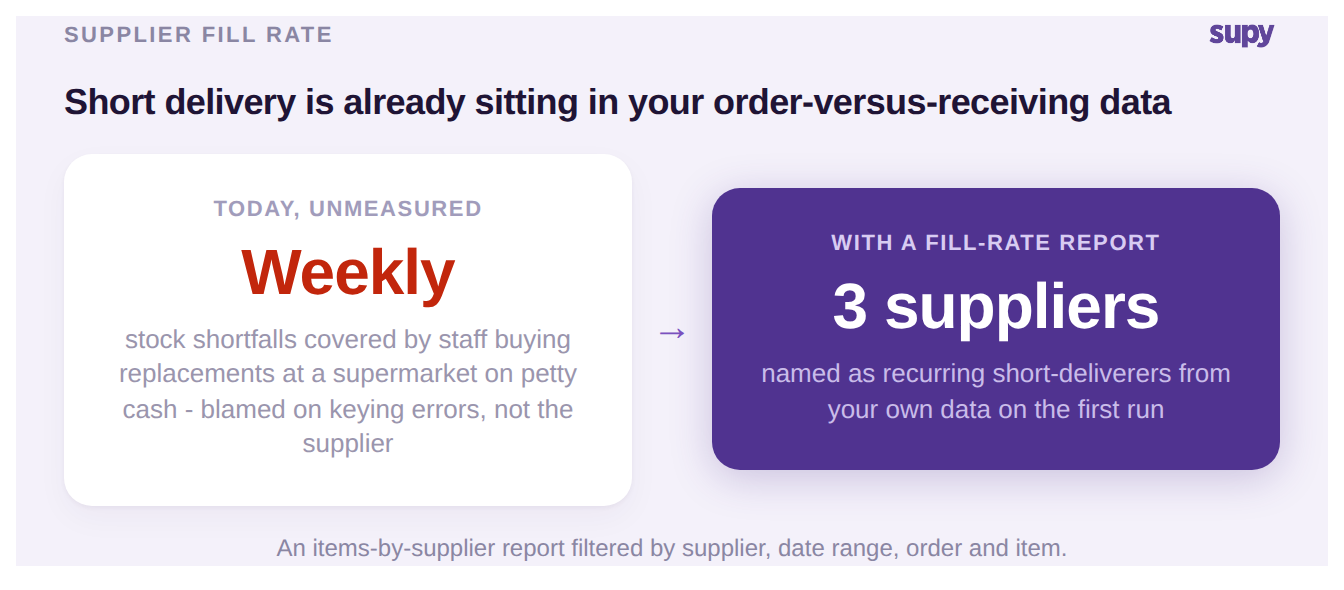
This is the difference between a purchase order tool and a system that closes the loop. Supy reports across more than eight procurement categories, including purchase value, orders, invoices and supplier performance, so fill rate becomes a standing report you review on a cadence rather than a one-off investigation. It is the same order-versus-receiving data you already collect, read in the one direction that holds suppliers to what they agreed. If supplier accountability is where your group is losing the most, that is what supplier management is built to hold.
The terms worth printing on every purchase order
The last gap is the one that lives in a framework agreement nobody at goods-in has read. Serious operators put the terms on the purchase order itself, so they travel with every order and the person receiving the delivery can enforce them on the spot. These are the clauses worth defaulting onto every order, what each one enforces at goods-in, and who owns the check.
| Clause on the order | What it enforces at goods-in | Who checks it |
|---|---|---|
| Price matches the agreed list | No quiet price creep between orders | Receiver at goods-in |
| Delivery documentation required | Every delivery arrives with a matching note | Receiver at goods-in |
| Minimum remaining shelf life | Short-dated stock can be refused on arrival | Receiver at goods-in |
| Temperature compliance on arrival | Cold-chain breaches are caught, not found later | Receiver at goods-in |
| Replacement for rejected goods | The supplier owns the shortfall, not your kitchen | Buyer or operations |
Which gap is yours, and where to start
You do not fix all six at once. Name the one your group is living with right now. If invoices keep arriving above what was approved, your problem is routing, and the first move is to set an order-value band so large orders climb and small ones clear. If orders reach suppliers with no approval, it is role ownership, and the fix is closing who owns role assignment before anything else. If invoices will not attach at month-end, it is a receiving gap, and the five-error table above is your checklist. If you suspect a supplier but cannot prove it, run the items-by-supplier report before your next order. Each of these is a Monday-morning action, not a project. If you want to size the payback before committing to a system, our restaurant ROI calculator puts a number on the recovered spend.