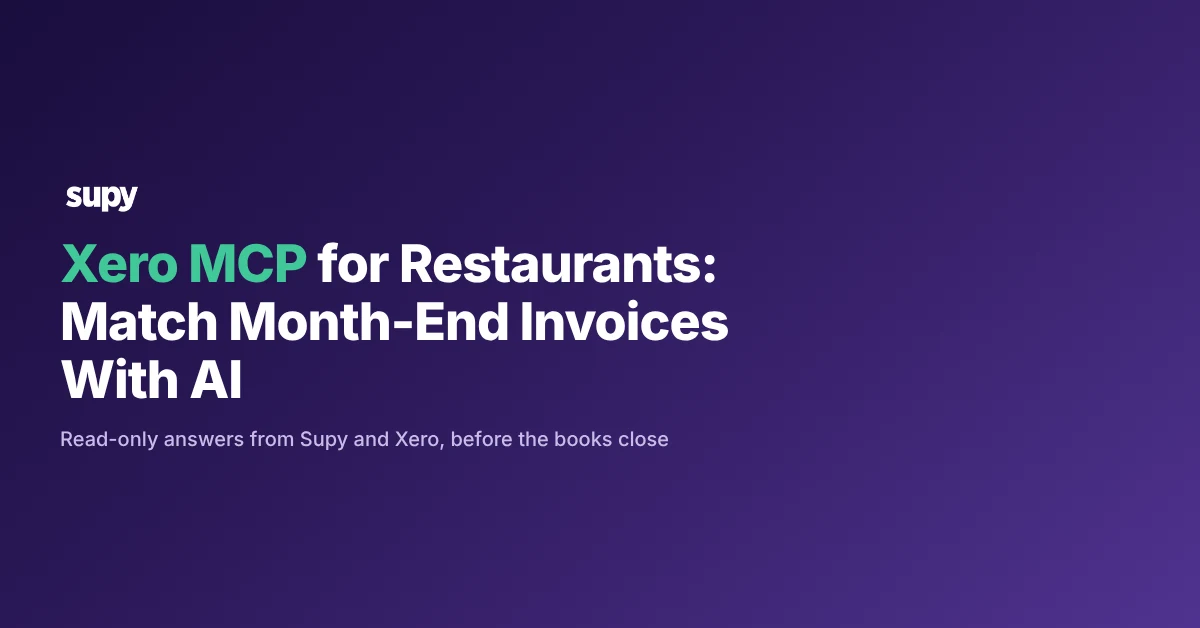
Xero MCP for Restaurants: Match Month-End Invoices With AI
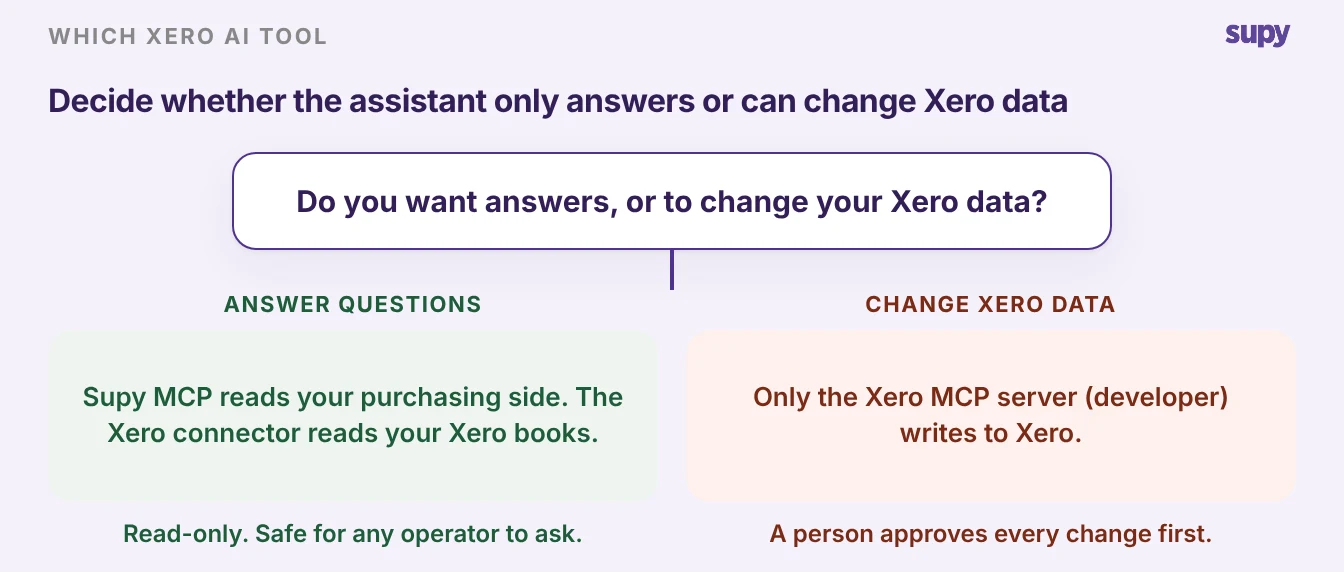
What the Xero connector and Xero MCP server can read and change
An AI assistant connected to Xero and to Supy can match your supplier invoices before you close the month. Otherwise you catch a wrong price at the stock count around 30 days later, after the stock is gone. Xero offers two AI tools of its own, the Xero connector and the Xero MCP server, and Supy MCP adds a third that reads your purchasing side. This article shows what each one does, and what a person checks before anything posts to Xero.
Model Context Protocol (MCP) is the open standard behind all of this. It lets an AI assistant such as Claude or ChatGPT connect to an outside system and read or act on what it finds. Xero publishes two of these connections, built for different people, and they are not interchangeable:
- The Xero connector in Claude. It is read-only and follows your Xero permissions. Claude answers questions about profit, cash flow, overdue invoices and top customers, and links back to the Xero report behind each answer. It cannot create, edit, approve, reconcile or pay. It is free to add, and you need an active Xero subscription.
- The Xero MCP server. Xero calls it the Developer Remote MCP, and it is built for custom agents and apps. It reads and writes Xero data, and its V1 tools do not ask for confirmation before a change. So a team using it has the assistant confirm with a person first. It needs a Xero developer app on the Core plan or above, and Xero states no beta or general-availability label.
Where month-end invoice matching breaks in a restaurant group
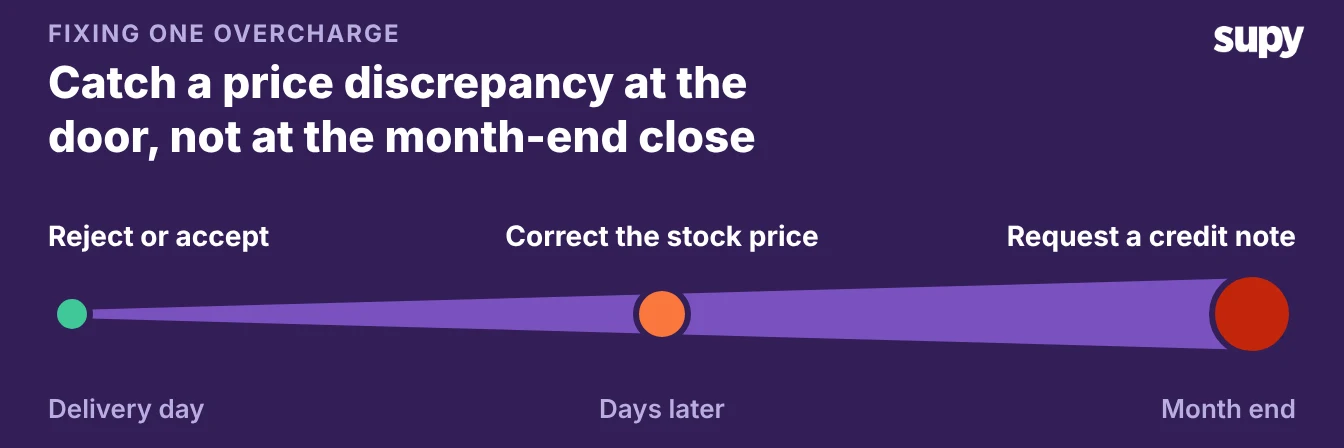
You lose real money to small supplier overcharges when you find them a month late. In one multi-site group, the team catches a supplier price change only at the month-end stock count, around 30 days after the invoice came in. By then the stock is gone, and the credit note is harder to claim.
- Divergences to check. Across 6.43 million invoice lines in The Spread's invoice data, 46.8% of those over the agreed price were 20% or more above it. The agreed price is the catalogue or agreed rate at the time of order, so a line over it is a divergence to check, not proof of an error. Checking it a month late is far harder than checking it at the door.
- Month-end close. Two more things pile up at the close. Monthly stock counts are tied to the month-end close, so a late book-close and the count wait on each other and variance reconciliation slips. Managers at one operator spend about three working days a month closing cash, hours and stock by hand.
- Multi-entity posting. Multi-entity posting breaks in its own way. When only one location appears in the Xero account mapping, invoice exports for the other sites stall. Our guide to central kitchen transfers in a multi-entity Xero group covers that mapping.
Most of this is matching work for before the close, not after it. Supy's AI invoice inbox does the heavy part:
- It reads each invoice. Suppliers email invoices to a per-restaurant inbox, and Supy pulls the lines from each one.
- It matches and flags. Supy matches each invoice to its purchase order and flags price and quantity conflicts.
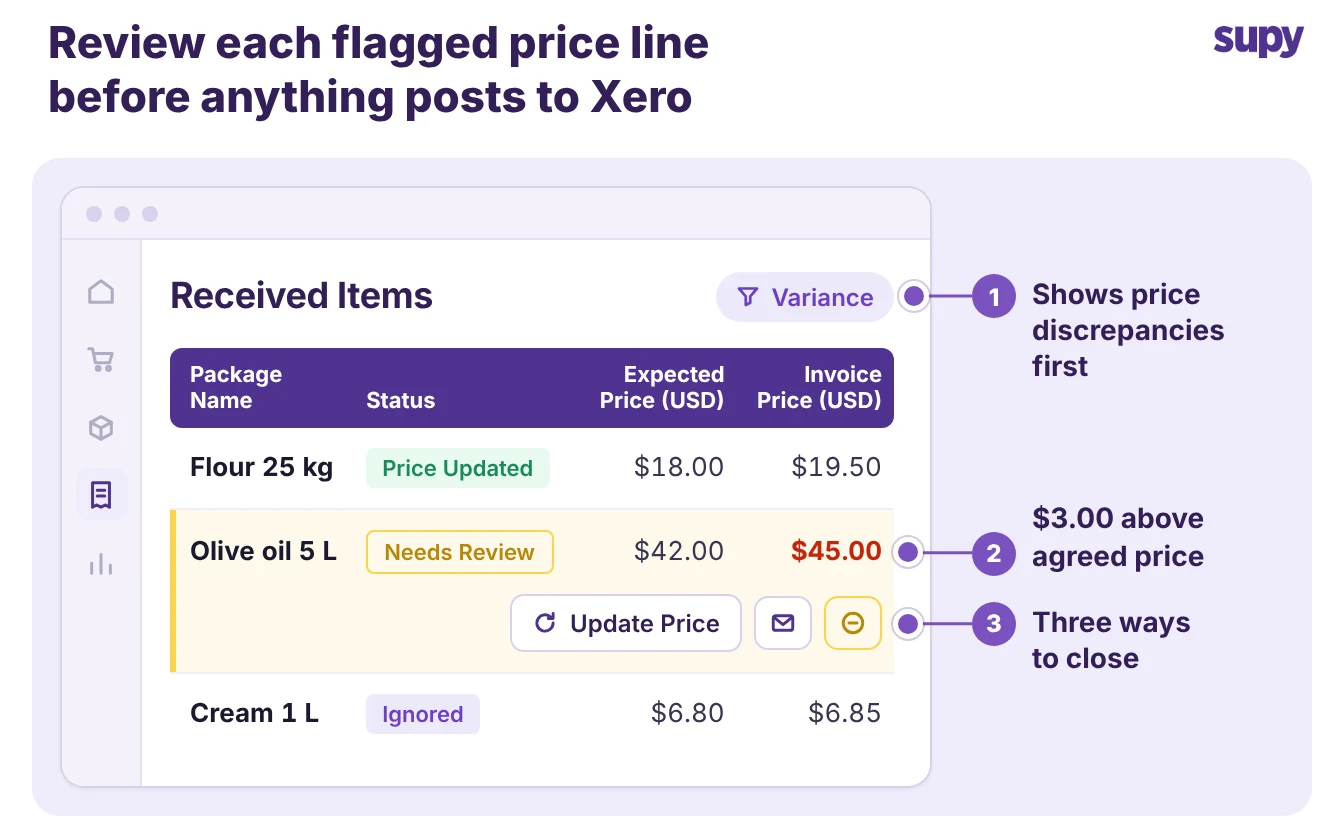
- It holds the exceptions. A person approves each conflict before stock or accounts update.
An assistant connected to Supy MCP then lets your team ask about the open purchase orders and supplier prices behind those exceptions in plain English.
Supy MCP, the Xero connector and the Xero MCP server side by side
- Turn it on. Supy MCP is a released product, and Supy switches it on company by company, so ask your Supy account manager to turn it on. You connect it inside an assistant such as Claude or ChatGPT. Sign in with your own Supy login and approve a consent screen that names the assistant, and there is no API key to share.
- Read-only today. Supy MCP reads from Supy's analytics data and answers questions in plain English. It is read-only today, which is how Supy describes what it does now rather than a technical guarantee. Supy's integrations page lists six AI tools that support MCP connectors, including Claude, ChatGPT and other AI tools.
Here is how the three options line up for a restaurant group.
Supy MCP reads your purchasing and analytics side and changes nothing. The Xero connector answers finance questions and changes nothing. Only the Xero developer server can change your Xero data, and it is built for builders.
| Server | What an assistant can read | Can it change data | Status |
|---|---|---|---|
| Supy MCP | food cost and cost of goods sold, wastage, dish margin, supplier prices, procurement and open purchase orders, recipes (examples, not a full list) | No, read-only | Released, switched on per company |
| Xero connector in Claude | profit, cash flow, invoices, customers | No, read-only | Free to add, needs an active Xero subscription |
| Xero MCP server (developer) | Xero data, for custom apps | Yes, and its V1 tools do not ask for confirmation | Needs the Core plan or above, no beta or GA label |
The examples in the Supy MCP row are a starting point, not a full list. Supy's own guidance is to ask the assistant what it can read.
Keep your questions to data Supy confirms it reads, such as supplier prices and open purchase orders. Do not assume a number is there.
A month-end week with an AI assistant, day by day
Here is how a month-end week can run when an assistant is connected to both Supy and Xero. Supy's invoice inbox and its purchasing records do the matching, the assistant answers questions about what is still open, and Xero holds the finished books.
| Day | What the team does | Where it happens |
|---|---|---|
| Monday | Ask the assistant which supplier invoices this period are still unmatched or flagged for a price conflict | Supy MCP reads the purchasing side |
| Tuesday | Approve or dispute each flagged exception, and raise credit notes for lines over the agreed price | Supy AI invoice inbox, a person decides |
| Wednesday | Run the stock count and set the cut-off so the count and the invoices cover the same period | Supy |
| Thursday | Ask the assistant to list open purchase orders and recent supplier price changes before you close the books | Supy MCP reads the purchasing side |
| Friday | Review profit, cash flow and possible duplicate invoices, then a person posts and reconciles | Xero connector reads, a person acts in Xero |
The pattern holds every month. The assistant finds what is still open, Supy's invoice inbox matches and flags, and a person approves before anything reaches Xero. Nothing in the week asks Supy MCP to change your data, because it cannot.
What a person still checks before anything posts to Xero
An assistant connected to Xero and Supy helps you find problems faster, and a person still makes the decisions.
- Supy MCP. Supy MCP is read-only today: the assistant reads and answers, and never creates or changes anything.
- Xero connector. The Xero connector is read-only too.
- Xero developer server. Only the Xero developer server can write to Xero, and because its V1 tools do not ask first, a person approves every change there.
Before you close the books, run four checks:
- The flagged exceptions. Confirm every price or quantity conflict Supy's invoice inbox held, and raise a credit note for any line over the agreed price.
- The stock-count cut-off. Check that the count and the invoices cover the same period, so variance is real and not a timing gap.
- The account mapping. For a multi-company group, confirm every location is in the Xero account mapping before you export, or one site's invoices will not post.
- The write step. If you use the Xero developer server, read back what the assistant is about to change and approve it yourself. The connector cannot change anything, so there is nothing to approve there.
The first move is small. Ask your Supy account manager to switch on Supy MCP for your company, then connect Claude or ChatGPT to both Supy and Xero.
Start by asking which invoices this period are still unmatched. Keep the rule that a person approves anything that posts to Xero, and month-end matching turns from a stock-count surprise into a question you ask on a Monday.