.jpeg)

Envoyer des bons de commande aux fournisseurs : comment les groupes multi-sites atteignent chaque fournisseur sur le canal qu'il accepte
Pourquoi un seul canal de commande ne couvre jamais toute la liste de fournisseurs
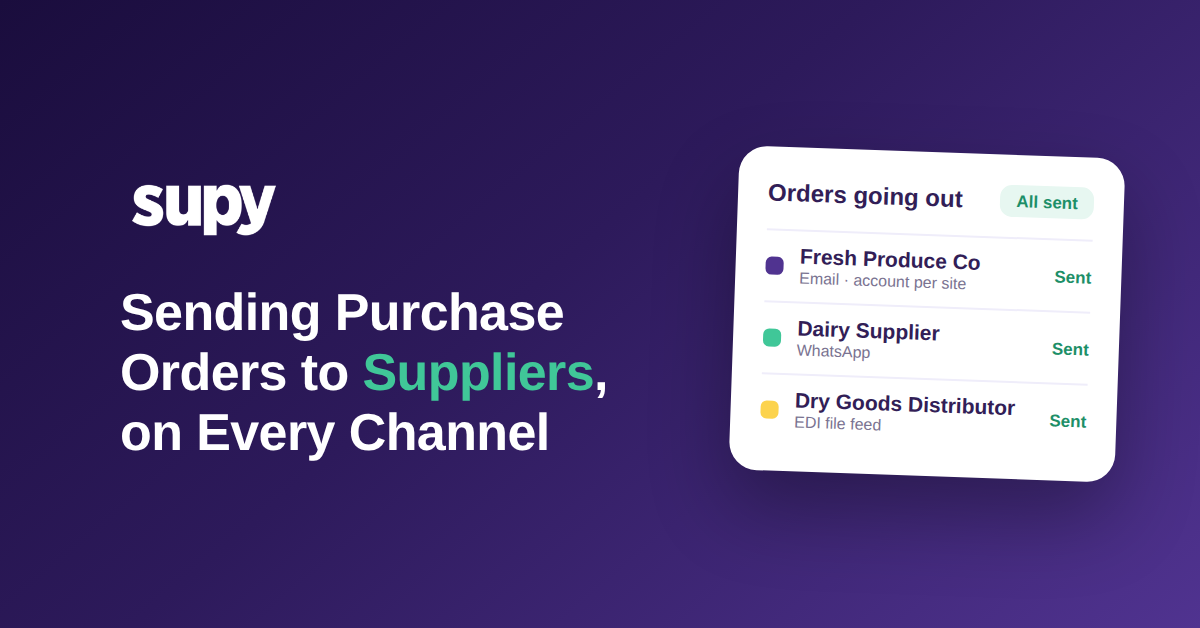
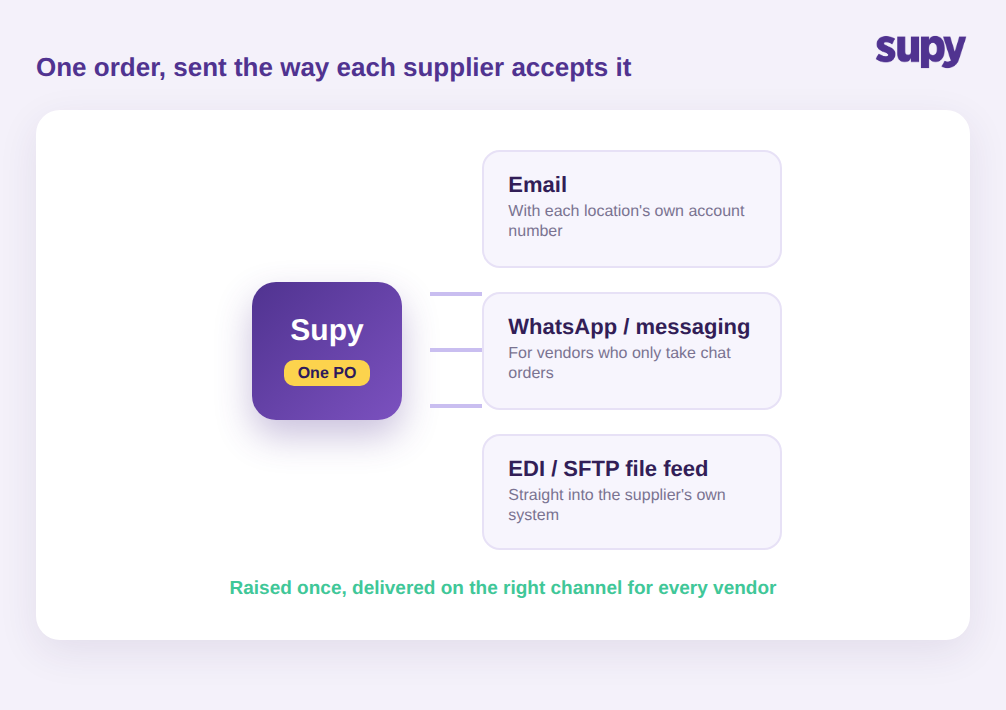
Envoyer un bon de commande à un fournisseur signifie lui remettre la commande dans le format qu'il accepte et conserver la preuve qu'elle est bien arrivée. Sur une liste de fournisseurs réelle, ce n'est pas une action unique mais trois ou quatre : un e-mail de commande formaté pour la plupart des fournisseurs, un message de discussion pour les plus informels et un flux de fichiers structuré pour les grands distributeurs qui gèrent leurs propres systèmes. Un groupe qui ne maîtrise qu'une seule de ces méthodes ne peut automatiser qu'une partie de ses commandes.
Préparer un bon de commande propre, c'est la partie simple. Le travail qui dévore une semaine entière d'un acheteur, c'est d'acheminer cette commande à chaque fournisseur dans le format qu'il accepte : un fournisseur veut un e-mail formaté, un autre répond uniquement à un message de discussion, et le grand distributeur veut un fichier déposé directement dans son système. Pour un restaurant unique, c'est une contrariété mineure. Pour un groupe multi-sites gérant des dizaines de fournisseurs, c'est là que les commandes se perdent en silence, parce qu'aucun fournisseur n'est configuré de la même façon et que chaque contournement vit dans le téléphone d'une personne différente.
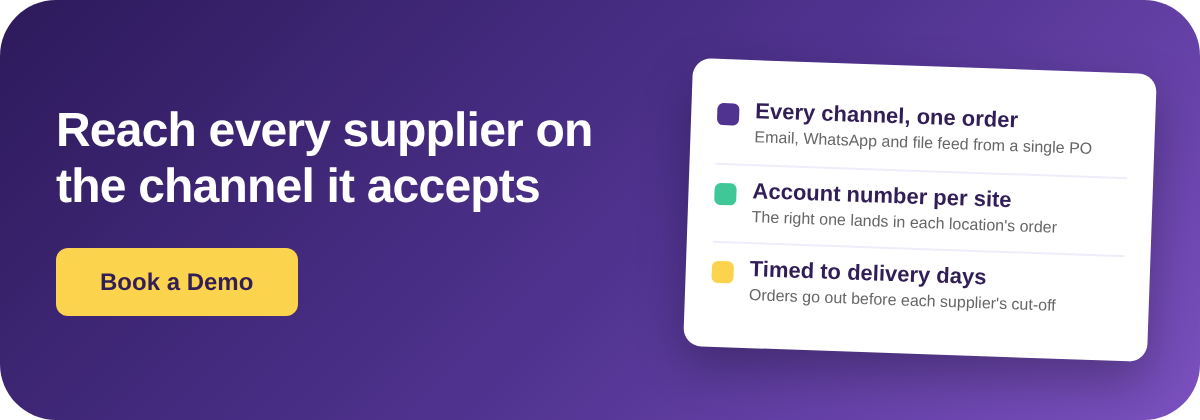
C'est pourquoi un canal de commande unique ne passe jamais à l'échelle sans friction. Un groupe multi-sites typique travaille avec plus de quarante fournisseurs, répartis sur au moins trois modes de réception des commandes. Quand la plateforme n'envoie qu'un PDF par e-mail, chaque fournisseur en discussion uniquement et chaque distributeur par flux de fichiers retombent dans le traitement manuel. La solution n'est pas d'imposer à chaque fournisseur un canal unique, car les fournisseurs ne changeront pas et les y forcer est la cause des commandes manquées. Avec Supy, la commande est saisie une seule fois dans Commandes et achats, puis envoyée sur le canal configuré pour ce fournisseur, de sorte que l'acheteur ne décide pas, ne mémorise pas et ne relaie pas manuellement à chaque fois.
Comment les commandes manuelles par discussion et téléphone suppriment toute traçabilité
Le statu quo le plus courant est un acheteur qui passe ses commandes via des applications de messagerie et des appels téléphoniques. Cela semble rapide, et pour un seul site c'est vrai. Le coût caché apparaît sur plusieurs sites : il n'existe aucune trace partagée de ce qui a été commandé, auprès de qui, à quel prix ou si la commande a jamais été confirmée. Quand une livraison est incomplète ou qu'un prix est erroné, il n'y a rien à vérifier.
Les opérateurs le ressentent surtout lorsqu'ils cherchent à se développer. Le responsable des achats d'un groupe multi-sites a décrit la suppression des commandes par discussion et téléphone comme sa priorité absolue, car l'approche manuelle laissait des lacunes de conformité et aucune traçabilité entre les sites. Un autre groupe traitait l'ensemble de ses commandes fournisseurs via des groupes de discussion et des tableurs sans système dédié, ce qui produisait un Workflow non structuré, sujet aux erreurs et impossible à auditer après coup.
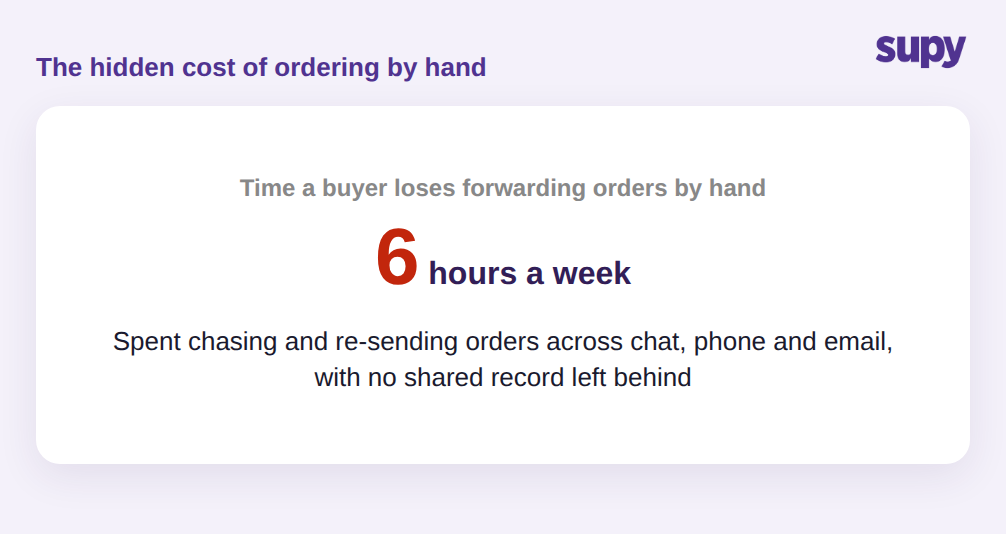
Un acheteur dans ce contexte peut passer près de six heures par semaine à relayer manuellement des commandes et à relancer des confirmations, sans qu'aucun de ces efforts ne génère une trace utilisable par d'autres. Imaginez une livraison incomplète un vendredi : le site a reçu douze caisses au lieu des seize attendues, mais la seule preuve de ce qui a été commandé est un message sur le téléphone d'un manager, donc l'avoir n'est jamais demandé et la perte est absorbée. Quand la question de comment les restaurants envoient des bons de commande à leurs fournisseurs est réglée par un système plutôt que par une personne, chaque commande porte sa propre trace, si bien qu'une livraison incomplète ou un écart de prix dispose d'un document sur lequel la comptabilité peut agir la semaine même.
Comment les commandes par e-mail échouent quand chaque site a son propre numéro de compte
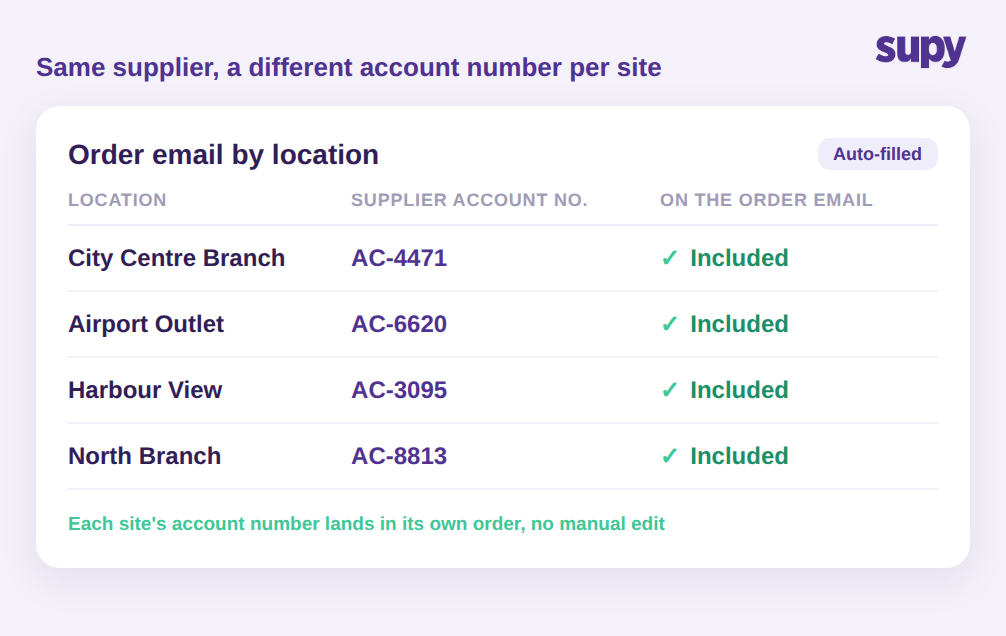
Même les fournisseurs qui acceptent les e-mails créent un piège multi-sites. Un groupe détient généralement un compte commercial distinct chez le même fournisseur pour chaque site, afin que le fournisseur puisse facturer et livrer au bon endroit. Cela signifie que l'e-mail de commande de la filiale du centre-ville doit porter un numéro de compte différent de celui du point de vente de l'aéroport, sinon le fournisseur ne peut pas associer la commande au bon compte.
Les équipes qui automatisent les e-mails de commande sans cette information se retrouvent avec un modèle générique qu'un fournisseur ne peut pas traiter, ce qui renvoie la commande à une personne qui la corrige manuellement. Le détail qui supprime ce piège est petit mais décisif : le numéro de compte fournisseur propre à chaque site est automatiquement inséré dans le corps de l'e-mail de commande de ce site. Une fois en place, les e-mails de commande peuvent être automatisés pour tous les sites à la fois, au lieu d'une modification minutieuse à chaque fois, et le fournisseur reçoit une commande sur laquelle il peut agir sans rappel.
Quand un fournisseur veut un flux de fichiers, pas un e-mail
Les plus grands fournisseurs ne veulent souvent pas d'e-mail du tout. Ils gèrent leurs propres systèmes de commande et attendent les commandes sous forme de fichier structuré, pas d'un message qu'une personne devrait ressaisir. C'est là que s'arrêtent la plupart des outils de commande pour restaurants, et là que les plus grands fournisseurs d'un groupe restent en mode manuel.
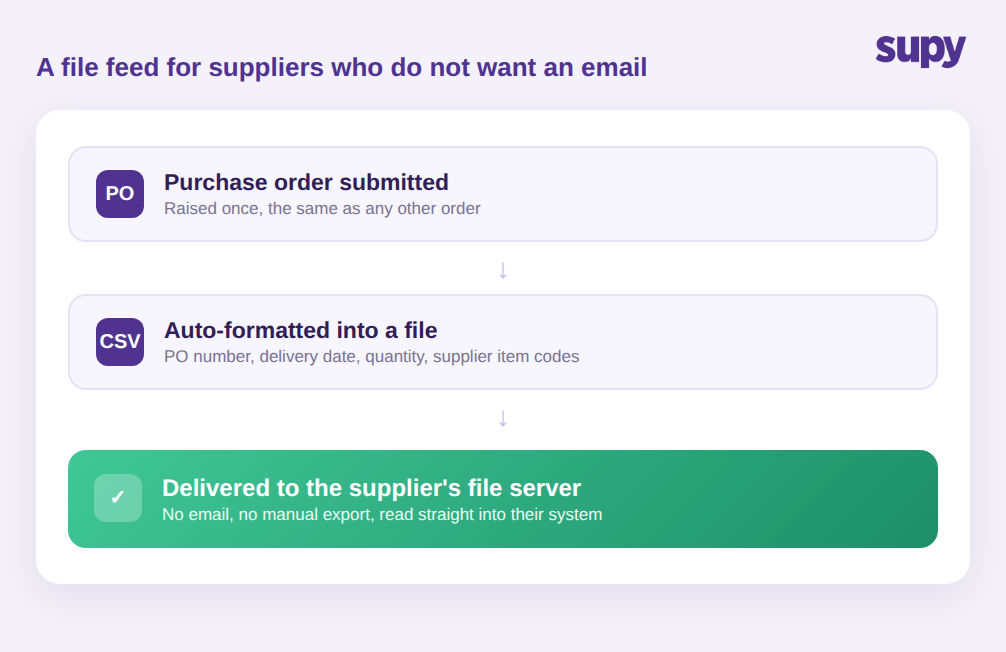
Supy se connecte directement à ces fournisseurs via une intégration de fichiers. Une fois configurée, chaque bon de commande soumis est automatiquement formaté et transmis au serveur de fichiers du fournisseur, sans étape d'e-mail et sans export manuel. La commande est acheminée sous forme de fichier structuré portant le numéro de commande, la date de livraison, les quantités et les propres codes article du fournisseur, de sorte que son système peut l'intégrer directement sans qu'une personne ressaisisse quoi que ce soit.
Ce dernier champ est plus important qu'il n'y paraît. Le système d'un fournisseur ne reconnaît pas vos noms de produits internes ; il reconnaît ses propres codes article. Quand ces codes voyagent automatiquement sur la commande, le fournisseur rapproche chaque ligne sans demande de vérification, et les marchandises livrées correspondent à la commande visible de votre côté. Ressaisir une commande manuellement, c'est l'endroit où un mauvais code, une mauvaise taille de conditionnement ou une mauvaise quantité s'introduit, et c'est exactement cette étape qui est supprimée. Cela s'adapte aussi sans travail supplémentaire : qu'un groupe gère trois fournisseurs par flux de fichiers ou trente, l'effort de l'acheteur est le même, car le formatage et la transmission se produisent au moment de la soumission de la commande, et non dans une tâche d'export séparée dont quelqu'un doit se souvenir. Pour l'acheteur, commander chez le plus grand distributeur ressemble à commander chez le plus petit fournisseur de café : saisir une fois, et la commande arrive là où le fournisseur en a besoin, dans la forme qu'il attend.
Envoyer les commandes les jours où le fournisseur livre réellement
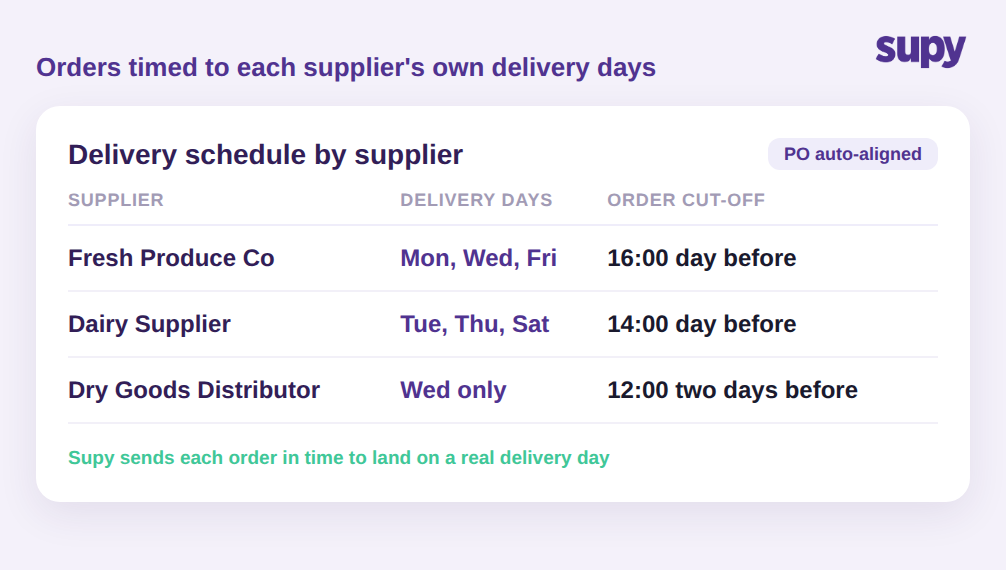
Atteindre le fournisseur n'est que la moitié du travail. Une commande qui arrive après la limite du fournisseur, ou pour un jour où il ne livre pas, échoue quand même. Chaque fournisseur a ses propres jours de livraison et sa propre heure limite de commande, et mémoriser tout cela pour quarante fournisseurs est irréaliste. Rater la limite d'une heure et la livraison glisse à la prochaine tournée du fournisseur, ce qui pour un fournisseur livrant deux fois par semaine peut signifier des jours sans un ingrédient déjà inscrit au menu. Sur une liste chargée, c'est ainsi qu'un groupe accumule un taux régulier de commandes arrivant en retard pour rien d'autre qu'un décalage de timing.
Supy conserve le calendrier de livraison et les limites de chaque fournisseur dans la Gestion des fournisseurs et aligne les bons de commande sur les jours où ce fournisseur livre réellement, de sorte que les commandes partent à temps pour une vraie journée de livraison plutôt que d'attendre la suivante. Combiné au canal accepté par chaque fournisseur, cela ferme la boucle : la bonne commande, au bon format, au bon fournisseur, à temps pour être exécutée. Pour les groupes qui s'appuient sur des commandes récurrentes, la même logique de calendrier pilote les commandes permanentes pour que le réapprovisionnement de routine parte automatiquement selon le planning.
Ce qu'il faut vérifier avant de faire confiance à votre système de commande
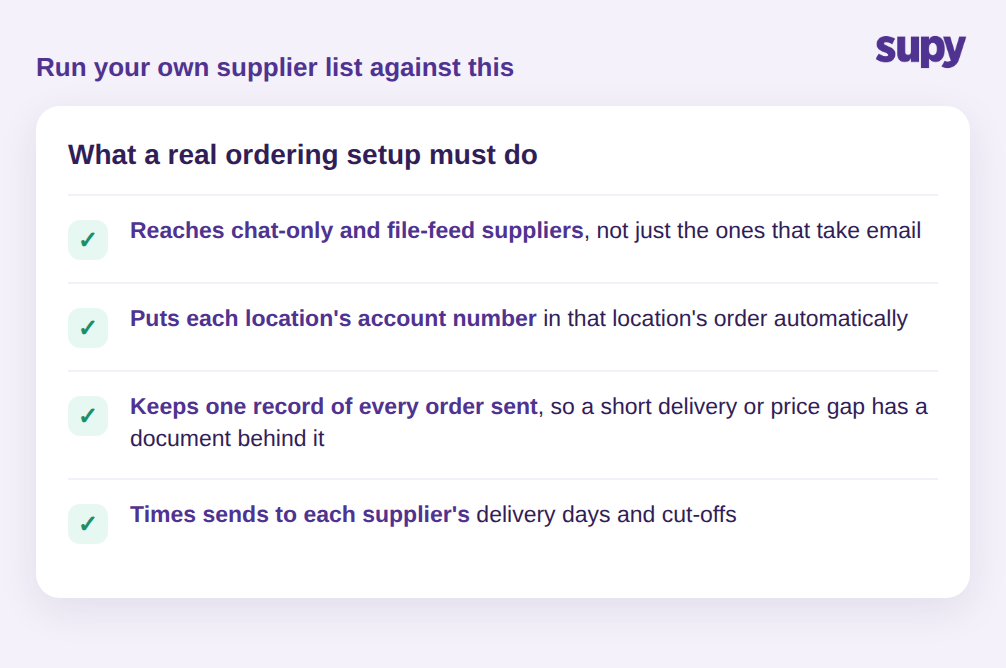
Le test d'un système de commande fournisseur ne se limite pas à savoir s'il peut envoyer un bon de commande par e-mail. Il consiste à savoir s'il peut atteindre chaque fournisseur de votre liste sans intervention humaine. Passez votre propre liste en revue avec quatre questions :
- Peut-il envoyer à vos fournisseurs en discussion uniquement et par flux de fichiers, pas seulement à ceux qui acceptent les e-mails ?
- Le numéro de compte fournisseur de chaque site est-il automatiquement renseigné dans la commande de ce site ?
- Conserve-t-il une trace de chaque commande envoyée, afin qu'une livraison incomplète ou un écart de prix dispose d'un document ?
- Aligne-t-il les envois sur les jours de livraison et les limites de commande de chaque fournisseur ?
Si la réponse à l'une de ces questions est non, c'est là que vos commandes retomberont dans le traitement manuel à chaque ajout de site et de fournisseur. Un groupe capable de répondre oui aux quatre a transformé les commandes fournisseurs en quelque chose que le système gère, et non en quelque chose qu'un acheteur maintient manuellement.