.jpeg)


إرسال طلبات الشراء إلى الموردين: كيف تصل مجموعات متعددة المواقع إلى كل مورّد عبر القناة التي يقبلها
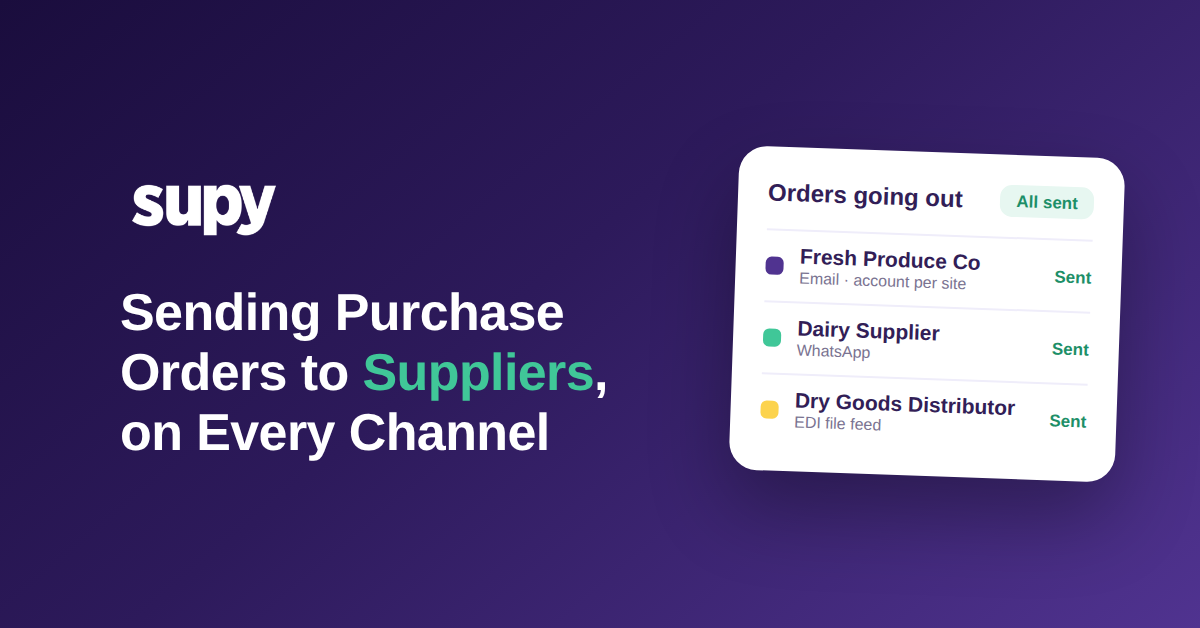
لماذا لا تغطي قناة طلب واحدة قائمة الموردين بالكامل
إرسال طلب الشراء إلى مورّد يعني تسليم الطلب المكتمل بالتنسيق الذي يقبله والاحتفاظ بدليل على وصوله. عبر قائمة موردين حقيقية، هذا ليس إجراءً واحداً بل ثلاثة أو أربعة: بريد إلكتروني للطلب بتنسيق مخصص لمعظم الموردين، ورسالة دردشة للموردين غير الرسميين، وتغذية ملفات منظمة للموزعين الكبار الذين يديرون أنظمتهم الخاصة. المجموعة التي لا تتقن سوى إحدى هذه الطرق لا تستطيع أتمتة سوى جزء من طلباتها.
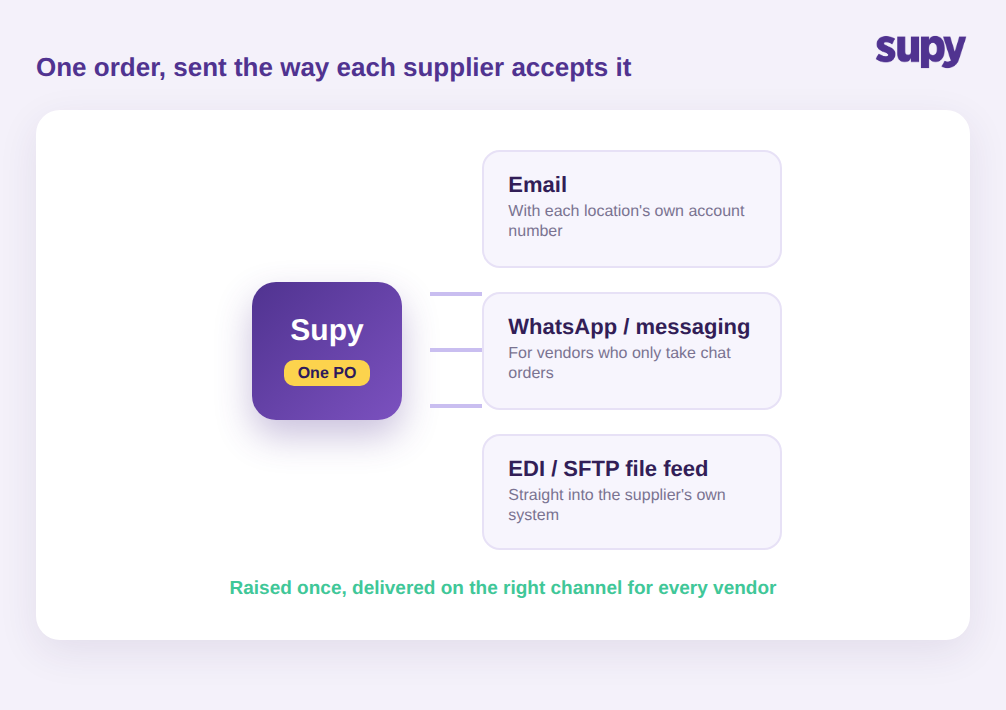
إعداد طلب الشراء النظيف هو الجزء السهل. العمل الذي يستنزف أسبوع المشتري بأكمله هو إيصال هذا الطلب إلى كل مورّد بالطريقة التي يقبلها: مورّد يريد بريداً إلكترونياً منسقاً، وآخر لا يرد إلا على رسالة دردشة، والموزع الكبير يريد ملفاً مودعاً مباشرة في نظامه. لمطعم واحد هذه مجرد إزعاج بسيط. لمجموعة تدير عشرات الموردين عبر مواقع متعددة، هذا هو المكان الذي تتفكك فيه طلبات الشراء بصمت، لأن لا مورّدَين يعملان بالطريقة ذاتها وكل حل بديل يعيش في هاتف شخص آخر.
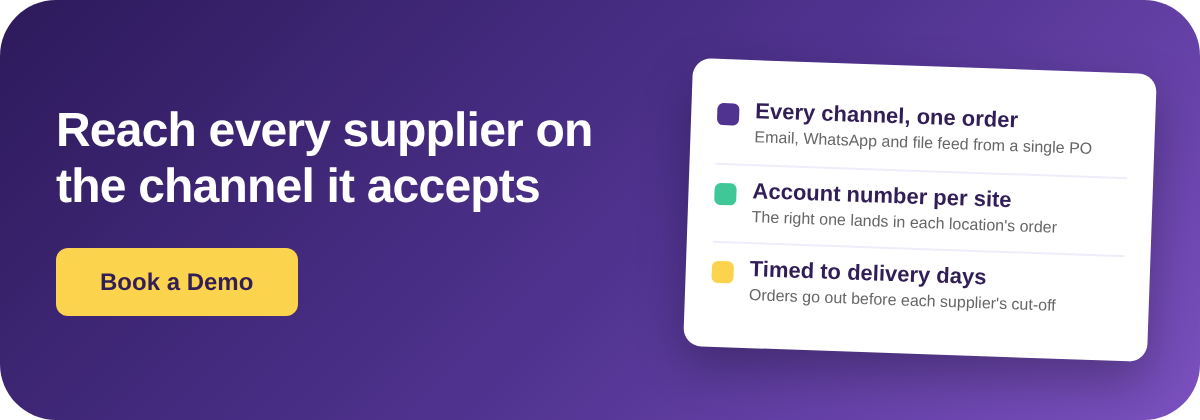
لهذا لا تتوسع قناة طلب واحدة بشكل نظيف. مجموعة متعددة المواقع النموذجية تعمل مع أكثر من أربعين مورّداً تتوزع على ثلاثة أساليب على الأقل لاستقبال الطلبات. حين لا ترسل المنصة سوى ملف PDF عبر البريد الإلكتروني، يرجع كل مورّد يقبل الدردشة فقط وكل موزع بتغذية ملفات إلى المعالجة اليدوية. الحل ليس إجبار كل مورّد على قناة واحدة، لأن الموردين لن يتغيروا ودفعهم في هذا الاتجاه هو السبب الذي يجعل الطلبات تُهمَل. مع سوبي، يُسجَّل الطلب مرة واحدة في الطلبات ثم يخرج عبر القناة التي يُهيَّأ لها هذا المورّد، فلا يحتاج المشتري إلى التقرير والتذكر والإعادة في كل مرة.
كيف تُزيل الطلبات اليدوية عبر الدردشة والهاتف كل أثر للمراجعة
الوضع الأكثر شيوعاً هو مشترٍ يرسل الطلبات عبر تطبيقات الدردشة والمكالمات الهاتفية. يبدو ذلك سريعاً، وللموقع الواحد هو كذلك. تظهر التكاليف الخفية عبر المواقع المتعددة: لا يوجد سجل مشترك بما طُلب، ومن من الموردين، بأي سعر، أو ما إذا كان قد أُكِّد. حين تأتي شحنة ناقصة أو يكون السعر خاطئاً، لا يوجد شيء للمقارنة به.
يشعر المشغّلون بهذا أكثر حين يحاولون التوسع. وصف مدير المشتريات في مجموعة متعددة المواقع التخلص من الطلبات عبر الدردشة والهاتف باعتباره الأولوية القصوى، لأن المنهج اليدوي خلّف ثغرات في الامتثال وانعدام التتبع بين المواقع. مجموعة أخرى كانت تدير جميع طلبات موردّيها عبر مجموعات الدردشة وجداول البيانات دون أي نظام مخصص، مما أنتج سير عمل غير منظم ومعرَّض للأخطاء يستحيل مراجعته لاحقاً.
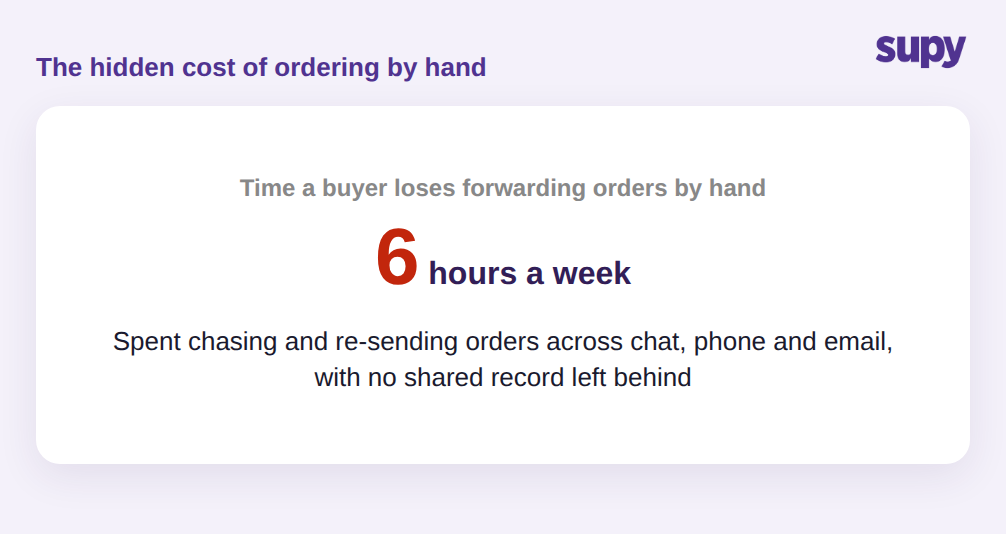
يمكن لمشترٍ في هذا الإعداد أن يقضي ما يقارب ست ساعات أسبوعياً في إعادة توجيه الطلبات يدوياً ومتابعة التأكيدات، دون أن يُنتج أي من هذا الجهد سجلاً يستفيد منه الآخرون. تخيَّل شحنة ناقصة يوم جمعة: استلم الموقع اثنتي عشرة صندوقاً بدلاً من الستة عشر المطلوبة، لكن الدليل الوحيد على ما طُلب هو رسالة دردشة على هاتف أحد المديرين، فلا يُطلب الإشعار الائتماني ويُمتَص الخسارة. حين تُعالج منظومة طلبات الشراء للموردين بنظام لا بشخص، يحمل كل طلب سجله الخاص، فيكون لأي نقص أو فرق سعر وثيقة تستطيع المحاسبة التصرف بناءً عليها في الأسبوع ذاته.
كيف تفشل طلبات البريد الإلكتروني حين يكون لكل موقع رقم حساب خاص
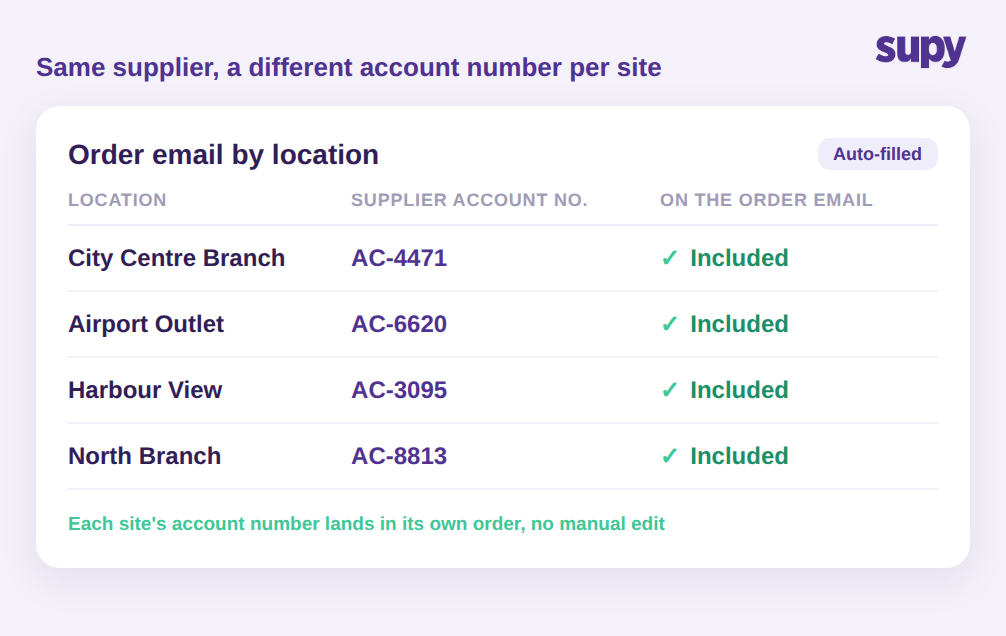
حتى الموردون الذين يقبلون البريد الإلكتروني يخلقون فخاً متعدد المواقع. تحتفظ المجموعة عادةً بحساب تجاري منفصل لدى المورّد ذاته لكل موقع، حتى يتمكن المورّد من الفوترة والتسليم للموقع الصحيح. هذا يعني أن بريد الطلب لفرع المركز التجاري يجب أن يحمل رقم حساب مختلفاً عن بريد فرع المطار، وإلا لم يستطع المورّد ربط الطلب بالحساب الصحيح.
الفرق التي تؤتمت رسائل الطلب دون هذه المعلومات تنتهي بنموذج عام لا يستطيع المورّد معالجته، مما يعيد الطلب إلى شخص يعدّله يدوياً. التفصيل الذي يُزيل هذا الفخ صغير لكنه حاسم: يُدرج رقم حساب المورّد الخاص بكل موقع تلقائياً في متن بريد الطلب لذلك الموقع. بمجرد أن يكون هذا في مكانه، يمكن أتمتة رسائل الطلب لكل موقع دفعةً واحدة بدلاً من تعديل كل واحدة بعناية، ويتلقى المورّد طلباً يستطيع التصرف بناءً عليه دون مكالمة استرداد.
حين يريد المورّد ملفاً لا بريداً إلكترونياً
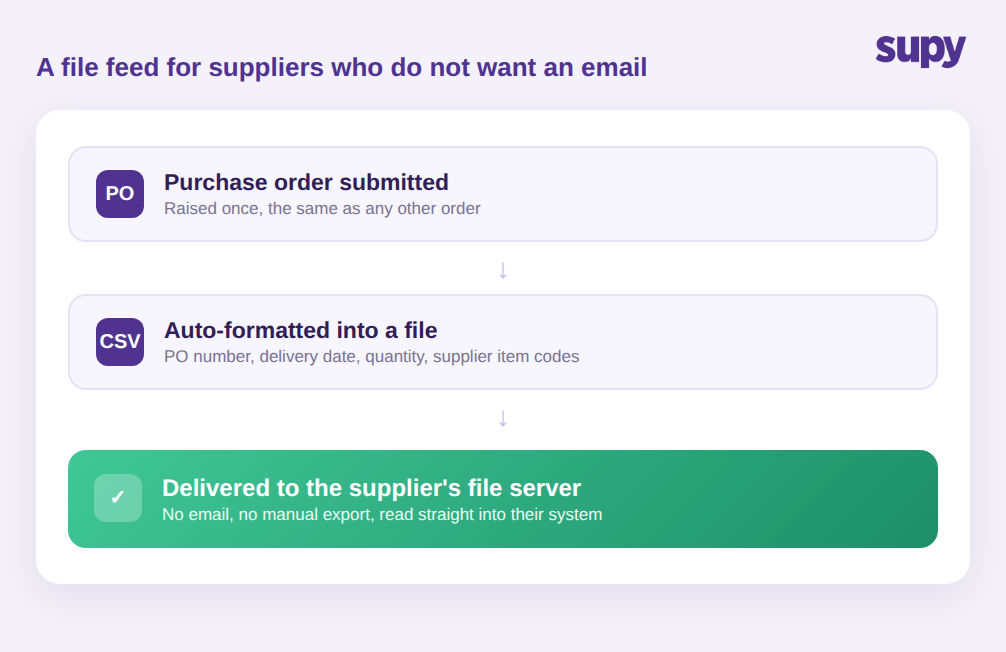
كبار الموردين في الغالب لا يريدون بريداً إلكترونياً أصلاً. يديرون أنظمة الطلب الخاصة بهم ويتوقعون وصول الطلبات كملف منظم، لا كرسالة يحتاج شخص إلى إعادة إدخالها. هنا تتوقف معظم أدوات طلب المطاعم، وهنا يبقى أكبر موردو المجموعة في الوضع اليدوي.
تتصل سوبي مباشرةً بهؤلاء الموردين عبر تكامل ملفات. بمجرد إعداده، يُنسَّق كل طلب شراء مُقدَّم تلقائياً ويُسلَّم إلى خادم الملفات الخاص بالمورّد، دون خطوة بريد إلكتروني ودون تصدير يدوي. يخرج الطلب كملف منظم يحمل رقم طلب الشراء وتاريخ التسليم والكميات وأكواد أصناف المورّد الخاصة، فيتمكن نظام المورّد من قراءته مباشرةً دون أن يعيد أحد إدخال أي شيء.
الحقل الأخير أهم مما يبدو. لا يتعرف نظام المورّد على أسماء المنتجات الداخلية لديك؛ بل يتعرف على أكواد أصنافه الخاصة. حين تنتقل هذه الأكواد تلقائياً على الطلب، يُطابق المورّد كل سطر دون استفسار، وتتطابق البضائع الواردة مع الطلب الذي تراه على جانبك. إعادة إدخال الطلب يدوياً هي المكان الذي يتسرب فيه الكود الخاطئ أو حجم التغليف الخاطئ أو الكمية الخاطئة، وهذه تحديداً الخطوة التي يُزيلها. كما أنه يتوسع دون جهد إضافي: سواء أدارت المجموعة ثلاثة موردين بتغذية ملفات أو ثلاثين، جهد المشتري متطابق، لأن التنسيق والتسليم يحدثان لحظة تقديم الطلب لا في مهمة تصدير منفصلة يجب أن يتذكرها أحد. بالنسبة للمشتري، الطلب من أكبر موزع يبدو تماماً كالطلب من أصغر مورّد: أدخله مرة واحدة، ويصل حيث يحتاجه المورّد بالشكل الذي يحتاجه.
إرسال الطلبات في الأيام التي يُسلِّم فيها المورّد فعلاً
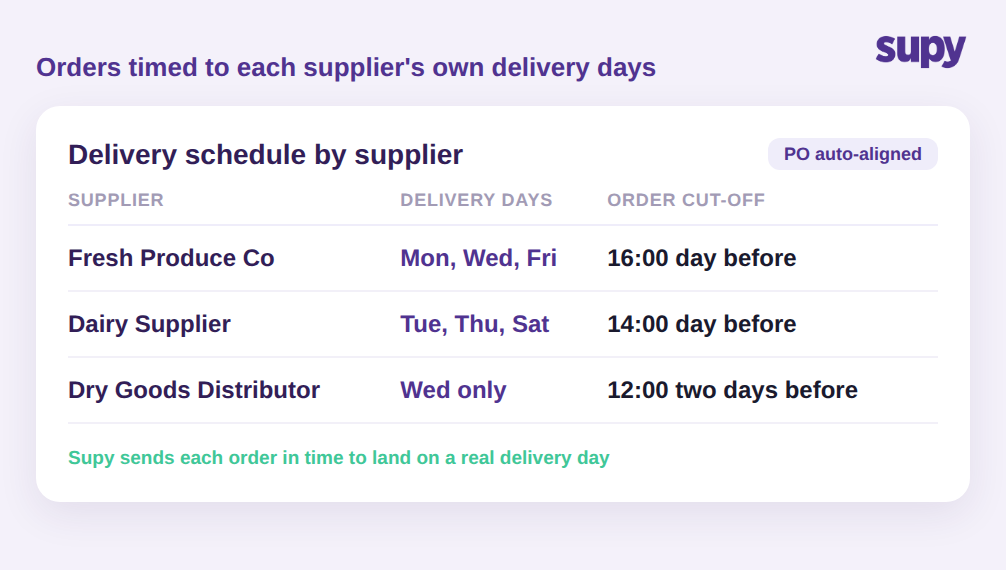
الوصول إلى المورّد هو نصف المهمة فحسب. الطلب الذي يصل بعد الوقت المحدد للمورّد أو ليوم لا يُسلِّم فيه يفشل على أي حال. لكل مورّد أيام تسليمه الخاصة ووقت قطعه الخاص، ومتابعة كل ذلك في الذهن عبر أربعين مورّداً أمر غير واقعي. تفويت الوقت المحدد بساعة يعني تأجيل التسليم إلى جولة المورّد التالية، وبالنسبة لمورّد يُسلِّم مرتين أسبوعياً قد يعني ذلك أياماً بدون مكوّن وضعته المطبخ على القائمة بالفعل. عبر قائمة مشغولة، هذا ما يُفسّر ظهور معدل ثابت من الطلبات المتأخرة بسبب خطأ توقيت وحيد.
تحتفظ سوبي بجدول تسليم كل مورّد وأوقات قطعه في إدارة المُوردين وتوائم طلبات الشراء مع الأيام التي يُسلِّم فيها المورّد فعلاً، بحيث تخرج الطلبات في الوقت المناسب ليوم تسليم حقيقي بدلاً من الانتظار إلى اليوم التالي. مقترنةً بالقناة التي يقبلها كل مورّد، تُغلق هذه الخطوة الحلقة: الطلب الصحيح، بالتنسيق الصحيح، للمورّد الصحيح، في الوقت المناسب للتنفيذ. للمجموعات التي تعتمد على الطلبات المتكررة، تُشغِّل منطق الجدول ذاته الطلبات الدائمة لكي يخرج التزويد الروتيني تلقائياً وفق الجدول.
ما يجب التحقق منه قبل الوثوق بمنظومة الطلبات
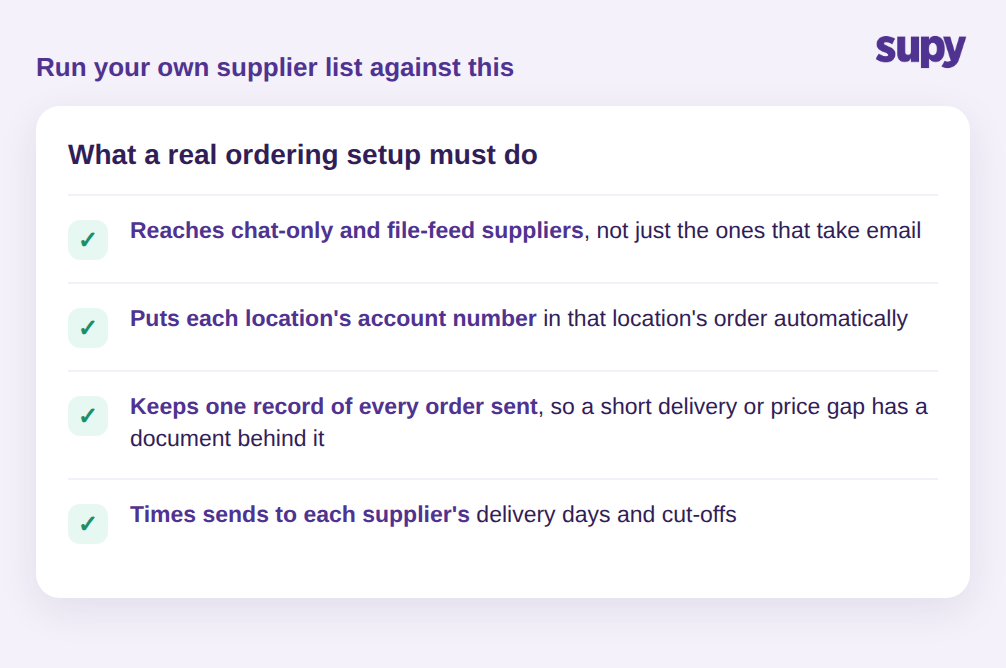
اختبار منظومة طلب المورّد ليس ما إذا كانت تستطيع إرسال طلب شراء بالبريد الإلكتروني. الاختبار هو ما إذا كانت تستطيع الوصول إلى كل مورّد في قائمتك دون تدخل بشري. اختبر قائمتك بأربعة أسئلة:
- هل تستطيع الإرسال إلى الموردين الذين يقبلون الدردشة فقط وإلى الموزعين بتغذية الملفات، لا للذين يقبلون البريد الإلكتروني فحسب؟
- هل يُدرَج رقم حساب المورّد الخاص بكل موقع تلقائياً في طلب ذلك الموقع؟
- هل تحتفظ بسجل لكل طلب أُرسل، بحيث يكون لأي نقص أو فرق سعر وثيقة تُستند إليها؟
- هل تُوائم الإرسال مع أيام تسليم كل مورّد وأوقات القطع؟
إذا كانت الإجابة بلا على أي من هذه الأسئلة، فهذا هو المكان الذي ستعود فيه طلباتك إلى العمل اليدوي مع إضافة كل موقع ومورّد جديد. المجموعة القادرة على الإجابة بنعم على الأسئلة الأربعة حوّلت طلبات الموردين إلى شيء يُديره النظام، لا شيء يُحافظ عليه مشترٍ بيديه.