.jpg)


Sending Purchase Orders to Suppliers: How Multi-Site Groups Reach Every Vendor on the Channel It Accepts
Why One Ordering Channel Never Covers a Whole Supplier List
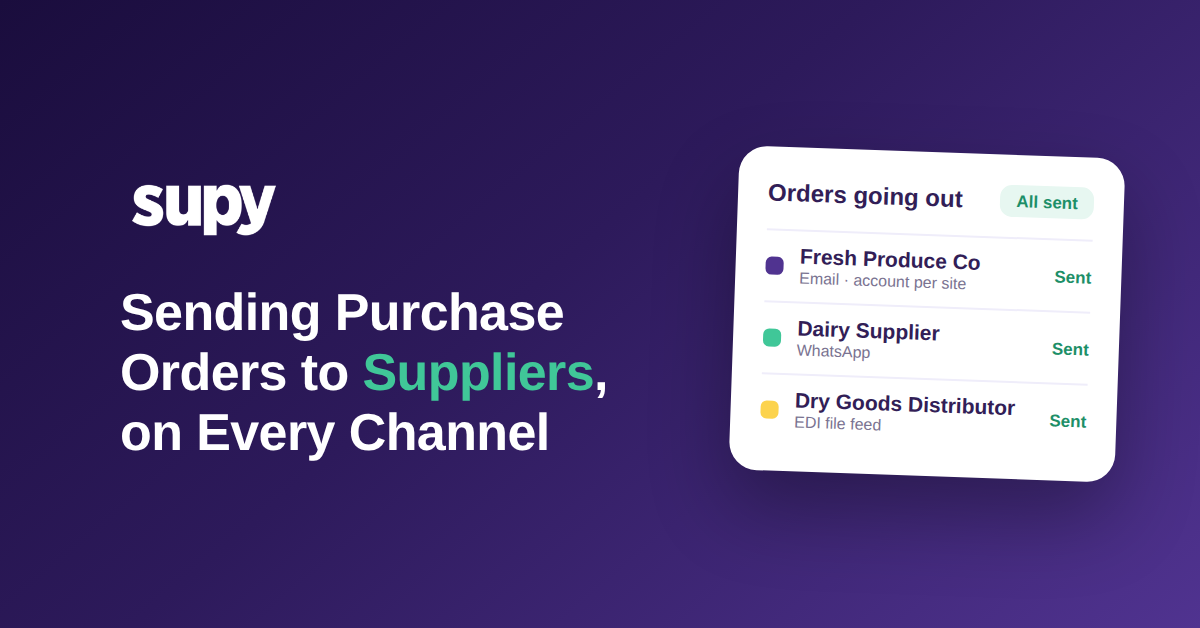
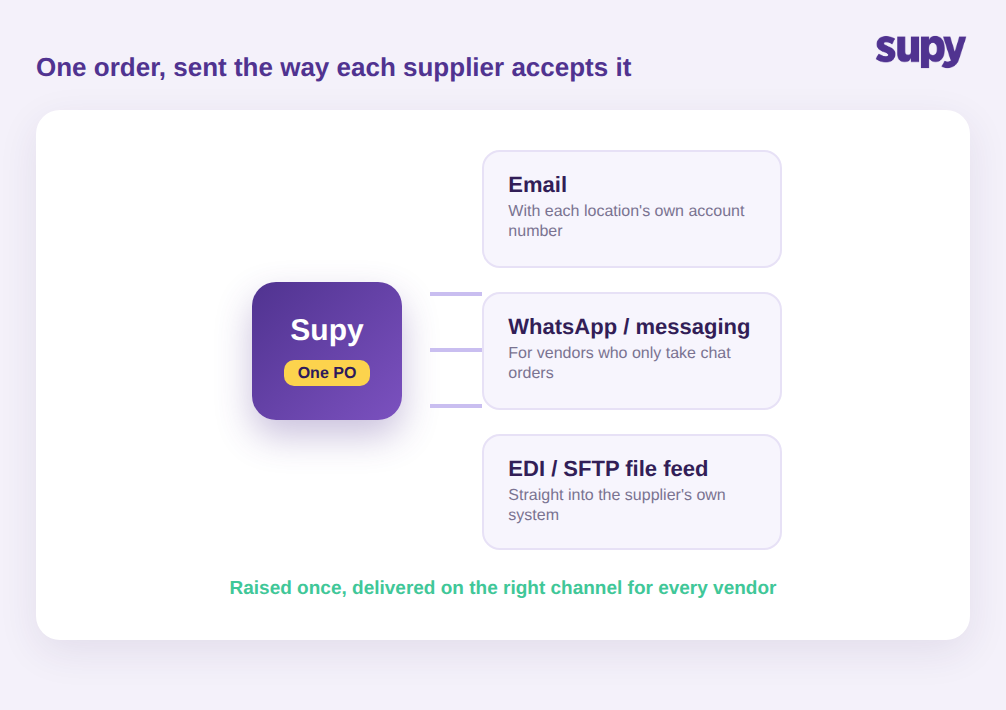
Sending a purchase order to a supplier means delivering the finished order to that vendor in the format it accepts and keeping proof that it went. Across a real supplier list that is not one action but three or four: a formatted order email for most vendors, a chat message for the informal ones, and a structured file feed for the large distributors that run their own systems. A group that can only do one of these can only automate part of its ordering.
Building a clean purchase order is the easy part. The work that eats a buyer's week is getting that order to the supplier the way each supplier will accept it: one vendor wants a formatted email, another only answers a chat message, and the big distributor wants a file dropped straight into its system. For a single restaurant that is a minor annoyance. For a group running dozens of suppliers across several sites, it is where ordering quietly falls apart, because no two vendors are set up the same way and every workaround lives in a different person's phone.
This is why a single ordering method never scales cleanly. A typical multi-site group works with more than forty suppliers, and those suppliers split across at least three ways of receiving orders. When the platform only emails a PDF, every chat-only vendor and every file-feed distributor drops back to manual handling. The answer is not forcing every supplier onto one channel, because suppliers will not move and pushing them to is how orders get missed. With Supy, the order is raised once in Orders and Requisitions and then goes out on the channel that supplier is configured for, so the buyer is not the one deciding, remembering, and forwarding each time.
Where Manual Chat and Phone Orders Cost You the Audit Trail
The most common status quo is a buyer sending orders through chat apps and phone calls. It feels fast, and for one site it is. The hidden cost shows up across locations: there is no shared record of what was ordered, from whom, at what price, or whether it was ever confirmed. When a delivery is short or a price is wrong, there is nothing to check it against.
Operators feel this most when they try to grow. One multi-site group's procurement manager described eliminating chat and phone ordering as the top priority, because the manual approach left compliance gaps and no traceability across sites. Another group ran all of its supplier ordering through chat groups and spreadsheets with no dedicated system at all, which produced an unstructured, error-prone workflow that no one could audit after the fact.
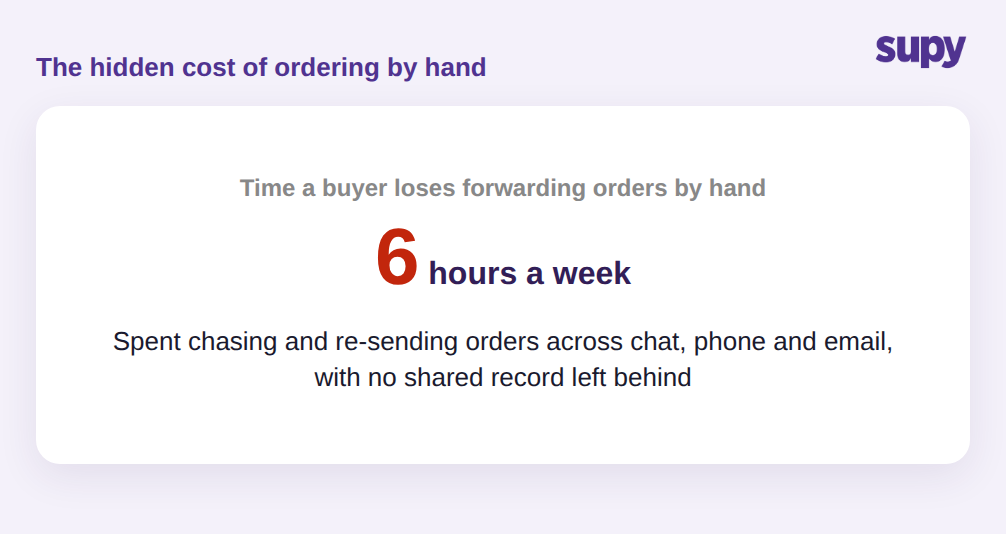
A buyer in that setup can spend close to six hours a week just forwarding orders and chasing confirmations by hand, and none of that effort produces a record anyone else can use. Picture a short delivery on a Friday: the site received twelve cases instead of the sixteen it expected, but the only evidence of what was ordered is a chat message on one manager's phone, so the credit never gets raised and the loss is absorbed. When the question of how restaurants send purchase orders to suppliers is answered by a system rather than a person, every order carries its own record, so a shortfall or a price gap has a document behind it that finance can act on the same week.
How Email Orders Break When Every Location Has Its Own Account Number
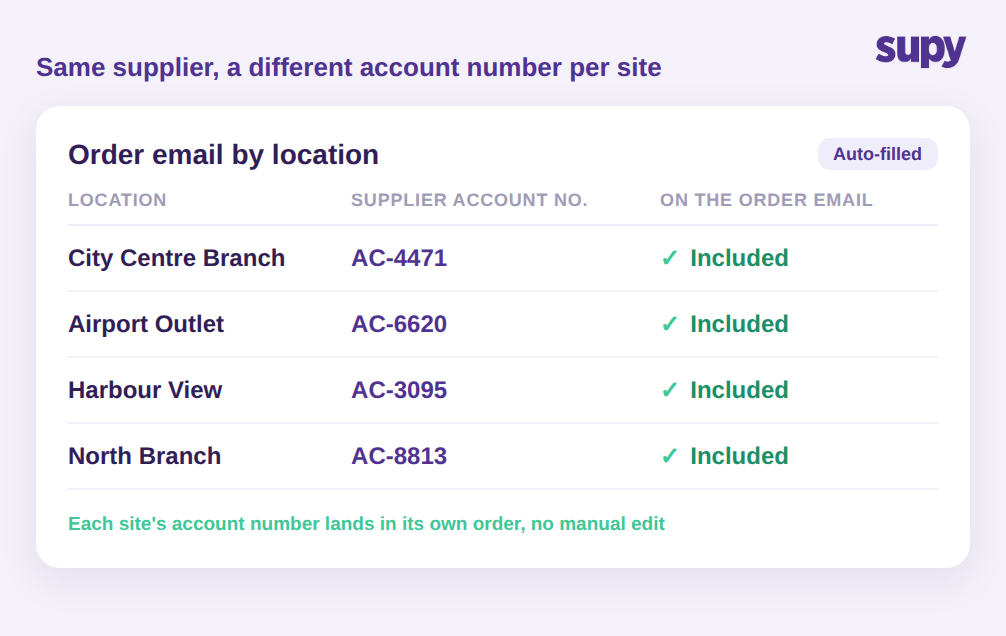
Even the vendors that do take email create a multi-site trap. A group usually holds a separate trading account with the same supplier for each location, so the supplier can bill and deliver to the right site. That means the order email for the City Centre Branch has to carry a different account number than the one for the Airport Outlet, or the supplier cannot match the order to the right account.
Teams that automate order emails without this end up with one generic template that a supplier cannot process, which pushes the order back to a person who edits it by hand. The detail that removes the trap is small but decisive: each location's own supplier account number sits in the body of that location's order email automatically. Once that is in place, order emails can be automated for every site at once instead of one careful edit at a time, and the supplier gets an order it can act on without a phone call back.
When a Supplier Wants a File Feed, Not an Email
The largest suppliers often do not want an email at all. They run their own ordering systems and expect orders to arrive as a structured file, not a message a person has to re-key. This is where most restaurant ordering tools stop, and where a group's biggest vendors stay manual.
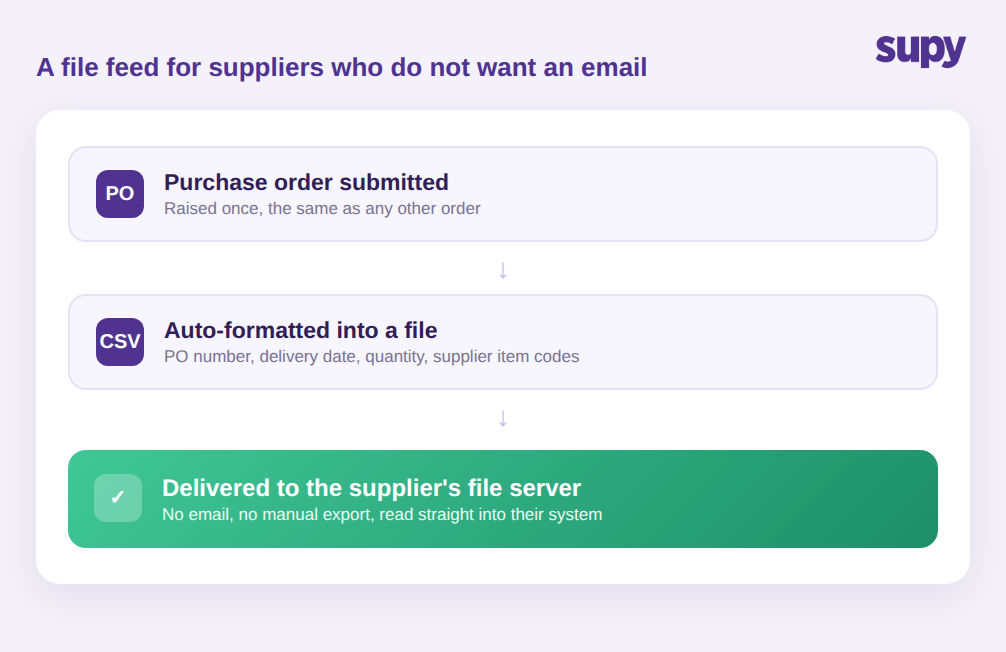
Supy connects directly to these suppliers through a file integration. Once it is set up, every submitted purchase order is automatically formatted and delivered to the supplier's file server, with no email step and no manual export. The order goes across as a structured file carrying the PO number, the delivery date, the quantities, and the supplier's own item codes, so the vendor's system can read it straight in without a person re-typing anything.
That last field matters more than it looks. A supplier's system does not recognise your internal product names; it recognises its own item codes. When those codes travel on the order automatically, the vendor matches every line without a query, and the goods that come back match the order you can see on your side. Re-keying an order by hand is where the wrong code, the wrong pack size, or the wrong quantity slips in, and it is exactly the step this removes. It also scales without adding work: whether a group runs three file-feed suppliers or thirty, the buyer's effort is the same, because the formatting and the delivery happen the moment the order is submitted rather than in a separate export task someone has to remember. For the buyer, ordering from the biggest distributor looks the same as ordering from the smallest cafe supplier: raise it once, and it lands where the supplier needs it in the form the supplier needs.
Getting Orders Out on Days the Supplier Actually Delivers
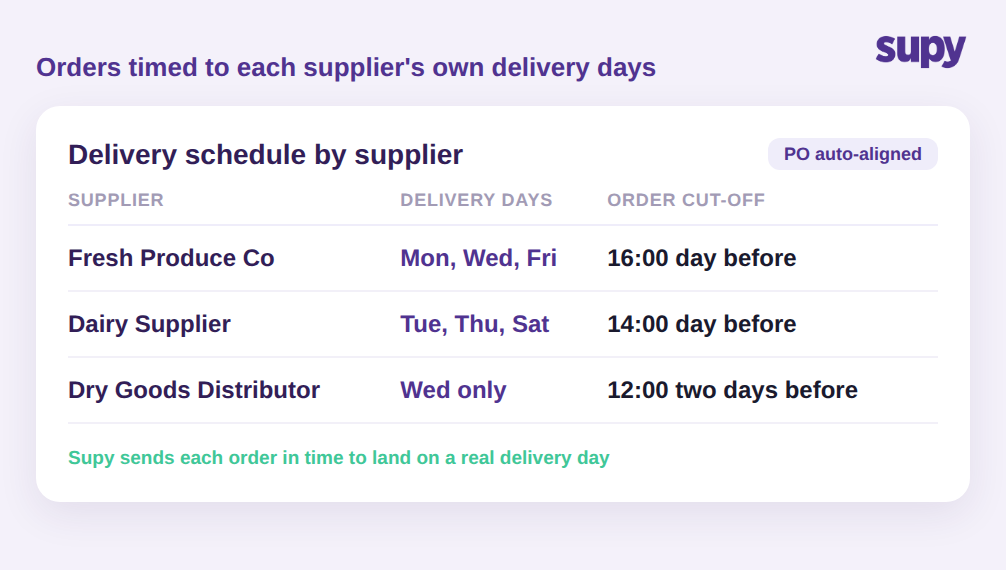
Reaching the supplier is only half the job. An order that arrives after the vendor's cut-off, or for a day it does not deliver, still fails. Every supplier keeps its own delivery days and its own cut-off time, and holding all of that in a buyer's head across forty vendors is not realistic. Miss a cut-off by an hour and the delivery slips to the vendor's next run, which for a twice-weekly supplier can mean days without an ingredient the kitchen has already put on the menu. Across a busy list, that is how a group ends up with a steady rate of orders that land late through nothing more than a timing slip.
Supy holds each supplier's delivery schedule and cut-offs in Supplier Management and aligns purchase orders to the days that supplier actually delivers, so orders go out in time to land on a real delivery day rather than sitting until the next one. Paired with the channel each supplier accepts, this is what closes the loop: the right order, in the right format, to the right vendor, in time to be filled. For groups that lean on recurring orders, the same schedule logic drives standing orders so routine replenishment goes out automatically on schedule.
What to Check Before You Trust Your Ordering Setup
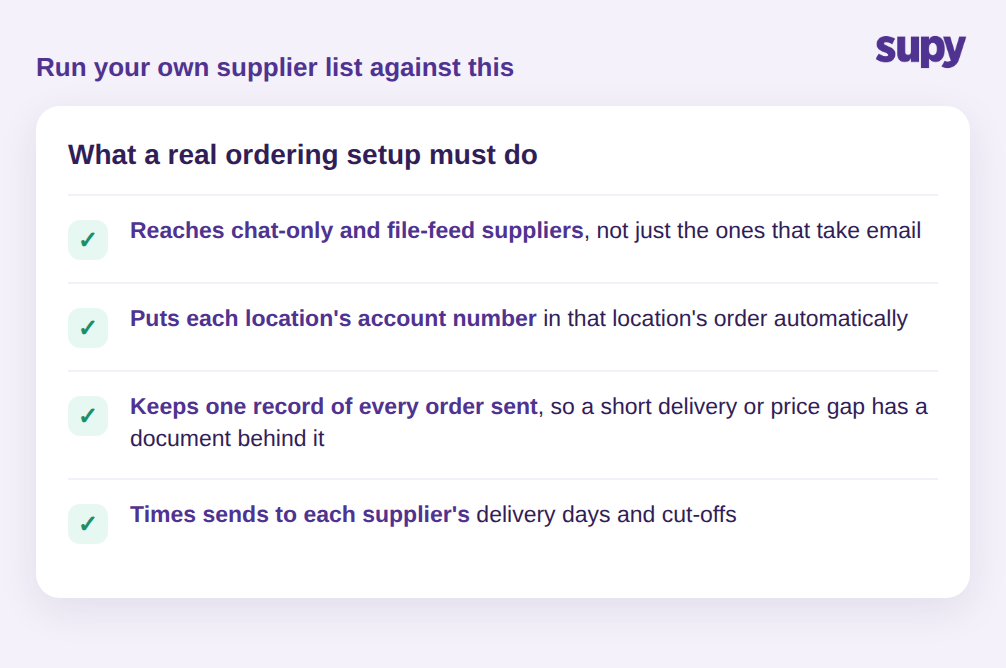
The test of a supplier-ordering system is not whether it can email a PO. It is whether it can reach every supplier on your list without a person stepping in. Run your own list against four questions:
- Can it send to your chat-only and file-feed suppliers, not just the ones that take email?
- Does each location's supplier account number land in that location's order automatically?
- Does it keep one record of every order sent, so a short delivery or a price gap has an order behind it?
- Does it time sends to each supplier's delivery days and cut-offs?
If the answer to any of these is no, that is where your ordering will keep dropping back to manual work as you add sites and suppliers. A group that can answer yes to all four has turned supplier ordering into something the system runs, not something a buyer holds together by hand.