.jpeg)


Bestellungen an Lieferanten senden: Wie eine Multi-Standort-Gruppe jeden Lieferanten auf dem Kanal erreicht, den er akzeptiert
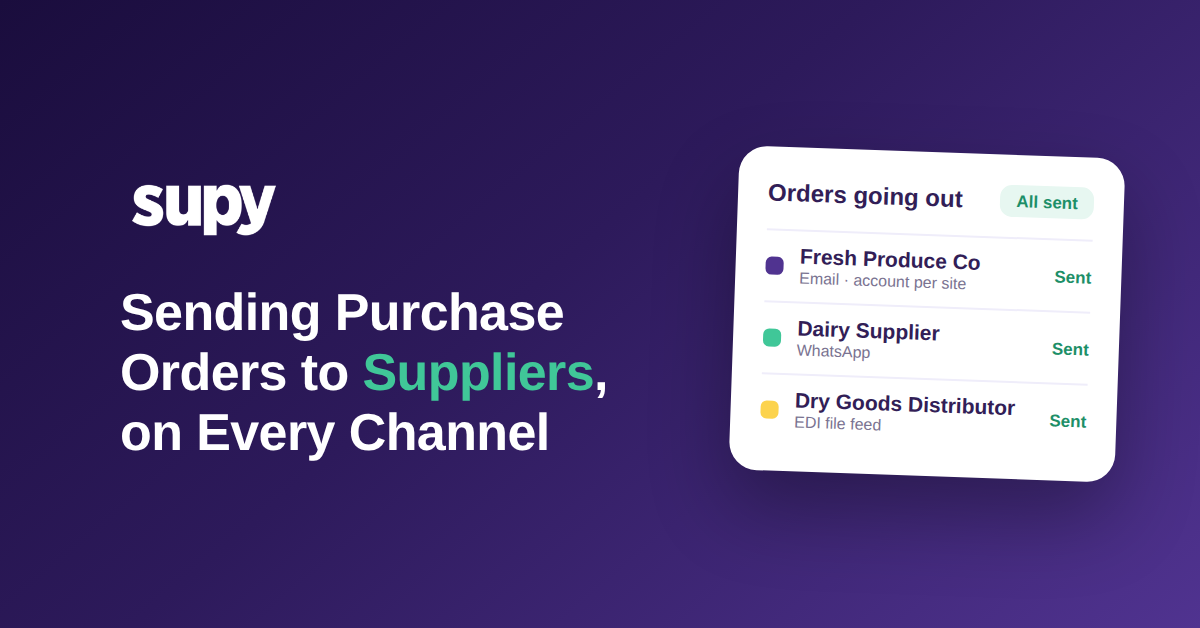
Warum ein einziger Bestellkanal nie die gesamte Lieferantenliste abdeckt
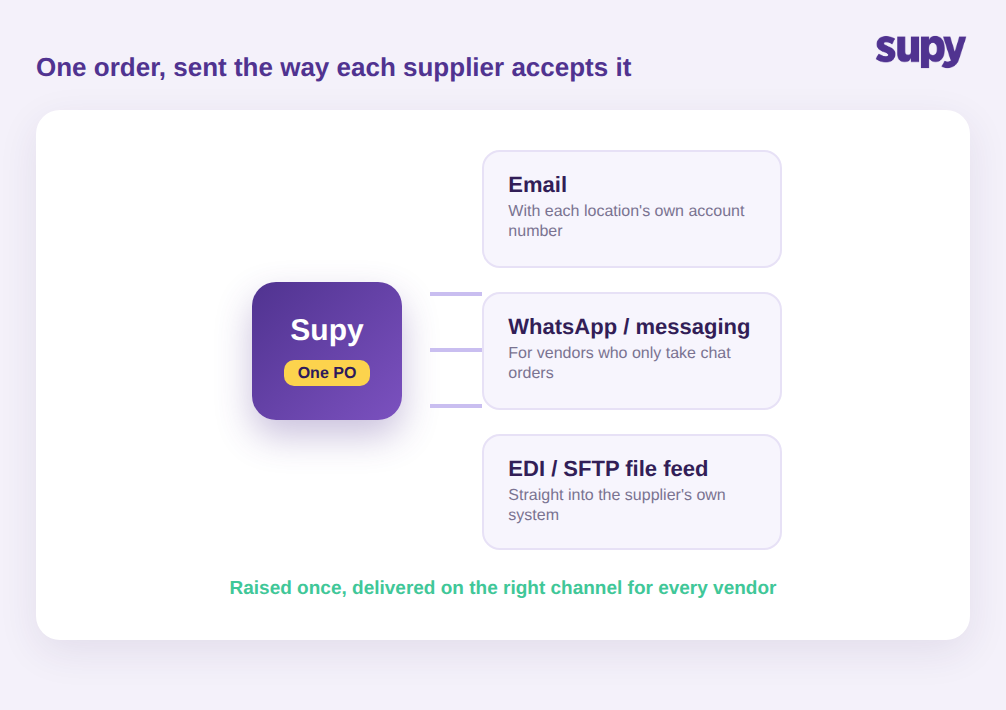
Eine Bestellung an einen Lieferanten zu senden bedeutet, die fertige Bestellung im Format zu übergeben, das er akzeptiert, und einen Nachweis zu behalten, dass sie ankam. Über eine reale Lieferantenliste hinweg ist das keine einzige Aktion, sondern drei oder vier: eine formatierte Bestell-E-Mail für die meisten Lieferanten, eine Chat-Nachricht für die informellen und ein strukturierter Datei-Feed für die großen Distributoren, die eigene Systeme betreiben. Eine Gruppe, die nur eine dieser Methoden beherrscht, kann nur einen Teil ihrer Bestellungen automatisieren.
Das Erstellen einer sauberen Bestellung ist der einfache Teil. Die Arbeit, die eine ganze Einkäuferwoche frisst, ist die Zustellung dieser Bestellung an jeden Lieferanten in dem Format, das er akzeptiert: Ein Lieferant möchte eine formatierte E-Mail, ein anderer antwortet nur auf eine Chat-Nachricht, und der große Distributor möchte eine Datei direkt in sein System. Für ein einzelnes Restaurant ist das eine kleine Unannehmlichkeit. Für eine Gruppe, die Dutzende Lieferanten über mehrere Standorte hinweg verwaltet, ist das der Punkt, an dem Bestellungen still auseinanderfallen – weil keine zwei Lieferanten gleich eingerichtet sind und jede manuelle Lösung auf dem Telefon einer anderen Person lebt.
Deshalb lässt sich ein einziger Bestellweg nie sauber skalieren. Eine typische Multi-Standort-Gruppe arbeitet mit mehr als vierzig Lieferanten, und diese Lieferanten verteilen sich auf mindestens drei Wege der Auftragsannahme. Wenn die Plattform nur ein PDF per E-Mail sendet, fällt jeder Chat-only-Lieferant und jeder Distributor mit Datei-Feed auf manuelle Bearbeitung zurück. Die Lösung besteht nicht darin, jeden Lieferanten auf einen Kanal zu zwingen – Lieferanten werden sich nicht ändern, und sie dazu zu drängen, ist der Weg, wie Bestellungen verpasst werden. Mit Supy wird die Bestellung einmalig in Bestellungen & Anfragen erfasst und geht dann über den Kanal hinaus, für den dieser Lieferant konfiguriert ist – sodass der Einkäufer nicht bei jeder Bestellung selbst entscheidet, sich erinnert und weiterleitet.
Wo manuelle Chat- und Telefonbestellungen den Prüfpfad kosten
Der häufigste Status quo ist ein Einkäufer, der Bestellungen über Chat-Apps und Telefonanrufe sendet. Das fühlt sich schnell an, und für einen Standort ist es das auch. Die verborgenen Kosten zeigen sich über mehrere Standorte: Es gibt keinen gemeinsamen Nachweis, was bestellt wurde, von wem, zu welchem Preis oder ob es jemals bestätigt wurde. Wenn eine Lieferung unvollständig ist oder ein Preis falsch ist, gibt es nichts, wogegen man prüfen kann.
Betreiber spüren das am stärksten, wenn sie wachsen wollen. Die Beschaffungsleitung einer Multi-Standort-Gruppe beschrieb die Abschaffung von Chat- und Telefonbestellungen als höchste Priorität, weil der manuelle Ansatz Compliance-Lücken und keine Rückverfolgbarkeit über Standorte hinweg hinterließ. Eine andere Gruppe führte alle Lieferantenbestellungen über Chat-Gruppen und Tabellenkalkulationen ohne ein dediziertes System – was einen unstrukturierten, fehleranfälligen Workflow erzeugte, den niemand im Nachhinein prüfen konnte.
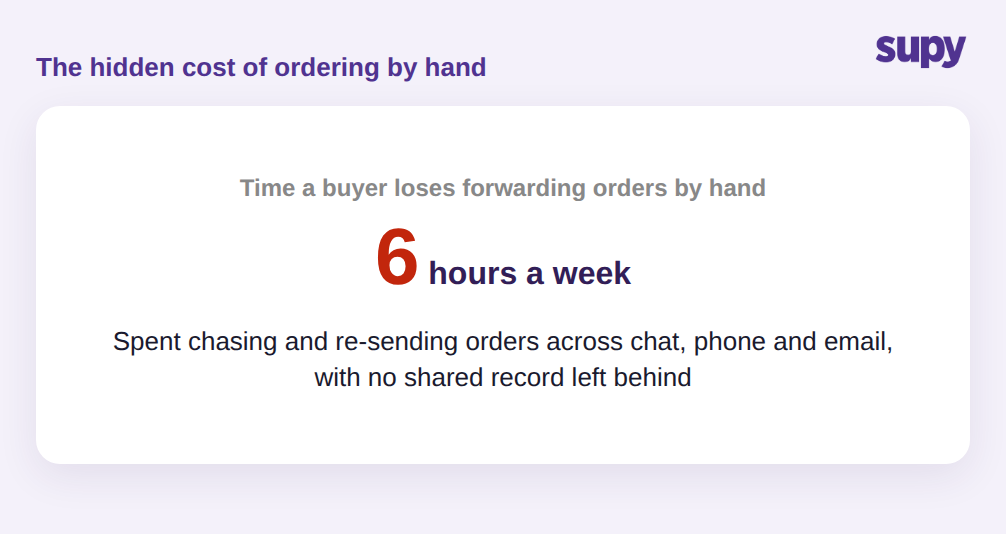
Ein Einkäufer in diesem Setup kann fast sechs Stunden pro Woche damit verbringen, Bestellungen manuell weiterzuleiten und Bestätigungen nachzujagen – und keiner dieser Aufwände erzeugt einen Nachweis, den andere nutzen könnten. Stellen Sie sich eine Unterlieferung an einem Freitag vor: Der Standort erhielt zwölf Kisten statt der erwarteten sechzehn, aber der einzige Beweis für das Bestellte ist eine Chat-Nachricht auf dem Telefon eines Managers – die Gutschrift wird nie beantragt, und der Verlust wird geschluckt. Wenn die Frage, wie Restaurants Bestellungen an Lieferanten senden, durch ein System statt durch eine Person beantwortet wird, trägt jede Bestellung ihren eigenen Nachweis, sodass eine Unterlieferung oder Preislücke ein Dokument hat, auf das die Buchhaltung noch in derselben Woche reagieren kann.
Wie E-Mail-Bestellungen scheitern, wenn jeder Standort seine eigene Kontonummer hat
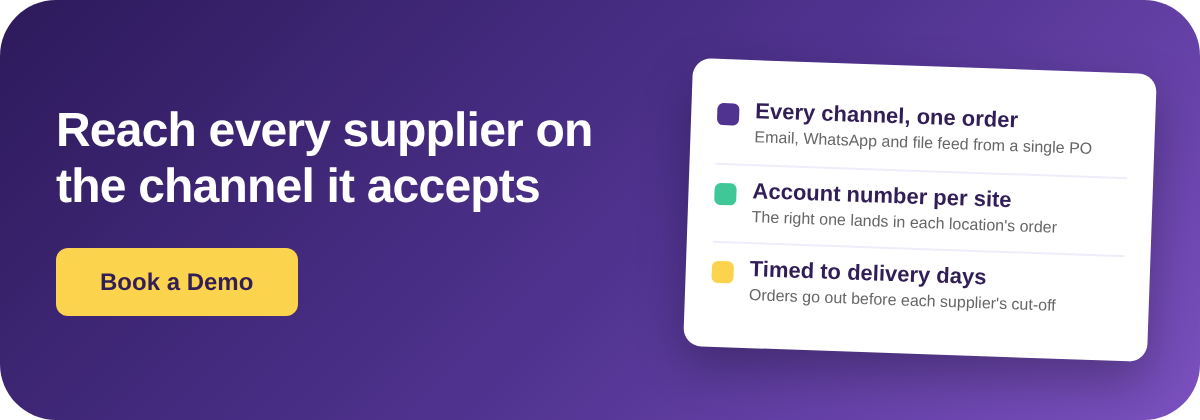
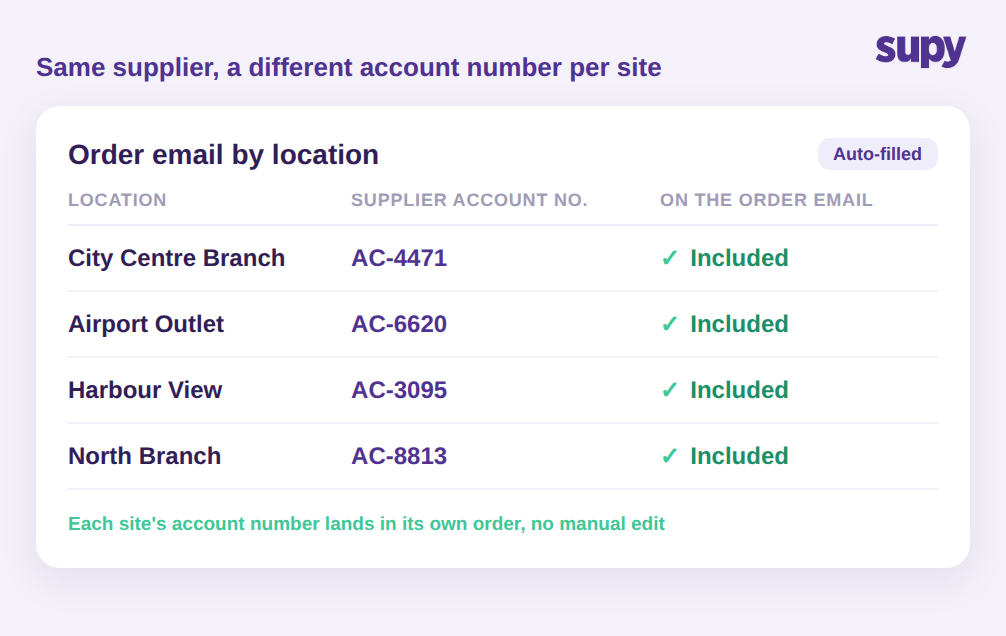
Selbst die Lieferanten, die E-Mails akzeptieren, schaffen eine Multi-Standort-Falle. Eine Gruppe hält in der Regel ein separates Handelskonto beim selben Lieferanten für jeden Standort, damit der Lieferant dem richtigen Standort in Rechnung stellen und liefern kann. Das bedeutet, dass die Bestell-E-Mail für die City-Centre-Filiale eine andere Kontonummer tragen muss als die für das Airport-Outlet – sonst kann der Lieferant die Bestellung nicht dem richtigen Konto zuordnen.
Teams, die Bestell-E-Mails ohne diese Information automatisieren, landen bei einer generischen Vorlage, die ein Lieferant nicht verarbeiten kann – das schiebt die Bestellung zurück an eine Person, die sie manuell korrigiert. Das entscheidende Detail ist klein aber wirksam: Die eigene Lieferanten-Kontonummer jedes Standorts steht automatisch im Body der Bestell-E-Mail dieses Standorts. Sobald das eingerichtet ist, können Bestell-E-Mails für jeden Standort auf einmal automatisiert werden statt eine nach der anderen sorgfältig zu bearbeiten – und der Lieferant erhält eine Bestellung, auf die er ohne Rückruf reagieren kann.
Wenn ein Lieferant einen Datei-Feed möchte, keine E-Mail
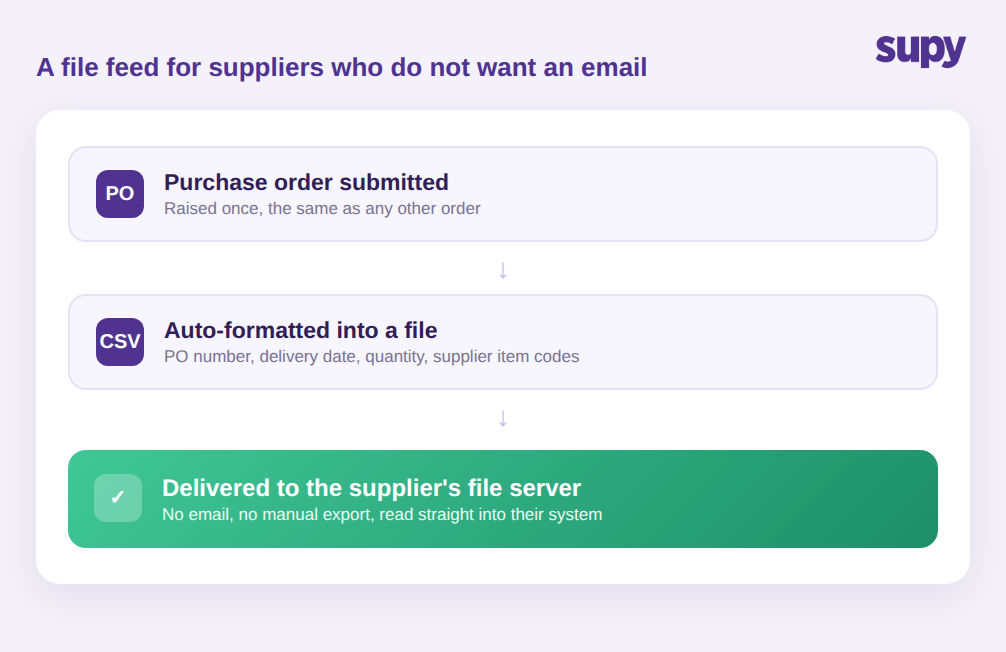
Die größten Lieferanten möchten oft gar keine E-Mail. Sie betreiben eigene Bestellsysteme und erwarten Bestellungen als strukturierte Datei – nicht als Nachricht, die jemand erneut eintippen muss. Hier stoppen die meisten Restaurant-Bestelltools, und hier bleiben die größten Lieferanten einer Gruppe manuell.
Supy verbindet sich über eine Dateiintegration direkt mit diesen Lieferanten. Sobald sie eingerichtet ist, wird jede eingereichte Bestellung automatisch formatiert und an den Dateiserver des Lieferanten übermittelt – ohne E-Mail-Schritt und ohne manuellen Export. Die Bestellung geht als strukturierte Datei mit Bestellnummer, Lieferdatum, Mengen und den eigenen Artikelcodes des Lieferanten hinaus, sodass das System des Lieferanten sie direkt einlesen kann, ohne dass jemand etwas erneut eintippt.
Das letzte Feld ist wichtiger, als es scheint. Das System eines Lieferanten erkennt Ihre internen Produktnamen nicht – es erkennt seine eigenen Artikelcodes. Wenn diese Codes automatisch auf der Bestellung mitreisen, gleicht der Lieferant jede Position ohne Rückfrage ab, und die gelieferten Waren entsprechen der Bestellung, die auf Ihrer Seite sichtbar ist. Das manuelle Wiedereintippen einer Bestellung ist der Ort, an dem ein falscher Code, eine falsche Packungsgröße oder eine falsche Menge einschleicht – und genau diesen Schritt beseitigt das. Es skaliert auch ohne zusätzlichen Aufwand: Ob eine Gruppe drei Datei-Feed-Lieferanten oder dreißig betreibt, der Aufwand für den Einkäufer ist derselbe, weil Formatierung und Übermittlung im Augenblick der Bestellungseinreichung stattfinden statt in einem separaten Exportschritt, an den sich jemand erinnern muss. Für den Einkäufer sieht das Bestellen beim größten Distributor genauso aus wie beim kleinsten Café-Lieferanten: einmal erfassen, und es landet dort, wo der Lieferant es in der Form braucht, die er benötigt.
Bestellungen an den Tagen heraussenden, an denen der Lieferant tatsächlich liefert
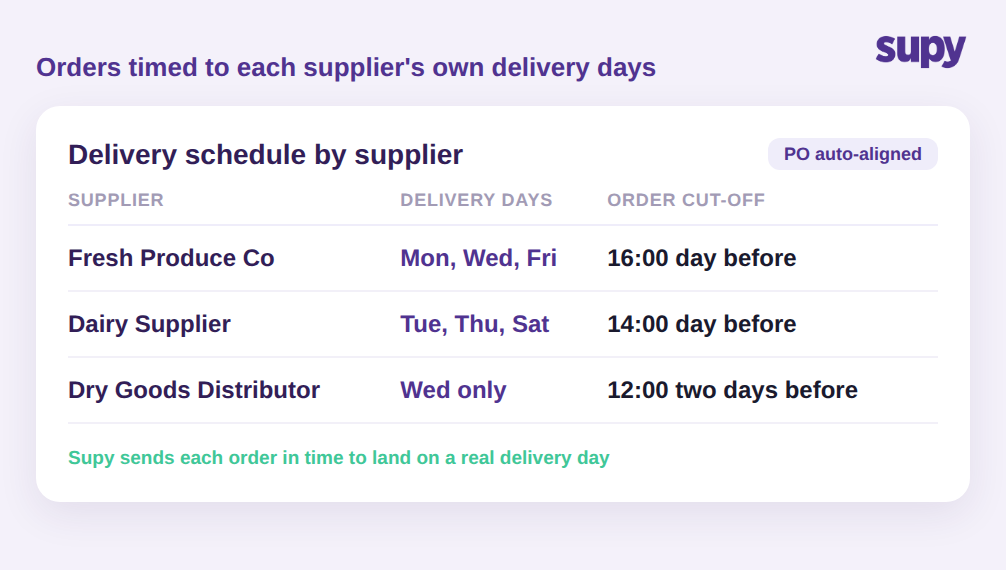
Den Lieferanten zu erreichen ist nur die Hälfte der Aufgabe. Eine Bestellung, die nach dem Bestellschluss des Lieferanten ankommt oder für einen Tag, an dem er nicht liefert, scheitert trotzdem. Jeder Lieferant hat seine eigenen Liefertage und seinen eigenen Bestellschluss, und das über vierzig Lieferanten hinweg im Kopf zu behalten ist unrealistisch. Den Bestellschluss um eine Stunde zu verpassen bedeutet, dass die Lieferung zur nächsten Fahrt des Lieferanten verschoben wird – was bei einem zweimal wöchentlich liefernden Lieferanten tagelangen Engpass bei einer Zutat bedeuten kann, die die Küche bereits auf der Speisekarte hat. Über eine geschäftige Liste hinweg ist das der Grund, warum eine Gruppe eine stetige Rate an Bestellungen hat, die nur durch einen Zeitverzug zu spät ankommen.
Supy hält den Lieferplan und die Bestellschlüsse jedes Lieferanten in der Lieferantenverwaltung und richtet Bestellungen an den Tagen aus, an denen der Lieferant tatsächlich liefert – sodass Bestellungen rechtzeitig für einen echten Liefertag herausgehen, statt bis zum nächsten zu warten. Gepaart mit dem Kanal, den jeder Lieferant akzeptiert, schließt das den Kreislauf: die richtige Bestellung, im richtigen Format, an den richtigen Lieferanten, rechtzeitig für die Erfüllung. Für Gruppen, die auf wiederkehrende Bestellungen angewiesen sind, steuert dieselbe Planungslogik Dauerbestellungen, sodass routinemäßige Nachbestellungen automatisch planmäßig herausgehen.
Was Sie überprüfen sollten, bevor Sie Ihrem Bestellsystem vertrauen
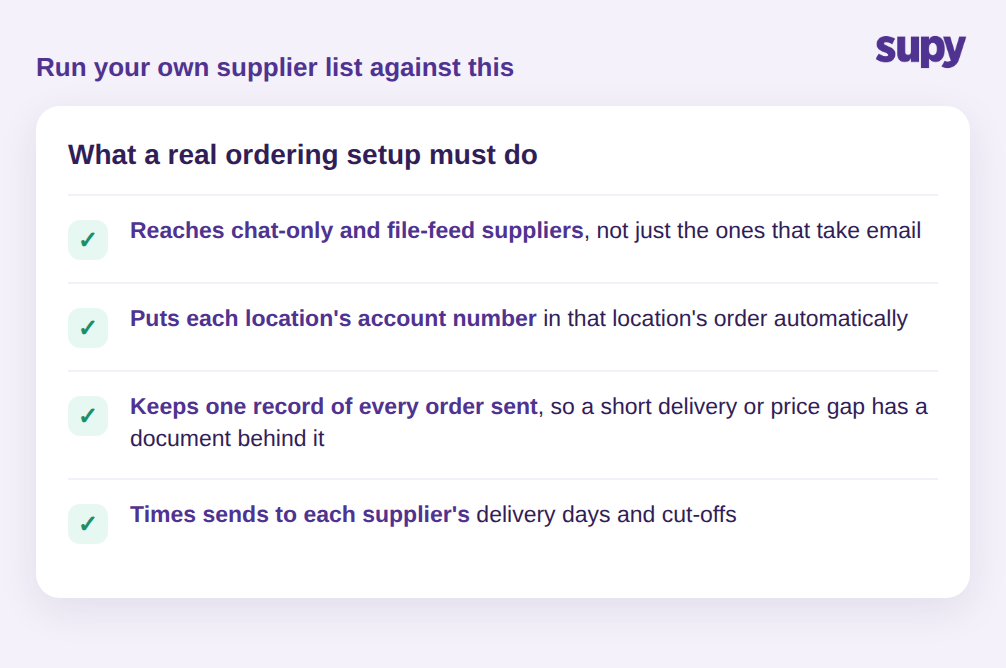
Der Test eines Lieferanten-Bestellsystems ist nicht, ob es eine Bestellung per E-Mail senden kann. Er besteht darin, ob es jeden Lieferanten auf Ihrer Liste ohne menschliches Eingreifen erreichen kann. Überprüfen Sie Ihre eigene Liste anhand von vier Fragen:
- Kann es an Ihre Chat-only- und Datei-Feed-Lieferanten senden, nicht nur an die, die E-Mails akzeptieren?
- Wird die Lieferanten-Kontonummer jedes Standorts automatisch in der Bestellung dieses Standorts eingetragen?
- Führt es einen Nachweis jeder gesendeten Bestellung, sodass eine Unterlieferung oder Preislücke ein Dokument dahinter hat?
- Richtet es das Senden an die Liefertage und Bestellschlüsse jedes Lieferanten aus?
Wenn die Antwort auf eine dieser Fragen nein ist, ist das der Punkt, an dem Ihr Bestellprozess bei jeder neuen Filiale und jedem neuen Lieferanten auf manuelle Arbeit zurückfällt. Eine Gruppe, die alle vier Fragen mit ja beantworten kann, hat die Lieferantenbestellungen zu etwas gemacht, das das System erledigt – nicht etwas, das ein Einkäufer von Hand zusammenhält.