.jpeg)

Ce qui fait échouer les prises d'inventaire multi-sites à grande échelle – et comment y remédier
Pourquoi les inventaires multi-sites échouent en pratique
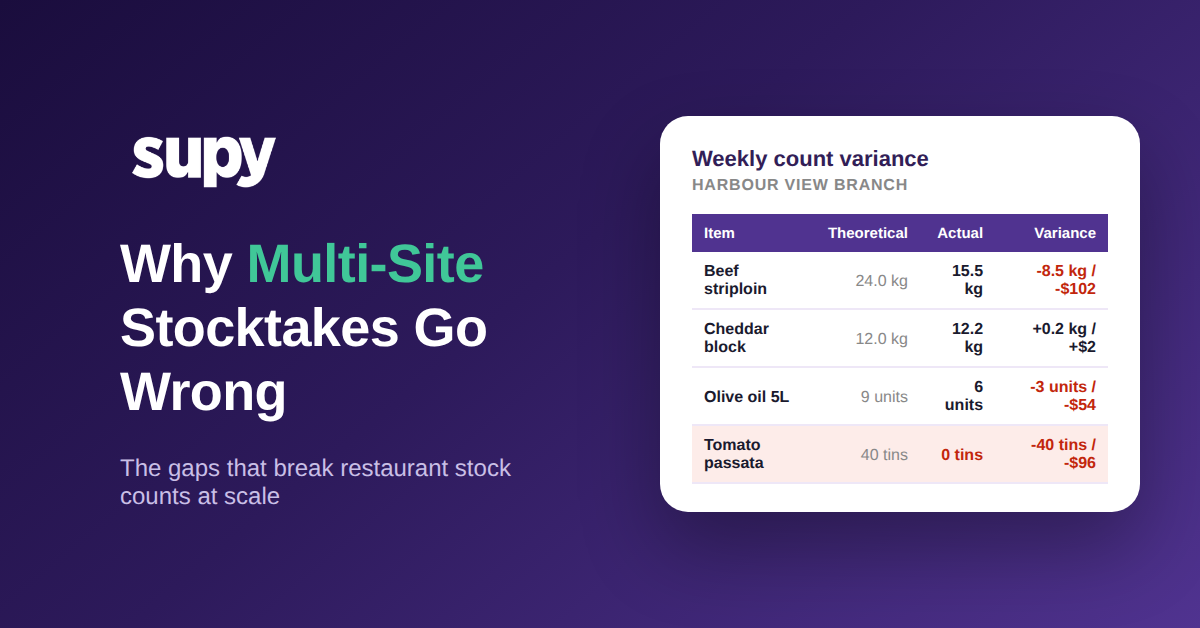
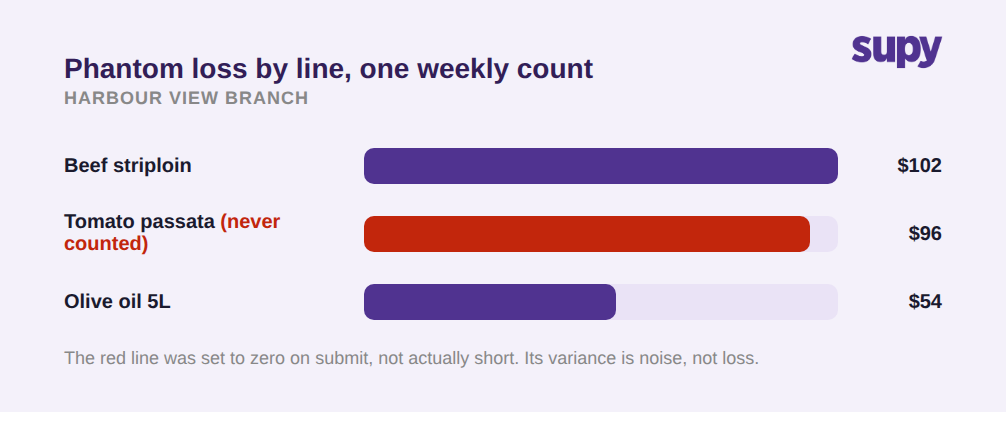
Les inventaires multi-sites échouent lorsqu'un processus conçu pour un compteur méthodique sur un seul site se heurte à la réalité de dizaines de personnes comptant des zones différentes sur de nombreux sites en une même nuit. L'inventaire censé révéler les fuites d'argent produit à la place des chiffres auxquels personne ne fait confiance : les articles non comptés apparaissent à zéro, l'écart est mesuré par rapport à un chiffre périmé, et il n'existe aucune vue d'ensemble du groupe.
Chaque exploitant a vécu le même lundi matin. Plusieurs sites ont soumis leur inventaire hebdomadaire au cours du week-end, les chiffres sont arrivés dans un tableur, et aucun ne correspond à ce que les cuisines détiennent réellement. L'écart d'un site semble impossible. Un autre affiche tout à zéro parce que quelqu'un a appuyé trop tôt sur Envoyer. Un troisième n'a jamais compté la moitié de la chambre froide. Ce qui devait repérer les fuites a créé un nouveau problème : vous ne faites plus confiance à aucun chiffre et ne pouvez pas distinguer les sites réellement en déficit de ceux qui ont simplement mal compté.
Un seul mauvais inventaire sur un site est un désagrément. Le même défaut répété sur chaque site, chaque semaine, contamine silencieusement tous les chiffres en aval — du ratio coût matière à ce que vous recommandez ensuite. Si vous gérez des inventaires sur plus d'une poignée de sites, la question n'est pas de savoir si ces lacunes existent, mais lesquelles vous coûtent le plus ; presque toutes ont une racine commune : des outils conçus pour un inventaire unique sur un seul site, jamais adaptés à un groupe. Les huit modes de défaillance ci-dessous nomment chaque lacune, sa conséquence opérationnelle et la fonctionnalité qui la corrige.
Les modes de défaillance d'inventaire qui coûtent le plus aux groupes multi-sites
Voici les façons spécifiques dont les prises d'inventaire multi-sites échouent à grande échelle, chacune tirée de ce que les exploitants vivent réellement, avec ce qu'un processus d'inventaire doit faire pour l'éviter.
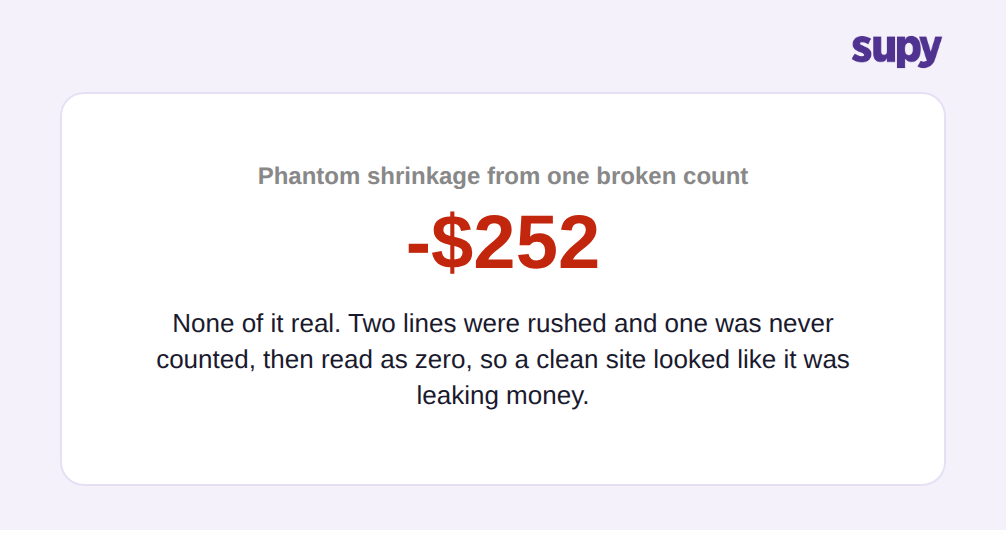
- Les articles non comptés deviennent silencieusement zéro. De nombreux outils d'inventaire définissent par défaut chaque article non compté à zéro lors de la soumission. Sur un grand site, un compteur qui manque de temps ou appuie trop tôt sur Envoyer indique au système que toute la section non comptée n'a aucun stock. Le lendemain, le stock théorique est faux, le rapport d'écart est incohérent, et les suggestions de réapprovisionnement reposent sur des pénuries fictives. La solution est un processus d'inventaire qui traite « non compté » et « compté à zéro » comme deux états différents : les lignes non comptées doivent être signalées et exclues, jamais supposées vides, et l'option de remplissage à zéro doit être quelque chose que vous pouvez désactiver, non une valeur par défaut cachée.
- Personne ne peut voir l'état d'avancement réel de l'inventaire. Sans pourcentage d'avancement ni filtre sur les articles non encore comptés, un manager qui valide les inventaires sur plusieurs sites n'a aucun moyen de voir qu'un site est seulement partiellement terminé et qu'un autre est complet. Des inventaires à moitié faits sont soumis et traités comme définitifs. Tout outil utilisé à grande échelle doit afficher l'avancement d'un coup d'œil et permettre au compteur de filtrer directement sur les articles encore en attente, pour qu'un inventaire inachevé soit évident avant validation — et non après que les chiffres sont déjà faux.
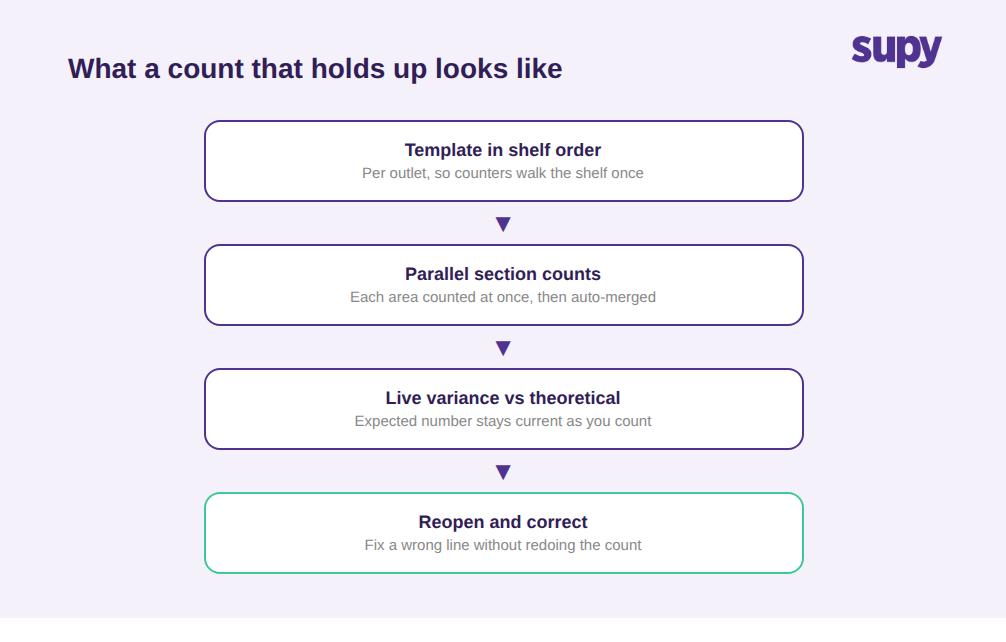
- Les compteurs travaillent à l'aveugle, sans valorisation en temps réel. Lorsque l'écran de comptage n'affiche que des quantités et jamais la valeur courante de ce qui est compté, une erreur évidente — des centaines de boîtes saisies au lieu de dizaines — passe inaperçue parce que rien à l'écran ne semble alarmant. Une valorisation en direct pendant le comptage transforme le compteur en première ligne de défense : un chiffre qui saute soudainement de milliers est repéré dans le rayon, pas trois jours plus tard lors d'une réunion sur les écarts.
- Le modèle d'inventaire s'oppose au compteur. Un modèle qui n'est pas dans l'ordre des rayons oblige les compteurs à zigzaguer dans la réserve ; un modèle non spécifique au site liste des articles que le site ne stocke pas ; et un modèle sans recherche ni feuille vierge imprimable laisse les compteurs incapables de se préparer ou de trouver quoi que ce soit. Tout cela rend les inventaires lents et sujets aux erreurs sur les sites. Le comptage des stocks de Supy utilise des modèles réutilisables dans l'ordre des rayons et spécifiques à chaque point de vente, pour que les compteurs parcourent le rayon une seule fois au lieu de chercher dans une liste maître non pertinente — ce qui explique en grande partie la réduction de plus de 50 % du temps de comptage annoncée.
- L'écart est mesuré par rapport à un chiffre périmé, et ne signifie donc rien. Un inventaire ne produit un écart fiable que si le stock attendu (théorique) du système est à jour au moment du comptage. Si le stock théorique n'est pas continuellement mis à jour à partir de chaque livraison et de chaque vente de recette, l'écart que vous obtenez correspond à la différence entre un comptage réel et une estimation périmée — ce qui ne vous dit rien sur les pertes réelles. Supy maintient le stock théorique à jour, en le mettant à jour à partir de chaque bon de réception et de chaque événement de consommation de recette, de sorte que l'écart au moment de l'inventaire mesure le comptage par rapport à un chiffre attendu réellement actuel plutôt que périmé.
- Un inventaire soumis verrouille définitivement une erreur. Dans les outils où la soumission est définitive, une erreur de saisie ou un rayon mal lu est figé dans l'enregistrement et fausse silencieusement le stock jusqu'à ce que quelqu'un le remarque des semaines plus tard. Les inventaires doivent être corrigeables : un utilisateur autorisé doit pouvoir rouvrir un inventaire soumis et corriger la ligne spécifique, avec suivi de la modification, pour qu'une seule erreur ne creuse pas un trou permanent dans vos chiffres. Supy permet de rouvrir un inventaire soumis pour correction plutôt que d'imposer un réinventaire complet.
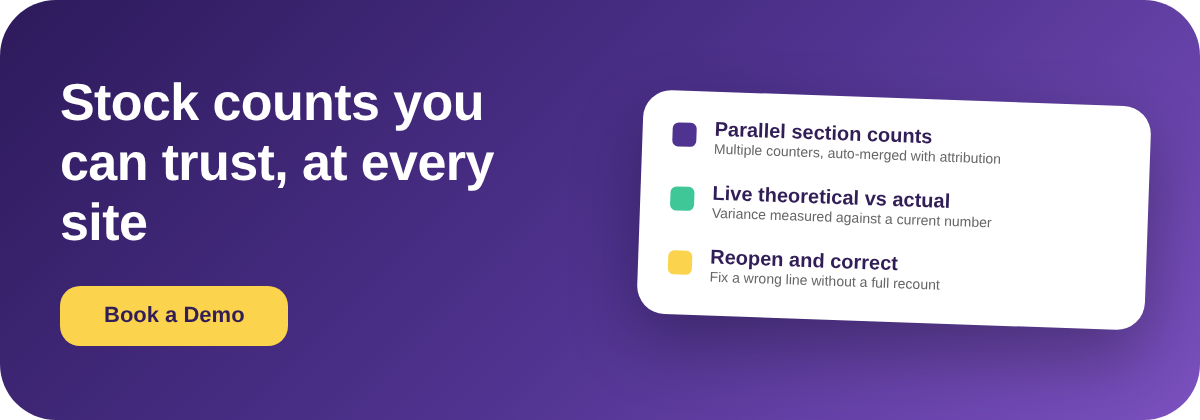
- Une seule personne doit compter l'intégralité du site. Lorsqu'un seul compteur peut travailler sur un inventaire à la fois, les grands sites prennent des heures, les inventaires sont bâclés en fin de parcours et des sections sont sautées pour respecter l'échéance. Le comptage parallèle supprime ce goulot d'étranglement : plusieurs membres de l'équipe comptent leurs propres sections simultanément, chaque sous-inventaire étant verrouillé sur son responsable, et la plateforme fusionne les résultats avec attribution — un grand site est compté en une fraction du temps et vous pouvez voir qui a compté quoi si un chiffre semble suspect.
- Chaque site gère son inventaire à sa façon. Le défaut le plus structurel n'est pas une lacune fonctionnelle unique, c'est la fragmentation : des outils d'inventaire ou des tableurs distincts par site, sans vue unique et cohérente des stocks dans le groupe. Le siège ne peut pas comparer les sites, ne peut pas consolider les inventaires, et ne peut pas faire confiance au fait que « compté » signifie la même chose partout. La solution est un processus d'inventaire unique, sur une plateforme unique, sur tous les sites — pour qu'un chiffre au niveau du groupe existe réellement et soit construit de la même façon sur chaque site.
Comment identifier lequel de ces défauts affecte votre groupe
Vous n'avez pas à deviner lequel vous coûte le plus. Récupérez les inventaires de la semaine dernière de deux ou trois sites et faites un autodiagnostic rapide. D'abord, repérez les lignes revenues exactement à zéro : si un site n'a aucun des articles qu'il utilise clairement, vous mettez très probablement les stocks non comptés à zéro (défaut un). Ensuite, vérifiez si un inventaire a été approuvé avant d'être terminé ; si vous ne pouvez même pas le déterminer, vous avez la lacune de visibilité sur l'avancement (défaut deux). Troisièmement, prenez vos trois plus grands écarts et demandez si le stock théorique était à jour lors de l'exécution de l'inventaire ; sinon, cet écart est du bruit, pas un signal (défaut cinq). Enfin, comptez combien de façons différentes vos sites enregistrent réellement un inventaire : plus d'une est le problème de fragmentation (défaut huit), et c'est généralement celui à corriger en premier car il rend invisible chaque autre lacune.
L'étape suivante est ciblée, pas une refonte complète du système : corrigez le mode de défaillance unique qui fausse le plus de chiffres, standardisez cet élément sur tous les sites, puis relancez le diagnostic le mois prochain. Pour la plupart des groupes, le gain immédiat le plus important est de maintenir le stock théorique à jour et d'empêcher que les articles non comptés soient lus à zéro, car ces deux facteurs font mentir un inventaire par ailleurs honnête. Pour les questions structurelles connexes, voyez comment les groupes gèrent la propriété des stocks par point de vente par rapport à un entrepôt partagé et pourquoi les conversions d'unités de mesure faussent silencieusement les stocks et les coûts dans le groupe.