.jpeg)

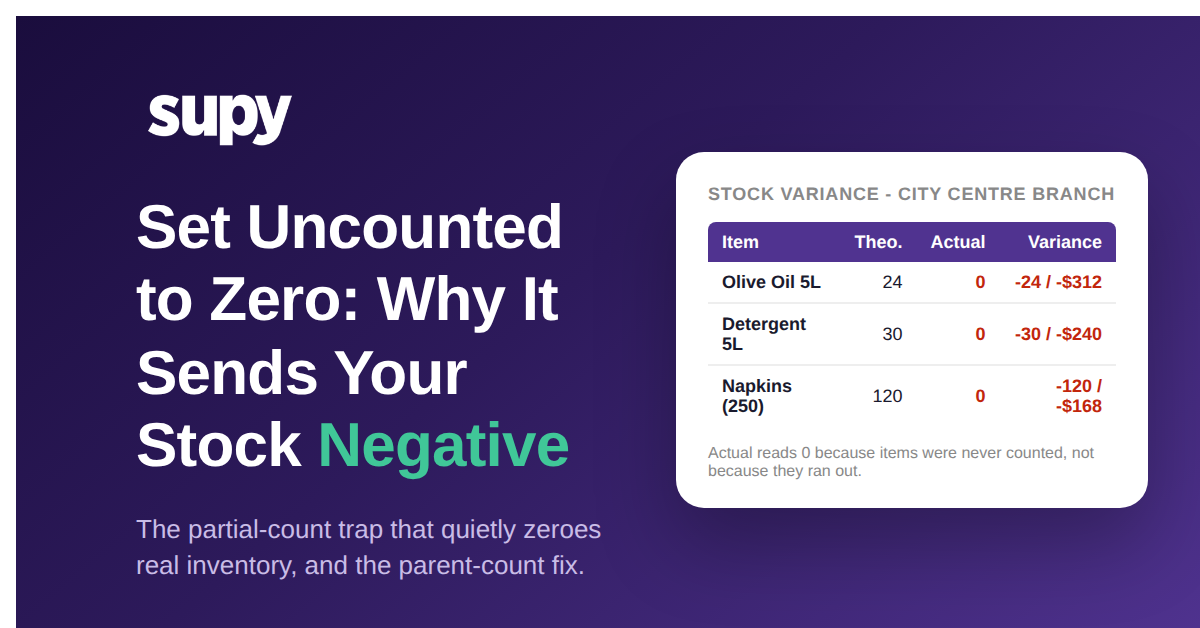
Comment Supy améliore la précision des stocks en éliminant les écarts d’inventaire fantômes

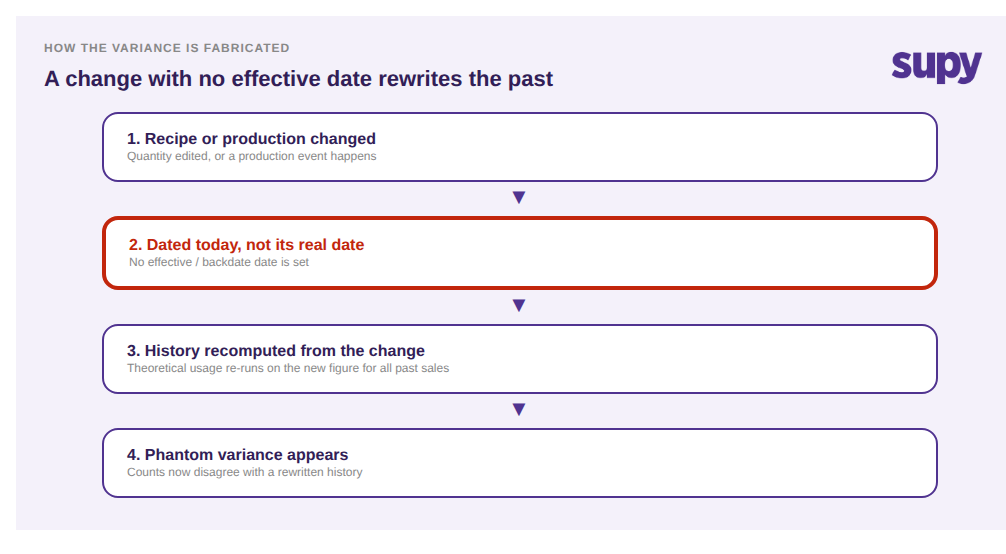
Les écarts d’inventaire fantômes sont des décalages entre votre décompte de stock et votre système qu’aucune perte physique ne peut expliquer. Ils apparaissent chaque fois qu’une quantité de recette, un événement de production ou la date de début d’une recette est saisi sans être antidaté à la date à laquelle il a réellement pris effet. Le système recalcule alors des mois de ventes passées sur la base d’un chiffre erroné, fabriquant un écart qui n’a jamais existé en rayon.
Le même mécanisme se manifeste de quatre manières courantes, et chacune génère des écarts de la même façon :
- Une quantité de recette change, mais la modification est datée d’aujourd’hui plutôt que du moment où elle a réellement changé, de sorte que des mois de ventes passées continuent à consommer l’ancienne quantité, plus faible.
- Un événement de production est saisi manuellement dans l’inventaire au lieu d’être enregistré comme une production, ce qui maintient les stocks et la valeur erronés jusqu’à ce que cet événement soit antidaté à la date où il s’est réellement produit.
- Une recette est créée après que ses ventes ont déjà été importées, de sorte que ces ventes antérieures ne sont liées à rien et ne consomment aucun stock.
- Un changement d’ingrédient est daté d’aujourd’hui plutôt qu’à sa vraie date d’entrée en vigueur, ce qui réécrit discrètement l’historique des coûts et des marges des mois précédents.
Le fil conducteur est le timing, pas le comptage. Le stock théorique n’est pas un chiffre saisi une fois pour toutes ; il est calculé en continu à partir de chaque réception de marchandises et de chaque événement de consommation de recette. Dès qu’une recette ou un enregistrement de production change, le système le recalcule par rapport à toutes les ventes qu’il peut voir. L’antidatage lui indique à quelle période ce changement appartient. Si vous omettez l’antidatage, vous n’avez pas seulement modifié les choses pour l’avenir : vous avez silencieusement réécrit le passé, ce qui explique pourquoi aucun recomptage ne comblera l’écart.
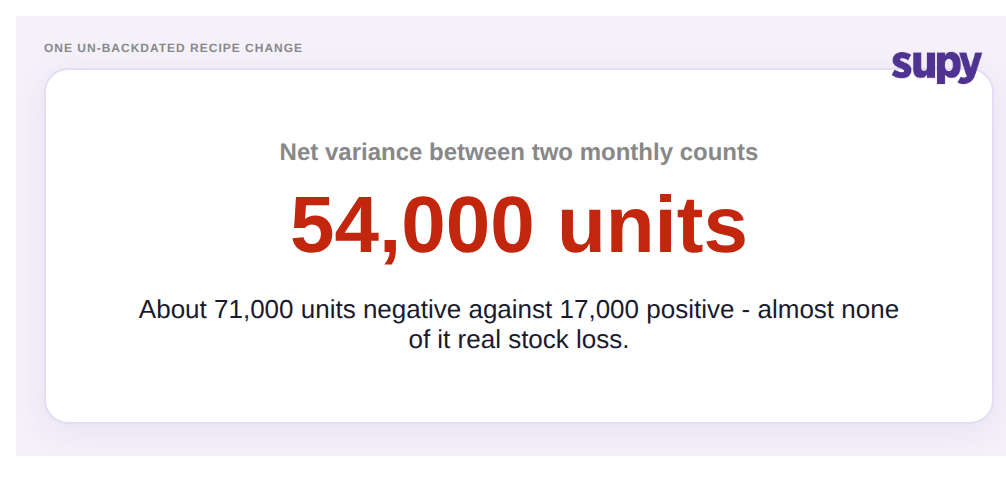
L’ampleur que cela peut atteindre est facile à sous-estimer. L’audit d’un groupe de restauration multi-sites a révélé un écart net d’environ 54 000 unités entre deux inventaires à un mois d’intervalle — près de 71 000 unités négatives contre 17 000 positives — alors qu’article par article, presque rien n’était une perte réelle. L’inventaire était exact et la recette était correcte pour l’avenir. La seule erreur était une quantité de recette modifiée sans date d’effet, de sorte que des mois de ventes historiques n’avaient consommé que l’ancienne quantité, bien inférieure. Personne n’avait perdu 54 000 unités de quoi que ce soit ; l’écart résidait dans le timing de la modification, pas en rayon.
La solution : antidater chaque modification à sa vraie date et obtenir des écarts fiables
La solution ne consiste pas à recompter ou à ajuster manuellement un chiffre. Elle consiste à antidater chaque modification à la date à laquelle elle a réellement pris effet, afin que le système recalcule les ventes historiques sur la base du chiffre corrigé plutôt que de l’ancien. Puis à verrouiller l’inventaire réconcilié pour qu’aucune modification ultérieure ne le fausse à nouveau. Corrigez le timing et l’écart se corrige de lui-même.
Dans Supy, il s’agit d’un Workflow délibéré et reproductible, pas d’un sauvetage par tableur. Trouvez la date à laquelle une modification a réellement pris effet : quand la quantité a changé, quand la production a eu lieu, quand le changement d’ingrédient a commencé. Utilisez Action > Antidater la recette pour définir cette vraie date d’effet, et Supy reconsomme les ventes historiques à la quantité corrigée plutôt qu’à l’ancienne. Comme le stock théorique est continuellement mis à jour à partir de chaque réception de marchandises et de chaque événement de consommation de recette, cette correction se propage proprement dans tout l’historique que la modification touche — c’est précisément pourquoi l’antidatage corrige le problème là où un ajustement manuel ne le peut pas. Une fois les chiffres réconciliés, verrouillez l’inventaire pour qu’aucune modification ne le fausse pendant que les finances signent.

L’impact est que les écarts recommencent à avoir du sens. Au lieu que les équipes passent des jours à recompter des rayons pour retrouver une perte qui n’a jamais eu lieu, le chiffre dans le rapport reflète ce qui s’est réellement déplacé. Les marges et la valeur de clôture des stocks cessent d’osciller selon le timing de la saisie des données, les investigations raccourcissent, et un inventaire verrouillé et réconcilié est quelque chose que les finances peuvent réellement valider. C’est la différence entre un système de gestion des stocks qui se contente d’enregistrer des chiffres et un système dont le stock théorique est suffisamment fiable pour piloter l’activité.
Avant de comptabiliser votre prochain gros écart comme une perte, effectuez trois vérifications rapides : une recette a-t-elle été modifiée dans la période sans date d’effet ? Des événements de production ont-ils été saisis manuellement plutôt qu’enregistrés comme production ? Une recette a-t-elle été créée après que ses ventes ont déjà été importées ? Si la réponse à l’une de ces questions est oui, l’écart est presque certainement fabriqué par le timing, et l’antidatage — et non le recomptage — est la solution. Découvrez comment la gestion des recettes et la gestion des stocks de Supy maintiennent le stock théorique fiable, et notre guide sur les modes de défaillance des inventaires dans les groupes multi-sites couvre les autres pièges de timing qui faussent un inventaire.