.jpg)


Restaurant Inventory Unit of Measure Conversion: Why Cases, Grams and Pieces Break Your Stock and Cost Numbers
Where Cases, Grams and Pieces Pull Your Numbers Apart
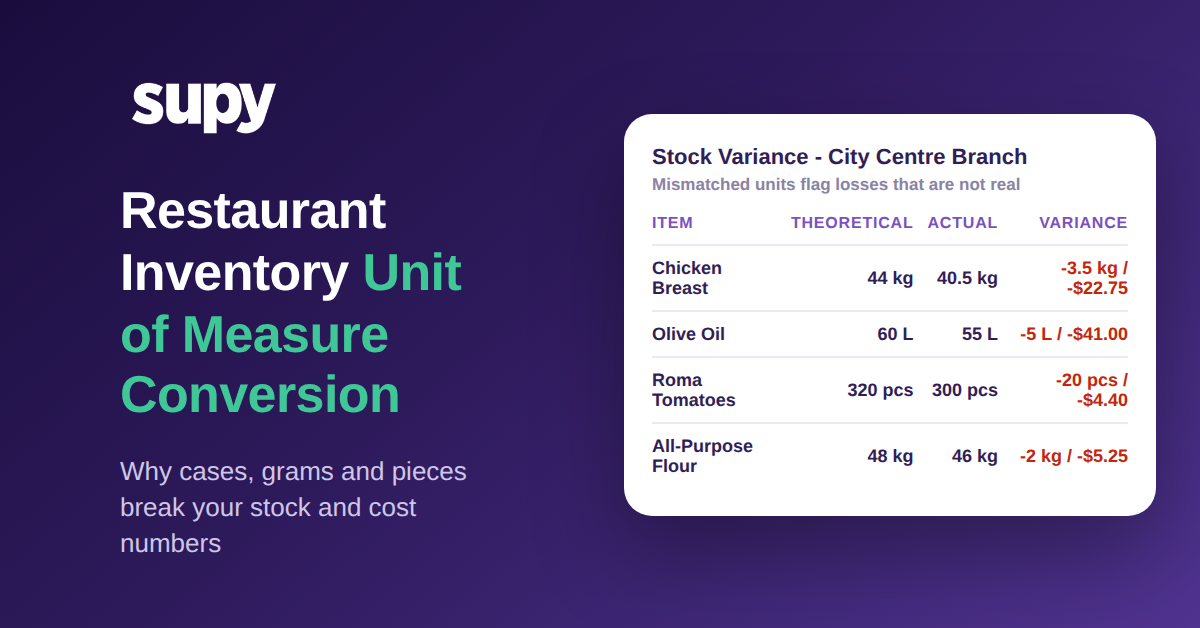
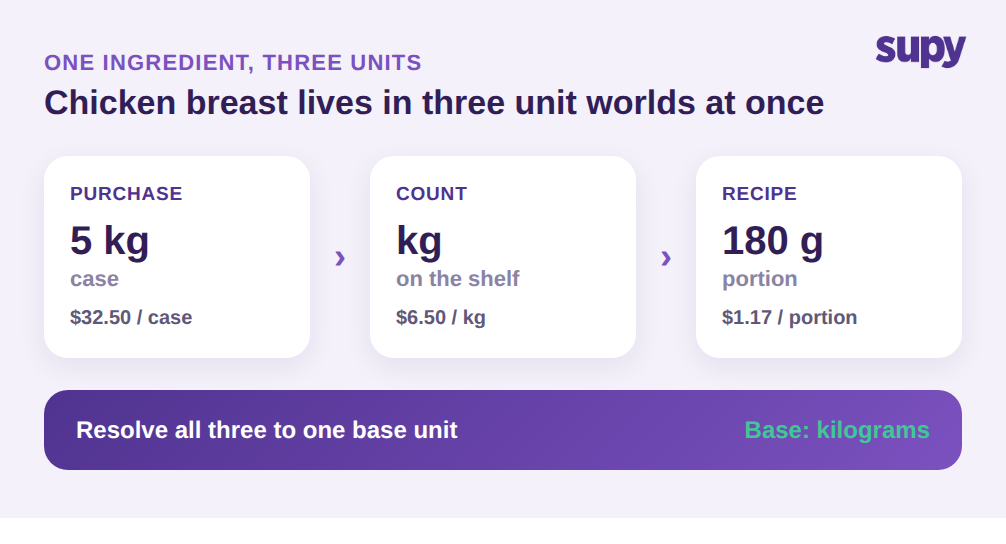
Every ingredient in a restaurant lives in at least three unit worlds. You purchase it in one unit, you count it in another, and you consume it in a third. Chicken breast arrives as a 5 kg case priced at $32.50, which is $6.50 per kilogram. Your team counts it in kilograms on the shelf. A recipe then draws it down in 180 g portions that cost roughly $1.17 each. As long as every step converts cleanly back to a single base unit, kilograms in this case, the math works.
The break happens the moment one of those conversions is missing or wrong. Say the system treats a 5 kg case as a single stock unit. Now 40 kg of real usage reads as 8 units, understating consumption by about 80 percent. Theoretical stock stays high because the system thinks you barely touched the item, while the shelf tells a different story. The variance report flags a gap, and someone spends an afternoon hunting for a loss that was never a loss. It was a unit that never converted.
This is exactly the friction one multi-location bakery group's operations team described: weight-based ordering, piece-to-gram conversion, and multiple case sizes for the same ingredient, all colliding at once. It is not an edge case. It is the normal state of any kitchen that buys from more than one supplier or runs more than one site, and it is why unit of measure conversion belongs at the center of an inventory setup, not in a footnote.
Why Static 1:1 Conversions Break Under Real Pack Sizes
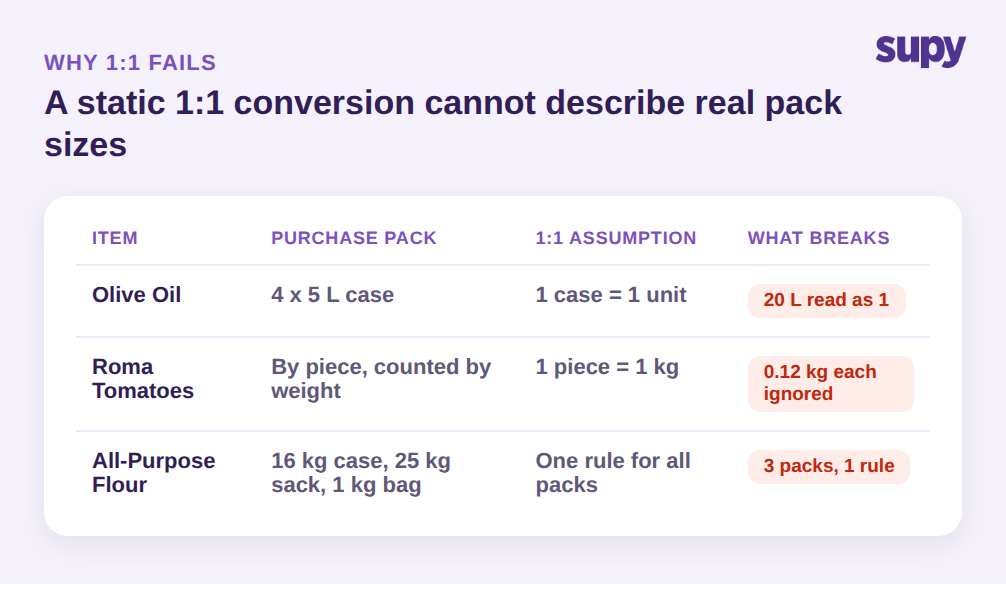
The default shortcut most systems reach for is a static 1:1 conversion: one purchase unit equals one stock unit, full stop. It is easy to configure and it is wrong for almost every real ingredient. A 1:1 rule assumes the pack you buy is the unit you count and the unit you use, which only holds for the rare item you buy, store and consume as a single whole piece.
Everything else forces a manual override. Olive oil comes as a 4 x 5 L case at $164.00, so one purchase line is 20 liters, not one bottle. Roma tomatoes are sold by the piece but counted by weight at an average of 0.12 kg each. Flour might arrive as a 16 kg case from one supplier, a 25 kg sack from another, and a 1 kg retail bag from a third, all the same ingredient, all different pack sizes. A single 1:1 conversion cannot describe any of these, so staff patch the gap by hand at the receiving dock or the count sheet, and every manual patch is a chance to enter the wrong number.
There is a second, quieter failure here that has nothing to do with math. The wrong unit shown at the moment of action drives the wrong decision. One hospitality group's production team noted that the preferred packaging unit should appear first during ordering and production, precisely because showing the wrong unit leads people to order or count the wrong quantity. If the ordering screen shows a 4 x 5 L case and a manager types 12 expecting single bottles, 240 liters land against a 60 liter need. The conversion existed, but the unit displayed at the decision point was not the one the operator had in mind.
Fix the Root Cause: One Base Unit for Every Ingredient
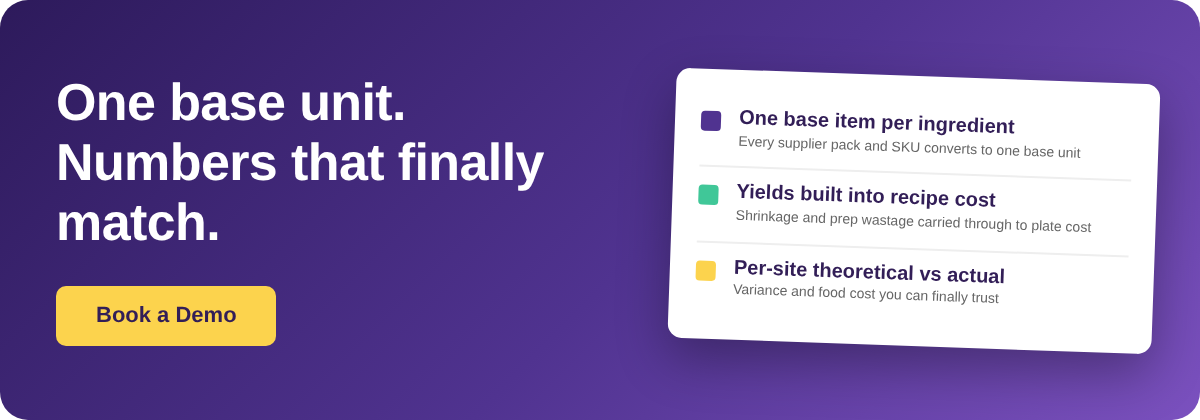
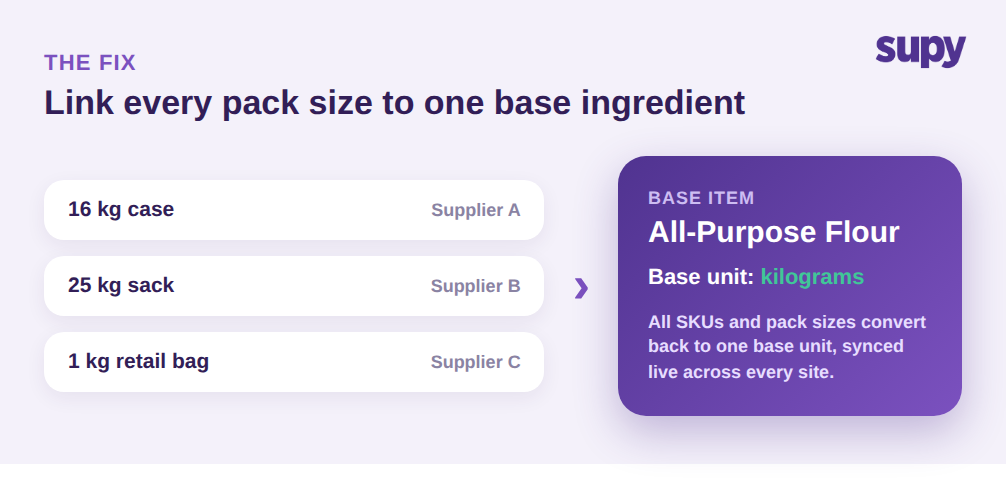
The durable fix is structural, not procedural. Instead of maintaining a separate catalogue entry for every pack size and hoping the conversions stay in sync, you define one base ingredient and link every supplier variant, SKU and pack size to it. In Supy, each ingredient is a single Base Item, and all of its supplier SKUs and packaging variants attach to that one item. Flour is one ingredient with a base unit of kilograms; the 16 kg case, the 25 kg sack and the 1 kg bag are all just packaged expressions of the same base.
That single decision resolves most of the mismatch problem at once. Purchase orders can be raised in whatever pack a given supplier ships, receiving records the case, and the system converts everything back to the base unit for counting and consumption. You are no longer keeping three catalogue lines aligned by hand, so there is no drift to patch. When a new supplier introduces a fourth pack size, you attach it to the same base ingredient rather than creating a parallel item that quietly competes with the original in your reports. This one-item discipline is the backbone of any dependable restaurant inventory software.
It also fixes the cross-site version of the problem. A restaurant group where one ingredient carries different pack sizes at different branches is the hardest case for a flat catalogue, because each site's overrides live in isolation. With one base ingredient synced live across outlets, a pack size added at the central kitchen is available everywhere, and stock counts from every site roll up in the same base unit. The theoretical-versus-actual comparison finally compares like with like, because every branch is counting the same thing in the same unit. Allergen tags and other ingredient-level attributes stay attached to that single base too, so they carry into every recipe automatically instead of being re-entered per pack size.
Keep Costs Honest with Yields, Wastage and Per-Site Recipe Costing
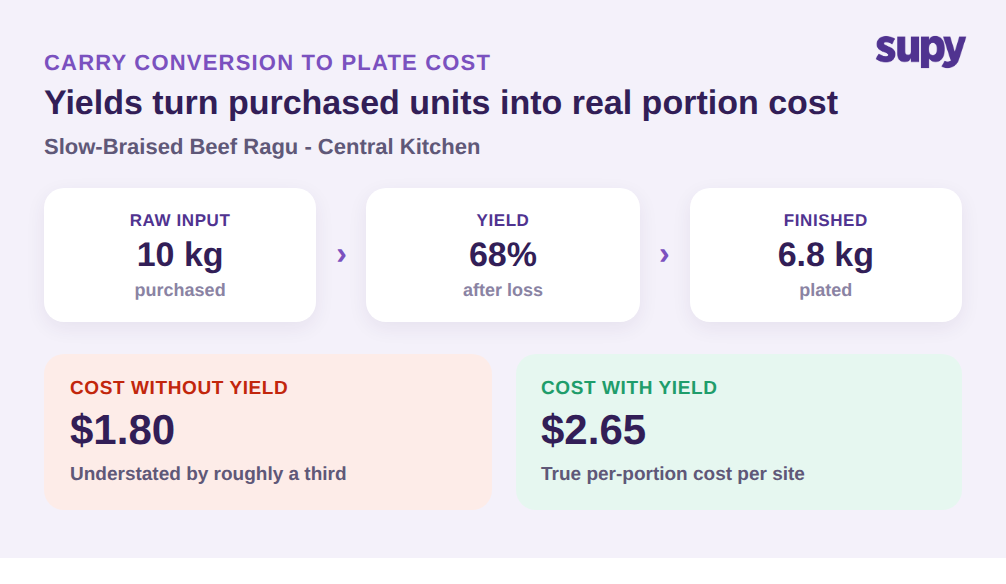
Getting the purchase-to-stock conversion right is only half the chain. The other half is what happens when an ingredient becomes a dish, and this is where yields and wastage enter. Raw input is never finished output. Ten kilograms of beef going into a slow-braised ragu might yield 6.8 kg after a 68 percent yield, and a recipe cost that ignores that loss understates the true portion cost by roughly a third. A conversion that is mathematically clean from case to kilogram still produces a wrong plate cost if it stops at the raw ingredient.
Supy's recipe layer closes that gap. Recipes and prep recipes carry yields, shrinkage and prep wastage, so the base-unit quantity that leaves stock reflects real production loss, not just the raw weight on paper. Because recipes link to point-of-sale menu items, a sale depletes the correct ingredient quantities automatically, in the base unit, without anyone re-entering a conversion. The unit that was defined once at the ingredient level carries all the way through to what comes off the shelf when a dish sells.
Downstream, this is what makes cost data trustworthy. Live cost of goods sold and food cost percentage are calculated per site and per category, with theoretical-versus-actual variance and wastage broken out by type and location. Recipe costs update as purchase prices move, so the plate cost you see reflects what you actually paid, converted through the same base unit, not a stale estimate. When the conversions underneath are correct, a 1.8 percent food cost swing means something real happened in the kitchen. When they are not, that same swing is noise, and no amount of analysis on top of broken units will tell you which is which. Accurate unit of measure conversion is the foundation the entire cost stack stands on.
Check Your Own Operation First
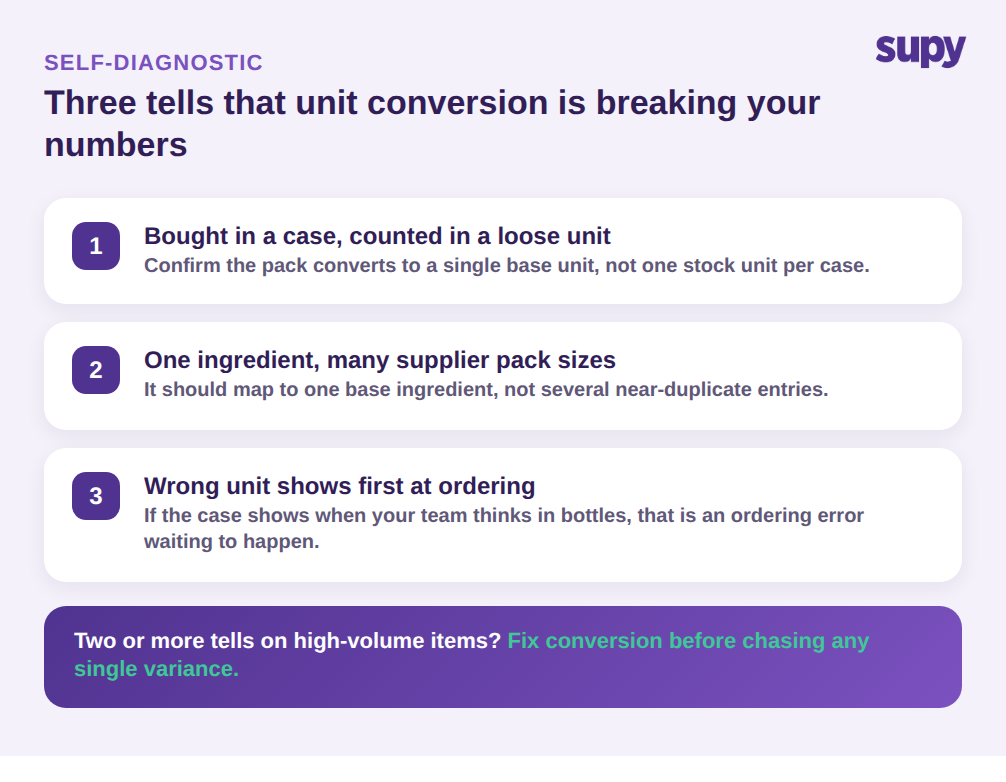
Before changing anything, run a quick self-diagnostic on the ingredients most likely to be hiding a conversion problem. Pull your last variance report and look for the three tells. First, any item you buy in a case or pack but count in a loose unit, chicken, oil, flour, produce, is a conversion candidate; confirm the system converts the pack back to a single base unit rather than treating the case as one stock unit. Second, any ingredient supplied by more than one vendor with different pack sizes should map to one base ingredient, not several near-duplicate entries. Third, open your ordering screen and check which unit shows first for a multi-pack item; if it is the case when your team thinks in bottles, that display is an ordering error waiting to happen.
If two or more of those tells are present on your high-volume items, unit conversion is almost certainly distorting your counts and costs, and it is worth fixing before you chase any single variance. Standardise every ingredient onto one base unit, link the pack sizes to it, and let recipe yields carry the conversion through to plate cost. The counts start matching the shelf again, and the numbers become something your team acts on instead of argues with.
Supy standardises every ingredient onto a single base unit, links all supplier pack sizes and SKUs to it, and carries that unit through recipes, live stock and per-site costing so your numbers stay consistent from purchase to plate. Book a demo to see it on your own ingredients.