.jpeg)

Conversion des unités de mesure en restauration : comment les caisses, grammes et pièces faussent vos stocks et vos coûts
Comment les caisses, grammes et pièces font diverger vos chiffres
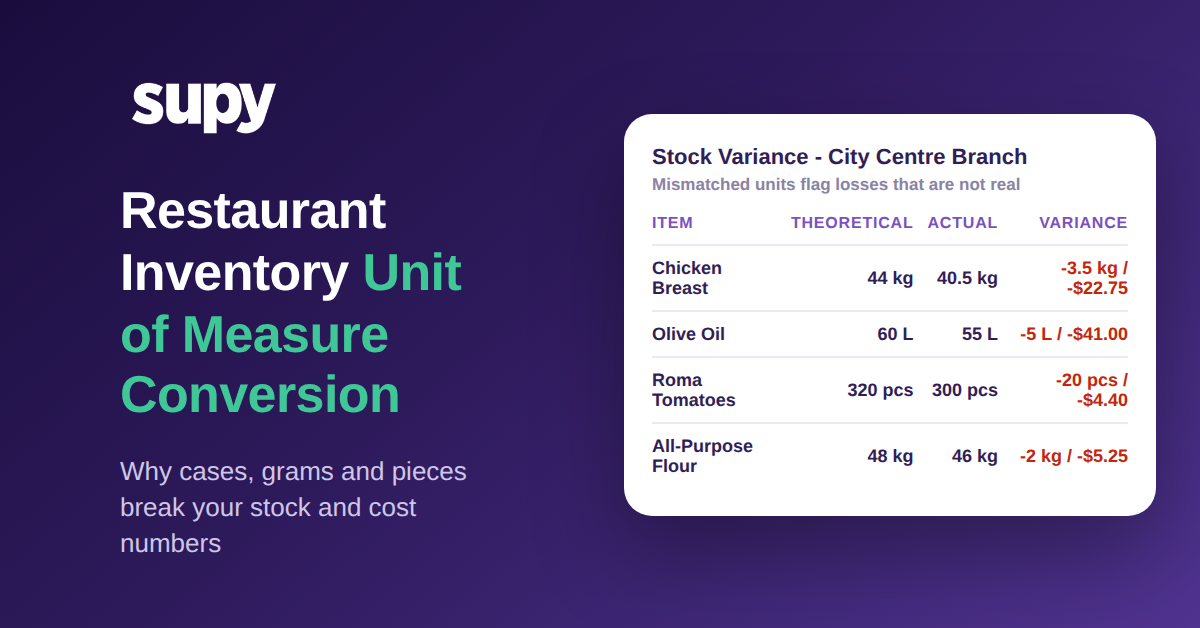
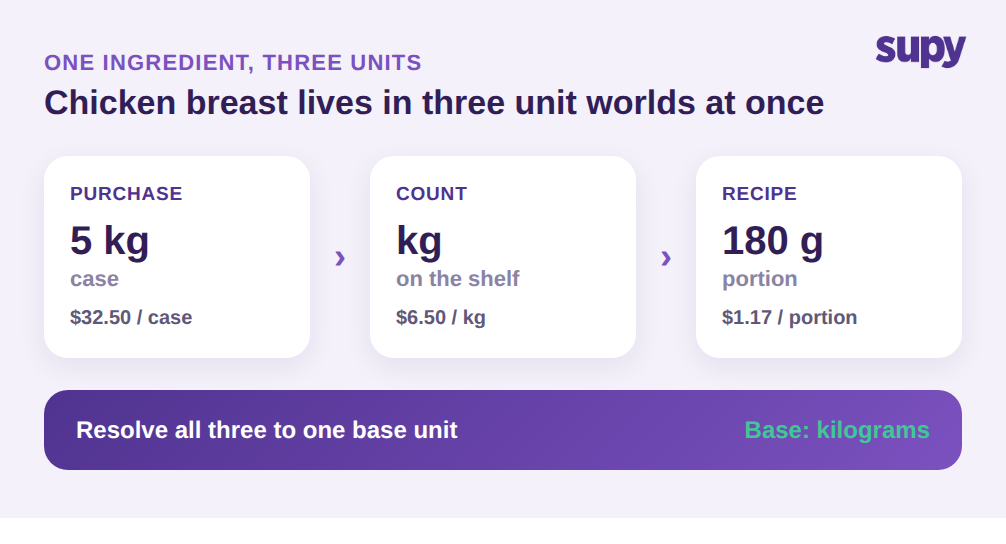
Chaque ingrédient dans un restaurant vit dans au moins trois mondes d'unités. Vous l'achetez dans une unité, vous le comptez dans une autre, et vous le consommez dans une troisième. Le blanc de poulet arrive en caisse de 5 kg à 32,50 $, soit 6,50 $ le kilogramme. Votre équipe le compte en kilogrammes sur l'étagère. Une recette le prélève ensuite en portions de 180 g qui coûtent environ 1,17 $ chacune. Tant que chaque étape se convertit proprement en une seule unité de base – ici le kilogramme –, le calcul est juste.
La rupture survient dès qu'une de ces conversions est manquante ou incorrecte. Supposons que le système traite une caisse de 5 kg comme une seule unité de stocks. 40 kg de consommation réelle s'affichent alors comme 8 unités, sous-estimant la consommation d'environ 80 %. Le niveau de stocks théorique reste élevé parce que le système croit que vous avez à peine touché l'article, pendant que l'étagère raconte une autre histoire. Le rapport d'écart signale un manque, et quelqu'un passe un après-midi à chercher une perte qui n'en était pas une. C'était une unité qui n'avait jamais été convertie.
C'est exactement la friction que l'équipe opérationnelle d'un groupe de boulangeries multi-sites a décrite : commandes au poids, conversion pièce-vers-gramme, et plusieurs tailles de conditionnement pour le même ingrédient, tout à la fois. Ce n'est pas un cas limite. C'est l'état normal de toute cuisine qui s'approvisionne auprès de plus d'un fournisseur ou exploite plus d'un établissement, et c'est pourquoi la conversion d'unité de mesure doit être au cœur de la configuration des stocks, et non en note de bas de page.
Pourquoi les conversions statiques 1:1 échouent face aux tailles de conditionnement réelles
Le raccourci par défaut de la plupart des systèmes est une conversion statique 1:1 : une unité d'achat égale une unité de stocks, point final. C'est facile à configurer et faux pour presque chaque ingrédient réel. Une règle 1:1 suppose que le conditionnement que vous achetez est l'unité que vous comptez et celle que vous utilisez – ce qui ne vaut que pour le rare produit que vous achetez, stockez et consommez en pièce entière.
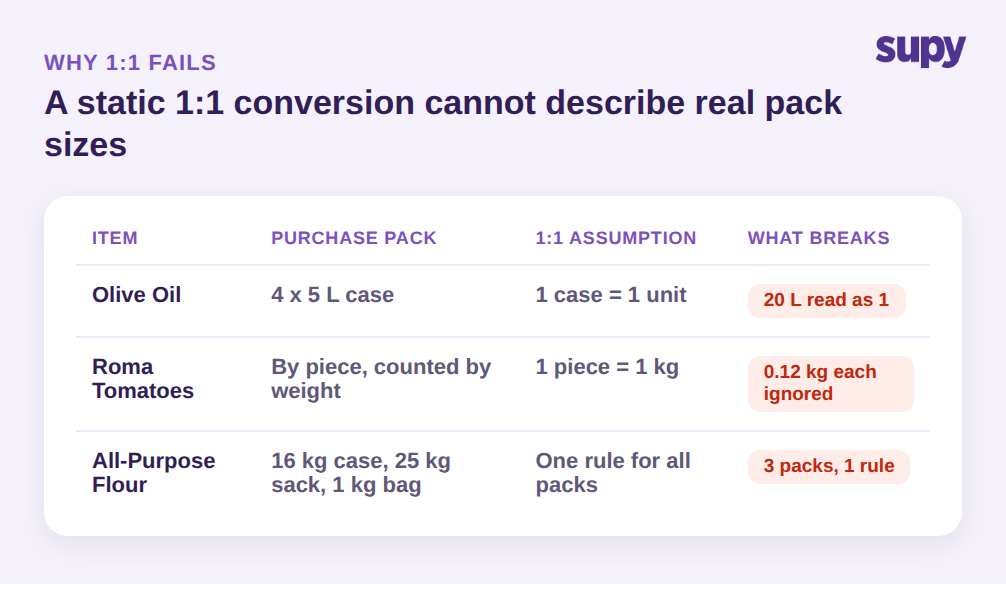
Tout le reste force une correction manuelle. L'huile d'olive arrive en carton 4 × 5 L à 164,00 $, donc une ligne d'achat représente 20 litres, pas une bouteille. Les tomates Roma sont vendues à la pièce mais comptées au poids avec une moyenne de 0,12 kg chacune. La farine peut arriver en caisse de 16 kg chez un fournisseur, en sac de 25 kg chez un autre, et en sachet d'1 kg au détail chez un troisième – le même ingrédient, des tailles de conditionnement différentes. Une seule conversion 1:1 ne peut décrire aucune de ces situations, si bien que le personnel colmate la brèche à la main au quai de réception ou sur le bon de comptage, et chaque correction manuelle est une occasion de saisir le mauvais chiffre.
Il existe un second problème, plus silencieux, qui n'a rien à voir avec les mathématiques. La mauvaise unité affichée au moment d'agir entraîne la mauvaise décision. L'équipe de production d'un groupe hôtelier a constaté que l'unité de conditionnement préférée devrait apparaître en premier lors de la commande et de la production, précisément parce qu'afficher la mauvaise unité amène les gens à commander ou compter la mauvaise quantité. Si l'écran de commande affiche un carton 4 × 5 L et qu'un responsable tape 12 en pensant à des bouteilles individuelles, 240 litres arrivent contre un besoin de 60 litres. La conversion existait, mais l'unité affichée au point de décision n'était pas celle que l'opérateur avait en tête.
Traiter la cause profonde : une unité de base par ingrédient
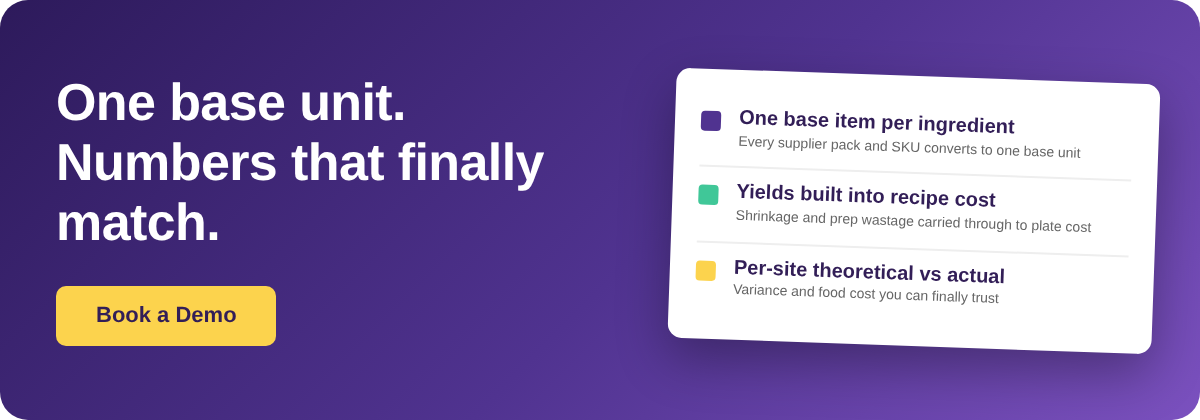
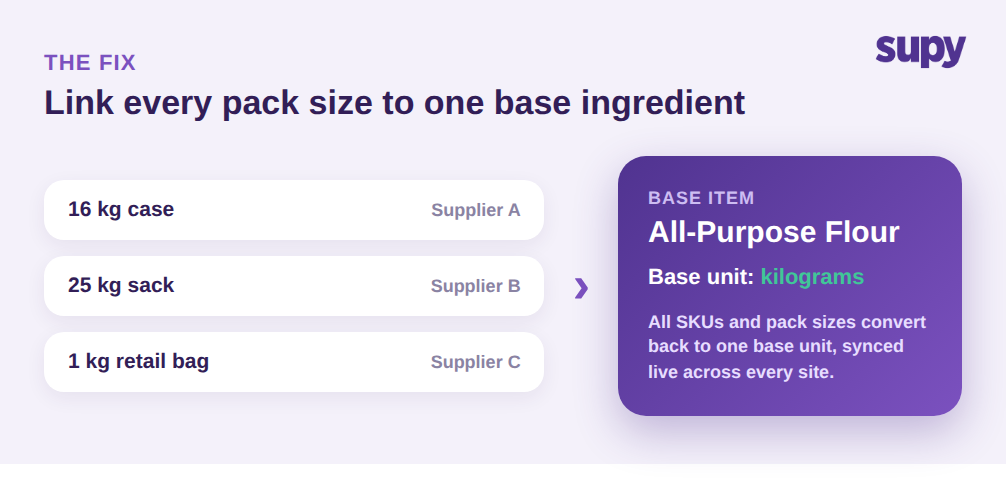
La solution durable est structurelle, pas procédurale. Plutôt que de maintenir une entrée distincte au référentiel pour chaque taille de conditionnement en espérant que les conversions restent synchronisées, vous définissez un ingrédient de base et reliez chaque variante fournisseur, chaque SKU et chaque taille de conditionnement à celui-ci. Dans Supy, chaque ingrédient est un article de base unique, et tous ses SKUs fournisseurs et variantes de conditionnement se rattachent à ce même article. La farine est un ingrédient avec le kilogramme comme unité de base ; la caisse de 16 kg, le sac de 25 kg et le sachet d'1 kg sont simplement des expressions conditionnées de la même base.
Cette décision unique résout la plupart des problèmes de discordance d'un coup. Les bons de commande peuvent être émis dans le conditionnement qu'un fournisseur donné expédie, la réception enregistre la caisse, et le système reconvertit tout en unité de base pour le comptage et la consommation. Vous n'avez plus à synchroniser trois lignes du référentiel à la main – il n'y a donc pas de dérive à corriger. Quand un nouveau fournisseur introduit une quatrième taille de conditionnement, vous la rattachez au même ingrédient de base plutôt que de créer un article parallèle qui concurrence silencieusement l'original dans vos rapports. Cette discipline d'article unique est la colonne vertébrale de tout logiciel de gestion des stocks en restauration fiable.
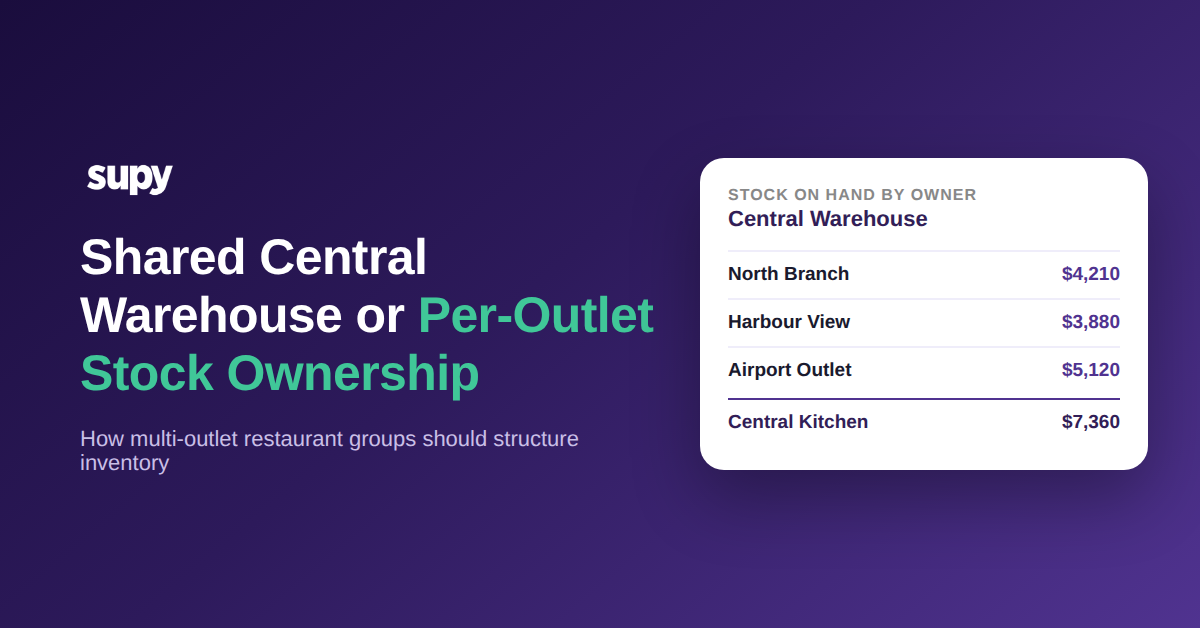
Elle résout aussi la version multi-sites du problème. Un groupe de restauration où un même ingrédient a des tailles de conditionnement différentes selon les établissements représente le cas le plus difficile pour un référentiel plat, car les spécificités de chaque point de vente vivent en isolation. Avec un ingrédient de base unique synchronisé en temps réel entre les établissements, une taille de conditionnement ajoutée à la cuisine centrale est disponible partout, et les prises d'inventaire de chaque point de vente se consolident dans la même unité de base. La comparaison théorique-versus-réel compare enfin du pareil au pareil, car chaque établissement compte la même chose dans la même unité. Les mentions allergènes et autres attributs au niveau de l'ingrédient restent rattachés à cette base unique, de sorte qu'ils se propagent automatiquement dans chaque recette au lieu d'être ressaisis à chaque taille de conditionnement.
Maintenir des coûts honnêtes : rendements, pertes et coût matière par établissement
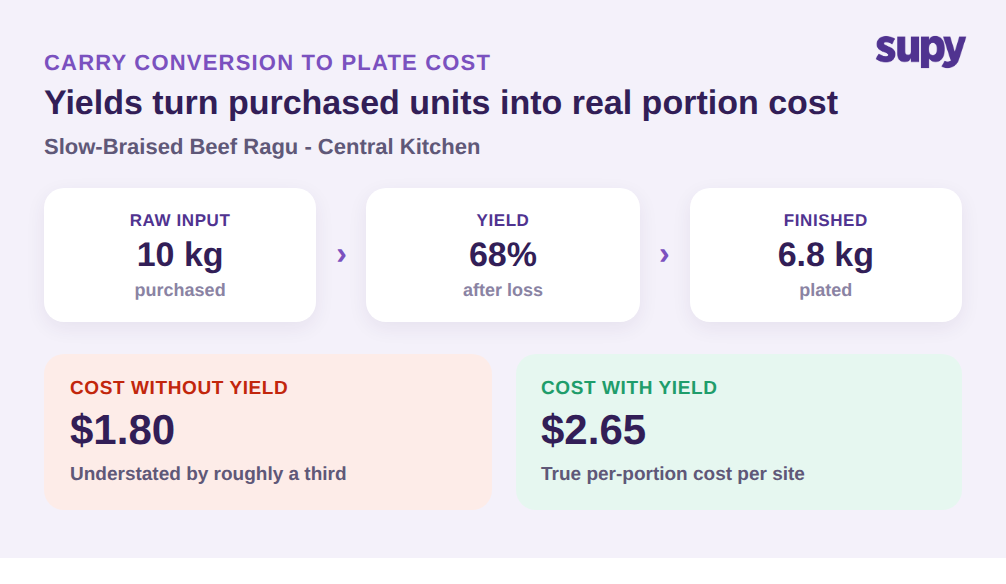
Réussir la conversion achat-vers-stocks n'est que la moitié de la chaîne. L'autre moitié, c'est ce qui se passe quand un ingrédient devient un plat – et c'est là qu'interviennent les rendements et les pertes. Le brut n'est jamais le net. Dix kilogrammes de bœuf pour un ragù mijoté lent peuvent donner 6,8 kg avec un rendement de 68 %, et une recette dont le coût de recette ignore cette perte sous-évalue le coût de portion d'environ un tiers. Une conversion mathématiquement propre de la caisse au kilogramme produit tout de même un coût à l'assiette incorrect si elle s'arrête à l'ingrédient brut.
La couche recette de Supy comble cet écart. Les recettes et les recettes de préparation intègrent les rendements, les pertes et les déchets de préparation, de sorte que la quantité en unité de base qui quitte les stocks reflète les pertes de production réelles, pas seulement le poids brut sur papier. Parce que les recettes sont liées aux articles du menu en caisse enregistreuse, une vente déduit automatiquement les bonnes quantités d'ingrédients en unité de base, sans que personne ne ressaisisse une conversion. L'unité définie une fois au niveau de l'ingrédient se propage jusqu'à ce qui quitte l'étagère quand un plat est vendu.
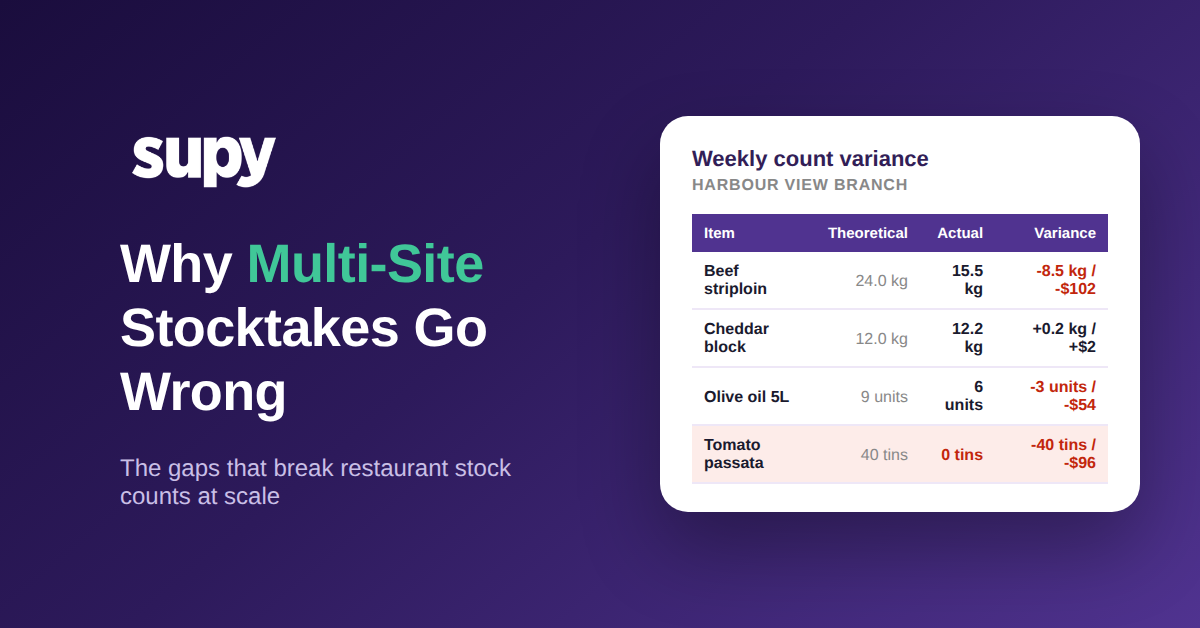
En aval, c'est ce qui rend les données de coût fiables. Le coût des marchandises vendues en direct et le ratio coût matière sont calculés par établissement et par catégorie, avec l'écart théorique-versus-réel et les pertes ventilés par type et par emplacement. Les coûts des recettes se mettent à jour au fil des mouvements de prix d'achat, de sorte que le coût matière à l'assiette que vous voyez reflète ce que vous avez réellement payé, converti via la même unité de base, et non une estimation périmée. Quand les conversions sous-jacentes sont correctes, un écart de 1,8 % sur le coût matière signifie que quelque chose de réel s'est produit en cuisine. Quand elles ne le sont pas, ce même écart est du bruit – et aucune analyse au-dessus d'unités incorrectes ne vous dira lequel des deux c'est. Une conversion d'unité de mesure précise est le socle sur lequel repose l'ensemble de la structure des dépenses.
Commencez par auditer votre propre exploitation
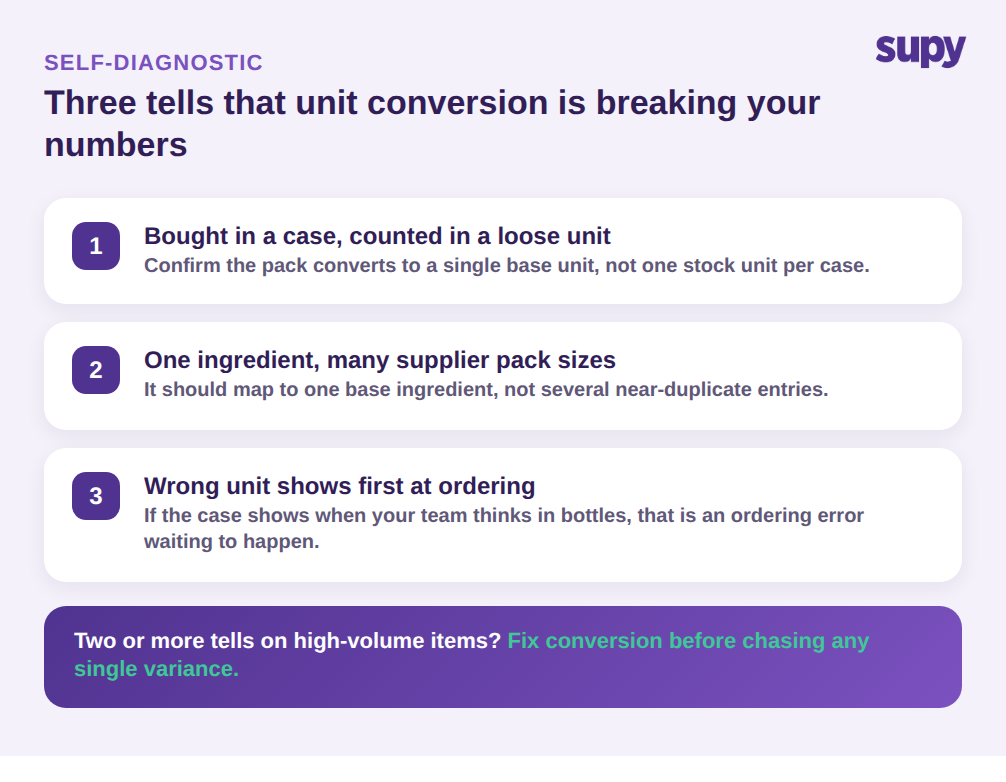
Avant de changer quoi que ce soit, faites un diagnostic rapide sur les ingrédients les plus susceptibles de cacher un problème de conversion. Consultez votre dernier rapport d'écart et cherchez les trois signaux d'alerte. Premièrement : tout article que vous achetez en caisse ou en conditionnement mais comptez en unité vrac – poulet, huile, farine, produits frais – est un candidat à la conversion ; confirmez que le système ramène le conditionnement à une unité de base unique plutôt que de traiter la caisse comme une unité de stocks. Deuxièmement : tout ingrédient livré par plusieurs fournisseurs avec des tailles de conditionnement différentes doit être rattaché à un ingrédient de base unique, pas à plusieurs entrées quasi-identiques dans le référentiel. Troisièmement : ouvrez votre écran de commande et vérifiez quelle unité apparaît en premier pour un article en conditionnements multiples ; si c'est la caisse alors que votre équipe pense en bouteilles, c'est une erreur de commande en attente de se produire.
Si deux ou plusieurs de ces signaux sont présents sur vos articles à fort volume, la conversion d'unité fausse très probablement vos inventaires et vos coûts – et cela vaut la peine d'être corrigé avant de courir après un écart isolé. Standardisez chaque ingrédient sur une unité de base, reliez-y les tailles de conditionnement, et laissez les rendements des recettes propager la conversion jusqu'au coût matière par assiette. Les prises d'inventaire recommencent à correspondre à l'étagère, et les chiffres deviennent quelque chose sur lequel votre équipe agit plutôt que quelque chose qu'elle conteste.
Supy standardise chaque ingrédient sur une seule unité de base, relie toutes les tailles de conditionnement et les SKUs fournisseurs à celle-ci, et propage cette unité dans les recettes, les stocks en direct et le coût matière par établissement, pour que vos chiffres restent cohérents de l'achat à l'assiette. Réservez une démo pour le voir sur vos propres ingrédients.