.jpg)


Recipe Setup: The Onboarding Blocker That Stalls Restaurant Software Before Go-Live
Why Go-Live Means Nothing Until Recipes Are Built
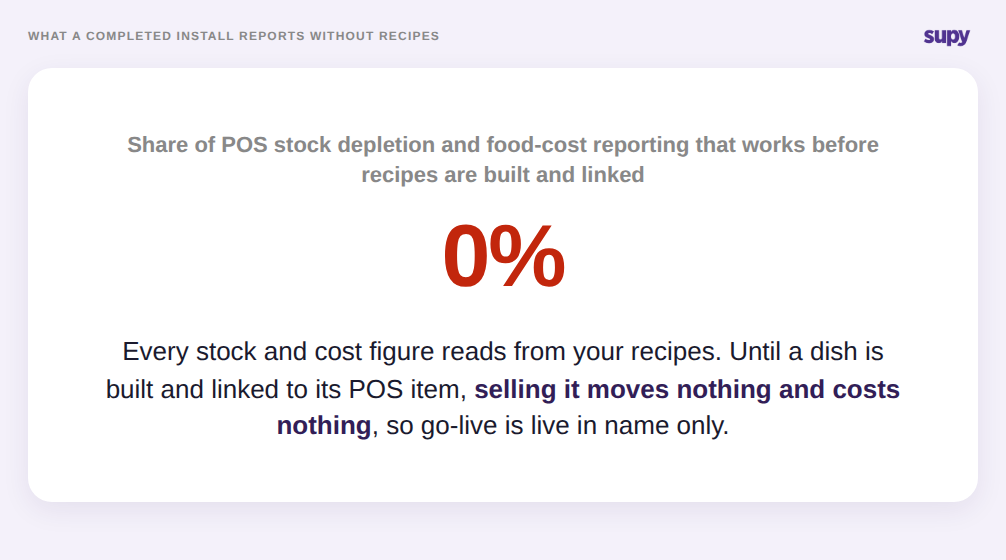
Recipe setup is the point at which your ingredients, your menu and your POS finally connect. In Supy, a recipe links a plated dish to the ingredients it consumes and to the POS menu item that sells it, so that selling one dish depletes the correct stock automatically. Until that link exists, a sale is just a number in the till: nothing is deducted, nothing is costed, and every downstream report reads from data that was never generated.
That is why a restaurant software rollout can hit its go-live date and still deliver zero value, and why recipe setup is the onboarding blocker that decides whether that value ever arrives. The install is done, but POS-driven stock depletion and food-cost reporting stay completely dark until recipes are built and linked. One multi-site casual-dining group reached go-live on several sites with recipe setup unfinished, and the platform reported nothing useful until the recipes were in. Go-live is not the day the software is switched on. It is the day the recipes behind it are complete.
The Data Prerequisites Teams Discover Too Late
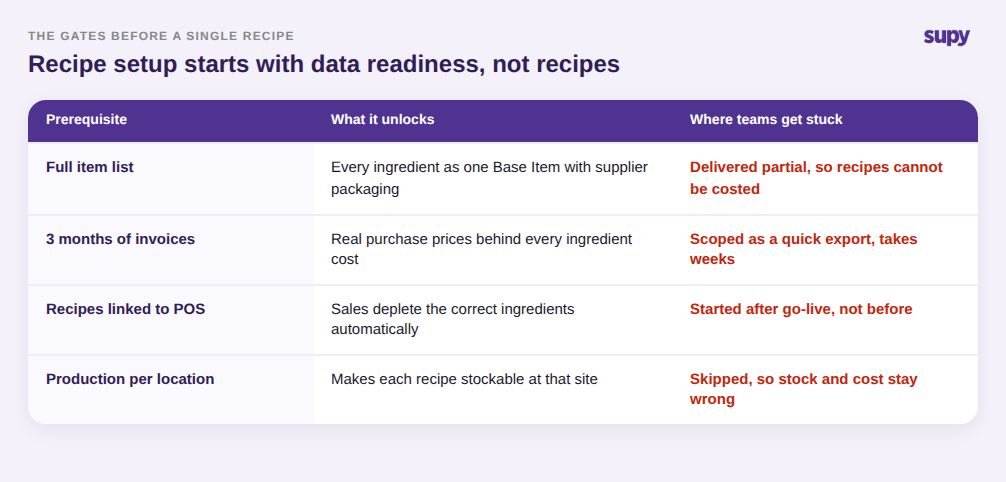
Recipe setup does not start with recipes. It starts with clean inputs, and those inputs are usually where the onboarding timeline slips. Before a recipe can be costed, every ingredient has to exist as a single Base Item with its supplier packaging and prices attached. Before those costs are trustworthy, the system needs real purchase history, several months of invoices, so an ingredient price reflects what you actually pay rather than a one-off number typed at setup.
Teams consistently scope these as quick exports and discover they take weeks. A single-site operator described submitting full item lists and months of invoice history as hard prerequisite gates, creating a multi-week implementation window during which new invoices risked being missed entirely. The lesson is to treat data readiness as the first phase of recipe setup, not a formality that happens before it. If the item list is partial or the invoice history is thin, recipe setup cannot produce correct numbers no matter how carefully the recipes themselves are built.
Where Half-Finished Setup Silently Breaks Your Numbers
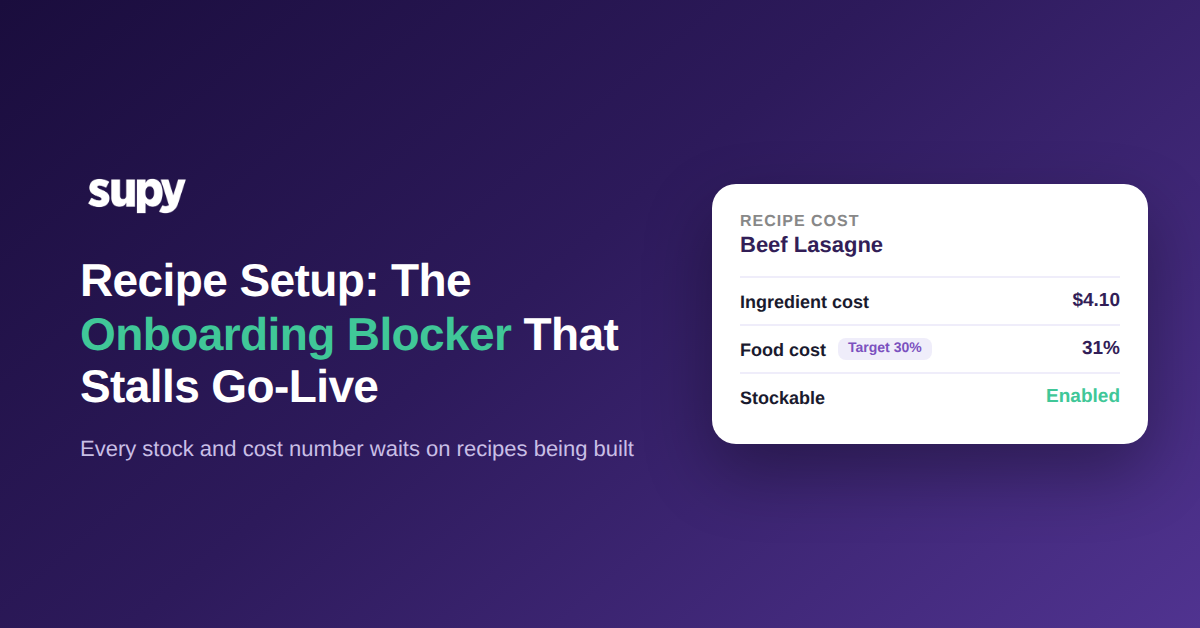
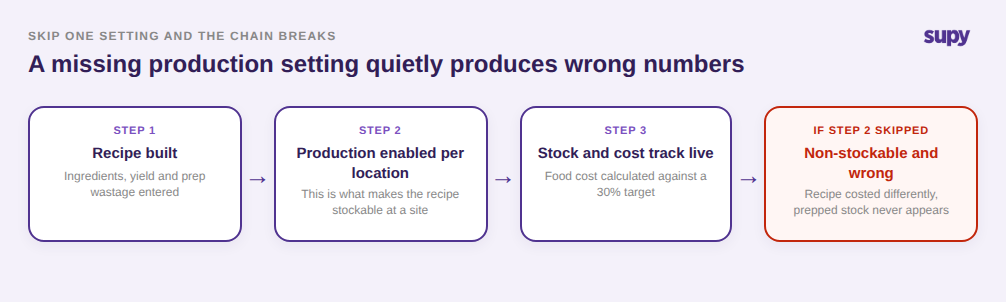
The most damaging failure mode is not skipped recipe setup. It is recipe setup that looks done but is missing a setting, because the platform will happily report wrong numbers rather than warn you. The key mechanism to understand: a recipe only becomes stockable when at least one location has production enabled for it. A recipe without that setting stays non-stockable and is costed differently, so a half-configured recipe produces stock and cost figures that quietly disagree with reality.
The damage cascades. When batch and production recipes are not set up, production events cannot convert raw ingredients into prepped stock, so an entire layer of inventory tracking silently switches off. A head chef at a multi-site group flagged exactly this: prep that is made every day never appears in stock because the recipe behind it was never configured for production. The costing side is more forgiving once setup is right, because Supy uses a 365-day rolling weighted average for ingredient cost, so a single high-price delivery does not spike a recipe, and recipes can carry a target food-cost percentage that alerts when a dish drifts over it. But none of that self-correction happens for a recipe that was never finished. The number is not missing, which is the trap. It is present, confident and wrong.
How to Sequence Recipe Setup So Go-Live Is Real
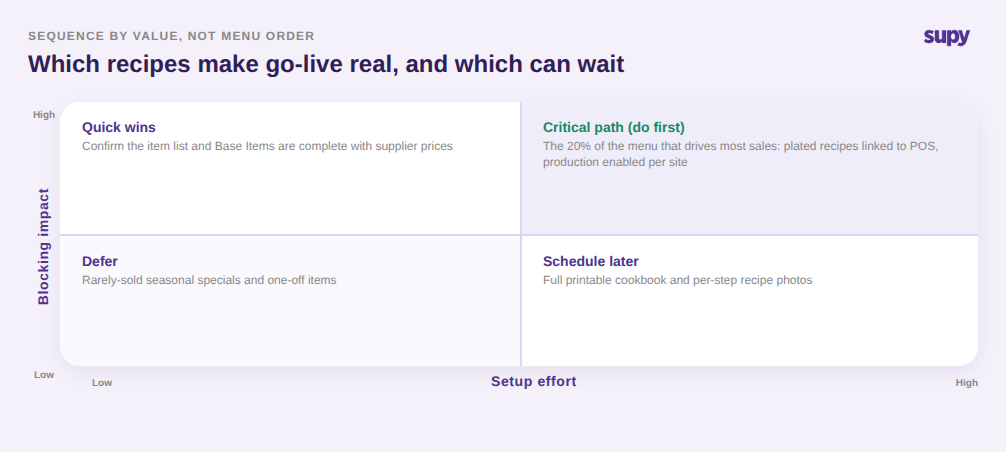
Recipe setup is finite, but only if you sequence it by what actually blocks value rather than by menu order. The work splits cleanly on two questions: how much does this recipe drive value, and how much effort is it to set up correctly. Start with the small share of the menu that generates most sales, get those plated recipes linked to their POS items, and turn on production per location so they are stockable from day one. That is the set that makes go-live real.
Confirm the quick, high-impact prerequisites next: the item list is complete, Base Items carry supplier prices, and prep recipes for anything you make in-house exist and are production-enabled. Defer the genuinely low-stakes work, such as full printable cookbooks with per-step photos and rarely-sold seasonal specials, until after the numbers are flowing. Sequenced this way, the capabilities that justify the whole rollout, live stock depletion, food-cost reporting, production tracking and forecast-driven ordering, come online at go-live instead of weeks after it.
The self-diagnostic is quick. Pull up your live stock report and pick three dishes you sold yesterday: if selling them did not move the ingredients, those recipes are not linked. Check whether your daily prep shows as stock: if it does not, those production recipes are not set up. And look for any recipe reporting a food cost with no target set against it. Each gap is a recipe that was counted as done but is not, and each one is a number you cannot yet trust.
Fixing them is what turns a technical go-live into a real one. If you want to see what a complete recipe setup looks like before your own rollout, and how Supy sequences it so stock and cost track from the first day, a short walkthrough is the fastest way to scope it accurately.