.jpeg)


Rezept-Setup: Der Onboarding-Blocker, der Restaurant-Software vor dem Go-live bremst
Warum Go-live nichts bedeutet, bis Rezepte aufgebaut sind
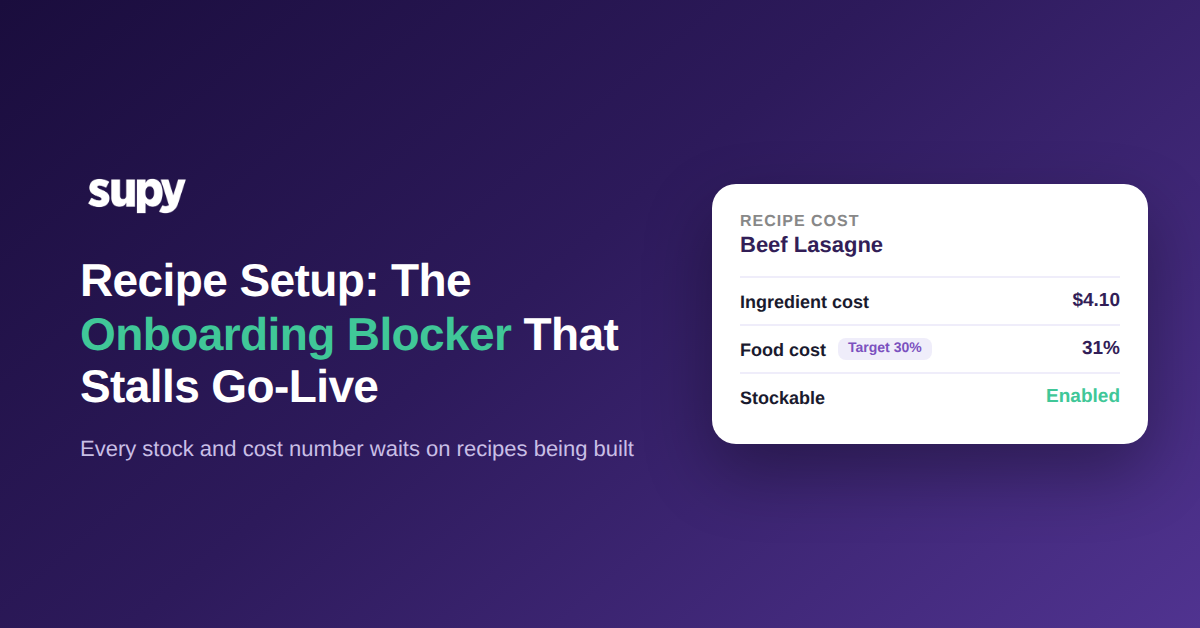
Rezept-Setup ist der Punkt, an dem Ihre Zutaten, Ihre Speisekarte und Ihr POS endlich verbunden werden. In Supy verbindet ein Rezept ein zubereitetes Gericht mit den Zutaten, die es verbraucht, und mit dem POS-Menüpunkt, der es verkauft, sodass der Verkauf eines Gerichts automatisch den richtigen Lagerbestand reduziert. Bis diese Verbindung besteht, ist ein Verkauf nur eine Zahl in der Kasse: Nichts wird abgezogen, nichts wird kalkuliert, und jeder nachgelagerte Bericht liest aus Daten, die nie generiert wurden.
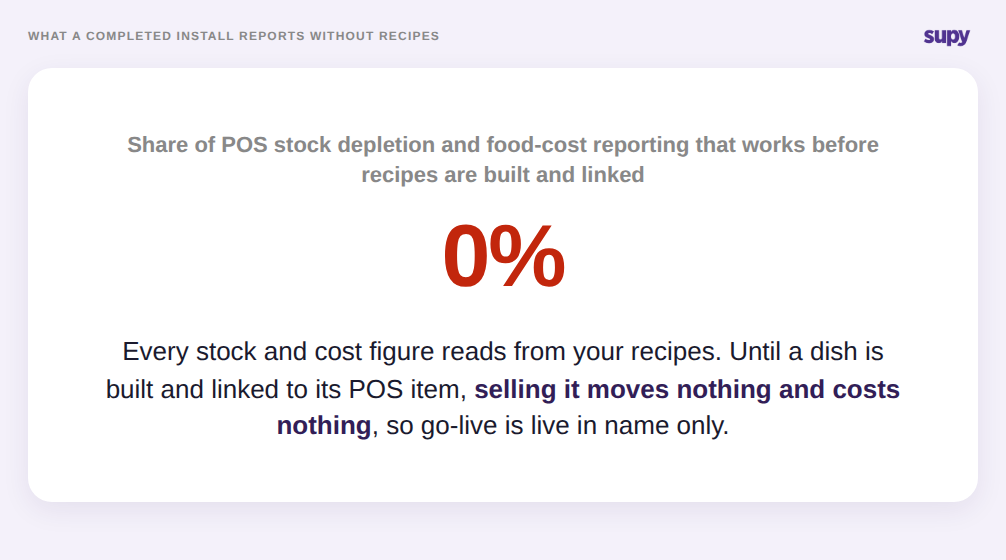
Deshalb kann eine Restaurant-Software-Einführung ihr Go-live-Datum erreichen und dennoch null Wert liefern, und deshalb ist das Rezept-Setup der Onboarding-Blocker, der entscheidet, ob dieser Wert je eintrifft. Die Installation ist abgeschlossen, aber POS-gesteuerter Bestandsabbau und Lebensmittelkostenberichte bleiben vollständig dunkel, bis Rezepte erstellt und verknüpft sind. Eine Multi-Standort-Casual-Dining-Gruppe erreichte den Go-live an mehreren Standorten mit unfertigem Rezept-Setup, und die Plattform berichtete nichts Nützliches, bis die Rezepte eingetragen waren. Go-live ist nicht der Tag, an dem die Software eingeschaltet wird. Es ist der Tag, an dem die dahinterliegenden Rezepte vollständig sind.
Die Datenvoraussetzungen, die Teams zu spät entdecken
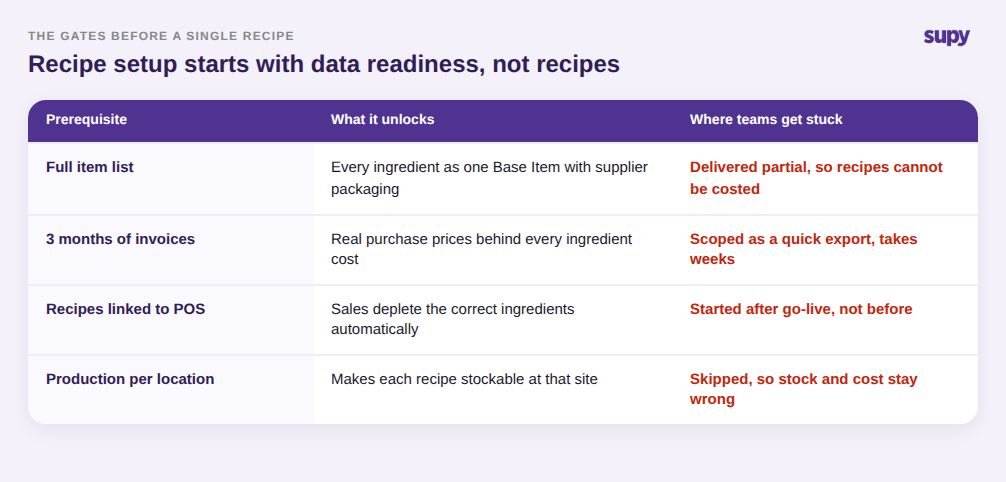
Rezept-Setup beginnt nicht mit Rezepten. Es beginnt mit sauberen Eingaben, und diese Eingaben sind in der Regel der Punkt, an dem der Onboarding-Zeitplan ins Rutschen gerät. Bevor ein Rezept kalkuliert werden kann, muss jede Zutat als einzelnes Basis-Item mit angehängter Lieferantenverpackung und Preisen existieren. Bevor diese Kosten vertrauenswürdig sind, benötigt das System echte Kaufhistorie – mehrere Monate Rechnungen –, damit ein Zutatspreis widerspiegelt, was Sie tatsächlich zahlen, anstatt einer einmaligen beim Setup eingetragenen Zahl.
Teams planen diese regelmäßig als schnelle Exporte und stellen fest, dass sie Wochen dauern. Ein Einzelstandort-Betreiber beschrieb das Einreichen vollständiger Artikellisten und monatelanger Rechnungshistorie als harte Voraussetzungen, die ein mehrwöchiges Implementierungsfenster schaffen, in dem neue Rechnungen Gefahr liefen, vollständig verpasst zu werden. Die Lehre lautet, Datenbereitschaft als erste Phase des Rezept-Setups zu behandeln, nicht als Formalität davor. Wenn die Artikelliste unvollständig oder die Rechnungshistorie dünn ist, kann das Rezept-Setup keine korrekten Zahlen liefern, egal wie sorgfältig die Rezepte selbst aufgebaut werden.
Wo halbfertiges Setup unbemerkt Ihre Zahlen bricht
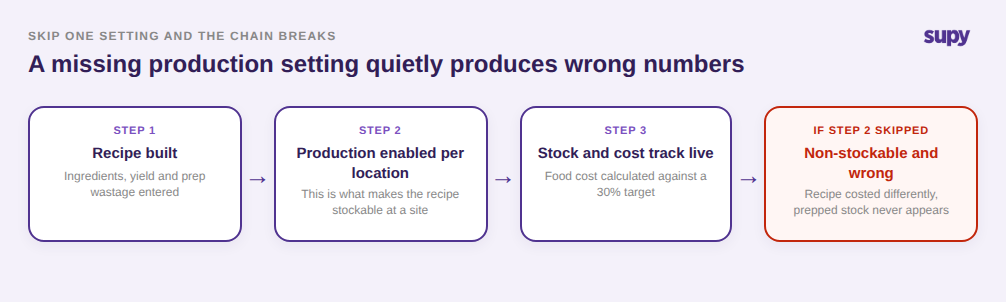
Das schädlichste Fehlermuster ist nicht das übersprungene Rezept-Setup. Es ist das Rezept-Setup, das fertig aussieht, aber eine Einstellung fehlt, weil die Plattform gerne falsche Zahlen berichtet, anstatt Sie zu warnen. Der wichtigste Mechanismus: Ein Rezept wird erst lagerführbar, wenn mindestens ein Standort die Produktion dafür aktiviert hat. Ein Rezept ohne diese Einstellung bleibt nicht lagerführbar und wird anders kalkuliert, sodass ein halbkonfiguriertes Rezept still Lagerbestands- und Kostenzahlen produziert, die der Realität nicht entsprechen.
Der Schaden kaskadiert. Wenn Chargen- und Produktionsrezepte nicht eingerichtet sind, können Produktionsereignisse rohe Zutaten nicht in vorbereiteten Lagerbestand umwandeln, sodass eine ganze Schicht der Lagerüberwachung still abschaltet. Ein Küchenchef in einer Multi-Standort-Gruppe meldete genau dies: Vorbereitungen, die täglich gemacht werden, tauchen nie im Lagerbestand auf, weil das dahinterliegende Rezept nie für die Produktion konfiguriert wurde. Die Kostenseite ist nachsichtiger, sobald das Setup stimmt, weil Supy einen 365-Tage gleitenden gewichteten Durchschnitt für den Zutatspreis verwendet, sodass eine einzelne teure Lieferung kein Rezept plötzlich verteuert, und Rezepte können einen Ziel-Lebensmittelkostenprozentsatz tragen, der warnt, wenn ein Gericht darüber driftet. Aber keine dieser Selbstkorrekturen findet für ein Rezept statt, das nie fertiggestellt wurde. Die Zahl ist nicht fehlend, was die Falle ist. Sie ist vorhanden, sicher und falsch.
Wie man das Rezept-Setup sequenziert, damit Go-live real ist
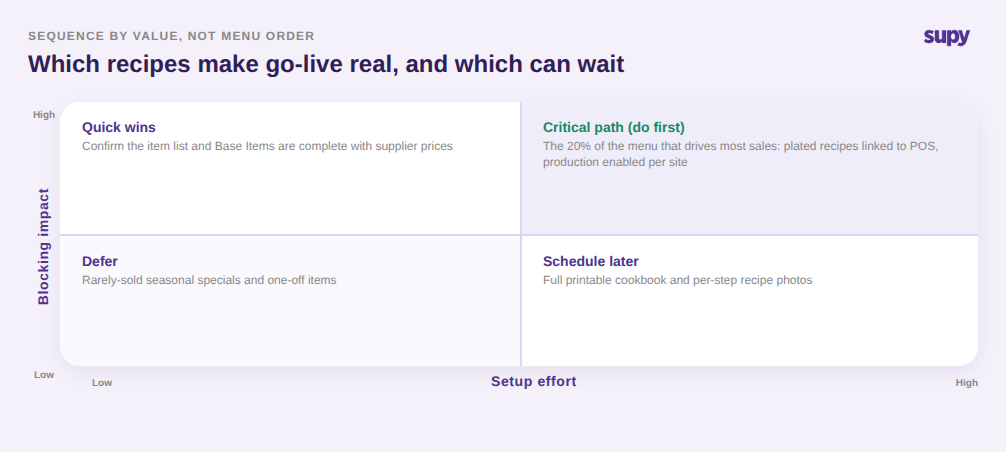
Rezept-Setup ist endlich, aber nur wenn Sie es nach dem sequenzieren, was tatsächlich Wert blockiert, und nicht nach der Speisekarten-Reihenfolge. Die Arbeit gliedert sich sauber nach zwei Fragen: Wie viel Wert treibt dieses Rezept, und wie viel Aufwand ist es, es korrekt einzurichten? Beginnen Sie mit dem kleinen Anteil der Speisekarte, der den meisten Umsatz generiert, verknüpfen Sie diese servierten Rezepte mit ihren POS-Elementen, und aktivieren Sie die Produktion pro Standort, damit sie ab Tag eins lagerführbar sind. Das ist der Satz, der Go-live real macht.
Bestätigen Sie als Nächstes die schnellen Voraussetzungen: Die Artikelliste ist vollständig, Basis-Items haben Lieferantenpreise, und Vorbereitungsrezepte für alles, was Sie intern zubereiten, existieren und sind produktionsfähig. Verschieben Sie die wirklich geringwertige Arbeit – vollständige druckbare Kochbücher mit Schritt-Fotos und selten verkaufte Saisonspezialitäten – bis nach dem Fließen der Zahlen. Auf diese Weise sequenziert kommen die Fähigkeiten, die die gesamte Einführung rechtfertigen – Live-Bestandsabbau, Lebensmittelkostenberichte, Produktionsverfolgung und prognosegesteuerte Bestellung – zum Go-live online statt Wochen danach.
Die Selbstdiagnose ist schnell. Rufen Sie Ihren Live-Bestandsbericht auf und wählen Sie drei Gerichte, die Sie gestern verkauft haben: Wenn deren Verkauf die Zutaten nicht bewegt hat, sind diese Rezepte nicht verknüpft. Prüfen Sie, ob Ihre tägliche Vorbereitung als Lagerbestand erscheint: Wenn nicht, sind diese Produktionsrezepte nicht eingerichtet. Und suchen Sie nach Rezepten, die Lebensmittelkosten ohne ein gesetztes Ziel berichten. Jede Lücke ist ein Rezept, das als fertig gezählt wurde, aber es nicht ist, und jede ist eine Zahl, der Sie noch nicht vertrauen können.
Sie zu beheben ist das, was einen technischen Go-live in einen echten verwandelt. Wenn Sie sehen möchten, wie ein vollständiges Rezept-Setup vor Ihrem eigenen Rollout aussieht und wie Supy es sequenziert, damit Lagerbestand und Kosten ab dem ersten Tag erfasst werden, ist ein kurzer Walkthrough der schnellste Weg, den Umfang genau zu beurteilen.