.jpeg)


إعداد الوصفات: العقبة في عملية الإعداد التي تعرقل برنامج المطعم قبل الانطلاق
لماذا لا معنى للانطلاق الفعلي قبل إنشاء الوصفات
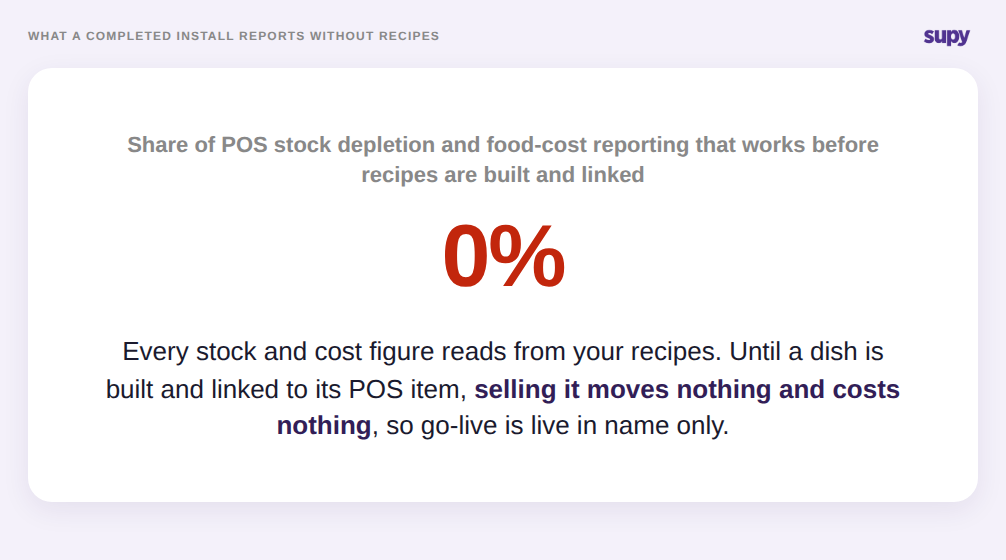
إعداد الوصفات هو اللحظة التي تتلاقى فيها مكوناتك وقائمة طعامك ونقطة البيع (POS) أخيراً. في Supy، تربط الوصفة الطبق الجاهز بالمكونات التي يستهلكها وبعنصر القائمة في نقطة البيع المرتبط ببيعه، بحيث يؤدي بيع طبق واحد إلى استهلاك المخزون الصحيح تلقائياً. حتى يُنشأ هذا الرابط، لا يعدو البيعُ رقماً في الصندوق: لا شيء يُخصم، ولا شيء تُحسب تكلفتُه، وكل تقرير لاحق يقرأ من بيانات لم تُولَد أصلاً.
لهذا يمكن أن تصل عملية تطبيق برنامج المطعم إلى تاريخ انطلاقها دون أن تقدم أي قيمة، ولهذا يُعدّ إعداد الوصفات العقبةَ في عملية الإعداد التي تحدد ما إذا كانت تلك القيمة ستتحقق. التثبيت مكتمل، غير أن استهلاك المخزون المدفوع بنقطة البيع وتقارير تكلفة الغذاء تظل معطّلة كلياً حتى تُنشأ الوصفات وتُربط. وصل أحد مجموعات المطاعم غير الرسمية متعددة المواقع إلى مرحلة الانطلاق في عدة مواقع مع ترك إعداد الوصفات ناقصاً، فلم تُقدّم المنصة أي معلومات مفيدة حتى أُنجز إعداد الوصفات. الانطلاق الفعلي ليس اليوم الذي يُشغَّل فيه البرنامج، بل هو اليوم الذي تكتمل فيه الوصفات التي يقوم عليها.
المتطلبات الأساسية للبيانات التي يكتشفها الفرق متأخراً
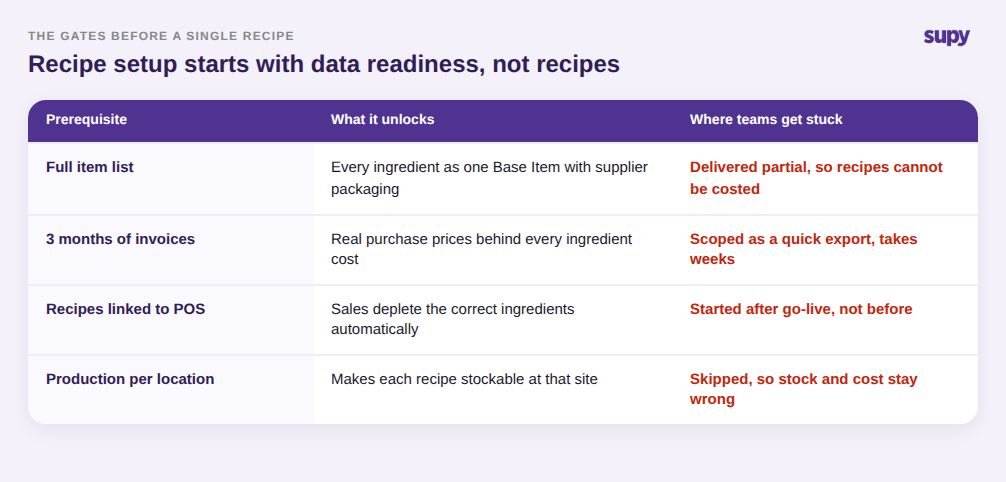
لا يبدأ إعداد الوصفات بالوصفات ذاتها، بل يبدأ بمدخلات نظيفة، وهذه المدخلات هي في الغالب حيث تنزلق الجداول الزمنية لعملية الإعداد. قبل حساب تكلفة الوصفة، يجب أن يتوفر كل مكوّن بوصفه عنصراً أساسياً واحداً مرفقة به تغليفات المورّد وأسعاره. وقبل أن تكون هذه التكاليف موثوقة، تحتاج المنصة إلى سجل مشتريات فعلي وفواتير تمتد لأشهر عدة، لكي يعكس سعر المكوّن ما تدفعه فعلاً لا رقماً أُدخل مرة واحدة عند الإعداد.
تُقدّر الفرق في الغالب أن هذه المهام تصدير سريع، ثم تكتشف أنها تستغرق أسابيع. وصف أحد مشغّلي الموقع الواحد تقديم قوائم العناصر الكاملة وسجل الفواتير لأشهر بوصفها عقبات متطلبات صعبة، مما أفرز نافذة تنفيذ متعددة الأسابيع كان من الممكن خلالها إغفال الفواتير الجديدة كلياً. الدرس هو التعامل مع جاهزية البيانات باعتبارها المرحلة الأولى من إعداد الوصفات، لا شكلية تسبقها. إن كانت قائمة العناصر منقوصة أو سجل الفواتير شحيحاً، فلن يُنتج إعداد الوصفات أرقاماً صحيحة بصرف النظر عن دقة بناء الوصفات نفسها.
أين يُفسد الإعداد المنقوص أرقامك في صمت
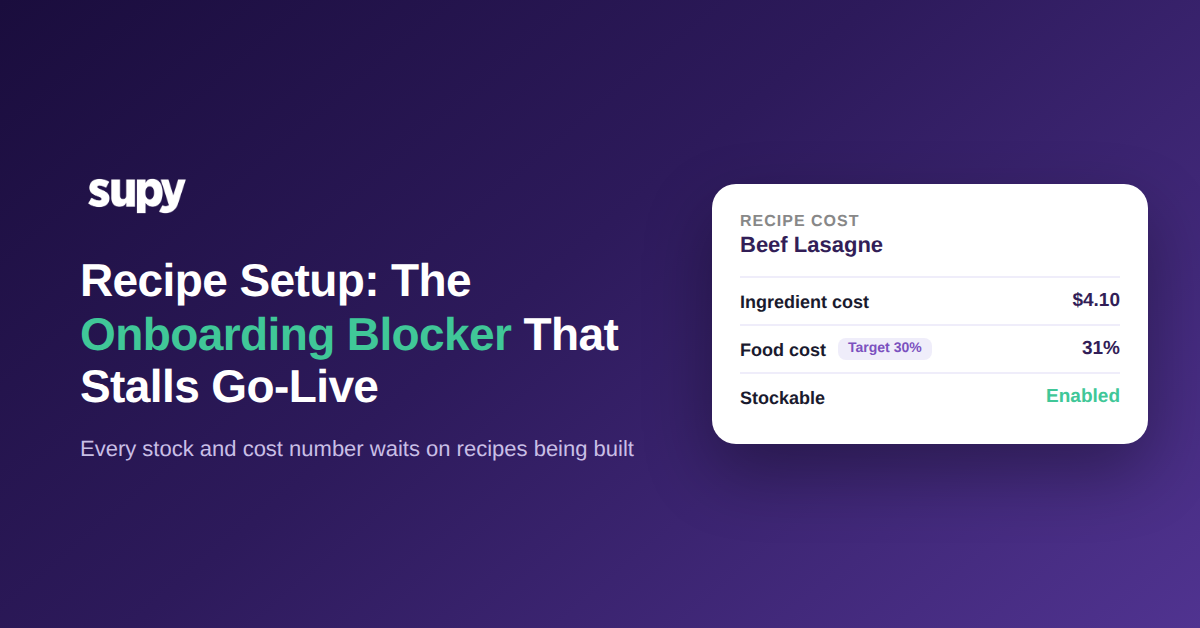
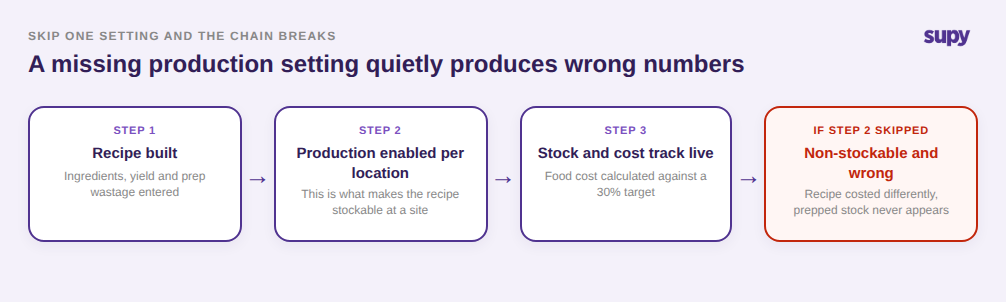
أشد أنماط الفشل ضرراً ليس تخطّي إعداد الوصفات، بل إعداد الوصفات الذي يبدو مكتملاً لكنه يفتقر إلى إعداد ما، لأن المنصة ستُبلّغ عن أرقام خاطئة بدلاً من تحذيرك. الآلية الأساسية التي يجب فهمها: لا تصبح الوصفة قابلةً للتخزين إلا عند تفعيل الإنتاج لها في موقع واحد على الأقل. الوصفة التي تفتقر إلى هذا الإعداد تظل غير قابلة للتخزين وتُحسب تكلفتها بطريقة مختلفة، فتُنتج وصفةٌ نصفُ مُعدَّة أرقاماً للمخزون والتكلفة تتعارض خفية مع الواقع.
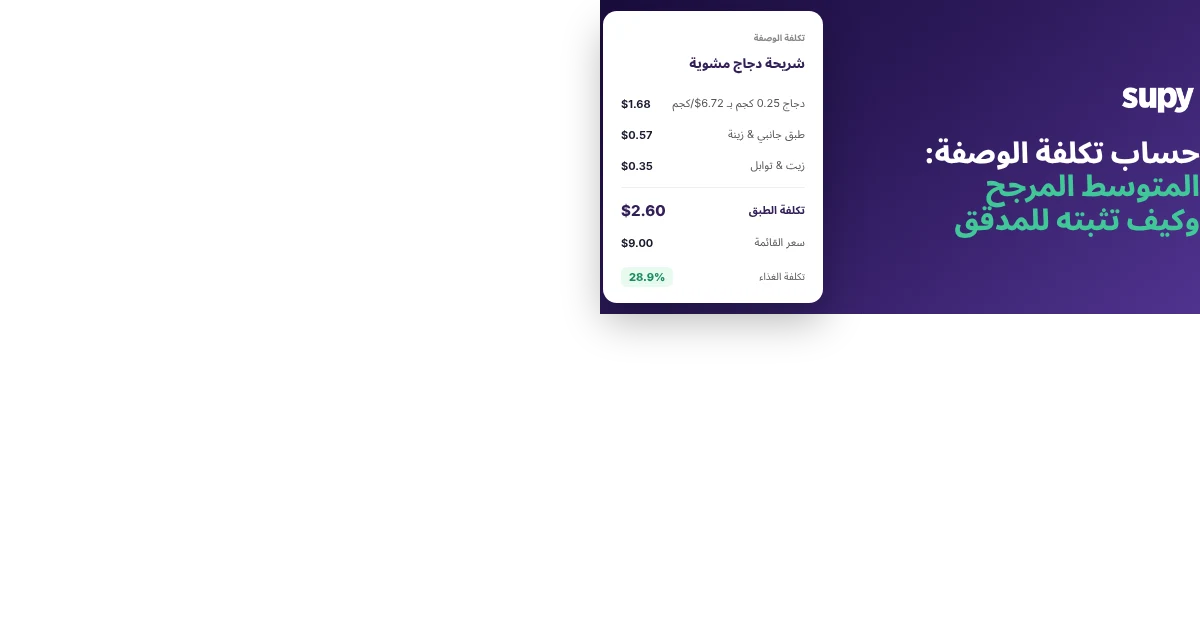
يتتالى الضرر. حين لا تُعدَّ وصفات الدُفعات والإنتاج، لا تستطيع أحداث الإنتاج تحويل المكونات الخام إلى مخزون جاهز، فينطفئ بصمت طبقٌ كاملٌ من تتبّع المخزون. أشار رئيس طهاة في مجموعة متعددة المواقع بالضبط إلى هذا: التحضير اليومي لا يظهر قط في المخزون لأن الوصفة الخاصة به لم تُعدَّ قط للإنتاج. الجانب المتعلق بالتكلفة أكثر مرونة متى صحّ الإعداد، إذ يستخدم Supy متوسطاً مرجحاً متحركاً لـ365 يوماً لتكلفة المكوّن، فلا ترفع عملية تسليم واحدة ذات سعر مرتفع تكلفةَ الوصفة فجأة، ويمكن للوصفات حمل نسبة مستهدفة لتكلفة الغذاء تُطلق التنبيهات حين يتجاوزها الطبق. لكن لا شيء من هذا التصحيح الذاتي يحدث لوصفة لم تُكتمل قط. الرقم ليس مفقوداً، وهنا الخدعة. إنه موجود وواثق وخاطئ.
كيف ترتّب إعداد الوصفات لتجعل الانطلاق فعلياً
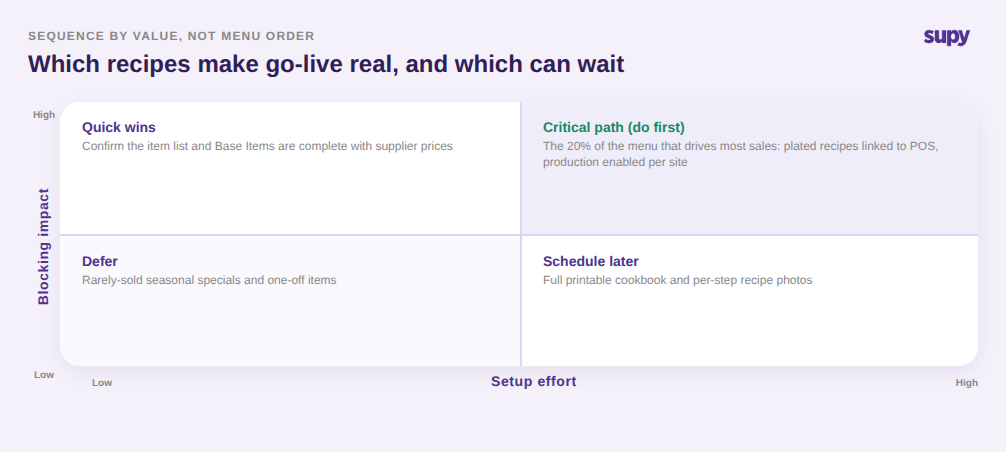
إعداد الوصفات محدود، لكن فقط إن رتّبته وفق ما يعيق القيمة فعلياً لا بحسب ترتيب القائمة. ينقسم العمل بوضوح على سؤالين: كم تُسهم هذه الوصفة في توليد القيمة، وكم يتطلب إعدادها الصحيح من جهد. ابدأ بالجزء الصغير من القائمة الذي يولّد أغلب المبيعات، اربط تلك الوصفات الجاهزة بعناصر نقطة البيع الخاصة بها، وفعّل الإنتاج لكل موقع لتصبح قابلة للتخزين من اليوم الأول. هذه هي المجموعة التي تجعل الانطلاق حقيقياً.
تحقق بعدها من المتطلبات الأساسية السريعة عالية الأثر: قائمة العناصر مكتملة، وتحمل العناصر الأساسية أسعار المورّد، ووصفات التحضير لكل ما تُنتجه داخلياً موجودة ومُفعَّل إنتاجها. أجّل العمل محدود الأهمية فعلاً، ككتب الطهي الكاملة القابلة للطباعة مع صور لكل خطوة والمنتجات الموسمية نادرة البيع، حتى تبدأ الأرقام بالتدفق. برتابة هكذا، تصبح القدرات التي تبرر كامل التطبيق — استهلاك المخزون الفوري، وتقارير تكلفة الغذاء، وتتبّع الإنتاج، والطلب المبني على التوقعات — متاحةً عند الانطلاق لا بعده بأسابيع.
التشخيص الذاتي سريع. أحضر تقرير المخزون الفوري وانتقِ ثلاثة أطباق بعتَها أمس: إن لم يتحرك بيعُها المكوناتِ، فهذه الوصفات غير مرتبطة. تحقق مما إذا كان تحضيرك اليومي يظهر كمخزون: إن لم يكن كذلك، فهذه الوصفات الإنتاجية غير مُعدَّة. وابحث عن أي وصفة تُبلّغ عن تكلفة غذاء دون هدف محدد لها. كل ثغرة هي وصفة حُسبت مكتملة لكنها ليست كذلك، وكل واحدة منها رقم لا يمكنك بعد الوثوق به.
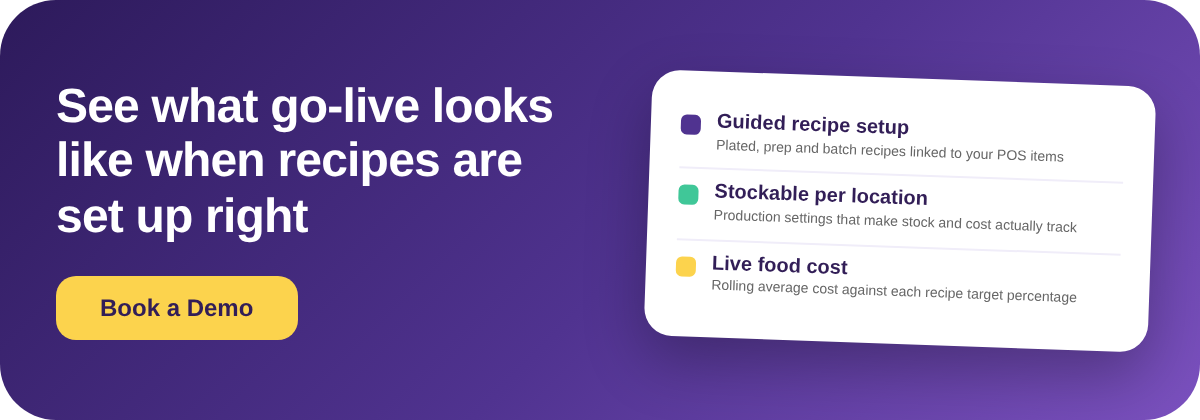
إصلاحها هو ما يحوّل الانطلاق التقني إلى انطلاق فعلي. إن أردت رؤية ما يبدو عليه إعداد الوصفات المكتمل قبل تطبيقك الخاص، وكيف يرتّب Supy ذلك لكي يتتبّع المخزون والتكلفة منذ اليوم الأول، فإن جولة قصيرة هي الطريقة الأسرع لتحديد النطاق بدقة.