.jpg)


Best Recipe Management Software for Restaurant Groups
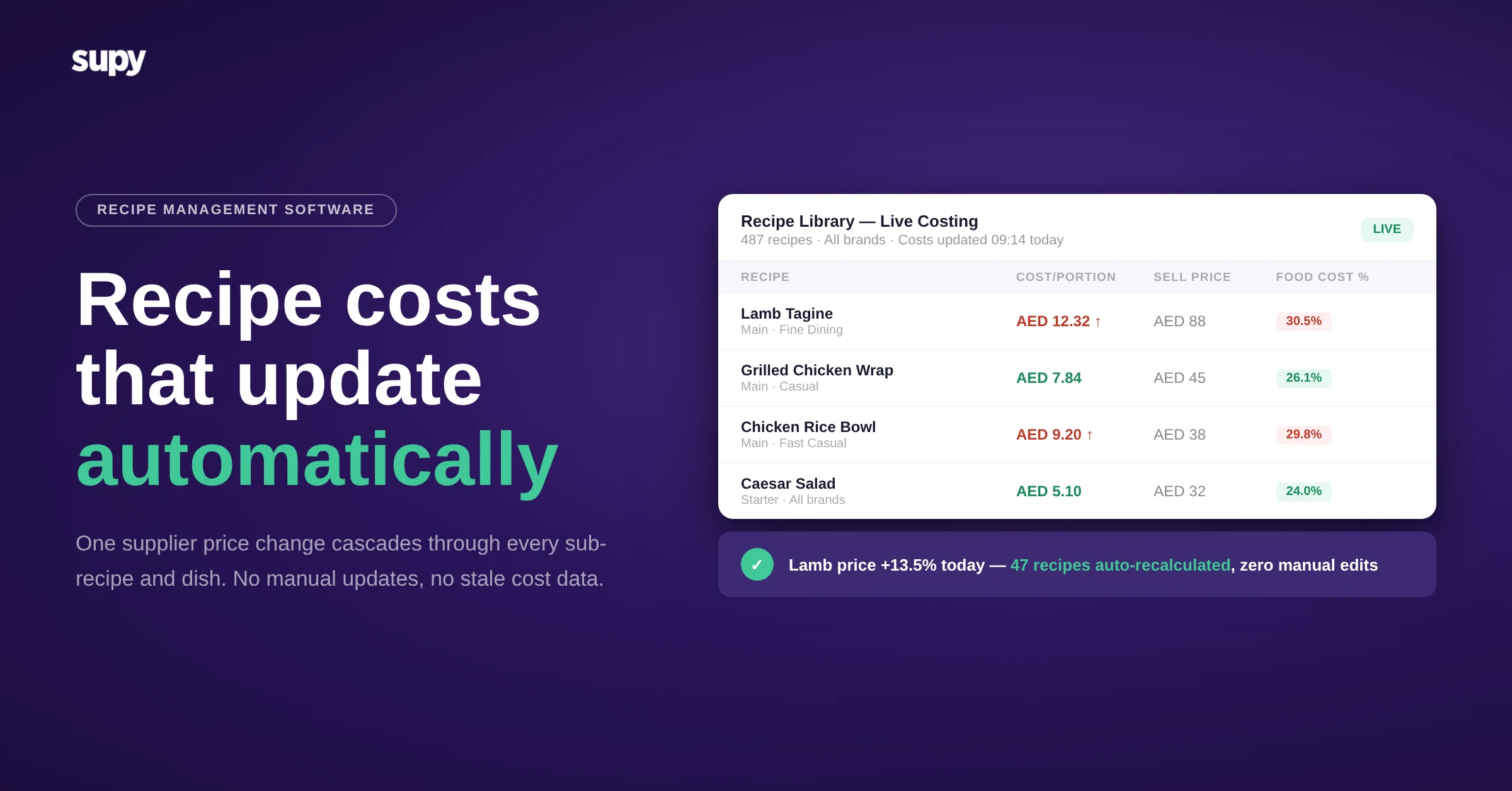
If you are running 10, 20, or 50 locations and using a combination of spreadsheets, shared drives, and printed recipe cards to manage your recipe library, you already know the problem. A supplier changes the price of chicken breast. Three weeks later, your food cost variance report is showing a 6% gap and no one can trace it back to the source. The recipe costing was never updated. It never is, because updating it manually is too slow, too error-prone, and too dependent on a single person remembering to do it.
Recipe management software for restaurant groups is not the same category as a home cook's recipe organiser. It is the infrastructure that connects your purchasing decisions, your kitchen execution, and your P&L. When it works, your food cost numbers mean something. When it does not, everything downstream is guesswork.
What Recipe Management Software Actually Does at Scale
For a single-site restaurant, recipe software is primarily about standardisation - ensuring the same dish is cooked the same way every time. That is valuable. But for a multi-location group, the requirements go further.
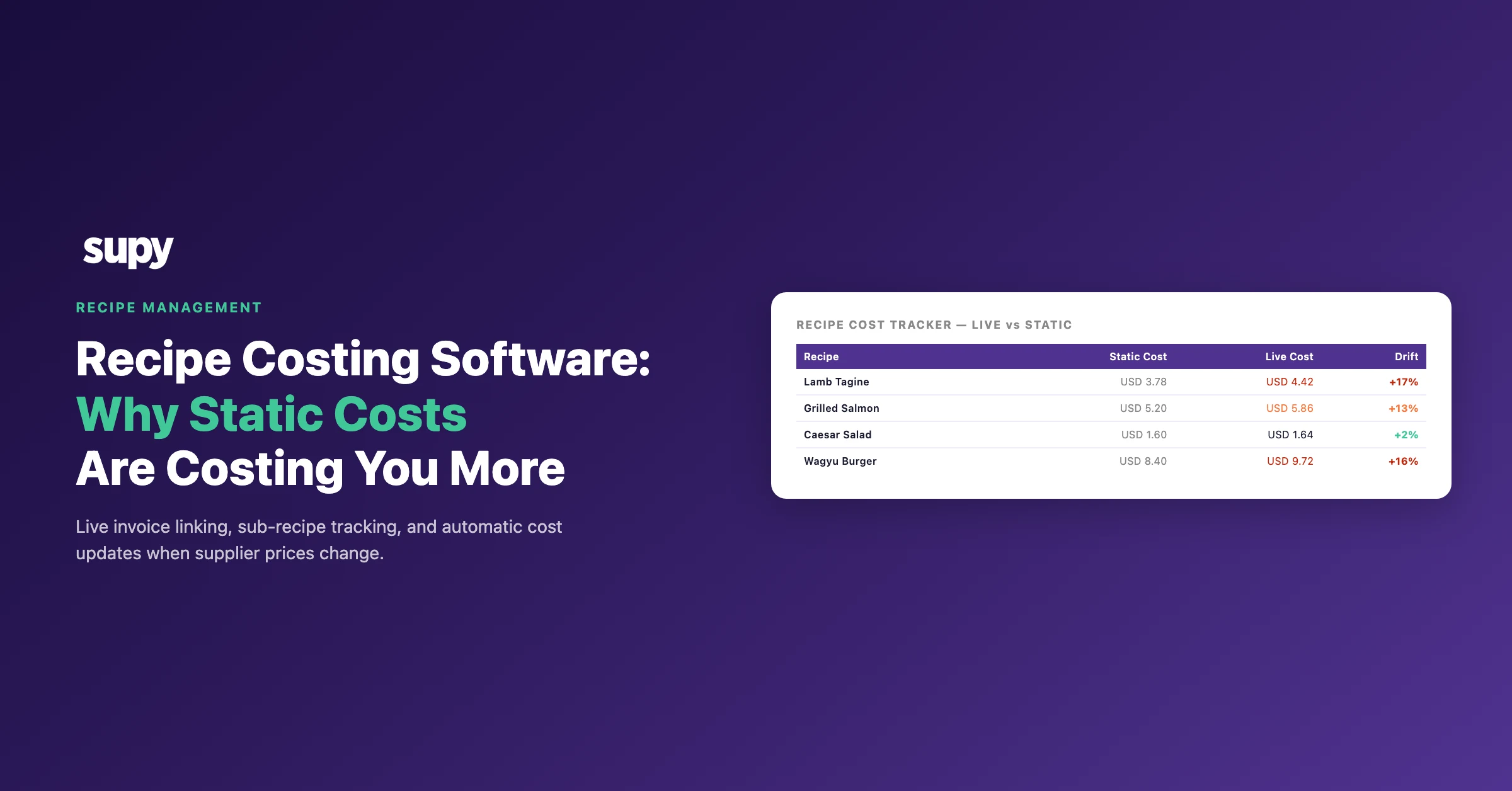
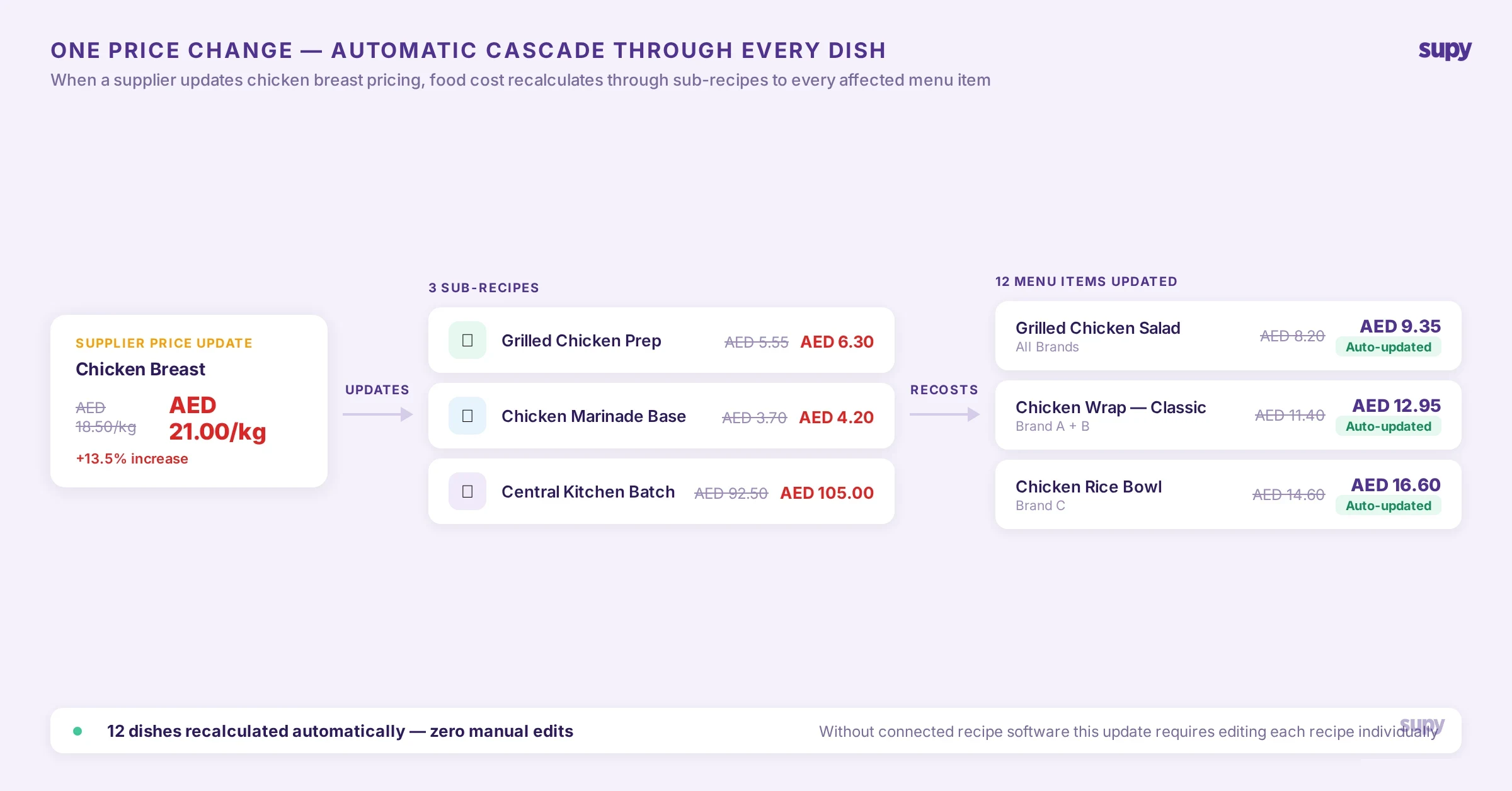
The software needs to maintain a single, live recipe library that every location pulls from. When a head chef updates the yield on a sauce recipe, that change must cascade through every dish that uses the sauce as a sub-recipe - and then recalculate the food cost of each of those dishes automatically. If it does not, your recipe library and your cost data are two different things held in two different places.
The direct link between recipe accuracy and stock count reliability is underappreciated. When recipes contain incorrect ingredient quantities or outdated yields, your theoretical usage figures are wrong. Every stock count then produces a variance that is partly real loss and partly data error. Operators dealing with this issue report that recipe inaccuracies routinely make stock takes unusable as a diagnostic tool - which defeats the main purpose of counting stock in the first place.
Software that treats recipes as live, connected cost records rather than static documents is doing something categorically different from a recipe organiser. That distinction is what separates tools built for professional kitchen management from tools built for home cooks.
The Multi-Location Recipe Problem: Variants, Brands, and Cost Centres
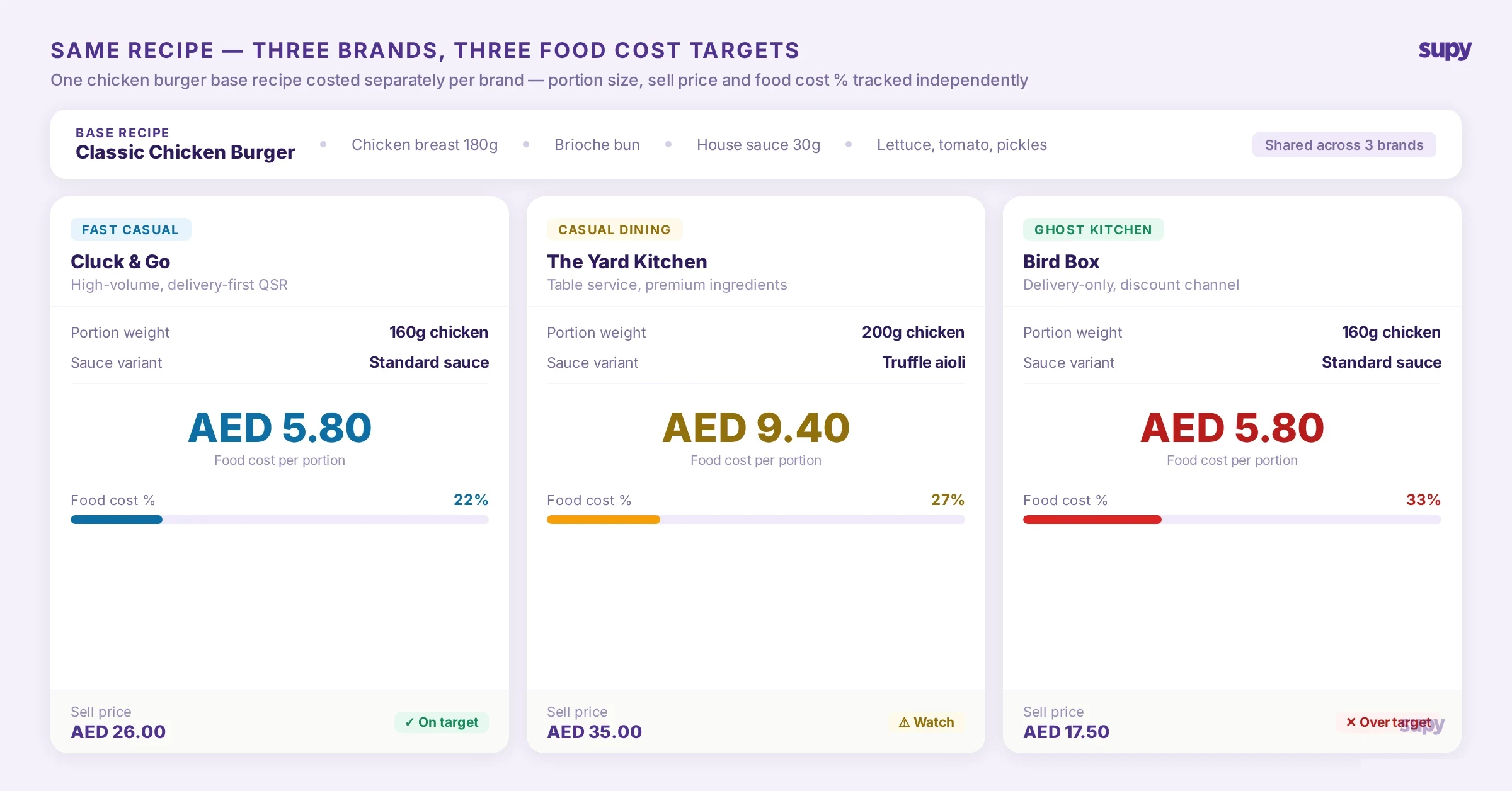
Restaurant groups managing multiple brands face a specific challenge that single-site tools have no answer for. You may have the same core recipe - a burger patty blend, a house sauce, a standard dough - that is used across three different brands with different portion sizes, different presentation specs, and potentially different supplier contracts by region.
Operators managing this across multiple brands consistently report the same pain point: hundreds of recipes, many of them variations of the same base recipe, tied to different parent recipes or modifier items. With no clear view of which variant maps to which brand and which point-of-sale item, the recipe library becomes a source of confusion rather than control. Exporting to a spreadsheet to filter and cross-reference is the most common workaround - and it signals exactly what the software should be handling automatically.
Good recipe management software gives you a hierarchy: base recipes, sub-recipes, and modifiers, all of which can be costed independently and assembled into dish-level costs at any level of the tree. When a base recipe changes - because a supplier swaps an ingredient, or a yield test produces a different result - the cost recalculates upward through every dish that uses it.
For groups operating across different countries or currencies, the system also needs to handle separate supplier catalogues and pricing agreements by region, without requiring the recipe library itself to be duplicated per territory.
Central Kitchen Operations and Branch Costing

For restaurant groups that run a central production kitchen supplying branches, recipe management becomes a two-tier problem. The central kitchen has its own recipes, production volumes, and cost structure. Each branch has its own recipes, which may use central kitchen outputs as ingredients. The cost of a portion served at a branch reflects the transfer price from the central kitchen plus the branch's own preparation cost.
Software that does not account for this produces systematically misleading food cost figures. If a branch is receiving chicken stock from the central kitchen and the stock's cost is not flowing through correctly, the branch's chicken dish appears cheaper to produce than it actually is.
An operator running a central production unit supplying multiple branches makes this point clearly: recipe management is not isolated from production scheduling and transfer tracking. For the food cost data to be operationally meaningful, the recipe costing system needs to integrate with production events, branch requisitions, and the ability to separate revenue and COGS by cost centre. A system that handles central kitchen and branch costing as two connected layers is a qualitatively different tool from one that assumes all food is produced and sold at the same location.
Bulk Operations: The Feature That Makes or Breaks Scale

The most revealing test of whether recipe software was built for groups or adapted from a single-site product is how it handles bulk operations.
Consider a 30-location group receiving a monthly ingredient price list from their main supplier. Updating costs item-by-item across hundreds of ingredients is not a workflow at that scale - it is a full-time job. Groups managing this manually report that the update process takes so long that recipe costs are frequently out of date by the time they are entered, making the cost figures wrong almost immediately.
The operations that need to be possible at the click of a button or through a single import: bulk price update - upload a supplier price list and have it propagate through every recipe that uses the affected ingredients, with new food costs calculated automatically; bulk ingredient replace - when a supplier is changed or a product is discontinued, replace an ingredient across every recipe that uses it in one action; batch yield and portion updates - when a yield test changes the standard yield for a base ingredient, update it once and have that change flow through all dependent recipes; recipe type conversion - change a recipe from a prep recipe to a menu item without having to recreate it from scratch.
Operators using software that lacks these capabilities tend to keep a parallel spreadsheet for bulk cost modelling - which means the recipe system and the cost model are always one update behind each other.
Live Cost Visibility: What You Should See Without Opening a Recipe
Cost visibility at scale means being able to review your full recipe library and see, at a glance, the cost per portion for every item - without navigating into each recipe individually. For a group with 500 recipes across 20 locations, opening individual recipes to check current costs is not a practical oversight model.
Customer success teams supporting multi-location operators consistently relay a specific request: unit cost visible on the recipe listing page alongside portion size, so operators can scan cost-per-portion across the full library without opening each recipe. The absence of this feature forces operations directors to export data and build their own views - which is a sign that the software's interface was designed for kitchen managers handling a handful of recipes, not operations teams managing hundreds.
The corollary to this is impact reporting: when a key ingredient increases in price, the system should be able to produce a report showing every recipe affected and by how much. Currently, most operators have no mechanism for this. The result is that ingredient price increases are absorbed invisibly until the month-end food cost variance reveals the damage - at which point the cost has already been incurred across hundreds of service covers.
What to Look for When Evaluating Recipe Management Software
When evaluating options for a multi-location group, the functional questions that separate enterprise-grade tools from general restaurant software are:
Does it handle sub-recipes and multi-level costing? If a sub-recipe is updated, do all parent dishes recalculate automatically? Does it support multiple brands or concepts within a single organisation? Can you distinguish recipe variants by brand and maintain separate costing by cost centre? Does it integrate with your purchasing and supplier data - are ingredient costs updated when supplier invoices are processed, or do they require manual entry? Does it support central kitchen costing as a distinct layer from branch costing? Does it have bulk update capabilities? Does it connect recipe costing to stock count and wastage tracking?
Supy's recipe management module is built for multi-location operators and integrates directly with procurement, stock management, and business intelligence. Recipe costs update automatically when supplier invoice prices change, and sub-recipe costing cascades through all parent dishes. Bulk ingredient replace and batch yield updates apply across the full library in a single action. For groups operating a central kitchen, Supy handles central production costing and branch-level cost reporting as connected layers.
If your current setup is a spreadsheet, a shared folder of PDFs, or a single-site tool stretched beyond its design limits, the operational case for a connected recipe management system is not an efficiency improvement - it is a data integrity decision that affects every food cost figure in your business.
To see how Supy handles recipe management at group scale, request a demo at supy.io/demo.
Frequently Asked Questions
What is the difference between recipe management software and a recipe organiser app?
A recipe organiser stores and displays recipes for home cooks. Restaurant recipe management software calculates food cost per portion, connects ingredient costs to live supplier pricing, integrates with purchasing and stock management, and updates costs automatically when supplier prices change.
How does recipe management software handle ingredient price changes across multiple locations?
Ingredient costs are linked to your supplier catalogue and invoice data. When a supplier price changes at goods receipt, the system recalculates food cost for every recipe containing that ingredient and cascades the change through all parent recipes automatically.
Can recipe management software handle central kitchen and branch costing separately?
Enterprise recipe management software supports central kitchen costing as a distinct layer, with transfer pricing flowing from CK production into branch recipe costs. Without this, branch food cost figures are systematically understated.
Why does recipe inaccuracy affect stock count results?
Recipe accuracy and stock count accuracy are directly connected. If recipes contain incorrect yields or quantities, theoretical usage figures are wrong — making every stock count variance a mix of real loss and data error that cannot be separated.
Does recipe management software support bulk ingredient replacement across multiple recipes?
Better enterprise systems support bulk ingredient replacement, allowing you to replace a discontinued product across every recipe in a single operation. For groups with hundreds of recipes, this is the difference between keeping costs current and running perpetually out-of-date data.
When should a restaurant group switch from spreadsheets to recipe management software?
The clearest signal is when recipe maintenance falls behind supplier price changes, making food cost reports unreliable. For most groups this happens between three and five locations, when manual update labour exceeds the cost of software.