.jpeg)

Demandes d’Avoir Fournisseur et Écarts de Réception : Comment les Groupes Multi-sites Gardent les Ajustements de Livraison Réconciliés avec la Comptabilité
Où un Ajustement de Livraison est Censé Aboutir
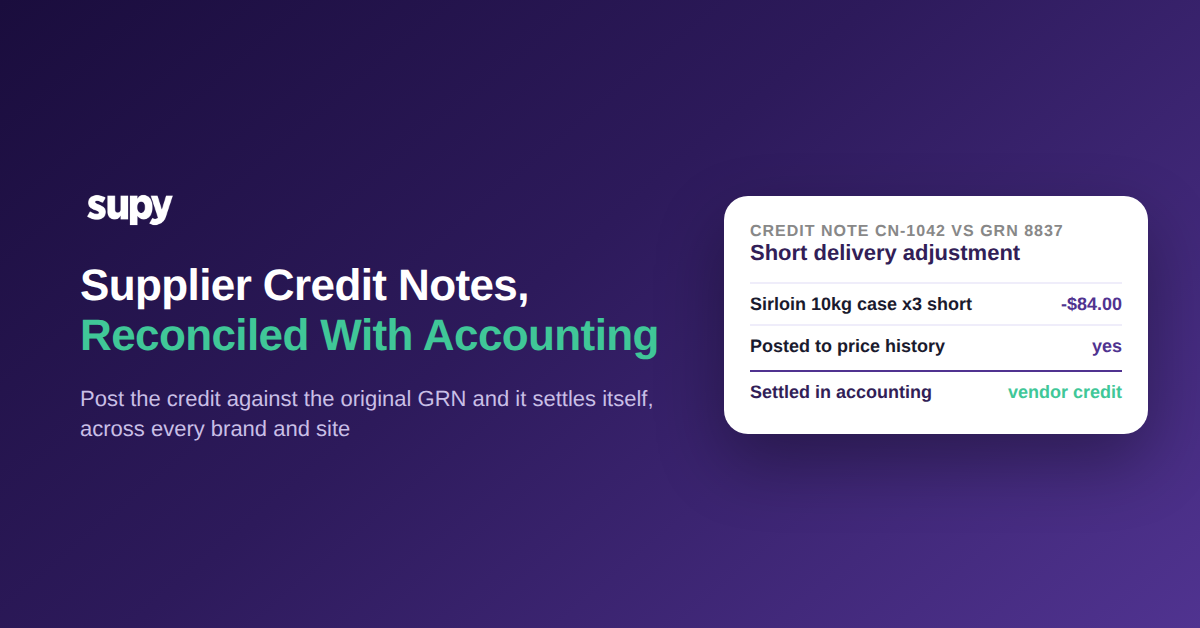
Une Demande d’avoir Fournisseur est le document qui réduit ce que vous devez à un Fournisseur lorsqu’une livraison arrive incomplète, endommagée ou surfacturée. Elle ne fait son travail qu’une fois réglée contre le Bon de réception d’origine et comptabilisée dans votre livre de Comptabilité comme avoir Fournisseur. Traitée ainsi, chaque correction se réconcilie d’elle-même, et les relevés Fournisseurs correspondent à vos livres sans que personne ne chasse un chiffre à la main.
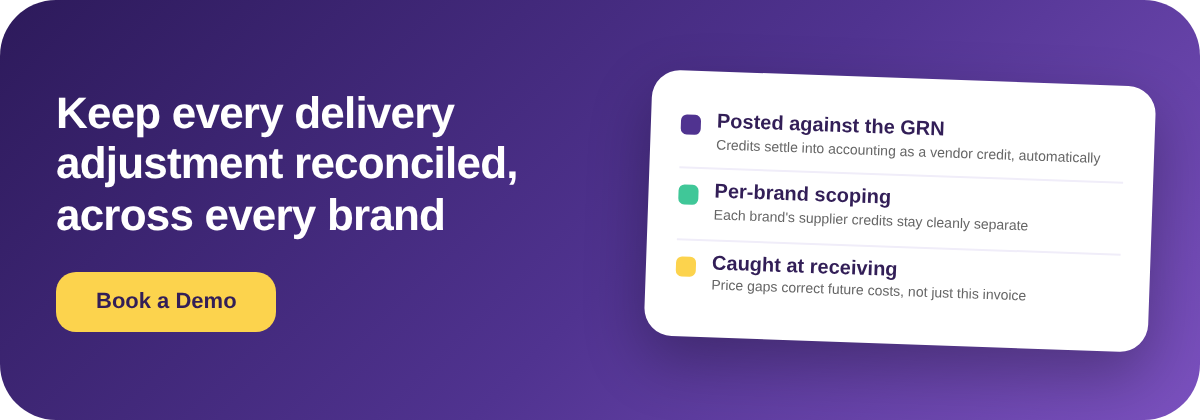
Le mécanisme qui rend cela automatique est le lien vers la réception. Un Bon de commande devient un Bon de réception (BDR) en un clic, et une Demande d’avoir est enregistrée contre ce BDR d’origine. Comme le système contient déjà la référence du BDR, le crédit se règle directement dans votre logiciel de Comptabilité connecté comme avoir Fournisseur, avec un historique d’audit complet. Supy gère les Demandes d’avoir pour surfacturations, charges incorrectes et retours dans le cadre de son Workflow de réception et de Demande d’avoir, et se connecte à QuickBooks, Xero, Zoho Books et Wafeq parmi ses 75+ Intégrations, pour que l’ajustement arrive là où la finance le réconcilie réellement. Si votre équipe cherche encore à comprendre comment les BDR devraient être gérés sur les différents sites, c’est le fondement sur lequel repose tout ce Workflow.
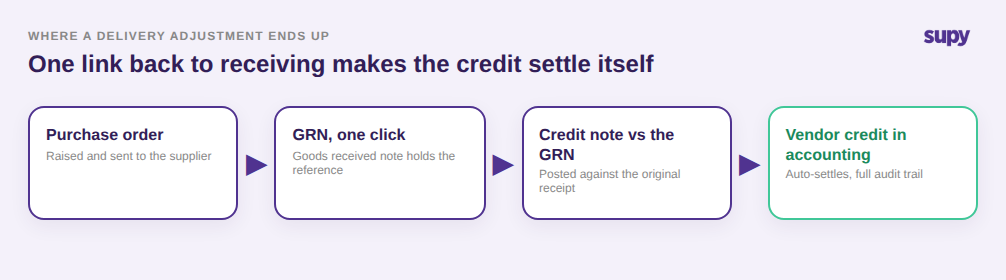
Pourquoi les Emails et les BDR Négatifs Détruisent le Rapprochement en Silence
Les deux contournements les plus courants paraissent tous deux corrects le jour J et échouent à la fin du mois. Le premier est de gérer les Demandes d’avoir par email : un responsable convient du manquant avec le commercial, l’avoir est promis dans un fil de messagerie, et rien n’est enregistré dans le système. Quand le relevé Fournisseur arrive, il n’y a aucun journal de Demandes d’avoir pour le rapprocher, et les chiffres ne correspondent jamais. Une équipe d’un seul Point de vente a résolu exactement cet échec avec une procédure d’exploitation standard écrite et un rapprochement mensuel entre son journal de Demandes d’avoir et les relevés Fournisseurs.
Le second contournement est de saisir un crédit Fournisseur comme BDR négatif. Cela ajuste les Stocks, le rayon semble correct, mais rien ne se règle en Comptabilité et le personnel des différents Points de vente finit par se perdre sur quel document a fait quoi. Un groupe de trois Points de vente en a fait directement l’expérience. La bonne approche est d’enregistrer la Demande d’avoir contre le BDR d’origine et de la comptabiliser, ce qui règle automatiquement en Comptabilité car la référence BDR est déjà là. Si la distinction entre les deux reste floue pour votre équipe finance, lisez comment enregistrer précisément les écarts Fournisseurs avec Demandes d’avoir, ajustements de Stocks et BDR négatifs. La différence entre le contournement et le Workflow dédié n’est pas cosmétique : l’un laisse vos livres désynchronisés, l’autre ferme la boucle automatiquement.
Pourquoi les emails et les BDR négatifs ne réconcilent jamais
| Comment le crédit est traité | Ce qui se passe | Règlement en Comptabilité ? |
|---|---|---|
| Convenu par email | Promis dans un fil, aucun enregistrement dans le système, rien à rapprocher du relevé | Non |
| Saisi comme BDR négatif | Les Stocks s’ajustent, le rayon semble correct, mais le livre de Comptabilité n’est pas touché et les Points de vente sont confus | Non |
| Demande d’avoir vs le BDR | Comptabilisée comme avoir Fournisseur avec un historique d’audit complet et se règle d’elle-même | Oui |
Quand Émettre une Demande d’Avoir est la Mauvaise Solution
Une Demande d’avoir est le bon outil pour une vraie surfacturation ou un article retourné, et le mauvais outil pour deux situations qui surviennent constamment à la réception. La première est une ligne non livrée, où la Facture facture quelque chose que le livreur n’a jamais livré. Émettre une Demande d’avoir crée un document que vous devrez maintenant suivre et régler ; la correction propre est de mettre la quantité facturée et reçue à zéro sur le BDR, pour que la ligne n’entre simplement jamais dans vos coûts. Un groupe de trois Points de vente a appris cela après avoir émis une Demande d’avoir pour un article qu’un Fournisseur n’avait jamais envoyé.
La seconde est l’arrondi habituel du Fournisseur. Certains Fournisseurs arrondissent un total de Facture de quelques centimes à chaque livraison. Contester une différence de 0,40 € avec une Demande d’avoir à chaque livraison vaut plus de travail que l’argent, et cela encombre votre rapprochement de bruit. La bonne gestion est de l’absorber avec le champ de remise sur Facture, ce qui garde le BDR propre et empêche un comportement inoffensif de générer de faux signaux d’écart. Savoir quand ne pas émettre de Demande d’avoir fait autant partie d’un rapprochement propre que d’en émettre une correctement.
Quand une Demande d’avoir n’est pas la solution
| Situation à la réception | La bonne correction | Demande d’avoir ? |
|---|---|---|
| Surfacturation ou article retourné | Émettre une Demande d’avoir contre le BDR d’origine pour qu’elle se règle comme avoir Fournisseur | Oui |
| Ligne non livrée, facturée mais non reçue | Mettre la quantité facturée et reçue à 0 sur le BDR pour que la ligne n’entre jamais dans les coûts | Non |
| Arrondi habituel de Facture à 0,40 € | L’absorber avec le champ de remise sur Facture au lieu de contester chaque livraison | Non |
Comment un Écart de Prix à la Réception Devient un Problème de Calcul des Coûts
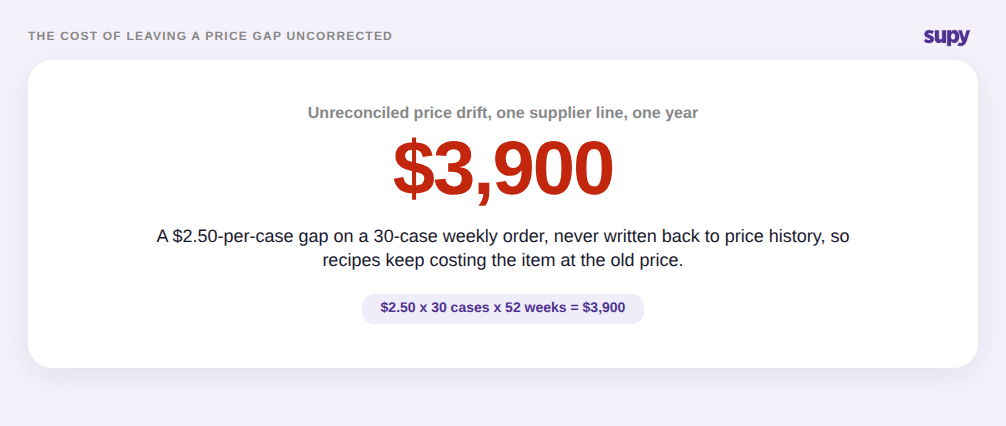
Un écart de prix à la réception est l’endroit où un petit écart ignoré se transforme en problème de calcul des coûts. Supposons qu’une caisse de tomates grappes est attendue à 42,00 $ et que la Facture indique 44,50 $. Ces 2,50 $ par caisse semblent anodins sur le moment. Laissés non corrigés sur une Commande hebdomadaire de 30 caisses, c’est 3 900 $ sur un an, et, pire encore, vos chiffres de Recette et de Marge continuent à calculer cette tomate à l’ancien prix de 42,00 $ car rien n’a inscrit le nouveau prix.
Supy comble cet écart au moment où il apparaît. Lorsque le prix d’un BDR diffère du coût prévu, le système signale l’écart à la réception et permet à l’acheteur soit de mettre à jour le prix prévu, soit d’émettre une Demande d’avoir depuis le même écran. Dans les deux cas, l’événement est enregistré dans l’historique des prix, de sorte que les futurs calculs de coûts reflètent le chiffre corrigé plutôt qu’un chiffre obsolète. C’est le vrai avantage de traiter les écarts à la réception plutôt qu’en fin de mois : la correction atteint vos coûts pendant qu’elle compte encore, et non après que trois mois de Marge aient déjà été mal calculés.
Éviter que les Avoirs Multi-marques ne se Mélangent
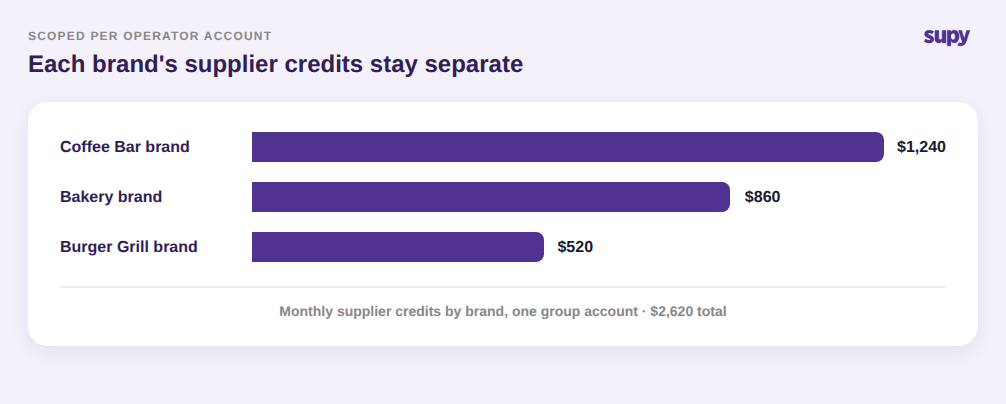
Pour un groupe Multi-marques gérant plusieurs enseignes, le risque n’est pas seulement de savoir si un crédit se règle, mais dans quels livres il se règle. Si un avoir d’un bar à café et un avoir d’une boulangerie atterrissent dans le même tas indifférencié, les finances par marque ne sont plus fiables et la fin de mois devient un exercice de démêlage. Supy associe chaque Demande d’avoir à un seul compte opérateur, de sorte qu’un groupe peut traiter les avoirs Fournisseurs pour chaque marque sans que les avoirs d’une marque ne se mélangent avec ceux d’une autre.
Cette séparation permet également à un groupe de gérer les réalités de réception plus complexes proprement. Les bons de livraison de différents centres de coûts peuvent être consolidés sur une seule Facture Fournisseur tandis que chaque article conserve son centre de coûts d’origine pour les rapports, et un retour financier uniquement, tel que 48,00 $ de dépôts de bouteilles retournées, peut se régler en Comptabilité sans jamais toucher les Stocks. Le résultat est que chaque marque voit ses propres avoirs Fournisseurs, chaque centre de coûts conserve ses propres chiffres, et la vue au niveau du groupe se réconcilie toujours dans son ensemble.
Vérifiez Cela dans Votre Propre Établissement
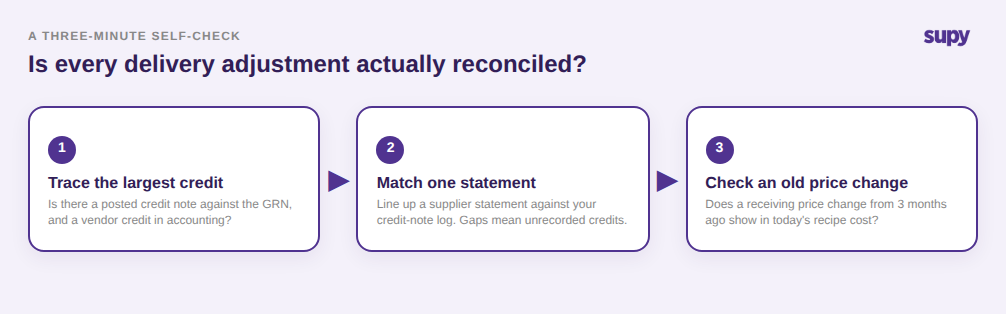
Si vous n’êtes pas sûr que les ajustements de livraison sont réellement réconciliés dans votre groupe, effectuez trois vérifications rapides. Premièrement, choisissez le plus grand avoir Fournisseur du mois dernier et retracez-le : y a-t-il une Demande d’avoir enregistrée contre le BDR d’origine, et est-elle apparue dans votre logiciel de Comptabilité comme avoir Fournisseur ? Si elle ne vit que dans un fil d’email, c’est votre fuite. Deuxièmement, extrayez un relevé Fournisseur et faites correspondre ligne par ligne avec votre journal de Demandes d’avoir ; un écart ici signifie que des ajustements sont convenus mais pas enregistrés. Troisièmement, vérifiez si un changement de prix de réception d’il y a trois mois est reflété dans le coût actuel de la Recette. Si l’une des trois revient incorrecte, la correction est la même : transférez les ajustements de livraison vers un Workflow de Demande d’avoir dédié enregistré contre le BDR, pour qu’ils se règlent d’eux-mêmes et que vos coûts restent à jour.