.jpeg)


Lieferantengutschriften und Lieferdiskrepanzen: Wie Multi-Standort-Gruppen Lieferanpassungen mit der Buchhaltung abgleichen
Wo eine Lieferanpassung landen soll
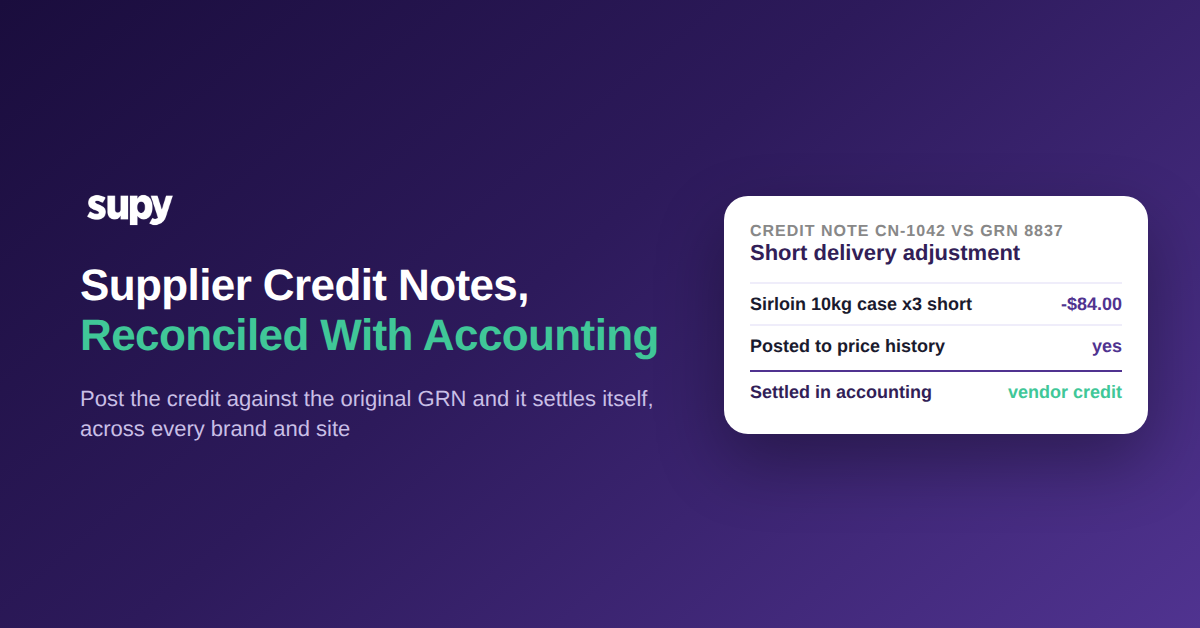
Eine Lieferantengutschrift ist das Dokument, das vermindert, was Sie einem Lieferanten schulden, wenn eine Lieferung zu kurz, beschädigt oder überteuert eintrifft. Sie erfüllt ihre Aufgabe erst, wenn sie gegen den ursprünglichen Wareneingangsbeleg verbucht und als Kreditorengutschrift in Ihr Buchhaltungssystem gebucht wird. So abgewickelt gleicht sich jede Anpassung selbst ab, und Lieferantenkonten stimmen mit Ihren Büchern überein, ohne dass jemand am Monatsende eine Zahl manuell nachverfolgen muss.
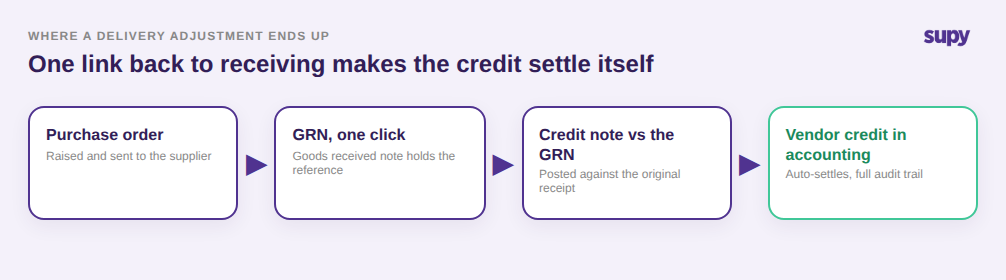
Der Mechanismus, der das automatisch macht, ist die Verbindung zurück zur Warennahme. Eine Bestellung wird mit einem Klick zu einem Wareneingangsbeleg (WEB), und eine Gutschrift wird gegen diesen ursprünglichen WEB gebucht. Da das System die WEB-Referenz bereits kennt, gleicht sich die Gutschrift direkt als Kreditorengutschrift in Ihrer verbundenen Buchhaltungssoftware aus, mit vollständigem Prüfpfad. Supy verwaltet Gutschriften für Überzahlungen, fehlerhafte Berechnungen und Retouren als Teil seines Wareneingangs- und Gutschriften-Workflows und verbindet sich mit QuickBooks, Xero, Zoho Books und Wafeq unter seinen 75+ Integrationen, sodass die Anpassung dort landet, wo die Finanzabteilung tatsächlich abstimmt. Wenn Ihr Team noch herausfindet, wie Wareneingangsnachweise standortübergreifend verwaltet werden sollten, ist das die Grundlage, auf der dieser gesamte Ablauf aufbaut.
Warum E-Mail-Ketten und negative Wareneingangsnachweise den Abgleich still unterlaufen
Die zwei häufigsten Behelfslösungen sehen am Tag gut aus und scheitern am Monatsende. Die erste ist die E-Mail-Verwaltung von Gutschriften: Ein Manager einigt sich mit dem Vertreter auf die Fehlmenge, das Guthaben wird in einem E-Mail-Thread zugesagt, und im System wird nichts erfasst. Wenn der Lieferantenkontoauszug eintrifft, gibt es kein Gutschriftsprotokoll, gegen das abgestimmt werden kann, sodass die Zahlen nie übereinstimmen. Ein Einzelstandort-Team hat genau diesen Fehler mit einem schriftlichen Standardbetriebsverfahren plus monatlicher Abstimmung zwischen dem Gutschriftsprotokoll und den Lieferantenkontoauszügen behoben.
Die zweite Behelfslösung ist die Eingabe einer Lieferantengutschrift als negativen Wareneingangsbeleg. Der Bestand gleicht sich an, sodass das Regal stimmt, doch in der Buchhaltung wird nichts verbucht und Mitarbeiter an verschiedenen Standorten verlieren den Überblick, welches Dokument was bewirkt hat. Eine Gruppe mit drei Standorten ist direkt in dieses Problem geraten. Der richtige Weg ist, die Gutschrift gegen den ursprünglichen Wareneingangsbeleg zu buchen und einzureichen, was sich automatisch in der Buchhaltung ausgleicht, weil die WEB-Referenz bereits vorhanden ist. Wenn der Unterschied für Ihr Finanzteam noch unklar ist, lohnt es sich zu lesen, wie man Lieferantendiskrepanzen korrekt mit Gutschriften, Bestandsanpassungen und negativen Wareneingangsnachweisen erfasst. Der Unterschied zwischen der Behelfslösung und dem dedizierten Ablauf ist nicht kosmetisch: Eine lässt Ihre Bücher außer Sync, die andere schließt die Schleife von allein.
Warum E-Mail-Ketten und negative Wareneingangsnachweise nie abgleichen
| Wie das Guthaben verwaltet wird | Was passiert | Bucht in der Buchhaltung? |
|---|---|---|
| Per E-Mail vereinbart | Im Thread zugesagt, kein Eintrag im System, nichts zum Abgleich mit dem Kontoauszug | Nein |
| Als negativer Wareneingangsbeleg eingegeben | Bestand gleicht sich an, sodass das Regal stimmt, aber das Hauptbuch bleibt unberührt und Standorte werden verwirrt | Nein |
| Gutschrift vs. Wareneingangsbeleg | Wird als Kreditorengutschrift mit vollständigem Prüfpfad gebucht und schließt die Schleife von allein | Ja |
Wann eine Gutschrift die falsche Maßnahme ist
Eine Gutschrift ist das richtige Instrument für eine echte Überzahlung oder eine Retoure, und das falsche Instrument für zwei Situationen, die beim Wareneingang ständig vorkommen. Die erste ist eine nicht gelieferte Position, bei der die Rechnung etwas abrechnet, was der Fahrer nie geliefert hat. Dort eine Gutschrift auszustellen, erzeugt ein Dokument, das jetzt verfolgt und ausgeglichen werden muss; die saubere Lösung ist, die berechnete und empfangene Menge im Wareneingangsbeleg auf null zu setzen, damit die Position einfach nie in die Kosten eingeht. Eine Gruppe mit drei Standorten hat dies erfahren, nachdem sie eine Gutschrift für einen Artikel ausgestellt hatte, den ein Lieferant nie gesendet hat.
Die zweite Situation ist gewohnheitsmäßiges Lieferantenrunden. Manche Lieferanten runden eine Rechnungssumme bei jeder Lieferung um einige Cent. Eine Rundungsdifferenz von 0,40 $ bei jeder Lieferung mit einer Gutschrift anzufechten, ist mehr Arbeit als der Betrag wert ist und verstopft die Abstimmung mit Rauschen. Die richtige Handhabung ist, sie mit dem Rechnungsrabattfeld zu absorbieren, das den Wareneingangsbeleg sauber hält und ein harmloses Muster davon abhält, falsche Diskrepanzflags auszulösen. Zu wissen, wann keine Gutschrift auszustellen ist, ist genauso Teil sauberer Abstimmung wie das korrekte Ausstellen.
Wann eine Gutschrift nicht die richtige Lösung ist
| Situation beim Wareneingang | Die richtige Lösung | Gutschrift? |
|---|---|---|
| Überzahlung oder Retoure | Gutschrift gegen den ursprünglichen Wareneingangsbeleg ausstellen, damit sie als Kreditorengutschrift verbucht wird | Ja |
| Nicht gelieferte Position, berechnet aber nicht geliefert | Berechnete und empfangene Menge im Wareneingangsbeleg auf 0 setzen, damit die Position nie in die Kosten eingeht | Nein |
| Gewohnheitsmäßige Rechnungsrundung von 0,40 $ | Mit dem Rechnungsrabattfeld absorbieren, statt jede Lieferung anzufechten | Nein |
Wie eine Preisdiskrepanz beim Wareneingang zu einem Kostenproblem wird
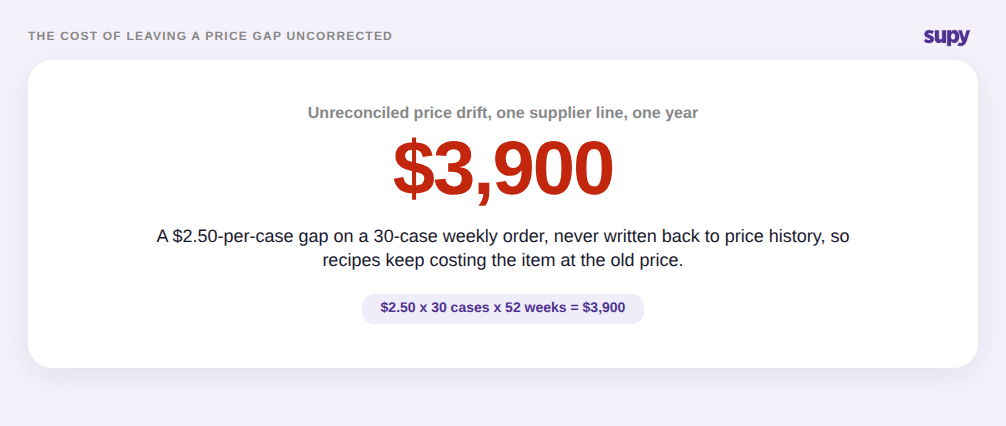
Eine Preislücke beim Wareneingang ist der Ort, wo eine kleine, ignorierte Diskrepanz zu einem Kostenproblem anwächst. Angenommen, eine Kiste Strauchtomaten wird zu 42,00 $ erwartet und die Rechnung lautet 44,50 $. Diese 2,50 $ pro Kiste erscheinen im Moment trivial. Unkorrigiert auf einer wöchentlichen 30-Kisten-Bestellung macht das 3.900 $ im Jahr, und schlimmer noch: Ihre Rezepte und Margekalkulationen berechnen diese Tomate weiterhin mit dem alten Preis von 42,00 $, weil nichts den neuen Preis zurückgeschrieben hat.
Supy schließt diese Lücke an dem Punkt, an dem sie auftritt. Wenn ein Wareneingangsbeleg-Preis vom erwarteten Einkaufspreis abweicht, markiert das System die Diskrepanz und lässt den Einkäufer entweder den erwarteten Preis aktualisieren oder direkt aus demselben Bildschirm eine Gutschrift ausstellen. Das Ereignis wird in der Preishistorie erfasst, sodass künftige Kostenberechnungen die korrigierte Zahl widerspiegeln statt einer veralteten. Das ist die eigentliche Rendite der Behandlung von Diskrepanzen beim Wareneingang statt am Monatsende: Die Korrektur erreicht die Kosten, während es noch wichtig ist, nicht nach drei Monaten falsch berechneter Marge.
Multi-Marken-Gutschriften vor gegenseitiger Vermischung schützen
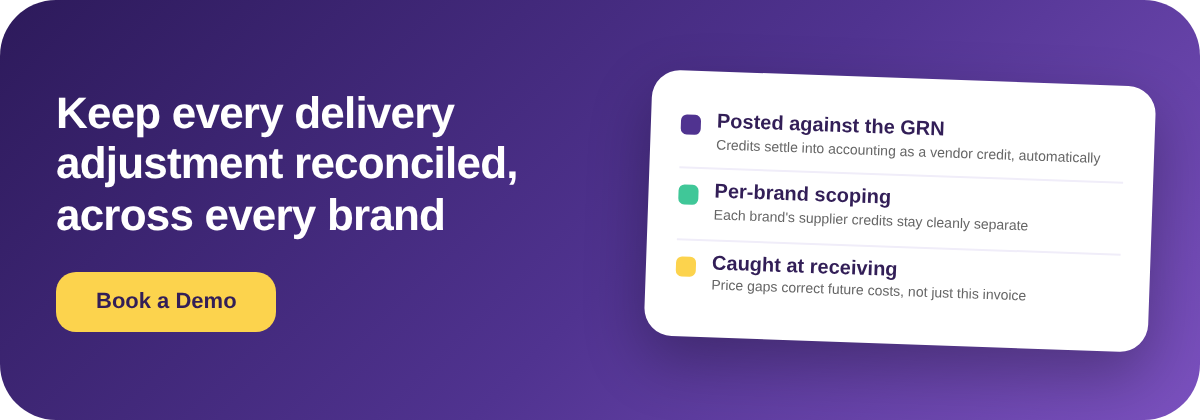
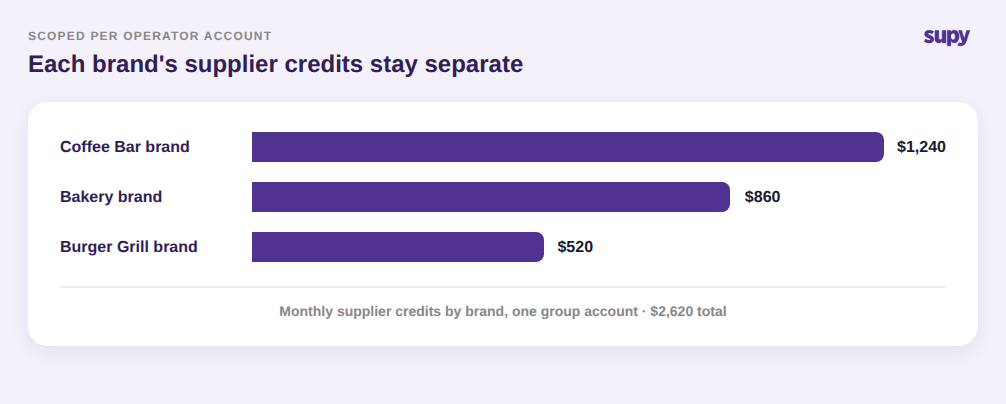
Für eine Gruppe mit mehreren Marken liegt das Risiko nicht nur darin, ob eine Gutschrift verbucht wird, sondern in wessen Bücher sie gelangt. Wenn eine Kaffeebar-Gutschrift und eine Bäckerei-Gutschrift in demselben undifferenzierten Stapel landen, verlieren markenspezifische Finanzdaten ihre Verlässlichkeit, und der Monatsabschluss wird zur Entwirrungsübung. Supy ordnet jede Gutschrift einem einzelnen Betreiberkonto zu, sodass eine Gruppe Lieferantengutschriften für jede Marke verarbeiten kann, ohne dass sich die Gutschriften einer Marke mit denen einer anderen vermischen.
Diese Trennung ermöglicht es einer Gruppe auch, die schwierigeren Wareneingangsrealitäten sauber zu handhaben. Lieferscheine aus verschiedenen Kostenstellen können auf einer Lieferantenrechnung zusammengefasst werden, während jede Position ihre Ursprungskostenstelle für die Berichterstattung beibehält, und eine rein finanzielle Retoure – beispielsweise 48,00 $ zurückgegebener Pfandflaschen – kann in der Buchhaltung verbucht werden, ohne den Bestand zu berühren. Das Ergebnis: Jede Marke sieht ihre eigenen Lieferantengutschriften, jede Kostenstelle behält ihre eigenen Zahlen, und die Gruppengesamtansicht gleicht sich weiterhin als Ganzes ab.
Prüfen Sie Ihren eigenen Betrieb
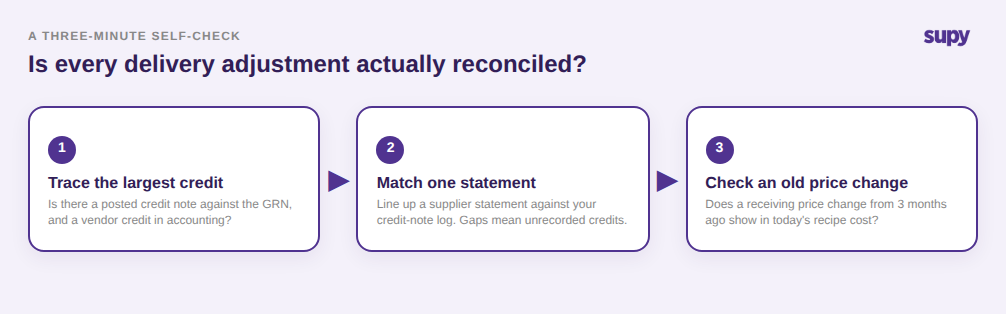
Wenn Sie nicht sicher sind, ob Lieferanpassungen in Ihrer Gruppe tatsächlich abgestimmt werden, führen Sie drei schnelle Prüfungen durch. Erstens: Nehmen Sie die größte Lieferantengutschrift des letzten Monats und verfolgen Sie sie – gibt es einen gebuchten Gutschriftvermerk gegen den ursprünglichen Wareneingangsbeleg, und ist er als Kreditorengutschrift in Ihrer Buchhaltungssoftware erschienen? Wenn er nur in einem E-Mail-Thread existiert, ist das Ihre Leckage. Zweitens: Ziehen Sie einen Lieferantenkontoauszug und gleichen Sie ihn Zeile für Zeile mit dem Gutschriftsprotokoll ab; eine Lücke bedeutet, dass Anpassungen vereinbart, aber nicht erfasst werden. Drittens: Prüfen Sie, ob eine Preisänderung beim Wareneingang von vor drei Monaten in den heutigen Rezeptkosten widergespiegelt wird. Wenn einer der drei Punkte falsch zurückkommt, ist die Lösung dieselbe: Verschieben Sie Lieferanpassungen auf einen dedizierten Gutschriftsablauf gegen den Wareneingangsbeleg, damit sie sich selbst abgleichen und die Kosten aktuell bleiben.