.jpeg)

Contrôle du budget d'achat en restauration : arrêter les dépassements avant que la facture n'arrive
Ce que signifie le contrôle du budget d'achat quand on gère plusieurs établissements
Le contrôle du budget d'achat en restauration, c'est la pratique qui consiste à fixer une limite de dépenses pour chaque établissement, à l'ancrer aux prévisions de ventes de cet établissement et à l'appliquer au moment même où la commande est passée, plutôt que de découvrir le dépassement des semaines plus tard. Dans un restaurant unique, c'est le propriétaire qui valide chaque commande qui fait office de contrôle. À l'échelle d'un groupe de sites, cette personne n'existe pas, et le vide qu'elle laisse est là où les budgets d'achat dérivent silencieusement.
Il est utile de préciser ce que ce n'est pas. Ce n'est pas l'analyse des résultats de fin de mois, qui vous dit qu'un site a trop dépensé uniquement après que l'argent est parti. Ce n'est pas un budget tableur statique que personne ne rapproche des commandes réelles. Le contrôle du budget d'achat est un garde-fou opérationnel : un directeur peut commander ce dont le site a besoin, mais une commande qui pousse une catégorie au-delà de son budget, ou une commande anormalement élevée, est signalée ou mise en attente d'une décision avant que le bon de commande ne parvienne au fournisseur.
Cette distinction compte parce que les achats sont le seul poste de coût que les directeurs de site touchent chaque jour. Ils décident de ce qu'ils commandent, de la quantité et auprès de qui. Donnez-leur un objectif lié aux prévisions de ventes et un système qui réagit en temps réel, et les dépenses restent dans le plan. Laissez-les commander à l'instinct, sans limite visible, et le plan n'est que théorie jusqu'à l'arrivée des factures. Le contrôle du budget s'inscrit dans une démarche plus large d'approvisionnement via un logiciel de restauration, mais c'est lui qui décide si un groupe maîtrise réellement ses dépenses.
Pourquoi les dépassements ne se voient qu'à l'arrivée de la facture
Le schéma est le même dans tous les groupes multi-sites. Un directeur des opérations a décrit des managers qui commandaient sans suivre les prévisions de ventes ni les objectifs budgétaires, et demandait une alerte proactive dès qu'un site approchait de sa limite. Un autre directeur opérationnel d'un groupe de restauration rapide l'a formulé autrement : les commandes tardives n'étaient jamais signalées automatiquement, les filtres d'écart étaient trop grossiers pour identifier quel site causait le problème, et des prévisions fiables étaient devenues une exigence impérative, plus un simple atout.
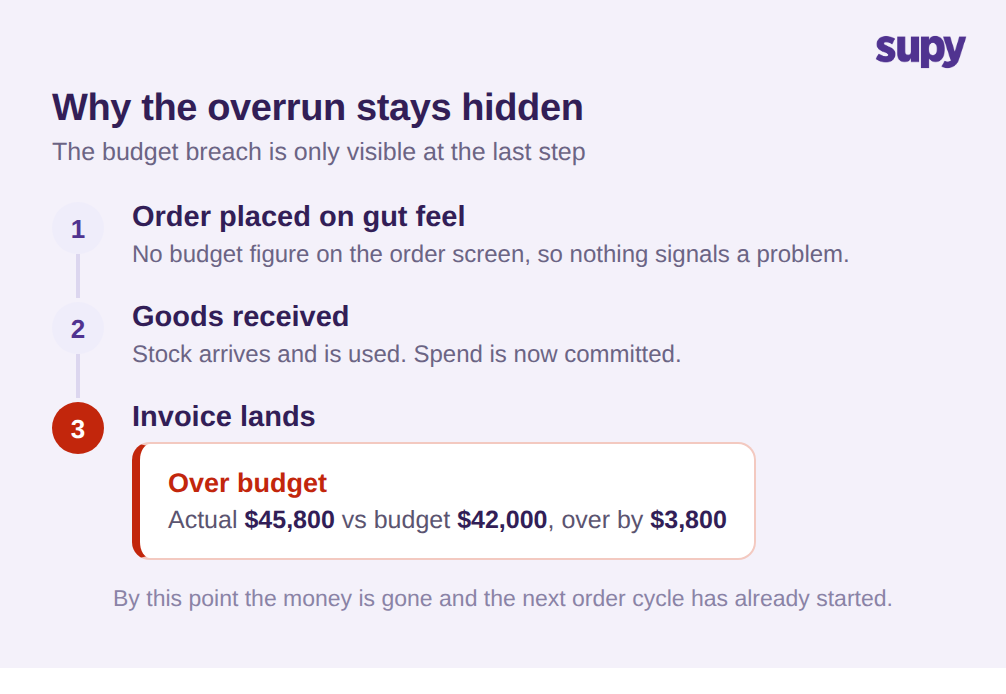
Les deux décrivent le même dysfonctionnement avec un délai intégré. Une commande part au ressenti. Les marchandises arrivent. Ce n'est qu'à la réception de la facture fournisseur, souvent en fin de période, que quelqu'un constate qu'un site a dépensé plus que prévu. À ce stade, l'argent est engagé et le cycle de commande suivant a déjà démarré sur les mêmes bases.
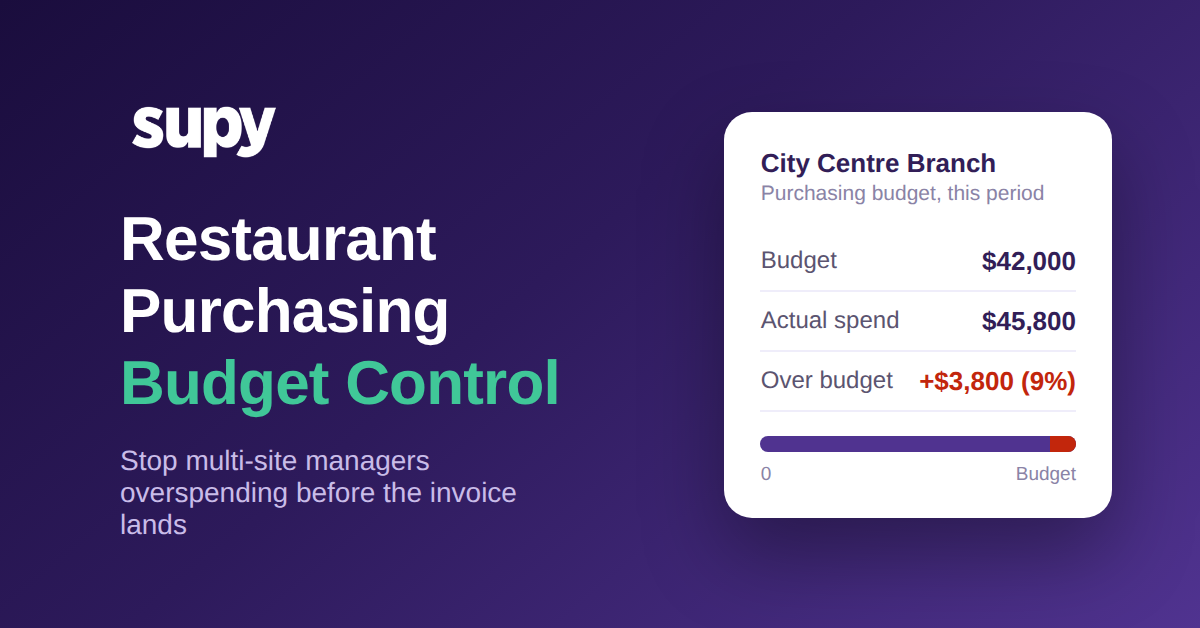
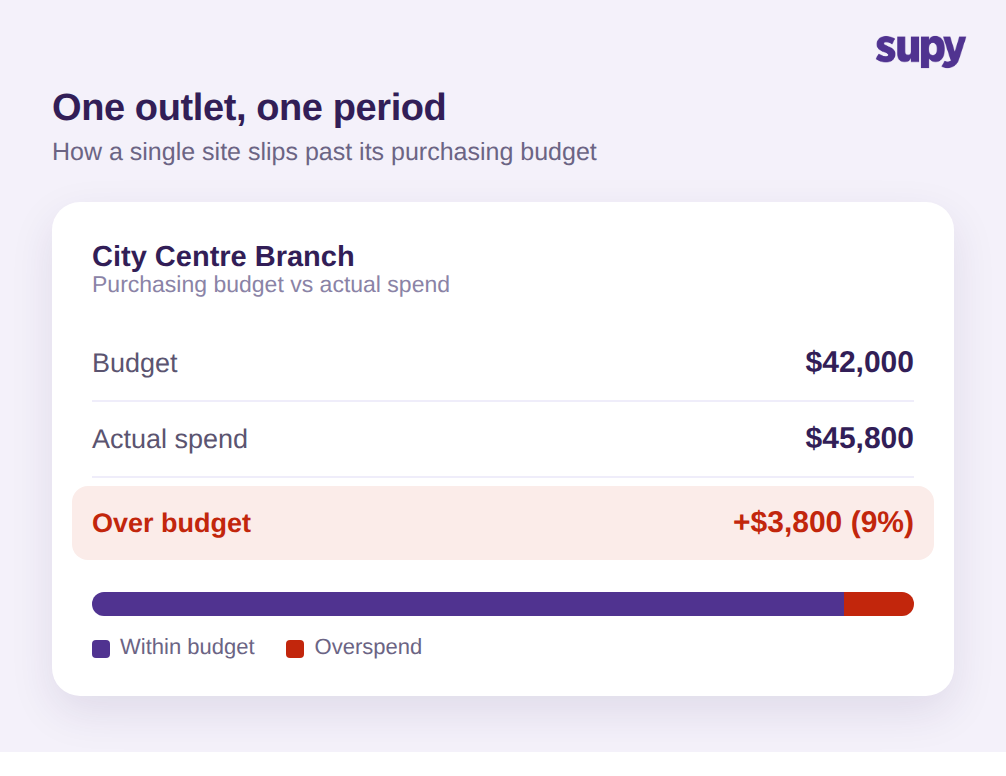
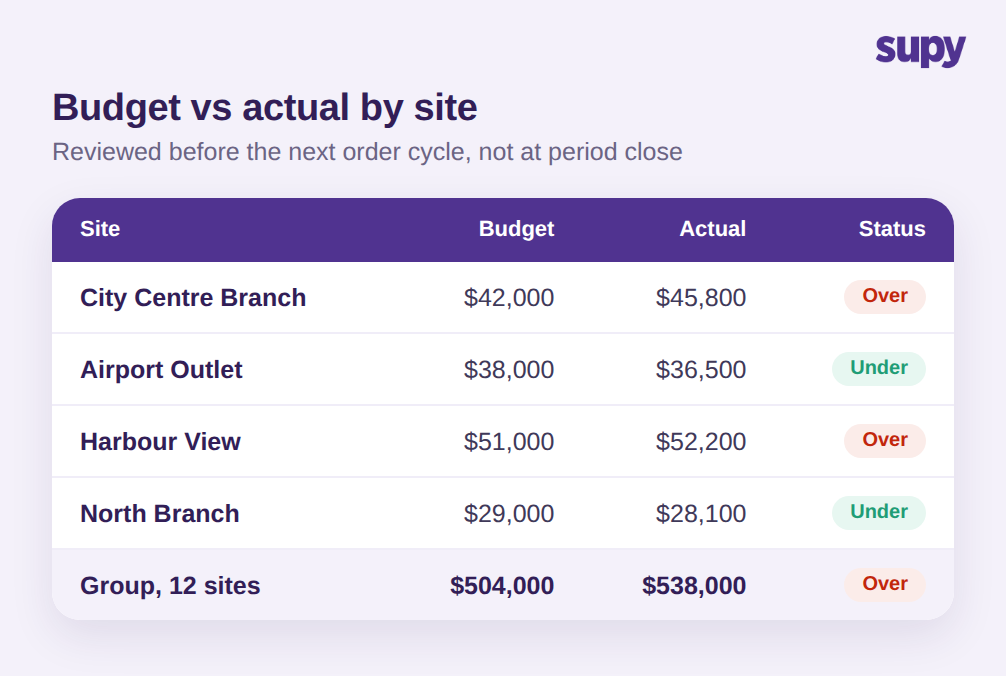
Chiffrons la chose. Prenez un établissement avec un budget d'achat mensuel de 42 000 $. Rien n'empêche le directeur de commander régulièrement au-dessus du plan, et la période se clôture à 45 800 $ de dépenses réelles. Ce sont 3 800 $ de trop, soit environ 9 % au-dessus du budget sur un seul site en un seul mois. Multipliez la même dérive lente sur un groupe de 12 sites avec un budget combiné proche de 504 000 $ : le groupe atterrit à 538 000 $ et le dépassement est assez important pour peser sur tout le mois, et pourtant aucune commande ne semblait alarmante le jour où elle a été passée.
La raison pour laquelle cela reste invisible est que les trois éléments nécessaires pour le détecter à temps font défaut. Aucun montant budgétaire n'est affiché sur l'écran de commande, donc le directeur n'a aucun repère. Aucune alerte ne se déclenche quand les dépenses engagées approchent de la limite, donc personne n'intervient. Et l'analyse des écarts ne peut pas ventiler les dépenses par site et par catégorie, ce qui rend difficile même après coup de savoir où se situe la fuite. Le dépassement n'est pas un problème disciplinaire. C'est un problème de visibilité que seul un système positionné avant la commande peut résoudre.
Les tableurs ne comblent pas ce manque, et il est utile d'expliquer pourquoi. Un budget dans un tableur est une photo prise au début de la période. Il ne sait pas que trois commandes ont été passées hier, donc il ne peut pas avertir que le site est en passe de dépasser sa limite. Au moment où quelqu'un rapproche le tableur des factures réelles, la période est généralement presque terminée et le chiffre est un post-mortem, pas un outil de pilotage. La même limite s'applique à un budget unique au niveau du groupe : le dépassement d'un site chargé est facilement masqué par le sous-dépensement d'un site plus calme, si bien que le total paraît correct pendant qu'un établissement précis et une catégorie précise dérivent régulièrement. Le contrôle doit s'exercer au niveau où une décision d'achat est réellement prise, c'est-à-dire le site, la catégorie et la commande individuelle.
Intégrer le budget dans la commande, pas dans l'analyse de fin de mois
Maîtriser les dépenses d'achat sur plusieurs sites revient à avancer le moment de décision. Plutôt que de contrôler les dépenses après la facture, vous intégrez la logique budgétaire en amont de la commande sur trois niveaux.
Le premier niveau est la quantité commandée elle-même. Supy AI Predictive Ordering exploite les commandes prédictives par IA pour créer un bon de commande prêt à l'envoi à partir d'une prévision des ventes passée par vos recettes, déduction faite du stock disponible, de sorte que la quantité suggérée reflète ce que le site est réellement prévu de vendre sur les 14 prochains jours, et non une habitude du directeur. Il n'envoie jamais de lui-même ; chaque ligne est contrôlée au préalable. Ce seul changement supprime la source la plus courante de dépassement : commander plus que la demande à venir ne le justifie.
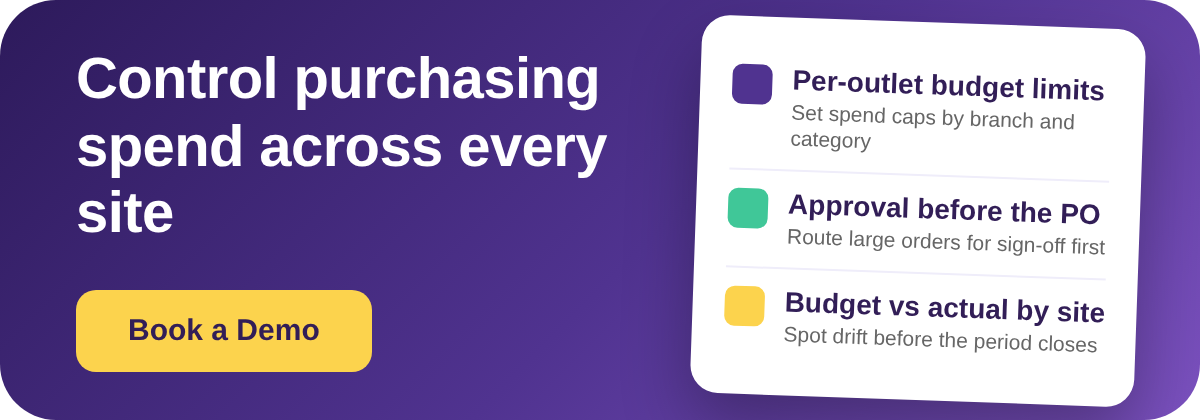
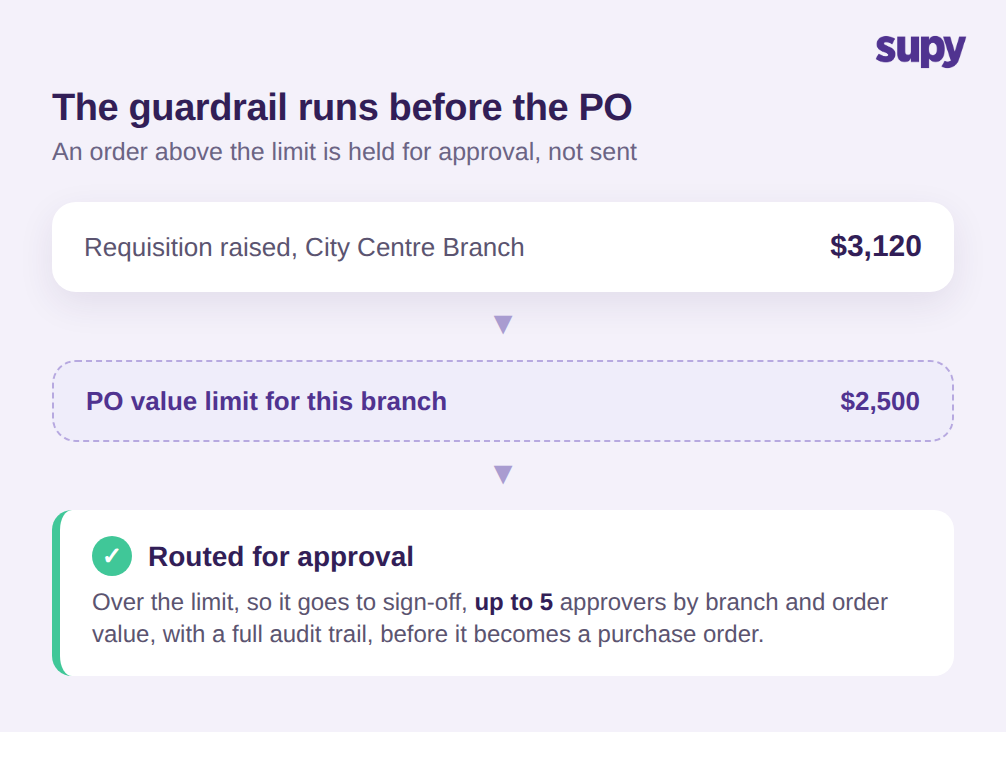
Le deuxième niveau est le garde-fou sur la valeur. Supy Permissions and Limits vous permet de définir des limites de valeur des bons de commande par fournisseur, site, catégorie, utilisateur et stock minimum, et de mettre en place des flux d'approbation séquentiels avec jusqu'à 5 approbateurs déclenchés par le site et la valeur de la commande. En pratique, vous pourriez autoriser un établissement du centre-ville à commander librement jusqu'à 2 500 $, mais acheminer toute commande au-delà de ce montant, par exemple une demande d'achat de produits frais à 3 120 $, vers un responsable de zone avant qu'elle ne devienne un bon de commande. Les règles peuvent s'appliquer par jour, semaine, mois ou trimestre, et la plateforme est fournie avec 200+ autorisations personnalisables pour que le contrôle corresponde à la structure réelle de votre groupe.
Ces deux niveaux fonctionnent parce que Supy sépare la demande d'achat du bon de commande. Un établissement crée une demande d'achat pour ce dont il a besoin, et cette demande est examinée et modifiée avant de jamais devenir un bon de commande envoyé à un fournisseur. La limite de valeur et la chaîne d'approbation se situent dans cet espace. Un directeur qui souhaite passer une grosse commande n'est pas empêché de faire son travail ; la demande s'interrompt simplement le temps que la bonne personne confirme qu'elle rentre dans le budget, et c'est seulement ensuite que le bon de commande part en un clic. C'est la différence entre un contrôle qui arrête le travail et un contrôle qui l'oriente.
Le troisième niveau est la responsabilisation. Dès qu'un utilisateur de site soumet une demande d'achat, Supy notifie les approbateurs concernés et enregistre chaque étape d'approbation avec une piste d'audit complète, de sorte que vous disposez toujours d'une trace de qui a approuvé quoi, quand et à quelle étape. Combiné à des seuils d'écart à la réception des factures qui signalent une livraison dont le prix ou la quantité sort de la tolérance, le groupe dispose d'un processus d'achat où le budget est appliqué avant que la dépense ne soit engagée, et non reconstruit après. La piste d'audit importe au-delà de la conformité : quand un site dépasse son budget, vous pouvez voir s'il s'agissait d'une exception approuvée ou d'une commande qui a glissé entre les mailles, ce qui vous indique s'il faut ajuster le budget ou resserrer la limite.
Contrôler budget réel versus budget prévu par site avant le prochain cycle de commande
Les garde-fous stoppent les dépassements évidents, mais un groupe a quand même besoin d'un suivi régulier des dérives de dépenses pour ajuster les budgets et repérer les tendances plus lentes. C'est la partie que le compte de résultat de fin de mois ne peut pas assurer seul, parce qu'il arrive trop tard et ne ventile pas selon les dimensions d'une décision d'achat.
Supy génère à la demande des rapports d'approvisionnement dans plus de 8 catégories, notamment valeur des achats, commandes, factures, performance fournisseur et variations de prix, prêts à télécharger pour n'importe quelle période en quelques minutes. La démarche clé pour le contrôle budgétaire est d'examiner le réalisé versus le budget par site et par catégorie sur un cycle court, idéalement avant le prochain cycle de commandes plutôt qu'en fin de période. Quand un établissement affiche une catégorie qui dépasse le plan, vous le voyez encore à temps pour resserrer sa limite ou investiguer le fournisseur, au lieu de l'apprendre quand les factures sont déjà arrivées.
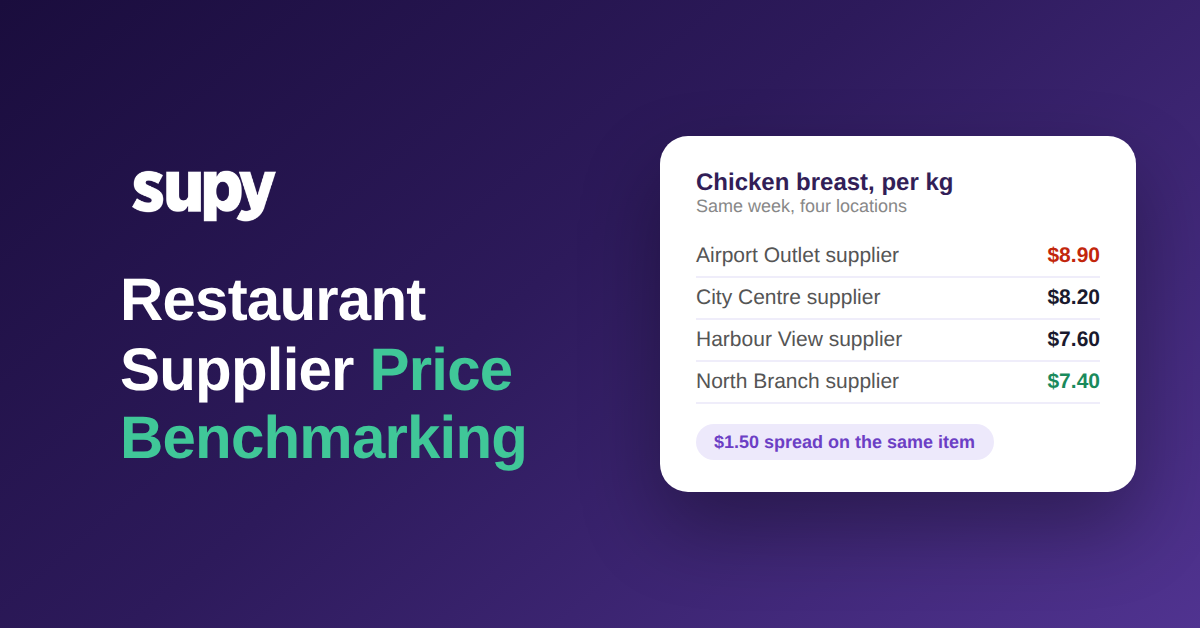
La vue des variations de prix est celle que les opérateurs sous-utilisent le plus souvent. Un budget peut dériver non pas parce que quelqu'un a trop commandé, mais parce qu'un fournisseur a silencieusement augmenté ses prix et que la même commande coûte désormais plus cher. Suivre les mouvements de prix fournisseurs en parallèle du réalisé versus le budget distingue un problème de volume, que vous réglez avec des commandes plus strictes, d'un problème de coût, que vous réglez en renégociant ou en changeant de fournisseur. Traiter les deux comme un dépassement indifférencié conduit les groupes à couper les quantités commandées alors que le vrai problème était une hausse de prix que personne n'avait signalée.
Exécuté sur un rythme hebdomadaire, cela boucle la boucle que les deux opérateurs demandaient. Les quantités pilotées par les prévisions maintiennent les commandes honnêtes, les limites de valeur et les approbations stoppent les aberrations, et un bref contrôle réalisé versus budget par site transforme les achats d'un chiffre qu'on audite après coup en un chiffre qu'on pilote en temps réel.
Un auto-diagnostic rapide pour votre propre groupe
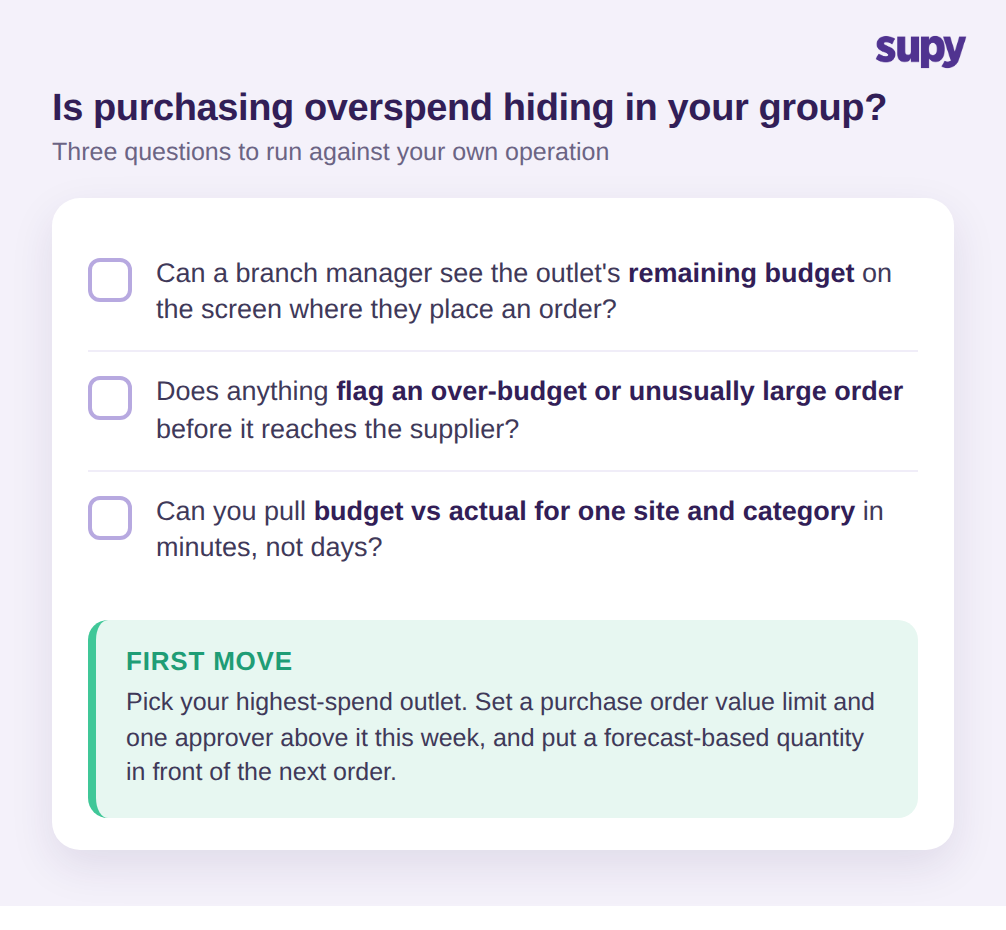
Vous pouvez détecter si des dépassements d'achat se cachent dans votre exploitation grâce à trois questions. Première question : un directeur de site peut-il voir le budget d'achat restant de l'établissement sur l'écran où il passe une commande ? Si la réponse est non, il commande à l'aveugle. Deuxième question : quelque chose signale-t-il automatiquement une commande qui pousse une catégorie au-delà de son budget, ou qui est simplement plus élevée que d'habitude, avant qu'elle n'atteigne le fournisseur ? Si ce n'est pas le cas, votre seul contrôle est la facture, ce qui est trop tard. Troisième question : pouvez-vous obtenir le réalisé versus le budget pour un seul site et une seule catégorie en quelques minutes, pas en quelques jours ? Si ce rapport demande un effort réel, la dérive lente continuera à se cacher dans le total du groupe.
Si une réponse est inconfortable, le premier mouvement est modeste : choisissez votre établissement avec les dépenses les plus élevées, définissez cette semaine une limite de valeur de bon de commande et un seul approbateur au-dessus d'elle, et mettez une quantité basée sur les prévisions en amont de la prochaine commande. Ce seul établissement vous montrera, en l'espace d'une période, quelle part de vos dépassements n'a jamais été une décision que quelqu'un a réellement prise.