.jpeg)


Einkaufsbudgetkontrolle für Restaurants: Überausgaben stoppen, bevor die Rechnung kommt
Einkaufsbudgetkontrolle im Mehrstandort-Betrieb: Was sie bedeutet
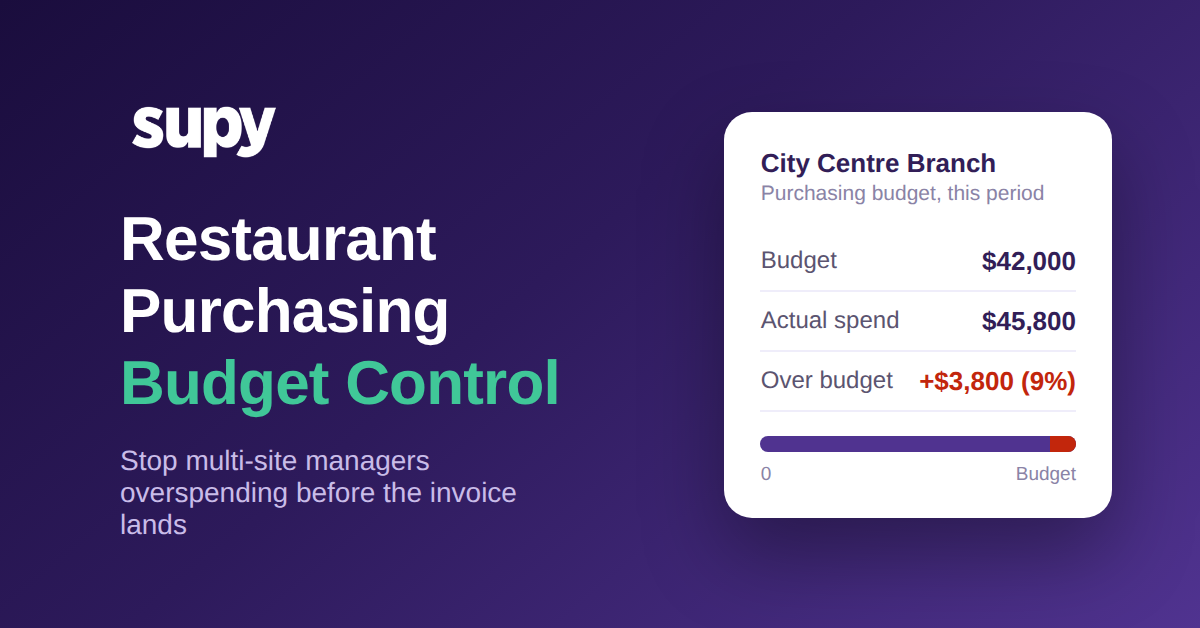
Einkaufsbudgetkontrolle im Restaurant ist die Praxis, für jede Filiale ein Ausgabelimit festzulegen, es an die Umsatzprognose der Filiale zu knüpfen und es im Moment der Bestellaufgabe durchzusetzen – statt den Überschuss erst Wochen später zu entdecken. In einem Einzelrestaurant ist der Inhaber, der jede Bestellung genehmigt, die Kontrollinstanz. Über eine Gruppe von Standorten hinweg gibt es diese Person nicht, und die Lücke, die sie hinterlässt, ist der Ort, an dem Einkaufsbudgets still entgleisen.
Es lohnt sich, präzise zu sein, was das nicht ist. Es ist nicht die Monatsend-Gewinn-und-Verlust-Prüfung, die Ihnen erst sagt, dass eine Filiale zu viel ausgegeben hat, nachdem das Geld weg ist. Es ist kein statisches Tabellenkalkulations-Budget, das niemand mit Live-Bestellungen abgleicht. Einkaufsbudgetkontrolle ist eine operative Leitplanke: Ein Manager kann bestellen, was die Filiale braucht – aber eine Bestellung, die eine Kategorie über ihr Budget treibt oder ungewöhnlich groß ist, wird markiert oder zurückgehalten, bis vor der Übergabe an den Lieferanten eine Entscheidung getroffen wurde.
Die Unterscheidung ist wichtig, weil der Einkauf die einzige Kostenstelle ist, die Filialmanager täglich berühren. Sie entscheiden, was sie kaufen, wie viel und bei wem. Geben Sie ihnen ein an die Umsatzprognose geknüpftes Ziel und ein System, das in Echtzeit reagiert, und die Ausgaben bleiben im Plan. Lassen Sie sie nach Intuition bestellen, ohne sichtbares Limit, und der Plan ist Fiktion, bis die Rechnungen eintreffen. Budgetkontrolle ist Teil eines umfassenderen Restaurant-Beschaffungssoftware-Setups, aber sie ist die Schicht, die darüber entscheidet, ob eine Gruppe ihre Ausgaben tatsächlich unter Kontrolle hält.
Warum Überausgaben erst sichtbar werden, wenn die Rechnung kommt
Das Muster ist bei Multi-Standort-Gruppen konsistent. Ein Betriebsleiter beschrieb Manager, die bestellten, ohne Umsatzprognosen oder Budgetziele zu verfolgen, und bat um einen proaktiven Hinweis, sobald eine Filiale ihr Limit näherte. Ein anderer Operations Manager einer Schnellrestaurant-Gruppe formulierte es anders: Späte Bestellungen wurden nie automatisch markiert, die Abweichungsfilter waren zu grob, um zu zeigen, welche Filiale das Problem verursachte, und eine verlässliche Prognose war zur Pflichtanforderung geworden, nicht mehr zum Nice-to-have.
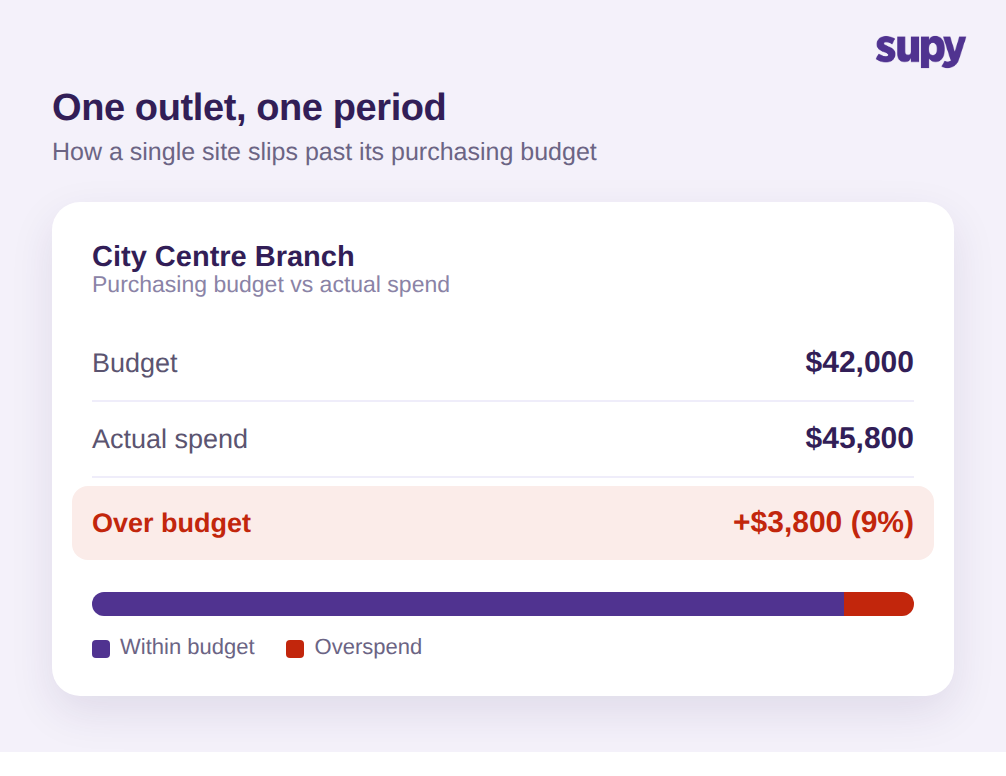
Beide beschreiben denselben Fehler mit eingebauter Verzögerung. Eine Bestellung geht aus dem Bauchgefühl heraus. Die Waren kommen an. Erst wenn die Lieferantenrechnung eintrifft – oft gegen Ende des Zeitraums – sieht irgendjemand, dass eine Filiale mehr ausgegeben hat als sie sollte. Bis dahin ist das Geld gebunden und der nächste Bestellzyklus hat bereits auf demselben Fundament begonnen.
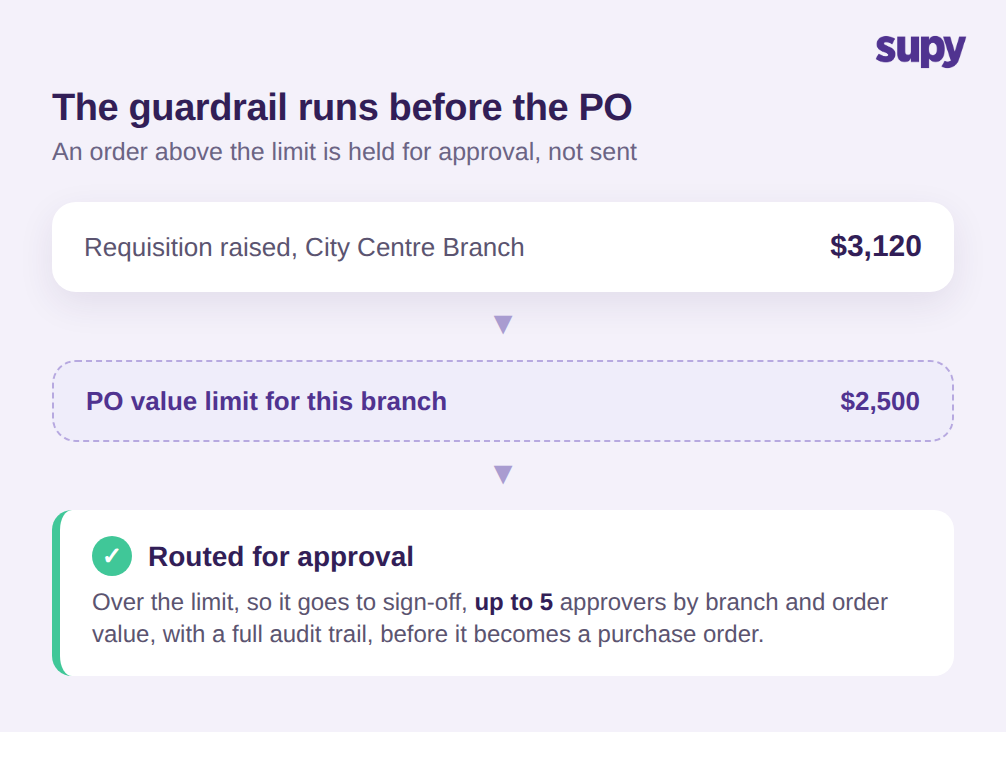
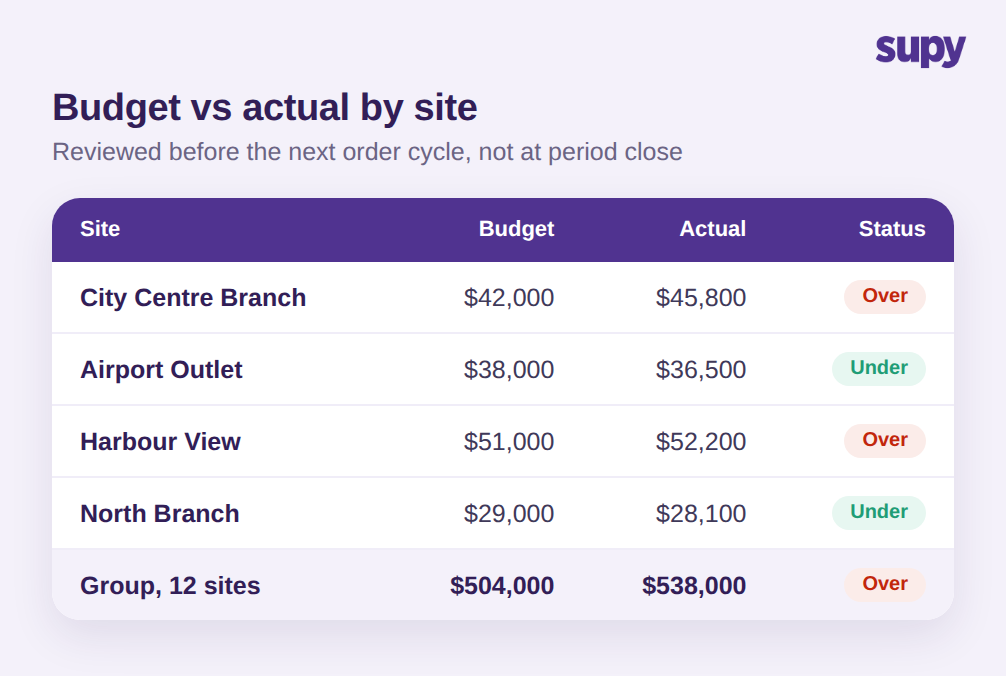
Legen Sie Zahlen zugrunde. Nehmen Sie eine Filiale mit einem monatlichen Einkaufsbudget von 42.000 $. Nichts hindert den Manager daran, kontinuierlich über Plan zu bestellen, und der Zeitraum schließt bei tatsächlichen Ausgaben von 45.800 $. Das sind 3.800 $ zu viel – rund 9 % über Budget bei einem einzigen Standort in einem einzigen Monat. Multiplizieren Sie dieselbe langsame Abweichung über eine 12-Standort-Gruppe mit einem kombinierten Budget von knapp 504.000 $: Die Gruppe landet bei 538.000 $ und die Überschreitung ist groß genug, um den ganzen Monat zu beeinflussen – und doch sah keine einzelne Bestellung an dem Tag, an dem sie aufgegeben wurde, beunruhigend aus.
Der Grund, warum es unsichtbar bleibt, ist, dass die drei Dinge fehlen, die nötig wären, um es rechtzeitig zu erkennen. Am Bestellbildschirm ist kein Budgetbetrag angezeigt, also hat der Manager keinen Referenzpunkt. Es gibt keinen Alarm, wenn die gebundenen Ausgaben das Limit nähern, also greift niemand ein. Und die Abweichungsauswertung kann die Ausgaben nicht nach Filiale und Kategorie aufschlüsseln, sodass es selbst im Nachhinein schwer ist zu sagen, wo das Leck ist. Die Überausgaben sind kein Disziplinproblem. Es ist ein Sichtbarkeitsproblem, das nur ein System lösen kann, das vor der Bestellung ansetzt.
Tabellenkalkulationen schließen diese Lücke nicht, und es lohnt sich, klar zu sagen, warum. Ein Budget in einer Tabellenkalkulation ist eine Momentaufnahme vom Beginn des Zeitraums. Es weiß nicht, dass gestern drei Bestellungen aufgegeben wurden, also kann es niemanden warnen, dass die Filiale auf dem Weg ist, das Limit zu überschreiten. Wenn jemand die Tabelle mit den tatsächlichen Rechnungen abgleicht, ist der Zeitraum meist fast vorbei und die Zahl ist ein Nachbericht, keine Steuerungsmaßnahme. Dieselbe Einschränkung gilt für ein einziges gruppenweites Budget: Überausgaben in einer viel beschäftigten Filiale werden leicht durch Unterausgaben an einem ruhigeren Standort überdeckt, sodass die Summe gut aussieht, während eine bestimmte Filiale und eine bestimmte Kategorie stetig abweichen. Die Kontrolle muss auf der Ebene ansetzen, auf der eine Einkaufsentscheidung tatsächlich getroffen wird – also bei der Filiale, der Kategorie und der einzelnen Bestellung.
Das Budget in die Bestellung einbauen – nicht in die Monatsendauswertung
Die Kontrolle der Einkaufsausgaben über Standorte hinweg läuft darauf hinaus, den Entscheidungspunkt früher zu setzen. Anstatt Ausgaben erst nach der Rechnung zu prüfen, integrieren Sie die Budget-Logik in drei Ebenen vor der Bestellung.
Die erste Ebene ist die Bestellmenge selbst. Supy AI Predictive Ordering nutzt vorausschauende Bestellungs-KI, um eine versandfertige Bestellung auf Basis einer Umsatzprognose zu erstellen, die durch Ihre Rezepturen und abzüglich des aktuellen Lagerbestands läuft – die vorgeschlagene Menge spiegelt wider, was die Filiale in den nächsten 14 Tagen voraussichtlich verkaufen wird, nicht eine Gewohnheit des Managers. Sie wird nie selbständig versendet; jede Position wird zuerst geprüft. Diese eine Änderung beseitigt die häufigste Ursache für Überausgaben: mehr zu bestellen als die kommende Nachfrage rechtfertigt.
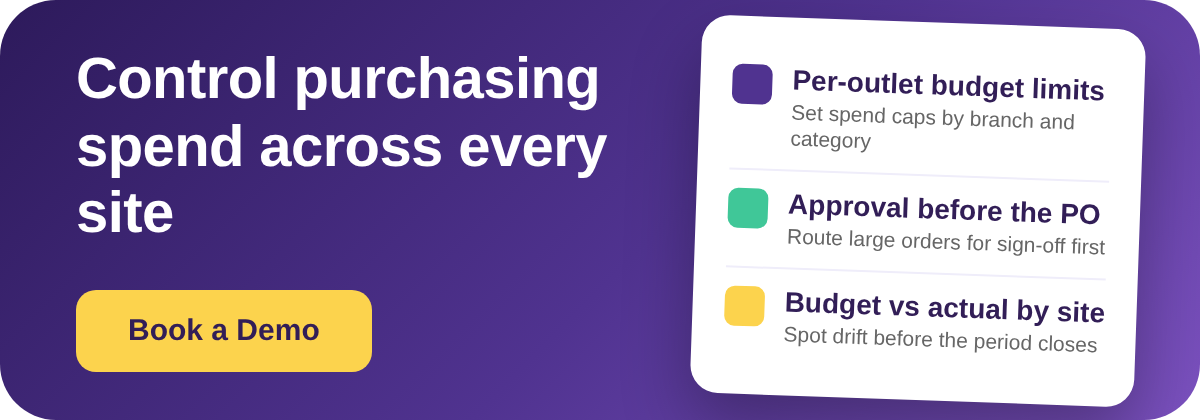
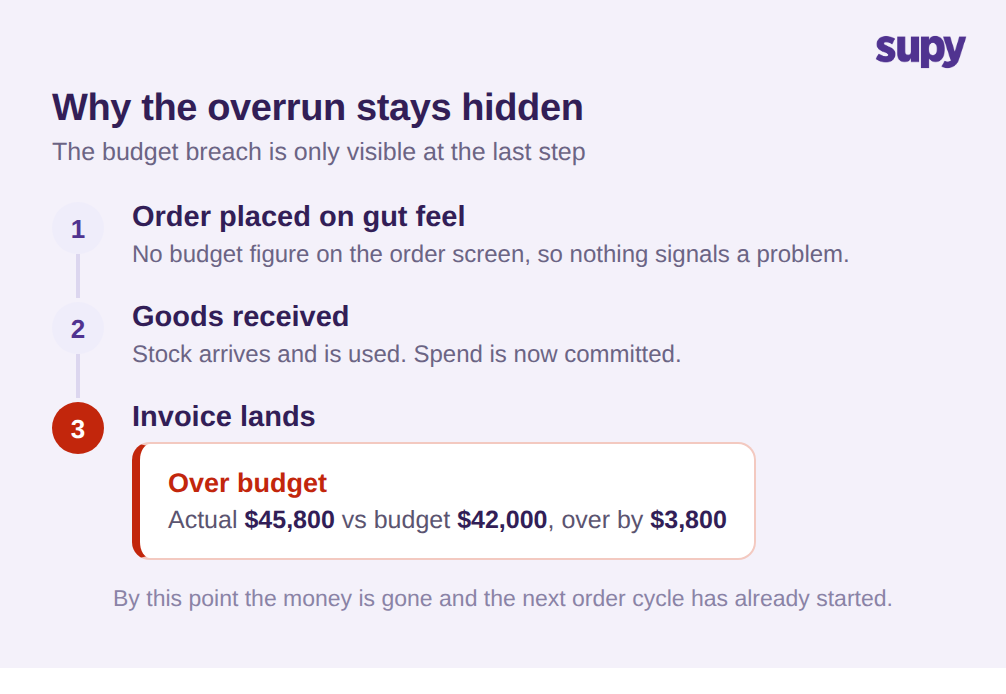
Die zweite Ebene ist die Wertleitplanke. Supy Permissions and Limits ermöglicht es Ihnen, Bestellwertlimits nach Lieferant, Niederlassung, Kategorie, Benutzer und Mindestbestand festzulegen und Bestellfreigabelimits mit sequenzieller Genehmigung durch bis zu 5 Genehmigende durchzusetzen, die durch Niederlassung und Bestellwert ausgelöst werden. In der Praxis könnten Sie einer Innenstadt-Niederlassung erlauben, bis zu 2.500 $ frei zu bestellen – aber eine Bestellung über diesem Betrag, etwa eine Frischwarenbestellung von 3.120 $, wird vor der Umwandlung in eine Bestellung an einen Gebietsleiter weitergeleitet. Regeln können täglich, wöchentlich, monatlich oder quartalsweise greifen, und die Plattform enthält über 200 anpassbare Berechtigungen, sodass die Kontrolle zur tatsächlichen Struktur Ihrer Gruppe passt.
Diese zwei Ebenen funktionieren, weil Supy die Anfrage von der Bestellung trennt. Eine Filiale stellt eine Anfrage für das, was sie benötigt, und diese Anfrage wird geprüft und bearbeitet, bevor sie zu einer an einen Lieferanten gesendeten Bestellung wird. Das Wertlimit und die Genehmigungskette sitzen in dieser Lücke. Ein Manager, der eine große Bestellung aufgeben möchte, wird nicht daran gehindert, seiner Arbeit nachzugehen; die Anfrage pausiert lediglich, damit die richtige Person bestätigt, dass sie ins Budget passt – und erst dann geht die Bestellung mit einem Klick raus. Das ist der Unterschied zwischen einer Kontrolle, die Arbeit stoppt, und einer, die sie lenkt.
Die dritte Ebene ist Verantwortlichkeit. Sobald ein Filialnutzer eine Anfrage einreicht, benachrichtigt Supy die zuständigen Genehmigenden und dokumentiert jeden Genehmigungsschritt mit einem vollständigen Prüfpfad – Sie haben immer einen Nachweis, wer was wann und in welcher Phase genehmigt hat. In Kombination mit Rechnungseingangs-Abweichungsschwellenwerten, die eine Lieferung außerhalb der Toleranz für Preis oder Menge markieren, erhält die Gruppe einen Einkaufsprozess, bei dem das Budget vor der Ausgabe durchgesetzt wird – nicht im Nachhinein rekonstruiert. Der Prüfpfad ist über die Compliance hinaus wichtig: Wenn eine Filiale das Budget überschreitet, können Sie sehen, ob es eine genehmigte Ausnahme war oder eine Bestellung, die durchgeschlüpft ist – was Ihnen sagt, ob Sie das Budget anpassen oder das Limit verschärfen sollten.
Budget versus tatsächliche Ausgaben je Filiale prüfen – vor dem nächsten Bestellzyklus
Leitplanken stoppen die offensichtlichen Überschreitungen, aber eine Gruppe braucht dennoch eine regelmäßige Übersicht darüber, wo Ausgaben abweichen, um Budgets anzupassen und langsamere Muster zu erkennen. Das ist der Teil, den die Monatsend-Gewinn-und-Verlustrechnung nicht allein leisten kann, weil sie zu spät kommt und nicht nach den Dimensionen aufschlüsselt, anhand derer eine Einkaufsentscheidung getroffen wird.
Supy generiert auf Abruf Beschaffungsberichte in über 8 Kategorien – darunter Einkaufswert, Bestellungen, Rechnungen, Lieferantenperformance und Preisänderungen –, bereit zum Download für jeden beliebigen Datumsbereich in wenigen Minuten. Der entscheidende Schritt für die Budgetkontrolle ist, Budget versus tatsächliche Ausgaben je Filiale und Kategorie in einem kurzen Zyklus zu prüfen – idealerweise vor dem nächsten Bestelllauf statt zum Periodenende. Wenn eine Filiale eine Kategorie zeigt, die den Plan übersteigt, sehen Sie es noch rechtzeitig, um ihr Limit zu verschärfen oder den Lieferanten zu untersuchen – anstatt es zu erfahren, wenn die Rechnungen bereits eingegangen sind.
Die Preisänderungsansicht ist diejenige, die Betreiber am häufigsten unterschätzen. Ein Budget kann abweichen, nicht weil jemand zu viel bestellt hat, sondern weil ein Lieferant still die Preise erhöht hat und dieselbe Bestellung nun mehr kostet. Die Beobachtung von Lieferantenpreisbewegungen neben Budget versus tatsächliche Ausgaben trennt ein Mengenproblem – das Sie mit strengeren Bestellungen beheben – von einem Kostenproblem – das Sie durch Nachverhandlung oder Lieferantenwechsel beheben. Beides als undifferenzierte Überausgaben zu behandeln, führt dazu, dass Gruppen die Bestellmengen kürzen, wenn das eigentliche Problem eine Preiserhöhung war, die niemand gemeldet hat.
In einem wöchentlichen Rhythmus schließt dies die Schleife, nach der die beiden Betreiber gefragt hatten. Prognosegesteuerte Mengen halten Bestellungen ehrlich, Wertlimits und Genehmigungen stoppen Ausreißer, und eine kurze Budget-versus-tatsächliche-Ausgaben-Prüfung je Filiale verwandelt den Einkauf von einer Zahl, die Sie im Nachhinein prüfen, in eine, die Sie in Echtzeit steuern.
Schnelle Selbstdiagnose für Ihre eigene Gruppe
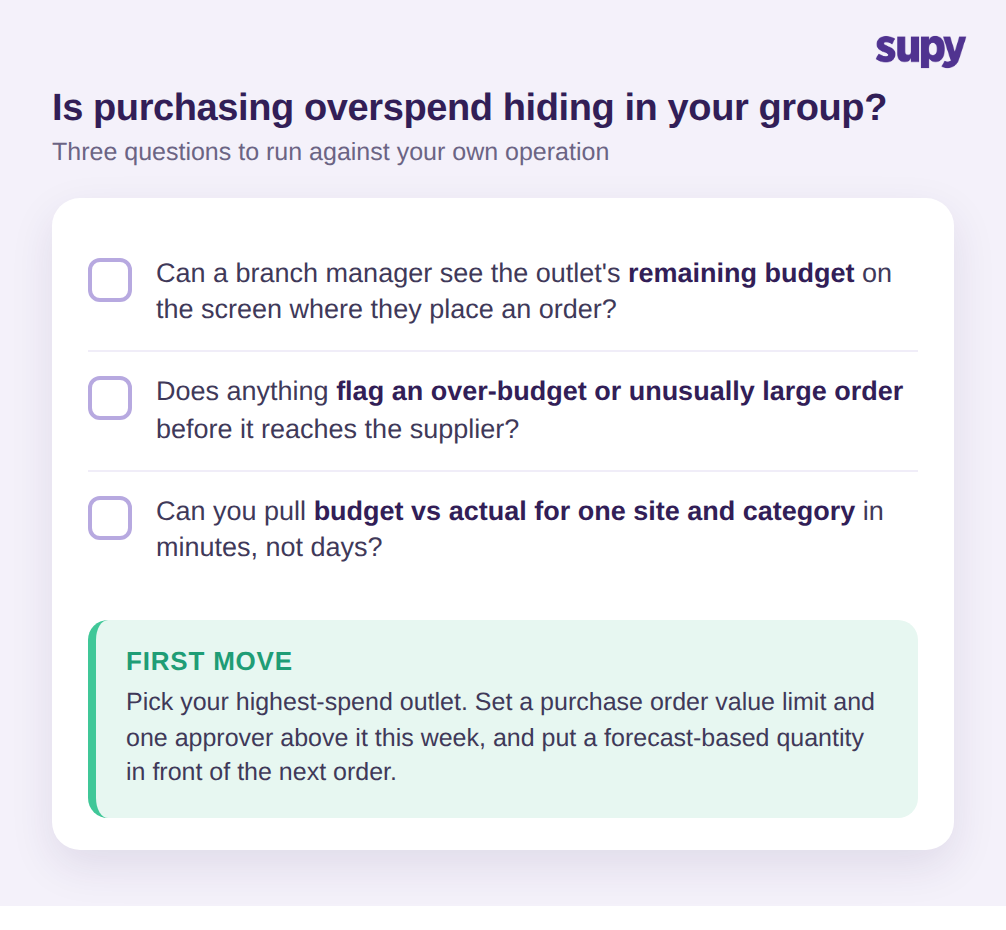
Sie können erkennen, ob Überausgaben im Einkauf in Ihrem Betrieb verborgen sind, indem Sie drei Fragen stellen. Erstens: Kann ein Filialmanager das verbleibende Einkaufsbudget der Filiale auf dem Bildschirm sehen, auf dem er eine Bestellung aufgibt? Wenn die Antwort Nein ist, bestellt er blind. Zweitens: Markiert irgendetwas automatisch eine Bestellung, die eine Kategorie über das Budget treibt oder einfach größer als üblich ist, bevor sie den Lieferanten erreicht? Wenn nicht, ist Ihre einzige Kontrolle die Rechnung – was zu spät ist. Drittens: Können Sie Budget versus tatsächliche Ausgaben für eine einzelne Filiale und Kategorie in Minuten, nicht Tagen, abrufen? Wenn dieser Bericht echten Aufwand erfordert, wird langsame Abweichung weiterhin in der Gruppensumme verborgen bleiben.
Wenn irgendeine Antwort unbequem ist, ist der erste Schritt klein: Wählen Sie Ihre ausgabenstärkste Filiale, setzen Sie in dieser Woche ein Bestellwertlimit und einen einzigen Genehmigenden darüber, und stellen Sie eine prognosebasierte Menge vor die nächste Bestellung. Diese eine Filiale zeigt Ihnen innerhalb einer Periode, wie viel Ihrer Überausgaben nie eine Entscheidung waren, die tatsächlich jemand getroffen hat.