.jpeg)


التحكم في ميزانية مشتريات المطاعم: كيف تمنع مجموعات المتعددة المواقع الإفراط في الإنفاق قبل وصول الفاتورة
ما معنى التحكم في ميزانية المشتريات عند إدارة أكثر من موقع
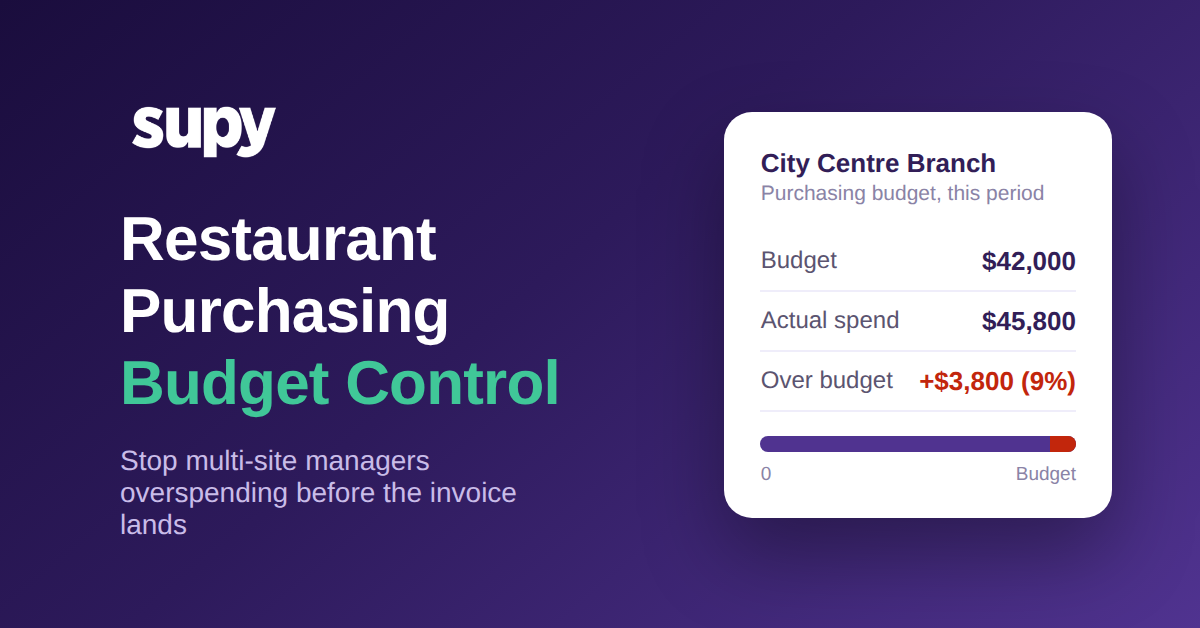
التحكم في ميزانية مشتريات المطاعم هو ممارسة تتمثل في تحديد سقف للإنفاق لكل فرع، وربطه بتوقعات المبيعات لذلك الفرع، وتطبيقه في لحظة رفع طلب الشراء بدلاً من اكتشاف التجاوز بعد أسابيع. في المطعم الواحد، يتولى المالك الذي يوافق على كل طلب شراء دور الرقابة. أما عبر مجموعة من المواقع، فهذا الشخص غير موجود، والفراغ الذي يتركه هو المكان الذي تنزلق فيه ميزانيات المشتريات بهدوء.
من المفيد أن نكون دقيقين بشأن ما ليس هذا النهج. ليس مراجعة الأرباح والخسائر في نهاية الشهر التي تخبرك أن أحد المواقع أنفق أكثر مما ينبغي بعد أن يكون المال قد ذهب. وليس ميزانية جدول بيانات ثابتة لا يقارنها أحد بالطلبات الفعلية. التحكم في ميزانية المشتريات هو حاجز تشغيلي: يستطيع المدير طلب ما يحتاجه الموقع، لكن طلب الشراء الذي يدفع فئة تجاوز ميزانيتها أو الطلب غير المعتاد في حجمه يُحتجز للبت فيه قبل أن يصل إلى المورّد.
هذا التمييز مهم لأن المشتريات هي بند التكلفة الوحيد الذي يلمسه مديرو الفروع يومياً. يقررون ماذا يشترون، وبأي كمية، ومن أي مورّد. أعطهم هدفاً مرتبطاً بتوقعات المبيعات ونظاماً يستجيب في اللحظة ذاتها، وستظل النفقات ضمن الخطة. اتركهم يطلبون بناءً على الحدس دون سقف واضح، وستتحول الخطة إلى وهم حتى تصل الفواتير. يندرج التحكم في الميزانية ضمن إعداد أوسع لـبرامج المشتريات في المطاعم، لكنه الطبقة التي تحدد ما إذا كانت المجموعة تضبط إنفاقها فعلاً.
لماذا لا يظهر التجاوز إلا بعد وصول الفاتورة
النمط متكرر في مجموعات المتعددة المواقع. وصف أحد مديري العمليات مديرين يطلبون دون تتبع توقعات المبيعات أو الأهداف الميزانية، وطالب بتنبيه استباقي فور اقتراب أي موقع من حده. وصاغها مدير عمليات آخر في مجموعة خدمة سريعة بشكل مختلف: الطلبات المتأخرة لم تُعلَم تلقائياً، وكانت مرشحات التباين خشنة للغاية لتحديد أي موقع يسبب المشكلة، وأصبح وجود توقعات موثوقة متطلباً أساسياً لا ميزة إضافية.
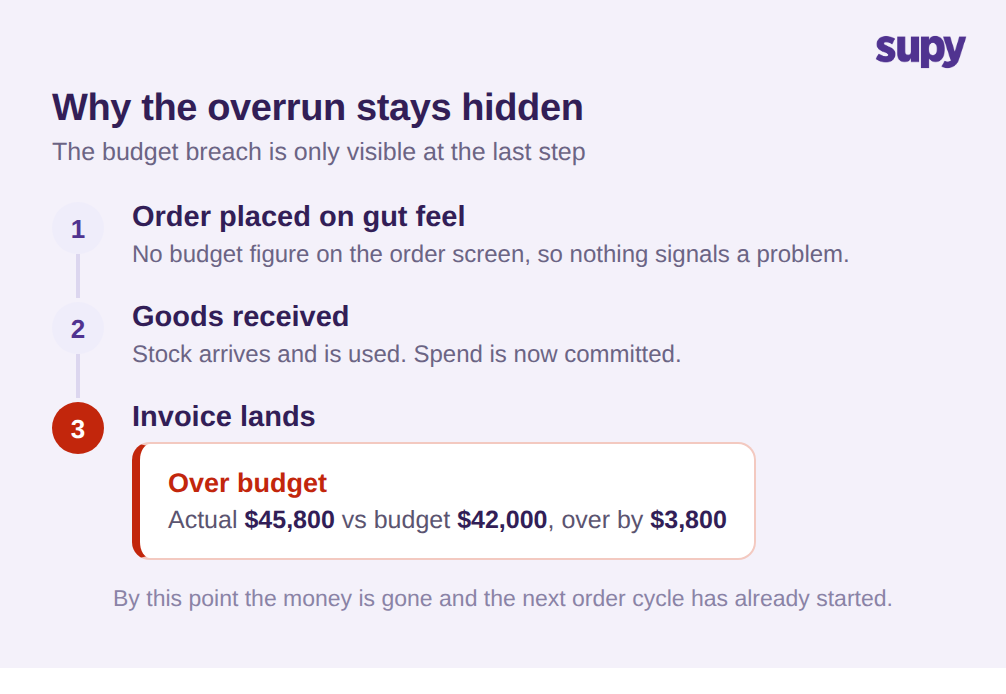
كلاهما يصف الخلل ذاته مع تأخير مدمج فيه. يخرج طلب الشراء بناءً على الحدس. تصل البضائع. لا يلاحظ أحد أن موقعاً أنفق أكثر مما ينبغي إلا حين تصل فاتورة المورّد، وغالباً ما يكون ذلك قرب نهاية الفترة. بحلول ذلك الحين يكون المال ملتزماً ويكون دورة الطلب التالية قد بدأت على الأسس ذاتها.
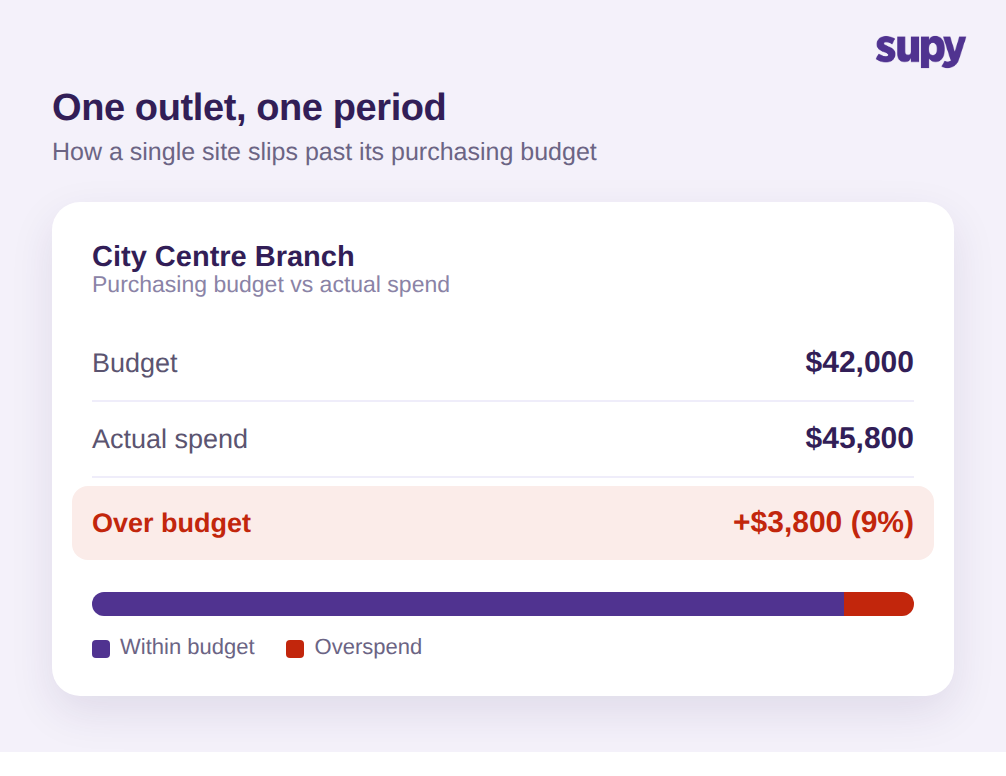
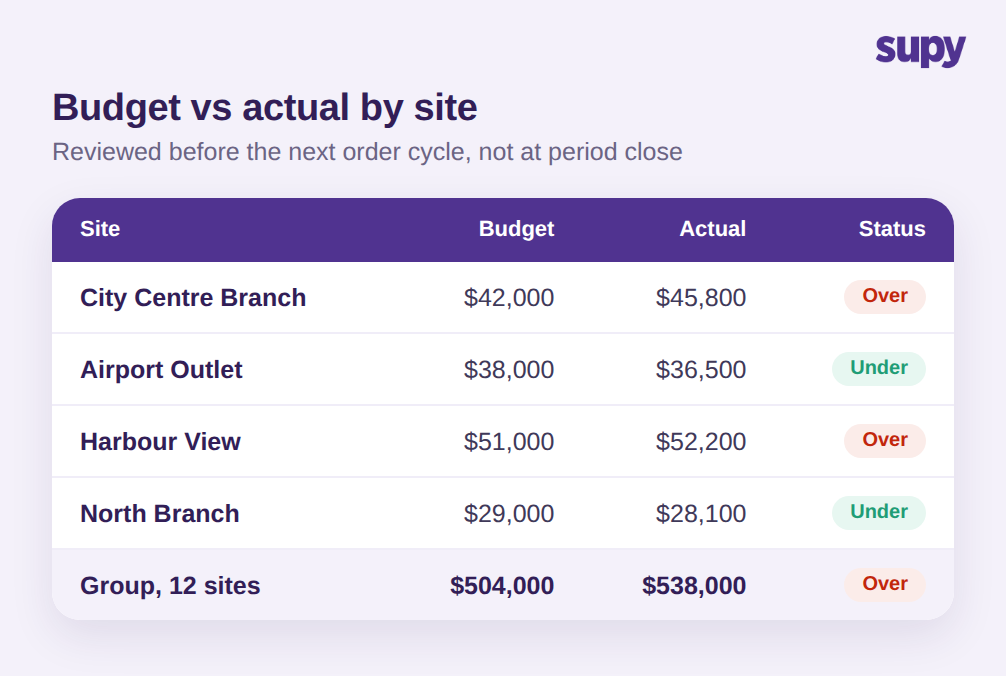
لنضع أرقاماً على ذلك. خذ فرعاً يبلغ ميزانيته الشهرية للمشتريات 42,000 $. لا شيء يمنع المدير من الطلب بشكل متكرر فوق الخطة، وتُغلق الفترة عند إنفاق فعلي يبلغ 45,800 $. هذا 3,800 $ زيادة، ما يعادل نحو 9% فوق الميزانية لموقع واحد في شهر واحد. اضرب الانجراف البطيء ذاته عبر مجموعة من 12 موقعاً تحمل ميزانية مجمعة تقترب من 504,000 $: تنتهي المجموعة عند 538,000 $ وهو تجاوز كبير بما يكفي للتأثير على الشهر بأكمله، ومع ذلك لم يبدُ أي طلب شراء مثيراً للقلق يوم تقديمه.
سبب بقائه خفياً هو غياب ثلاثة عناصر ضرورية للكشف عنه في الوقت المناسب. لا يوجد رقم ميزانية على شاشة الطلب، فلا مرجع لدى المدير. ولا تُصدَر التنبيهات عند اقتراب النفقات الملتزمة من الحد، فلا أحد يتدخل. ولا تستطيع مراجعة التباين تقطيع النفقات حسب الموقع والفئة، مما يجعل تحديد مصدر التسرب أمراً عسيراً حتى بعد الواقعة. الإفراط في الإنفاق ليس مشكلة انضباط. إنه مشكلة في الرؤية لا يحلها إلا نظام مُوضَع قبل طلب الشراء.
جداول البيانات لا تسد هذه الفجوة، ومن المفيد توضيح السبب. الميزانية في جدول بيانات لقطة مأخوذة عند بداية الفترة. هي لا تعلم أن ثلاثة طلبات أُرسلت أمس، فلا تستطيع تحذير أحد من أن الموقع في طريقه إلى تجاوز حده. حين يُطابق أحدهم الجدول مع الفواتير الفعلية، تكون الفترة عادةً على وشك الانتهاء والرقم يُعدّ تقريراً بعد الحادثة لا أداة للتحكم. القيد ذاته ينطبق على ميزانية جماعية واحدة على مستوى المجموعة: التجاوز في موقع مزدحم يُخفى بسهولة خلف الإنفاق المنخفض في موقع أهدأ، فيبدو المجموع جيداً بينما يتباعد موقع بعينه وفئة بعينها باطراد. يجب أن يعمل التحكم على مستوى اتخاذ قرار الشراء الفعلي، أي الموقع والفئة والطلب الفردي.
دمج الميزانية في طلب الشراء لا في مراجعة نهاية الشهر
ضبط إنفاق المشتريات عبر المواقع يعني تقديم نقطة القرار في الزمن. بدلاً من مراجعة النفقات بعد الفاتورة، تُدمج منطق الميزانية في ثلاثة مستويات أمام الطلب.
المستوى الأول هو كمية الطلب ذاتها. يستخدم Supy AI Predictive Ordering الطلب التنبّؤي بالذكاء الاصطناعي لإنشاء طلب شراء جاهز للإرسال من توقعات مبيعات تمر عبر وصفاتك مطروحاً منها المخزون الحالي، بحيث تعكس الكمية المقترحة ما يُتوقع أن يبيعه الموقع خلال الـ14 يوماً القادمة لا عادة المدير. لا يُرسَل تلقائياً أبداً؛ تُراجع كل بند أولاً. هذا التغيير وحده يزيل السبب الأكثر شيوعاً للإفراط في الإنفاق: الطلب بكميات تتجاوز ما يبرره الطلب القادم.
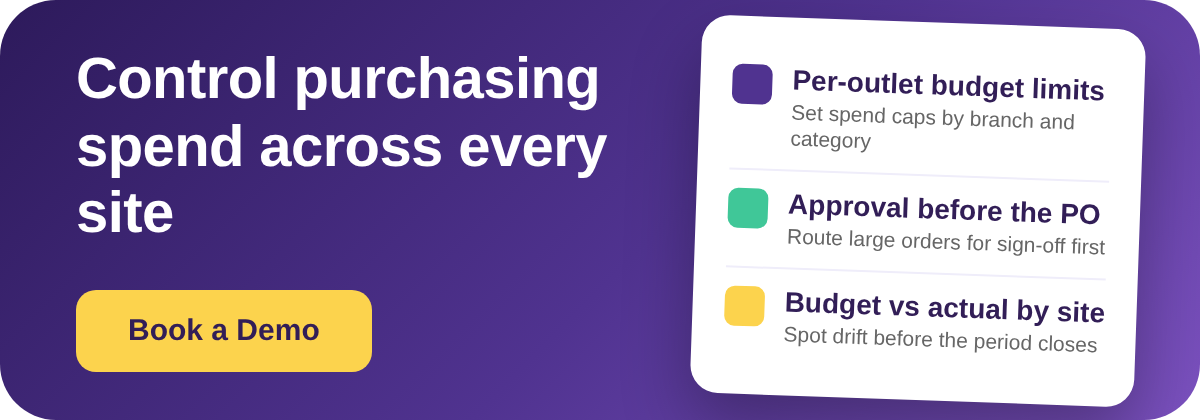
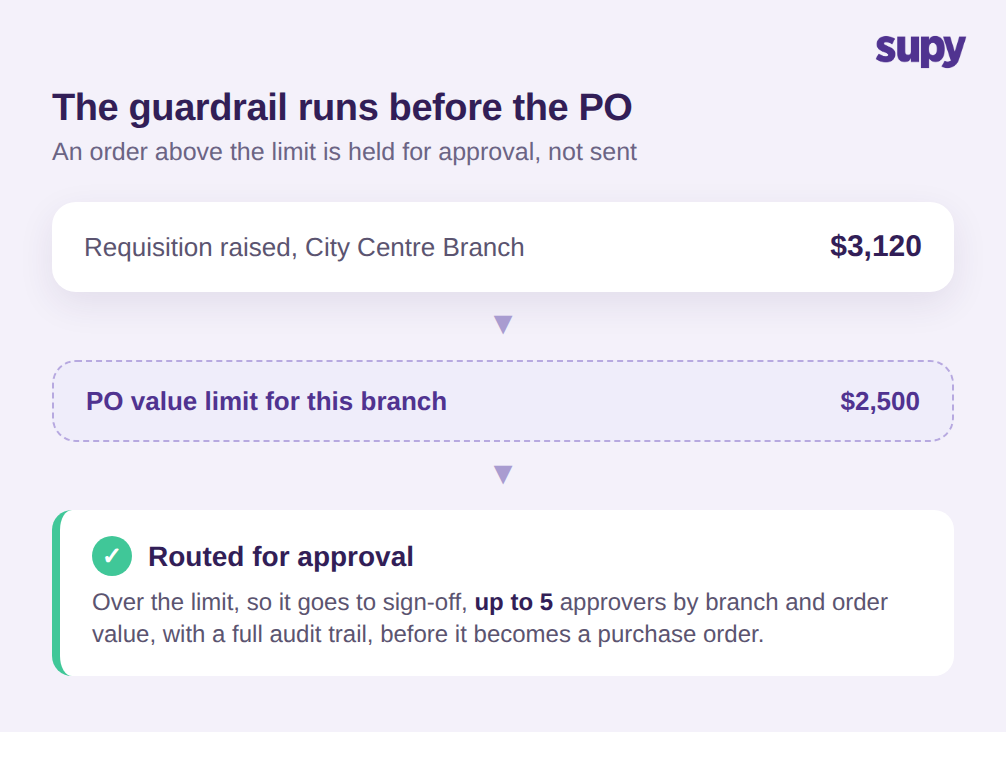
المستوى الثاني هو الحاجز على القيمة. يتيح لك Supy Permissions and Limits تحديد حدود قيمة طلبات الشراء حسب المورّد والفرع والفئة والمستخدم والمستوى الاسمي للمخزون، وفرض سير عمل الموافقات على طلبات الشراء بموافقة تسلسلية تصل إلى 5 معتمدين تُفعَّل حسب الفرع وقيمة الطلب. من الناحية العملية، قد تسمح لفرع وسط المدينة بالطلب بحرية حتى 2,500 $، لكن أي طلب يتجاوز هذا المبلغ، كطلب شراء منتجات طازجة بقيمة 3,120 $، يُوجَّه إلى مدير المنطقة قبل أن يتحول إلى طلب شراء رسمي. يمكن تطبيق القواعد يومياً أو أسبوعياً أو شهرياً أو ربع سنوياً، وتأتي المنصة بأكثر من 200 صلاحية قابلة للتخصيص حتى يتناسب التحكم مع الهيكل الفعلي لمجموعتك.
يعمل هذان المستويان لأن Supy يفصل طلب الشراء عن أمر الشراء الرسمي. يرفع الفرع طلباً لما يحتاجه، ويُراجع هذا الطلب ويُعدَّل قبل أن يصبح أمر شراء يُرسَل إلى المورّد. تقع حدود القيمة وسلسلة الموافقات في هذه الفجوة. المدير الذي يريد تقديم طلب كبير لا يُمنع من أداء عمله؛ الطلب يتوقف مؤقتاً فحسب حتى يؤكد الشخص المناسب أنه يناسب الميزانية، ثم لا يتأخر أمر الشراء بعدها. هذا هو الفرق بين ضبط يوقف العمل وضبط يوجهه.
المستوى الثالث هو المساءلة. فور تقديم مستخدم الفرع طلباً، يُخطر Supy المعتمدين المعنيين ويسجل كل خطوة موافقة بمسار تدقيق كامل، حتى يكون لديك دائماً سجل بمن وافق على ماذا ومتى وفي أي مرحلة. مقترناً بعتبات التباين عند استلام الفواتير التي تُعلم بأي توصيل خارج الحدود المسموحة من حيث السعر أو الكمية، تحصل المجموعة على عملية شراء تُطبَّق فيها الميزانية قبل إنفاق المال لا بعده. مسار التدقيق مهم خارج نطاق الامتثال: حين يتجاوز موقع ميزانيته، تستطيع أن تميز بين استثناء موافق عليه وطلب تسرب عبر الثغرات، مما يخبرك إن كنت تحتاج إلى تعديل الميزانية أو تشديد الحد.
مراجعة الميزانية مقابل الإنفاق الفعلي لكل موقع قبل دورة الطلب التالية
الحواجز توقف التجاوزات الواضحة، لكن المجموعة تحتاج إلى قراءة دورية لمواطن انجراف الإنفاق لتعديل الميزانيات ورصد الأنماط الأبطأ. هذا هو الجانب الذي لا تستطيع قائمة الأرباح والخسائر في نهاية الشهر القيام به منفردةً، لأنها تصل متأخرة ولا تُقطّع وفق أبعاد القرار الشرائي.
يولّد Supy التقارير الخاصة بالمشتريات عند الطلب في أكثر من 8 فئات، تشمل قيمة المشتريات والطلبات والفواتير وأداء المورّدين وتغيرات الأسعار، جاهزة للتنزيل لأي نطاق تاريخ في دقائق. الخطوة المحورية في التحكم بالميزانية هي مراجعة الميزانية مقابل الفعلي بحسب الموقع والفئة على دورة قصيرة، يفضل أن تكون قبل دورة الطلبات التالية لا في نهاية الفترة. حين يُظهر أحد المواقع فئة تتجاوز الخطة، ترى ذلك وبيدك متسع من الوقت لتشديد حده أو التحقيق مع المورّد، بدلاً من اكتشافه حين تكون الفواتير قد وصلت.
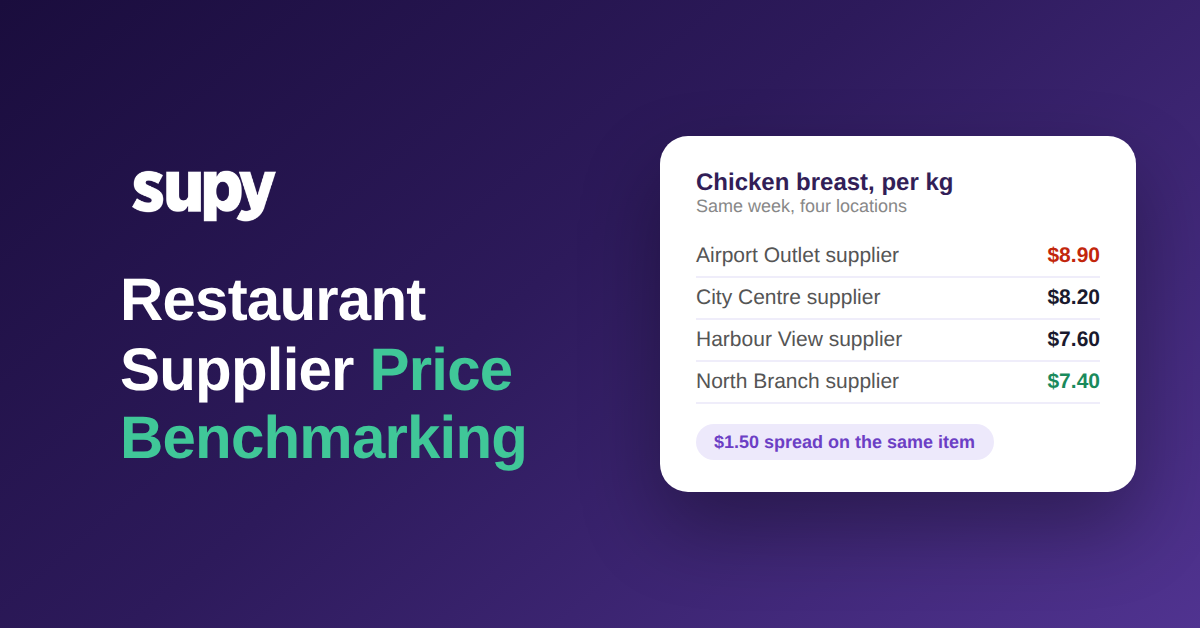
عرض تغيرات الأسعار هو العرض الذي يُهمله المشغلون في الغالب. قد تنحرف الميزانية لا لأن أحداً طلب أكثر من اللازم، بل لأن أحد المورّدين رفع الأسعار بصمت وأصبح الطلب ذاته يكلف أكثر. مراقبة تحركات أسعار المورّدين جنباً إلى جنب مع الميزانية مقابل الفعلي تفصل بين مشكلة الحجم، التي تحلها بتشديد الطلبات، ومشكلة التكلفة، التي تحلها بإعادة التفاوض أو تغيير المورّد. معاملة كليهما كإفراط غير مُمَيَّز في الإنفاق يدفع المجموعات إلى خفض كميات الطلبات حين كانت المشكلة الحقيقية ارتفاع سعر لم يُبلَّغ عنه.
مُنفَّذاً بإيقاع أسبوعي، يُغلق هذا الحلقةَ التي كان المشغلان يطلبانها. الكميات المدفوعة بالتوقعات تبقي الطلبات صادقة، وحدود القيمة والموافقات توقف الاستثناءات، ومراجعة وجيزة للميزانية مقابل الفعلي بحسب الموقع تحول المشتريات من رقم تراجعه بعد الحدث إلى رقم تقوده في اللحظة ذاتها.
تشخيص ذاتي سريع لمجموعتك
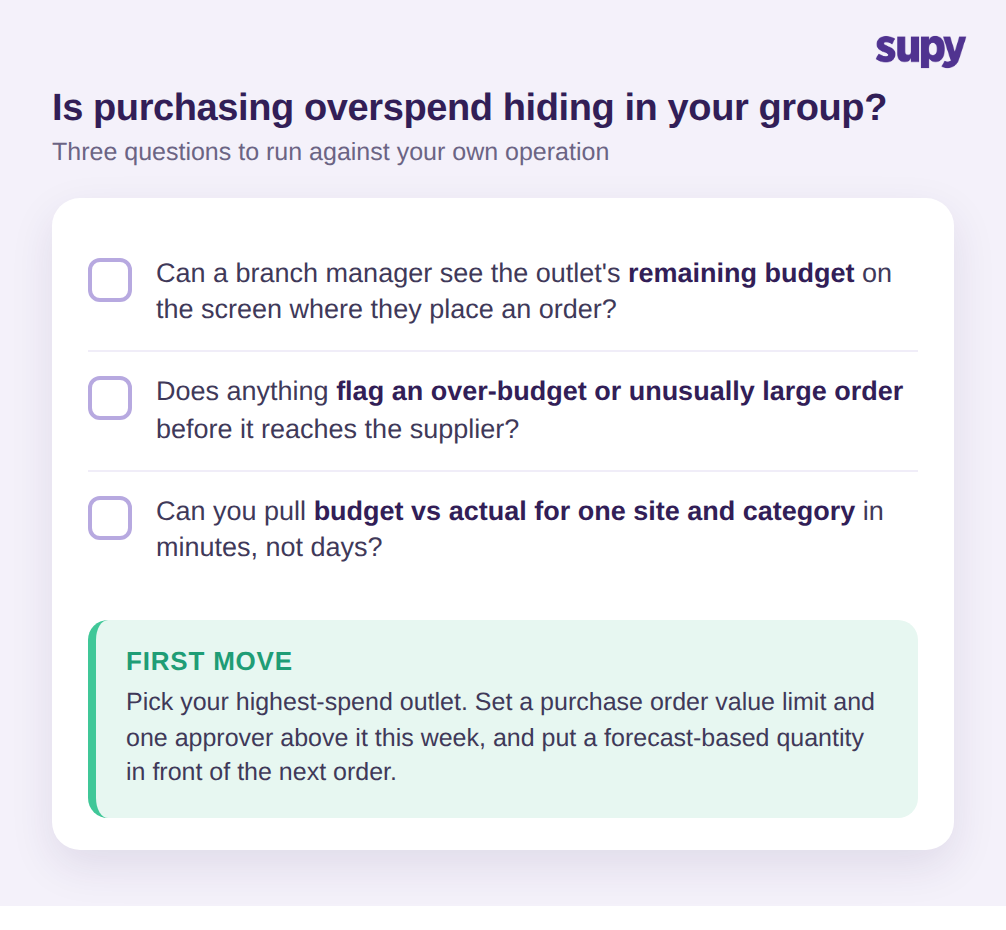
يمكنك معرفة ما إذا كان الإفراط في الإنفاق على المشتريات مختبئاً في عمليتك بثلاثة أسئلة. أولاً: هل يستطيع مدير الفرع رؤية الميزانية الشرائية المتبقية على الشاشة التي يُقدّم منها طلبه؟ إن كانت الإجابة لا، فهو يطلب في العمى. ثانياً: هل ثمة شيء يُعلم تلقائياً عن طلب يدفع فئة تجاوز ميزانيتها أو كبير بشكل غير معتاد قبل وصوله إلى المورّد؟ إن لم يكن، فضبطك الوحيد هو الفاتورة وهذا متأخر جداً. ثالثاً: هل تستطيع الحصول على الميزانية مقابل الفعلي لموقع واحد وفئة واحدة في دقائق لا أيام؟ إن كان هذا التقرير يتطلب جهداً حقيقياً، سيستمر الانجراف البطيء في الاختباء داخل مجموع المجموعة.
إن كانت أي إجابة مزعجة، فالخطوة الأولى صغيرة: اختر الفرع الأعلى إنفاقاً، وحدد هذا الأسبوع حداً لقيمة طلب الشراء ومعتمداً واحداً فوقه، وضع كمية مبنية على التوقعات أمام الطلب التالي. هذا الفرع الواحد سيُريك، خلال فترة واحدة، كم من إفراطك في الإنفاق لم يكن قراراً اتخذه أحد فعلاً.