Procurement

Restaurant Supplier Cashback and Rebates: Track Credit Across Sites
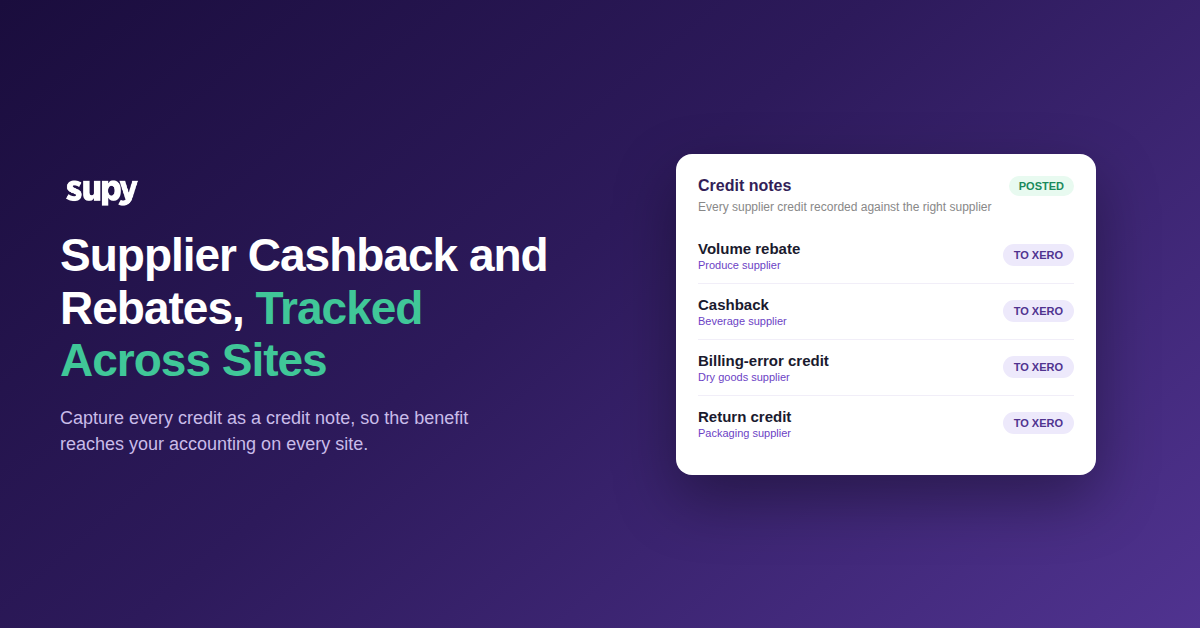
Supplier cashback and rebates tracked across restaurant sites

How to track supplier cashback and rebates across sites

To track supplier cashback and rebates across sites, record each one as a credit note against the supplier it came from. A credit note captures the cashback, rebate or one-off credit, moves it through approval, and posts it to your accounting. Do this on every site and the benefit stops hiding in supplier terms.

The money is real. It is the cashback in a contract, a quarterly volume rebate, or a credit for a billing error or return. Captured properly, it lands against the right supplier and lowers what you actually paid.

Left in a spreadsheet, it goes missing. Nobody reconciles it, so the credit never reaches your books. Your cost of goods sold then reads higher than the truth, and the benefit you negotiated disappears.

It only gets harder as you add sites. A rebate that repeats every quarter, or a credit that lands mid-month, needs a routine anyone can follow rather than a one-off someone remembers to make. Without one, each site handles credits its own way and the totals drift apart.

The worst version is a quiet one. A supplier credit entered as a negative goods-received note looks handled on screen. It never posts to your accounting, so it settles nowhere.
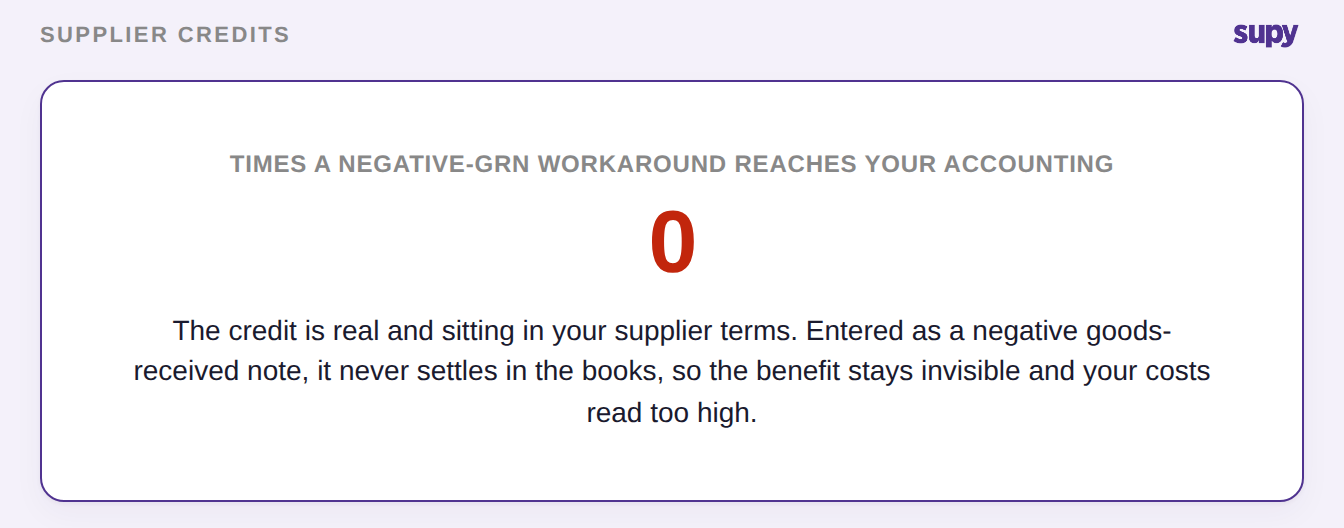
A supplier credit entered as a negative goods-received note reaches your accounting zero times

Log every credit as a credit note

The reliable method is one path for every kind of credit. You raise a credit note in the Accounting section, and it carries the cashback, rebate or correction from claim to settlement.

Raise it standalone when the amount is a cashback figure, an agreed rebate or a promotional credit. Raise it from the goods-received note instead when a delivery was over-charged or came in short. Either way, the credit note is tied to the right supplier from the start.

From there it moves through your approval workflow. Once posted, it reduces that supplier's outstanding balance. If the credit is not matched to a specific receipt, a balancing receiving document is generated for you, so nothing needs a manual journal entry. You can see the full mechanism in Supy's invoices and credit notes feature.

Because every credit follows the same path, you keep a full audit trail from claim to settlement. Each credit note records what it was for, who approved it and when it posted, so a rebate you agreed months ago is easy to trace rather than lost in an inbox.
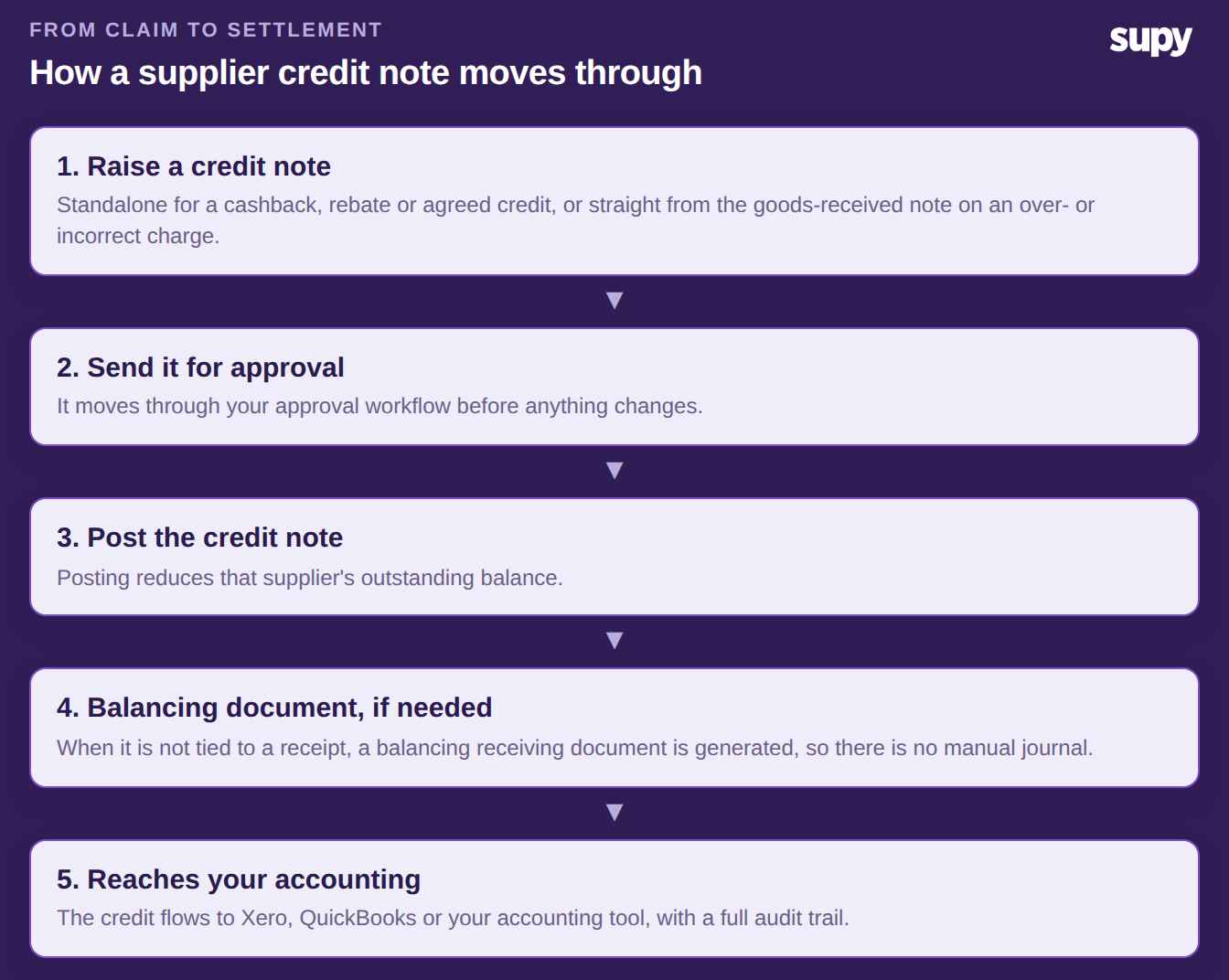
The five steps a supplier credit note moves through, from raising it to reaching your accounting

Credit note or negative GRN? Only one settles

Many multi-site teams record a supplier credit as a negative goods-received note. It feels quick, but it leaves the credit stranded. The correct path is a credit note raised against the original goods-received note, which posts on its own.

The difference shows up where it matters: in your accounting and your costs. The table below compares the two.

What you needNegative GRNCredit note
Posts to your accountingNever settlesPosts automatically
Reduces the supplier balanceNoYes
Full audit trailNoYes
Corrects your recorded costNoYes

If you have used the negative-GRN workaround before, reverse those entries. Then re-record each credit as a proper credit note. For a fuller walk-through of the two, see how restaurant teams record supplier discrepancies with credit notes and GRNs.

Fixing it is not just tidiness. Until the credit posts, that supplier's balance is overstated and your cost of goods sold reads too high, so the saving you negotiated never reaches the figures you run the business on.

Keep each site's credits from mixing

Across a group, the risk is a credit landing against the wrong books. Supy scopes every credit note to a single operator account, so one brand's credits never mix with another's.

That separation matters most when you report at group level. When each credit is scoped to the account it belongs to, your consolidated numbers build up from clean per-site figures instead of a pool you have to untangle at period end.

Each credit stays tied to the supplier and the account it belongs to. It then posts to that entity's accounting, whether that is Xero, QuickBooks or another of Supy's 75+ integrations. That per-account separation is what makes tracking cashback and rebates reliable across sites, not a month-end headache. If your books span several entities, the same principle applies when you are posting restaurant invoices to Xero across entities.
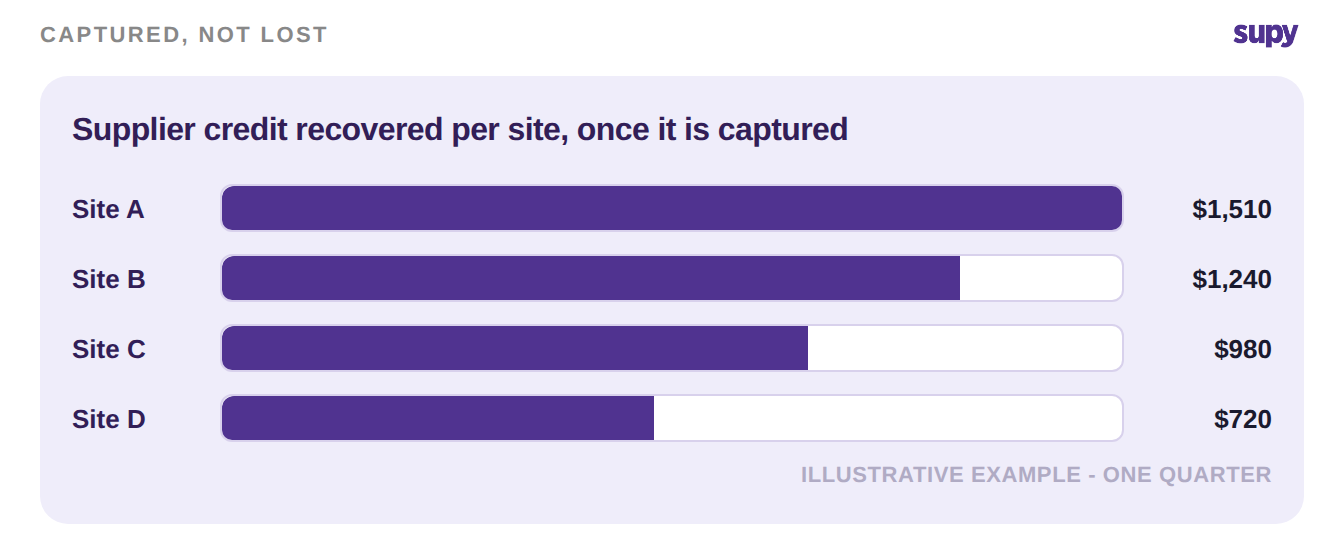
Illustrative supplier credit recovered per site over one quarter, once each credit is captured

Start where the money is. Pull the contract terms and recent statements for your three largest suppliers, and list every cashback, volume rebate and promotional credit you are owed. Record each one as a credit note against that supplier, then do the same for any open billing-error or return credits.

Once your top suppliers are captured this way, the same routine covers the rest. Every site's credits post cleanly to accounting, your costs reflect what you actually paid, and the benefit you negotiated stops slipping away.


Book a Demo with Supy - capture every supplier credit across your sites

Ready to optimize your restaurant operations?

Blog

Our operational insights

A colourful arrangement of fresh produce representing restaurant procurement and food service purchasing
Procurement

Restaurant Procurement: A Complete Guide for Multi-Location Operators

Restaurant invoice export to accounting software - Supy
Procurement

Restaurant Invoice Export to Accounting Software: How to Stop Retyping

Food cost
Procurement

Budget vs Actual Food and Beverage Spend: Live Multi-Site Control

Your questions 
answered

Everything you need to know about Supy — from setup to integrations, pricing, and daily use. If it’s not covered here, just ask.

What counts as supplier cashback or a rebate for a restaurant group?
+

Supplier cashback and rebates are amounts a supplier agrees to give back against what you buy. Cashback is usually a percentage returned on spend. A rebate is often tied to volume or a promotion, credited after the fact. Alongside these sit one-off credits: a correction for an overcharge, a billing error, or a return. All of it is money owed to you. In a multi-site group it usually lives in contract terms and email threads, which is why it goes uncaptured unless you record each one against the right supplier.

How do I record a supplier rebate or cashback in Supy?
+

You record it as a credit note in the Accounting section. Raise the credit note standalone when the amount is a cashback figure, an agreed rebate or a promotional credit. Raise it from the goods-received note instead when a delivery was over-charged or incorrect. The credit note then moves through your approval workflow, and posting it reduces that supplier's outstanding balance. Because the whole path runs inside the system, you get a full audit trail from the original claim to final settlement, rather than a note in a spreadsheet nobody reconciles.

Why should I avoid entering a supplier credit as a negative goods-received note?
+

Because a negative goods-received note never settles in your accounting software. It can look right on screen, but it does not post through to the ledger, so the supplier balance and your recorded costs stay wrong. The correct path is a credit note raised against the original goods-received note, which posts automatically. Multi-site teams often reach for the negative-GRN workaround because it feels quick, but it quietly leaves the credit stranded. If you have used it before, the fix is to reverse those entries and re-record each credit as a proper credit note.

How does a supplier credit note reach my accounting system?
+

Once a credit note is approved and posted, it flows to your connected accounting system. If the credit note is not matched to a specific goods receipt, a balancing receiving document is generated automatically, so the credit still reaches accounting without a manual journal entry. This keeps supplier rebates and cashback reflected accurately in tools such as Xero and QuickBooks, which sit among Supy's 75+ integrations. You are not re-keying the credit into a second system or hoping the numbers line up later; it moves once, cleanly, with the audit trail intact.

Can multi-site restaurant groups keep each brand's supplier credits separate?
+

Yes. Credit notes are always scoped to a single operator account, so one brand's supplier credits never mix with another's. A group running several brands or sites can process credits for each without the risk of a rebate from one location landing against the wrong entity's books. Each credit stays tied to the supplier and the account it belongs to, and posts to that entity's accounting. That separation is what makes tracking cashback and rebates across sites reliable, rather than a reconciliation headache at month-end.

Does capturing supplier credits change my cost of goods sold?
+

It makes your cost of goods sold more accurate. When a rebate, cashback amount or supplier credit is never recorded, your costs read higher than what you actually paid, so margins look worse than they are. Recording each credit as a credit note reduces the supplier balance and reflects the real amount owed back to you, which feeds through to your cost figures. Supy does not run an automatic end-of-period rebate adjustment; the accuracy comes from capturing each credit at the point it happens, so nothing is missed by the time you review the numbers.

What is the first step to track supplier cashback and rebates across sites?
+

Start with your largest suppliers, since that is where most of the money sits. Read their contract terms and recent statements for any cashback, volume rebate or promotional credit, and list what you are owed. Then record each one as a credit note against the right supplier, standalone or from the relevant delivery. Do the same for any open billing-error or return credits. Once your top suppliers are captured this way, the same routine covers the rest, and every site's credits post cleanly to accounting instead of hiding in a spreadsheet.

Ready to transform your operations?

Join 3500+ restaurant operators cutting costs, streamlining operations and making smarter decisions with Supy.