.jpg)


Restaurant Food Cost on Your P&L: 6 Reasons It's Wrong, and the Fixes
Why the Cost-of-Sales Line Is the Least Trusted Number on a Restaurant P&L
Your profit and loss statement (P&L) can report a food cost that is simply wrong, even when the reporting tool itself works perfectly. The cost-of-sales line is the end of a long chain - sales feeds, supplier invoices, inter-site transfers and stock counts - and a break anywhere in that chain quietly distorts the number that lands on the report. The reassuring part is that the distortions are a short, specific, fixable list rather than a mystery.
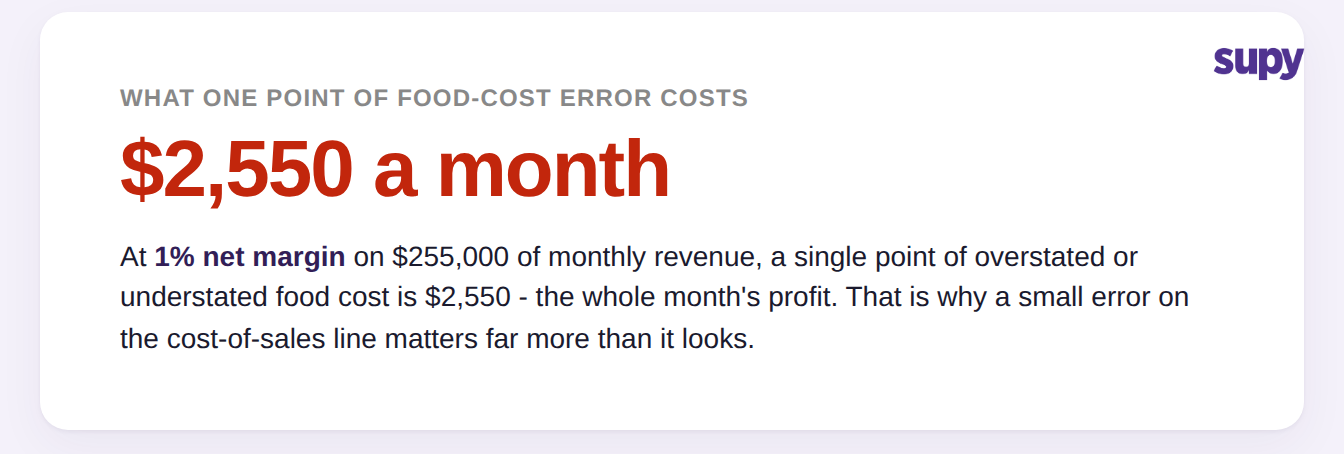
For a multi-site restaurant group running on thin margins, the size of that distortion is not academic. A single point of error on food cost is worth more than most operators expect, which is exactly why a number that looks roughly right still cannot be trusted for a decision.
The Six Reasons Your Reported Food Cost Comes Out Wrong
Cost of goods sold (COGS) is opening stock plus purchases and transfers, minus closing stock - the figure that becomes your food cost percentage once you divide it by sales. Six failure modes account for almost all of the drift between that reported figure and reality, and each one has a concrete fix rather than a vague instruction to count more carefully. This is not about the arithmetic itself; if your calculation method is the problem, the common restaurant COGS calculation mistakes are a separate fix. The six below are how a correctly built number still reads wrong.
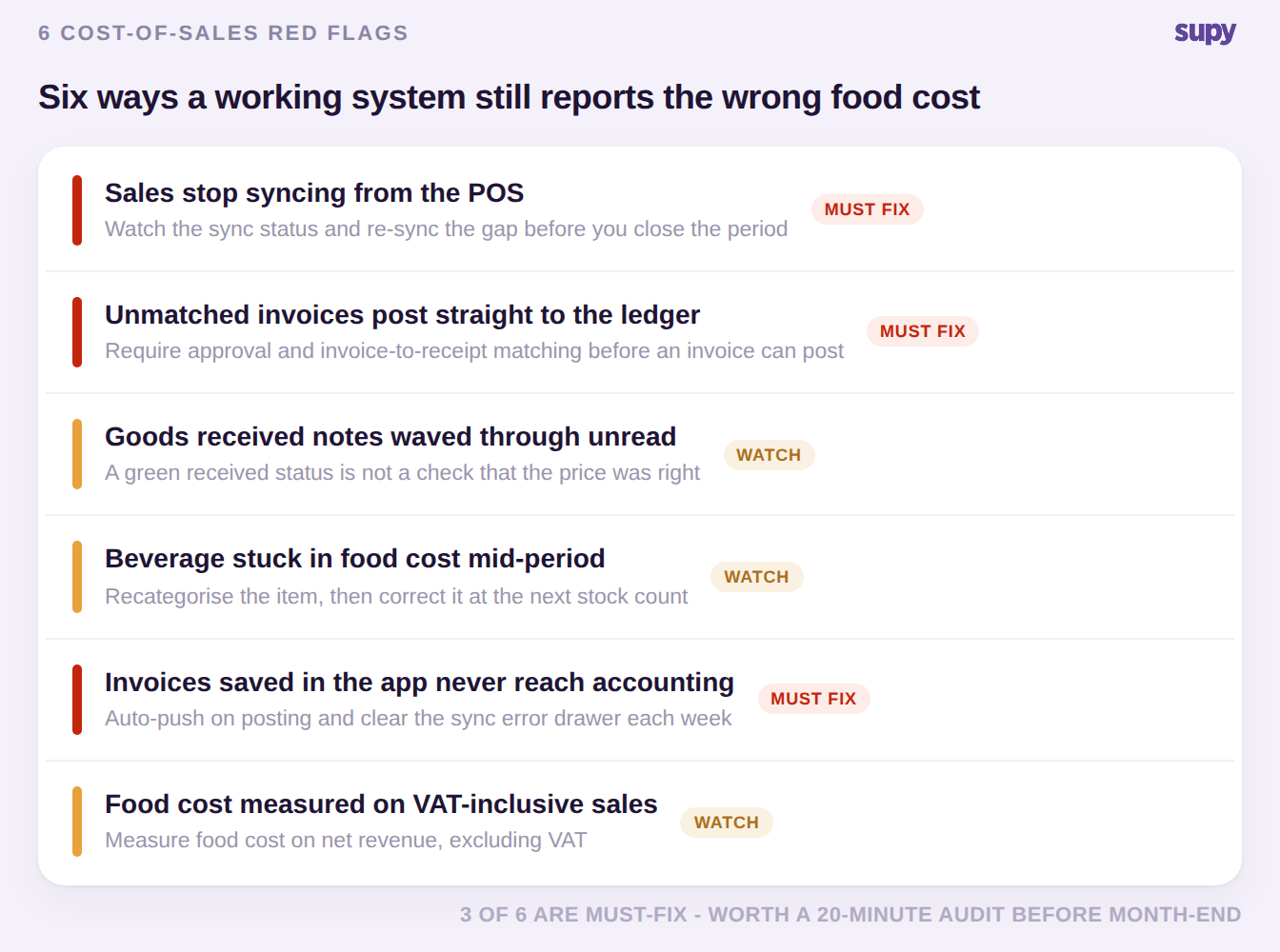
- Sales stop syncing from the point-of-sale system. When the point-of-sale (POS) feed drops out, missing or partial sales flow downstream into depletion, stock counts and the food cost percentage, so the P&L is wrong even though nothing in the reporting tool failed. The fix is to make the sync status visible and re-sync any gap before you close the period, rather than discovering the hole after the report is out.
- Unmatched invoices post straight to the ledger. If a role can post a supplier invoice with no approval and no matching against what was received, unreviewed charges reach the books and inflate cost of sales. The fix is a permission and process control: restrict who can post, and require the invoice to be matched to its receipt first. Supy also validates that an invoice has a due date set before it can post to accounting, which blocks the most common half-finished record.
- Goods received notes get waved through unread. Kitchen staff often read a green "received" status as confirmation that everything is correct, and approve the goods received note without checking the invoiced values behind it. The fix is to treat receiving as two separate acts - confirming the goods arrived is not the same as confirming the price was right - and to review value, not just tick the status.
- Beverage sits in food cost mid-period. An item that already carries a stock balance often cannot be recategorised until the next count, so beverage lines can show up inside food cost and distort both category numbers. The fix is to recategorise the item and then correct the split at the next stock count, so the miscategorisation does not roll forward month after month.
- Invoices are saved in the app but never reach accounting. A supplier invoice that lives only in the inventory app never becomes cost in the general ledger, so the P&L and the inventory system tell two different stories. Supy pushes the invoice to the connected accounting system automatically when a goods receipt, supplier return or central kitchen order is posted - across Xero, QuickBooks, NetSuite, MYOB, Odoo and Zoho - and if a batch sync fails partway it reverts the affected postings so the records stay consistent. A visible sync status and a retryable error drawer are what let you clear the stragglers before close, which is the heart of a clean inventory-to-accounting integration.
- Food cost is measured on VAT-inclusive sales. Divide cost by a sales figure that still includes value-added tax (VAT) and your food cost percentage reads several points better than the truth. Supy computes food cost against the selling price excluding VAT, so the percentage on the report reflects the real net margin rather than a tax-inflated one.
How to Prove the Number: The Cost-of-Sales Reconciliation
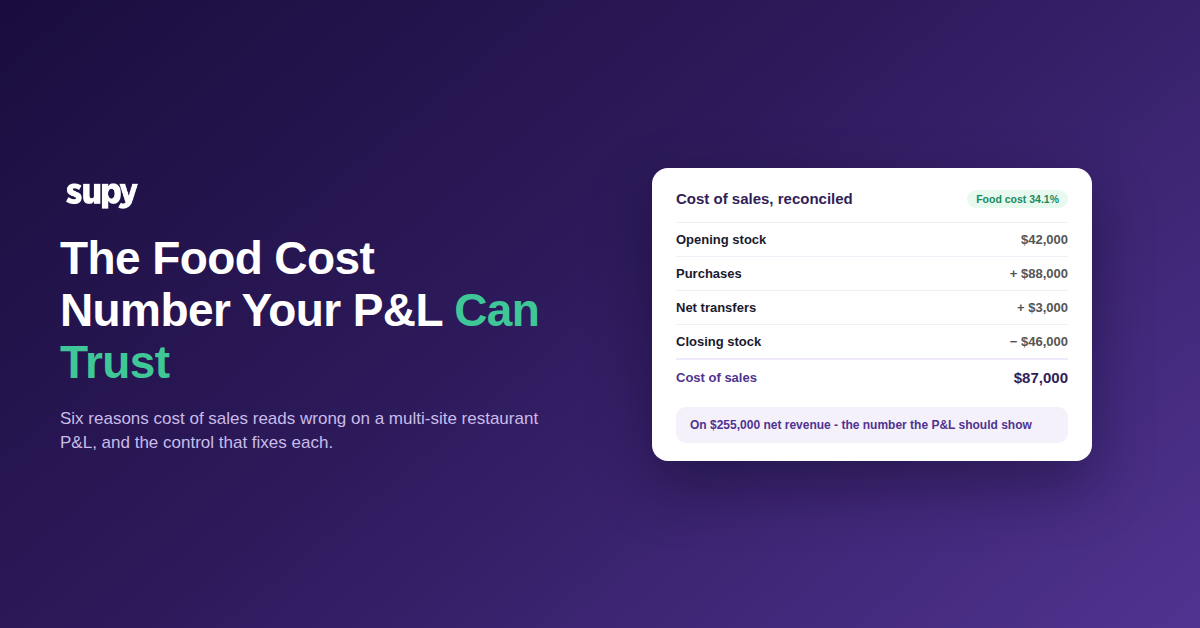
One reconciliation settles every argument about the food cost figure. Take opening stock, add purchases and net transfers, subtract closing stock, and the result is your true cost of sales for the period - the number the P&L should show. When the reported figure and this build-up disagree, one of the six flags above is the reason, and the gap tells you which line to check first.
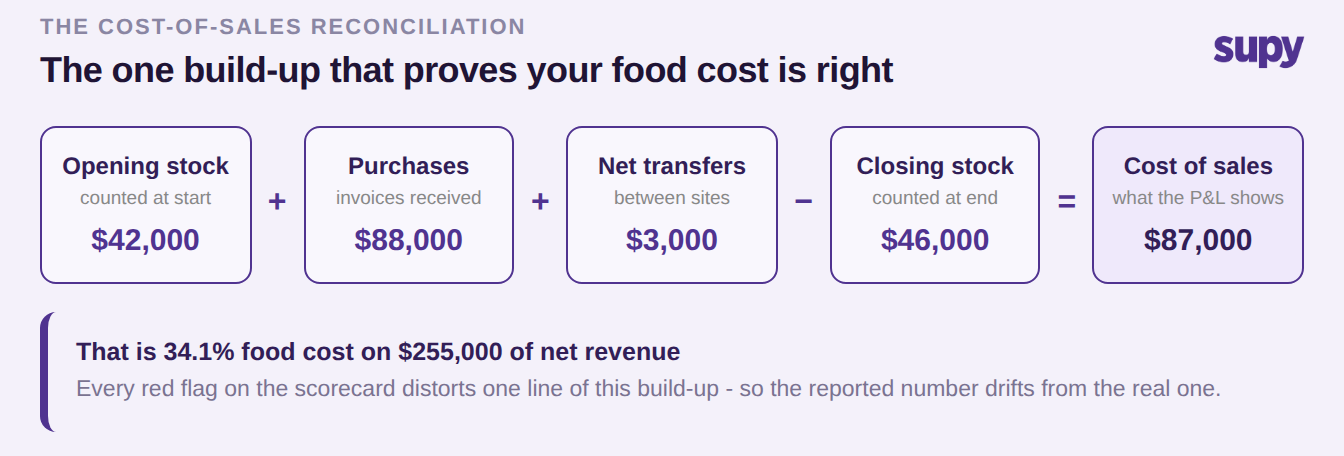
Run the scorecard against your own last close. If sales stopped syncing or invoices never reached accounting, start there - those are the flags that move the number the most. If the reported percentage flatters you, check whether it is being measured on VAT-inclusive sales before you celebrate. Getting to a food cost you can act on is less about counting harder and more about closing these specific gaps, backed by a reporting layer that slices cost of sales by site. If you want a quick sense of where your own number should land, the food cost calculator is a fast starting point.