.jpg)


Three-Way Matching for Restaurant Invoices: Catch What You Overpay
What Three-Way Matching Is, and Why Restaurants Need It
A three-way match is a check that compares three documents before a supplier invoice is paid: the purchase order (what you agreed to buy), the goods received note (what actually arrived at the outlet), and the supplier invoice (what you are being billed). When all three agree on quantity and price, the invoice is safe to pay. When they do not, the difference is flagged for review rather than paid on trust.
Restaurants need it more than most businesses, not less. Deliveries arrive perishable and often short, prices on fresh items move week to week, and the person receiving the goods at the outlet is rarely the person paying the invoice at head office. Without a match, those three facts combine into quiet overpayment: a case that never arrived is still billed, a price that crept up is still paid, and nobody at the group sees the pattern until the numbers are added up months later.
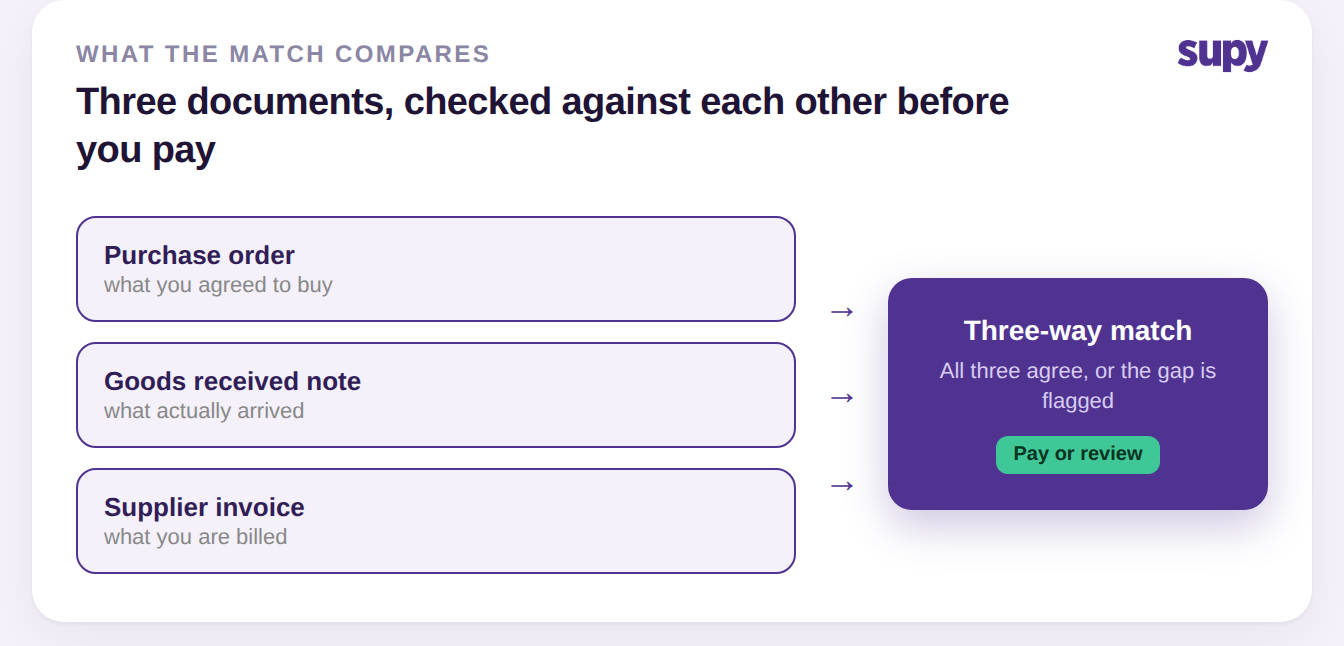
The Three Documents, and What Each One Proves
Each document in the match answers a different question, which is exactly why one on its own is not enough. The purchase order proves intent, the goods received note proves delivery, and the invoice states the claim. A supplier invoice checked against nothing is just a request to be paid; checked against the other two, it becomes a bill you can trust or a discrepancy you can act on.
| Document | What it records | The question it answers |
|---|---|---|
| Purchase order | What you agreed to buy, and at what price | Did we authorise this? |
| Goods received note | What actually arrived at the outlet | Did we get it? |
| Supplier invoice | What the supplier is billing you for | Is the bill right? |
The goods received note is the one restaurants most often skip, and it is the one that matters most, because it is the only record of what physically arrived. Capturing it properly at the point of delivery, as part of the outlet's food receiving procedure, is what gives the match something real to check the invoice against.
Where the Match Breaks in a Real Kitchen
Most matching failures are not the software missing a discrepancy; they are a document that was never captured or was captured wrong, so there is nothing to match against. The table below covers the break points a multi-site team meets most, and what a working match does about each.
| Break point | What it looks like | How the match catches it |
|---|---|---|
| No purchase order raised | An invoice arrives with nothing to check it against | Enforce a PO number so every invoice has a match |
| Delivery received but no GRN | Stock and cost update from the invoice alone | Receive to a goods received note so the middle document exists |
| Received quantity updated, invoiced quantity not | The two figures drift and the match stops meaning anything | Received quantities stay linked to the order's fulfilment data |
| Price crept up since the order | A higher unit price is paid without anyone noticing | The price gap is flagged before the invoice clears |
The subtlest one is the third row. When a receiver updates the quantity actually delivered on the goods received note but leaves the invoiced quantity untouched, the two figures drift apart and the match quietly stops meaning anything. Supy closes that gap by keeping the received quantities and prices on the note linked to the purchase order's fulfilment data, so what was received always updates what is still outstanding rather than sitting in a separate column nobody reconciles.
Setting Up Matching So It Runs on Its Own
Matching only saves time if it is automatic, and getting there is four setup moves, not a new process for your team to run. Do these once per group and the match happens on every invoice without anyone chasing it.
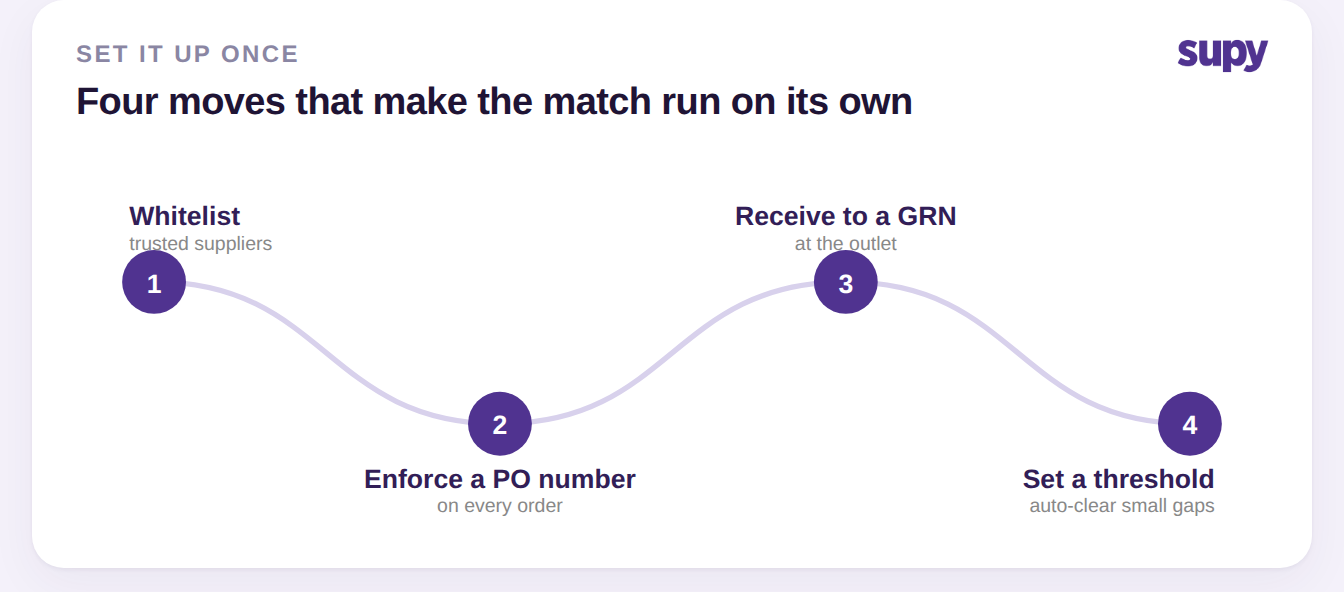
Whitelist your trusted suppliers so their emailed invoices are recognised and matched to the right purchase order on arrival. Enforce a purchase order number on every order, so each invoice has something to check against. Receive every delivery to a goods received note at the outlet, so the middle document in the match actually exists. And set a variance threshold, so a trivial rounding difference clears automatically while anything above 2% is held for a human to review. Supy validates that every item on a note is available at the receiving location before the note can be saved, which stops goods being booked to a site that does not stock them, and once posted a note cannot be deleted, so the record the match relies on stays intact.
When the Match Finds a Gap
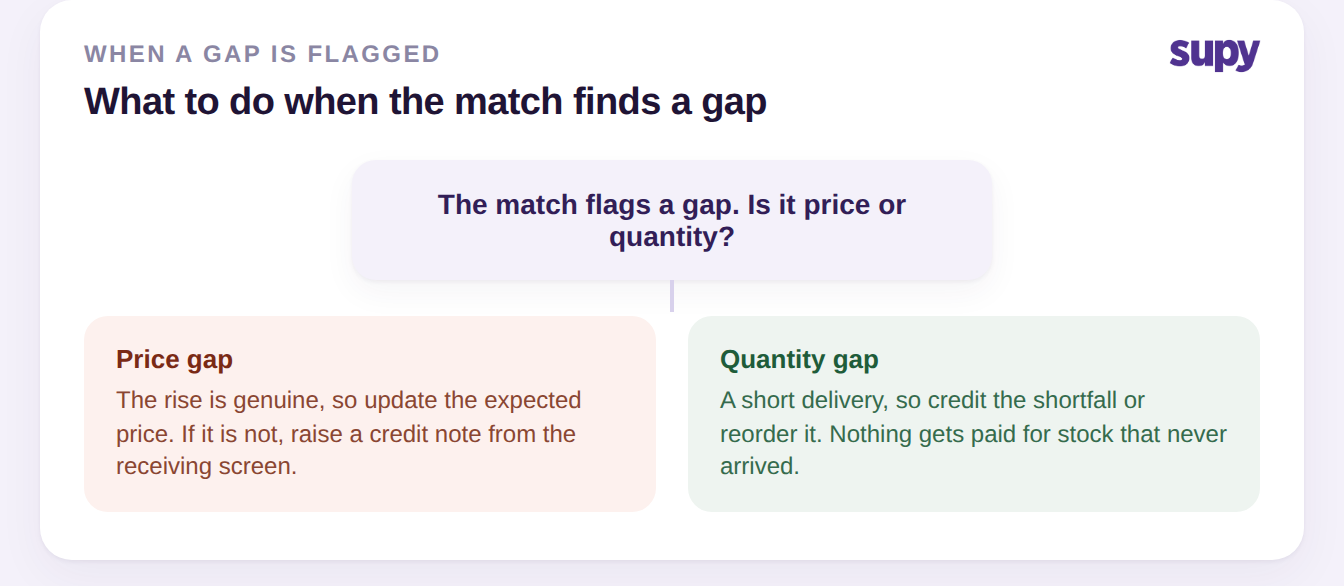
A flagged invoice is not a problem, it is the match doing its job; what matters is that the next step is quick and leaves a clean record. When a goods received note price differs from the expected cost, Supy flags the discrepancy and lets the buyer either update the expected price, if the rise is genuine, or raise a credit note straight from the receiving screen if it is not. Quantity gaps work the same way: a short delivery is reconciled against the order, and the shortfall is either credited or reordered rather than silently paid.
Because a price change on an ingredient also changes what your dishes cost, catching it here protects more than the invoice: the cost of every recipe using that ingredient is recalculated automatically, so your food cost stays accurate. For the disputes that need a paper trail with the supplier, handling them through supplier credit notes keeps the claim, the receipt and the resolution in one place, and it is where the whole match pays off in Supy's invoice and credit note tools.
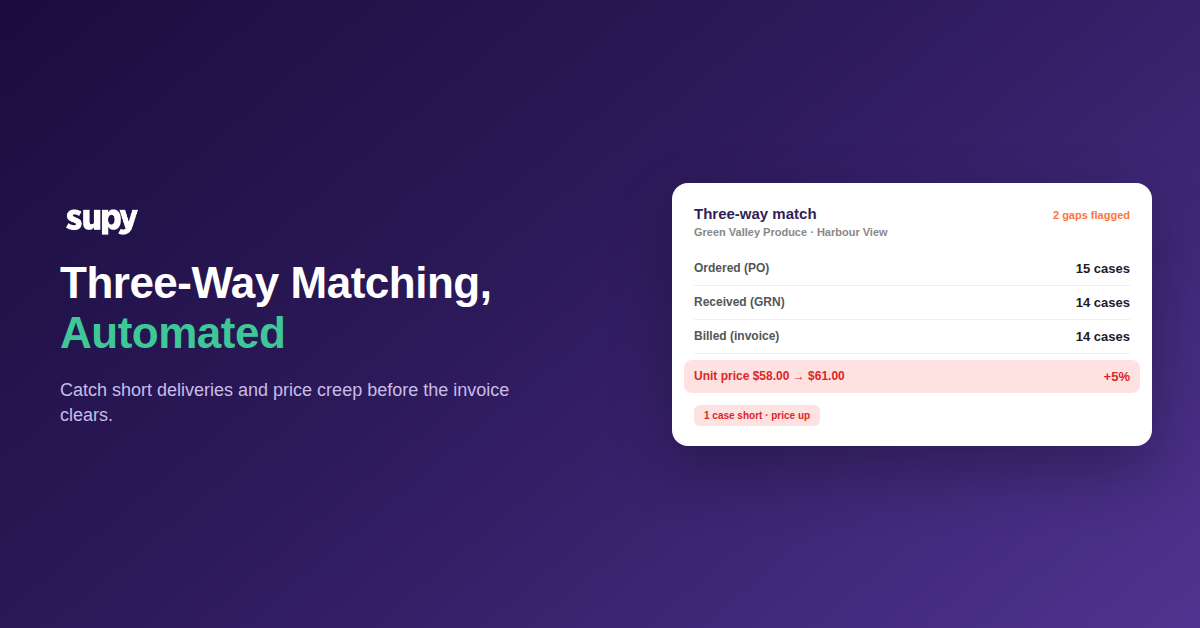
Take the worked example a group would see on any given week: 15 cases of beef mince ordered from Green Valley Produce for the Harbour View outlet at $58.00 a case, 14 cases actually received, and an invoice billing those 14 cases at $61.00. The match catches both gaps at once, the one case short and the price up 5%, before the invoice is paid. Run three-way matching on every invoice and those are decisions your team makes in seconds at the point of receipt; skip it, and they are the overpayments a year-end review finds long after the money has gone.