.jpg)


Restaurant Stock Count Accuracy: Catch Skipped Items Before You Submit
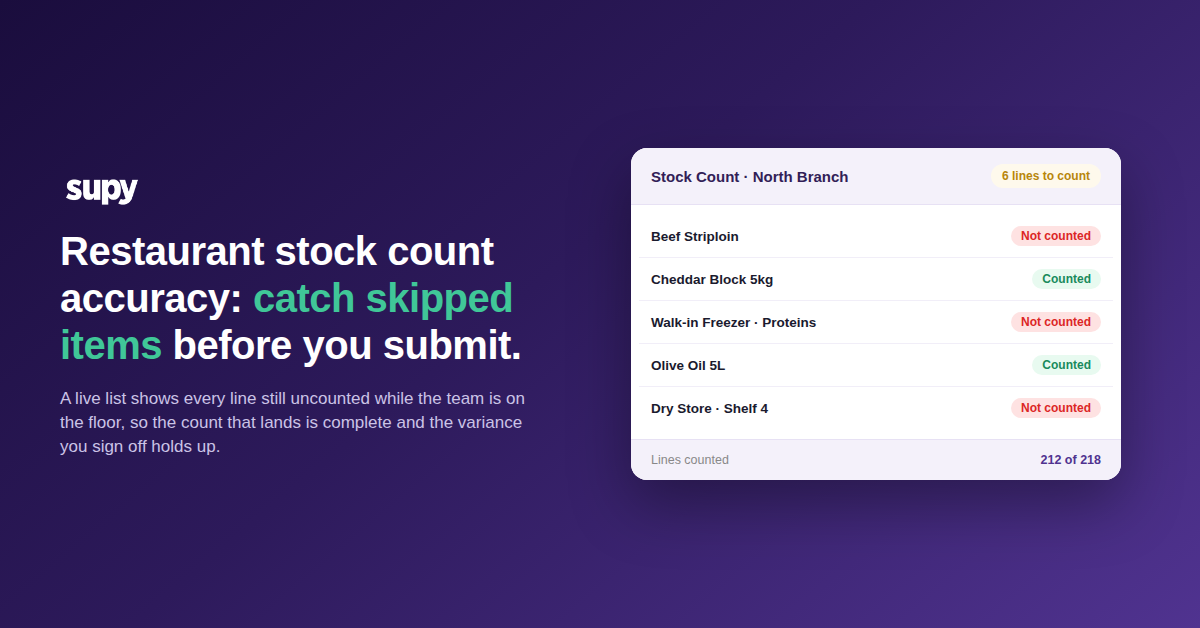
Restaurant stock count accuracy is won in the minute before the count is submitted. A live list of skipped items shows the manager every line still uncounted while the team is on the floor, and a per-count setting decides, deliberately, whether anything left uncounted keeps its last quantity or drops to zero. The count that lands is complete because someone confirmed it was, so the variance report and the food cost built on it hold up.
See Every Skipped Item Before the Count Is Submitted
A variance report can only describe the lines that were actually counted, so a skipped line never shows up as an error, it simply is not in the count and the report looks as ordinary as any other.
The only place to catch the gap is before the count is submitted, while the missed lines can still be counted. A skipped-items list is a live view, available during the count, of every line that has not yet been counted in the current session. A manager can pull it up before submitting and see at a glance what is still outstanding, so the missing lines surface while someone is still on the floor rather than weeks later as a swing nobody can explain.
Lines get passed over for ordinary reasons, not carelessness. A storeroom shelf gets missed, a walk-in freezer is skipped because someone is already working in it, a sub-recipe is left because the counter is not sure it belongs on this count. None of those are mistakes anyone notices in the moment, which is why a pre-submission view of the outstanding lines matters more than asking people to be more careful. With the outstanding lines visible, the person doing the stock count either goes and counts them or makes a deliberate call about how to treat them. Either way the count is submitted knowingly, not blindly.
A Complete Count Gives You a Food Cost You Can Trust
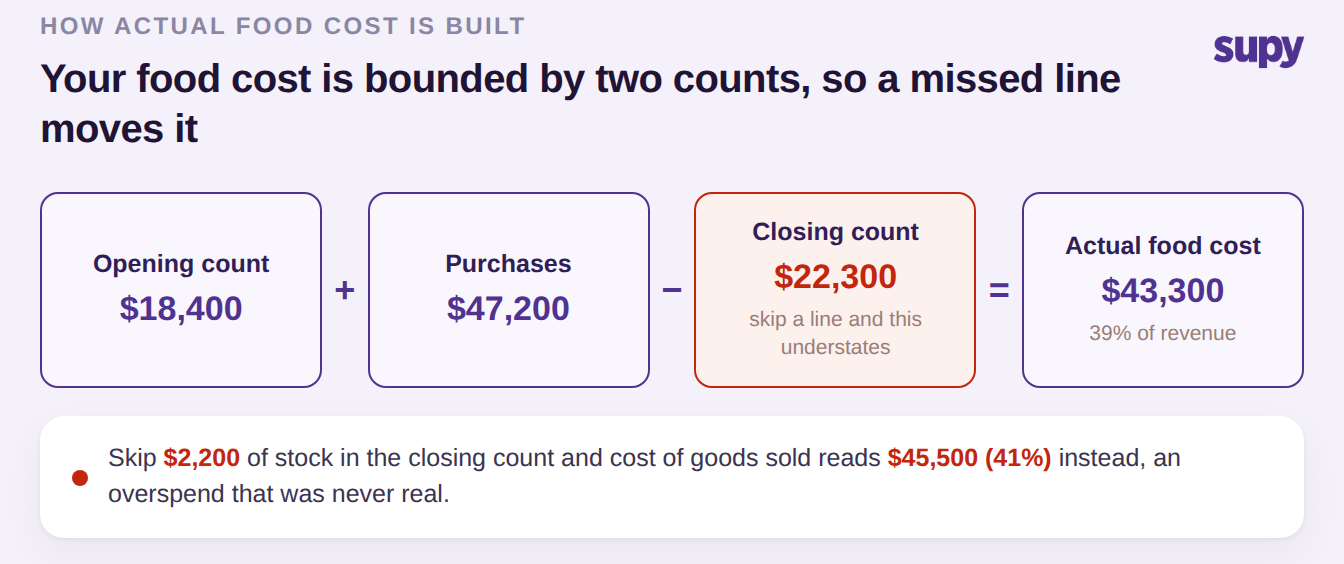
Your only trustworthy actual food cost is bounded by two stock counts. Actual cost of goods sold is opening stock plus purchases minus closing stock, and both the opening and closing figures come straight from a count. If the closing count is missing lines, the closing value is understated, and every number built on top of it is wrong in the same direction.
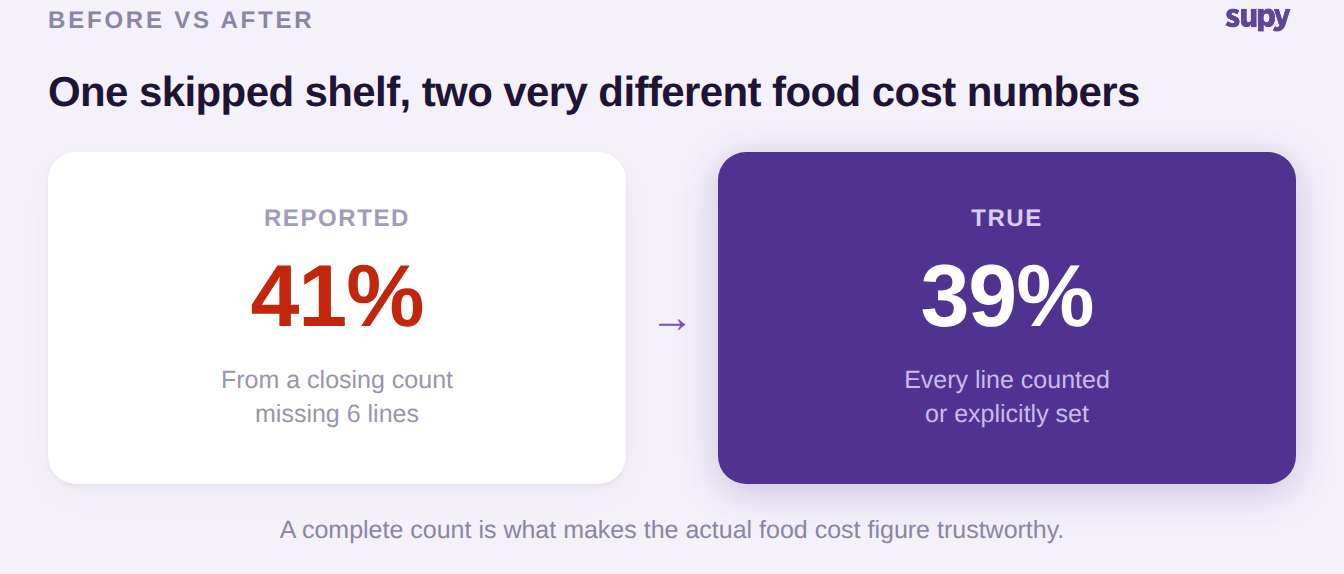
One multi-venue group's operations lead watched this happen for months. Their theoretical recipe-driven cost report and their actual finance numbers told two different margin stories, and the cause traced back to stocktakes that did not land cleanly between count dates. Once the actual cost was bounded strictly by two complete counts, it came in trustworthy at about 39 percent, against the roughly 41 percent an incomplete count had been reporting.
Two points of food cost is not a rounding error. On $111,000 of monthly revenue it is the difference between a $43,300 cost of goods sold and a $45,500 one, and it points in the wrong direction: an incomplete closing count understates the stock you are holding, which inflates the cost you appear to have consumed. Chase that phantom overspend and you are solving a problem that does not exist, while the real one hides in the lines nobody counted. If you want to sanity-check the gap in your own numbers, our food cost calculator shows what a two-point swing does to a period.
Deciding How Uncounted Lines Are Treated, on Purpose
Not every count is meant to cover every line, and that is fine as long as the treatment of the uncounted ones is a choice rather than a silent default. A per-count setting controls whether a line left uncounted keeps its last known system quantity or drops to zero when the count is submitted, and making that switch visible for each count leaves an auditable record of how every uncounted line was handled.
The right answer depends on what kind of count this is. Use the table below to pick the setting before you submit.
| Uncounted-line setting | What happens on submit | When to choose it |
|---|---|---|
| Keep prior quantity | The line holds its last known system quantity | A deliberate partial count, where whole sections were intentionally not recounted |
| Zero the line | The line drops to zero | A full count, where anything left uncounted is genuinely absent |
The value is not one setting being correct. It is that the choice is explicit and recorded, so a partial count never silently zeroes stock you simply did not get to, and a full count never quietly carries forward a line that has actually run out.
Guided Counting Closes the Two Gaps Paper Leaves Open
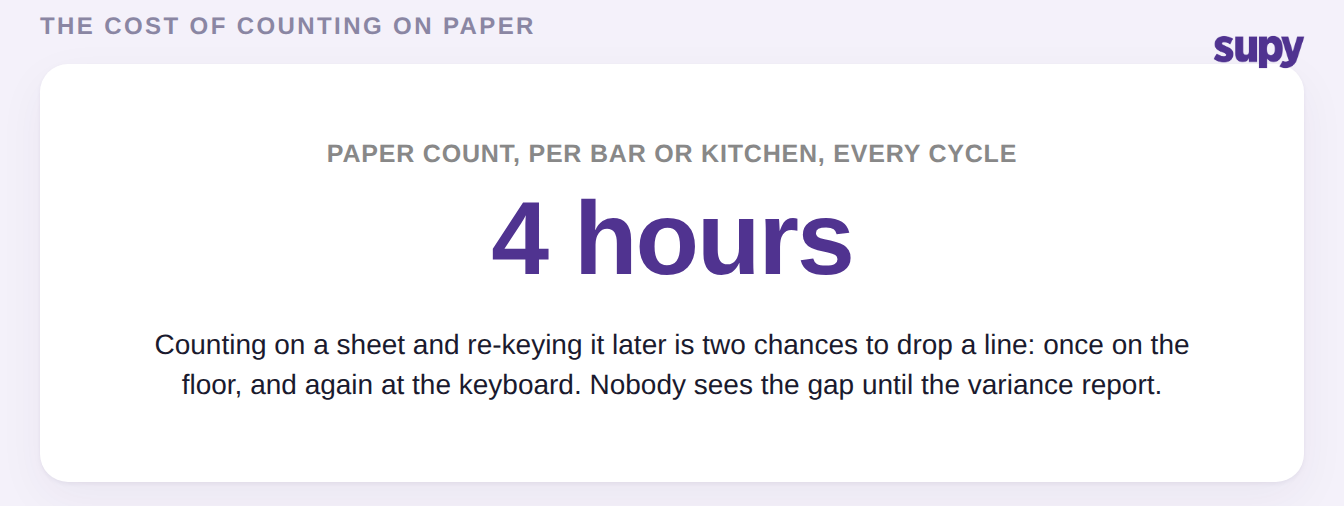
Skipped lines are not a discipline problem, they are a structural feature of counting on paper. A count written on a sheet and then re-keyed into a system is two chances to drop a line: once when a shelf is walked past, and again when a handwritten row does not make it into the spreadsheet. One multi-site group's head of bars and stock ran entirely paper-based counts at around four hours per bar and kitchen every cycle, with variance reports that read as a wall of numbers where a single missed line was invisible.
When the count lives in the same system that holds the outstanding-lines view, that structural gap closes. The counter is guided line by line, the missed ones are listed rather than left to memory, and the pre-submission check happens on the same screen as the count. This is the shift from treating counting as a chore to treating it as part of a connected stock management system. The four hours of re-keying disappears, and so does the second chance to lose a line.
What to Check Before You Trust the Next Variance Report
Before your next stocktake, decide two things in advance so the count that lands is complete by design and the variance it produces is one you can trust. First, agree that no count gets submitted until someone has opened the skipped-items list and cleared or consciously accepted every outstanding line. Second, set the uncounted-line treatment to match the kind of count it is: keep prior quantities for a deliberate partial count, zero the lines for a full one. Then, when the variance report comes back, read it knowing it was built on a complete count, and check the one number that leans on it, your actual food cost bounded by the two counts. If it swings and you cannot explain it, the skipped-items list from that count is the first place to look, before you go hunting for waste or theft that may not be there.