.jpg)


Migrating a Multi-Site Restaurant Group to Inventory Software: Go Live
Start the migration with your structured data
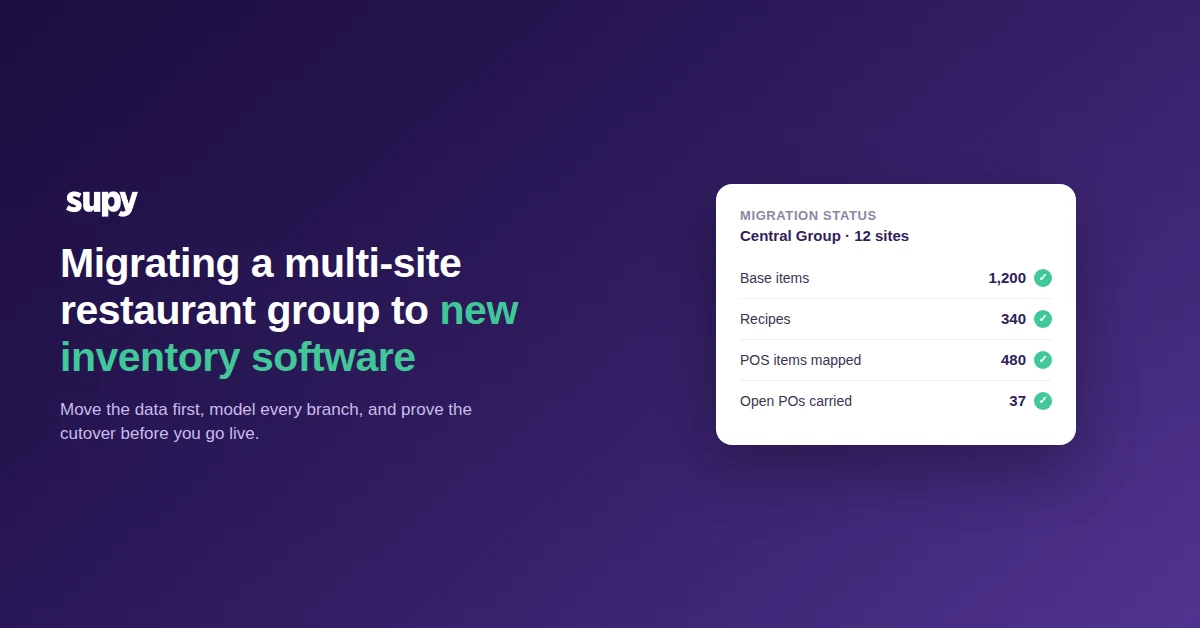
Moving a multi-site restaurant group to new inventory software goes smoothly when you migrate the structured data first. Recipes, items and supplier links carry across from the old system, so the new platform is productive in days instead of being rebuilt by hand. Get that sequence right and the software switch becomes the easy part.
Treat the migration as four phases, in order. Audit what the old system holds. Carry the recipes and items across. Model how each branch actually receives stock. Then validate the cutover before you go live on the new restaurant inventory management platform.

This guide covers the data migration and the cutover itself. Sequencing the rollout across sites, and the training that goes with it, is a separate job with its own decisions. For that side, read rolling out inventory software across a multi-site group. Here the focus is what to move, in what order, and how to prove it landed.
Carry recipes and items over before you build anything new
Recipes and items are the slowest thing to recreate and the biggest accelerator to migrate. One group that switched from a specialist inventory system found the structured data already built in the departing tool was the single largest reason the new platform was productive quickly. The data transferred, so nobody rebuilt a catalogue from a blank screen.
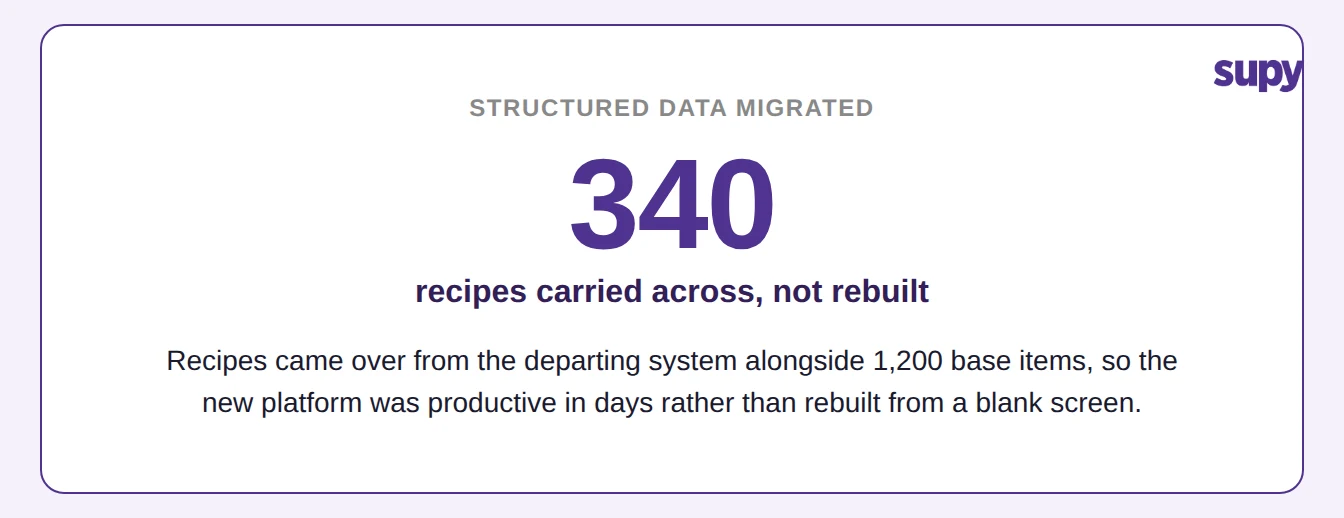
Map the old system to the new structure before you import. In Supy each ingredient becomes one base item, with every supplier SKU and pack size linked to it. Plated dishes and prep recipes sit on top of those items, and each recipe links to its POS menu item so a sale depletes the right stock. Export your current item list, your supplier catalogue and your recipes, then match them to that shape.
Clean the data while it is still a spreadsheet. Merge duplicate items. Retire products you no longer buy. Confirm each recipe yield. A migration is the one moment when fixing the catalogue costs nothing extra, because you are handling every line anyway.
Map each branch's real supply flow
Multi-site groups rarely run one supply model, and a migration that assumes they do breaks at the odd sites. One large group ran every branch in spreadsheets across two different flows. Some branches received pre-cooked meals from a central kitchen. Others received raw goods direct from suppliers. The migration had to model both, not force one template onto every site.
Sort your sites into those two flows before you configure anything. The table below shows what each flow needs carried across.
| Migration step | Direct-receiving branch | Central-kitchen-fed branch |
|---|---|---|
| Where stock arrives from | Suppliers, direct | The central kitchen |
| What to carry across | Supplier catalogue, purchase orders, par levels | Central-kitchen product list, order templates, par levels |
| Ordering flow | Requisition, then purchase order to the supplier | Order sent to the central kitchen |
| Receiving | Goods-received note against a supplier invoice | Delivery note from the central kitchen |
Supy handles both models in one group. Direct-receiving branches raise requisitions and purchase orders to their own suppliers. Central-kitchen-fed branches send orders to the central kitchen, which sees consolidated demand across every branch and ships against it. Decide each site's flow first, and the rest of its setup follows from that one choice.
Set the system up for the people who will run it
The people who operate inventory after the switch are often not the people who chose the software. One group moving off a finance-oriented accounting system flagged the real risk early. The daily users were now warehouse and kitchen staff, not accountants, so the workflows had to suit non-finance operators or adoption would stall.
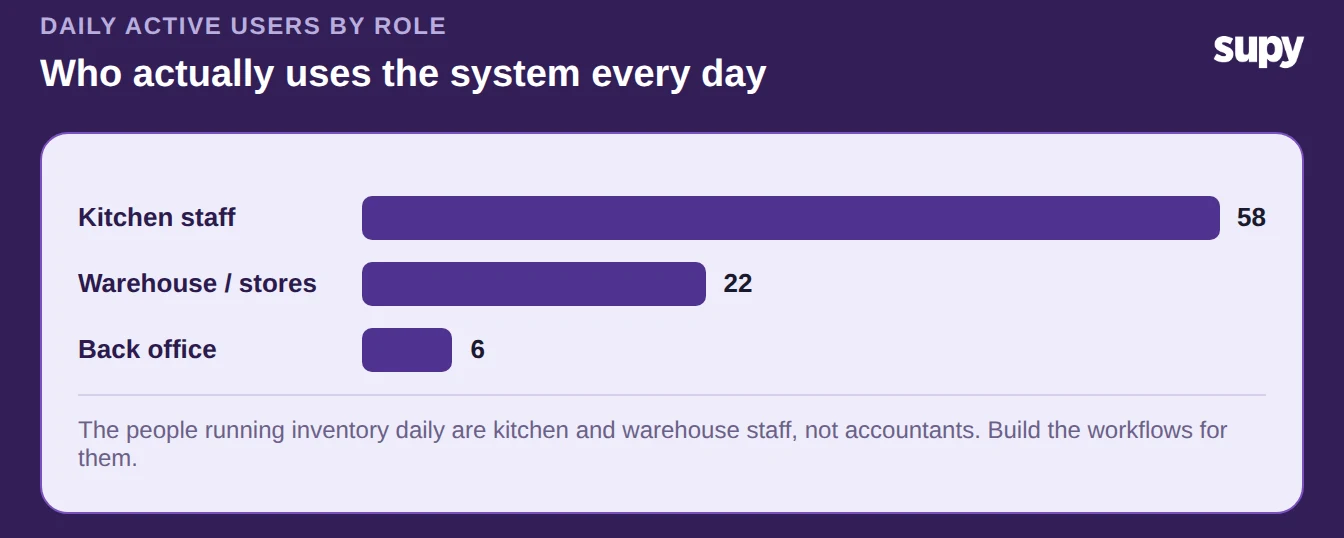
Build for those hands. Set stock count templates in the order a counter walks the shelf. Put par and minimum levels on each item per site, so a manager sees at a glance where a branch sits against its position. Keep the mobile flows short enough to finish a count or a delivery on a phone. Every action is logged against a named user, so you keep the accountability the finance team relied on without making a chef think like one.
Validate the cutover, then go live
The cutover is where a migration is proven, not assumed. Before you switch off the old system, run four checks that catch the failures operators actually hit. Each one is quick, and each one is far cheaper to fix the day before go-live than the week after.
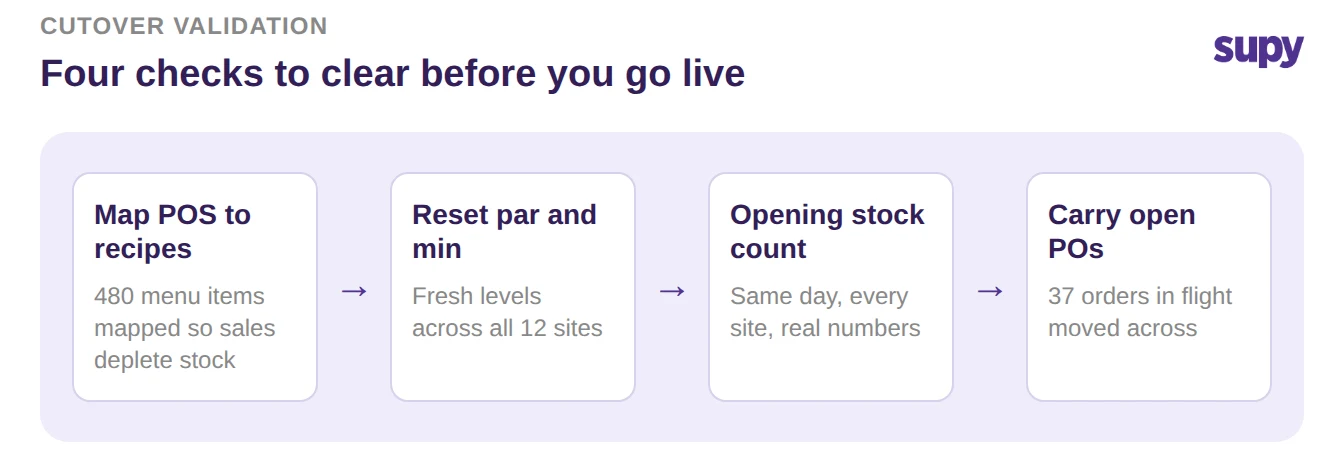
First, confirm every POS menu item maps to a recipe or is flagged as needing no tracking. Batch operations let you map many at once, and this is the step that makes a sale deplete stock the moment you go live. Second, reset par and minimum levels on every item at every site, so ordering starts from the right position rather than a guess.
If you would rather not work par out by hand, the free par level calculator does it for every item on your sheet from your usage, delivery days and supplier lead times.
Third, run a full opening stock count on every site on the same day, so the new system starts from real numbers. Fourth, carry across any open purchase orders so nothing in flight drops off procurement. Clear all four and you can switch over one site at a time with confidence, because you have already seen the data behave.
Where to start this week
A migration succeeds on data structure and adoption fit, not on the software switch itself. Your first move is a data audit, and you can do it before you commit to anything. Export a full item list, supplier catalogue and recipe set from your current system. Then check three things: whether recipes carry a clean yield, whether duplicate items hide across branches, and whether every site's supply flow is written down. If those three are healthy, your migration is mostly done before it starts. If they are not, you have found the work that would otherwise surface on go-live day.