





How a Restaurant Maintenance Checklist Catches Equipment Faults Early

What a Restaurant Maintenance Checklist Should Cover, and How Often
A restaurant maintenance checklist catches equipment faults while they are still cheap to fix, like a fridge drifting warm or a fryer thermostat slipping. It works when a team runs it on a schedule and a manager acts on every failed check, rather than leaving a note nobody reads. This article shows what to put on the checklist, and how to make a failed check raise a job someone owns.
- How often. Build the checklist around how often each piece of equipment needs looking at. A walk-in fridge needs a glance every day. An extraction filter can wait a week.
- Group by frequency. Professional servicing runs on a longer cycle. Group the checks by frequency so the daily list stays short enough that a busy team actually completes it. The table below is the checklist to start from.
| Equipment | What to check | How often |
|---|---|---|
| Walk-in and reach-in fridges | Temperature, door seals, gaskets | Daily |
| Freezers | Temperature, frost build-up | Daily |
| Hot-hold units and the cooking line | Holding temperature, gas flames, fryer thermostat | Daily |
| Dishwasher | Wash and rinse temperatures | Weekly |
| Ice machine and extraction filters | Scale build-up, blocked filters | Weekly |
| Thermometers and probes | Calibration against a reference | Monthly |
| Condenser coils and fire suppression | Dust build-up, test and service date | Monthly |
| Refrigeration, extraction and gas | Full contractor service | Quarterly |
The point of the cadence is early warning. A condenser coil clogged with dust makes a fridge work harder for weeks before it gives up mid-service. A daily temperature check and a monthly coil check catch that drift long before the walk-in fails on a Friday night.
When a Check Fails, Protect the Food First
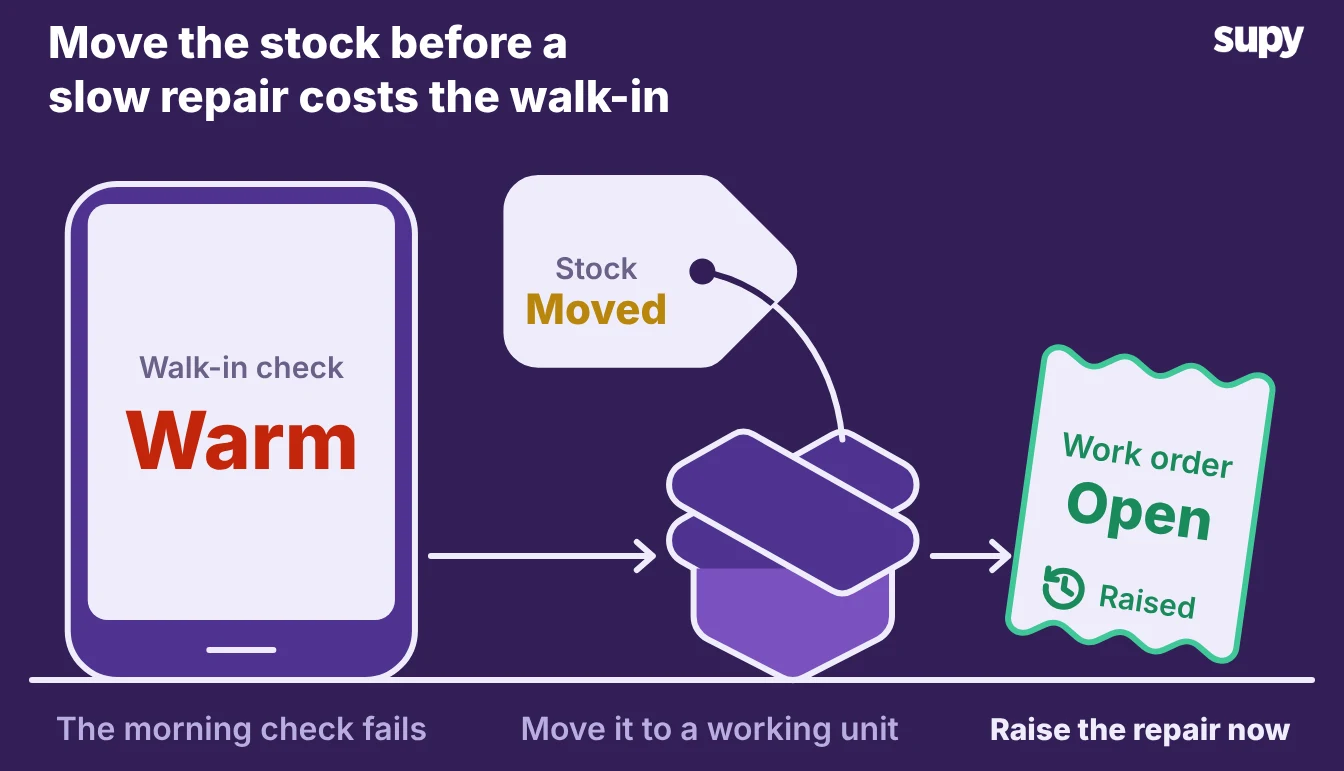
When a check fails, you have to act on it, but most checklists stop at the ticked box. Say a morning check shows a walk-in reading well above its safe range. Before anything else, protect the stock.
- Check what is inside. Look at how long the unit has been warm and which items are affected. High-risk stock that has sat above the safe range too long comes out.
- Move the stock to a working unit. Shift what you can save into another fridge or a cold room so a slow repair does not cost you the whole walk-in. Record the move against your stock control so the count still reconciles.
- Raise the repair, then decide on the food. Log the fault for maintenance straight away. Then make the call on the affected stock: use it soon, or write it off and record the waste.
In that order, a single warm fridge costs you one repair and a little moved stock. It does not cost you a skip full of spoiled product and an argument about who was supposed to notice.
Turn a Failed Check Into a Tracked Work Order
A fault nobody writes down, or that sits on a note by the pass, does not get fixed. The fix is to make a failed check raise a job the moment it happens. This is what Supy Ops, Supy's checklist software, is built to do.
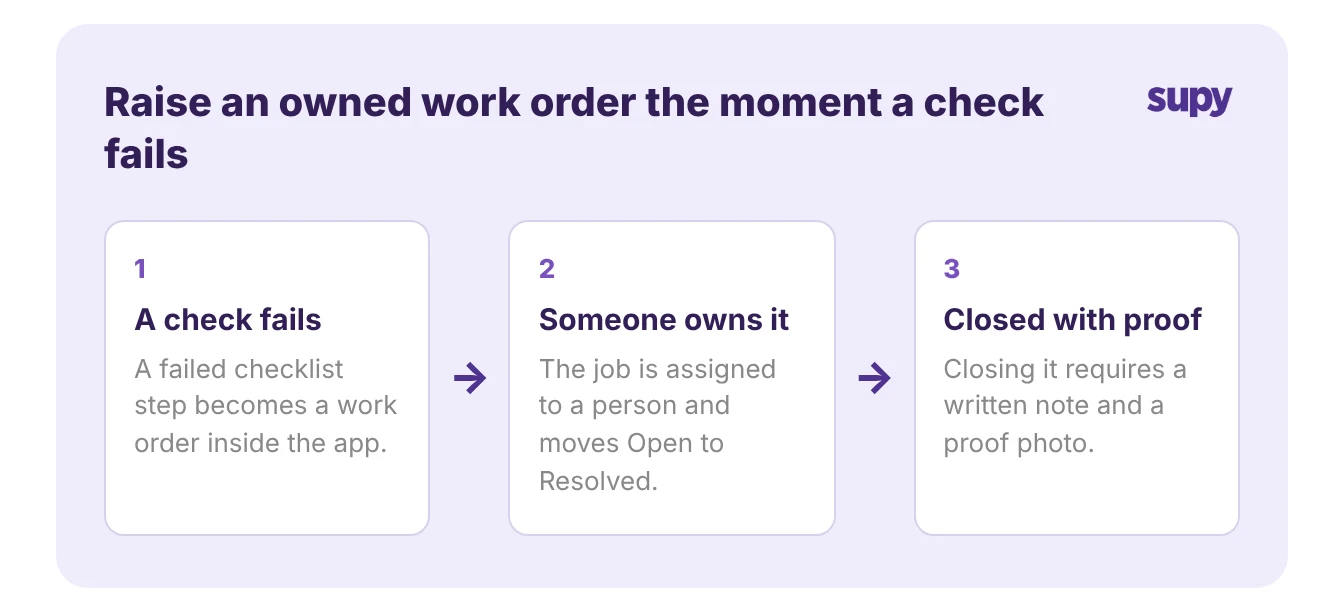
When a checklist step fails, the manager escalates it into a tracked work order without leaving the app. A work order moves through a clear set of states, so everyone can see where a repair has got to.
- Open to resolved. A job runs from Open to In Progress, with On Hold for a part on order, then Resolved or Cancelled. Nothing sits in a grey area.
- Owned by a person. Each work order is assigned to a user or a team, so there is always a name against the fix.
- Closed with proof. Resolving a work order needs a written note and a proof photo, so a job marked done is a job you can see was actually done.
That turns the checklist from a record of what was looked at into a record of what was fixed. An inspector, an owner and a cover manager all need that.
Build a Preventive Schedule to Catch Faults Early
A maintenance checklist is only half the job. The other half is planned servicing that happens before anything breaks.
- Set cycle. Refrigeration, extraction, gas and fire suppression all need a contractor on a set cycle. That schedule is worth as much as the daily checks.
- Cost and timing. The reason is cost and timing. One multi-outlet operator let a branch's scheduled maintenance slip while the team was stretched opening a new site, and the overdue work piled onto an already hard week.
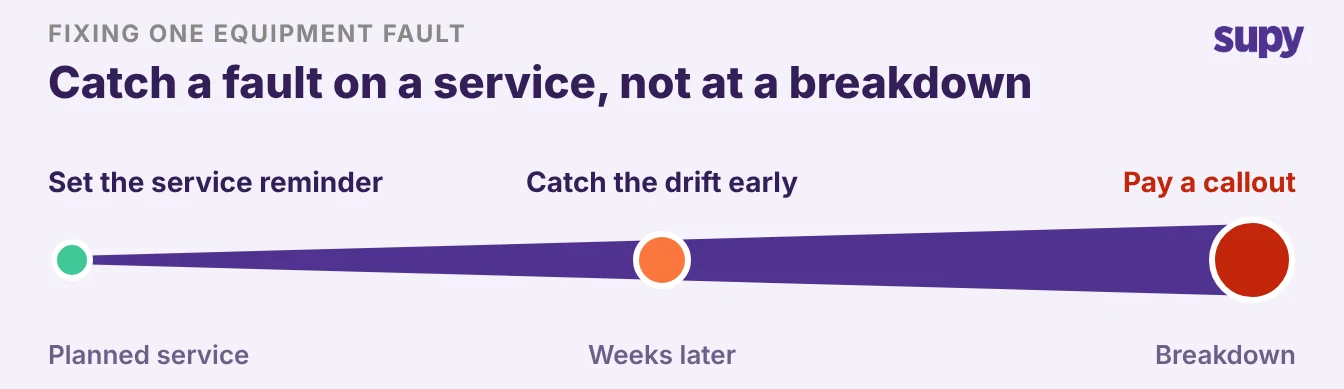
A fault caught on a planned service is a quote and a booking. The same fault caught at a breakdown is a closed section, lost stock and an emergency callout.
- Put servicing on the calendar, not in memory. Give every serviced asset a due date and a reminder, so you get warning before a contract lapses rather than a surprise failure.
- Keep the service history with the asset. When the same unit needs three callouts in a season, the log tells you to replace it rather than repair it again.
Track Repairs Across Every Site
Running one venue, you can carry the open repairs in your head. Running several, you cannot. You keep scheduling in one app, maintenance in text messages, the checklist in a binder and stock on a spreadsheet, so no single place shows what is outstanding.
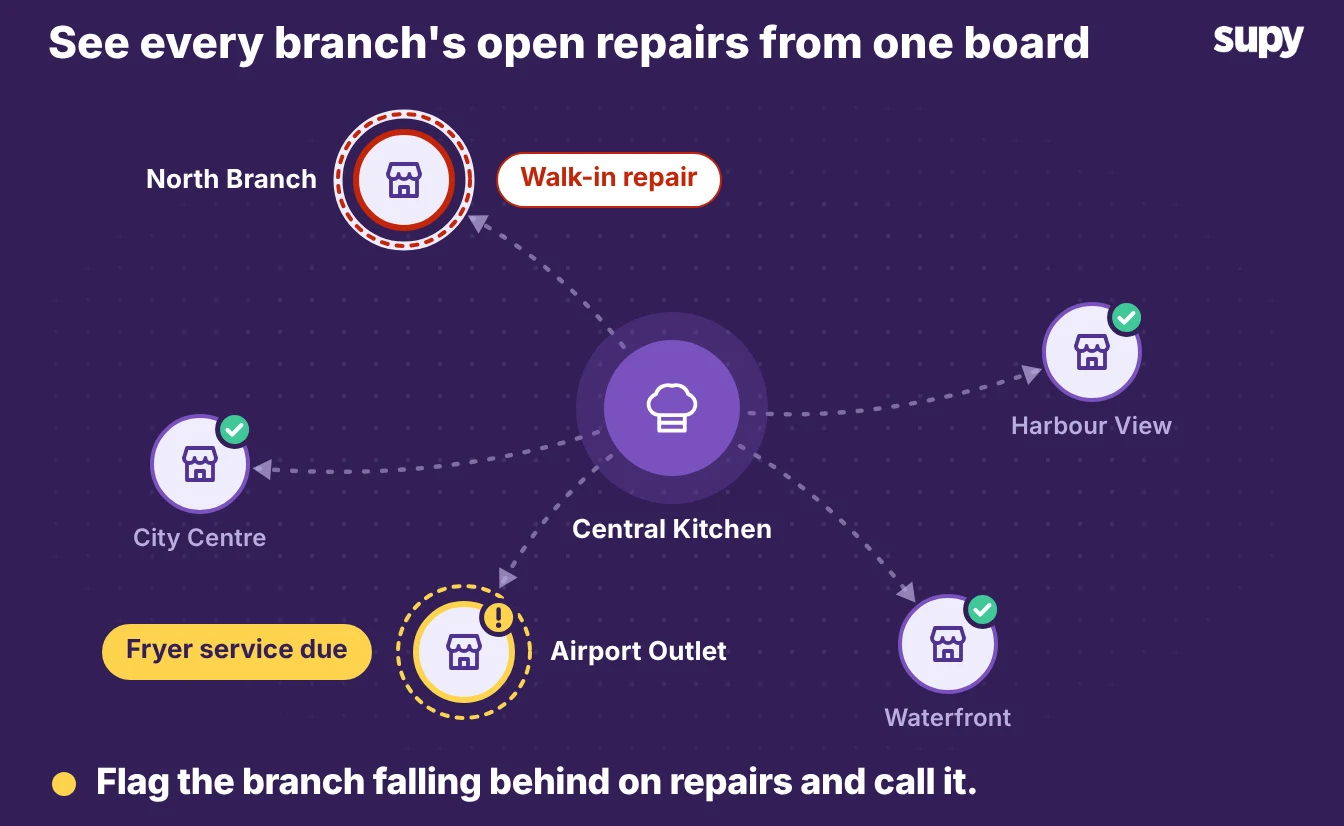
A shared view fixes that. A kanban board shows every open work order across all your locations. Head office sees which sites are on top of repairs and which are falling behind, so the laggard gets a call before a small fault closes a kitchen.
Our guide to standard operating procedures covers how to keep those routines consistent as you add sites. The same shared view protects them.
- Unlogged fault. When a broken handheld scanner stopped one group's weekly stock count until it was replaced, the lesson was not about the scanner. An unlogged equipment fault quietly stops a core routine, and only a tracked, visible repair list catches it early.
- Start small. Start small and make it real. Pick the five pieces of equipment whose failure would stop service tomorrow, such as the walk-in, the main fryer and the ice machine. Put a daily or weekly check on each, with a clear owner for the fix.
A checklist that catches those faults early pays for itself the first time it saves a service.