





How to Lay Out a Restaurant Inventory Form in Shelf Order

The inventory form, laid out in shelf order
Lay the inventory form out in the order items sit on the shelf, grouped by storage area, not by supplier. A counter then works through the chiller, freezer and dry store in one walk, instead of crossing the room for each supplier's items. The count is faster, and fewer items get missed. This article shows how to order the rows, which columns the form needs, and how to stop the retype from paper into a spreadsheet.
A good form matches the room. Start at the door of each storage area and list every item in the order a counter's eye meets it along the shelves. The whole form sits below, ready to copy. It carries no prices and no supplier names, because a counter does not need them to count.
| Storage area | Item | Count unit | Count |
|---|---|---|---|
| Walk-in chiller | Fresh milk | Litre | |
| Walk-in chiller | Butter | Kg | |
| Walk-in chiller | Chicken breast | Kg | |
| Walk-in chiller | Salad leaves | Kg | |
| Freezer | Fries | Kg | |
| Freezer | Beef patties | Each | |
| Freezer | Prawns | Kg | |
| Dry store | Plain flour | Kg | |
| Dry store | Caster sugar | Kg | |
| Dry store | Tinned tomatoes | Tin | |
| Dry store | Olive oil | Litre | |
| Bar | Draught lager | Keg | |
| Bar | House red wine | Bottle | |
| Bar | Tonic water | Bottle |
The last column is where the counter writes the number. Keep it blank on the master copy and print a fresh form for each count, or build the same layout in a tool your team counts on directly.
Would you rather start from a downloadable grid? Our free restaurant inventory management template gives you one to adapt. Reorder its rows by shelf as below.
Why a form ordered by supplier slows every count
A form grouped by supplier sends the counter back and forth across the room. One supplier delivers milk, flour and cleaning chemicals, so those lines sit together even though they live in three different areas.
The counter walks to the chiller, the dry store and the back for one supplier, then repeats the loop for the next. The walking wastes time, and every trip back risks missing a shelf or counting an item twice.
| How the form is ordered | What the counter does | What goes wrong |
|---|---|---|
| By supplier | Crosses the room for each supplier's items | Shelves skipped, items counted twice |
| By shelf, in storage-area order | Clears one area in a single walk | Nothing skipped, easy to check against the shelves |
Shelf order turns that sprawl into a route. The counter clears one area before moving to the next, so nothing gets skipped.
A manager can stand in the dry store and read the dry-store rows straight down the form against the shelves. One operator called counting hard to organise because stock sat across the bar, several fridges, cupboards, the cellar and the kitchen, and a shelf-ordered form is what tames that.
The columns every inventory form needs
A count form needs four things and no more. Extra columns slow the counter and tempt the team to fill in numbers the count does not produce.
- Storage area. The area each item sits in, listed in the order a counter walks the room. This column sets that walking order.
- Item. One clear name per line, the name your team uses out loud, so two people reading the form picture the same thing.
- Count unit. The single unit the item is counted in, fixed on the form. Decide once whether milk is counted in litres or in cartons, and never leave it to the counter on the day.
- Count. A blank box for the number on hand. This is the only column that changes between counts, so it is the only one left empty on the master copy.
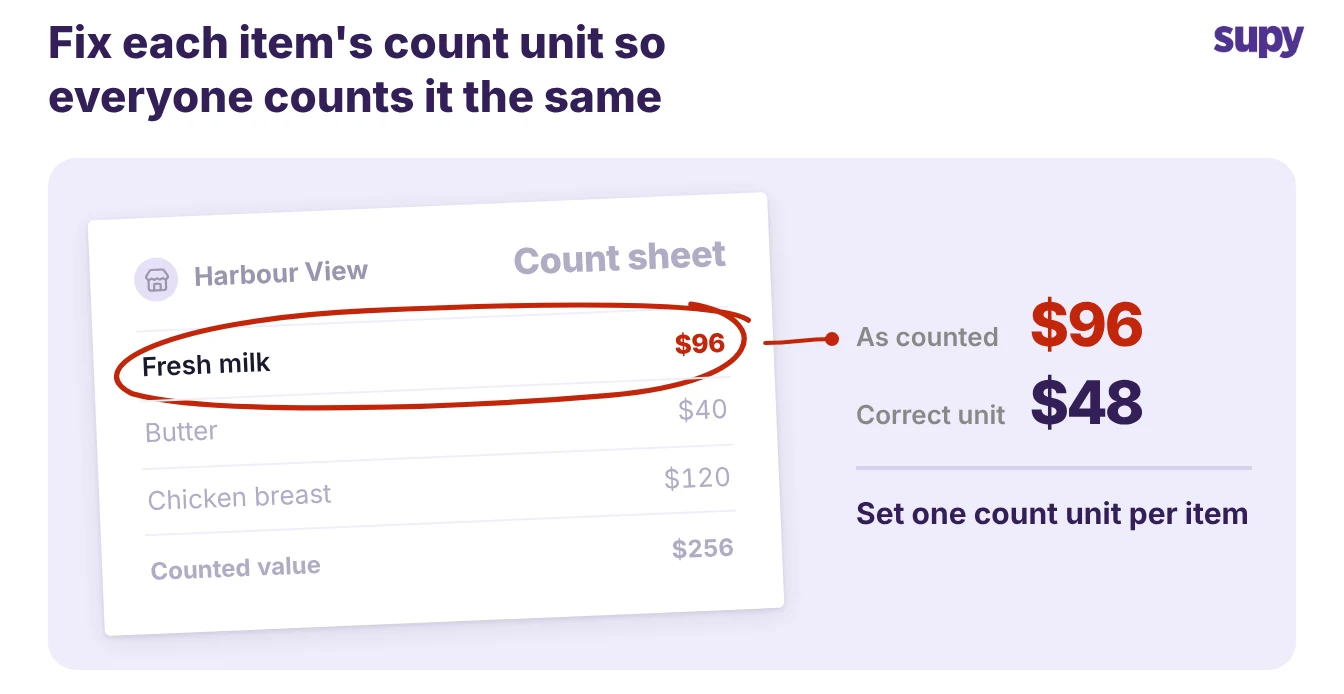
Fix the count unit on the form for every item. When the unit is left open, one person counts a case and the next counts the bottles inside it, so the value doubles. One operator counted a milk product as both cases and litres on the same sheet, so a shelf worth $48 showed as $96.
Another group asked for every item to carry one fixed unit, so mixed units could not confuse a stock count. Set the unit once on the form, and no counter can read it two ways.
Stopping the double entry from paper to spreadsheet
The slowest part of most counts is not the counting. It is typing the paper form into a spreadsheet afterwards.
A counter walks the room with a clipboard, writes the numbers down, and then someone sits at a desk and keys the same numbers in again. One pub and casual-dining group did exactly this and spent about 4 hours per bar and kitchen each cycle, before any report came out.
- Error-prone retype. The retype costs more than time. Every number keyed by hand is a chance to transpose a digit or skip a line, and the person typing cannot see the shelf to check it. When the count is slow and fiddly, the team quietly stops doing it. A bakery group called its manual spreadsheets too error-prone to keep up and skipped daily counts across sites. A fine-dining kitchen kept counting in its own spreadsheet rather than the shared system, so head office never saw the numbers.
- Cut the retype. Cut the second entry, so you save time and make fewer mistakes. Count straight into a tablet or phone on the shelf, in the same shelf order as the paper form. The number goes into the system as the counter writes it. Supy's stock counting works this way. The template follows shelf order, and several people can count different areas at once while their counts merge into one. Variance against the system shows the moment the count is submitted, with no retype in between. Because the count is quick, it gets done.
Keeping one form per storage area across sites
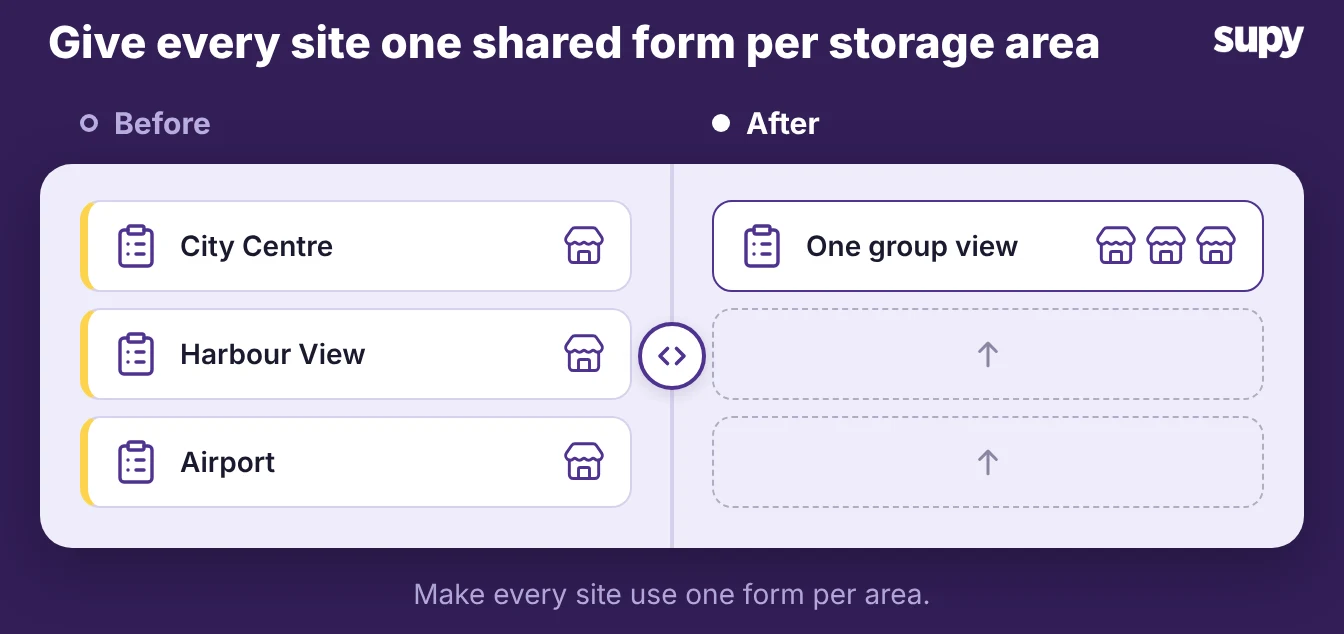
Give each storage area its own form, and give every site the same set of forms. A single sheet that mixes the chiller, the cellar and the bar forces one person to count the whole room in one go.
Split it by area and different people can count in parallel. One takes the chiller, another the bar, and the counts come together at the end.
- Variance by area. The same split holds a group together. When the walk-in chiller form looks the same at every branch, a head-office manager can read variance by area across all of them. They can see which site is light on which shelf.
- Without shared shape. Without that shared shape, each site invents its own form and the numbers never line up. One four-site operator's manager spends a day or two each week stitching disconnected spreadsheets into one picture, which is work the forms themselves should remove.
Start with your busiest area at your busiest site. Rebuild that one form in shelf order this week, count against it once, and time it against the old sheet. A form your team can count fast is a form your team counts often, and that matters.
Across 610 restaurant businesses, those that count more than weekly keep their records about 3x more accurate than those that barely count at all. Once the first area proves quicker, roll the same layout out area by area, and across every site.