.jpg)


Restaurant Chart of Accounts: Where Multi-Entity Syncing Breaks
Where a Restaurant Chart of Accounts Stops Being One Chart
The first time a growing restaurant group pushes one system's purchasing data into every entity's accounts, the codes do not line up. A restaurant chart of accounts is the coded list every purchase, sale and cost posts against, and for a single venue it is one clean list. Run several legal entities, each in its own accounting tenant, and the same category stops carrying the same code everywhere.
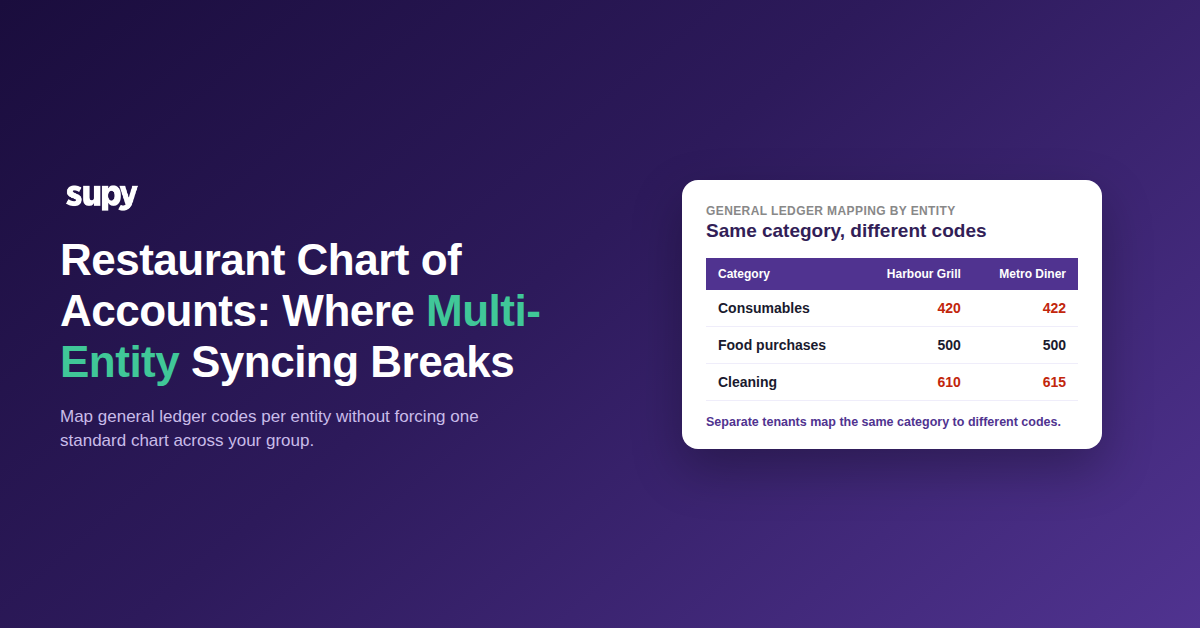
This is where multi-entity syncing breaks. One brand codes consumables to 420, another codes the identical category to 422, because their charts were built by different finance teams at different times. Push inventory data into both tenants from one system and the codes have to match each entity, not a group standard that does not exist.
| Category | Harbour Grill | Metro Diner |
|---|---|---|
| Consumables | 420 | 422 |
| Food purchases | 500 | 500 |
| Cleaning chemicals | 610 | 615 |
Standardising every entity onto one shared chart is the obvious fix and the one most groups cannot take. Live ledgers, historical comparatives and statutory filings are all built on the existing codes, so renumbering them across separate tenants is a project in its own right. The real question is not how to force one chart, but how to map cleanly to each entity's chart as it already stands.
Per-Entity Mapping Beats Forcing One Standard Chart
Mapping per entity means each brand keeps its own chart and its own codes, and the inventory layer learns them one tenant at a time. In Supy, each entity maps its outlet branches to its accounting cost centres, assigns a general ledger purchase account to each item, and aligns its tax rates to its accounting provider's tax codes. Purchase journal entries then post to the correct account from day one, with no manual correction after the data lands.
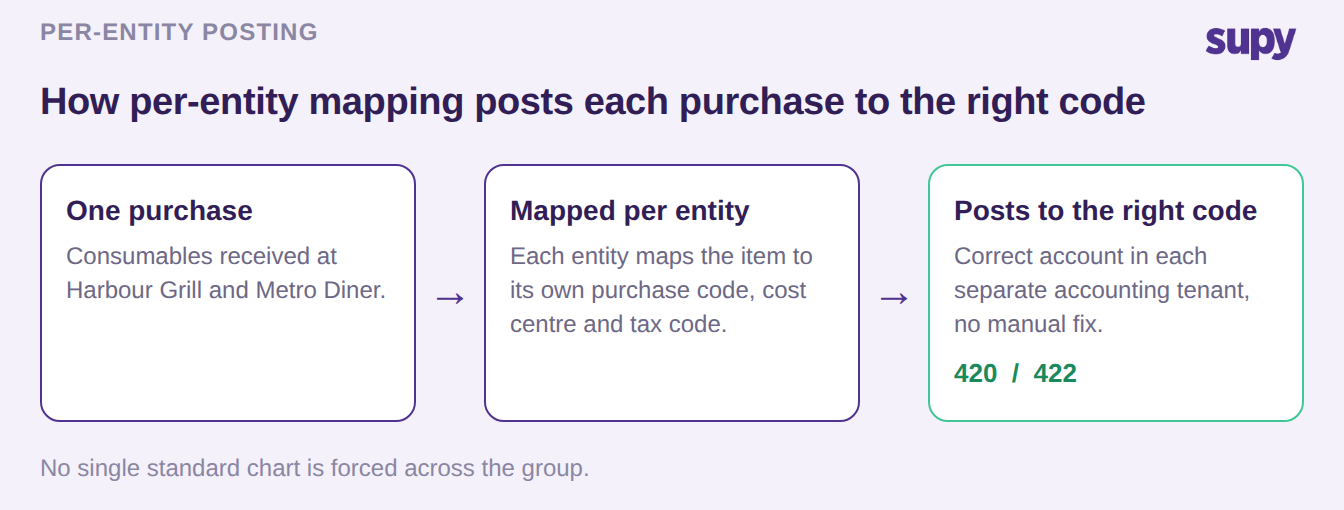
That mapping is what turns a connected accounting integration into a working one. Supy connects to 75+ systems, including Xero, QuickBooks, Zoho Books and Wafeq, but the connection only earns its keep when each item lands on the right code in the right tenant. It is worth setting up alongside the wider accounting integration and reading next to how general ledger mapping works inside an accounting integration. The decision to settle first is not which accounting system to buy, but whether your mapping layer can hold a different chart per entity at all; anything that forces one shared chart will not fit a real group.
Where Non-Food Purchases Get Coded as Food
The second failure is quieter and far more common: everything the kitchen buys that is not food gets posted as food. Cling film, cleaning chemicals and disposables arrive on a single supplier invoice, and a system that maps at the supplier level rather than the item level pushes the whole invoice through as one food purchase line. Finance then re-splits it by hand every period.
| Item bought | Correct code | Where it lands today |
|---|---|---|
| Cling film | Consumables (420) | Food (500) |
| Dish soap | Cleaning (610) | Food (500) |
| Tomatoes | Food (500) | Food (500) |
Item-level mapping ends the rework. Each item carries its own code, so consumables post to 420, cleaning to 610 and food to 500 without anyone touching the export. Because every item now carries a category code, the ledger groups those postings by account on its own, so all food sits under one account and all consumables under another, rather than every item arriving as a line finance has to re-sort. The test to put to any integration is simple: does it map each item to its own code, or does it map at the supplier level and leave the split to you?
The Item That Needs Two General Ledger Codes
The hardest case is not a mapping mistake at all. It is a structural one. Supy holds one general ledger code per item per accounting organisation, which is right for almost every item. It stops being enough the moment a central kitchen sells to its own stores, because that single item now has to be two things at once.
Bought from an outside supplier into the central kitchen, the item needs a purchase code and a tax type. Sold from the central kitchen out to a store, the same item needs a sales code. With one code available and two required, the internal transfer invoice has nowhere clean to post. This is a known limit, not a setting to switch on, so the decision belongs to you before go-live.
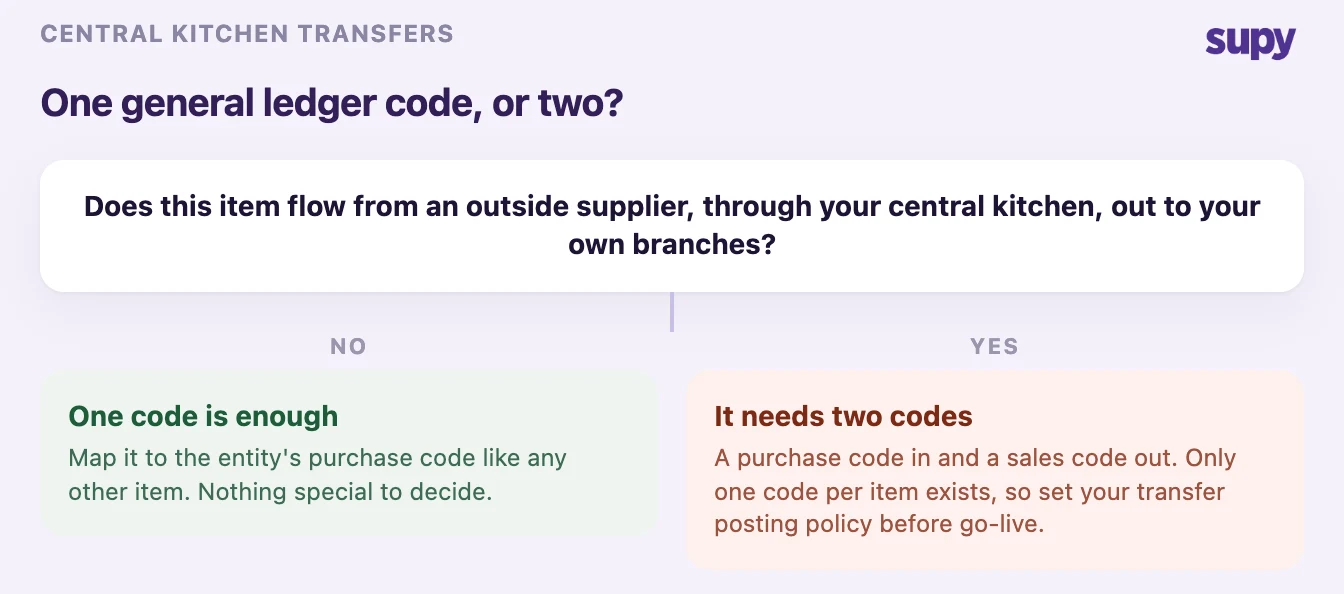
Most groups resolve it in one of two ways. Either they keep internal transfers out of the accounting ledger entirely and reconcile central-kitchen billing separately, which is how the nearest comparable operators run it, or they post the purchase side only and treat the store's receipt as an internal movement rather than a sale. Neither is wrong; the point is to choose deliberately. The same trade-off shapes how a central kitchen's stock and costs flow through the wider system.
A Mapping Setup That Survives the Next Brand
A mapping that works for today's entities and falls over when the group buys its fourth brand is only half a setup. Getting it right is less about the tooling and more about the order you do things in, because each step depends on the one before it.
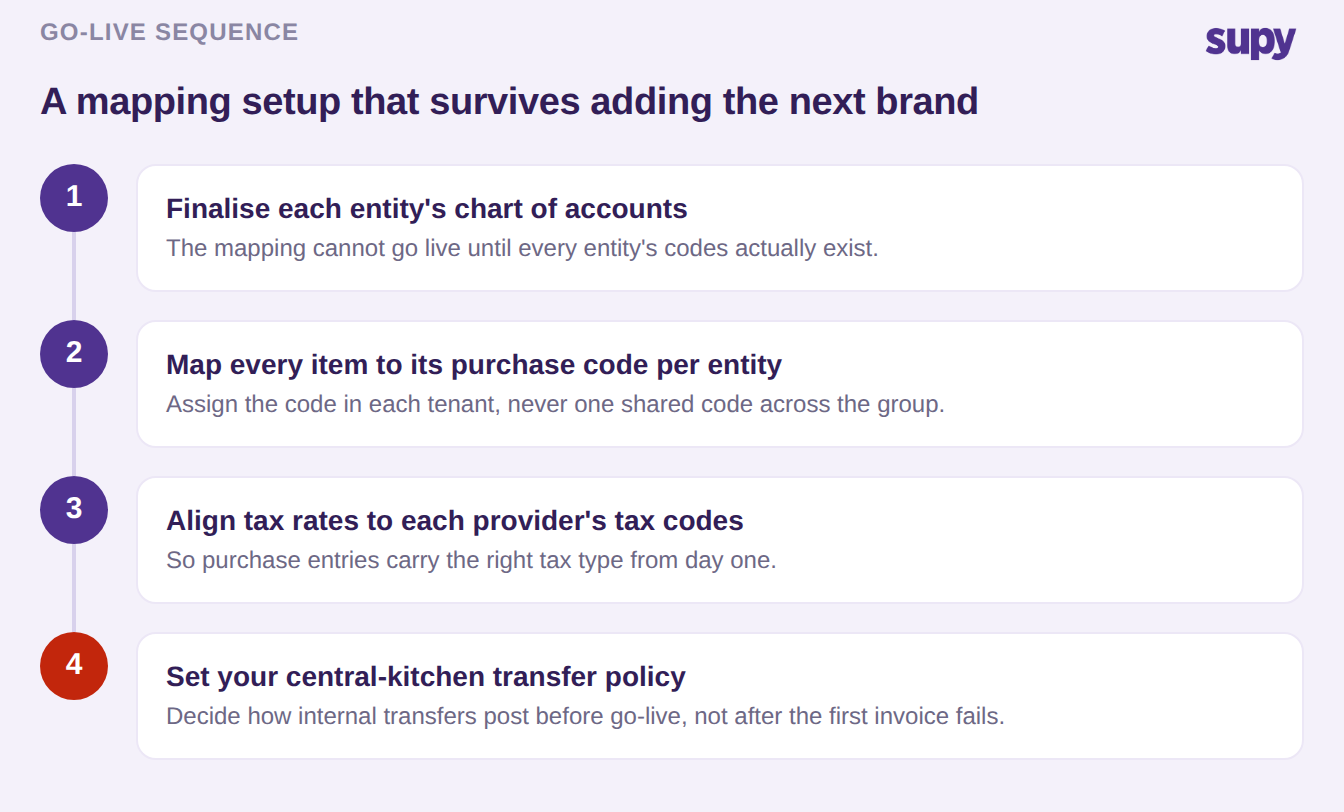
Finalise each entity's chart first, because the mapping cannot go live against codes that do not yet exist, which is exactly what stalls a go-live when a new brand's chart is still in draft. Map every item to its purchase code per entity rather than one shared code, align each entity's tax rates to its provider's tax codes so tax posts correctly, and settle your central-kitchen transfer policy before the first internal invoice, not after it fails to post.
Start With One Question About Your Own Group
Run one check against your own group this week: export a week of purchases from two entities and look at where consumables and cleaning actually posted. If non-food is landing on your food line, or the same category carries different codes in each tenant with no mapping between them, you are living both failures this post describes, and the fix is item-level, per-entity mapping rather than a forced group chart. If you also run a central kitchen that sells to your stores, decide now whether those internal transfers belong in the ledger at all, because that decision is yours to make before any system can act on it.
Supy maps general ledger codes per entity, splits purchases to the right accounts at item level, and connects to the accounting systems most restaurant groups already run, so the export lands correct instead of arriving as a re-coding job.