.jpg)


Back of House: Complete Guide for Restaurant Operators
What back of house means when you run more than one site
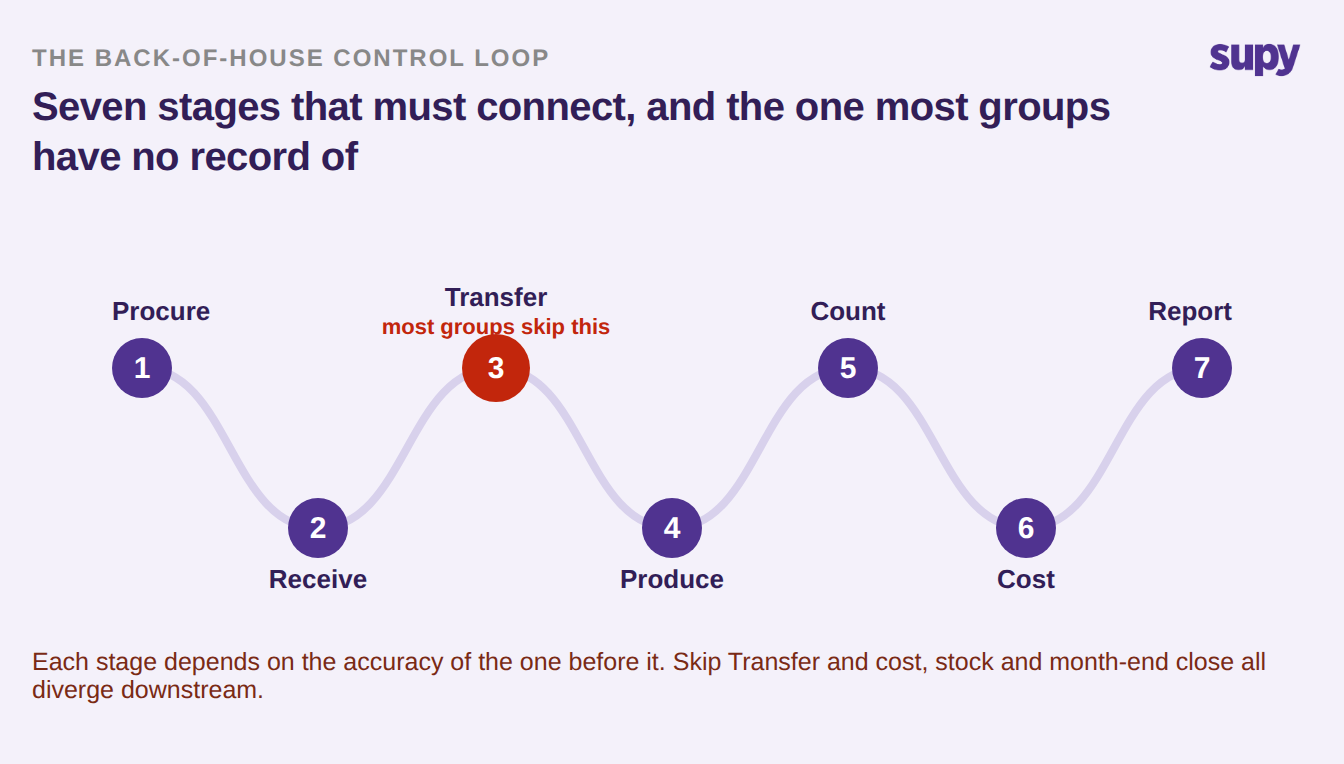
Back of house is the part of a restaurant guests never see, and at a multi-site group it is a control loop: procurement, receiving, transfers, production, counting, costing and reporting, where each stage depends on the accuracy of the stage before it and one weak link corrupts everything downstream. It is where food cost is made or lost.
For job seekers and HR teams, the back of house versus front of house distinction is mostly about roles: chefs, prep cooks, dishwashers and receiving staff on one side, servers and hosts on the other. For an operator running ten locations it means something far more specific. Back of house is where supplier relationships are managed, where waste accumulates quietly, and where operational data either flows cleanly across sites or does not flow at all.
That difference matters because most back of house software, and most back of house guides, are written for a single restaurant. The problems facing a group, such as consistent recipe standards, centralised purchasing, multi-site stock visibility and group-level reporting, are an order of magnitude harder than the same problems at one venue. The picture below is the loop those problems live in, and the stage in red is the one most groups have no record of at all.
What each stage must record, and what breaks when it does not
The loop is only as reliable as its worst-recorded stage. When one stage is handled informally, on a messaging app or a shared spreadsheet instead of in the system, the error does not stay contained. It surfaces two or three stages later as variance nobody can explain. This is the reference for what has to be captured at each stage, and what goes wrong at scale when it is not.
| Stage | What must be recorded | What breaks downstream | Where it fails at multi-site |
|---|---|---|---|
| Procure | Purchase orders to approved suppliers at agreed prices | Off-contract spend and price drift no one sees until month end | Branches order outside the approved list |
| Receive | Deliveries matched to the order and invoice | Short deliveries and wrong prices enter stock as fact | Exceptions need admin access the counter does not have |
| Transfer | A logged event at both the sending and receiving site | Stock inflates at one end and vanishes at the other | The receiving branch never accepts the transfer |
| Produce | Recipe-linked production, backdated to when it happened | Sales show no depletion, so theory and actual diverge | Batch recipes are not linked or not dated |
| Count | Actual stock against theoretical, on a set cadence | Untrusted counts trigger parallel manual sheets | Only one trained person can start a count |
| Cost | Actual food cost against theoretical, by dish and site | Margin decisions run on stale recipe costs | Transfer cost never cascades into branch recipes |
| Report | Group-level food cost, variance and waste, by site | Location data that cannot aggregate has no value | Each site reports in its own shape |
Where the loop breaks first: a transfer logged on only one side
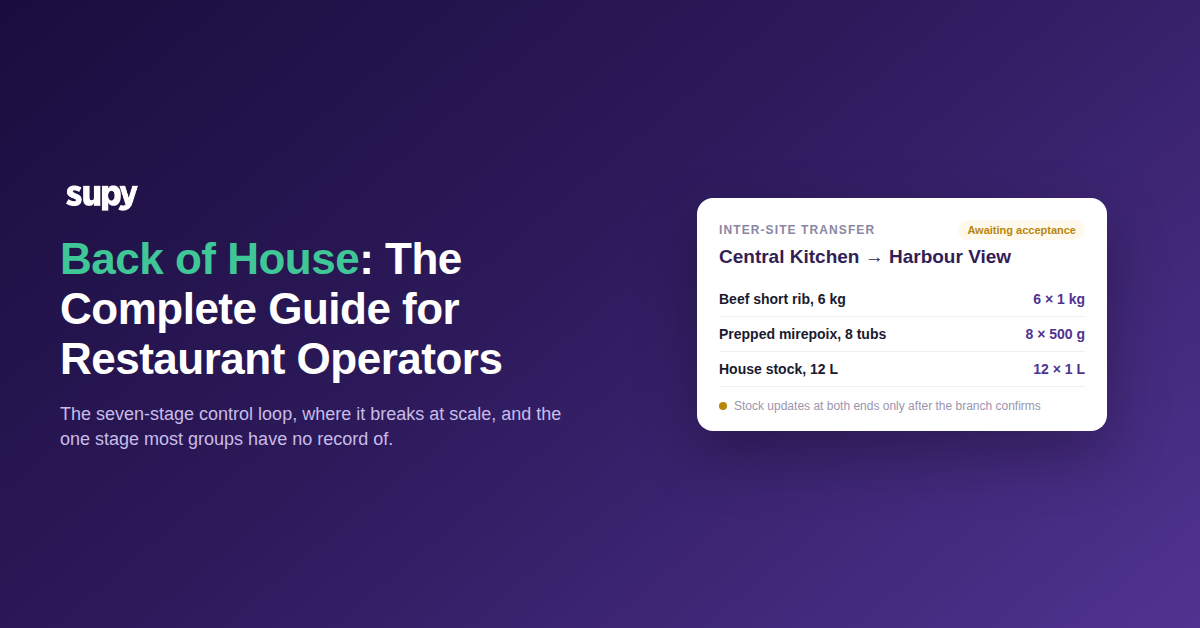
On the current evidence, transfers are the single stage where multi-site back of house actually breaks, and it is not close. The rule is simple: any physical movement of stock between locations or cost centres needs a logged event on both sides. Miss one side and cost, stock and the month-end close all diverge at the receiving end.
One group of around half a dozen sites with a central kitchen was living the full version of this. Individual item variances ran as high as 138 kg, and on-hand quantities inflated into the tens of thousands of units. The causes were all unlogged movement rather than bad configuration: branches were not accepting the transfers sent from the central kitchen, batch recipes had not been backdated so no depletion showed against sales, and the team was not separating production-in from production-out from sales depletion. The same pattern shows up in quieter forms, such as roasting coffee at one site and selling it at another with no transfer logged, or a month-end close where stock received from a sister outlet was never recorded as a purchase and threw out both cost of goods and the closing stock value.
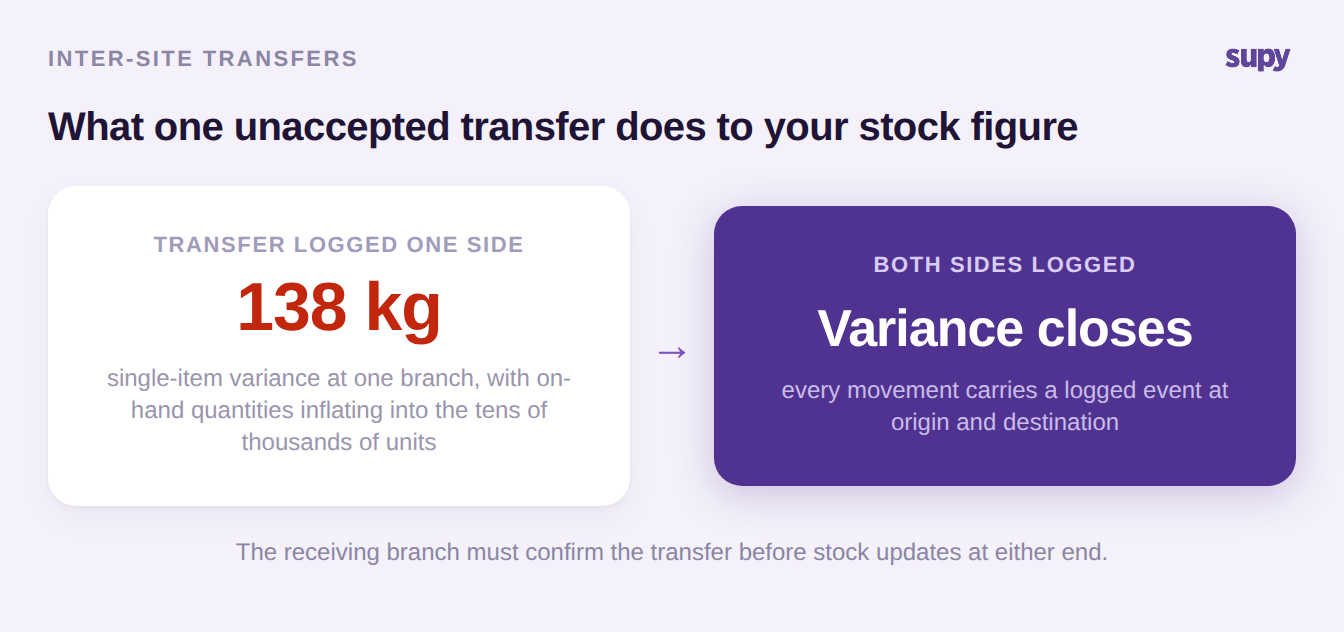
Supy handles this with inter-branch transfers where the receiving site has to accept the movement before stock updates, with partial accept or reject, automatic adjustment at both ends, and a full audit trail on every step. Because a recipe change or a missed batch can be corrected after the fact, production can be backdated with an effective date and the affected inventory transactions reprocess, which is the mechanism behind fixing the case above. For the deeper version of this problem, see our guide to central kitchen stock transfer tracking.
The central kitchen's three-way gap: ordered, shipped, received
A central kitchen adds a second layer of the same risk, because it is a production site, an internal supplier and a cost centre at once. The gap that opens up has a name: ordered versus shipped versus received. When those three values are not reconciled, the central kitchen report drifts by thousands of dollars, and orders raised months earlier sit in submitted status, never received and never closed, forcing invoice-by-invoice reconciliation by hand.
| Value | Where it is created | Who owns it | What a gap means |
|---|---|---|---|
| Ordered | Branch requisition or purchase order | The receiving branch | Demand the kitchen may never have seen |
| Shipped | Central kitchen delivery note | The central kitchen | Stock left the kitchen with no matching receipt |
| Received | Branch goods receipt | The receiving branch | The order stays open and both sides read wrong |
The worse case is when the delivery record is missing entirely. One group running on spreadsheets sat at 40% cost of goods against a 30% target, with nothing recording how much the central kitchen sent to each store. There, variance was not merely unmeasured, it was structurally invisible: no figure existed to reconcile against.
Running the central kitchen by its dispatch morning
The best specification of a central kitchen is not its module list, it is its morning. Branches place orders directly into the system rather than the kitchen consolidating spreadsheets from a shared folder. Someone extracts and reports the orders early, both by prep section to drive production and by branch to drive dispatch. Branch orders can be corrected fast so vehicles are not held up, and waste adjustments are handled cleanly. Every step in that chain has to be handled in the system, not on a messaging app.
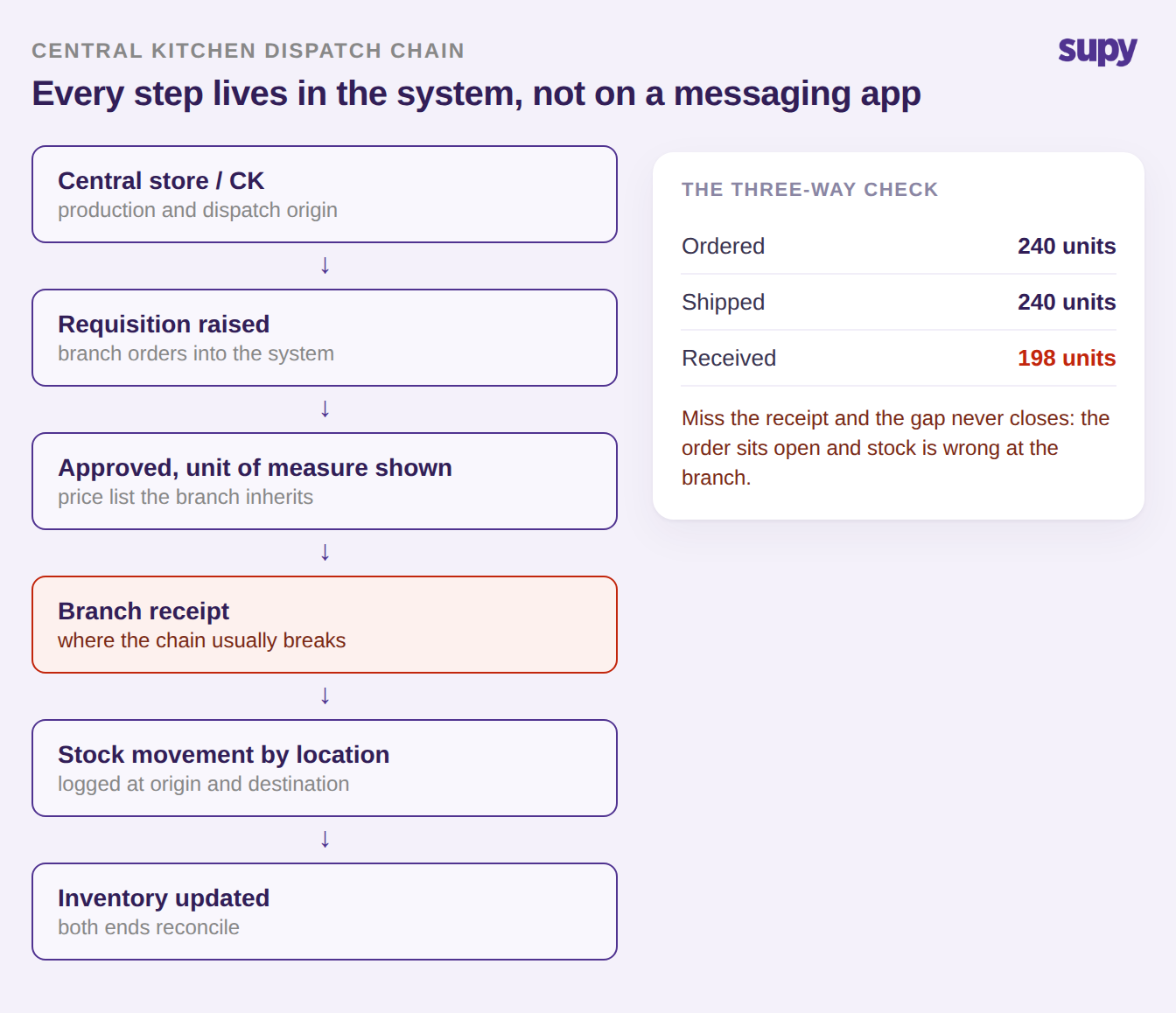
Two sequencing rules go with it. Configure the central kitchen before the branches that order from it, because the kitchen defines the price lists and production rules the branches inherit, so setting branches up first means redoing them. And decide deliberately whether the production kitchen is a standalone location or a cost centre nested under a venue, collapsing any cost centre that does not match physical reality rather than training staff around it. Supy supports this directly: branches send orders to the kitchen, demand is consolidated per item across branches, and when an order ships the linked goods receipt carries the shipment's real prices and quantities into the receiving outlet, so the branch reflects actual warehouse cost at the point of shipping.
The revenue that never reaches the till
Not every sale passes through the point of sale, and every sale that does not is stock the system silently loses track of. A franchised coffee and food group had catering orders that were never entered into the point of sale, so theoretical usage and actual stock drifted apart at every site. The operator was right to reject both manual workarounds on offer, uploading sales by spreadsheet or booking the consumption as wastage, for a simple reason: franchise staff are time-poor and no manual step survives a busy week.
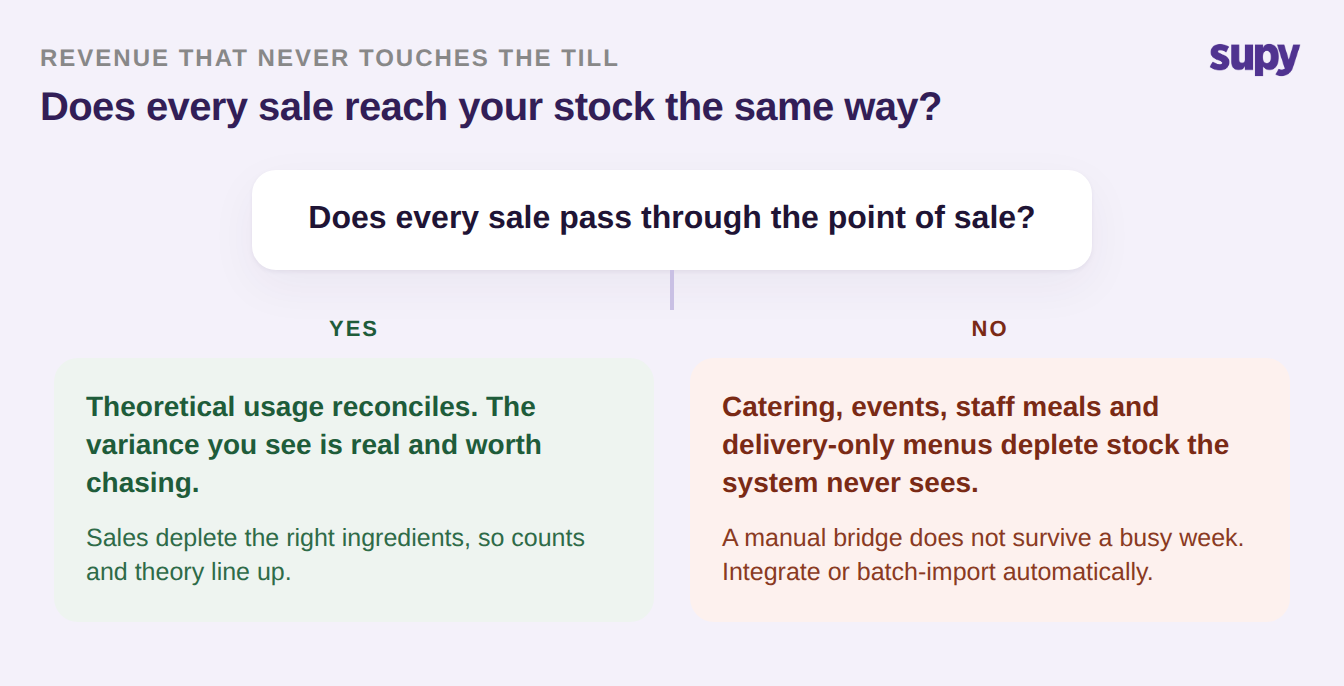
The channels to watch are the same across most groups: catering and events, staff meals, and delivery-platform-only menus that never touch your own till. Each one has to be integrated or batch-imported automatically, because a manual bridge is exactly where multi-site variance is born. If you also sell through aggregators, the same logic applies to how those orders feed inventory.
Who is allowed to order: branch-level procurement control
The last common leak is procurement control at the branch. One group discovered a staff member had placed an order that went straight to the supplier with no manager approval. The durable fix is not a group-wide rule but a per cost centre one: restrict who may submit a purchase order for each location, because a single global permission is either too loose for the branches or too tight for the people who actually do the ordering. A behavioural workaround, where the ordering user saves a draft and a manager submits it, is not a control, only a habit.
| Action | Scope per user globally? | Scope per cost centre? | What the wrong choice costs |
|---|---|---|---|
| Raise requisition | Too loose | Correct | Anyone can commit spend for any site |
| Submit purchase order | Too loose | Correct | Orders reach suppliers with no approval |
| Receive goods | Too tight | Correct | The counter cannot confirm a delivery |
| Resolve invoice exception | Too tight | Correct | Queries bottleneck on one admin login |
| Initiate stock count | Too tight | Correct | Counts stall when one person is away |
| Set roles and approval limits | Correct | Correct | Policy drifts site by site |
Supy scopes this with sequential approvals of up to five approvers triggered by branch and order value, separate requisition and purchase-order flows, and spending policies that set limits per location, supplier, category or user. Role checks apply to the specific outlet a user is working in, and every action is written to a tamper-proof audit log tied to a named user and time, which is what lets you keep the whole loop in the system rather than on a messaging app. For the full picture, see our guide to restaurant spending controls.
Why back of house rollouts stall after go-live
Adoption is itself a stage of the loop, and it fails in specific, mechanical ways that most guides never mention. The diagnostic that separates a people problem from a product gap is one question: has the team changed since training, or was the training never put to use? Verbal training does not survive turnover, a single trained key user becomes a single point of failure the moment they take leave, and reporting trained before receiving guarantees the analytics will be wrong, because receiving errors are what make them wrong.
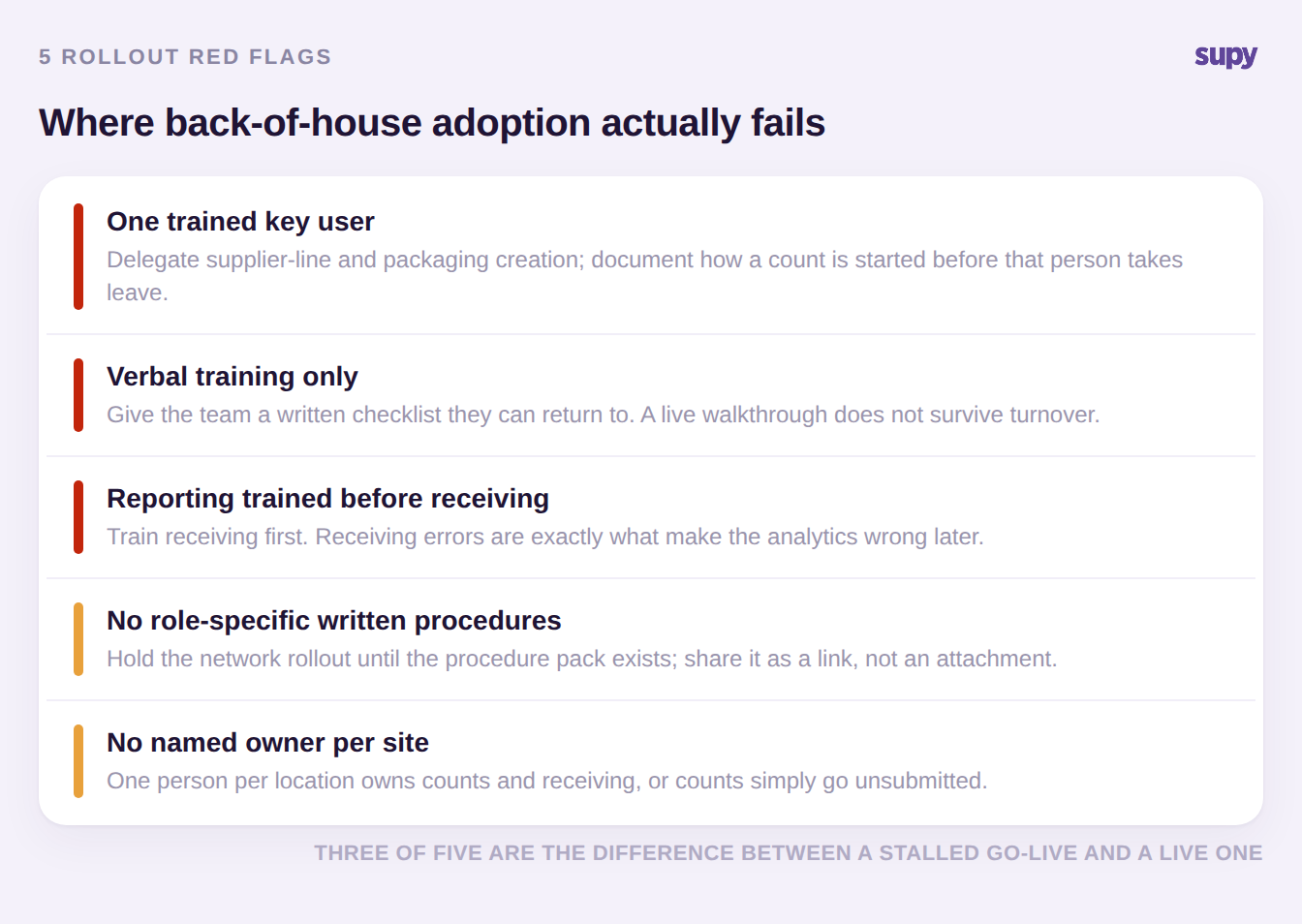
The strongest groups treat documentation as a rollout gate, not a nice-to-have. One franchise operator held its whole network rollout until role-specific written procedures existed, on the reasoning that going live without them would produce a flood of support questions no team could absorb. If your go-live is stalling, the cause is almost always on this list before it is in the software.
Find your weakest link, and fix that one first
You do not fix the whole loop at once. You find the stage that is breaking and fix that one, then the next. This is the fastest way to tell which stage you are in, and the first move for each. Work down the list until you reach the symptom you recognise.
| Stage | The symptom that says it is here | The first move |
|---|---|---|
| Receiving | Invoice queries pile up unresolved | Let the counter action exceptions on mobile |
| Transfers | On-hand stock is inflated or negative | Require both sites to log every movement |
| Counts | The team keeps a parallel manual sheet | Give every site a named count owner |
| Costing | Recipe costs look stale or wrong | Cascade transfer cost into branch recipes |
| Reporting | You cannot compare sites cleanly | Standardise the report shape group-wide |
| Adoption | Go-live stalled after training | Write the procedure pack and name owners |
A reliable back of house is built one stage at a time until the whole loop runs without manual workarounds. That is the point where the software stops being an overhead and becomes the most valuable operational asset a multi-site group has. Supy is built for exactly that loop, from purchase orders and receiving through transfers, recipe costing and group-level reporting. You can size the prize first with our free food cost calculator, see the whole system on the Supy platform, or book a demo to walk your own weakest link.