.jpg)


ERP Inventory Modules: Where a Central Kitchen Breaks Them
What an ERP Inventory Module Tracks, and Where It Stops
An ERP inventory module keeps the books right at period close: purchase orders, supplier invoices, and the value of stock on the balance sheet. It was never built for the operational detail of a multi-site kitchen network, where stock moves between locations and is consumed by recipe. On a single site that gap stays hidden. It opens the day you centralise, which is why it catches finance leaders by surprise: nothing in the software changed, the operation did.
Here is exactly where a central kitchen breaks the module, and the symptom each failure produces:
| Where a central kitchen breaks it | What the ERP module does | The symptom you see |
|---|---|---|
| Site-to-site transfers | Books dispatch and receipt in one step, with no confirmation from the destination | Phantom stock; counts drift apart within days |
| Expected usage by recipe | No recipe model, so no live figure for what stock should be | Variance measured against a stale baseline |
| Stock across sites and entities | Not built to reconcile the same item across outlets or legal entities | The numbers stop matching the floor |
| Supplier invoices into the books | Manual re-entry between the operational system and the ledger | Double keying and lag at month end |
For the wider category, our guide to inventory control software for restaurants covers why generic tools fall short before you ever centralise.
The Central Kitchen Is the Trigger, Not a Feature Gap
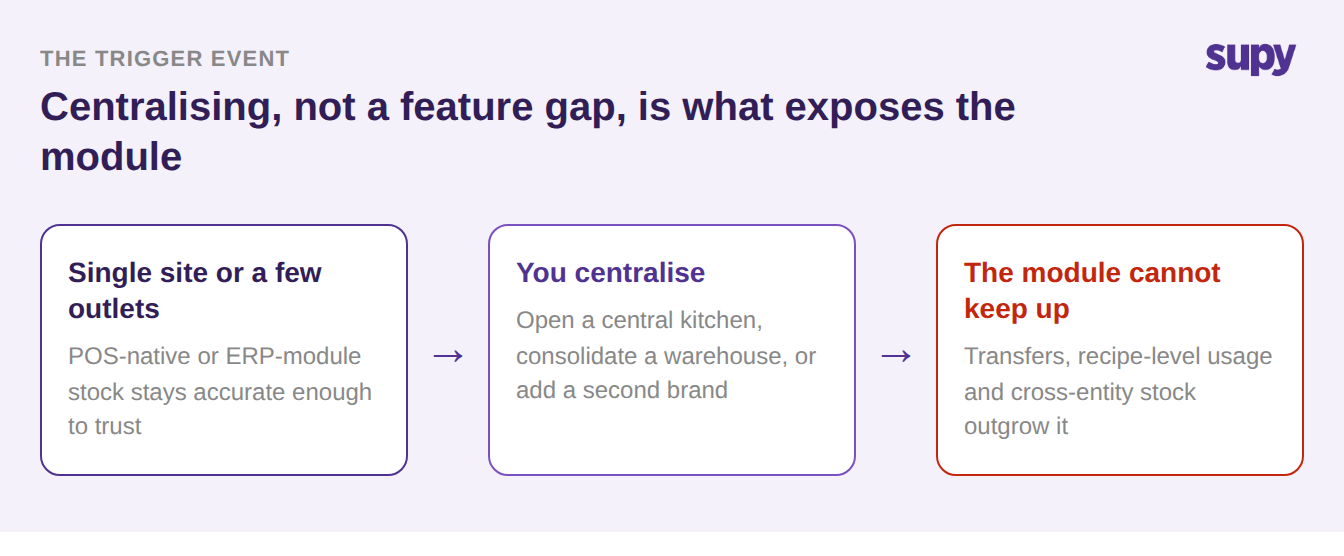
Operators rarely set out to replace an ERP inventory module. Across multi-site groups the pattern is consistent: with no active pain the buying cycle stays long and quiet, and the module only becomes a funded project when the operation centralises. The trigger is almost always one of three events:
- Opening a central kitchen
- Consolidating stock into a shared warehouse
- Expanding to a second brand
The reason is structural. A single site holds and consumes its own stock in one place, so a simple stock figure is enough. A central kitchen produces and ships to outlets, so stock now has to move, be received, and be reconciled across entities. One founder running POS-native inventory found its accuracy was fine until the day they opened a central kitchen and a warehouse, when the numbers stopped matching the floor.
Where Site-to-Site Transfers Go Wrong
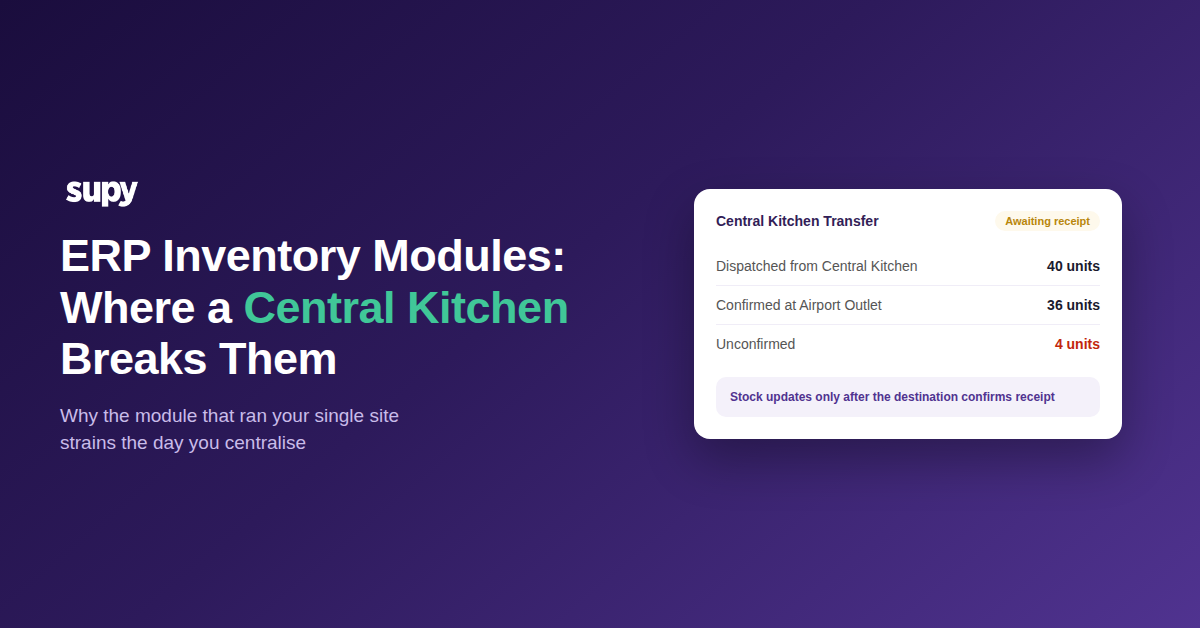
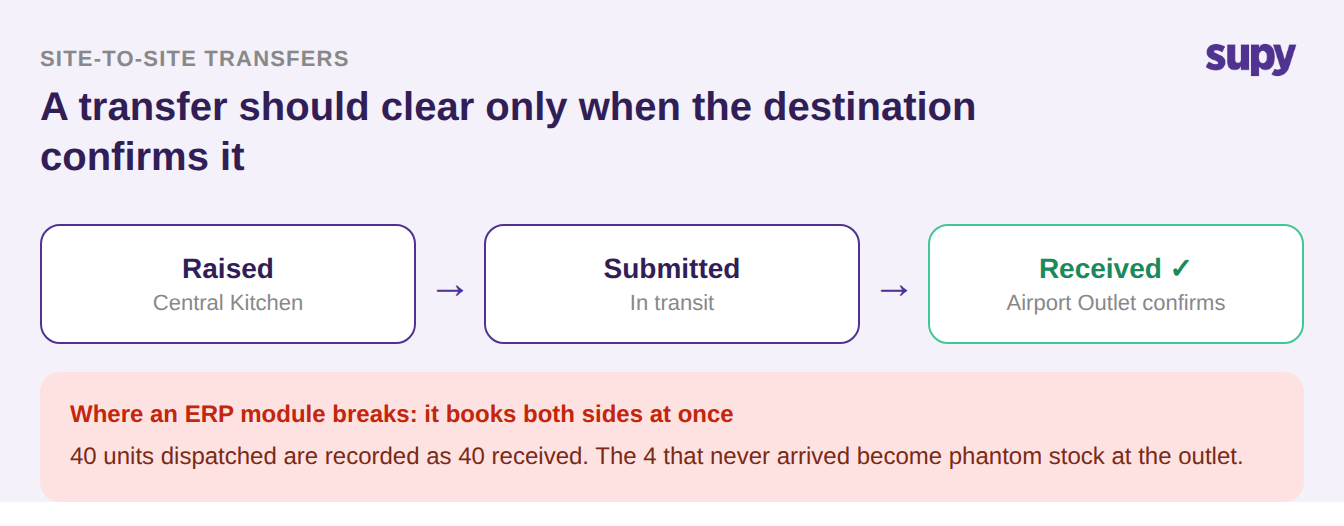
The first thing a central kitchen breaks is the transfer. When one site ships stock to another, both ends have to agree on what actually arrived, or the numbers drift within days. A controlled transfer runs in three stages:
- Raised at the source
- Submitted as the stock leaves
- Received only once the destination confirms what it physically counted in
Stock updates at both ends only after that confirmation, which is what stops phantom adjustments. A generic ERP inventory module books both sides in one step: it records the dispatched quantity as received, with no independent confirmation from the outlet. When a case is short, damaged, or never arrives, the outlet is overstated and the central kitchen understated, and nobody catches it until a count weeks later shows a gap no one can explain.
Why Your Variance Number Stops Being Trustworthy
Variance is only as good as the number you measure against. To know whether a count is healthy you need a live figure for how much stock the operation should have right now, and that figure has to move every time you receive a delivery and every time a dish is sold. An ERP inventory module usually has no recipe model, so its baseline is the last manual count or the period open, and it drifts from the moment it is set. The result is a variance number that looks precise and means very little.
| How variance is measured | ERP inventory module | Recipe-aware layer |
|---|---|---|
| Starting point for expected stock | The last manual count or period open | Continuously updated in real time |
| Updated by | A manual adjustment | Every goods receipt and sale |
| What the variance reflects | Drift since the last count | True expected usage versus actual |
To see how those swings translate into money, a quick food cost calculator makes the cost of an untrustworthy baseline concrete.
The Fix: Add a Layer, Do Not Rip and Replace
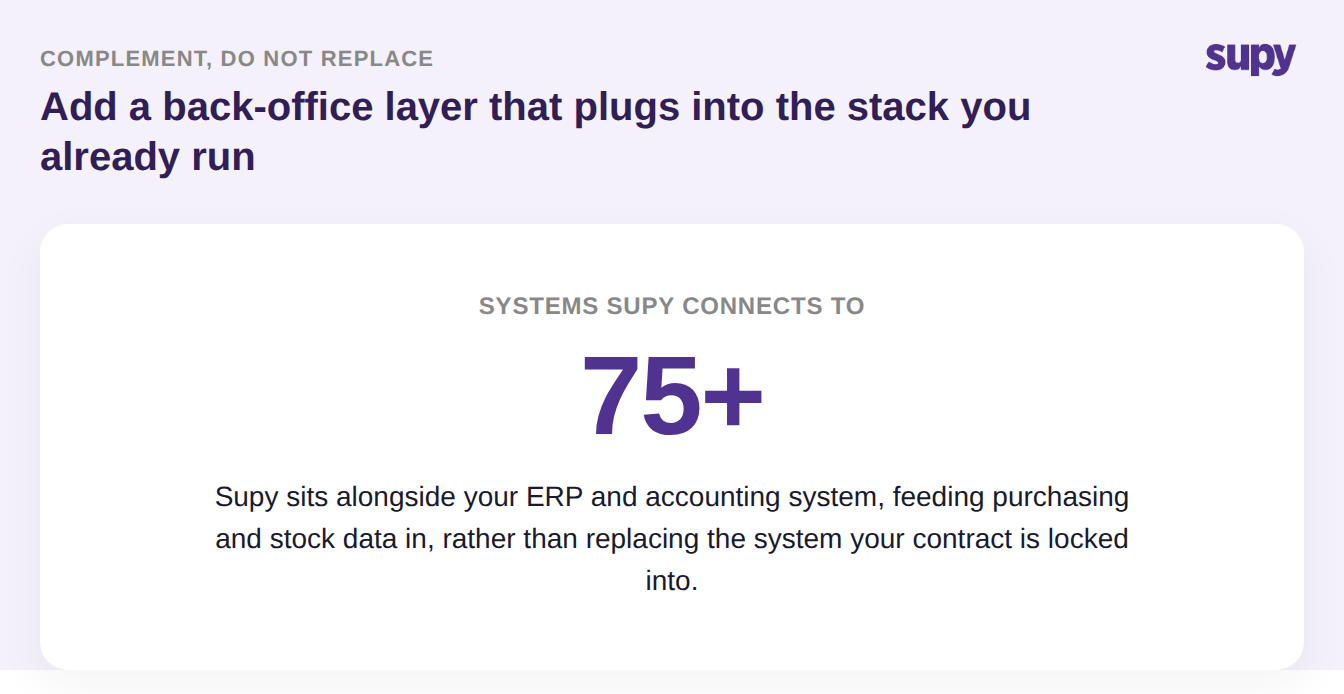
Replacing the ERP is almost always the wrong move, and the blocker is contractual, not technical: a multi-year commitment that bars new software spend, a board decision to stay on the incumbent system this year, or a rival platform prepaid only months ago. You do not touch the general ledger your statutory reporting runs on. The move that lands is a complementary back-office layer that sits alongside the ERP and feeds it. In practice it does four things, one for each row of the table above:
- Confirms transfers at both ends. Stock moves only when the destination verifies what arrived, so phantom stock never builds up.
- Keeps a recipe-level expected-usage figure. Theoretical stock updates from every goods receipt and every sale, so variance is measured against a live baseline.
- Reconciles the same item across sites and entities. One source of truth for stock, whatever the outlet or legal entity.
- Feeds purchasing data into your books automatically. It connects to 75+ POS and accounting systems, so supplier invoices stop being re-keyed by hand.
You can see how that back-office layer is put together on the restaurant inventory management software page.
You do not need a full audit to tell whether this is happening in your operation. Ask three questions:
- Do transfers between your sites clear only when the destination confirms what physically arrived?
- Is your expected-stock figure updated by every delivery and every sale, or by the last manual count?
- Do supplier invoices flow into your ledger automatically, or are they re-keyed by hand?
If two of the three point the wrong way, start with transfers: phantom stock from unconfirmed transfers is the fastest-growing error in a multi-site group and the easiest to prove. Fix that, and the variance number becomes trustworthy again while the ERP goes back to what it is good at.