.jpg)


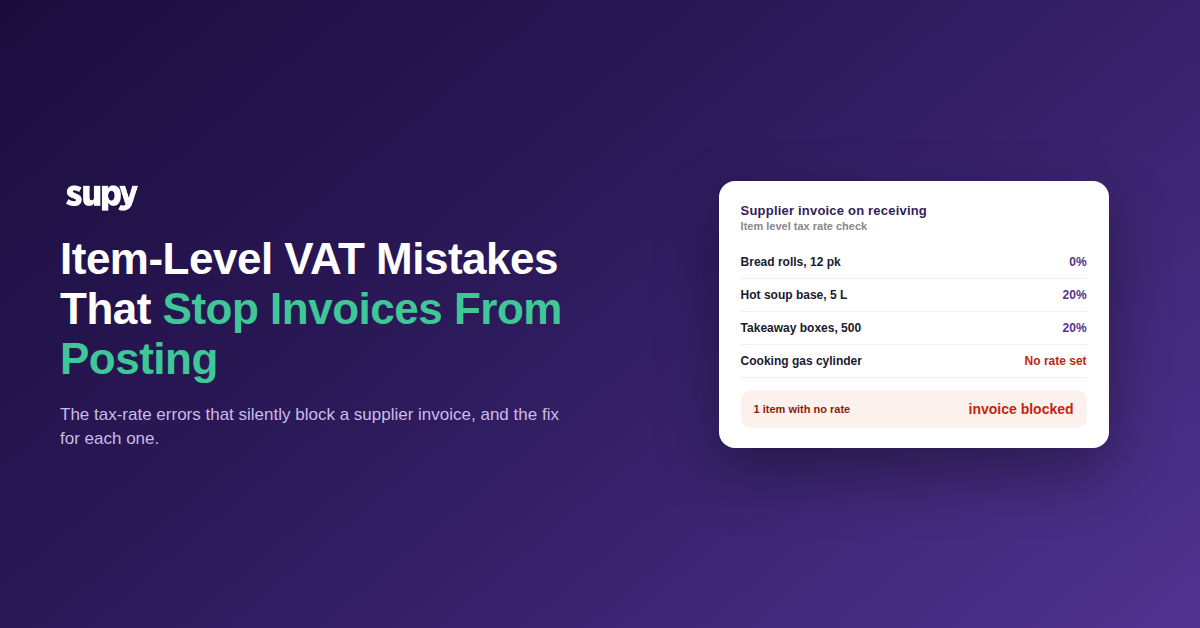
Item-Level VAT Mistakes That Stop Restaurant Invoices From Posting
Why a Wrong Tax Rate Silently Blocks Your Invoices
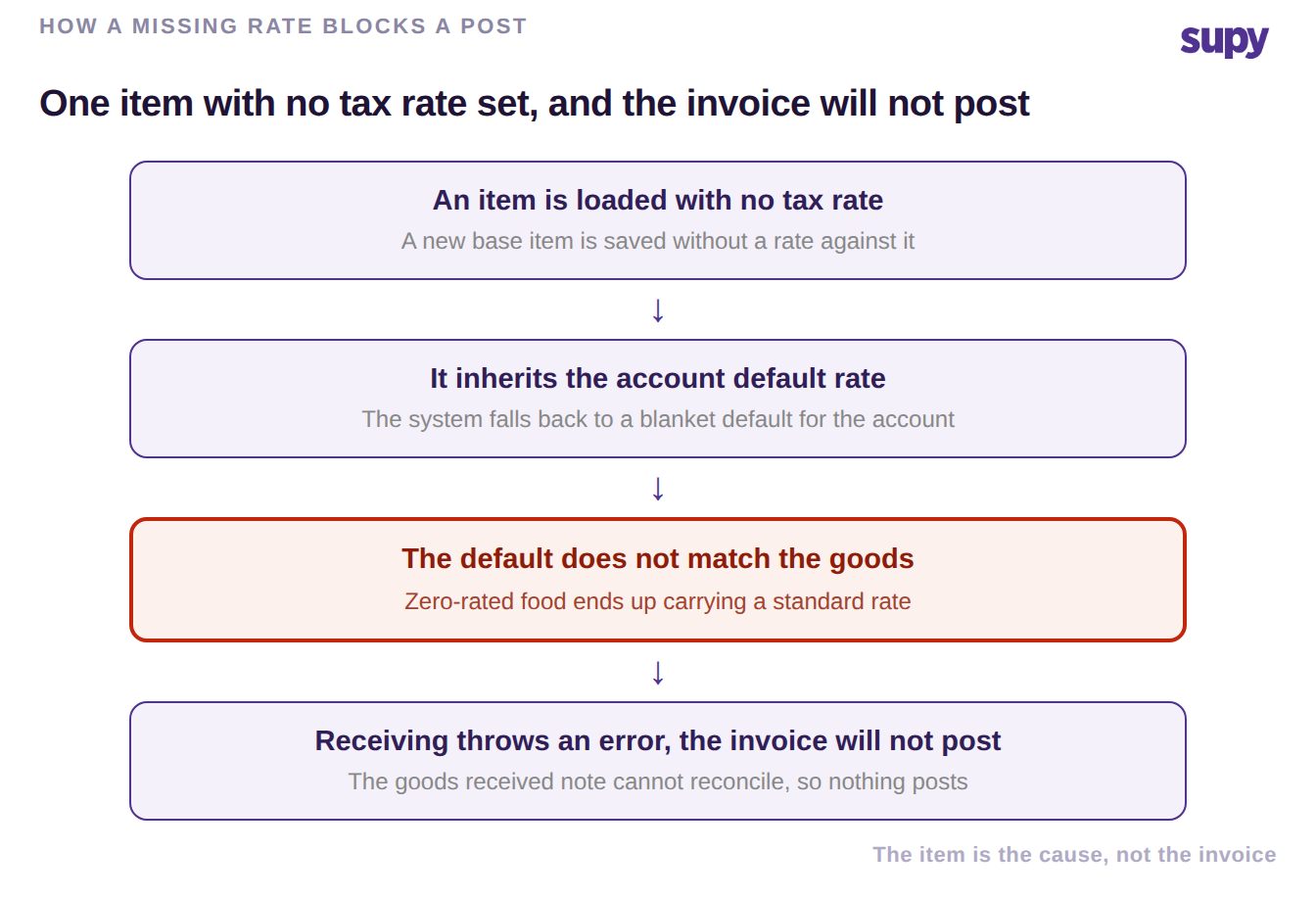
When a supplier invoice will not post to your accounting system, the cause is usually not the invoice at all. It is an item-level tax rate that was never set, so the item falls back to a blanket account default that does not match the goods, and the mismatch throws an error the moment a kitchen team receives against it. Fix the item, and the invoice flows.
This is a configuration problem, not a compliance one, and it hides in plain sight. Tax rates in a restaurant sit at item level for a reason: within a single delivery, most food may be zero-rated while hot food, packaging, non-food consumables and beverages carry a standard rate. A group that loads items in a hurry, or bolts a new site onto an old catalogue, ends up with items that have no rate, the wrong rate, or a rate that disagrees with what the supplier put on the invoice. Every one of those stops the invoice from reconciling and posting. The chain below is how a single blank rate turns into an invoice that never reaches the ledger.
The Six Item-Level VAT Mistakes to Fix
These are the six item-level and supplier-level tax mistakes that most often stop a multi-site group's invoices from posting or throw off its tax reporting. Each one has a concrete fix you can apply in setup, before receiving starts. None of this is tax advice or a VAT return; it is configuring the right rates so invoices post and reports are right, while your accountant still owns compliance.
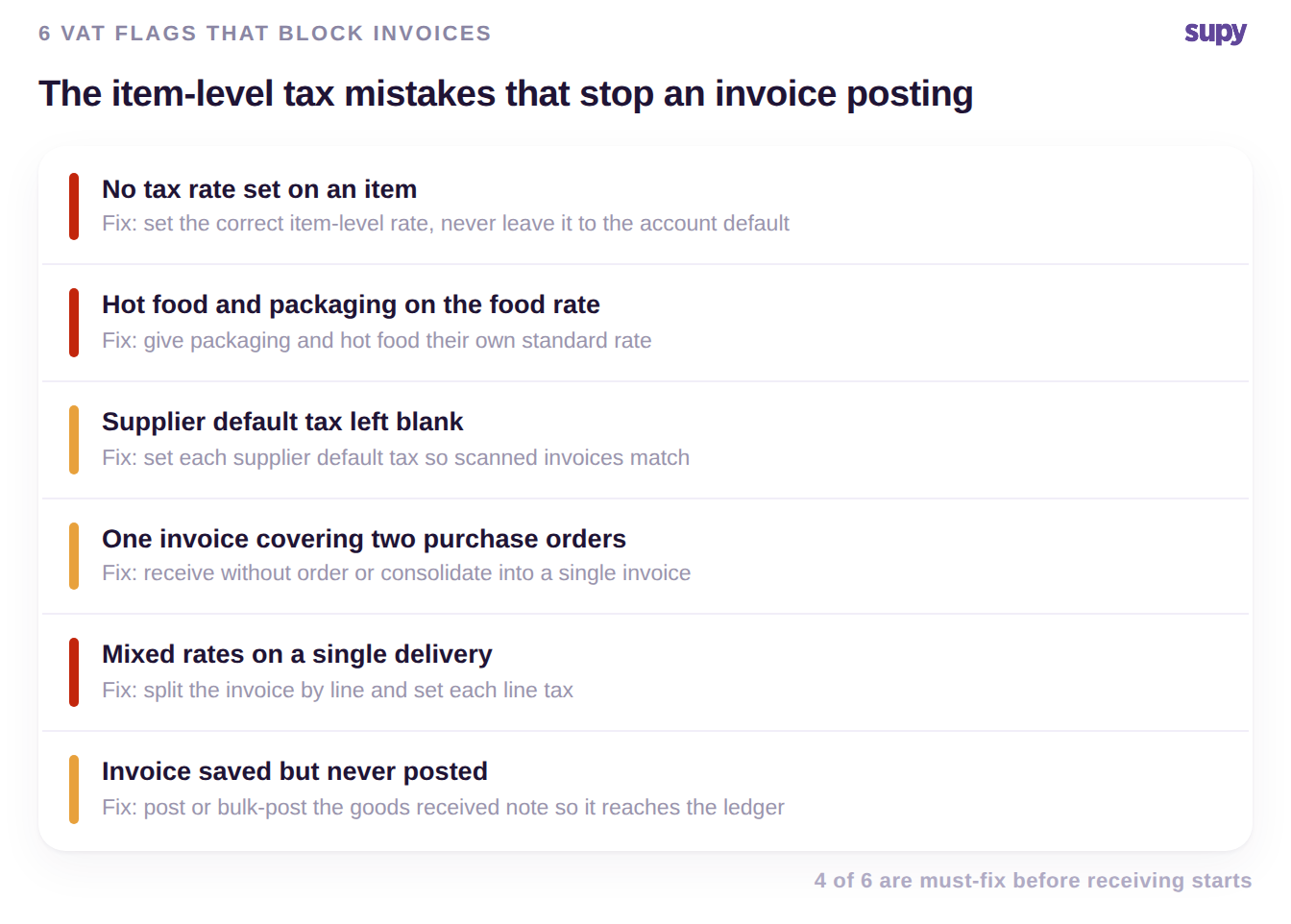
- An item loaded with no tax rate. The item inherits the account default, which is often a standard rate, so a zero-rated food item arrives carrying tax it should not. Receiving then errors and the invoice will not post. Fix: set the correct tax rate on every item at creation, and never rely on the account default to be right for that item.
- Hot food and packaging on the food rate. Where most food is zero-rated but hot food, packaging and non-food consumables are standard-rated, leaving them on the food rate understates tax and mismatches the supplier's invoice. Fix: give packaging, hot food and consumables their own standard rate rather than inheriting the food rate around them.
- Supplier default tax left blank. When a supplier's default tax is not set, scanned or entered invoices have nothing to match against, so line items resolve inconsistently. Fix: set each supplier's default tax, and configure it per supplier where suppliers genuinely differ, so an incoming invoice reconciles against the rate you expect.
- One invoice covering two purchase orders. A supplier who bills two orders on a single invoice breaks the one-to-one match many teams assume, and the invoice stalls. Fix: use the receive-without-order workflow to add the extra lines, or consolidate the goods received notes into one invoice so a single supplier document still posts cleanly. The same principle underpins consolidated purchase orders for restaurant groups.
- Mixed rates on a single delivery. A delivery or a handling fee that splits into components with different tax treatment cannot take one blanket rate across the whole document. Fix: split the invoice into its line items and set each line's tax, so an exempt component and a standard-rated one post correctly side by side rather than being averaged into a wrong total.
- An invoice saved but never posted. A goods received note that is saved but not posted never reaches the profit and loss, so an accountant later finds the invoice missing from the books. This is a workflow step, not a fault: post the goods received note, or use the bulk-post action to clear several at once, and the transactions sync to your connected accounting system automatically.
Run a quick self-audit against the six: open a recent delivery that failed to post and check, in order, whether the item has a rate, whether hot food and packaging carry the standard rate, whether the supplier default is set, and whether the goods received note was actually posted. The highest-priority fix is almost always the first one, an item with no rate set, because it blocks receiving outright rather than merely misreporting. Clear that, and most stuck invoices move.