.jpg)


Daily Food Flash Report: Working Back From POS Cut-Off Times
What a Daily Food Flash Report Is, and Why It Slips
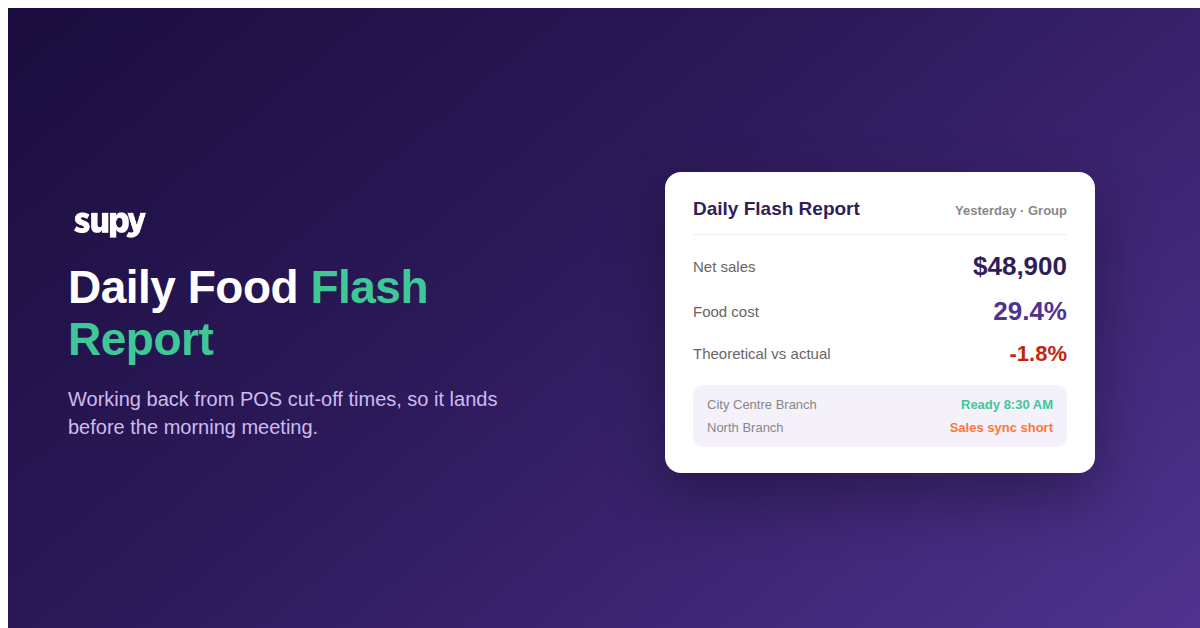
A daily food flash report is a one-page, next-morning snapshot of yesterday's trading for a restaurant or group: net sales, food cost as a percentage of sales, the variance between theoretical and actual usage, and a short list of exceptions worth a manager's attention. It exists to answer one question fast, before the day gets away from everyone: did yesterday go the way we expected, and if not, where.
It slips because teams design the report around what goes in it and treat the data as if it were simply there at midnight. It is not. Sales data has to be released by the POS vendor, pulled into the inventory or accounting system, and validated before cost figures sit on solid ground. Each of those steps has its own earliest-possible time, and the report cannot beat the slowest link in that chain. When a group sets an 8:00 AM deadline without checking that the sales data is even available by then, the report is structurally late from the day it is designed, and no amount of chasing the person who compiles it will fix that.
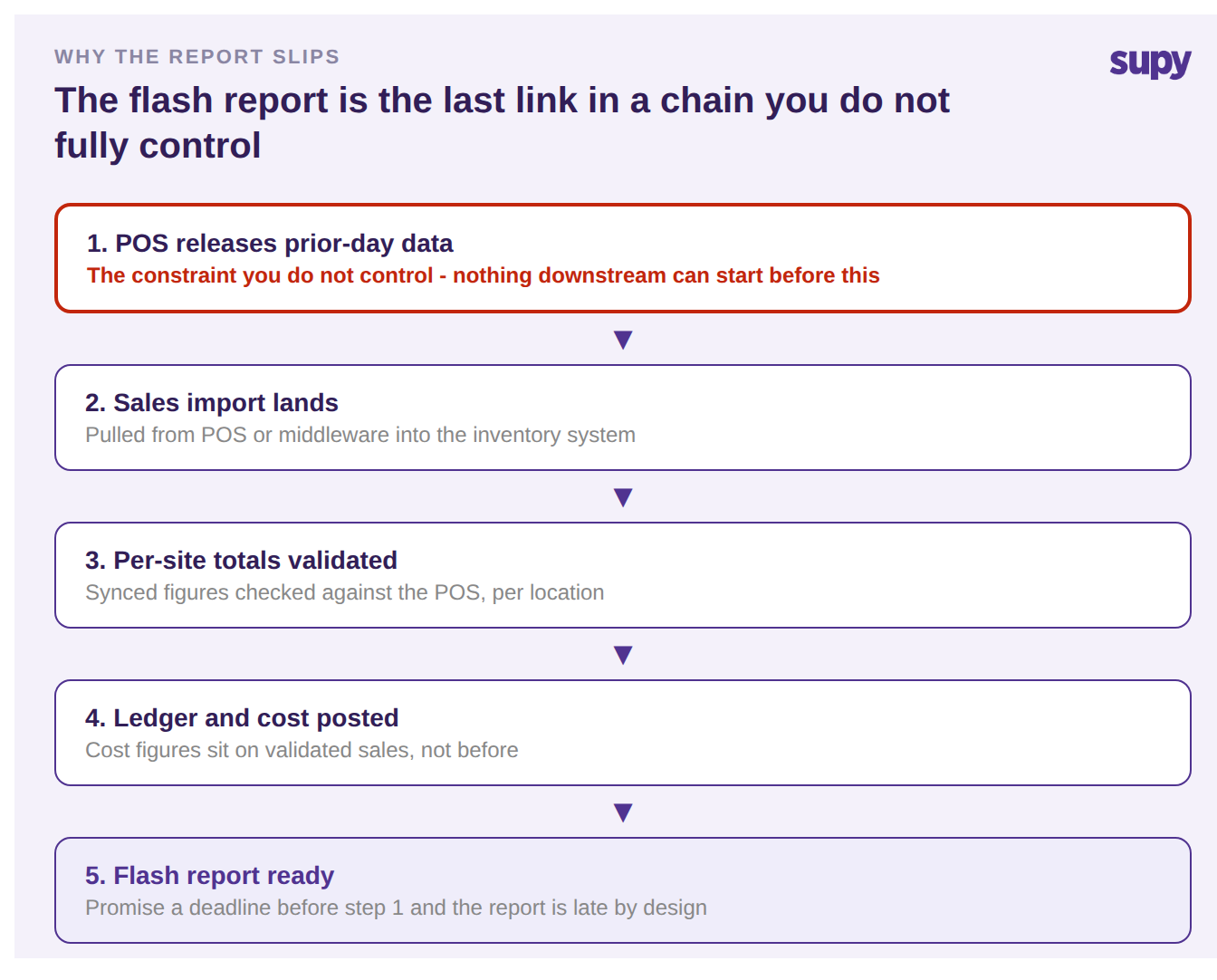
The fix is not a faster compiler. It is treating the report as the last step in a sequence and building the schedule from the one time in that sequence you do not control: when the POS releases the day.
Start From When Your POS Releases Yesterday's Data
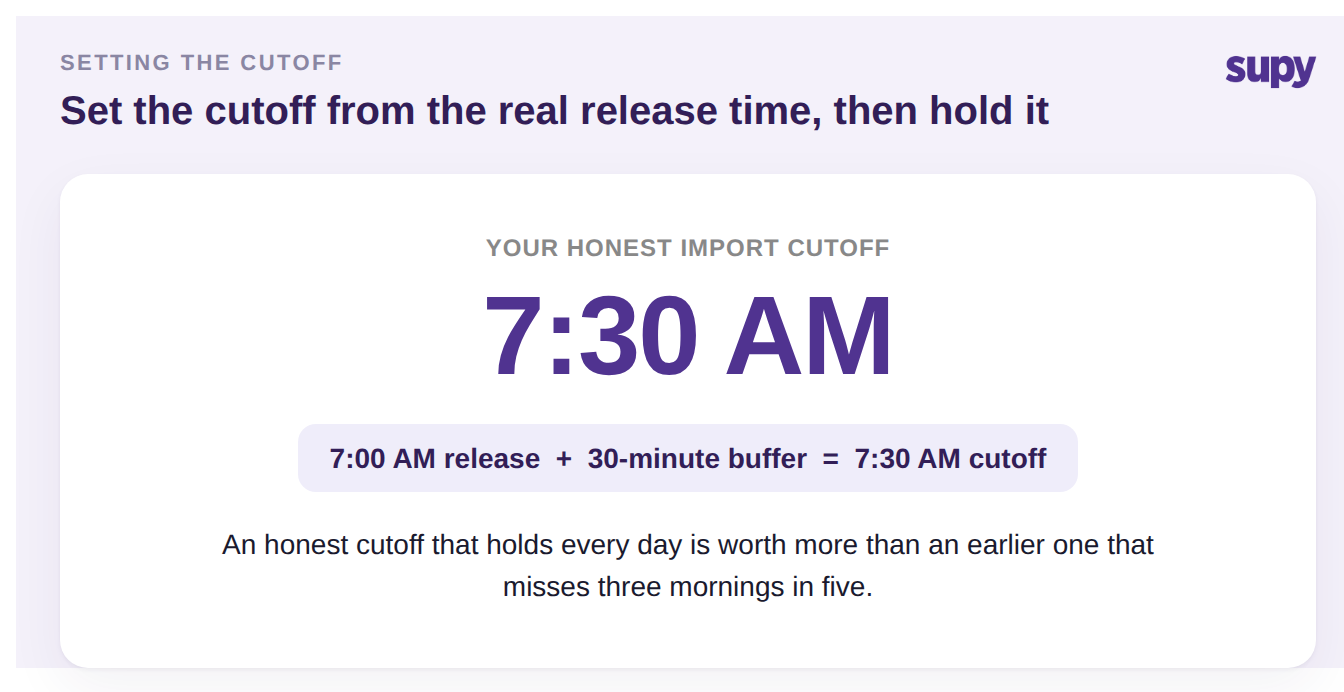
Before you promise anyone a time, find out when your POS or middleware vendor actually makes the prior day's data available. This is a factual question you can put to the vendor or confirm by watching when the import first succeeds cleanly for a few days. It varies more than most teams assume. One operator found their POS released data no earlier than 7:00 AM local, which meant every deadline promised before then was fiction.
Once you know the release time, set the import cutoff at release plus a short buffer, and reset the expectation honestly. If the data is available at 7:00 AM, a 7:30 AM cutoff with a 30-minute buffer is realistic; an earlier one is not. This sounds like a concession, but it is the opposite: an honest cutoff that holds every day is worth far more to a finance lead than an aspirational one that misses three mornings in five. Naming the real constraint out loud is what lets the rest of the schedule become reliable.
Work Every Deadline Backwards From That Release Time
With the release time fixed, build the schedule in reverse. Start from the moment the report has to be in someone's hands, usually the morning operations or ownership meeting, and subtract each dependency until you reach the POS release. Every step needs a latest-finish time, and each one is gated by the step before it: the ledger cannot post before sales are validated, and sales cannot be validated before the import lands. If the arithmetic does not reach back to a time at or after the POS release, the meeting time is the thing that has to move, not the team.
Here is the same worked example laid out as a backwards-derived schedule. The times are illustrative; the method is the point.
| Step | Target time | Gated by |
|---|---|---|
| POS releases prior-day data | 7:00 AM | POS vendor (fixed) |
| Sales import cutoff | 7:30 AM | Release plus 30-minute buffer |
| Per-site totals check | 7:45 AM | Sales import complete |
| Ledger and cost posted | 8:15 AM | Validated sales |
| Flash report sent | 8:30 AM | Ledger posted |
| Operations meeting | 9:00 AM | Flash report in hand |
Read it bottom to top and it is a wish. Read it top to bottom, anchored on the 7:00 AM release, and it is a plan. If a group needs ownership reporting before 10:00 AM, this is exactly how you discover that the ledger integration has to complete before 9:00 AM and the sales sync earlier still, rather than finding out when the report is late. Where the ledger posting itself is the fragile link, our guide to order-to-accounting sync control and failure recovery covers the recovery steps in depth.
Align the Import Cut-Off to Each Site's Business Day
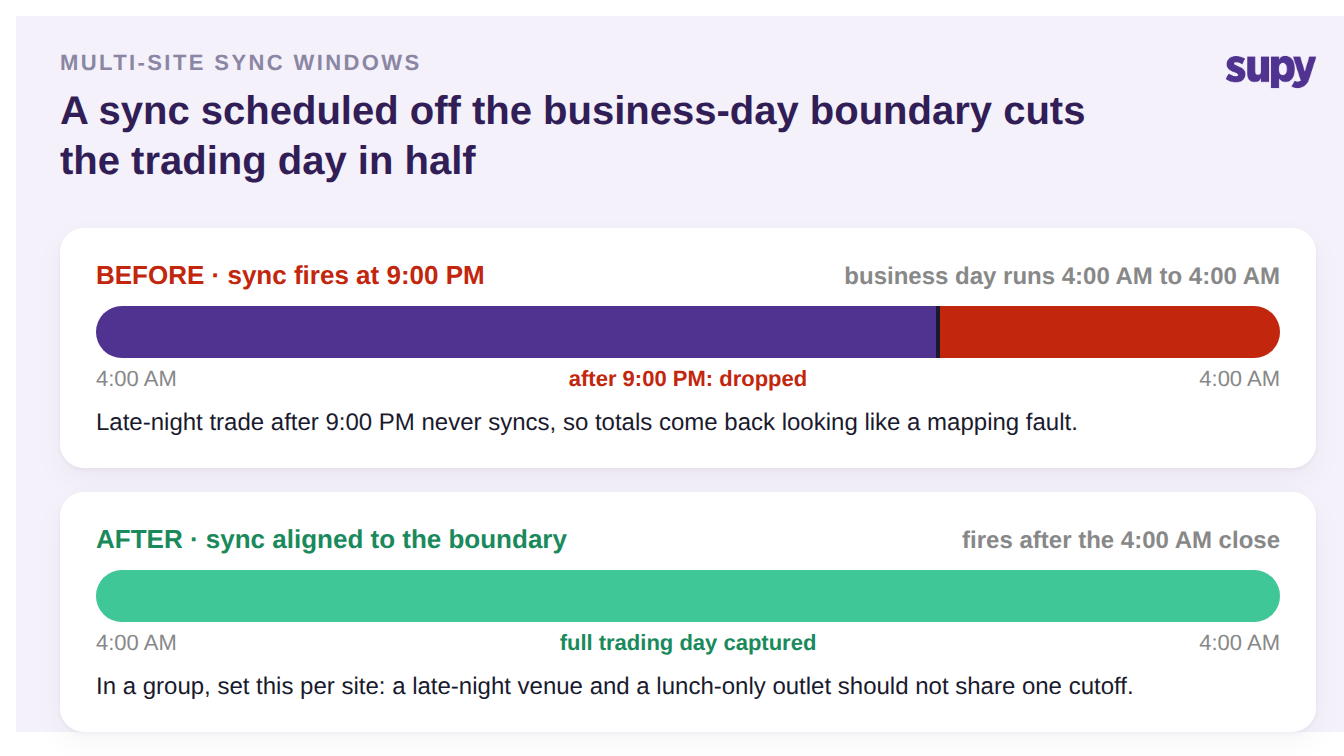
A single group-wide cutoff quietly assumes every site closes its trading day at the same moment. Many do not. A POS can run a business day from 4:00 AM to 4:00 AM rather than midnight to midnight, so a sync scheduled at 9:00 PM cuts that trading day in half and silently drops the late-night trade. The totals come back looking wrong in a way that mimics a mapping fault, and teams can burn a day auditing item mappings when the real problem is a sync window that never covered the whole day.
Before you trust any site's numbers, confirm that POS's own business-day boundary and align the import window to it. In a group, do this per site: a late-night venue on a 4:00 AM boundary and a lunch-only outlet on a midnight boundary should not share one blanket cutoff. Getting this right once removes a whole category of variance that otherwise reappears every close.
Confirm the Data Is Complete Before You Trust the Number
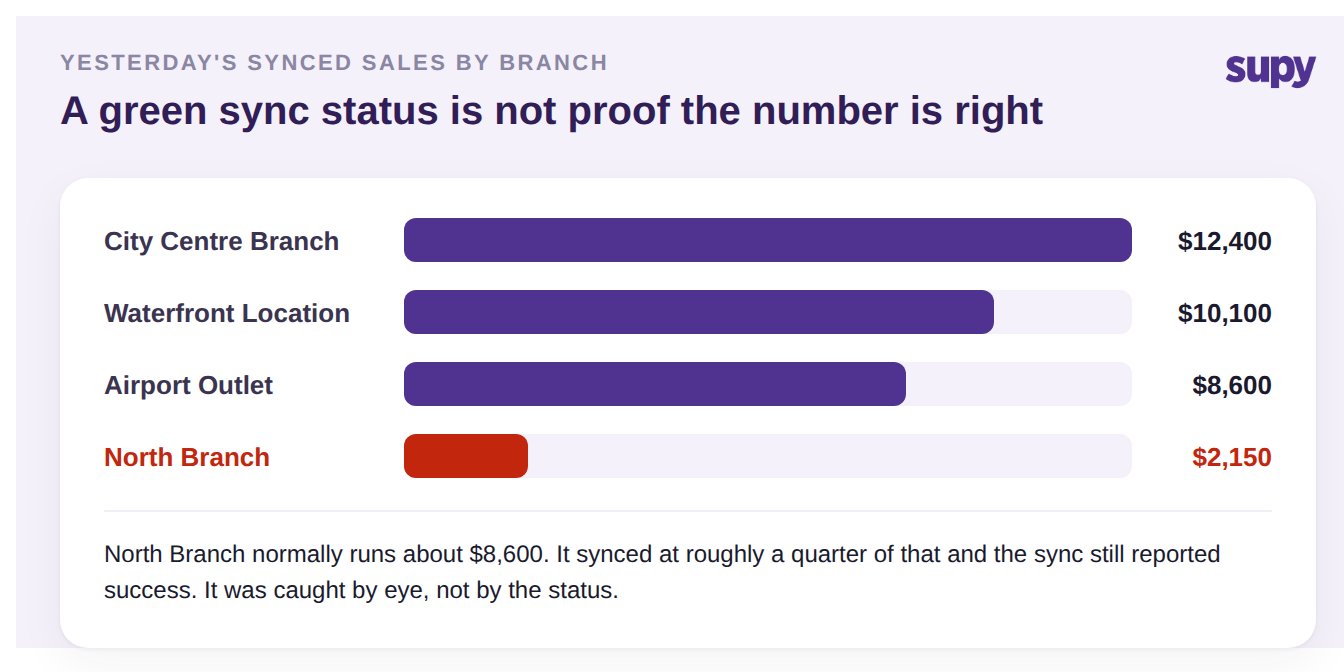
A green "sync succeeded" status is not evidence the numbers are right. One multi-site group had a branch sync at roughly a quarter of its true sales for a day; the sync reported success, and it was caught only because someone recognised the figure as wrong. A single under-reported day flows straight into theoretical usage, variance and cost of goods for the whole period, so completeness is the first check, not the last.
Two failure modes make this worse and both are invisible until you look for them. Scheduled exports can fail silently and leave permanent gaps, often discovered at month-end instead of the next morning, so put an alert on a missing import rather than relying on someone to notice a hole. And expired POS integration credentials can stop a venue's sales syncing entirely while stock keeps depleting in reality, manufacturing variance out of thin air; a standing last-sync-per-site check catches it the same day. Any variance investigation should begin by confirming sales data is complete for the period before anyone recounts stock, a sequence covered in our guide to reconciling POS sales against your inventory system.
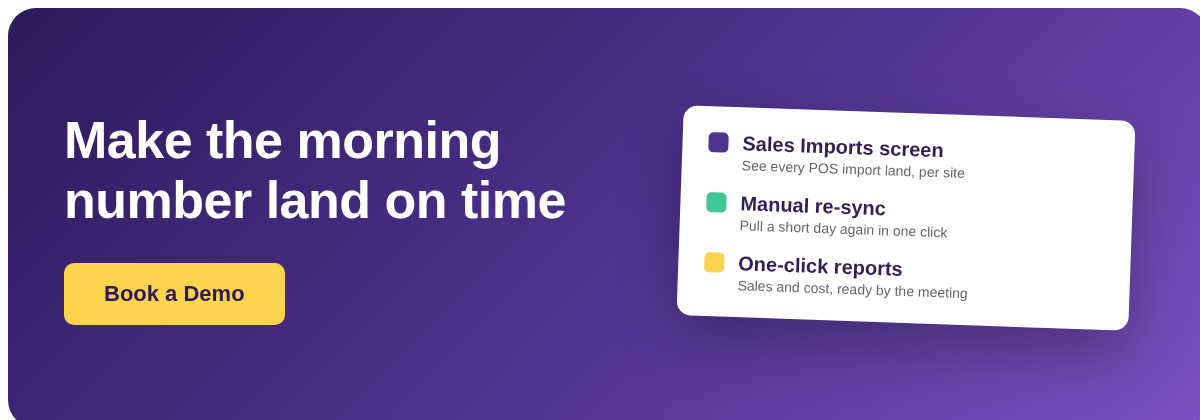
This is where the plumbing matters. Supy connects to 75+ integrations including the major POS systems; completed sales orders arrive by webhook and are converted into inventory sales transactions automatically, and every import is visible on a Sales Imports screen where you can see the import history, pull a specific date range, and trigger a manual re-sync if a day looks short. That visibility is what turns "confirm the data is complete" from a hope into a step someone can actually perform before the report goes out, backed by one-click sales and cost reports rather than a manual spreadsheet stitch.
Put It to Work Tomorrow
If your flash report is chronically late or occasionally wrong, run this quick self-diagnostic before you change anything about the report itself. First, do you know the actual time your POS releases yesterday's data, as a fact rather than an assumption? If not, that is the first thing to establish. Second, is your promised deadline at or after that release time plus a buffer? If it is earlier, the deadline is the problem. Third, does each site's import window cover its full business day, and does someone confirm sales are complete per site before the numbers are trusted? Fix those three in order and the report stops being a daily fire drill.
The single highest-impact move is the first one: pin down the POS release time and set an honest cutoff from it. Everything downstream, the ledger post, the report, the meeting, only becomes reliable once that anchor is real. If you also want a fast way to sanity-check the cost figures the report produces, the free food cost calculator is a quick cross-check while you get the timing right.