.jpeg)

PDV et logiciel de gestion de restaurant : pourquoi une recherche cache deux systèmes différents
Ce que désigne réellement le logiciel « PDV gestionnaire de restaurant »
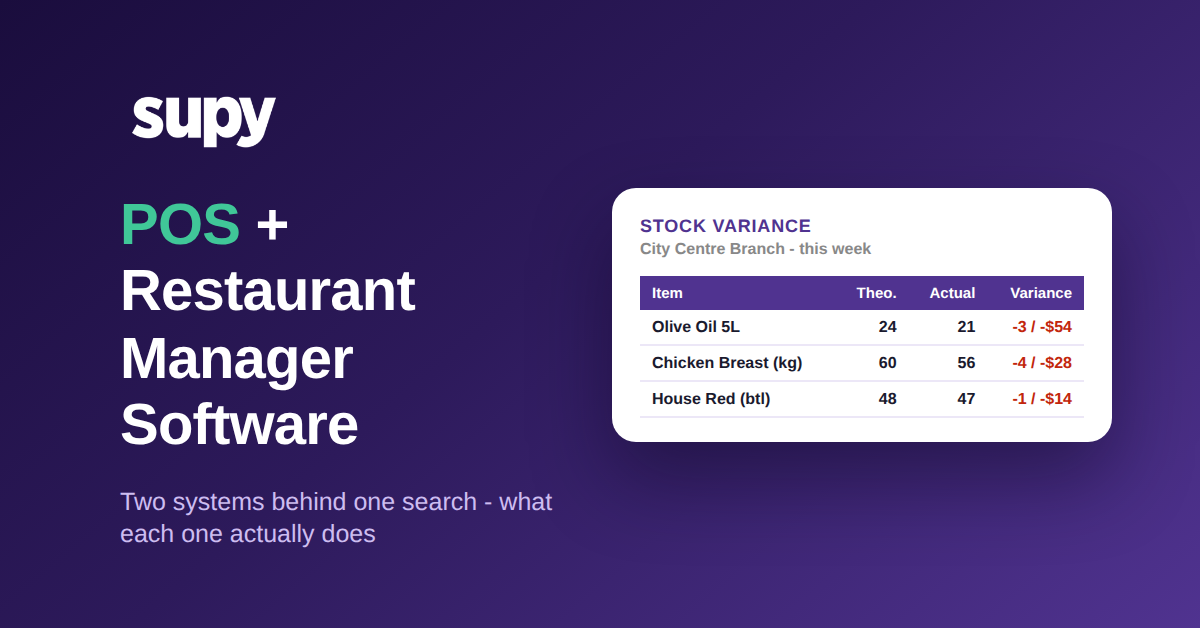
Tapez cette phrase dans un moteur de recherche et les résultats se contredisent, car elle renvoie à l'un de deux Produits différents : une caisse PDV qui intègre quelques fonctions de gestion, ou un système de gestion dédié qu'un manager de restaurant utilise à côté du PDV pour gérer les Stocks, l'Approvisionnement, le Coût matière des Recettes et les rapports. Le PDV enregistre ce qui a été vendu à la caisse ; la couche de gestion explique ce que cette vente a fait à vos Stocks, votre Marge et votre prochaine Commande.
La distinction compte parce que les deux sont tarifés, vendus et adoptés différemment. Une suite PDV intégrée est achetée par celui qui gère la Salle et le terminal de paiement. Un système de gestion dédié est acheté par celui qui gère le Coût matière et les achats. Dans un café mono-site ce peut être la même personne, donc l'offre groupée semble pratique. Dans un groupe, c'est rarement le cas, et le « gestionnaire » qui cherche veut généralement savoir quel système règle le problème sur son bureau maintenant, pas quelle marque de caisse installer. La première question n'est donc pas quel Produit acheter, mais lequel des deux vous cherchez vraiment.
| PDV avec back-office intégré | Système de gestion à côté du PDV | |
|---|---|---|
| Ce que c'est | Une caisse qui ajoute quelques onglets de Stocks et de rapports | Logiciel dédié aux Stocks, aux coûts et aux Fournisseurs |
| Qui cherche | Propriétaire ou responsable de Salle | Le manager qui gère le Coût matière |
| Idéal pour | Un seul login pour les ventes et les paiements | Contrôle approfondi des Stocks, des coûts et de l'Approvisionnement |
| L'inconvénient | Faible profondeur de Cuisine à l'échelle d'un groupe | Nécessite un flux de ventes en direct depuis le PDV |
Où le PDV s'arrête et où le système de gestion commence
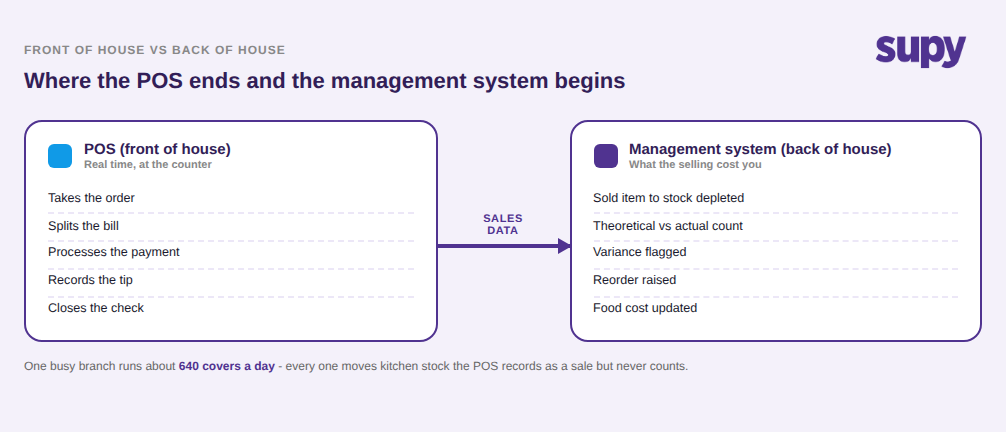
La façon la plus claire de penser est Salle contre Cuisine. Le PDV détient la transaction : il prend la Commande, sépare l'addition, traite le paiement, enregistre le pourboire et clôture le ticket. Tout ce qu'il réalise parfaitement se passe à la caisse ou à proximité, en temps réel, devant un client.
Le système de gestion détient tout ce qui se passe à cause de ces transactions, mais pas à la caisse. Quand un burger se vend, le PDV enregistre la vente ; la couche de gestion transforme ce burger vendu en 150 grammes de bœuf, un pain et une tranche de fromage quittant les Stocks, compare ensuite cette déduction théorique à un comptage physique, signale l'Écart et l'intègre à une Commande de réapprovisionnement et à un chiffre de Coût matière. Le PDV sait ce qui est sorti de la caisse. Le système de gestion sait ce qui est sorti de la Cuisine et ce que cela vous a coûté. Un groupe qui traite le PDV comme son système de gestion des Stocks et des coûts fonctionne en réalité sur des données de ventes seules, toute la partie Cuisine manquant à l'image. La question à se poser : ce que vous appelez votre « système » n'est-il vraiment que votre PDV remplissant un second rôle pour lequel il n'a jamais été Conçu pour ?
Comment les données de ventes font le lien, et pourquoi ce lien n'est pas automatique
Les deux couches se connectent par une seule chose : les données de ventes qui circulent du PDV vers le système de gestion, où chaque article vendu est converti en stock consommé. Ce flux unique est le pont, et « il s'intègre à votre PDV » peut discrètement désigner trois ponts très différents. Une connexion export uniquement envoie des données hors du PDV pour les rapports mais n'importe rien, votre système de gestion recevant encore ses ventes par upload manuel. Un flux en direct unidirectionnel pousse les ventes réalisées dans le système de gestion automatiquement. Une synchronisation bidirectionnelle fait cela et renvoie aussi des informations au PDV. Avant de supposer que les deux systèmes communiquent, confirmez lequel des trois vous est réellement vendu, car le mot « Intégration » les couvre tous.
Même un flux en direct ne clôt pas le travail. Chaque article du PDV doit être mappé sur la Recette et l'article de stock qu'il représente dans le système de gestion, et tout ce qui n'est pas mappé ne déduit tout simplement pas, sous-déclarant silencieusement les Stocks et revenus mobilisés. Un menu seulement en partie mappé produit des chiffres qui semblent précis et sont faux. Et certaines plateformes PDV, notamment les systèmes de niche ou régionaux, n'offrent aucune Intégration utilisable, ce qui pour beaucoup de groupes est le principal obstacle à une Cuisine précise. Pour la mécanique de ce flux et ses points de rupture, notre guide des Intégrations de logiciels de gestion des Stocks en restauration va plus loin. Avant d'accepter « il s'intègre » pour argent comptant, demandez lequel des trois ponts vous est vendu, et qui gère le mapping des articles une fois en production.
| Ce qu'on vous vend | Ventes PDV entrantes ? | Ce qui reste manuel |
|---|---|---|
| Export uniquement Les données quittent le PDV pour les rapports | 0 % – rien | Importer chaque jour les ventes en CSV manuellement |
| Flux en direct unidirectionnel PDV vers gestion, automatique | 100 % – auto | Mapper chaque article PDV sur sa Recette une fois |
| Synchronisation bidirectionnelle Alimente et renvoie au PDV | 100 % + retour | Maintenir le mapping d'articles à jour quand le menu change |
Pour le manager, faites correspondre l'outil au besoin
Si vous êtes la personne qui cherche, le moyen le plus rapide de sortir de l'ambiguïté est de nommer le problème que vous essayez de résoudre et de voir quelle couche en est responsable. Un service lent à la caisse, la séparation d'additions, les types de paiement et le débit de la Salle sont des problèmes de PDV, et aucun logiciel de gestion des Stocks ne les règle. Des Stocks qui s'épuisent en cours de service, un pourcentage de Coût matière qui dérive, des Factures qui ne correspondent pas à ce qui est arrivé, et des Commandes passées à l'instinct sont des problèmes de couche de gestion, et une meilleure caisse n'y touchera pas.
La plupart des groupes finissent par avoir besoin des deux, parce que les deux remplissent des fonctions vraiment différentes. Ce qu'ils ne devraient pas faire, c'est acheter l'un en espérant qu'il soit l'autre. Le PDV n'est pas Conçu pour contrôler votre Coût matière, et un système de gestion acheté sans vérifier qu'il peut ingérer les ventes de votre PDV vous laissera saisir les chiffres manuellement. La phrase de recherche mélange les deux, mais la décision d'achat doit les séparer. Nommez donc le problème qui vous coûte le plus maintenant, et laissez cela décider de la couche que vous choisissez en premier.
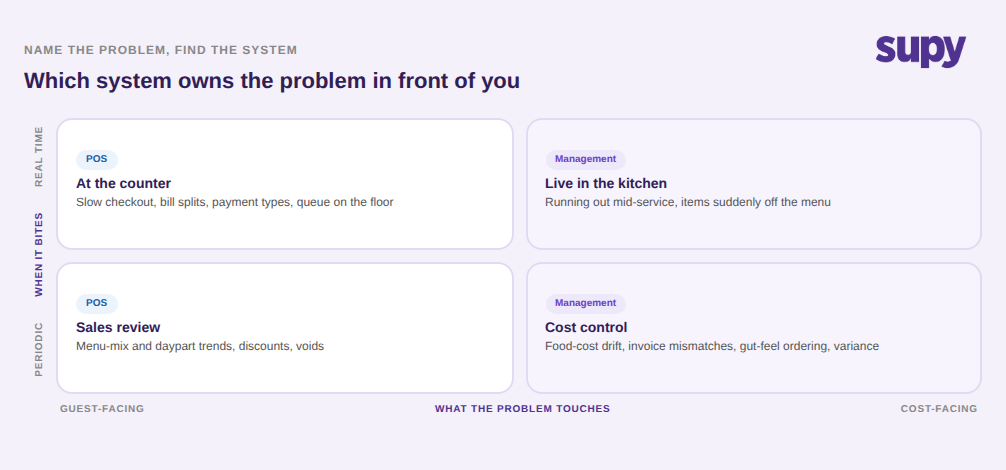
Avant d'établir une liste restreinte, clarifiez la recherche avec quatre questions. Premièrement, quel problème vous coûte vraiment de l'argent maintenant, un problème de Salle ou de Cuisine ? Cela vous dit quelle couche prioriser. Deuxièmement, si c'est un problème de Cuisine, le système de gestion que vous évaluez ingère-t-il votre PDV spécifique comme flux en direct, pas seulement en export ? Troisièmement, votre prestataire PDV acceptera-t-il de fournir les données de ventes, car certains refusent ? Quatrièmement, qui gère le mapping des articles PDV sur les Stocks, et quelle part du menu doit être mappée avant que les chiffres soient fiables ? Répondez à ces questions et le problème des deux systèmes derrière une même recherche cesse d'être une source de confusion et devient une décision claire et ordonnée.
Supy est la couche de gestion de Cuisine qui se superpose à votre PDV, transformant les ventes en Stocks en direct, en contrôle des coûts et de gestion des Fournisseurs sur chaque Point de vente. Découvrez comment il gère les ventes et Intégrations PDV, ou Réservez une démo pour le voir avec votre propre menu.